TL;DR for IT & Security Leaders
- The Problem: Over time, manual exceptions and temporary fixes weaken your Microsoft 365 email security, creating a silent, systemic vulnerability known as Security Drift.
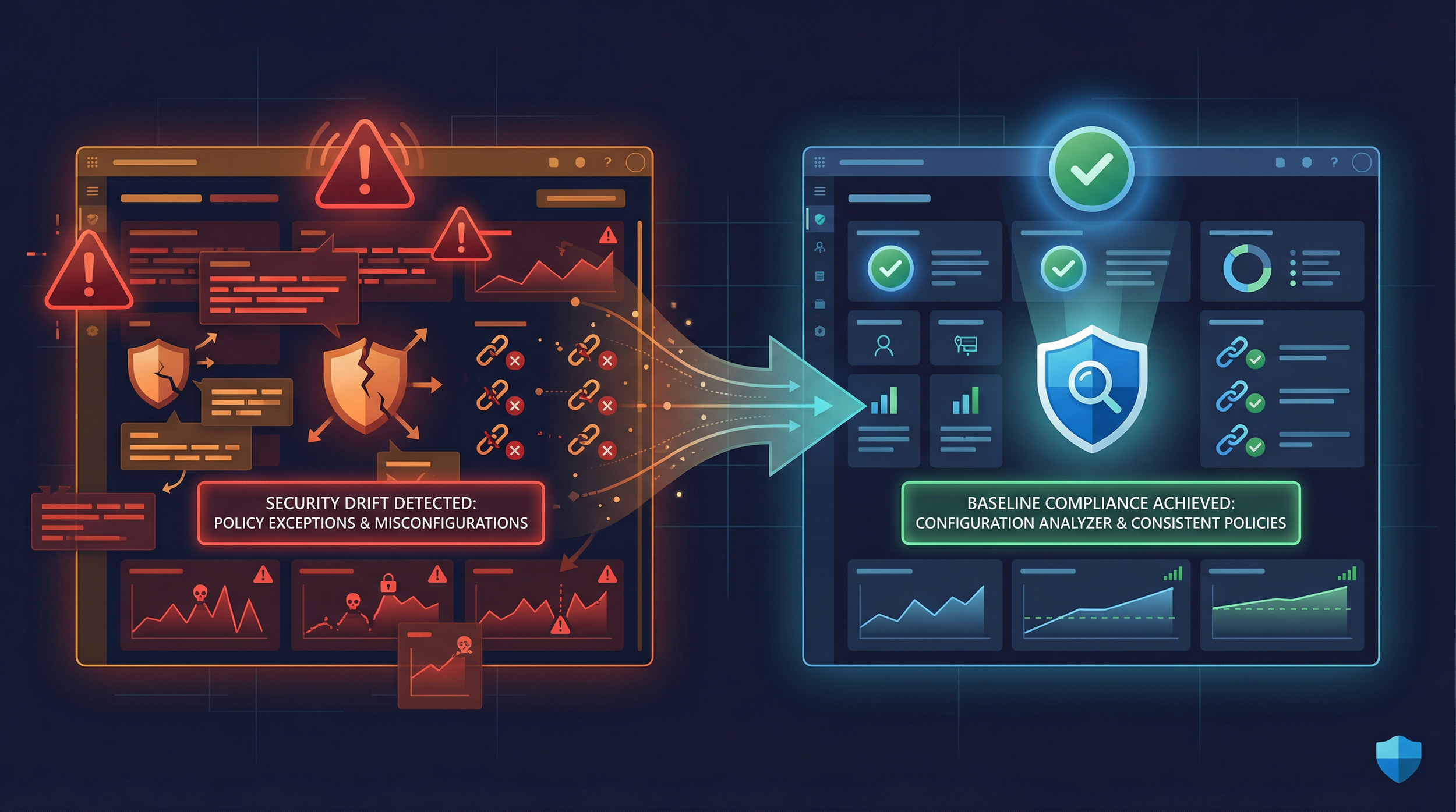
- The Solution: Use the Configuration Analyzer in Microsoft Defender for Office 365 to automatically detect and correct these deviations from Microsoft's recommended security baselines.
- The Process: A simple 3-step process: Analyze your current policies, Remediate the identified gaps, and Lock In consistency with Preset Security Policies.
- The Payoff: Restore your tenant's email security to a hardened, compliant, and uniform state, drastically reducing risk from misconfigurations that enable threats like Business Email Compromise (BEC).
- The Urgency: Security drift is inevitable and continuous. Regular analysis is not optional—it's a core part of modern security hygiene.
On day one, your Microsoft 365 tenant's email security is pristine. Spam filters are strict, anti-phishing policies follow best practices, and every setting aligns with Microsoft's recommendations. But fast-forward 365 days, and the landscape has changed. Dozens of one-off exceptions, "temporary" vendor whitelists, and emergency rule changes have accumulated. Your email protection no longer resembles its day-one state. This silent, gradual degradation is what Microsoft calls Security Drift, and it's one of the most insidious threats to your organization's security posture. This guide provides a step-by-step survival plan to combat it using a powerful, built-in tool: the Configuration Analyzer in Microsoft Defender for Office 365.
The Silent Enemy: What Is "Security Drift"?
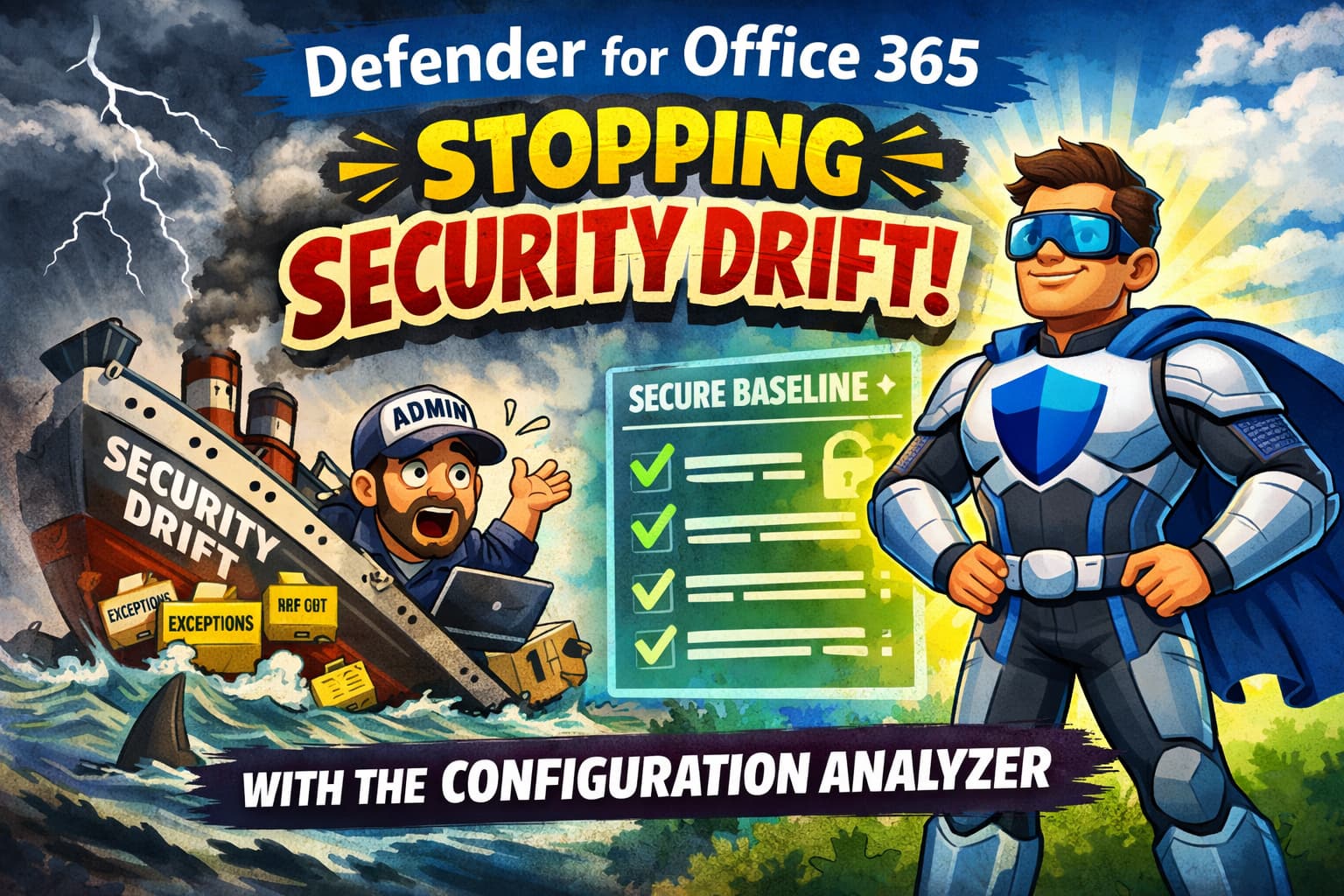
Security Drift is a form of configuration drift that quietly undermines your email security. It happens when well-intentioned but temporary fixes—an executive needing to bypass a spam filter, a helpdesk admin loosening a rule for a specific case—become permanent fixtures. Security drift is rarely a single misconfiguration — it is the sum of justified exceptions that, over time, create a fragmented and inconsistent policy landscape.
As Microsoft states, "Configuration drift occurs gradually as manual changes, emergency fixes, and unauthorized modifications deviate resources from security baselines, creating security gaps." [1]
These gaps add up. A custom allowlist for a marketing project remains long after the project ends. A Safe Links setting eased on a busy day is never re-hardened. Many successful Business Email Compromise (BEC) incidents are not caused by advanced threats, but by weakened or drifted configurations that an attacker can exploit. This is why Microsoft recommends continuous analysis, and the Configuration Analyzer is your X-ray machine for email security, automatically comparing your current settings against Microsoft's recommended baselines and highlighting exactly where your policies have drifted.
💰 The Hidden Cost of Security Drift
Ignoring security drift isn't just a technical problem—it has direct financial consequences. The gradual weakening of your defenses exposes the organization to significant costs, including:
- Increased Incident Response Costs: A single successful phishing or BEC attack resulting from a weakened policy can cost thousands in investigation, remediation, and recovery.
- Direct Financial Loss: Drifted configurations can fail to block fraudulent emails, leading to direct losses from BEC scams and wire transfer fraud.
- Audit Findings & Compliance Fines: For regulated industries, deviating from a security baseline can lead to failed audits and hefty non-compliance penalties. Security drift often converts acceptable risk into invisible, unmanaged risk.
- Operational Overhead: More spam and malicious emails reaching inboxes means more time wasted by employees and more tickets for the helpdesk.
🔐 Why Security Teams Embrace the Configuration Analyzer
Security Operations (SecOps) teams love this tool because it directly addresses core security principles and operational headaches:
- Provides a Single Source of Truth: No more hunting through dozens of policies. The analyzer provides a centralized dashboard of all deviations.
- Enforces Standardization: It helps enforce a consistent security baseline across the entire organization, eliminating "special cases" that become permanent risks.
- Reduces Manual Audit Time: It automates the tedious process of comparing current settings to best practices, freeing up analysts for higher-value tasks.
- Provides Actionable Intelligence: It doesn't just show you what's wrong; it gives you a path to fix it, turning insights into immediate action.
A 3-Step Survival Guide to Eliminating Drift
Here’s how to use the Configuration Analyzer to restore your tenant's email security posture in three practical steps.
🔍Step 1: Perform a Security "X-ray"
First, you need to diagnose the problem. The Configuration Analyzer provides a comprehensive overview of all policy settings that are weaker than Microsoft's recommended baselines.
Navigate to the Microsoft 365 Defender portal: Email & collaboration > Policies & rules > Threat policies > Configuration analyzer. By default, you land on the Standard recommendations tab, which is the baseline recommended for the majority of users. You can also switch to the Strict recommendations tab for a more aggressive posture. Strict protection is designed for users at elevated risk of targeted attacks (like executives, finance, VIPs, and privileged accounts), not as a universal default.
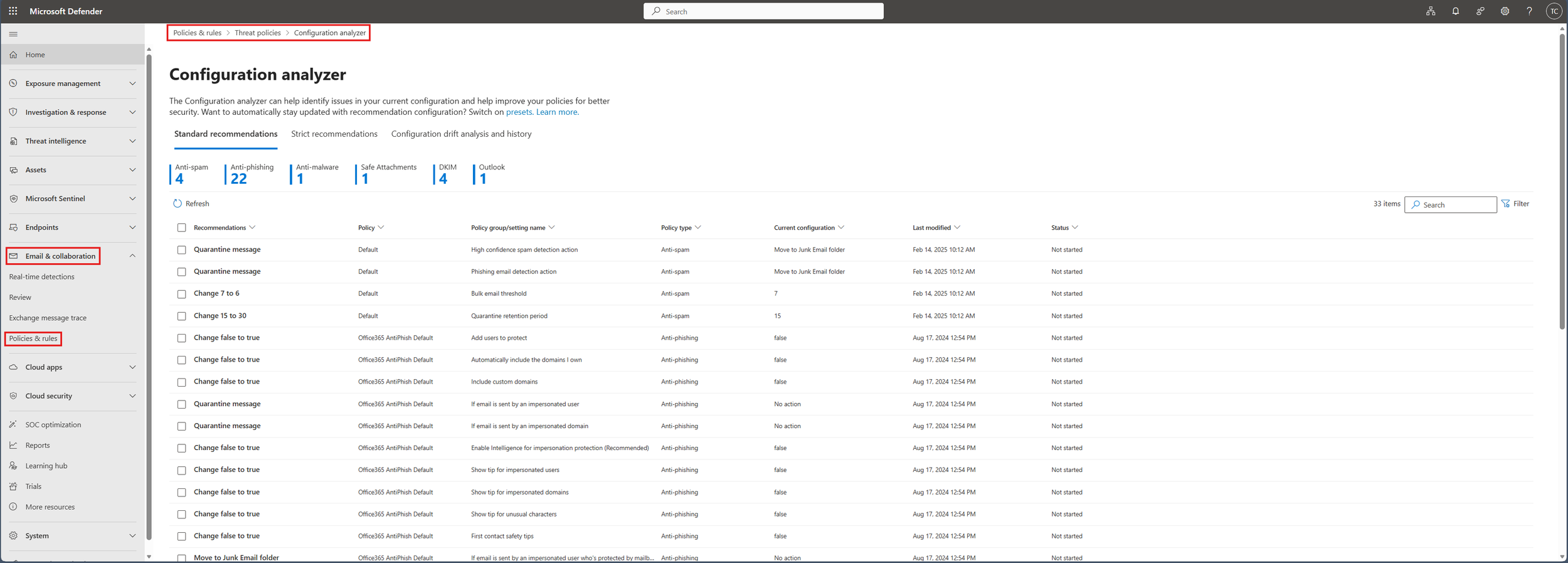
Pro Tip: Start with the Standard recommendations tab. It provides the best balance of security and usability for most users. Address all Standard deviations before selectively applying Strict protection to high-risk groups.
⚙️Step 2: Remediate Identified Gaps
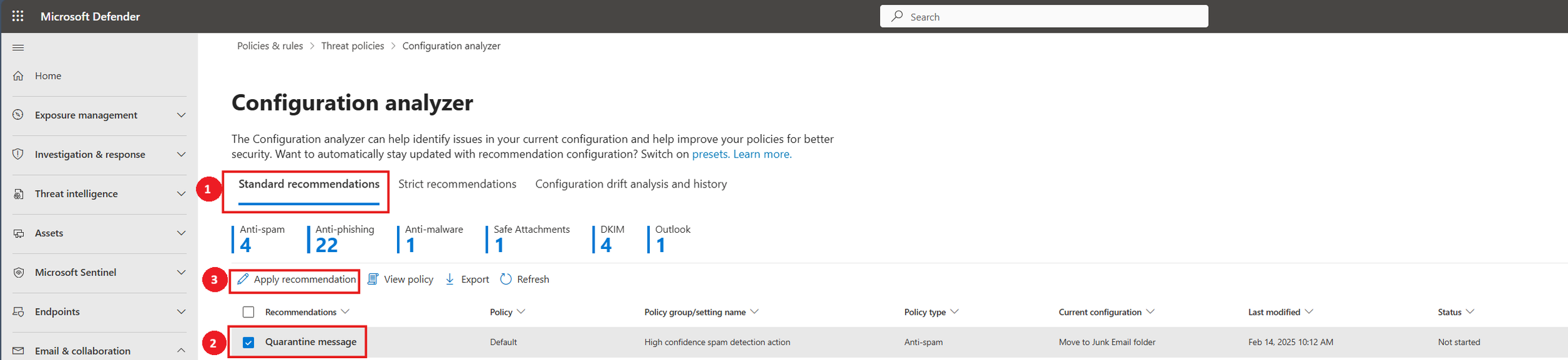
Once the analyzer identifies the gaps, fixing them is remarkably simple. The tool provides a one-click remediation for many supported recommendations.
In the recommendations list, select the checkbox next to each finding you want to fix and click Apply recommendation. Defender will prompt for confirmation and then automatically update the setting to the recommended value, marking the item as "Complete."
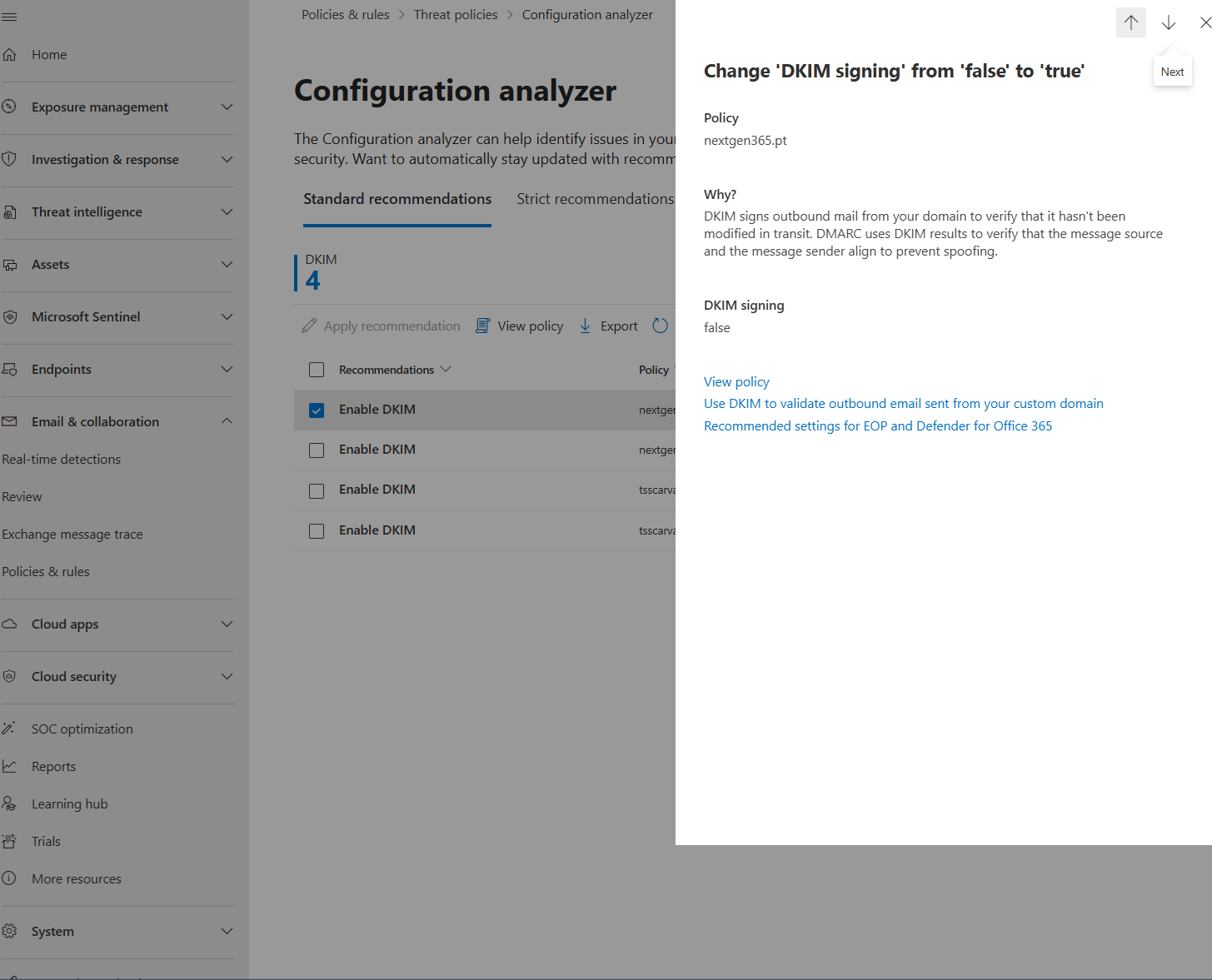
For more complex changes or unsupported recommendations, you can click on the recommendation to see a detailed panel explaining the "Why" and use the View policy link to jump directly into the policy editor for manual adjustments.
Common Mistake: Trying to fix everything at once without communication. Prioritize the most critical gaps first (e.g., anti-phishing, anti-malware). Communicate changes to the helpdesk and users to avoid surprises and unnecessary support tickets.
🛡️Step 3: Lock In Best Practices with Preset Security Policies
Fixing current drift is only half the battle; preventing it from reoccurring is the other. This is where Preset Security Policies come in. These are Microsoft-managed policy collections that automatically enforce Standard or Strict protection settings for the users you assign.
Navigate to Preset Security Policies, enable the toggle for Standard protection (or Strict), and assign it to the desired recipients. Once enabled, these presets ensure that every user included gets a strong, uniform protection baseline that isn't user-editable. This is the key to preventing future security drift.
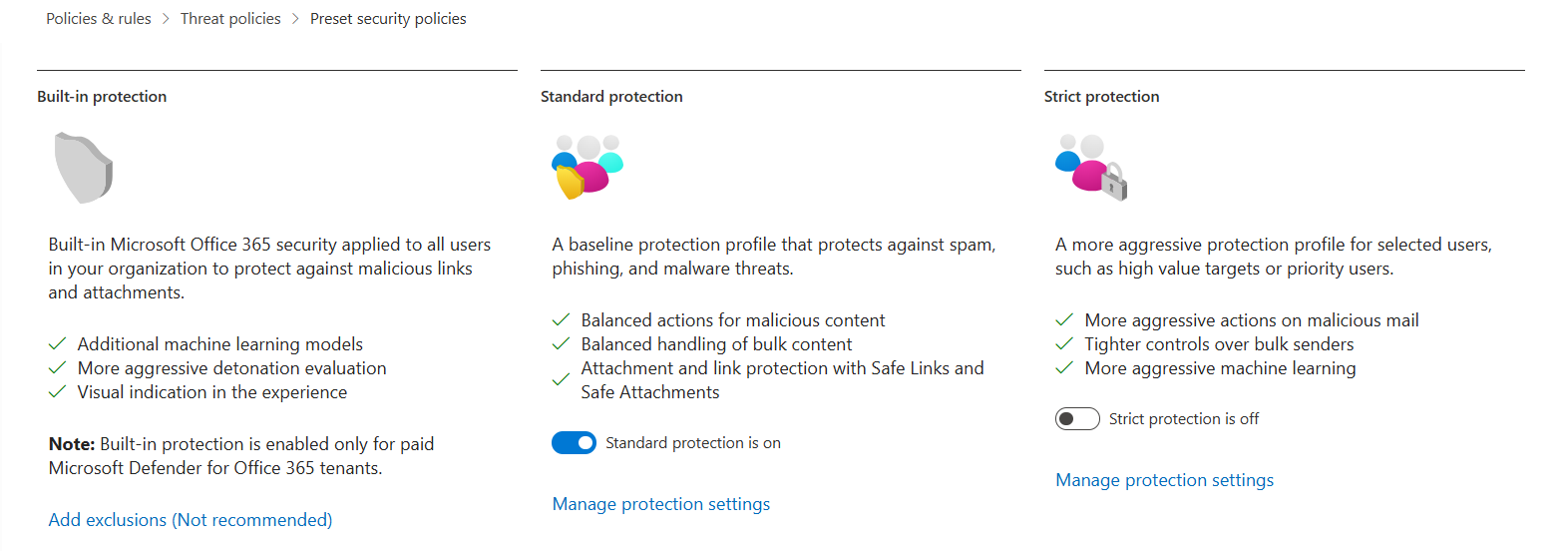
Using the Configuration Analyzer to fix current drift and then applying Preset Security Policies to enforce consistency is the "secure by default" model Microsoft strongly recommends. [2] [3]
⚙️ Operational Best Practice: When to Run the Analyzer
To effectively combat security drift, integrate the Configuration Analyzer into your regular security operations. Run it:
- Monthly as part of your standard security review cadence.
- After major policy changes to validate that no unintended gaps were created.
- After incident response activities to ensure all temporary exceptions are reverted.
- After migrations or tenant consolidations to establish a new, clean baseline.
- After granting any temporary security exceptions to ensure they are tracked and removed.
From Reactive Audits to Proactive Hardening
Security drift is a silent but persistent threat that weakens your defenses from the inside out. By regularly using the Configuration Analyzer and locking in your settings with Preset Security Policies, you shift from a reactive, audit-based model to a proactive, continuous hardening posture.
Fixing security drift is not a one-time project. It is a fundamental security discipline.Have you run the Configuration Analyzer on your tenant lately? Share what gaps it uncovered in the comments below.
References
- Configuration analyzer for threat policies | Microsoft Learn
- Preset security policies | Microsoft Learn
- Recommendations for Microsoft 365 security settings | Microsoft Learn
- Security Operations Guide for Defender for Office 365 | Microsoft Learn
- Microsoft Defender for Office 365: Fine-Tuning | Microsoft Community Hub
- Microsoft cloud security benchmark v2 - Posture and Vulnerability Management | Microsoft Learn
- Introducing Microsoft Security Exposure Management | Microsoft Community Hub