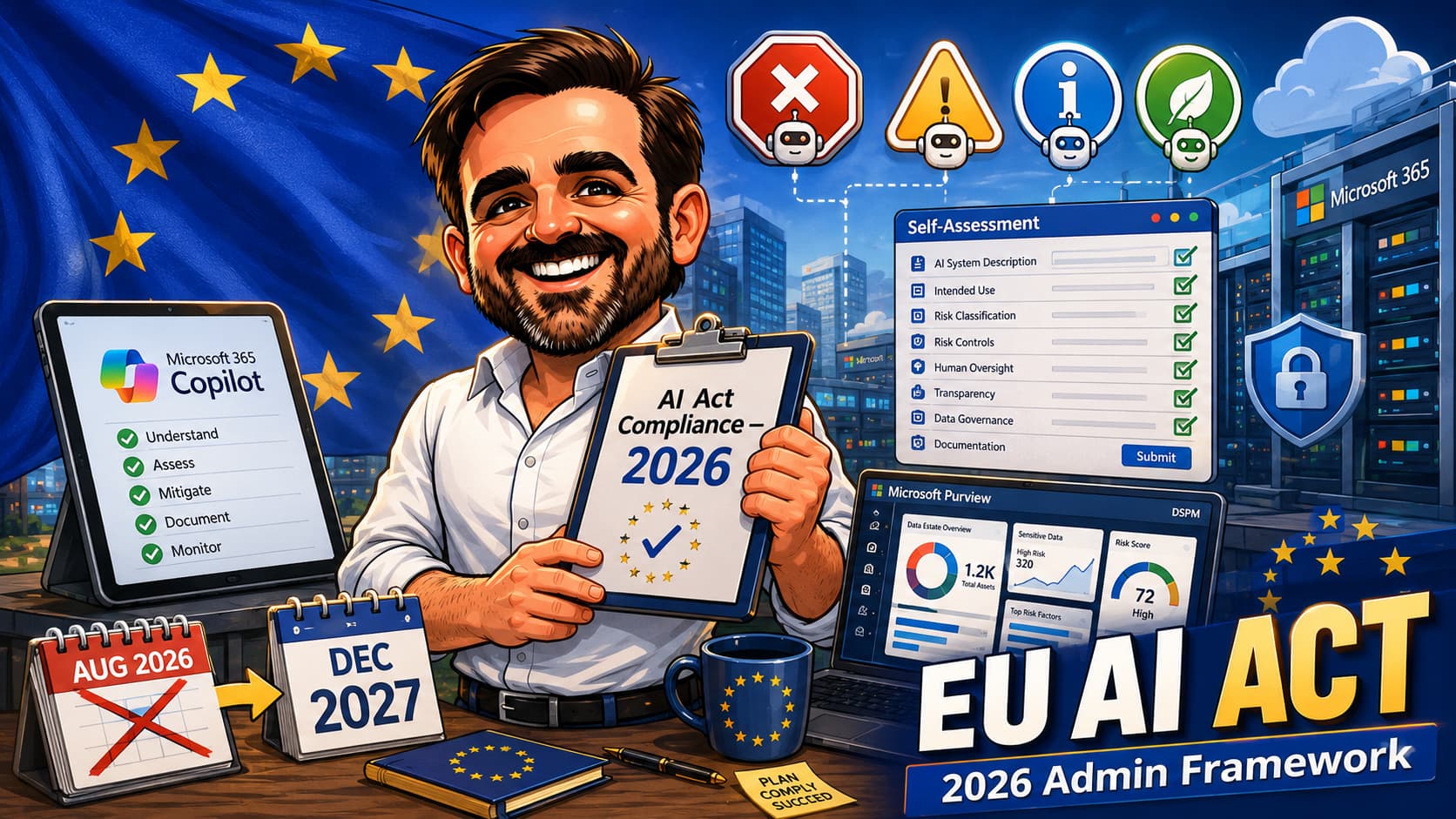
In May 2026 the EU agreed to amend its own AI Act before it had fully taken effect. The Digital AI Omnibus, politically agreed on 7 May 2026 and moving through formal adoption at the time of writing, is expected to defer the Annex III high-risk obligations from 2 August 2026 to 2 December 2027. Until the final text is formally adopted and published, organisations should validate the current legal position against EUR-Lex and qualified counsel. That headline created a false sense of relief in many Microsoft 365 tenants. The reality is more nuanced. Article 4 (AI literacy) has been in force since 2 February 2025. Article 5 (prohibited practices) has been in force since 2 February 2025. GPAI obligations have been in force since 2 August 2025. Article 50 transparency obligations still apply from 2 August 2026 for new systems. This article is the practical 2026 framework for Microsoft 365 admins: what the Omnibus actually changed, what is still binding, where Microsoft Copilot and the wider Microsoft AI stack sit on the risk ladder, which Microsoft Purview and Microsoft Entra controls map to which AI Act obligations, and an interactive self-assessment that produces a practical starting checklist.
This is not legal advice. The purpose is to map AI Act themes to Microsoft 365 admin controls and governance actions. Final classification, obligation mapping and compliance sign-off should be validated with legal, risk and compliance teams.
1. Starting from zero: read top to bottom; the self-assessment generates a practical starting checklist.
2. Already have an AI inventory: jump to the Microsoft tools mapping and the gap analysis.
3. Responding to a board or audit question: jump to the timeline, the penalties table, and the common mistakes section.
The 2026 timeline reset: what changed, what did not
The EU AI Act entered into force in August 2024, with obligations phased in over several years. The original cadence put the most operationally heavy obligations — Annex III high-risk systems — at 2 August 2026, two years after entry into force. By early 2026 it was clear that significant parts of the regulatory ecosystem (harmonised standards, notified bodies, national authorities, AI Office guidance) would not be ready in time. The Commission moved to amend the timeline. The Digital AI Omnibus, politically agreed on 7 May 2026 by the Council and Parliament, is the legislative vehicle. Formal adoption and publication are expected to follow in 2026.
The Omnibus does not soften the AI Act's substantive obligations. It defers when several of those obligations bind. Two implications for Microsoft 365 admins. First, the air pocket created by the deferral is real: organisations have materially more time to design and deploy high-risk AI controls. Second, the obligations that were already binding in 2025 and the obligations binding from 2 August 2026 are unchanged. Treating the deferral as a green light to defer everything is a misreading.
| Obligation | Original date | Status in June 2026 | What it means for M365 admins |
|---|---|---|---|
| Article 4 — AI literacy | 2 Feb 2025 | In force | If users access Copilot, AI literacy training is already an obligation. If no AI literacy programme exists yet, this is already a remediation item. |
| Article 5 — prohibited practices | 2 Feb 2025 | In force | Emotion recognition in workplace or education is prohibited. Audit any Copilot Studio agent or third-party AI add-on for this pattern. |
| GPAI obligations (Article 53+) | 2 Aug 2025 | In force | Microsoft is the GPAI provider for Copilot's underlying models. From 2 Aug 2026, Commission enforcement powers begin. |
| Article 50 — transparency (most duties) | 2 Aug 2026 | Binding from 2 Aug 2026 | Transparency depends on interaction type, output type and audience. Copilot UI covers part of the user-facing AI interaction; deployer-side disclosure may be needed when outputs are reused, published or used in regulated contexts. |
| Article 50(2) — watermarking, pre-existing systems | 2 Aug 2026 | Deferred to 2 Dec 2026 | Only the watermarking duty for systems already on the market gets a four-month extension. The other Article 50 duties still apply from 2 Aug 2026. |
| Annex III — high-risk standalone | 2 Aug 2026 | Deferred to 2 Dec 2027 | Sixteen-month deferral. Recruitment AI, candidate scoring, credit scoring, education access, biometric systems and similar Annex III categories. |
| Annex I — high-risk product-embedded | 2 Aug 2027 | Deferred to 2 Aug 2028 | Twelve-month deferral. AI embedded in regulated products (medical devices, machinery, etc.). |
The four risk levels, mapped to Microsoft 365
The AI Act uses a risk-based framework. Every AI system falls into one of four bands, and obligations are calibrated to the band. The same Microsoft product can land in different bands depending on use case, which is the single most important framing for a Microsoft 365 admin to internalise.
| Risk level | What it is | Where it appears in a M365 tenant | Headline obligation |
|---|---|---|---|
| Unacceptable | Article 5 prohibited practices. Banned outright. | Emotion recognition in the workplace or in education (very rare but possible via custom Copilot Studio agents, third-party add-ons, or biometric platforms integrated with M365). Social scoring. Untargeted facial image scraping. | Cannot be used at all. Audit and remove. |
| High | Article 6 and Annex III. Heavy compliance: risk management system, data governance, technical documentation, logging, human oversight, accuracy and robustness, transparency to deployers, conformity assessment. | Copilot or any AI tool used for recruitment, candidate screening, performance evaluation, termination decisions, credit decisions, education access, biometric identification, critical infrastructure operation. The product does not have to be advertised as such — the use case is what triggers the classification. | Annex III deadline now 2 Dec 2027. Conformity assessment, DPIA, human oversight, logging. |
| Limited | Article 50 transparency. Users must be informed they are interacting with AI; AI-generated content has disclosure expectations. | Typical classification for general productivity use of Microsoft 365 Copilot, Microsoft 365 Copilot Chat, and most Copilot Studio productivity agents. The majority of M365 AI use cases land here, subject to case-by-case assessment. | Binding from 2 Aug 2026 for new systems. Inform users where required; apply disclosure/marking where output type, audience and use context trigger Article 50 duties. |
| Minimal | No specific AI Act obligations, beyond general law (GDPR, sectoral rules). | Spam filtering in Exchange Online, recommendation features that do not interact directly with humans, internal anomaly detection in Defender that does not produce user-facing AI output. | None specific to AI Act, but GDPR, DORA, NIS2 still apply. |
The framing that catches admins out is treating the product label as the classification. Microsoft 365 Copilot is not a regulatory category. It is a productivity tool whose AI Act risk level is determined by what users do with it. If the same Copilot license is used to draft marketing emails (limited risk) and to score CVs (high risk under Annex III, category 4), the high-risk classification applies to the high-risk use, with all the associated obligations.
The table below summarises the most common Article 50 scenarios in a Microsoft 365 context and where the transparency duty typically sits. It is a starting frame, not a substitute for case-by-case legal assessment.
| Scenario | Article 50 transparency duty | Where it sits in M365 | Typical deployer action |
|---|---|---|---|
| User chats with Copilot M365 inside the tenant | Article 50(1) — user must be informed they interact with AI | Product UI carries the AI branding and warnings | Usually no additional deployer disclosure required, but document the reliance on Microsoft's UI signals |
| Copilot drafts text used internally without modification | Limited — internal audience, no Article 50(4) general public disclosure trigger | Copilot UI; document review workflow | Internal AI policy on review and ownership; usage logging |
| Copilot-generated text published externally (blog, marketing, social) | Article 50(4) may apply for text on matters of public interest | Editorial workflow outside Copilot product UI | Define disclosure rules per publication channel; track AI-assisted vs human-authored content |
| Copilot generates or modifies images, audio or video (synthetic media) | Article 50(2) — provider marking expected; Article 50(4) deployer disclosure for deep fakes / public interest content | Designer / Power Platform / third-party tools integrated with M365 | Apply provider markings; design deployer-side disclosure where required by content type |
| AI is used in a regulated decision process (HR, credit, education) | Higher bar — Article 50 overlaps with Annex III high-risk transparency and Article 26 deployer obligations | Custom Copilot Studio agents, third-party AI integrations | Risk classification, FRIA / DPIA, structured transparency to affected persons |
| Emotion recognition or biometric categorisation in workplace or education | Not in scope — this is Article 5 prohibited; no transparency disclosure makes it compliant | Custom agents or third-party platforms (rare in default M365) | Remove the use case. Document remediation. |
Article 4: AI literacy is already in force, and it applies broadly
Article 4 is the obligation that most Microsoft 365 organisations underestimate. The text is short: providers and deployers of AI systems must take measures to ensure, to their best extent, a sufficient level of AI literacy of their staff and any other person dealing with the operation and use of AI systems on their behalf. The obligation entered into application on 2 February 2025 alongside the prohibited practices of Article 5. It has been in force for more than a year at the time of writing. The Omnibus did not defer it.
AI literacy is not the same as AI engineering training. It is a calibrated competence: technical literacy for those who deploy or oversee AI systems, contextual literacy for affected persons. For a Microsoft 365 tenant where Copilot has been rolled out broadly, this may effectively cover most of the organisation. The programme should still be role-based and risk-based: basic literacy for general users; stronger governance training for managers, HR, compliance teams, security teams, and anyone designing or operating AI systems; deeper technical material for those responsible for high-risk or potentially high-risk use cases. The European Commission's draft guidance on Article 4 treats literacy as proportionate to role, risk and context. It is not a single course; it is a programme.
The practical implication for a Microsoft 365 admin: if your tenant has Copilot M365, Copilot Studio agents, Copilot in Fabric, GitHub Copilot, Power Automate Copilot, AI Builder, Microsoft Security Copilot, or any other Microsoft AI surface in production, an AI literacy programme is already an obligation. The honest position with regulators and auditors is to document what is in place, identify gaps and have a remediation plan, rather than to claim full compliance from a single training video.
Provider vs deployer: the role that determines your obligations
The AI Act distributes obligations across multiple actors in the AI value chain: provider, deployer, distributor, importer, authorised representative and product manufacturer. For Microsoft 365 admins, the two that matter in practice are provider and deployer.
- Provider. The entity that develops an AI system or has it developed and places it on the market or puts it into service under its own name or trademark. For Microsoft 365 Copilot, the provider is Microsoft. For most Copilot Studio agents created by an organisation for internal use, the question is more nuanced (see below).
- Deployer. Any natural or legal person using an AI system under its authority, except where used for personal non-professional activity. The organisation that runs a Microsoft 365 tenant with Copilot enabled is a deployer of Copilot.
Provider obligations are heavier: technical documentation, risk management system, quality management system, conformity assessment for high-risk systems, post-market monitoring, GPAI-specific obligations such as published training data summaries. Deployer obligations are lighter but still substantive: use the system according to the provider's instructions; ensure human oversight in high-risk contexts; provide transparency to affected persons; monitor operation; report serious incidents; assign appropriate logging.
In practical terms: a Microsoft 365 tenant that enables Copilot M365 with the out-of-the-box experience is a deployer. A Microsoft 365 tenant that builds custom Copilot Studio agents for internal productivity is, in most cases, still a deployer of the underlying Microsoft model but potentially a provider of the custom agent. A Microsoft 365 tenant that uses a custom agent for a high-risk Annex III task (CV screening for example) is the deployer of an in-scope high-risk system — with full deployer obligations — and may also be the provider of that agent.
Self-assessment: where does your tenant sit?
The interactive tool below produces a practical starting view of where your Microsoft 365 tenant may intersect with the AI Act. It is a structuring aid, not a legal classification engine. It asks ten questions about how your tenant uses AI, indicates the resulting risk profile, identifies the likely role (deployer, deployer with provider-like obligations, or both), and outputs a practical starting checklist. Answers are not stored, transmitted or sent anywhere — the entire assessment runs in your browser.
Microsoft 365 AI Act readiness check
Microsoft-native tools mapped to AI Act obligations
Microsoft has been building AI governance capability into Microsoft 365 and the wider stack in parallel with the AI Act's phased entry. None of the Microsoft tools below was created specifically to satisfy the AI Act, but several map cleanly to deployer obligations. The table summarises the mapping at the time of writing; capability and naming evolve, so validate against Microsoft Learn before designing a compliance architecture.
| AI Act obligation | Microsoft tool | What it does | Coverage |
|---|---|---|---|
| AI inventory & discovery | Microsoft Purview DSPM for AI | Discovers AI activity across Microsoft 365 Copilot, Microsoft 365 Copilot Chat, Copilot Studio, Copilot in Fabric, and many third-party AI apps. AI activity insights and posture reporting. | Partial — the Microsoft surface is well-covered; non-Microsoft AI tools depend on connectors and signals. |
| Article 50 transparency to users | Copilot UI | Microsoft 365 Copilot already includes AI branding, the "AI-generated content may be incorrect" warnings, and clear UI signals that the user is interacting with AI. | Strong, but Article 50 applies to use case context, not only product UI — deployer-side communications still matter. |
| Sensitive data control in prompts & responses | Microsoft Purview sensitivity labels, DLP, Communication Compliance | Sensitivity labels and label inheritance ensure protected data carries labels through Copilot interactions. DLP can block oversharing into Copilot. Communication Compliance can monitor prompts for policy violations. | Strong for Microsoft 365 Copilot. Coverage of Copilot Studio depends on configuration and source data. |
| Logging & serious incident readiness | Microsoft Purview audit logs, Microsoft Sentinel | Audit logs capture Copilot interactions for the relevant retention period. Sentinel can ingest and correlate AI activity events. | Partial — audit log retention depends on E5 vs add-on; Sentinel coverage depends on connector and queries. |
| Human oversight for high-risk uses | Approval workflows in Power Automate, Microsoft Entra Privileged Access, governance policies for Copilot Studio | For Copilot Studio agents performing decisions affecting individuals, approval and oversight steps can be required by configuration. | Manual — the platform offers the building blocks; the design is the deployer's responsibility. |
| Article 4 AI literacy | Microsoft AI Literacy Getting Started Guide; Microsoft Learn training paths | Vendor-provided structured materials covering AI basics, Copilot use, responsible AI. | Useful baseline. Organisational use-case specific training still needs to be added. |
| Conditional access to Copilot | Microsoft Entra Conditional Access | Restricting Copilot access by user, location, device compliance state, or risk signal. Useful for staged rollout and high-risk use containment. | Strong — this is mature Entra functionality. |
| Scope of data Copilot can reason over | Restricted SharePoint Search (RSS), SharePoint Advanced Management governance, sensitivity labels | Limits the data surface area Copilot M365 can ground responses on, reducing oversharing risk and bringing Article 50 transparency closer to the user expectation. | Strong, but configuration-dependent and requires data classification hygiene to be effective. |
| Insider risk for AI misuse | Microsoft Purview Insider Risk Management | Detects patterns where AI access might be misused (mass-prompting sensitive content, exfiltration via prompt-response paths). | Partial — IRM templates for AI activity are evolving; tuning needed for the tenant's baseline. |
What Microsoft does not cover for you
Microsoft tools cover a large slice of deployer obligations on Microsoft 365 AI workloads. They do not cover the organisation-level obligations the AI Act assigns to the deployer as a legal entity. The gaps below are not bugs; they are obligations Microsoft cannot perform on the organisation's behalf.
- Fundamental Rights Impact Assessment (FRIA). Required under Article 27 for deployers of high-risk AI systems that are public bodies or private actors providing public services. FRIA is the organisation's assessment of the risks the AI system poses to fundamental rights. No tool produces a FRIA; it is a documented process.
- Data Protection Impact Assessment (DPIA). A GDPR obligation that the AI Act explicitly references for high-risk uses. Microsoft 365 Compliance Manager has DPIA templates and assessment workflow, but the assessment content is the organisation's.
- Provider obligations if you become one. If you fine-tune materially or build a Copilot Studio agent that performs an Annex III task, the technical documentation, conformity assessment, and post-market monitoring are your responsibility, not Microsoft's.
- Article 4 AI literacy beyond awareness. Microsoft's materials are a baseline. Organisation-specific training (how Copilot is used in this tenant, which data sources, which restricted use cases) is the deployer's job.
- Transparency to affected persons in Annex III contexts. If Copilot is used to score CVs, the candidates have specific transparency rights. The disclosure design is the deployer's, not Copilot's.
- National registrations and notifications. Some Annex III categories require registration in the EU database of high-risk AI systems. That registration is the deployer's (or provider's) action.
- Serious incident reporting. Article 73 requires deployers (and providers) to report serious incidents involving AI systems to national authorities within specific timeframes. Microsoft Sentinel can help detect; the reporting is an organisational process.
- Internal AI governance framework. Most organisations end up needing an internal AI policy, an AI governance committee or equivalent, defined AI risk tolerances, and a process for AI use case approval. Microsoft tools support; they do not define.
- Cross-border data flow analysis. Where Copilot interactions are processed (within EU Data Boundary or not), how that maps to GDPR adequacy and the AI Act's data governance requirements (Article 10 for high-risk) is a legal and architectural analysis the deployer must perform with counsel.
Pre-compliance checklist (12 items)
The checklist below collects the highest-impact actions a Microsoft 365 admin or architect can take in the second half of 2026. None of these items requires waiting for Annex III to bind (now December 2027); all of them de-risk the tenant against the obligations that are already in force or coming in August 2026.
- Inventory every AI surface in the tenant.Microsoft 365 Copilot, Microsoft 365 Copilot Chat, Copilot Studio, Copilot in Fabric, GitHub Copilot, Power Automate Copilot, AI Builder, Microsoft Security Copilot, custom Azure OpenAI deployments, and any third-party AI add-ons connected to the tenant. Use Microsoft Purview DSPM for AI as the primary discovery source and validate manually.
- Classify each AI use case against the four risk levels.For every AI surface, identify the actual use case and map it to Unacceptable, High, Limited or Minimal risk. Document the classification rationale. Any use case touching Annex III categories (recruitment, performance, biometric identification, credit, education, critical infrastructure, law enforcement, migration, justice) should be treated as potentially high-risk until legal/compliance confirms the classification.
- Audit for prohibited practices (Article 5).Specifically check for emotion recognition in workplace or education contexts (banned), social scoring patterns, and any biometric categorisation inferring protected characteristics. Custom Copilot Studio agents are the most likely place for an unintentional Article 5 breach.
- Launch or update an AI literacy programme (Article 4).In force since 2 February 2025. Build on the Microsoft AI Literacy Getting Started Guide; add organisation-specific use case training and role-specific modules for managers, HR, and users in restricted contexts. Document attendance.
- Configure Article 50 transparency disclosures for new systems.For systems placed on the market or put into service from 2 August 2026: users must be informed they are interacting with AI; AI-generated content needs appropriate marking. For Microsoft 365 Copilot, the product UI carries most of this; the deployer is responsible for additional disclosures when Copilot output is reused in other channels.
- Deploy Microsoft Purview DSPM for AI in the tenant.DSPM for AI capabilities became generally available through Microsoft Purview in 2026; validate current feature availability and licensing in your tenant. Enables AI activity insights, ready-to-use policies, and data risk assessments. The practical foundation for several deployer obligations.
- Apply sensitivity labels and DLP to data Copilot grounds on.Ensure protected content is labelled, that labels persist through Copilot interactions, and that DLP policies block oversharing into AI surfaces. Combine with Restricted SharePoint Search (RSS) if Copilot M365 should ground on a constrained data set.
- Set Conditional Access policies for Copilot access.Microsoft Entra Conditional Access for Copilot helps stage rollout, restrict by device compliance, and isolate higher-risk use contexts. Useful for separating limited-risk productivity use from any high-risk use case.
- Identify whether any custom agent makes the tenant a "provider".Review every Copilot Studio agent and any fine-tuning. If a custom agent performs an Annex III task or materially modifies behaviour, document the provider analysis. If you are a provider, you have technical documentation, conformity assessment and post-market monitoring obligations.
- Establish AI incident response for high-risk or potentially high-risk AI uses.For high-risk or potentially high-risk AI uses, define how serious incidents would be identified, escalated, investigated and reported. Microsoft Sentinel and Microsoft Purview audit logs can support detection and evidence collection, but reporting remains an organisational process. Document the reporting path to the relevant national authority under Article 73.
- Document logging configuration for high-risk AI uses and oversight evidence for limited-risk Copilot uses.For high-risk AI uses, validate logging against Article 12 requirements (automatic event recording, traceability, post-market monitoring). For limited-risk Copilot uses, maintain audit evidence sufficient for internal oversight, investigations and transparency evidence. Validate Microsoft Purview audit log retention against your licensing tier and add Microsoft Sentinel where needed.
- Set up the internal AI governance framework.Most tenants need an internal AI policy, an AI use case approval process, defined risk tolerances, and a named owner. The AI Act does not prescribe the structure, but it implicitly requires the substance for deployers operating high-risk AI — and is good hygiene at any risk level.
Common mistakes
- "We don't need to do anything until December 2027 now."The Omnibus deferral applies to Annex III high-risk obligations. Article 4 AI literacy, Article 5 prohibited practices and GPAI obligations are in force. Article 50 transparency binds from 2 August 2026 for new systems. Waiting for December 2027 leaves four other binding dates unaddressed.
- "Copilot M365 is high-risk because it is AI."The product is not the classification. Microsoft 365 Copilot used for general productivity is limited risk under Article 50. The same product used for CV screening or candidate evaluation is high-risk under Annex III category 4. Classify by use case, not by product label.
- "AI literacy is a one-hour video for every user."Article 4 expects a calibrated programme: technical literacy for those who deploy or oversee AI, contextual literacy for affected persons, organisation-specific use case training. A vendor video is a baseline component, not the programme.
- "We use Microsoft Purview, so we are AI Act compliant."Microsoft Purview DSPM for AI is the practical foundation for several deployer obligations, not a compliance product. FRIA, DPIA, provider analysis for custom agents, transparency design for affected persons, serious incident reporting are organisational responsibilities the tool supports but does not perform.
- "Our Copilot Studio agents are internal, so the AI Act does not apply."The AI Act applies to deployers regardless of whether the AI is internal-facing or external-facing. A custom Copilot Studio agent screening internal job applications is high-risk under Annex III. Internal use does not create a regulatory exemption.
- "Microsoft is the provider, so the obligations sit with Microsoft."Microsoft is the provider for Copilot M365 and the underlying foundation models, but deployer obligations are independent. Human oversight, transparency to affected persons, monitoring, and serious incident reporting are the deployer's. Splitting responsibility correctly is essential to a defensible compliance posture.
- "Article 50 only applies to chatbots, so Copilot is exempt."Article 50(1) applies to AI systems intended to interact directly with natural persons. Copilot interacts directly with users. The transparency duties of Article 50 apply unless an exception specifically removes the system from scope. The product carries much of the UI burden, but deployer-side disclosure obligations are still on the tenant.
- "We will buy an AI Act compliance product instead."No single product makes a tenant AI Act compliant. Compliance is a combination of inventory, classification, controls, documentation, training, governance, and reporting. Tools accelerate the work; they do not replace the organisational responsibility.
References & further reading
- EUR-Lex — Regulation (EU) 2024/1689 (the AI Act, consolidated text)
- European Commission — AI Act overview and current state
- Council of the EU — political agreement on Digital AI Omnibus (7 May 2026)
- European Commission — Guidelines for providers of general-purpose AI models
- European Commission — Navigating the AI Act (official FAQ)
- Microsoft Trust Center — EU AI Act compliance
- Microsoft Learn — Microsoft Purview DSPM for AI
- Microsoft Learn — Microsoft Purview data security and compliance protections for Copilot
- Microsoft Learn — Purview for Microsoft 365 Copilot
- Microsoft Learn — Purview for Microsoft Copilot Studio
- Microsoft Learn — Data, privacy, and security for Microsoft 365 Copilot
Working through the AI Act in a Microsoft 365 tenant?
If you are inventorying AI surfaces, working through risk classification, or shaping the Microsoft Purview and Microsoft Entra controls that support your governance design, happy to compare notes. Legal classification and compliance sign-off stay with your legal and compliance teams.
Get in touch