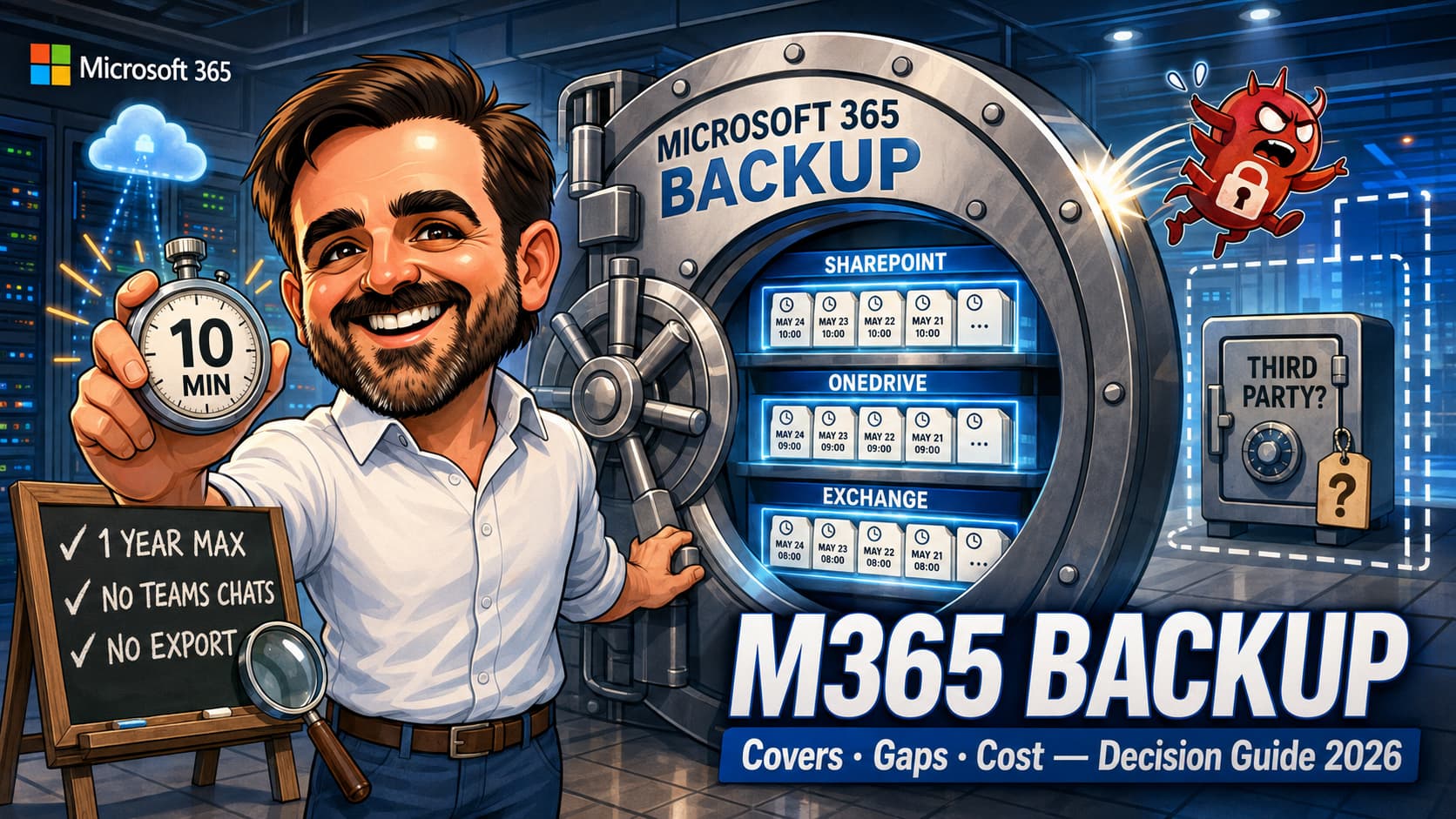
Microsoft 365 Backup reached general availability in 2024 and changed the conversation about backup posture in Microsoft 365. For the first time, Microsoft offers a first-party backup product with transparent consumption-based pricing, restore points as frequent as approximately every 10 minutes (depending on workload and current Microsoft documentation), and a clean integration with the data it protects. In 2026 it is now mature enough that "do we still need a third-party backup tool?" is a serious architectural question rather than an obvious yes. The honest answer is "it depends, and the dependency variables are knowable". This guide is the practical decision framework: what Microsoft 365 Backup covers, what it does not, how it compares to Veeam, AvePoint, Druva, Rubrik, Cohesity and similar offerings, when each makes sense, and the hybrid pattern that increasingly works in practice.
1. Evaluating M365 Backup for the first time: read top to bottom; the scope and gap sections answer most questions.
2. Renewing a third-party contract: jump to the comparison table and the "when M365 Backup is sufficient" section to test whether you can switch.
3. Post-incident review: jump to common mistakes and validate that your current posture does not contain one of the named anti-patterns.
Introduction
For most of Microsoft 365's history, the answer to "do I need a third-party backup tool?" was a confident yes. Microsoft itself maintained that recycle bins, retention policies and versioning are not backup, and the third-party market — Veeam, AvePoint, Druva, Rubrik, Cohesity, Commvault and others — built mature businesses on covering that gap. Then in early 2024, Microsoft launched Microsoft 365 Backup as a first-party product. By 2026, the product has matured enough that the historical default position deserves a second look. For some tenants, Microsoft 365 Backup is now sufficient on its own. For others, it complements an existing third-party tool. For a third group, it changes nothing because the unaddressed gaps still matter more than the new capability.
The architectural question is no longer binary. It is a three-way choice between Microsoft 365 Backup alone, a third-party tool alone, or a hybrid pattern that uses both. The right answer for a given tenant depends on which workloads matter, what retention is required, what regulatory framework applies, and how much restore speed is worth in a ransomware scenario. This guide structures that decision: scope, gaps, comparison, decision framework, hybrid pattern, and the common posture mistakes that tend to show up after an incident.
What Microsoft 365 Backup actually does
Microsoft 365 Backup is a first-party backup service for three Microsoft 365 workloads: Exchange Online, SharePoint Online and OneDrive for Business. Restore operations are designed to avoid the standard API-throttling bottlenecks that third-party tools have historically hit, which is the source of the product's most distinctive characteristic in 2026: speed of bulk restore at scale.
It is built on top of Microsoft 365 Backup Storage, a Microsoft-managed storage platform that integrates directly with the protected workloads via native APIs. The distinction between the two matters: Microsoft 365 Backup Storage is the underlying storage platform, and certain third-party tools (notably Veeam Data Cloud for Microsoft 365 and similar offerings) can also build on it to inherit the same restore-speed characteristics. Microsoft 365 Backup is the Microsoft-built service that exposes that platform directly.
Scope
- Exchange Online mailboxes — user mailboxes and shared mailboxes, including their archive mailbox content. Restore points at approximately 10-minute intervals; the documented granular restore window extends back roughly one year. Validate current cadence against Microsoft Learn.
- SharePoint Online sites — team sites, communication sites, and Teams-connected site content. Restore points at approximately 10-minute intervals for roughly the prior 14 days, then weekly snapshots out to approximately 365 days. Validate current cadence against Microsoft Learn before defining recovery SLAs.
- OneDrive for Business — user OneDrive accounts. Same approximate restore-point pattern as SharePoint.
Pricing
Pricing is published as pay-as-you-go — approximately $0.15 per GB per month of protected content at time of writing — applying equally to all three workloads. Treat Microsoft Learn as the canonical reference for current pricing; verify against the live page before budgeting, as published rates can change between revisions and may vary by region. Billable scope includes the size of protected accounts and sites, content in the first-stage and second-stage recycle bins for SharePoint and OneDrive, archive mailboxes for Exchange, and deleted and versioned items in protected mailboxes. There is no separate retention-tier pricing — the unit cost applies for the lifetime of protected content.
Restore granularity
Restore operations are available at multiple levels of granularity. Exchange supports mailbox-level and item-level restore. SharePoint and OneDrive support site-level and file-level restore. File-level restore availability has evolved through 2026; confirm the current state against Microsoft Learn and the Microsoft 365 Roadmap before designing recovery procedures. The integration into Microsoft 365 means that restored content lands back in the original tenant location, in the original permission structure, without an export-and-reimport step.
Operational characteristics
Protection policies are configured in the Microsoft 365 admin centre. Backups run automatically on the configured schedule against the policy scope. Restore is initiated from the same admin surface or via PowerShell. There is no separate management console, no separate credential set, no separate licensing per protected user beyond the storage consumption. For administrators used to third-party backup tools with their own UI, agent footprint and credential management, this is a simpler operational model.
What Microsoft 365 Backup does not cover
The gaps fall into two categories. The first is workload coverage — Microsoft 365 surfaces that Microsoft 365 Backup does not protect. The second is architectural — characteristics that some regulatory frameworks, security models or restore scenarios require but that the native product does not provide.
Workloads not in scope
- Teams chat messages — 1:1 chats, group chats, and channel chat threads. Channel file content is covered indirectly through the connected SharePoint site, but chat history is not.
- Teams private channels — chat history and channel-specific configuration. File content may be protected indirectly if the SharePoint site backing the private channel is included in backup scope; the chat and channel object model are not.
- Microsoft Planner — plans, tasks, buckets.
- Microsoft Loop — workspaces, components, pages.
- Microsoft Whiteboard — whiteboard content.
- Microsoft Stream — Stream-as-a-workload (classic experience, video metadata, viewing analytics) is not covered. Modern video files that live in SharePoint or OneDrive (including Teams meeting recordings landing in those locations) may be protected as files when the underlying SharePoint site or OneDrive account is in backup scope.
- Power Platform — Power Apps, Power Automate flows, Dataverse environments.
- Microsoft Entra (identity) — user objects, group membership, Conditional Access policies, role assignments.
Architectural gaps
- No air-gapped or independent copy. Microsoft 365 Backup data lives inside the Microsoft 365 Backup Storage platform, which sits within Microsoft's cloud boundary. Regulatory frameworks that require backup data on a separate vendor or a separate cloud are not satisfied by Microsoft 365 Backup alone.
- 3-2-1 backup rule compliance. The classic rule (three copies of data, on two different media or storage types, with at least one copy offsite; many modern interpretations add an immutable or offline separation) is not satisfied by a same-cloud Microsoft service on its own, regardless of how robust that service is.
- Cross-tenant restore. Microsoft 365 Backup restores into the original protected tenant. For mergers, acquisitions, divestitures or compromised-tenant recovery patterns where the destination needs to be a different tenant, the native product does not support that operation.
- Long-term retention beyond 365 days. As covered in the Scope section above, the granular restore windows are bounded at roughly 14 days (SharePoint, OneDrive) and roughly 365 days (Exchange). Beyond those windows, data is no longer in the standard restore path. This is by design: Microsoft 365 Backup is a recovery tool, not a long-term preservation tool. For content needing >365 days, Microsoft Purview retention policies are the architecturally correct mechanism — they preserve content for compliance, not for point-in-time recovery.
- Multi-vendor cloud backup. Organisations that operate on both Microsoft 365 and Google Workspace, or that have meaningful data outside Microsoft, need a backup posture that spans both.
Comparison with third-party backup tools
The third-party backup market for Microsoft 365 is dominated by Veeam Data Cloud for Microsoft 365, AvePoint Cloud Backup, Druva, Rubrik, Cohesity DataProtect for Microsoft 365, Commvault Cloud, and a long tail of specialist providers. Each has a different feature emphasis and different operational characteristics, but the categories of capability they offer beyond Microsoft 365 Backup are reasonably consistent.
| Capability | Microsoft 365 Backup | Typical third-party (Veeam, AvePoint, Druva, Rubrik, etc.) |
|---|---|---|
| Exchange / SharePoint / OneDrive coverage | Yes — native, fast restore | Yes — mature coverage, often longer retention options |
| Teams chat history | No | Varies by vendor — often eDiscovery / export / API-based capture rather than full native Teams restore. Validate restore fidelity, not just backup claim. |
| Planner, Loop, Whiteboard, Stream | No | Varies by vendor — some cover, some do not |
| Power Platform backup | No | Varies significantly by vendor; validate Power Apps, Power Automate and Dataverse coverage separately rather than assuming a generic "M365" claim covers them. |
| Restore speed (bulk) | Differentiating advantage — no throttling via Backup Storage APIs | Historically slower; some vendors now integrate with Microsoft 365 Backup Storage to match |
| Storage location | Microsoft 365 Backup Storage (same cloud boundary) | Vendor-managed storage, often in independent cloud (AWS, Azure, on-prem) |
| 3-2-1 compliance | Not satisfied on its own | Can satisfy, depending on storage design, immutability configuration, and vendor architecture — not automatic. |
| Air-gapped / immutable copy outside Microsoft | No | Available with the right vendor and storage design — not automatic. Some third-party tools use Azure or Microsoft 365 Backup Storage; some maintain independent cloud or on-prem storage. |
| Cross-tenant restore | No | Commonly available; feature scope varies by vendor and is often used for M&A and tenant-compromise recovery |
| Retention beyond 365 days | No (standard window) | Yes — many offer multi-year or unlimited retention |
| Multi-vendor cloud (M365 + Google) | No | Yes — standard for tools positioned at multi-cloud orgs |
| Pricing model | $0.15/GB/month PAYG, all workloads | Varies — per-user, per-storage, or tiered licensing |
| Operational footprint | Native admin centre integration | Separate console, separate credentials, often agent-free but with vendor-specific operations |
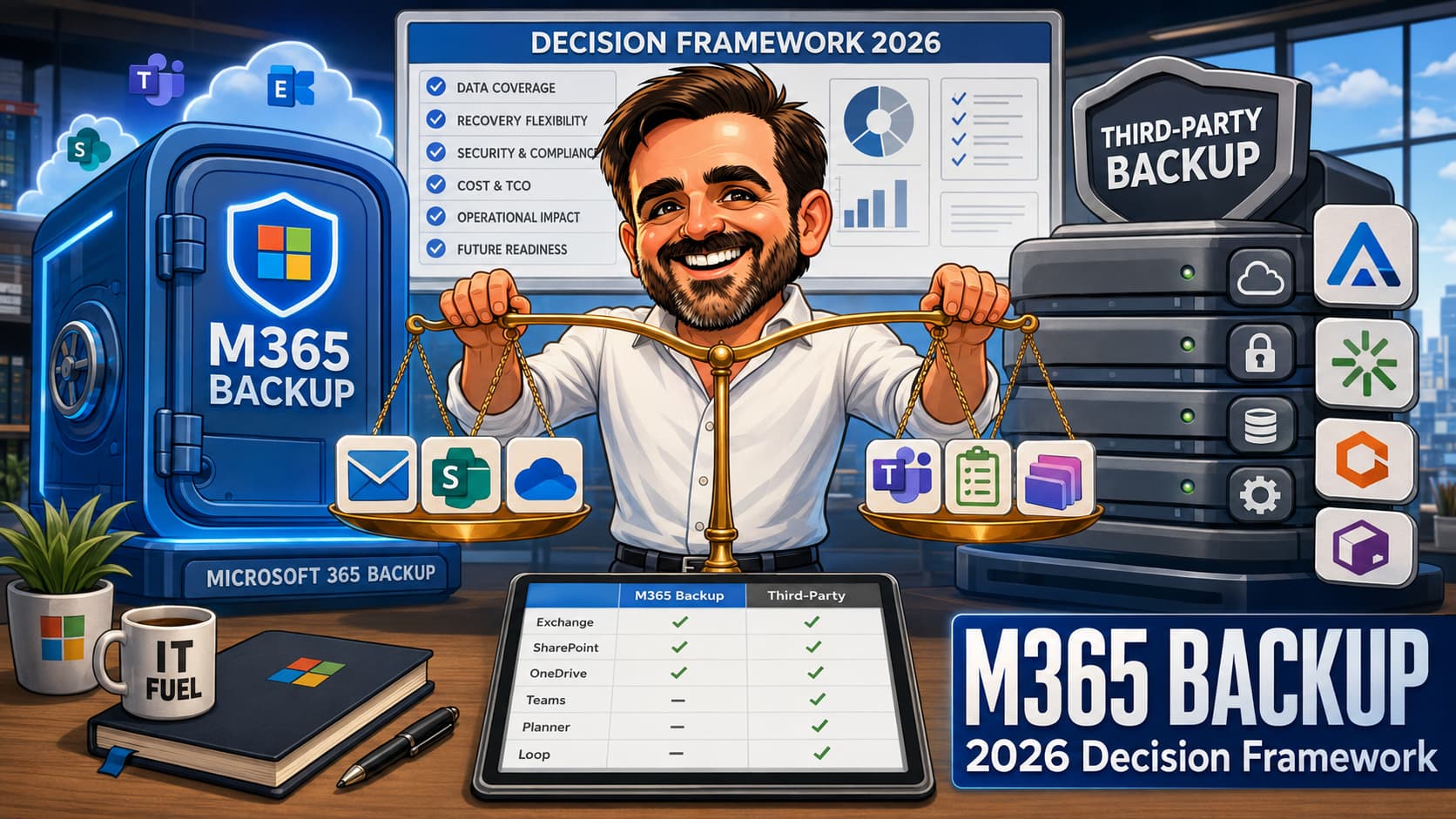
The general pattern: Microsoft 365 Backup wins on restore speed, operational simplicity and same-cloud integration. Third-party tools win on workload breadth, independent storage, longer retention, cross-tenant operations and multi-cloud backup orchestration. Neither is universally better; the right answer is shaped by which characteristics matter most for a specific tenant's risk posture and regulatory context.
Decision framework
Before walking through the longer conditions, the table below summarises the most common decision triggers and where each typically points. It is a quick-reference, not a substitute for the conditions that follow.
| Trigger | Better fit |
|---|---|
| Need fastest restore for Exchange / SharePoint / OneDrive | Microsoft 365 Backup |
| Need Teams chat history recovery | Third-party (or hybrid) |
| Need independent immutable copy outside Microsoft | Third-party (or hybrid) |
| Need cross-tenant restore (M&A, divestiture, tenant-compromise recovery) | Third-party |
| Need >365-day point-in-time recovery | Third-party |
| Need compliance preservation (legal hold, audit) | Microsoft Purview retention (not backup) |
| Need simple native operations and minimal tooling footprint | Microsoft 365 Backup |
| Need backup across Microsoft 365 + Google Workspace | Third-party |
| Need Power Platform backup (Apps, Flows, Dataverse) | Third-party (validate per vendor) |
When Microsoft 365 Backup alone is sufficient
The conditions below describe scenarios where Microsoft 365 Backup is realistically the only dedicated backup mechanism a tenant may need to deploy. Compliance preservation, incident response and data outside Microsoft 365 still need to be handled separately where applicable. If most of these apply, the native product is likely the right choice.
- Operational data is concentrated in Exchange, SharePoint and OneDrive. Teams chats, Planner, Loop and similar surfaces are used but their loss would not constitute a material business event.
- Regulatory or contractual requirements do not mandate 3-2-1 compliance or an independent vendor copy.
- Restore speed for a serious incident is more important than air-gapped storage.
- The tenant operates entirely within Microsoft 365 (no Google Workspace, no significant on-prem data needing the same backup tool).
- Retention requirements fit within 365 days, or longer-term retention is handled separately through Microsoft Purview retention policies.
- The IT organisation values operational simplicity (no separate console, no separate credential management) over feature breadth.
When you still need a third-party tool
The conditions below describe scenarios where third-party tools cover gaps that Microsoft 365 Backup does not address. If any of these apply with material weight, the third-party route or a hybrid pattern is the defensible choice.
- Teams chat history, Planner data, or Loop workspaces hold operationally significant content that needs recoverable backup.
- Regulatory frameworks (financial services, healthcare, government) require independent backup vendor storage or 3-2-1 compliance.
- Cyber insurance policies require demonstrated independent or immutable backup. Some underwriters in 2025-2026 specify independent-vendor or independent-cloud backup as a policy term for Microsoft 365-heavy organisations; others do not. Verify the exact policy language directly with the broker before assuming native-only is acceptable to your insurer.
- The organisation needs cross-tenant restore capability — common in M&A consolidation, divestitures, or as a recovery option in a tenant-compromise scenario.
- Retention requirements exceed 365 days for granular recovery (some legal hold scenarios; some compliance frameworks).
- The organisation runs on multi-cloud (M365 plus Google Workspace) and wants a single backup pane.
- Power Platform content (apps, flows, Dataverse) is operationally critical and needs protection.
The hybrid pattern
In practice, the architecture increasingly converging in enterprise tenants with meaningful compliance footprint in 2026 is hybrid: Microsoft 365 Backup as the primary, with a targeted third-party tool layered on top to address the named gaps. The economics often work because the third-party scope can be reduced — you no longer pay a per-user fee for full M365 coverage; instead you pay for the specific workloads or characteristics the native product does not provide.
A typical hybrid layout
- Microsoft 365 Backup as the primary: covers Exchange, SharePoint, OneDrive. Fast restore. Pay-as-you-go.
- Third-party for Teams chat history and other unsupported workloads: scoped specifically to the surfaces M365 Backup misses, at a lower licensing tier than full M365 coverage.
- Third-party (potentially the same vendor) for an air-gapped immutable copy of Exchange and SharePoint: satisfies 3-2-1 compliance and cyber insurance requirements, even if the day-to-day restore goes through M365 Backup.
- Microsoft Purview for long-term retention: for content needing >365 days, the right tool is typically retention policy rather than backup.
The hybrid pattern is more expensive than either pure approach, but it is also more defensible in front of an audit committee, a cyber insurer, or a regulator. For many enterprise tenants with a non-trivial compliance footprint, this is the realistic 2026 posture.
Pre-decision validation checklist
Before committing to a backup posture — whether native-only, third-party-only, or hybrid — every item on this list should be either green or explicitly accepted as an exception.
-
Workload inventory complete. Which Microsoft 365 surfaces hold operationally significant content? Teams chats, Planner, Loop, Stream, Power Platform — each scored for restore-criticality.
-
Regulatory and contractual requirements documented. 3-2-1 compliance, independent vendor storage, retention periods, cross-tenant restore, audit trail requirements.
-
Cyber insurance backup clauses reviewed. Insurer's stated requirements on air-gapped storage and demonstrated independent backup.
-
RTO / RPO targets defined per workload. Restore-time and restore-point objectives, separately for each protected workload. M365 Backup's 10-minute restore points are sufficient for most; some scenarios may need shorter.
-
Pricing modelled against PAYG storage consumption. Estimate total protected content size; multiply by the current published per-GB rate (approximately $0.15/GB/month at time of writing; verify against Microsoft Learn); add growth projection. Compare against current and projected third-party licensing cost.
-
Ransomware recovery scenario tabletop completed. Walk through a real scenario with the chosen backup posture. Identify gaps in scope, speed and access.
-
Long-term preservation needs are routed to Microsoft Purview retention, not to backup. Content with >365 day preservation requirements is handled by retention policies, leaving backup scope tight and predictable.
-
Decision documented and reviewed at the right level. Backup posture is a tenant-wide architectural commitment with a multi-year cost profile. IT leadership signoff is the minimum bar.
Common backup posture mistakes
The patterns below show up repeatedly when a tenant goes through a backup posture review, an incident, or a third-party contract renewal. None are exotic; they are usually the result of treating backup as a checkbox rather than as an architectural decision.
- Assuming recycle bins, retention policies and versioning are backup. They are not, and Microsoft's own ransomware-protection guidance documents the limitations of relying on them in a real incident: recycle bins can be configured short, versioning limits can be lowered (and in known incidents have been adjusted by attackers to overwrite the last clean copy), and retention policies are about preservation, not point-in-time recovery. These features complement backup; they do not replace it.
- Choosing Microsoft 365 Backup without inventorying Teams chat dependence. For organisations that use Teams chat as a primary communication and decision channel, losing chat history without recovery is a material incident. Audit Teams usage before assuming the native scope is sufficient.
- Conflating retention with backup at posture-design time. A posture that uses retention policies to satisfy backup requirements (or vice versa) ends up failing one or the other when it matters — typically discovered during an incident or an audit. Decide which workload uses which tool before procurement, not after.
- Skipping the ransomware tabletop. The backup that has never been tested in a real recovery scenario is not a tested backup. Run the tabletop. Identify the bottleneck. Adjust the posture.
- Underestimating the protected content size for PAYG budgeting. The published per-GB rate looks small per unit but compounds quickly for tenants with large SharePoint estates — for a back-of-envelope sense, 1 TB of protected content at the published rate is on the order of $1,800 per year, before counting versioning and recycle-bin overhead. Model the cost against actual protected content size, growth projection, and your regional rate before committing.
- Forgetting cross-tenant restore as a recovery option. If your incident response includes "recover to a clean tenant" as an option, Microsoft 365 Backup does not support that. Validate the recovery pattern against your incident playbook.
- Treating "Microsoft handles it" as a posture. Microsoft 365 includes service-level resilience but does not protect against user error, malicious deletion, or ransomware encryption of user content. A backup decision is required regardless of Microsoft's underlying resilience.
- Renewing third-party Microsoft 365 coverage at full scope without revisiting scope or cost after Microsoft 365 Backup launched. Many third-party contracts were signed assuming full M365 coverage; that assumption is increasingly stale. At renewal, audit whether the third-party scope can be narrowed to the gaps Microsoft 365 Backup does not cover — Teams chat, Planner, Loop, air-gapped copy, cross-tenant restore — and price the residual scope accordingly. The savings often fund a meaningful posture improvement elsewhere.
- Procuring backup tooling without reading the cyber insurance policy language first. Some cyber insurance underwriters specify backup requirements — air-gapped copy, independent-vendor storage, demonstrated restore testing, minimum retention windows. Others do not. Procuring a backup posture without first reading the insurer's policy language can result in a tool that does not satisfy the contract, discovered only after a claim. Read the policy first; design the posture against it.
- Conflating Microsoft 365 Backup with Microsoft 365 Backup Storage. They are not the same thing. Microsoft 365 Backup Storage is the underlying Microsoft-managed storage platform. Microsoft 365 Backup is the Microsoft-built service on top of it. Certain third-party tools also build on Microsoft 365 Backup Storage to inherit the restore-speed characteristics. The architectural conversation needs the distinction to land correctly.
Final thoughts
The arrival of Microsoft 365 Backup as a first-party product changes the backup posture conversation in 2026 in a way it has not changed before. The historical default — pick a third-party tool, run it alongside Microsoft 365, accept the operational overhead — is no longer the only defensible architecture. For a meaningful subset of tenants, Microsoft 365 Backup alone is sufficient. For another subset, the hybrid pattern is the right answer. For a third group, third-party-only remains the correct choice because the gaps Microsoft 365 Backup leaves unaddressed are material to their risk model.
The mistake is treating this as a binary or as a vendor loyalty question. Backup posture is an architectural decision driven by the workload inventory, the regulatory framework, the cyber insurance position, the retention horizon, and the operational maturity of the team. Microsoft 365 Backup is a meaningful new option in 2026; whether it is the right option for a specific tenant is the analytical work this framework is designed to support.
Microsoft 365 backup posture review
Backup posture is a multi-year architectural commitment. Mapping your workload inventory, regulatory triggers, cyber insurance requirements and cost model against the realistic 2026 options is the analytical work that determines whether the resulting posture defends itself in front of auditors and insurers. A posture review can structure that analysis.
Get in touchReferences
Related on tiagoscarvalho.com
- Phishing-Resistant MFA with Authentication Strengths — identity hardening as a backup-strategy complement
- Token Protection in Conditional Access — complementary anti-token-theft control
- Defender for Endpoint onboarding with Intune — endpoint posture that complements backup
- Microsoft Graph PowerShell field guide 2026 — for auditing protected content and policy state