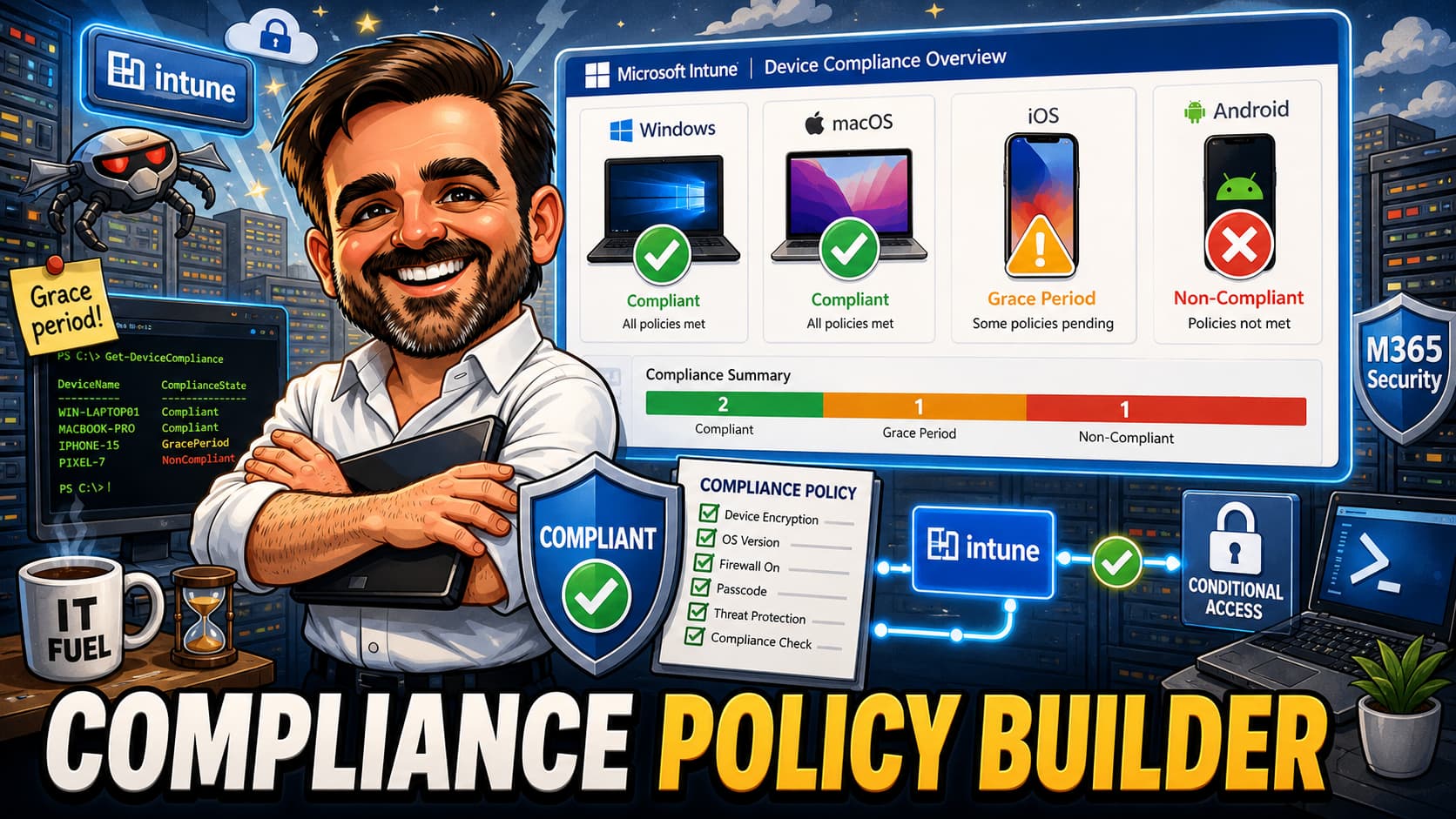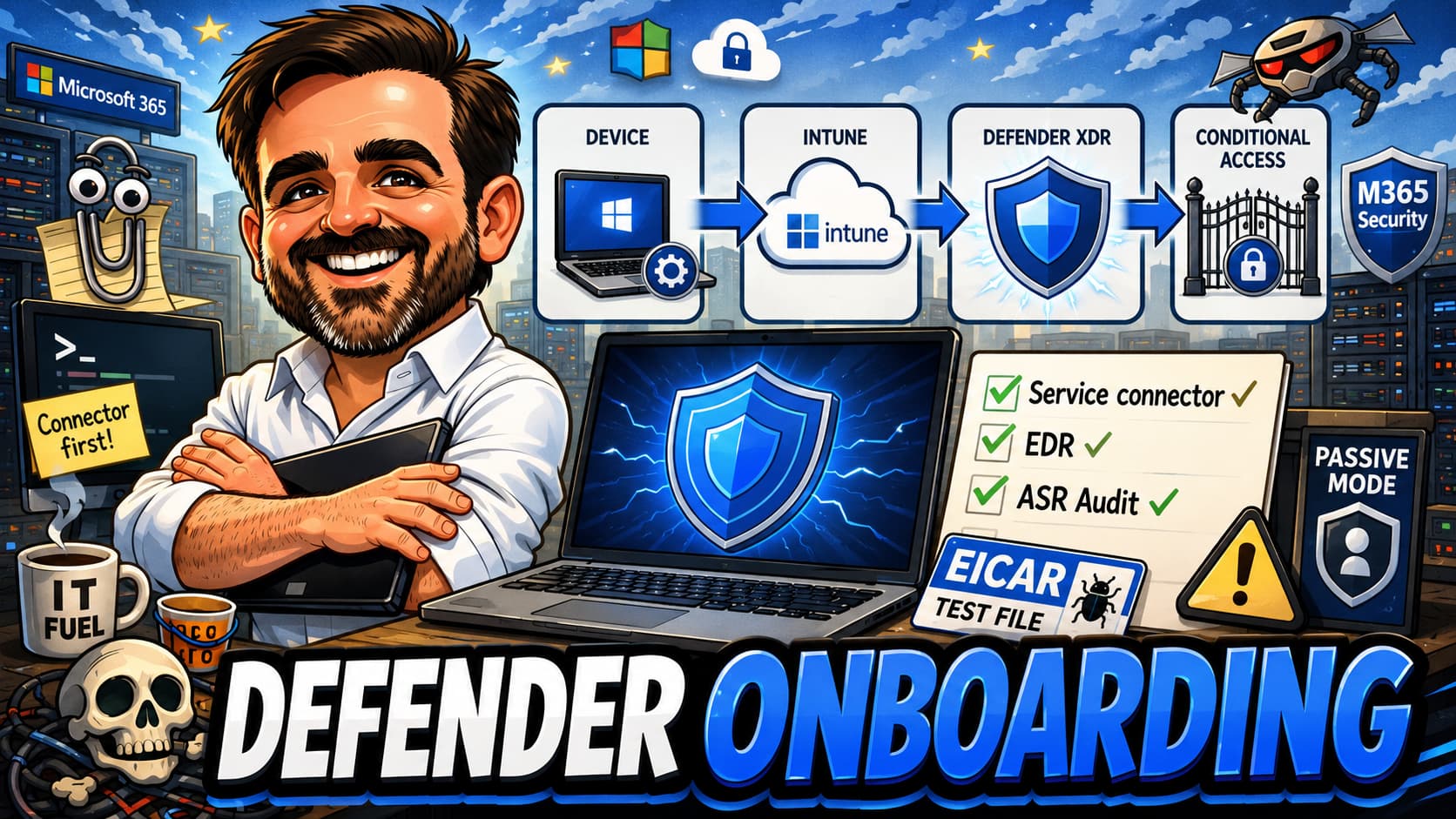
Defender for Endpoint is bought far more often than it is properly onboarded. The agent is installed, the Defender XDR portal shows green ticks, and the project is closed — six months later, an assessment finds half the platform unconfigured. This field guide is the realistic onboarding path through Microsoft Intune in 2026: licensing, the service connector, Windows and macOS, EDR in block mode, ASR, the compliance signal back into Conditional Access, validation, and the operational model after deployment.
1. Onboarding from scratch: read top to bottom and follow the implementation steps.
2. Gap analysis on an existing deployment: jump to the validation checklist and work backwards from any “no.”
3. Operational handover: use the operational model section as the basis for review cadence and ownership.
Introduction
Defender for Endpoint is one of the most commonly bought Microsoft security products and one of the least operationally complete in production. A tenant buys the licence, an admin installs the agent, the Microsoft Defender XDR portal shows a row of green ticks, and the project is closed. Six months later, an assessment finds the predictable picture: EDR in block mode never enabled, attack surface reduction rules untouched, tamper protection in the default state, the Intune-to-Defender service connector either disabled or never enabled, no compliance signal feeding Conditional Access, and half the macOS fleet not onboarded at all because someone said macOS is “more secure.”
The agent is running. The platform is not protecting anyone.
This article is the realistic path I follow when onboarding Defender for Endpoint via Microsoft Intune. It is not a documentation summary. It is the order, the decisions and the validation checks that catch the silent failures.
Who this article is for
Endpoint admins running or about to run Microsoft Intune. Security architects responsible for tenant security posture. MSP consultants doing Defender deployments and assessments. Microsoft 365 architects who need to wire device signal back into Conditional Access. IT leads at SMBs who bought either Defender for Endpoint or Defender for Business and need to know whether the platform is actually doing its job.
What you are trying to achieve
A successful onboarding leaves the tenant with the following state, in this rough order of importance.
- Defender installed and onboarded on every in-scope Windows device.
- The same on every in-scope macOS device.
- Tamper protection on.
- Real-time protection on, with cloud-delivered protection configured at a level validated for the tenant risk and false-positive tolerance.
- EDR in block mode evaluated and enabled where appropriate, especially in passive-mode or third-party AV scenarios.
- Attack surface reduction rules deployed first in audit, reviewed for a meaningful window, then promoted to block.
- The Microsoft Intune ↔ Microsoft Defender service connection enabled with the right scope.
- Device risk score flowing from Defender into Intune compliance.
- That compliance signal consumed by at least one Conditional Access policy.
- The Microsoft Defender XDR portal showing every onboarded device with an active sensor and recent telemetry.
- A defined operational rhythm — who watches incidents, who reviews ASR audit findings, who promotes audit to block, who patches the Defender platform.
That is what good looks like. Most tenants will reach roughly half of it by default. The rest is the work.
Architecture context
Defender for Endpoint is part of Microsoft Defender XDR, which correlates signal from Defender for Office 365, Defender for Identity, Defender for Cloud Apps and Defender for Cloud through the unified Microsoft Defender portal. Within that family, Defender for Endpoint owns device-level prevention, detection and response.
Microsoft Intune is the deployment and configuration plane for Windows, macOS and supported mobile platforms. For Defender specifically, Intune does four things. It pushes the onboarding configuration to Windows devices through endpoint security policies. It deploys the Defender app on macOS and configures it via configuration profiles. It deploys Defender for Endpoint on mobile platforms as an application with app configuration. And it consumes the device risk signal back from Defender to feed Intune compliance.
Microsoft Entra Conditional Access is the enforcement layer that turns the compliance signal into an access decision. Without a Conditional Access policy that requires a compliant device, the signal exists but has no consequence.
Decision framework
Several decisions are worth making explicitly rather than absorbing the defaults.
| Decision point | Options | Recommendation | Notes |
|---|---|---|---|
| Service connector and enforcement scope | Enabled / Disabled, plus scope choices for security settings management | Enabled, with the required scope for onboarding, risk signal and security settings management | This is the integration that makes Defender risk signals actionable in Intune compliance and Conditional Access. Validate exact toggle names in your tenant. |
| EDR in block mode | On / Off | On | Provides block on detection even when Defender AV is in passive mode (third-party AV present). |
| ASR rule deployment mode | Audit first / Direct to block | Audit first | Always. Promote per-rule after reviewing 30 days of audit data. |
| Tamper protection management | Intune / Defender / Unmanaged | Intune-managed | Single operating plane. Reduces split-brain on policy. |
| Compliance device risk threshold | None / Low / Medium / High / Secured | Medium as a practical starting point | Tighten or relax based on incident volume, false positives and helpdesk capacity. Note the risk score grace period. |
| Cloud-delivered protection | Standard / High / Higher | Start at a level appropriate to tenant risk and FP tolerance; High is a strong baseline after pilot validation | Higher levels increase false-positive surface. Pilot before fleet-wide. |
| Platform update channel | Beta / Preview / Current / Monthly | Current or Monthly | Preview on a pilot ring. Avoid Beta on production endpoints. |
| Mobile Defender deployment | In / Out of scope | In scope if licensing and risk warrant | Defender for Business has a different feature surface from Defender for Endpoint Plan 2. Validate mobile support, hunting, response and XDR capabilities before including them in scope. |
| Server scope | Intune / Defender for Cloud / Direct script | Not Intune | Out of scope for this guide. Document separately. |
| RBAC model | Unified Defender RBAC / Default | Unified for tenants with separate security and endpoint teams | Required for live response role assignment in many setups. |
The most consequential decisions are the service connector mode (which gates everything downstream) and the compliance risk threshold (which gates the access decision).
Recommended baseline
Minimum baseline
The minimum baseline I would defend in any assessment is the following. The Intune-to-Defender service connector is enabled in both portals with write scope. Defender for Endpoint is onboarded to every in-scope Windows device through an Intune endpoint security profile. Real-time protection is on. Cloud-delivered protection is on at the High level. Tamper protection is on and managed by Intune. EDR in block mode is on. The Defender for Endpoint security baseline is applied to the appropriate ring. A compliance policy reads the device risk score and treats Medium or higher as non-compliant. At least one Conditional Access policy consumes compliant-device state for a controlled scope first — piloted in Report-only, with break-glass and necessary service accounts excluded — and then expands to broader app and user coverage once unmanaged, BYOD and exception scenarios are handled.
Recommended baseline (adds on top)
Attack surface reduction rules deployed in audit mode through Intune. SmartScreen and network protection on. Web content filtering enabled where licensed. macOS onboarding for every Intune-enrolled Mac. Mobile Defender deployment where licensing and risk justify. Defined RBAC roles in Microsoft Defender XDR for the security team and a separate read-only role for auditors. A live response role assigned to a named team. A monthly review of ASR audit findings. A documented exclusion register so exclusions do not accumulate silently. A quarterly review of the security baseline against the latest Microsoft preset.
Recommended first 3 actions
If you cannot do the full implementation today, do these three things first. Each is independently valuable and each unblocks the next layer.
| First action | Why |
|---|---|
| Enable and validate the Intune ↔ Defender integration | Without the connector, onboarding and risk/compliance signals are incomplete. |
| Onboard a Windows pilot ring and validate telemetry | Proves the sensor, policy and portal flow before broad rollout. |
| Create a compliance policy with device risk and consume it in a Report-only Conditional Access policy | Connects the Defender signal to access decisions without immediate lockout. |
Common mistakes
Some of these appear in almost every Defender assessment.
- The service connector is not enabled.Devices appear in Defender XDR because the onboarding package was delivered, but the Defender and Intune integration is incomplete: device risk does not feed compliance correctly, and onboarding and security settings management are limited. The connector is the linchpin; without it, half of the integration is theatre.
- EDR in block mode is left off.The administrator assumes the agent’s default behaviour is sufficient. It is not — especially on devices where Microsoft Defender Antivirus is in passive mode because a third-party antivirus is installed. Without EDR in block mode, Defender has less ability to automatically remediate malicious artefacts detected by EDR, especially when Microsoft Defender Antivirus is in passive mode.
- ASR rules are pushed straight to block on day one.ASR rules block legitimate application behaviour with surprising regularity, especially around Office macros, child processes and credential theft patterns. The audit-first rule is not academic — it prevents helpdesk floods.
- Tamper protection is “configured” by being left at the default.In some tenants the default is sufficient. In others, especially those upgrading from older Defender versions, tamper protection is not actually applied until policy is pushed.
- Defender for Business and Defender for Endpoint are confused.A tenant on Business Premium assumes it has Defender for Endpoint Plan 2 and looks for features that are not in scope. Licensing should be checked at the start of the project, not at the end.
- The compliance policy is built but Conditional Access does not consume it.The compliance dashboard shows risky devices. Sign-ins from those devices are still permitted because there is no CA policy that requires a compliant device.
- macOS is forgotten.The team rolls out Defender on Windows successfully and moves on. The Mac fleet sits unprotected for months. This is a recurring finding.
- Server onboarding is attempted through Intune.It does not belong there. Server SKUs and onboarding methods are different — Defender for Cloud, Configuration Manager, Group Policy or direct script.
- No test detection is performed.The standard EICAR string is the cheapest validation in security and is routinely skipped.
- RBAC is not configured after enabling unified RBAC.Either everyone has too much, or the security team cannot access the live response sessions they were sold.
Implementation guide
The order below assumes a green-field Defender deployment in a tenant where Intune already manages Windows devices. Where you have an existing partial setup, the steps still apply — they just become a gap analysis.
Step 1 — Confirm licensing
Identify which licence each user (or device, depending on tenancy model) actually has. Defender for Endpoint Plan 1, Plan 2, Defender for Business, Microsoft 365 E5, Microsoft 365 E5 Security or Microsoft 365 Business Premium all give Defender capability with different feature depth. Get this in writing before scoping the project.
Step 2 — Enable the service connector
In the Microsoft Intune admin center, go to Endpoint security → Microsoft Defender for Endpoint. Enable the connection. In the Microsoft Defender portal, go to Settings → Endpoints → Advanced features and enable “Microsoft Intune connection.” Confirm the state matches on both sides. This step gates the Intune and Defender integration path used in this guide.
Step 3 — Configure Microsoft Defender XDR settings
Set the data retention period appropriate to your licence. Enable the relevant advanced features: tamper protection management via Defender or Intune, EDR in block mode, web content filtering, live response, and the unified RBAC model if you have separate security and endpoint teams. Decide which features are in scope and document the choices.
Step 4 — Create the Windows onboarding policy in Intune
In Intune admin center → Endpoint security → Endpoint detection and response, create a profile for Windows 10 and later. The onboarding package is delivered automatically by Intune when the service connector is enabled with write scope; you do not need to download a separate .onboarding file in this path. Assign the profile to a pilot ring (a small group of named devices) first, then expand.
Step 5 — Configure antivirus policy
In Endpoint security → Antivirus, create a policy with real-time protection on, cloud-delivered protection enabled at a level appropriate to your tenant risk and false-positive tolerance (High is a strong baseline after pilot validation), behaviour monitoring on, scan parameters appropriate to your environment, tamper protection on, and the platform update channel set to Current (or Monthly) for production. For passive-mode scenarios (third-party AV present), set the Defender mode explicitly.
Step 6 — Deploy ASR rules in audit
In Endpoint security → Attack surface reduction, create a profile. Set every rule you intend to use to Audit. Assign to the same pilot ring. Plan a minimum 30-day audit window. Set a calendar reminder to review the audit findings in Defender XDR → Reports → Attack surface reduction. Move rules to Block one at a time after their audit data is clean.
Step 7 — Apply the Defender for Endpoint security baseline
In Endpoint security → Security baselines, select the Microsoft Defender for Endpoint baseline. Compare its settings to anything you have already configured in Steps 5 and 6; resolve conflicts deliberately. Assign to a pilot ring before broadening.
Step 8 — Onboard macOS
Deploy the Microsoft Defender app to Intune-enrolled Macs. The onboarding profile (a .mobileconfig/plist) is generated from Microsoft Defender XDR and uploaded into Intune as a configuration profile. Confirm device control, full disk access, system extensions and network filter approvals are pre-approved through Intune configuration profiles — otherwise users see consent prompts and the sensor does not work correctly. Validate System Extension, Network Extension, Full Disk Access, background services and notification permissions before considering the Mac onboarded.
Step 9 — Mobile
If in scope, deploy the Microsoft Defender app to iOS and Android through Intune as a managed app with app configuration. For mobile, decide whether Defender is being used for mobile threat defense, web protection, app protection integration, or device risk — do not deploy the app without defining which signal you expect it to provide. Defender for Business is aimed at SMB scenarios and has a different feature surface from Defender for Endpoint Plan 2; validate mobile support, hunting, response and XDR capabilities before including them in scope.
Step 10 — Compliance policy with device risk
In Intune admin center → Endpoint security → Device compliance, create or update a compliance policy. Add “Require the device to be at or under the machine risk score” and set the threshold to Medium as a practical starting point, tightening or relaxing based on incident volume, false positives and helpdesk capacity. Account for the grace period — devices need time after first onboarding for a risk score to be calculated.
Step 11 — Conditional Access policy consuming compliance
In Microsoft Entra admin center → Protection → Conditional Access, create a policy targeting all users (with break-glass and necessary service accounts excluded), all cloud apps, and grant access only if the device is marked compliant. Roll out in Report-only mode first. Move to On after sign-in logs confirm there is no unexpected block.
Step 12 — RBAC roles in Microsoft Defender XDR
Define roles for security operators, security administrators, and security readers. If you have a separate live response need, assign that specifically. Validate by signing in as a representative user of each role and confirming the expected view.
Step 13 — Test detections
On a pilot Windows device, drop the EICAR test string. Confirm an alert appears in Microsoft Defender XDR within minutes. On a pilot Mac, use the supported mdatp command-line detection test. If neither test produces an alert, do not proceed to broader rollout.
Validation checklist
After implementation, the following must be true. Each item is a yes/no. Any “no” should stop broad rollout until the gap is understood and either fixed or formally accepted as an exception.
-
Devices in scope appear in Intune. Microsoft Intune admin center → Devices → All devices shows the expected fleet with recent check-in timestamps.
-
The same devices appear in Defender XDR. Microsoft Defender XDR → Assets → Devices shows the same population with sensor health green and recent telemetry.
-
Windows sample returns expected status.
Get-MpComputerStatusreturnsAntivirusEnabled : True,RealTimeProtectionEnabled : True,IsTamperProtected : True, andAMRunningModereflects the expected mode (Normal, or Passive if a third-party AV is in primary). -
macOS sample returns expected status.
mdatp healthreturnslicensed : true,onboarded : true,real_time_protection_enabled : true. -
Service connector status is Connected in both portals. Intune admin center and Microsoft Defender portal both reflect the same state.
-
Compliance dashboard shows a device risk score. Intune compliance reporting shows a populated risk score for at least one sample device.
-
Conditional Access enforces compliance. A test sign-in from a non-compliant device returns the expected block or remediation flow.
-
EICAR detection produced an alert. A test detection on a pilot device appears in Defender XDR within minutes.
If any of these is “no,” fix it before broader rollout.
What to fix first
When the validation checklist returns “no” on more than one row, fix in this order. Each row addresses a different gap; do not parallelise without ownership.
| Finding | Fix first | Why |
|---|---|---|
| Devices in Defender but not in Intune compliance | Check the connector status and the compliance policy risk setting | The risk signal exists but is not actionable. |
| EDR in block mode off | Enable for the pilot ring, then expand | Improves post-breach remediation, especially in passive-mode scenarios. |
| ASR not configured | Deploy in audit mode first | Builds protection without disruption. |
| macOS missing | Onboard the Mac fleet with the required configuration profiles | Avoids blind spots in an otherwise covered environment. |
| CA not consuming compliance | Add a Report-only CA policy requiring compliant device | Turns telemetry into an access-control input. |
| No operational owner | Assign named owners for security, endpoint and identity | Prevents drift after go-live. |
Troubleshooting notes
Device in Intune but not in Defender XDR
The onboarding configuration probably did not apply. Check that the EDR onboarding profile is assigned and that the device has checked in since assignment. Check the service connector. On the device, check Get-MpComputerStatus and the Defender for Endpoint event logs under Microsoft-Windows-SENSE/Operational.
Device in Defender XDR but no compliance signal in Intune
Check that the compliance policy actually references device risk (this is the most common omission). Check the grace period — risk score takes time to populate on a new sensor. Confirm the user is licensed for Defender for Endpoint and not only Defender for Business if you are using Plan 2-specific signals.
ASR rules do not appear to enforce
Confirm the device is fully onboarded and the ASR profile is assigned. Check that the specific rule is in Block mode and not Audit. Check Defender XDR → Reports → Attack surface reduction for actual evaluation events.
Defender Antivirus is in unexpected passive mode
Determine whether a third-party AV is installed. If yes, the passive mode is correct, but EDR in block mode must be enabled to retain detection-and-block capability. If no third-party AV is present, the passive mode is wrong; check the antivirus policy.
Tamper protection appears off in Get-MpComputerStatus after being configured in Intune
Some tenants need both an Intune-managed policy and the tenant-wide setting in Defender XDR aligned. Confirm both.
macOS sensor is not communicating
Run mdatp health. Run mdatp diagnostic create-zip and inspect logs. Confirm the configuration profile granted full disk access, system extensions and network filter approvals, and that the device has access to the Defender service endpoints.
Conditional Access blocked too many users
Roll the CA policy back to Report-only, review the sign-in log filter “Failure reason: compliant device required,” identify the population, and either expand exclusions deliberately or roll the device onboarding forward to those users.
Operational model
Defender for Endpoint is not a project. It is an operating model. After onboarding, the following cadence keeps the platform doing its job.
| Cadence | Owner | Activity |
|---|---|---|
| Daily | Security team | Review active incidents in Microsoft Defender XDR. Triage. Resolve or escalate. |
| Weekly | Security team | Review the previous week’s ASR audit-mode findings. Promote rules to Block where the data is clean. Document any new ASR exclusion in a single exclusion register. |
| Monthly | Endpoint team | Review compliance posture in Intune. Identify the population of non-compliant devices. Drive remediation. Review the Defender platform update channel for unexpected channel drift. |
| Quarterly | Security + Endpoint | Review the Defender for Endpoint security baseline against the most recent Microsoft preset. Reconcile any divergence deliberately. Review the Conditional Access policy that consumes compliance — is it still scoped correctly? |
| Annually | Security architect | Re-audit. Defender capabilities evolve faster than most tenants. The baseline that was right last year is rarely the baseline that is right this year. |
Ownership matters. Incidents belong to the security team. Policy belongs to the endpoint team and the security team jointly. The compliance signal belongs to the identity team in practice, because Conditional Access is the consumer. Each ownership boundary is also a handover boundary — document it.
Final thoughts
Defender for Endpoint is bought as a product and earned as an operating model. The product part is one project. The operating model is forever. The biggest win from a Defender deployment is the device risk signal feeding Conditional Access — that is what turns Defender from a detection tool into an access-decision input. Without that, half the value of the platform is unused.
If you have Defender for Endpoint licences assigned and you cannot answer “yes” to every item in the validation checklist above, your tenant has a working agent and a non-working platform. The gap is closeable in days, not months. The longer the gap remains, the harder it becomes to revisit — the control is assumed to be operating, while the underlying configuration says otherwise.
- Microsoft Defender for Endpoint — overview and plans
- Onboard Windows devices to Defender for Endpoint using Microsoft Intune
- Microsoft Defender for Endpoint integration with Microsoft Intune
- Use Defender for Endpoint risk signals in Intune compliance policies
- Onboard macOS to Microsoft Defender for Endpoint
- EDR in block mode
- Attack surface reduction rules deployment
- Tamper protection in Microsoft Defender for Endpoint
- Microsoft Defender for Business overview
- Microsoft Intune security baselines
- Microsoft Defender XDR unified role-based access control
- Conditional Access — require compliant device
Put this guide to work
Run the validation checklist against your tenant. If you cannot answer “yes” to every item, the gap is closeable in days. The Defender platform earns its licence cost the moment the compliance signal starts feeding Conditional Access.
Start with the Validation Checklist