A Scalable Blueprint for Enterprise Zero Trust Policy
Microsoft Entra Conditional Access is the core policy engine of a Zero Trust architecture. However, without a structured approach, policies can become a tangled, unmanageable web of reactive rules. This article presents a scalable architecture framework for designing, implementing, and managing Conditional Access policies in a large enterprise, ensuring consistency, clarity, and robust security coverage.
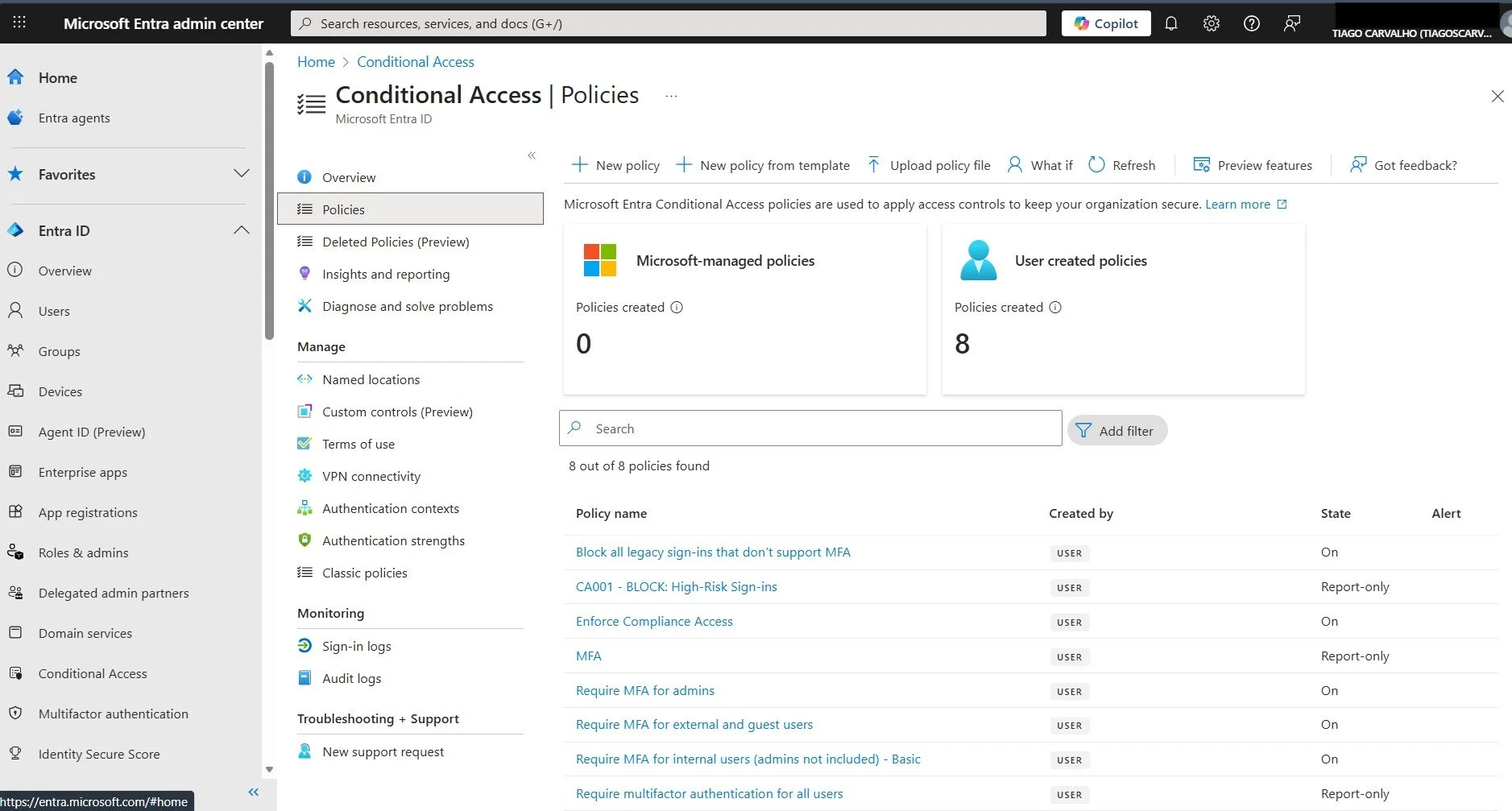
The primary challenge in many organizations is that Conditional Access policies evolve organically. New rules are added to address immediate needs, resulting in overlapping scopes, confusing naming conventions, and critical security gaps. This framework provides a strategic blueprint to move from a reactive to a proactive policy management model, built on principles of layered defense and predictable naming.
The 6-Component Naming Framework
A structured naming convention is the foundation of a scalable policy set. It transforms policy names into compressed documentation, making their intent immediately clear. This framework, inspired by best practices from Microsoft and the community, uses six distinct components.
| Component | Purpose | Examples |
|---|---|---|
| Identifier | Logical grouping and easy reference. | CA0xx (Global), CA1xx (Admins), CA2xx (Internals), CA3xx (Guests) |
| Persona | Who the policy targets. | Global, Admins, Internals, Guests, Workloads |
| Purpose | The security objective. | Base (Baseline), App (Application), Identity, Device, Location |
| Scope | Which resources are affected. | AllApps, O365, PrivilegedAccess, SensitiveApps, SSPR |
| Context | The conditions of access. | Any, Unmanaged, Browser, Mobile, LegacyAuth, OutsidePerimeter |
| Control | The required enforcement action. | MFA, Compliant, Block, AppProtection, AuthStrength, MFA+Compliant |
Example Policy Name Breakdown
Let's deconstruct a policy name: CA101-Admins-Base-PrivilegedAccess-Any-AuthStrength
- CA101: An admin-level policy.
- Admins: Targets the administrator persona.
- Base: It's a baseline protection for this persona.
- PrivilegedAccess: Scoped to administrative portals (Azure Portal, etc.).
- Any: Applies in any context.
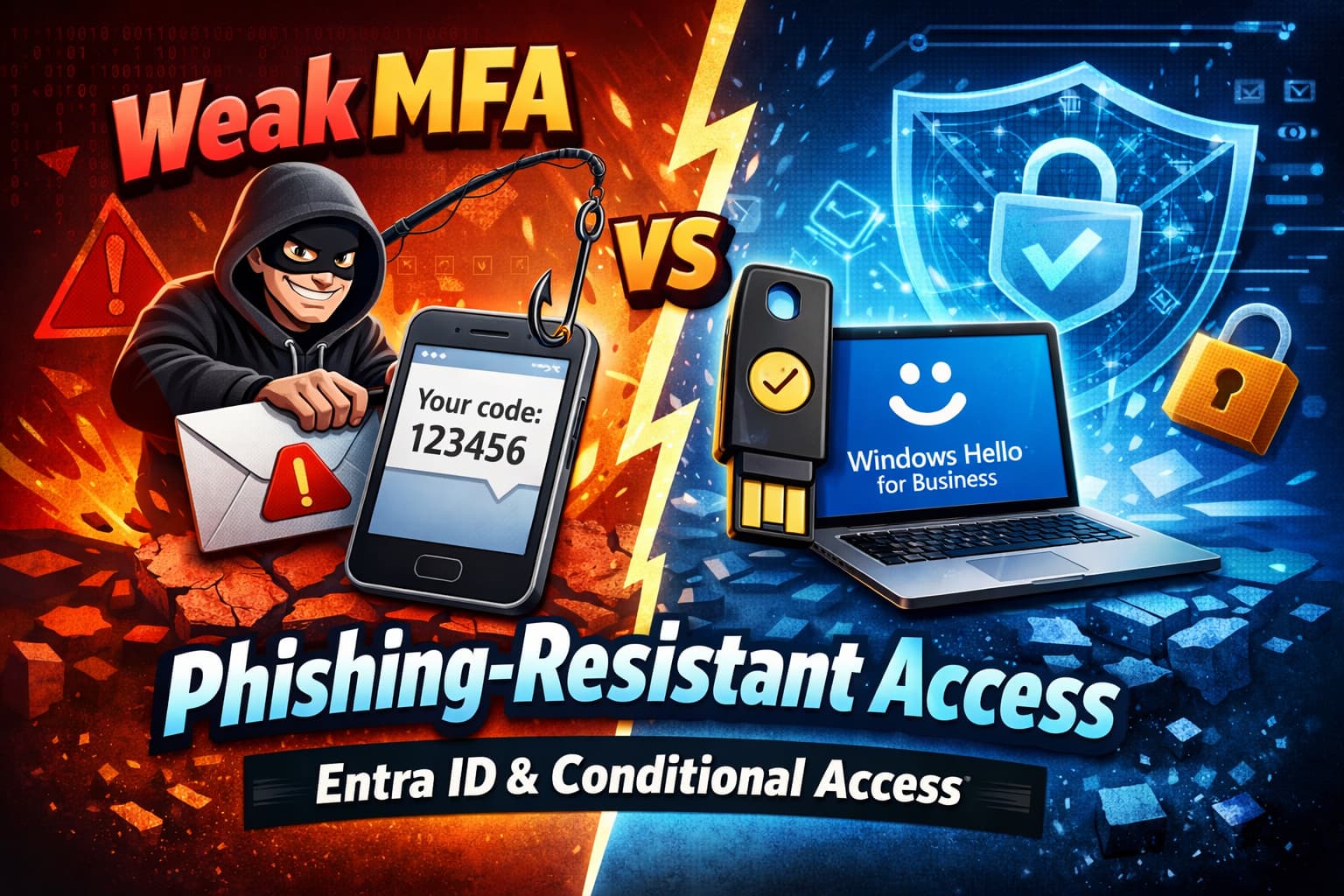
- AuthStrength: Enforces a specific authentication strength (e.g., phishing-resistant MFA).
A Tiered Architecture for Layered Defense
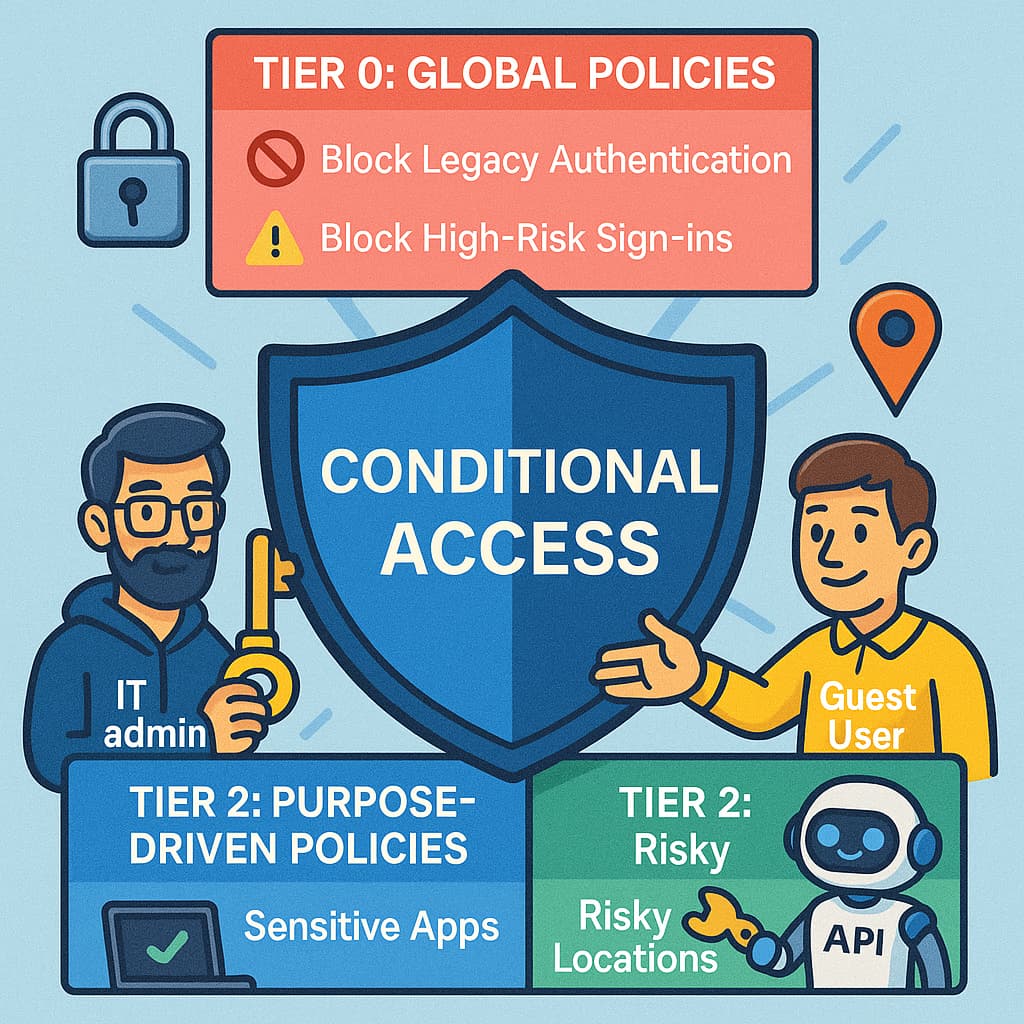
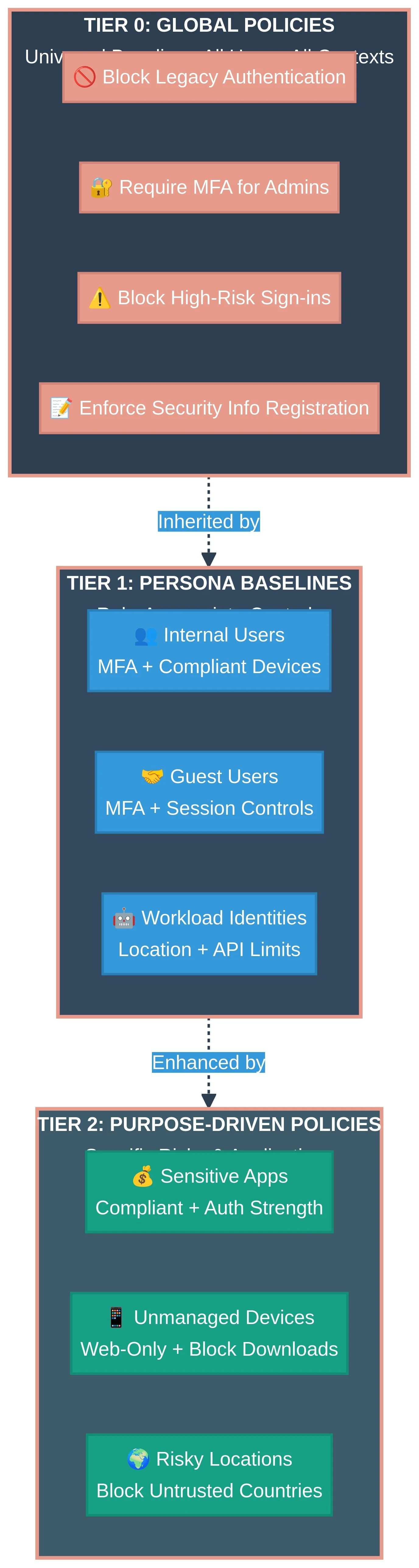
This framework organizes policies into a tiered model. Lower tiers provide broad, foundational security, while higher tiers add specific, risk-based controls. This ensures that every access request is evaluated against a predictable set of rules, with protections automatically inherited.
Tier 0: Global Policies
These are the foundational, non-negotiable security baselines that apply to **all users, in all contexts**. They are designed to mitigate the most common and high-impact risks.
Key Tier 0 Policies
- Block Legacy Authentication: Legacy protocols like POP, IMAP, and SMTP do not support modern authentication and are a primary vector for credential theft. This should be one of the first policies implemented.
- Require MFA for Admins: Enforce MFA for all administrative roles, without exception.
- Block High-Risk Sign-ins: Integrate with Entra ID Protection to automatically block access attempts identified as high-risk.
- Enforce Security Info Registration: Prompt users to register for MFA and SSPR to ensure they can self-remediate.
Tier 1: Persona Baselines
This tier defines the standard security posture for broad categories of users (personas). Each persona gets a baseline set of policies that build upon the global foundation.
Define clear, mutually exclusive personas for your organization. Common starting points are Internal Users, Guest Users, and Workload Identities. Avoid creating too many personas initially; start broad and add more granular ones only when a distinct security posture is required.
| Persona | Typical Baseline Controls | Architectural Intent |
|---|---|---|
| Internal Users | Require MFA for all cloud apps. Require compliant or hybrid-joined devices for key apps like Office 365. | Establish a trusted device and identity baseline for all employees. |
| Guest Users | Always require MFA. Limit access to specific applications. Enforce session controls like sign-in frequency. | Treat external collaborators as untrusted by default, enforcing strong verification and limiting access. |
| Workload Identities | Block access from outside trusted network locations. Limit permissions to specific APIs. | Secure non-human identities (service principals) by restricting their operational context. |
Tier 2: Purpose-Driven Policies
This is the most granular tier, designed to address specific risks related to applications, data sensitivity, or context. These policies are highly targeted and override baseline controls where necessary.
Example Tier 2 Policies
- Sensitive Applications: For an application handling financial data, require both a compliant device AND a phishing-resistant authentication strength (e.g., FIDO2 key).
- Unmanaged Devices: For users accessing Office 365 from a personal device, grant access but enforce web-only access with session controls that block downloads.
- Risky Locations: Block all access from countries your organization does not operate in.
Architectural Decision Framework
Designing a Conditional Access strategy involves making key trade-offs between security, productivity, and user experience.
| Decision | Option A | Option B | Trade-off Consideration |
|---|---|---|---|
| MFA Enforcement | Enforce for all users, all apps | Enforce based on risk | Simplicity vs. Intelligence: Enforcing MFA everywhere is simpler to manage but can cause user friction. Risk-based enforcement is smarter but relies on the quality of risk signals from Entra ID Protection. |
| Unmanaged Devices | Block Access | Allow with App Protection Policies | Security vs. Flexibility: Blocking unmanaged devices is the most secure option but limits BYOD scenarios. App Protection Policies (MAM) provide a balance by securing corporate data without managing the device itself. |
| Device Trust Model | Require Compliant Device | Require Hybrid Joined Device | Cloud-Native vs. On-Premises: Device Compliance (Intune) is the modern, cloud-native approach. Hybrid Join is a necessary bridge for organizations with significant on-premises resources that rely on AD computer authentication. |
Implementation Roadmap
A phased rollout is crucial to minimize user impact and validate policy effectiveness. Always use **Report-Only Mode** before enabling enforcement.
Phase 1: Foundation & Discovery
- Create break-glass emergency access accounts and exclude them from all policies.
- Deploy the Tier 0 policy to **Block Legacy Authentication** in Report-Only mode to assess impact.
- Deploy a global policy to **Require MFA for all users** in Report-Only mode.
- Analyze sign-in logs to identify gaps and dependencies.
Phase 2: Enforcement for Admins & Internals
- Enforce the policy requiring MFA for all administrative roles.
- Move the global MFA policy to full enforcement for all internal users.
- Begin deploying persona-based baselines for internal users (e.g., require compliant devices for O365) in Report-Only mode.
Phase 3: Guest & Application Policies
- Deploy and enforce a baseline policy for guest users, requiring MFA.
- Identify sensitive applications and deploy purpose-driven Tier 2 policies in Report-Only mode.
- Begin enforcing session controls for unmanaged devices.
Phase 4: Optimization & Risk Integration
- Enforce policies that block high-risk sign-ins.
- Implement phishing-resistant authentication strengths for critical personas.
- Continuously review sign-in logs and policy reports to fine-tune and optimize the rule set.
Conclusion
A well-defined Conditional Access architecture is not a one-time project but a continuous lifecycle of design, enforcement, and optimization. By adopting a tiered framework with a structured naming convention, organizations can move from a state of reactive complexity to one of strategic clarity. This blueprint provides the scalability to manage hundreds of policies across a global enterprise, ensuring that as your organization evolves, your security posture adapts with it, truly embodying the principles of Zero Trust.
References
[1] Microsoft Learn: Plan a Conditional Access deployment
[2] Microsoft Learn: Building Conditional Access policies