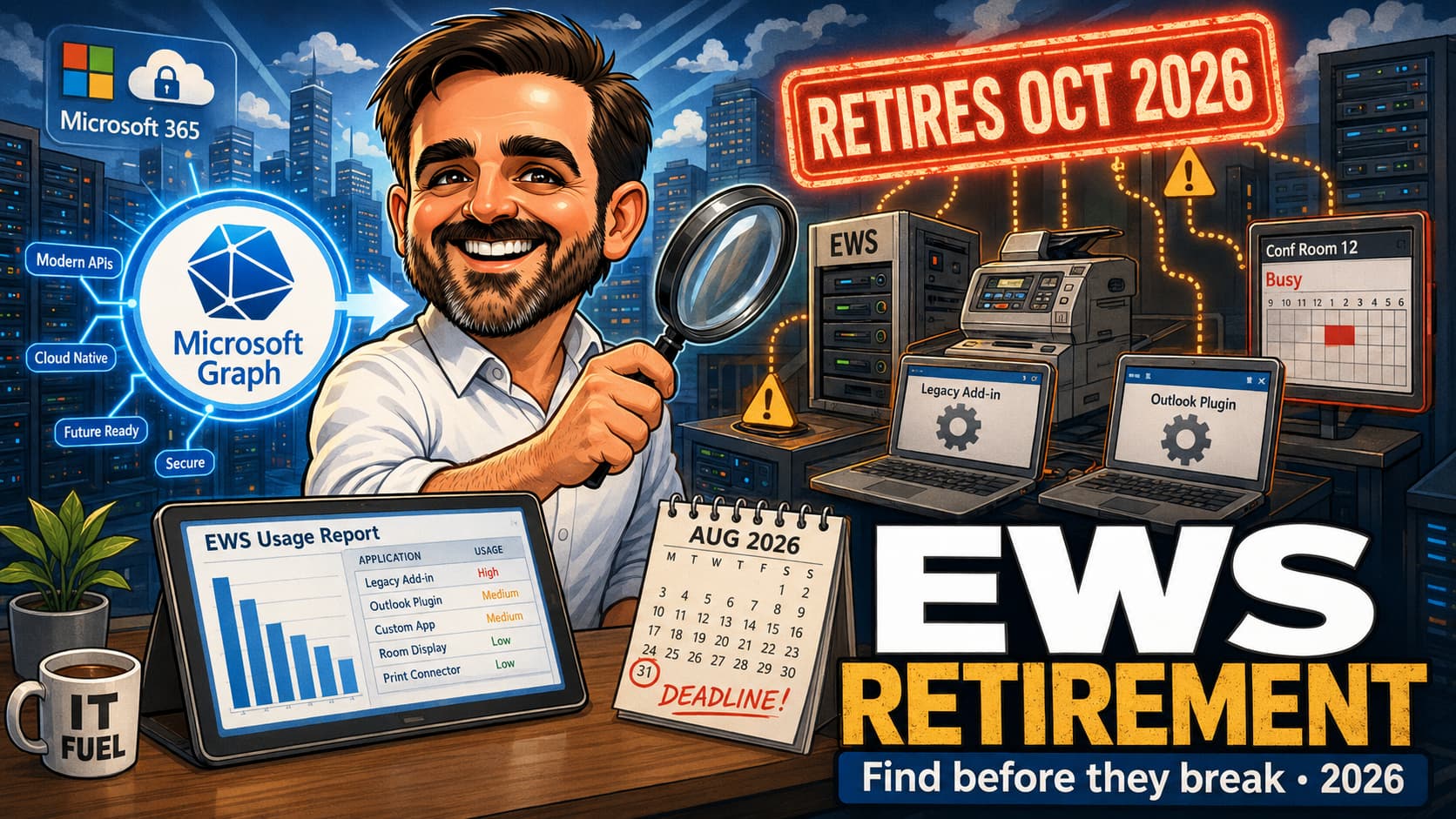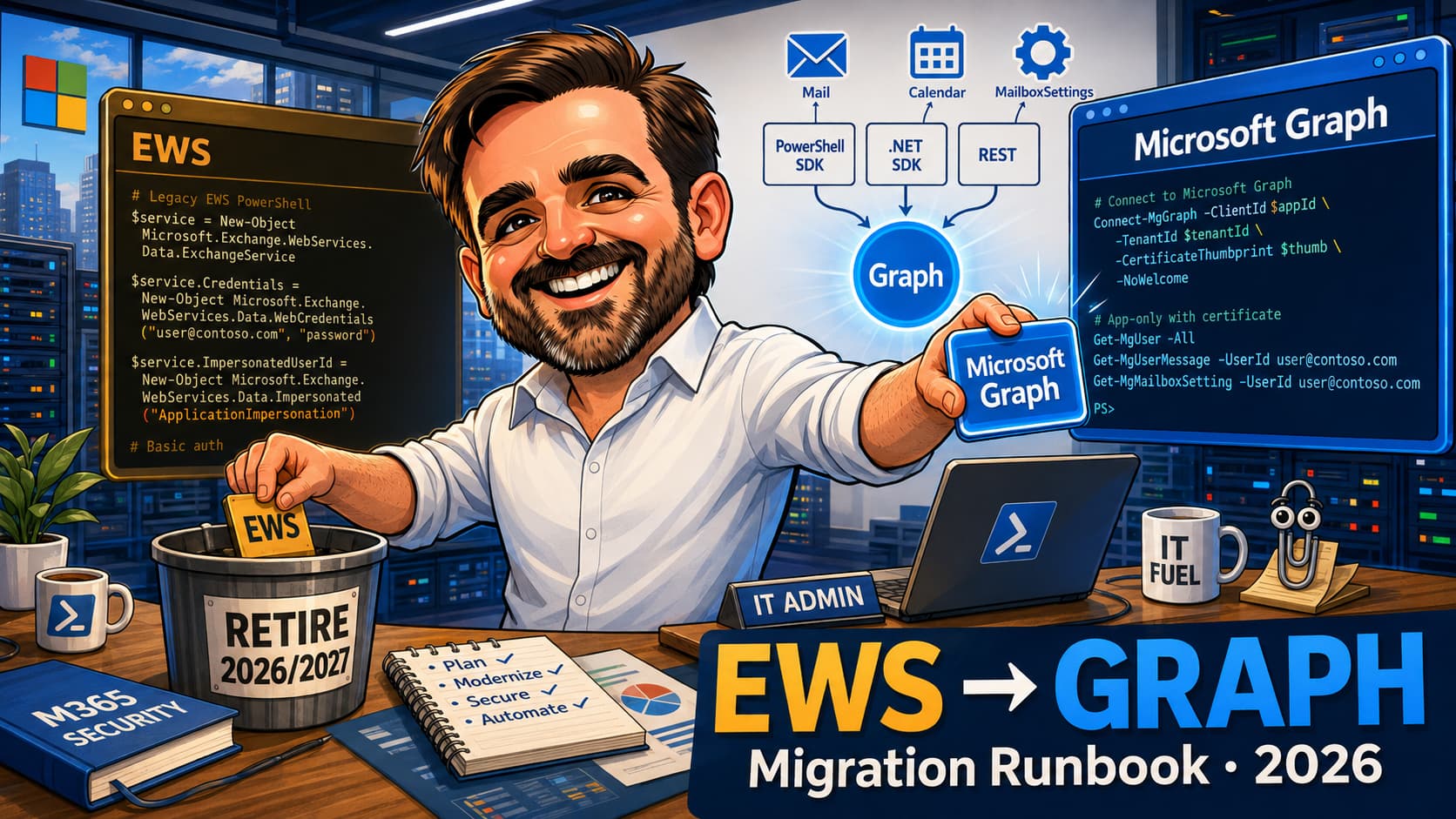
The clock is ticking. Exchange Web Services (EWS), the nearly 20-year-old workhorse for Exchange automation, is being retired in Exchange Online. The final cutoff begins in October 2026, and applications that aren't migrated will simply stop working. This isn't just a developer problem; it's a business continuity risk hiding in plain sight. This guide provides a practical, strategic roadmap for IT leaders and developers to navigate the migration to Microsoft Graph before it's too late.
TL;DR for IT & Security Leaders
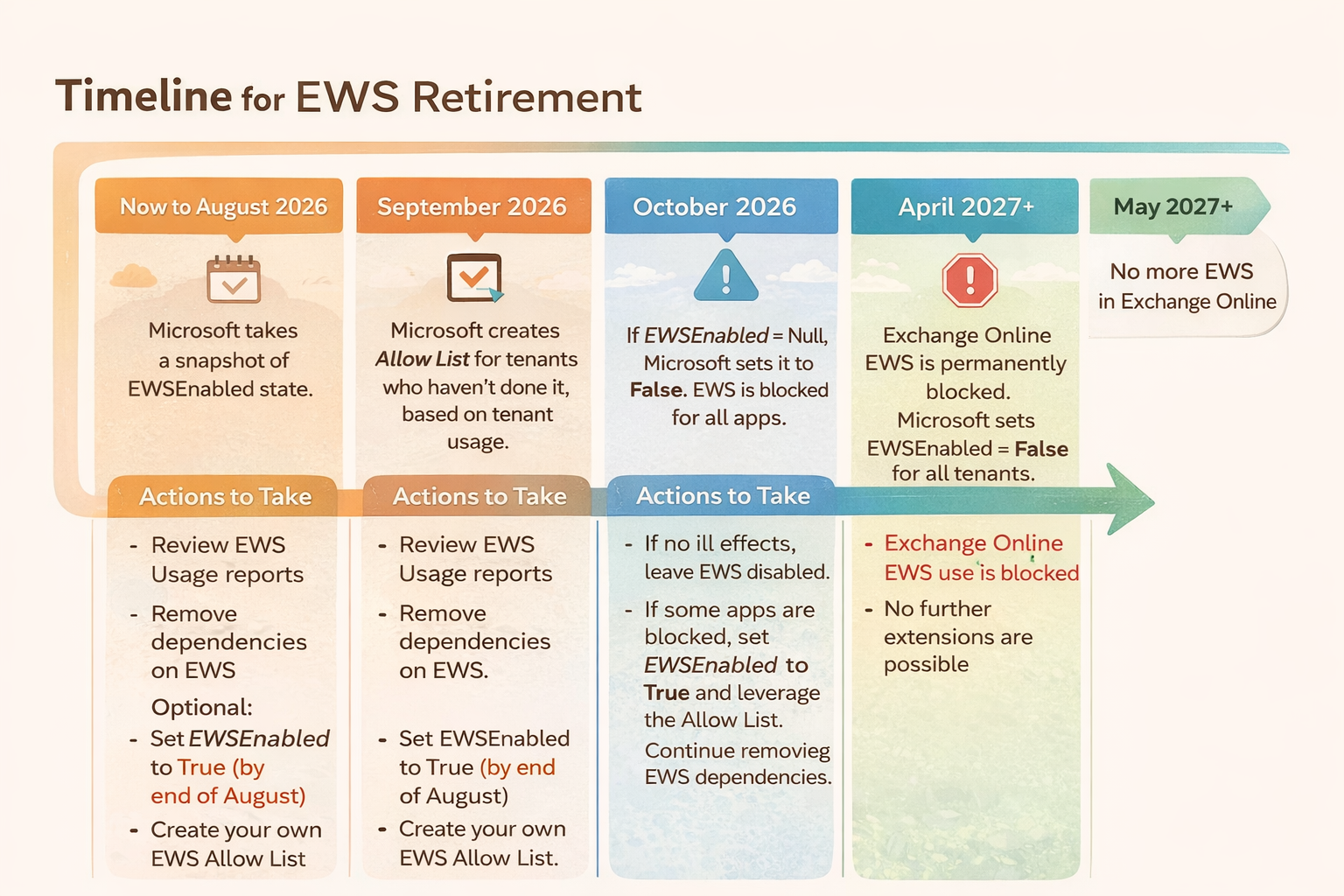
- The Deadline is Real: EWS will be disabled for unprepared tenants starting October 1, 2026. The final, irreversible shutdown is April 1, 2027.
- It's a Security Issue: The urgency was elevated by the Midnight Blizzard security incident, which involved EWS. Microsoft Graph offers vastly superior security with OAuth 2.0 and granular permissions.
- Find Your Risk Now: Use the EWS Usage Reports in the M365 Admin Center to discover which applications (including internal scripts and third-party tools) are still using EWS.
- Plan, Don't Panic: The migration is not a simple find-and-replace. It requires planning, re-architecting authentication, and testing. Start now to avoid a last-minute crisis.
- Embrace Modernization: Moving to Microsoft Graph isn't just about replacing a legacy API. It's about adopting a modern, secure, and unified platform for all Microsoft 365 interactions.
The Hidden Risk: Why This Is More Than a Developer Task
For years, EWS has been the go-to for everything from room booking scripts to complex CRM integrations. The problem is that many of these dependencies are undocumented, forgotten, or running on a server in a dusty corner. When Microsoft disables EWS, these applications won't just throw an error; they will cease to function, potentially impacting critical business processes. The "if it ain't broke, don't fix it" mindset is the single biggest risk factor for EWS deprecation.
💰 The Hidden Cost of EWS Inaction
Ignoring the EWS cutoff isn't a cost-saving measure; it's a significant financial risk. Consider the potential impacts:
- Operational Disruption: What is the cost per hour of your automated invoicing system failing? Or your helpdesk ticketing integration breaking?
- Emergency Development Costs: A last-minute, panicked migration project will be significantly more expensive than a planned one, requiring premium rates for developers and consultants.
- Security Incident Response: EWS with Basic Auth is a prime target. A single breach originating from a legacy EWS application can cost millions in incident response, regulatory fines, and reputational damage.
- Compliance Failures: EWS lacks the granular audit trails of Microsoft Graph. An inability to prove who accessed what data via which application is a compliance nightmare waiting to happen.
EWS vs. Microsoft Graph: A Necessary Evolution
Understanding why this migration is happening is key to getting buy-in. EWS is a product of a different era. Microsoft Graph is built for the modern cloud.
| Aspect | Exchange Web Services (EWS) | Microsoft Graph |
|---|---|---|
| Protocol | SOAP / XML | REST / JSON |
| Authentication | Basic Auth, NTLM, OAuth (often with broad permissions) | OAuth 2.0 (Required), with granular, least-privilege scopes |
| Permissions | All-or-nothing access (e.g., full mailbox access) | Granular scopes (e.g., `Mail.Read`, `Calendars.ReadWrite`) |
| Endpoint | Multiple, service-specific endpoints | Single, unified endpoint: `https://graph.microsoft.com` |
| Security Posture | Legacy, high-risk, difficult to audit | Modern, identity-driven, fully auditable in Entra ID logs |
🔐 Why Security Teams Champion the Move to Graph
This migration is a massive security upgrade. Security teams love it because it replaces a legacy protocol with a modern, identity-governed API. Key wins include:
- Identity as the Perimeter: Every call to Microsoft Graph is authenticated via Entra ID, allowing for Conditional Access policies (MFA, device compliance, location checks).
- Least Privilege by Default: Applications can be granted only the exact permissions they need, drastically reducing the blast radius of a compromised app.
- Comprehensive Audit Trail: Every single API call is logged in the Audit Logs, providing full visibility into what applications are doing with your data.
- Elimination of Basic Auth: It removes a major vector for password spray attacks and credential stuffing.
The Official Deprecation Timeline
Microsoft has laid out a clear, phased approach. The time to act is now, not in September 2026. This official timeline from Microsoft shows the key milestones.
Migration Survival Guide: A 4-Step Plan
🔍Step 1: Discover & Inventory
You can't migrate what you can't see. The first step is to get a complete picture of all applications and scripts using EWS in your tenant. Fortunately, Microsoft provides the tools to do this.
Navigate to the Microsoft 365 Admin Center > Reports > Usage > Exchange > Exchange Web Services usage. This report is your starting point for identifying active EWS applications and their call volume.
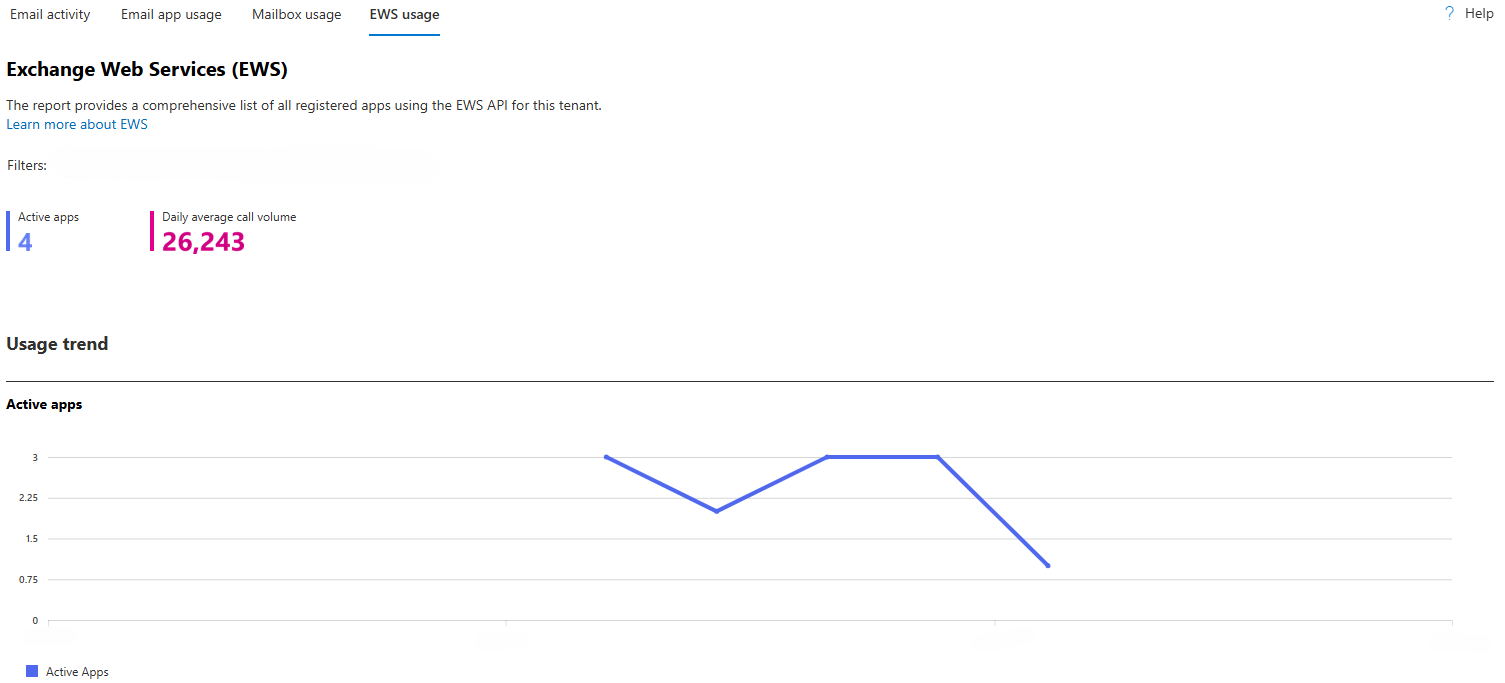
❌ Common Mistake: Assuming the report shows everything. The usage report is excellent, but it might miss ad-hoc scripts or applications with very infrequent usage. Supplement this data by searching code repositories and server logs for EWS endpoints (e.g., `outlook.office365.com/EWS/Exchange.asmx`).
🗺️Step 2: Plan & Prioritize
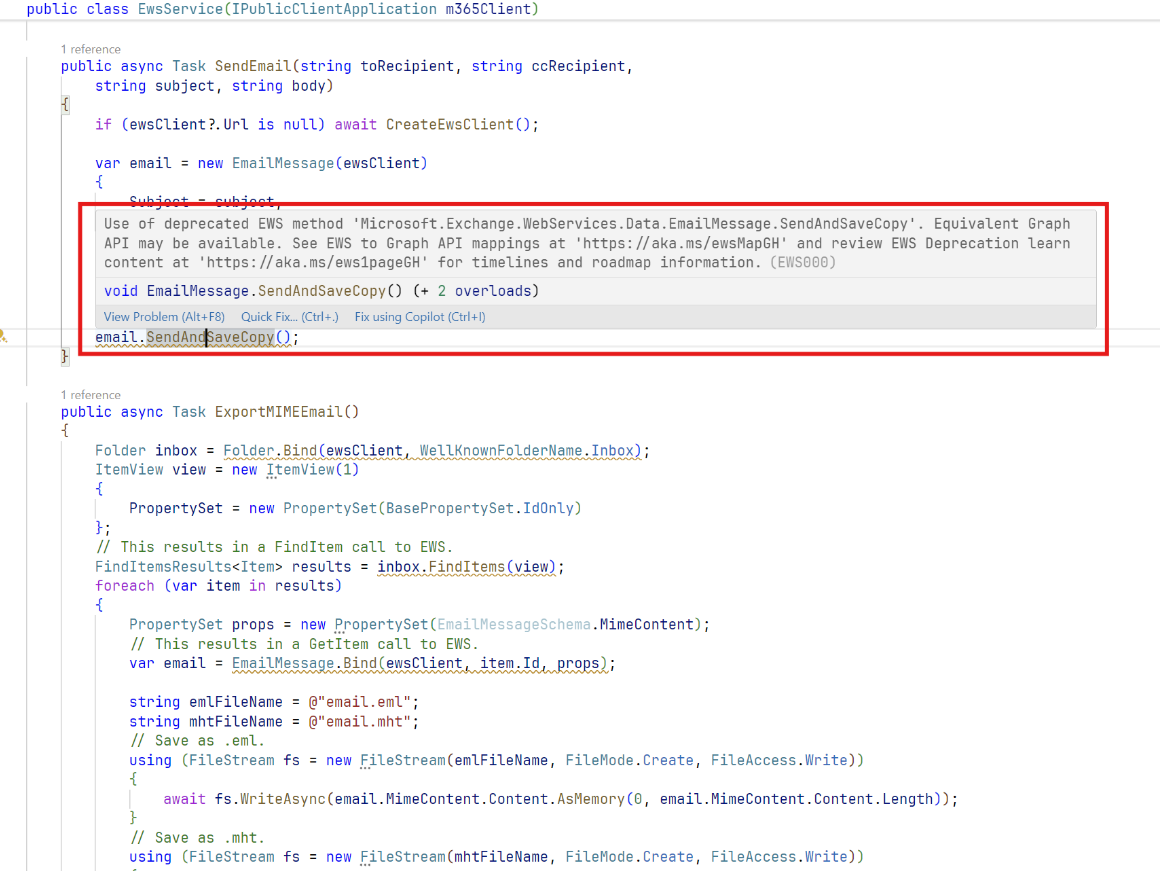
With a list of EWS applications, you can begin planning. This involves mapping the old EWS operations to their new Microsoft Graph equivalents. This is rarely a one-to-one mapping. Authentication will need to be completely re-written to use OAuth 2.0 and Entra ID App Registrations.
Microsoft's EWS Code Analyzer (available for Visual Studio) can inspect your code and provide specific recommendations for migrating to Graph APIs, saving significant development time.
✅ Pro Tip: Prioritize applications based on business criticality and complexity. Tackle a medium-complexity, high-visibility application first to build momentum and demonstrate a successful migration pattern to the rest of the organization.
⚙️Step 3: Execute & Test
This is the core development phase. Developers will rewrite the application logic to call Microsoft Graph APIs, implementing the OAuth 2.0 authentication flow. Thorough testing is critical. The application must be tested for functionality, performance, and error handling. Ensure that the new Graph-based application behaves identically to the old EWS version from an end-user perspective.
🚀Step 4: Cutover & Monitor
The final step is to deploy the new application and disable the old one. For critical applications, consider a phased rollout or a dual-run period where both versions operate in parallel (if possible). After the cutover, closely monitor the application and the Entra ID sign-in logs to ensure everything is working as expected. Finally, and most importantly, ensure the old EWS-based application is fully decommissioned and any associated service accounts are disabled.
An Urgent Call for Modernization
The retirement of EWS is more than just a technical deadline; it's a forcing function for modernization. It's an opportunity to pay down technical debt, significantly improve your organization's security posture, and standardize on a single, powerful API for Microsoft 365. The tools are available, the timeline is clear, and the risks of inaction are significant. The time to start your migration journey is now.