Somewhere in your tenant, right now, there is an agent you do not know about. Maybe it is a Copilot Studio experiment from the marketing team. Maybe it is an agent a developer published from Microsoft Foundry with a shared project identity. Maybe it is the "temporary" automation someone wired to a service principal with Mail.ReadWrite in 2024, which has quietly become an agent with better branding. The industry spent 2025 asking whether to adopt AI agents; the tenants I look at in 2026 have already answered by accident, and the governance is arriving after the population. This article is the field guide to catching up: why agents are an identity problem rather than an app problem, the Microsoft Entra Agent ID object model that makes them governable (blueprints, agent identities, agent users, sponsors), where Agent 365 fits and what it costs, how access packages and Conditional Access now apply to non-human workers, and a 30-day rollout for a lean team that ends with an inventory, an accountable human behind every agent, and a policy you can defend. This platform is new and moving fast; several pieces are in preview, and everything here should be validated against Microsoft Learn before it becomes your standard. That is not a reason to wait. The agents did not.
Why agents are an identity problem, not an app problem
Every governance conversation about AI agents eventually rediscovers a truth identity teams have known for a decade: the thing that matters is not what the software is, it is what the software can do. An agent that reads mailboxes, files documents, opens tickets and messages customers is not an app in any meaningful sense. It is a worker. A tireless, literal-minded worker with no judgement, no fear of consequences, and, until recently, no identity of its own.
That last part is the historical failure. Agents borrowed identities: a service principal here, a stored credential there, an API key in a config file with the permissions of whoever set it up. If you read my workload identity hardening guide, you already know how that story goes: over-permissioned, under-monitored, unowned. Agents inherit that whole disease, then add autonomy on top. A service account with Mail.ReadWrite is a risk; a service account with Mail.ReadWrite and initiative is a new category of risk.
Microsoft's answer, shipped across 2025 and 2026, is to stop treating agents as apps and start treating them as identities: first-class directory objects with owners, lifecycle, scoped access and sign-in conditions. The rest of this article is that model, and what a small team should actually do with it in the next 30 days.
What is already running in your tenant
Before the model, the uncomfortable census. In a typical mid-market tenant in mid-2026, agents arrive through at least five doors, most of them unguarded:
| Door | What comes through it | Who opened it |
|---|---|---|
| Microsoft 365 Copilot | Built-in and pinned agents; visible in the Copilot usage report's top-agents view | Users, legitimately, via licensing you granted |
| Copilot Studio | Custom agents built by business users. Entra Agent ID integration is evolving quickly: Microsoft documents the capability as preview, but starting July 2026 new Copilot Studio agents are expected to receive Entra Agent IDs automatically, with no opt-out for new agents. Existing agents may still need validation or recreation depending on when and how they were created | Anyone with maker access in Power Platform |
| Microsoft Foundry / developer platforms | Published agents with auto-provisioned agent identities; pre-publication agents sharing a project identity | Developers, sometimes in a subscription IT rarely visits |
| Legacy automation wearing an agent costume | Service principals and app registrations driving AI workloads with 2023-era permissions and no owner | Whoever left the company two reorgs ago |
| Endpoints | Local AI agents and tools installed by users, outside cloud identity entirely | Your users, this month, without asking |
The point of the table is not panic; it is scoping. The first three doors are governable with the platform this article covers. The fourth is my workload identity guide wearing a new hat. The fifth is an endpoint problem (Defender software inventory, Intune policy) that deserves its own article, and gets one soon.
The Entra Agent ID model: four objects, one accountable human
Microsoft Entra Agent ID introduces four object types. The names are a mouthful; the model underneath is genuinely clean.
| Object | What it is | The human-identity analogy |
|---|---|---|
| Agent identity blueprint | The template an agent platform defines: what permissions its agents can inherit, what policies apply to them | The job description and employment contract template |
| Agent identity blueprint principal | The blueprint's footprint in your tenant, the way a multitenant app has a service principal locally | The staffing agency's local registration |
| Agent identity | The account the agent actually authenticates with; created from a blueprint, holds its own scoped access | The employee |
| Agent user (optional) | A user-like standing for agents that need one, with distinct access rights | The employee's badge for buildings that only admit staff |
Two properties of this model carry most of the governance weight. First, inheritance flows from the blueprint: permissions and Conditional Access applied at blueprint level reach every agent identity created from it, which means you can govern a whole platform's agents with one policy instead of chasing individuals. Second, every agent identity can have a sponsor: a named human accountable for its lifecycle and access decisions. More on why that is the load-bearing wall in a moment.
The platforms are already wiring themselves in. Foundry auto-provisions blueprints and identities when agents are created and published. Copilot Studio auto-assigns agent identities (documented as preview, and from July 2026 expected for all new agents, with no opt-out for new agents). Teams developers manage blueprints in the Developer Portal. App Service and Functions apps can connect to resources as agents. The direction is unambiguous: agent identities are becoming the default plumbing, and the tenants that learn the model now will govern by policy while everyone else governs by archaeology.
Where Agent 365 fits (and what it costs)
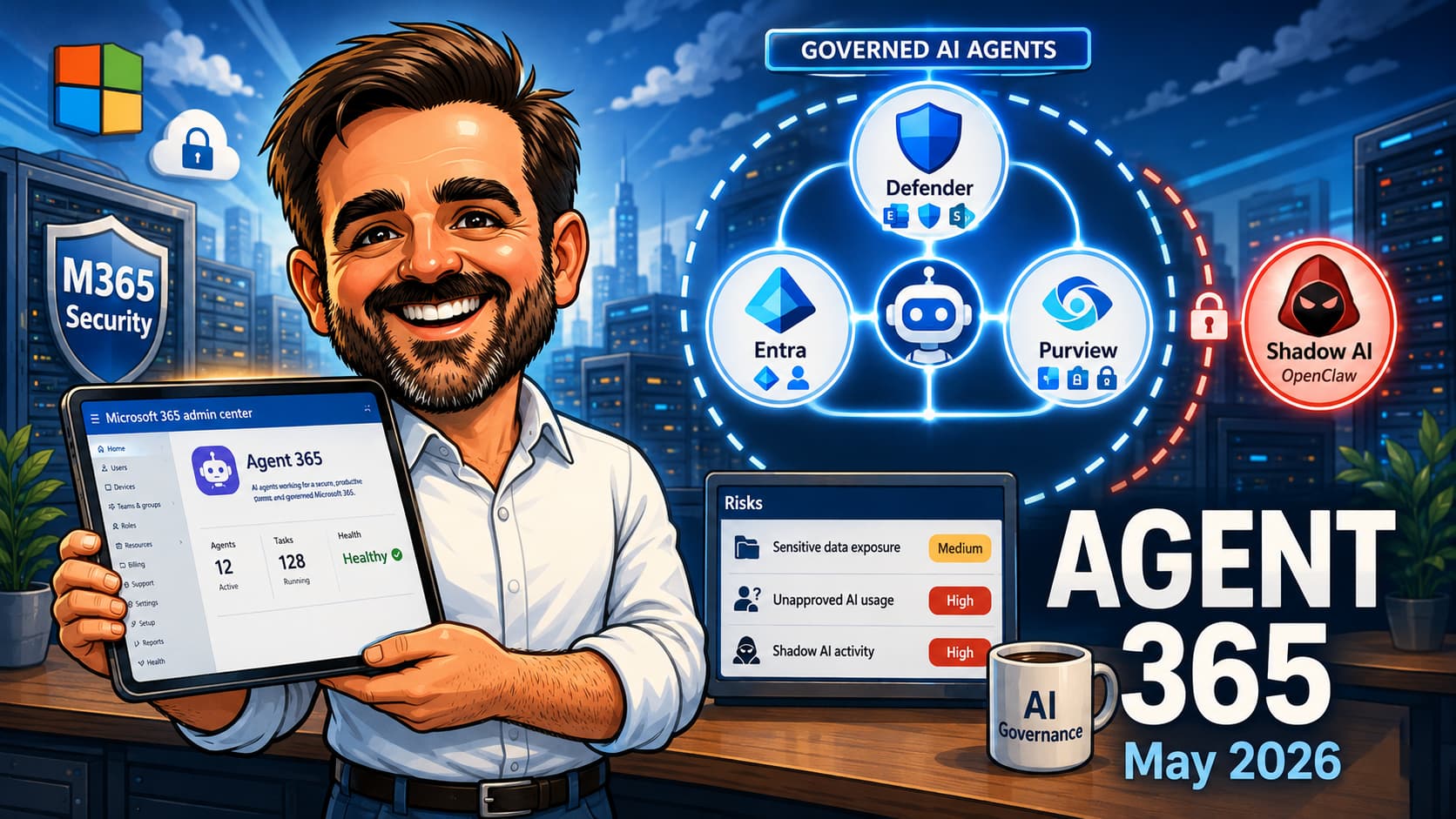
If Entra Agent ID is the identity layer, Microsoft Agent 365 is the control plane above it: the inventory of agents across your environment, their permissions, behaviour and activity in one place, with each agent carrying its own Entra Agent ID underneath. Think of it as the answer to the question every security lead asks first: "how many agents do we have, and what can they touch?" Before Agent 365, honest answers to that question involved four portals and a prayer.
The licensing, as of this writing, needs to be read by capability, not as one flat switch:
- Microsoft 365 E7 includes Microsoft 365 Copilot, Microsoft Agent 365 and the Microsoft Entra Suite.
- Microsoft Agent 365 is licensed per user and enables the Agent 365 control plane.
- Conditional Access for agents requires Microsoft Agent 365 plus Microsoft Entra ID P1 or P2.
- Identity Protection for agents requires Microsoft Entra ID P2 during preview.
- ID Governance for agent identities requires Microsoft 365 E7, or Microsoft Agent 365 paired with at least Microsoft Entra P1 or Microsoft 365 E3.
In short: do not assume "we have P1" means the whole agent governance stack is available. Inventory and sponsorship cost attention; automated governance, risk and control-plane features cost licensing.
The inventory: count them before you govern them
Every governance programme starts the same way, and this one is no exception. You cannot sponsor, scope or condition what you have not counted. The census runs across four surfaces, and for once, portal-first is the right approach, because the platform is too new for community scripts to be trustworthy:
- Entra admin center, Agent ID surfaces. Agent identities and blueprints that already exist in your directory, which platform created them, and whether sponsors are assigned. This is the authoritative list for platform-created agents, and in most tenants it is shorter than people fear and growing faster than they expect.
- The Copilot usage report's top agents view (Microsoft 365 admin center). Which agents your users actually touch. Agents appearing here that IT never deployed are your first governance conversations, and my Copilot measurement guide covers this report in depth.
- Power Platform admin center and Copilot Studio. Maker-built agents, per environment, plus consumption billing for pay-as-you-go agents. Ask specifically about environments outside the default one; that is where experiments hide.
- The legacy layer: enterprise applications and service principals. The pre-Agent-ID automation estate, inventoried exactly as in my workload identity hardening guide (credential inventory via Graph, sign-in activity, permission review). Anything there that is actually an AI workload belongs on the agent census with a note to migrate it toward a proper agent identity as its platform supports one.
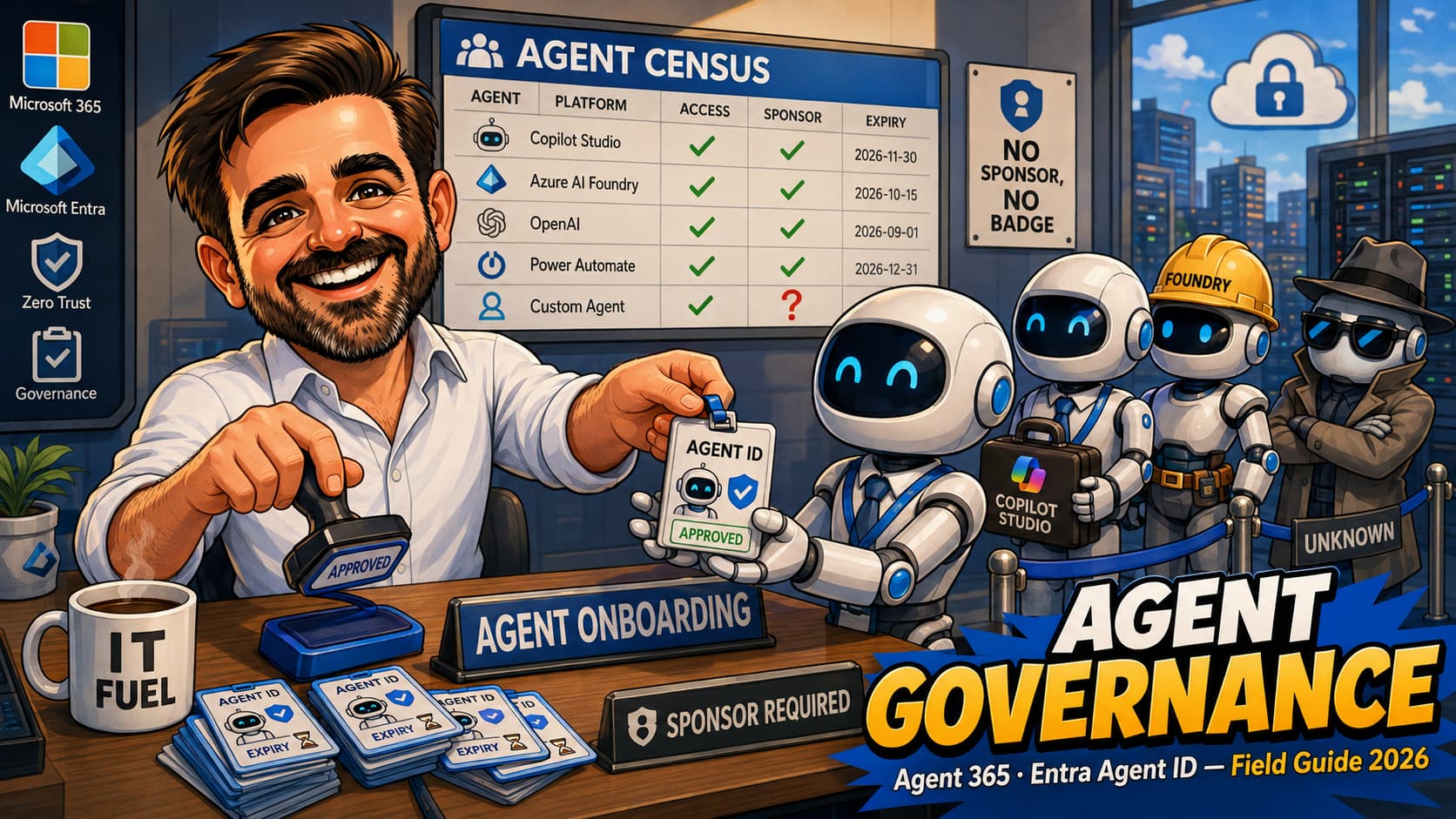
The output is deliberately boring: a list with five columns. Agent, platform, what it can access, who sponsors it, and how it dies (expiry, review date, or decommission trigger). If a row cannot be completed, that row is your work queue.
Sponsors: the rule that makes everything else work
Here is the design decision in the agent identity platform that I would defend in any architecture review: agent identities take a human sponsor, and when the sponsor leaves the organisation, sponsorship transfers automatically to their manager. Lifecycle Workflows can notify cosponsors and managers around the transition.
Anyone who has run identity for more than a year knows why this matters. The deadliest object in any directory is not the over-permissioned account; it is the orphaned one. The automation nobody owns, doing something nobody remembers, that nobody dares disable because the last person who understood it left in 2023. Every tenant has one. Most have a folder of them. The sponsor rule, enforced from birth and transferred on departure, means an agent can never reach that state: there is always a person whose name is on it, receiving the expiry notifications, answerable for the access.
Operationally, sponsors manage their agents from the My Account portal (enable, disable, see activity and lifecycle) and request access on their behalf from the My Access portal. Which means governance decisions land with the business owner who knows what the agent is for, not with IT playing detective. That is the correct place for them, and it is worth saying so out loud to the sponsors you appoint: the agent is theirs, not IT's. IT runs the framework; the sponsor answers for the worker.
Access: blueprints inherit, packages expire
Agent access works on two levels, and the split is elegant enough to be worth internalising:
Blueprint-level: the platform's ceiling
Agent identities are born with limited permissions inherited from their parent blueprint. The blueprint defines what its agents can hold, which makes it the natural place to set a platform-wide ceiling: what any Copilot Studio agent in this environment may touch, for instance. Review inheritable permissions on blueprints the way you review API permissions on app registrations, because that is functionally what they are.
Identity-level: access packages, now for agents
Individual grants flow through entitlement management, the same access packages you may already use for humans and guests, now assignable to agent identities: security group memberships, application OAuth API permissions including Graph application permissions, and even Entra roles. The policy option is explicit: "for users, service principals, and agent identities in your directory", with an "All agents" scope.
Three request pathways exist, and the middle one is the operational sweet spot: the agent can request programmatically when it needs access, the sponsor can request on the agent's behalf (human oversight, business context, audit trail), or an admin can assign directly. Approvals route per the package policy; assignments carry expiry dates; and as expiry approaches, the sponsor gets notified and chooses between requesting extension (triggering re-approval if policy demands) or letting it lapse, at which point access disappears on schedule.
Read that last sentence again, because it quietly fixes the oldest problem in access management: expiry is the default, and renewal requires a human decision. For agents, standing access is now the exception you must argue for, not the state you drift into. If only we had shipped that for humans twenty years ago.
Conditional Access and Identity Protection, extended to agents
The final layer: conditions on how agents sign in. Conditional Access policies can target agent identities, evaluate agent context and risk (including agent identity risk from Entra ID Protection), and, crucially, be applied at the blueprint level so every agent identity created from that blueprint inherits the policy at birth.
For a lean team, the pattern to steal from your human CA baseline is the same one I use in my Conditional Access baseline series: start small, start in report-only where applicable, and scope to blueprints rather than individual identities. The first policy, scoped to blueprints where possible: if Identity Protection for agents is licensed (Entra ID P2 during preview), start with a risk-based block in report-only before enforcement; if not, start with explicit allow/block boundaries for approved agent identities and resources. And remember the limitation: blueprint-scoped policies cover agent identities, not agent user accounts, and Conditional Access only protects access paths that actually use Microsoft Entra ID. Agents reaching resources via API keys or non-Entra auth are outside this perimeter entirely. Do not attempt a twelve-policy agent framework in week one; the population does not justify it yet and the platform is still moving under your feet.
The 30-day rollout for a lean team
- Week 1: the census. The four-surface inventory above, into the five-column list. Include the legacy service principals that are agents in all but name. Expect the list to be short and the gaps in the sponsor column to be embarrassing; that is normal and useful.
- Week 2: sponsors and kills. Assign a named sponsor to every row, as process even where the platform objects do not exist yet. Anything that cannot attract a sponsor after two weeks of asking is a decommission candidate by definition: if nobody will own it, nobody needs it.
- Week 3: the access ceiling. Review blueprint inheritable permissions where blueprints exist; review the permissions of agent-like service principals where they do not. Cut what is not used. Where you have the licensing, move individual grants into access packages with expiry dates; where you do not, put review dates in the calendar like an animal, because a calendar reminder beats no lifecycle at all.
- Week 4: conditions and paper. First Conditional Access policy for agents, blueprint-scoped where possible: risk-based in report-only if Identity Protection for agents is licensed, explicit allow/block boundaries if not. Write the one-page agent policy: how agents get created, who can sponsor, what access requires approval, how agents die. Publish it before the next Copilot Studio experiment, not after.
The deliverable at day 30 is not a finished governance programme. It is a counted population, an accountable human per agent, a ceiling on access, and a written rule for the next one. That puts you ahead of roughly everyone.
What I would not do yet
- Build automation on moving platform behaviour. Copilot Studio agent identity behaviour is still changing quickly: validate existing agents, do not assume old agents received Agent IDs automatically, and avoid wiring critical lifecycle automation to preview-only APIs. Adopt the model, pilot the previews, and keep the load-bearing processes on stable surfaces.
- Buy Agent 365 for a population of four agents. The control plane earns its licence when the census stops fitting on one page. Until then, the discipline is free and the spreadsheet is honest.
- Block agent creation tenant-wide as a first move. The business will route around you via personal accounts and shadow tools, and you will have converted a governance problem into a visibility problem. Govern the front door instead: sponsorship, ceilings, expiry.
- Write a 40-page AI policy. One page, four questions (created how, sponsored by whom, access approved how, retired when). Length is where policies go to be unread.
The mistakes I am already seeing
- Treating agents as an app-governance problem.App governance asks "is this software safe". Agent governance asks "what can this worker do, who answers for it, and when does its access end". Wrong frame, wrong controls, wrong owner.
- Waiting for the platform to finish before starting.The model is stable even where features are preview: identity, sponsor, scoped access, expiry. Tenants adopting the discipline now will flip the automation on later; tenants waiting will run the census against a population ten times larger.
- Letting "the IT department" sponsor everything.A sponsor who does not know what the agent is for cannot make lifecycle decisions about it. Sponsorship belongs with the business owner; IT owns the framework. Shared accountability is no accountability.
- Ignoring the legacy service principals.The riskiest agents in most tenants predate the word "agent". If it authenticates, holds permissions and acts autonomously, it belongs on the census, whatever year it was born.
- Granting standing access because packages feel bureaucratic.The expiry-and-renewal loop is the single best control in the entire platform. Bypassing it to save a sponsor five minutes a quarter recreates the exact problem this platform exists to end.
- Forgetting the multitenant angle.Blueprint principals arrive in your tenant the way multitenant apps do. MSPs and anyone consuming third-party agents should review incoming blueprints with the same suspicion they learned to apply to app consent.
- Announcing governance after the first incident.Policy published before the incident is stewardship; policy published after is blame. The census takes a week. The incident report takes longer.
Agent governance FAQ
Do I need Microsoft 365 E7 or Agent 365 to start governing agents?
No, but read the licensing by capability rather than as one switch: the Agent 365 control plane is per-user licensing; Conditional Access for agents needs Agent 365 plus Entra P1/P2; Identity Protection for agents needs Entra P2 during preview; and ID Governance for agent identities needs E7, or Agent 365 with at least Entra P1 or M365 E3. The census, the sponsorship rule, blueprint permission reviews and a written agent policy cost nothing, and they are where every programme should start anyway. Buy automation when the population outgrows the spreadsheet.
How is an agent identity different from a service principal?
A service principal is an app's credential with permissions; an agent identity is a directory account designed for an autonomous actor, with a sponsor, a lifecycle, access package eligibility, Conditional Access targeting and Identity Protection risk scoring. The practical difference is accountability: a service principal can be orphaned; an agent identity with a sponsor, whose sponsorship auto-transfers on departure, structurally cannot.
What happens to our existing Copilot Studio agents?
They keep working. The integration is moving quickly: Microsoft documents it as preview, but from July 2026 new Copilot Studio agents are expected to receive Entra Agent IDs automatically, with no opt-out for new agents. Do not assume existing agents were retrofitted; depending on when and how they were created, they may need validation or recreation, so check current behaviour against the Copilot Studio documentation. Process-wise, nothing stops you sponsoring and inventorying existing agents today, whatever their identity plumbing.
Can Conditional Access really block a misbehaving agent?
Policies targeting agent identities can block sign-ins based on conditions and risk, including agent risk signals from Identity Protection, and blueprint-level policies catch new identities at birth. What CA cannot do is judge whether an agent's actions are sensible; it governs the door, not the behaviour inside the room. Behavioural oversight is the Agent 365 control-plane layer, and for most SMB tenants in 2026 it is also the sponsor reading the activity view monthly.
We are an MSP. What changes for us?
Two things. First, your customers' tenants are acquiring agent populations whether or not anyone is watching, and the census-plus-sponsors exercise is a natural quarterly deliverable. Second, blueprint principals from third-party agent platforms enter customer tenants the way multitenant apps do; reviewing incoming agent blueprints belongs in the same motion as your app consent reviews. The tenants where you did workload identity hygiene will be dramatically easier; the others were always going to be the hard ones.
Where do local AI agents on user devices fit into this?
Mostly outside it, which is exactly the problem. Agents installed on endpoints operate outside cloud identity governance entirely; the controls there are endpoint controls (Defender software inventory, Intune policy) and that deserves its own field guide, which is next on my list. The identity governance in this article covers the agents you can see; the endpoint problem is the agents you cannot.
- Governing agent identities (Entra ID Governance)
- What are agent identities (Entra Agent ID)
- Agent identity blueprints
- Administrative relationships for agent IDs (owners, sponsors, managers)
- Access packages for agent identities
- Conditional Access for agents
- Identity Protection for agents (risky agents)
- Agent identity sponsor tasks in Lifecycle Workflows
- Agent identity platform capabilities for Agent 365
- Automatically create Entra agent identities for Copilot Studio agents (preview)
- Microsoft Agent 365 general availability announcement
Agents arriving faster than the governance?
The census, the sponsorship model and the first agent policies are work I do alongside small IT teams. If your tenant is acquiring a non-human workforce and nobody has counted it yet, get in touch. The list is always more manageable than the anxiety.
Talk to me