Securing app registrations, eliminating long-lived secrets, and implementing secretless authentication before the March 2026 deadline.
Published April 2026 · 25 min read
Contents
- The identity blind spot: why workload identities are the hardest to secure
- Workload identities vs user identities: what's fundamentally different
- Taking inventory: finding every app registration and its credentials
- Hardening layer 1: credential hygiene and the end of secrets
- Hardening layer 2: Conditional Access for workload identities
- Hardening layer 3: ID Protection for workload identity abuse
- Hardening layer 4: governance, lifecycle, and cleanup
- The service-principal-less deadline: what breaks in March 2026
- Common mistakes when hardening workload identities
- Workload identity audit checklist
- What I would do first in an SMB tenant this week
- Evidence an auditor should expect to see
Microsoft Entra ID blocks app-only authentication without a service principal for non-Microsoft multitenant apps from March 2026. Tenant admins need to remediate affected apps before March 31, 2026.
In many tenant reviews, app registrations are far less monitored than user identities. Long-lived secrets, overprivileged service principals, and no Conditional Access coverage for workload identities is a common finding.
Workload Identities Premium is required for Conditional Access and the full premium feature set for workload identities. Workload Identities Premium is a standalone SKU. One license in the tenant unlocks the premium feature set, while commercial compliance is still measured against workload identity usage.
Workload identity federation (OIDC) is the strategic end state. No stored secrets, no rotation overhead, no lifetime risk. GitHub Actions, Azure DevOps, Terraform, and Kubernetes all support it natively.
The Identity Blind Spot: Why Workload Identities Are the Hardest to Secure
If you've ever audited a Microsoft 365 tenant, you know the pattern. The security posture is pristine for user identities: multi-factor authentication enforced, Conditional Access policies locked down, risk detections active. But ask an admin about their app registrations (how many are there, what secrets exist, when they expire) and you'll hear silence.
Workload identities are the least governed identity type in many tenants. An app registration with a client secret is a credential that never needs to sleep. Unlike users, service principals do not support multi-factor authentication. They are not subject to Conditional Access policies unless you hold Workload Identities Premium licensing. In 2026, Microsoft Entra ID Protection can detect several workload-identity risk patterns, including suspicious sign-ins from unexpected IPs, anomalous Graph API traffic, and leaked credentials. But in many tenant reviews, these detections are either not licensed, not monitored, or not acted on.
Long-lived secrets accumulate in configuration files, GitHub repositories, and key vaults. Once rotated, nobody remembers to clean up the old ones. The result: credentials with multi-year lifespans, limited visibility into which apps are actually being used, and no established process for reviewing or revoking workload identity permissions.
On March 31, 2026, Microsoft enforces service-principal-less authentication retirement. Any multi-tenant app that authenticates to resources in your tenant without having a service principal (enterprise application) registered in your tenant will be blocked. This primarily affects third-party apps and cross-tenant integrations that were never properly onboarded. Separately, the credential hygiene problem (long-lived secrets, no monitoring, no CA) remains the bigger day-to-day risk for most SMB tenants.
This article is for you if...
Your tenant has app registrations with client secrets or certificates. You run Graph automations, GitHub Actions with Azure credentials, Azure-hosted workloads, or rely on third-party multitenant integrations. You need to harden workload identities, prepare for the March 2026 deadline, or both.
This article is not...
A deep dive on managed identities alone (they're covered as one step in the credential journey). Not a developer tutorial on MSAL implementation details. Not a guide to building OAuth 2.0 apps from scratch. The focus is operational hardening for admins governing existing workload identities.
Workload Identities vs User Identities: What's Fundamentally Different
A user identity authenticates a person. A workload identity authenticates an application, daemon, or service. The distinction matters because the security models are completely different.
User Identity
Interactive sign-in, multi-factor authentication, session tokens with limited lifetime, risk-based adaptive policies, and automatic sign-out. Designed for unpredictable human behavior.
App Registration
The metadata object in Entra ID. Defines OAuth 2.0 configuration, redirect URIs, API permissions, and credential requirements. An app can have multiple service principals in different tenants.
Service Principal
The tenant-local instance that Conditional Access, sign-in policies, and consent controls act on. This is the object you govern in your tenant, even when the application object lives elsewhere (as with multi-tenant apps).
Managed Identity
Azure-native workload identity for resources hosted in Azure (VMs, App Service, Functions, containers). No credential management needed. Azure handles credential lifecycle automatically.
For this article, we focus on app registrations and their service principals: the most vulnerable class of workload identities in most tenants. Managed identities are a separate hardening path (and don't require Workload Identities Premium for some protections).
Recommended Order of Action
The sections below go deep into each layer. If you want the operational sequence, here it is:
- Inventory: export all app registrations, map credentials, identify owners
- Remove old secrets: rotate or revoke secrets older than your policy threshold
- Migrate critical apps: move to certificates, OIDC federation, or managed identities
- Apply CA + monitor risk: license Workload Identities Premium, create CA policies, enable ID Protection monitoring
- Clean up stale apps: flag unused apps, review permissions, establish lifecycle governance
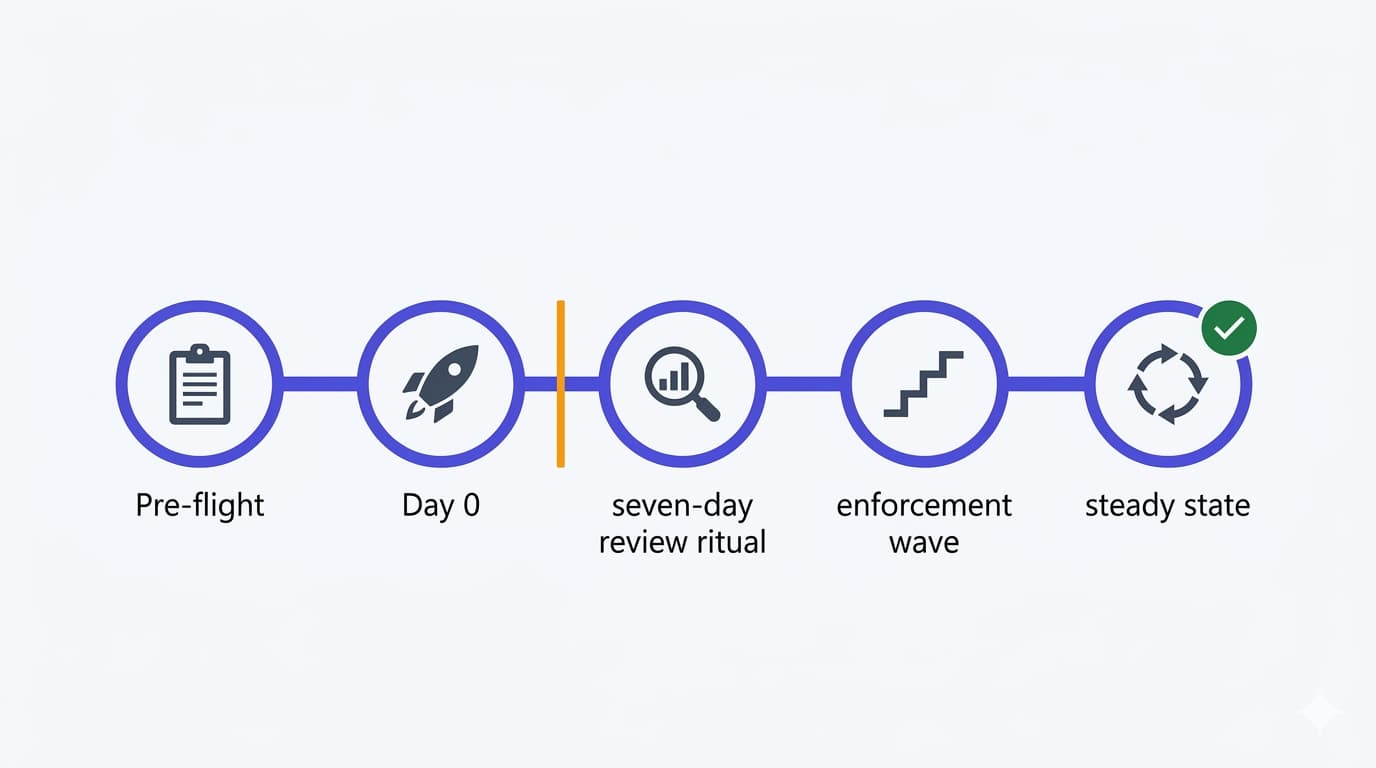
The March 2026 deadline work (service-principal-less remediation) runs in parallel. It's a separate track covered in its own section below.
Taking Inventory: Finding Every App Registration and Its Credentials
You can't harden what you don't see. The first step is an inventory of all app registrations and their credential status.
List All App Registrations with Credentials
This Graph PowerShell script returns all app registrations that have credentials (secrets or certificates), along with expiry dates and owner information. Adapt it to your tenant size. On large tenants, the per-app owner lookup adds overhead.
This returns a CSV with the raw facts: secrets expiring soon, certificates that are years old, apps with no owner. Note that Get-MgApplicationOwner returns a directory object where the display name is in AdditionalProperties, not a top-level property. On tenants with hundreds of app registrations, the per-app owner lookup can be slow; consider using $select and $expand=owners in a batch Graph API call instead.
Application.Read.All and Directory.Read.All. The owner lookup needs directory read access. Test in a non-production context first, especially on large tenants where the number of Graph calls can be significant.
Find Apps with No Sign-Ins in 90 Days
Unused app registrations are liability. This Graph query finds apps that haven't authenticated in three months:
This approach works for smaller tenants, but scales poorly on tenants with hundreds of service principals because the per-SP sign-in log lookup is expensive. For larger tenants, use service principal sign-in log exports or Graph batch requests. Apps in this list are candidates for deprovisioning. Check with owners first, since some are standby systems or disaster recovery integrations. But many are forgotten legacy integrations that never got cleaned up.
Hardening Layer 1: Credential Hygiene and the End of Secrets
The credential strategy has a clear evolution path: eliminate client secrets entirely, then eliminate certificates, and eventually move everything to managed identities or workload identity federation.
Step 1: Revoke Long-Lived Secrets
If an app has a secret created more than two years ago, treat it as higher risk and rotate it on a defined schedule. Client secrets in configuration files, GitHub repositories, environment variables, and Key Vault accumulate exposure risk over time. Rotation is risk mitigation.
- List all secrets created before today minus 2 years
- For each secret, locate where it's in use (config files, GitHub Actions secrets, Azure Key Vault, etc.)
- Create a new secret, update consumers, wait 24 hours, then delete the old secret
- Document the rotation in your audit log (or automate via a scheduled script)
Step 2: Migrate to Certificate-Based Authentication
Certificates are better than secrets because they can be managed by PKI processes, have short lifespans, and are less likely to be pasted into config files. For apps that can't yet use workload identity federation, certificates are the intermediate step.
Azure portal steps:
- Navigate to Azure Entra ID > App registrations > select the app
- Go to Certificates & secrets > Certificates tab
- Click Upload certificate
- Choose your certificate (or generate a self-signed cert via PowerShell)
- Download the certificate locally
- Update the app's authentication code to use the certificate thumbprint instead of a secret
- After 24 hours of successful runs, delete the old secret
For Microsoft Graph PowerShell, use app-only certificate authentication: Connect-MgGraph -ClientId "..." -TenantId "..." -CertificateThumbprint "..." (or -Certificate with a certificate object). For C# apps, the Azure.Identity library's ClientCertificateCredential class handles this natively.
Step 3: Move to Workload Identity Federation (OIDC)
Workload identity federation is the end state. No secrets, no certificates stored in your environment. The external system (GitHub, Azure DevOps, Terraform Cloud, Kubernetes) issues a short-lived OIDC token signed by their identity provider. Entra ID validates it and issues an access token. No credential rotation, no key management, no compromise risk if the external system is breached.
For GitHub Actions:
Create a federated credential in the app registration:
Then in your GitHub Actions workflow, use OIDC to authenticate:
You still need GitHub secrets for client ID and tenant ID (not sensitive), but no client secret. The workflow's OIDC token is validated by Entra ID directly.
For Azure DevOps and Terraform: Similar patterns. Create federated credentials with the external system's issuer and subject claims, then update your pipeline or Terraform provider to use OIDC.
Step 4: Managed Identities for Azure-Hosted Workloads
If your app runs on Azure (VM, App Service, Container Instance, Functions, Kubernetes cluster), use a managed identity. Assign the identity to the resource, grant it the required permissions via role assignments, and the SDK handles authentication automatically. No credentials ever touch your code.
Managed identities handle credential rotation automatically. You do not manage the credential lifecycle yourself. The underlying certificate rotation is an implementation detail managed by Azure.
Choosing the Right Auth Method by Scenario
The credential journey is not one-size-fits-all. Use this table as a decision framework:
| Scenario | Best auth method | Why |
|---|---|---|
| Azure-hosted app (VM, App Service, Functions) | Managed identity | No secrets to manage; Azure handles the credential lifecycle entirely |
| GitHub Actions deploying to Azure | Workload identity federation (OIDC) | Secretless; short-lived tokens issued per workflow run |
| Azure DevOps pipelines | Workload identity federation (OIDC) | Same pattern as GitHub Actions; eliminates service connection secrets |
| Terraform Cloud / Terraform Enterprise | Workload identity federation (OIDC) | Native support; no state file credential exposure |
| Legacy daemon app (on-prem or non-Azure hosted) | Certificate authentication | Better than secrets; transitional step when OIDC isn't available |
| Third-party SaaS integration | Service principal + governance | You often can't redesign the vendor's auth; focus on CA policies and permission scoping |
| Kubernetes (AKS or self-hosted with OIDC issuer) | Workload identity federation | Pod-level identity without mounting secrets; native AKS support |
When multiple options are viable, prefer the one higher in the credential hierarchy: managed identity > federation > certificate > secret.
Hardening Layer 2: Conditional Access for Workload Identities
Conditional Access policies can now target service principals directly. This requires Workload Identities Premium licensing, which is an additional cost you should budget for.
Policy Prerequisites
- License: Workload Identities Premium, a standalone SKU. One license in the tenant unlocks the premium feature set; commercial compliance is measured against workload identity usage in the tenant.
- Permission: Policy.ReadWrite.ConditionalAccess to create policies
- Scope: Policies apply to OAuth 2.0 token requests from specified single-tenant service principals registered in your tenant
Creating a Workload CA Policy
Azure portal path: Azure Entra ID > Protection > Conditional Access > New policy
Configuration example: Block service principal access outside known IP ranges
| Setting | Value |
|---|---|
| Name | SP Block External IP |
| What does this policy apply to? | Workload identities |
| Include | Select specific service principals (or All) |
| Resources (formerly Cloud apps) | Select the resources this policy protects (or All resources) |
| Conditions: Location | Configured; select trusted locations (e.g., your on-premises VPN, Azure datacenters) |
| Conditions: Risk level (sign-in risk) | High and medium; trigger on anomalous activity detected by ID Protection |
| Access controls: Grant | Block access (only option for workload CA policies) |
| Enable policy | On |
Continuous Access Evaluation (CAE) for Service Principals
CAE allows Entra ID to revoke a service principal's access in near-real-time when a policy violation is detected. For example, a Conditional Access location policy changes or a risk detection is raised. Without CAE, the service principal continues using its cached access token until it expires (typically one hour).
How CAE works for workload identities: CAE for workload identities is not a toggle you flip on a service principal. It requires the client application to explicitly opt in by requesting the xms_cc claim with a value of cp1 as an optional claim in its token request. This tells Entra ID that the client is CAE-capable and can handle token revocation challenges.
On the resource side, CAE must also be supported by the API being called. Microsoft Graph is a CAE-capable resource: when a policy change occurs, Graph can challenge the client to re-authenticate. If either the client doesn't request xms_cc=cp1 or the resource doesn't support CAE challenges, the revocation falls back to normal token expiry.
What this means in practice: if you're building or maintaining apps that use MSAL (Microsoft Authentication Library), configure the app to request the xms_cc optional claim. First-party Microsoft tools like Azure CLI and Azure PowerShell already support CAE. For third-party or custom apps, check whether the SDK version you're using supports CAE claims. Recent MSAL versions do.
What Workload CA Does NOT Cover
- Managed identities: Not supported by workload CA. Managed identities are locked to Azure resources by design.
- Service principals you don't control: Workload CA policies apply to service principals in your tenant. You can target third-party SaaS apps that have a service principal (enterprise application) in your tenant, but you cannot control how those apps authenticate from their home tenant. You can only control what they access in yours.
- Sign-in risk from token requests: Only location and enterprise risk conditions trigger workload CA policies.
Hardening Layer 3: ID Protection for Workload Identity Abuse
Microsoft Entra ID Protection detects anomalous behavior for service principals. This is not the same as user risk detection.
Risk Detections for Service Principals
Leaked credentials (high risk)
Microsoft scans the public internet, GitHub, Pastebin, and breach databases. When a service principal secret or certificate is detected in exposed source code, ID Protection flags it with high risk. This is the most reliable workload identity risk detection.
Anomalous service principal activity
Service principals should have predictable behavior: the same IP ranges, the same apps accessed, the same time zones. Machine learning models detect when a service principal suddenly accesses new resources, uses new IPs, or spikes activity volume. This is lower-fidelity than leaked-credential detection but valuable for detecting compromised credentials.
Suspicious sign-in patterns
Rapid-fire token requests, mass resource enumeration, or bulk permission changes can trigger risk detection.
Viewing and Investigating Risky Service Principals
Azure portal path: Azure Entra ID > Protection > Risky workload identities
This shows all service principals with triggered risk detections. Click into each to see:
- Risk level (high, medium, low)
- Detection type (leaked credentials, anomalous activity, etc.)
- Detection date and details
- Remediation options (revoke sessions, reset credentials)
Remediation Steps
If a service principal's secret is leaked:
- Revoke all sessions immediately (portal: Risky workload identities > select SP > Revoke)
- Rotate the credential (create new secret or certificate, update all consumers)
- Delete the old credential
- Review recent sign-in logs for suspicious activity
- Review permissions granted to the service principal (may have been tampered with during compromise)
If anomalous activity is detected:
- Check sign-in logs for the service principal to understand the activity pattern
- If it's legitimate (new integration, load test, etc.), dismiss the detection
- If it's suspicious, revoke sessions, rotate credentials, review permissions, and investigate
Hardening Layer 4: Governance, Lifecycle, and Cleanup
Technical controls (CA, ID Protection, credentials) are necessary but not sufficient. You need processes.
App Registration Ownership
Every app registration must have an owner. This is the person who:
- Understands why the app exists
- Reviews and approves permission requests
- Rotates credentials on schedule
- Confirms whether the app is still in use
Apps with no listed owner should be flagged for investigation. In many tenants, ownerless apps are simply apps that predate ownership enforcement, and they may still be in active use. Assign an owner before making any deprovisioning decisions.
Assign an owner: Azure Entra ID > App registrations > select the app > Owners > Add owner
Permission Reviews (API Permissions)
Service principals accumulate permissions over time. An app that started with Graph read-only access gradually gets mail send, calendar modify, and Directory.ReadWrite.All because someone needed it "temporarily" years ago.
Quarterly permission reviews are the standard:
- List all permissions granted to a service principal
- For each permission, confirm it's actually used
- Revoke permissions that are unused or excessive
- Document the review in your audit trail
Directory.ReadWrite.All, AppRoleAssignment.ReadWrite.All, Mail.ReadWrite, Files.ReadWrite.All, full_access_as_app (Exchange). Any of these on a service principal with a long-lived secret is a credential compromise away from full tenant access. If an app holds one of these and you can't justify why, that's your first remediation target.
Graph query for a service principal's permissions:
Deprovisioning Unused Apps
Apps with no sign-ins in 90 days are stale. Before deletion:
- Contact the owner: "We found this app registered in 2019 with no activity. Is it still needed?"
- Wait 30 days for a response
- If no response or confirmation it's unused, schedule deletion
- Keep the app disabled for 30 days before final deletion (recovery period)
- After 30 days, permanently delete
To disable sign-ins for an app: Go to Microsoft Entra admin center > Enterprise applications (not App registrations) > select the app > Properties > set "Enabled for users to sign-in" to No. This disables the service principal, blocking all authentication, without deleting the app registration object.
To delete an app registration: Go to App registrations > select the app > click Delete. This soft-deletes the app registration (and its associated service principal). Soft-deleted apps can be recovered from Deleted applications for 30 days before permanent deletion.
Consent Grant Auditing
When a user grants an app permission to access their data (delegated permissions), a consent record is created. Malicious apps often request broad permissions and trick users into consenting.
Azure portal path: Azure Entra ID > Enterprise applications > Consent and permissions > User consent grants
Look for:
- Apps with broad permissions (Mail.ReadWrite, Calendar.ReadWrite, Directory.Read.All) that don't need them
- Consents granted to unfamiliar apps
- Mass consents (many users granting to the same app in a short period, which could indicate an attack)
For sensitive apps, require admin consent instead of user consent. You can configure this per-app in the API permissions blade, or set a tenant-wide admin consent policy that blocks user consent for apps requesting high-risk permissions. The exact portal path may change, but the principle is the same: users should not be able to grant broad permissions to apps without admin approval.
March 2026 Deadline Work
What: Remediate multi-tenant apps that authenticate without a service principal in your tenant.
Urgency: Hard deadline. Affected apps stop working on March 31, 2026.
Scope: Only non-Microsoft multi-tenant apps that were never properly onboarded.
Action: Identify affected apps via sign-in logs, grant admin consent or register service principals.
Ongoing Hardening Work
What: Eliminate secrets, apply CA, enable ID Protection, establish governance lifecycle.
Urgency: No hard deadline, but every day without it is exposure.
Scope: All app registrations and service principals in the tenant.
Action: Inventory, rotate, migrate auth methods, license premium features, establish reviews.
These are two separate tracks. Don't let deadline urgency distract from the broader hardening work, and don't assume that fixing the deadline issue means your workload identities are secure.
The Service-Principal-Less Authentication Deadline: What Breaks in March 2026
On March 31, 2026, Microsoft blocks authentication for multi-tenant apps that access resources in your tenant without a service principal (enterprise application) registered in your tenant. This is called "service-principal-less authentication" and it was a legacy behaviour where Entra ID would issue tokens for apps that had never been consented or registered in the consuming tenant.
What This Actually Means
This is not about client secrets being deprecated. You can still use client secrets (though you should migrate away from them for the credential hygiene reasons in this article). The change is about multi-tenant app registrations that authenticate to resources in your tenant without having an enterprise application (service principal) object in your tenant. Without that object, Entra ID cannot enforce Conditional Access, cannot log sign-ins to your audit log, and cannot scope permissions properly.
What Gets Affected
- Multi-tenant third-party integrations that were never properly consented or onboarded. They authenticated using only the app registration in their home tenant
- Cross-tenant automation scripts that call Microsoft Graph or EXO in your tenant without a service principal registered in your directory
- Legacy apps using Azure AD Graph (itself deprecated) that relied on the old permissive token issuance behaviour
- Partner-managed apps where the partner registered the app in their tenant but never created a service principal in yours
Apps with a service principal in your tenant (whether they use secrets, certificates, federation, or managed identities) are not affected by this change.
How to Check If Your Tenant Is Affected
Microsoft froze the list of affected apps based on traffic observed between February–March 2025. If an app was authenticating without a service principal during that window, it was allowed to continue until March 31, 2026. After that date, it is blocked.
To identify affected apps:
- Check the Entra ID sign-in logs: Microsoft Entra admin center > Monitoring & health > Sign-in logs > Service principal sign-ins (app-only). Filter for sign-ins where the application authenticated against your tenant without a corresponding service principal object. These are the apps using service-principal-less authentication.
- Review the Microsoft notification emails sent to tenant Global Admins in 2025 listing affected apps and their app IDs.
- For each identified app, determine whether it's a third-party vendor integration, a partner-managed app, or a cross-tenant automation script.
- Contact third-party vendors whose apps are affected. They need to ensure a service principal exists in your tenant, via admin consent or manual registration.
Fix: For each affected app, either grant admin consent (which creates the service principal) or ask the vendor to update their integration. In Entra ID: Enterprise applications > New application > search for the app > Grant admin consent.
This Deadline Is Separate From Credential Hardening
The service-principal-less retirement is a Microsoft-enforced change that blocks a specific legacy authentication pattern. The credential hardening covered in this article (secrets → certificates → federation → managed identity) is a best-practice journey you should pursue regardless of this deadline. Both are important; do not confuse them.
Common Mistakes When Hardening Workload Identities
Before the checklist, a reality check. These are mistakes I see repeatedly in tenant reviews:
Workload Identity Audit Checklist
Use this checklist when auditing an existing tenant's workload identity posture.
xms_cc=cp1 for near-real-time token revocationWhat I Would Do First in an SMB Tenant This Week
If you're an admin in a small or mid-sized tenant and this article feels overwhelming, here's the short list. Five things you can do this week that give you immediate visibility and reduce your highest-exposure risks:
- Export all app registrations with credentials. Run the inventory script from this article (or use the Entra admin center's App registrations export). Get a CSV with every app, its secrets, certificates, and expiry dates. This is your baseline.
- Identify secrets older than 24 months. Sort by oldest secret creation date. Anything older than two years is either forgotten or unmaintained. Flag it.
- Identify apps with no owner. Filter the export for apps where the owner field is blank. These are governance blind spots. You can't review what nobody owns.
- Identify apps with no sign-ins in 90 days. Use the service principal sign-in logs or the stale apps script. These are candidates for disabling. Don't delete them yet: disable first, validate, then delete.
- Review third-party multitenant apps before the deadline. Check your Microsoft notification emails from 2025. If you have apps authenticating without a service principal in your tenant, grant admin consent or contact the vendor now. Not on March 30.
This won't get you to full maturity, but it gets you from blind to informed. Everything else in this article builds on that foundation.
Evidence an Auditor Should Expect to See
If your tenant is subject to security reviews, compliance audits, or internal assessments, here's what a competent auditor will ask for when evaluating workload identity posture:
| Evidence | What it demonstrates |
|---|---|
| Export of all app registrations with credential types, expiry dates, and owners | Inventory completeness and credential visibility |
| List of risky workload identities reviewed in the last 30 days | Active monitoring and response capability |
| Evidence of secret rotation (new credential created, old credential removed, dates) | Credential hygiene and lifecycle management |
| Service principal sign-in log review (exported or screenshot with date) | Operational monitoring of workload authentication |
| Documented owner per critical app registration | Governance accountability |
| Conditional Access policy export targeting workload identities | Technical access controls for service principals |
| Permission review records (quarterly, with revocations documented) | Least-privilege enforcement over time |
| Deprovisioning records for stale apps (disable date, deletion date, approval) | Lifecycle governance and attack surface reduction |
If you can produce all of the above on request, your workload identity governance is ahead of most tenants. If you can't produce any of it, that's your starting point.
Summary: From Blind Spot to Blueprint
Workload identities are no longer a negligible part of your security posture. They're the foundation of your application architecture. Some service principals can be as powerful as highly privileged administrators, depending on the permissions they hold, yet most are never audited.
The hardening path is clear:
- Inventory everything. No visibility, no hardening.
- Rotate or revoke long-lived secrets. Treat them as higher risk over time.
- Migrate to certificates, then to workload identity federation. The end state is secretless.
- Apply Conditional Access and ID Protection. Technical controls detect and block abuse.
- Establish governance: ownership, permission reviews, lifecycle management. Processes scale.
The March 31, 2026 service-principal-less retirement is a forcing function for onboarding hygiene. The credential hardening path (from secrets to certificates to federation to managed identities) is a separate journey that every tenant should be on regardless of the deadline. Both converge on the same goal: workload identities that are visible, governed, and no longer the weakest link in your identity posture.
Found this useful?
I write about Microsoft 365 security, Entra ID, and Intune from a real-world admin perspective. If you want more articles like this, follow the blog or connect on LinkedIn.
More articles