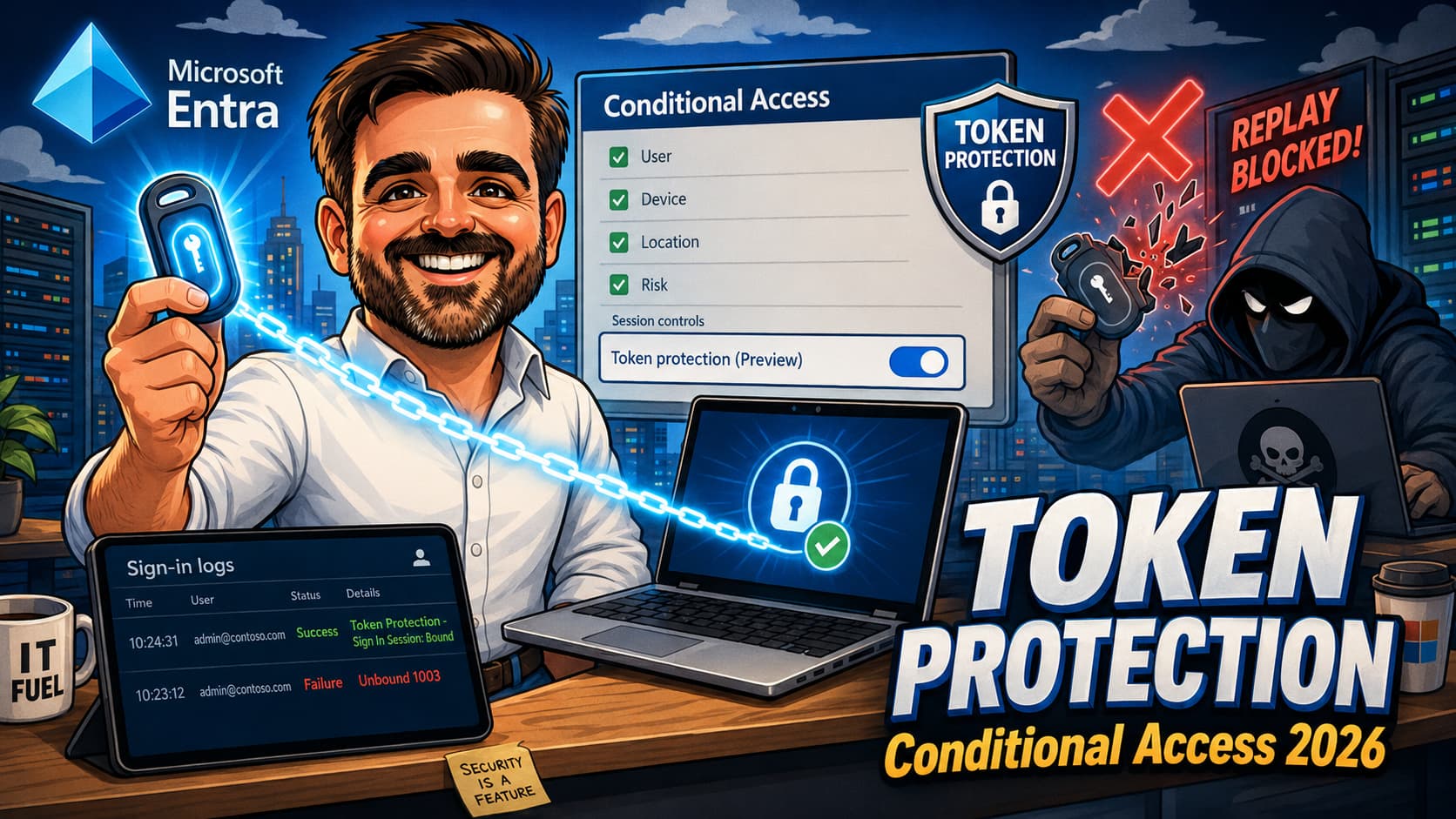
Token Protection is one of the strongest Conditional Access defences against token replay in 2026. It enforces device-bound sign-in session tokens, so a stolen token cannot be replayed from a different machine against the supported applications and resources. The Windows control is generally available, and macOS plus iOS entered public preview in early 2026. What kills most rollouts is not the policy logic. It is the compatibility surface: which apps work, which device registration types are silently unsupported, and which sign-in log status codes explain why a request was blocked. This guide is the realistic 2026 path from "enable in report-only" to "enforced on the right population without breaking access".
Token Protection - Sign In Session field in the Basic Info pane carries five unbound status codes (1002, 1003, 1005, 1006, 1008). Each maps to a different root cause. Learning the five saves hours of guessing.1. Starting from zero: read top to bottom, then run the "This week, do these three things" callout before the rollout section.
2. Already mid-deployment: jump to the pre-enforcement validation checklist and identify where your pilot stands.
3. Hit a blocked sign-in: jump straight to the sign-in log troubleshooting cheat sheet and match the status code.
Introduction
Token theft is consistently one of the most prevalent identity attack classes in 2026. Phishing kits, infostealers, and adversary-in-the-middle (AiTM) proxies all converge on the same outcome: an attacker walks away with a valid session token and replays it from their infrastructure. Most of the Conditional Access controls admins are familiar with — sign-in risk, named locations, device compliance — run at the front door. They evaluate the request before a token is issued. Once a token exists, it is portable. That portability is the gap Token Protection closes.
The control itself is straightforward to enable: a single session control in a Conditional Access policy, Microsoft Entra ID P1 licensing, no new infrastructure. What is not straightforward is the compatibility surface around it. Token Protection only works for a specific list of applications, on a specific list of device registration types, against a specific set of resources. Get any of those wrong and the policy either does nothing useful (because the apps you care about are not in scope) or breaks things you did not intend (because device types you have are silently unsupported).
This guide covers what Token Protection actually protects, where it works in 2026, the three configuration traps that catch most rollouts, the report-only pattern Microsoft expects you to follow, and the sign-in log status codes that tell you why a given request was blocked.
What Token Protection actually does
When a Windows 10 or later device is registered with Microsoft Entra, the device receives a Primary Refresh Token (PRT). The PRT is cryptographically bound to that device through hardware-backed keys (typically the TPM). Token Protection turns that binding into an enforcement requirement: when an application requests an access token to a protected resource, Entra ID checks that the PRT being presented is the one originally bound to the device making the request. If the PRT was issued to a different device, the request is rejected. On Apple platforms, the equivalent binding is achieved through the Microsoft Enterprise SSO plug-in or Platform SSO, which use hardware-backed device identity rather than a Windows-style PRT. The conceptual model is the same; the underlying primitives differ.
In practice this closes the export-and-replay scenario for supported apps and resources: an attacker uses a stealer to extract session tokens from a compromised endpoint, exports them to their own machine, and replays them against Exchange Online or SharePoint Online. Without Token Protection, that replay succeeds as long as the token is still valid. With Token Protection enforced, the replay fails because the session token from the attacker's machine is not the one bound to the victim's device. Note the scope: this protection applies to the protected applications and resources, not to every workload the user touches.
What Token Protection does not do is prevent the initial compromise. If an attacker has persistent code execution on the originating device, they can use the legitimate bound token from that device. Token Protection is part of a broader anti-token-theft strategy that also includes endpoint hardening, Defender for Endpoint behavioural detections, and Conditional Access controls like sign-in risk and authentication strength. It is one of the higher-value additions to that stack because it materially reduces the export-and-replay class of attack on the resources it protects.
What it protects, and what it does not
The scope of Token Protection is precise. The following table summarises the scenarios it covers and the ones it does not, so the policy can be positioned correctly with security and operations stakeholders:
| Scenario | Protected? | Notes |
|---|---|---|
| Token exported and replayed from another device | Yes — for supported apps and resources | This is the core value of Token Protection. |
| Token used from the original compromised device | No | The bound token is valid on that device. Requires endpoint hardening and EDR (Defender for Endpoint) to detect and contain. |
| Browser session token replay | No | Browser-based apps are not in the documented scope. Mitigate with sign-in risk, session controls and Conditional Access App Control. |
| Unsupported native app | Not reliably | If the app is not on Microsoft Learn's documented list, validate behaviour in report-only logs before assuming coverage. |
| Exchange Online PowerShell with an old module version | No / likely to fail | Module versions below 3.7.0 are not WAM-aware in the way Token Protection requires. Update before enforcement. |
| External / B2B user on an unsupported device in their home tenant | Often fails | Failure mode is opaque from both sides. Plan a documented troubleshooting path for guests. |
| macOS / iOS managed with the Microsoft Enterprise SSO plug-in | Preview | Public preview as of 2026. Pilot only; revisit when the platform moves to GA. |
| Cloud PC, AVD session host, self-deploying Autopilot, bulk-enrolled device | Not without device-filter exclusion | Sign-in fails with status code 1003 until the registration type is excluded via a device filter on the policy. |
Where it works in 2026
Supported devices
As of the May 2026 documentation, Token Protection is generally available on Windows and in public preview on Apple platforms:
- Windows 10 and later — Microsoft Entra joined, Microsoft Entra hybrid joined, or Microsoft Entra registered.
- Windows Server 2019 and later — hybrid joined only. Validate workload compatibility before enforcing on servers; PowerShell modules, scheduled automations and administrative sessions can be impacted in ways that endpoint deployments do not surface.
- macOS 14.0 and later — with the Microsoft Enterprise SSO plug-in or Platform SSO. MDM-managed devices only. Public preview.
- iOS / iPadOS 16.0 and later — with the Microsoft Enterprise SSO plug-in. MDM-managed devices only. Public preview.
1003 until you add a device filter exclusion to the Conditional Access policy. The deployment guide publishes exact filter syntax for each scenario (for example systemLabels -eq "CloudPC" and trustType -eq "AzureAD").
Guest and external users (B2B)
External users from another Microsoft Entra tenant are supported when their device meets the token protection registration requirements in their home tenant. If their device does not meet those requirements, they see an error message that does not clearly indicate the root cause, which makes diagnosis painful for the inviting tenant. If you have a meaningful B2B population, scope Token Protection conservatively in the early waves and prepare a documented troubleshooting path for guests — the failure mode is opaque from your side and from theirs.
Protected resources
Token Protection can only be applied to a defined list of resources:
- Office 365 Exchange Online
- Office 365 SharePoint Online
- Microsoft Teams Services
- Azure Virtual Desktop (when using the Windows App client)
- Windows 365 (when using the Windows App client)
This is a deliberate, narrow list. Microsoft is explicit that selecting the broader "Office 365" application group instead of these specific resources can produce unintended blocks — this is the one Conditional Access scenario where the general guidance to "target the Office 365 group" does not apply.
Supported applications
Microsoft Learn explicitly lists a defined set of applications as supported. The list below is the documented set as of the March 2026 documentation revision. If an application is not on this list, treat it as "validate in your tenant during the report-only pilot" rather than "assumed supported". Always re-check Microsoft Learn immediately before enforcement — this list is changing through 2026 and any snapshot in an article will lag the canonical source.
| Application | Minimum version & notes |
|---|---|
| OneDrive sync client | Version 22.217 or newer. |
| Microsoft Teams (native) | Client version 1.6.00.1331 or newer. Teams Web is blocked by the browser carve-out and is not in scope. |
| Power BI desktop | Version 2.117.841.0 (May 2023) or newer. |
| Exchange Online PowerShell module | Version 3.7.0 or newer. |
| Microsoft Graph PowerShell | Version 2.0.0 or newer, with the EnableLoginByWAM option set. |
| Visual Studio 2022 and newer | When using the Windows authentication broker sign-in option. |
| Windows App | Version 2.0.379.0 or newer. Required for AVD and Windows 365. |
Three configuration traps to avoid
Trap 1 — The "Office 365" app group
General Conditional Access guidance favours targeting the Office 365 application group rather than individual resources, because it future-proofs the policy as Microsoft adds new workloads. Token Protection is the explicit exception. Targeting the Office 365 group with this session control produces unintended blocks on workloads that are not in the supported resource list. Target only the three specific resources (Exchange Online, SharePoint Online, Teams Services), and add AVD plus Windows 365 if — and only if — the Windows App client is deployed.
Trap 2 — Leaving "Browser" selected under Client Apps
If the Client Apps condition is left unconfigured, or if Browser is left selected, the policy applies to MSAL.js-based browser apps. Teams Web is the headline example. The end result is users being blocked from a browser experience that Token Protection cannot in fact protect, since the browser session model is not in the documented scope of the control. The fix is to configure Client Apps explicitly and select only Modern authentication clients > Mobile apps and desktop clients. Leave Browser unchecked. Leave the legacy authentication boxes unchecked.
Trap 3 — Forgetting device filter exclusions for unsupported registration types
This is among the most frequent causes of post-enforcement incident reports in production rollouts. The Microsoft Entra device state for several legitimate enterprise scenarios does not satisfy Token Protection requirements: Cloud PCs and AVD session hosts that are Entra-joined, self-deploying Autopilot, bulk-enrolled devices, Power Automate hosted machine groups, and Entra-authenticated Azure VMs deployed with the VM extension. Sign-ins from these devices fail with status code 1003 until they are excluded via a device filter condition in the policy. The deployment guide publishes the filter syntax; build the exclusion list during policy creation, not after the first incident.
Pre-enforcement validation checklist
Before flipping any Token Protection policy from report-only to enforced, every item on this list should be either green or explicitly accepted as an exception. Treat any unchecked item as a deferral, not a skip.
-
Policy scope is the three specific resources, not the Office 365 app group. Exchange Online, SharePoint Online, Teams Services. AVD and Windows 365 added only if Windows App is in scope.
-
Client Apps is configured to "Mobile apps and desktop clients" only. Browser is unchecked. Legacy authentication boxes are unchecked.
-
Device platforms targets Windows. macOS and iOS only if the Apple preview pilot is in scope.
-
Device filter exclusions are in place for unsupported registration types. Cloud PCs, AVD session hosts, self-deploying Autopilot, bulk-enrolled devices, Power Automate hosted machine groups.
-
Break-glass / emergency access accounts are excluded. Every Conditional Access policy needs this exclusion; Token Protection is no exception.
-
Exchange Online PowerShell module is at
3.7.0or newer on every management endpoint. Any older version will fail authentication when the policy enforces. -
Report-only mode has been running for at least two weeks. Four weeks is safer for tenants with monthly or quarterly automation cycles.
-
Both interactive and non-interactive sign-in logs have been analysed. The KQL Bound vs WouldBlock split is healthy across the protected resources.
-
Unbound status codes from the pilot have been categorised and addressed. Every
1003has a device-filter exclusion or a remediation. Every1008has an updated client or a documented exception. -
Companion policies are in place. "Block access from unknown platforms" and "Require device compliance for all known platforms" both deployed and enforced.
-
Pilot scope is a privileged user population on managed Windows endpoints. Global administrators, Conditional Access administrators, identity team. Not knowledge workers in the first wave.
-
Rollback plan is documented and rehearsed. Who flips the policy back to report-only, under what trigger, and how long it takes for the change to propagate.
The rollout pattern that actually works
1. Baseline today's Bound / Unbound split. Query your existing sign-in logs (no policy enabled yet) against the three protected resources — Exchange Online, SharePoint Online and Teams Services — and see how many of your current sign-ins would already satisfy Token Protection if you enforced it tomorrow.
2. Audit the Exchange Online PowerShell module version on every management endpoint — anything below
3.7.0 needs updating before enforcement.3. Build the device-filter exclusion list for unsupported registration types (Cloud PCs, AVD session hosts, self-deploying Autopilot, bulk-enrolled devices, Power Automate hosted machines). Have it ready before you create the policy.
Microsoft's deployment guide is opinionated on rollout sequence, and the opinion is correct. The compatibility surface is wide enough that any tenant of meaningful size will hit unexpected blocks if enforcement is enabled without piloting. The pattern below is the one that has the lowest incident rate in practice.
- Create the policy in report-only mode. Use the recommended configuration: Windows under Device platforms, Mobile apps and desktop clients only under Client Apps, the three specific resources (Exchange Online, SharePoint Online, Teams Services), plus the unsupported-registration-type device filter exclusions.
- Exclude break-glass accounts. Every policy needs an exclusion for the emergency access accounts. Token Protection is no exception.
- Scope to a pilot group. Start with privileged users on managed Windows 11 endpoints — Conditional Access administrators, Global administrators, identity team. These are the highest-value targets for token theft, and they are the population with the most uniform device posture.
- Capture both interactive and non-interactive sign-in logs. The non-interactive logs carry the silent token refresh traffic. If you only inspect interactive logs, you see a fraction of the story.
- Analyse for at least two weeks. You need enough normal usage to surface the edge cases: weekly automated reports, monthly OneDrive sync of a rarely-used shared library, quarterly PowerShell automation runs against Exchange Online or Graph. Two weeks is the floor, four is safer.
- Switch to enforced for the pilot. Once the Bound / Unbound split looks healthy and the Unbound items are accounted for, flip the policy from Report-only to On for the pilot scope.
- Expand in waves. Knowledge workers on managed Windows next, with the device-filter exclusions already in place for Cloud PCs and AVD users.
- Pair with companion policies. Token Protection on Windows alone leaves a platform-spoofing gap: an attacker claiming a different platform from outside the supported list is not in scope. Pair the Token Protection policy with a "Block access from unknown platforms" policy and a "Require device compliance for all known platforms" policy to close that gap.
Sign-in log troubleshooting cheat sheet
The single most useful field for diagnosing Token Protection outcomes is in the sign-in log entry: Basic Info pane → Token Protection - Sign In Session. The value is either Bound (the request was using the bound protocol and the policy is satisfied) or Unbound (the policy is not satisfied, and the request is blocked when the policy is enforced). When the value is Unbound, a numeric status code explains why.
| Status code | Meaning | Likely root cause | Action |
|---|---|---|---|
1002 |
Unbound — no Entra device state | The device is not registered or joined to Entra ID. The user is signing in from an unmanaged or non-joined Windows machine. | Register the device, join it to Entra, or accept that this user / device combination cannot be in scope. |
1003 |
Unbound — device state does not satisfy CA requirements | Unsupported device registration type (Cloud PC, AVD session host, self-deploying Autopilot, bulk-enrolled, etc.), or the device was not registered with fresh sign-in credentials. | Add a device filter exclusion for the registration type, or re-register the device. The deployment guide lists exact filter syntax per scenario. |
1005 |
Unbound — other unspecified | Catch-all. Often broken client config, telemetry issues, or an edge case not covered by the other codes. | Verify client version, broker integration, and Microsoft Entra device sync. Open a support case if it persists with no obvious cause. |
1006 |
Unbound — OS version unsupported | The device is below the minimum OS version for its platform (Windows 10, Windows Server 2019, macOS 14, iOS 16). Microsoft Learn does not enumerate the specific build, only that the OS version is unsupported. | Upgrade or exclude the device from policy scope. |
1008 |
Unbound — client not integrated with platform broker (WAM) | The application is not WAM-aware, or the client version pre-dates WAM integration. Common cause for older Outlook, older Teams, or PowerShell modules without EnableLoginByWAM. |
Update the client to the minimum supported version (see the application table above) or enable WAM where the application supports a flag for it. |
Where to look in the portal
In the Microsoft Entra admin center: Entra ID → Monitoring & health → Sign-in logs. Select the sign-in entry, then open the Conditional Access (or Report-Only) pane to see whether the Token Protection policy applied. Open the Basic Info pane to read the Token Protection - Sign In Session field and the status code. For volume work, the same data is queryable in Log Analytics under SigninLogs and AADNonInteractiveUserSignInLogs.
enforcedSessionControls and sessionControlsNotSatisfied changed from Binding to SignInTokenProtection in late June 2023. KQL queries that pre-date that change need updating. The sample queries Microsoft publishes look for both values to cover historical data; ours should too.
A useful KQL starting point
This query gives you a per-application Bound vs WouldBlock split for the last seven days, which is one of the most useful operational views during a report-only pilot. The label is deliberately WouldBlock rather than Block: in report-only the policy is observing, not enforcing, and the operational question is "what would happen if I enforced today?".
The output is the operational signal you need: where the policy is satisfied today, where it is not, and which applications are still producing unbound sessions. Save the query in a Log Analytics workspace and run it daily during the pilot. After you flip to enforced, the same query still works — only the semantic shifts: WouldBlock becomes the requests that are actually being blocked, not hypothetically.
SigninLogs too. The query above targets AADNonInteractiveUserSignInLogs, which carries the silent token refresh traffic. The interactive sign-ins live in SigninLogs. Run an equivalent query against that table, or use union if your workspace schema supports it — otherwise you are only seeing half the operational picture and the Bound / WouldBlock split will be misleading.
Common mistakes
These are the mistakes that show up most often in real rollouts. None of them are exotic. They are usually the result of skipping a step that felt optional and discovering after the fact that it was not.
- Targeting the "Office 365" application group instead of the three specific resources. This is the one place general Conditional Access guidance does not apply. Token Protection requires Exchange Online, SharePoint Online, Teams Services explicitly. Selecting the broader group produces blocks on workloads not in the supported list.
- Leaving Browser selected under Client Apps. MSAL.js-based browser apps including Teams Web fall into scope and are blocked even though Token Protection cannot in fact protect a browser session. The fix is configuring Client Apps to "Mobile apps and desktop clients" only.
-
Forgetting device filter exclusions for unsupported registration types.
Cloud PCs, AVD session hosts, self-deploying Autopilot, bulk-enrolled devices and Power Automate hosted machine groups all fail with status code
1003. Build the exclusion list at policy creation, not after the first incident ticket. - Skipping non-interactive sign-in logs during the pilot. The non-interactive logs carry the background token refresh traffic. Looking only at interactive logs means seeing roughly half of what your applications are doing. The Entra portal retains sign-in logs for 30 days — if your pilot is longer than that, configure diagnostic settings to ship the logs to a Log Analytics workspace with the retention you actually need.
- Enforcing tenant-wide instead of piloting privileged identities first. Privileged identities are both the highest-value target for token theft and the most uniformly-managed population. They are the correct first wave. Knowledge workers come later, after the application-specific blocks are documented.
-
Forgetting to update the Exchange Online PowerShell module to
3.7.0or newer before enforcing. Any automation that depends on EXO PowerShell will fail authentication if the module version pre-dates Token Protection support. Audit the version on your management endpoints first. - Treating browser sign-ins as a Token Protection coverage gap. Browser sign-ins to Exchange Online, SharePoint Online and Teams Web are not in scope for Token Protection. This is documented behaviour. The mitigation for browser sessions is sign-in risk, session controls, and Conditional Access App Control — not Token Protection.
- Not pairing Token Protection with "Block unknown platforms" and "Require compliance". Token Protection only applies to Windows (GA) and Apple (preview). Without companion policies, an attacker can bypass by appearing to come from a different, unscoped platform.
- Assuming macOS and iOS users are covered without verifying preview state. Apple support requires MDM-managed devices with the Microsoft Enterprise SSO plug-in (or Platform SSO on macOS). The control is in public preview — treat the rollout accordingly and revisit when it reaches GA.
- Not tracking the Bound / Unbound trend over time. The snapshot tells you where you are today. The trend tells you whether your client versions are drifting back into unsupported territory. The KQL query above, run daily, gives you the trend.
Final thoughts
Token Protection is one of the higher-leverage Conditional Access controls available in 2026. The cost of enabling is low: Microsoft Entra ID P1, no new infrastructure, a session control toggle in a single policy. The value is substantial: it materially reduces the token export-and-replay attack surface on the protected resources, which is a pattern most admins are seeing more of this year.
What kills rollouts is not the policy logic, which is well-documented. It is the surrounding compatibility surface — the apps that need updating, the device types that need excluding, the sign-in log codes that explain blocked requests. Pilot small, pilot privileged, run report-only first, watch the non-interactive logs, and document your device filter exclusions before enforcing. Pair the policy with "Block unknown platforms" and "Require compliance" to close the platform-spoofing gap. When Apple platforms move to GA, revisit the scope.
Token Protection is one layer in a broader anti-token-theft stack. It pairs naturally with Continuous Access Evaluation (CAE), which closes the session-lifetime gap by revoking active sessions when posture changes; with sign-in risk policies, which evaluate before issuance; and with authentication strength policies, which raise the bar on what counts as a valid authentication in the first place. Treating these as a stack rather than as competing controls is how the broader token-theft posture story holds together.
If you treat Token Protection as a staged enforcement project rather than a one-shot policy push, the rollout is uneventful. If you flip it on tenant-wide on a Friday afternoon, you will spend Monday in incident calls. The deployment guide says report-only first for a reason.
Conditional Access posture review
Before enforcement, validate the scope, the pilot population, the device-filter exclusions, and the sign-in log evidence. A Conditional Access posture review can help turn Token Protection from a feature on the roadmap into a safe, phased rollout plan.
Get in touchReferences
- Token Protection in Microsoft Entra Conditional Access (concept overview)
- Token Protection Deployment Guide — Windows
- Token Protection Deployment Guide — Apple Platforms (Preview)
- Protecting tokens in Microsoft Entra
- What is a Primary Refresh Token?
- Conditional Access report-only mode
- Microsoft Enterprise SSO plug-in for Apple devices
- Block access from unknown or unsupported device platforms
- Require device compliance for all users (Conditional Access template)