Microsoft's push toward phishing-resistant MFA is the biggest 2026 identity rollout most tenants have not yet done. The threat case is clear: adversary-in-the-middle phishing kits are increasingly observed to bypass legacy MFA (SMS, push, OTP). The platform case is now reasonable: Microsoft's passkey support in Entra ID has matured through 2026, joining FIDO2 security keys, Windows Hello for Business, and certificate-based authentication as supported phishing-resistant methods. The user-experience gap that previously kept FIDO2 niche has narrowed materially. Authentication Strengths is the Conditional Access mechanism that gates this. The migration is structurally simple. What complicates it is bootstrapping users without a phishing-resistant method registered, handling external authentication methods, and choosing a role-based rollout sequence that does not lock anyone out.
1. Starting from zero: read top to bottom and follow the role-based rollout sequence.
2. Already piloting on admins: jump to the pre-enforcement validation checklist and verify registration coverage.
3. Mid-rollout incident: jump to common mistakes and check whether the failure mode is one of the known traps.
Introduction
Most tenants I work with in 2026 are in the same place on phishing-resistant MFA. The threat case is accepted. AiTM phishing kits bypass push notifications, SMS codes, and OATH tokens routinely; security teams have seen the post-incident reports. The platform case is in place too. Windows Hello for Business, FIDO2 security keys, certificate-based authentication, and supported passkey configurations can all qualify as phishing-resistant when they satisfy the relevant Authentication Strength. The blocker is operational: getting users registered with a phishing-resistant method before flipping the policy, sequencing the rollout so privileged users go first, and producing a defensible exception path for the population that can't yet meet the bar.
Authentication Strengths is the Conditional Access feature that turns this from intent into enforcement. It is not new in 2026, but the maturity of passkey support and the visibility of Microsoft's published Conditional Access template for "Require phishing-resistant MFA for admin roles" have together moved the migration from optional posture to a defensible baseline expectation for most enterprise tenants. This guide is the practical path: what the strengths actually accept, how to bootstrap users without a method, which roles to enforce on first, the five configuration traps that catch most rollouts, and the validation checklist before enforcement.
The three built-in authentication strengths
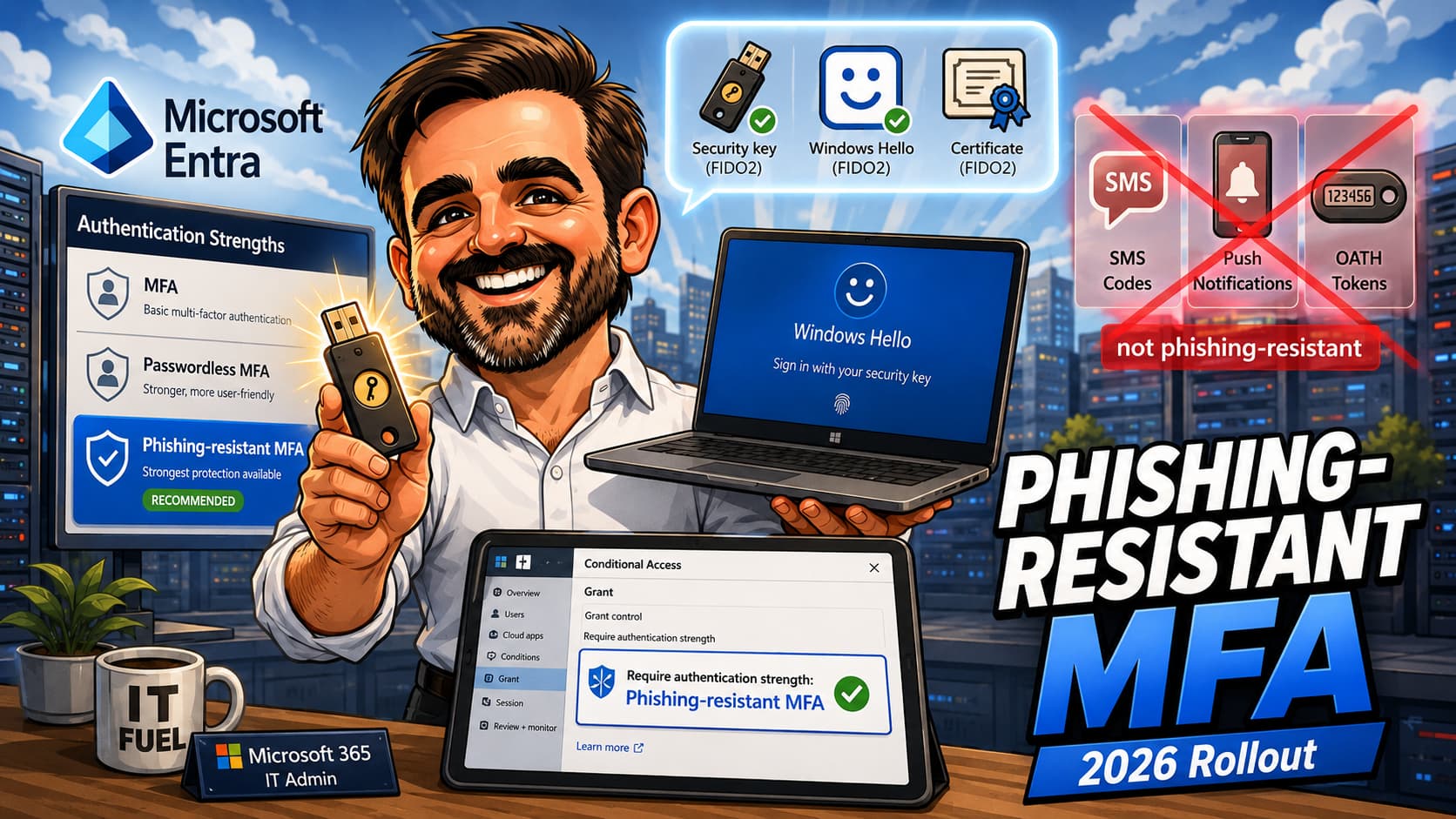
Microsoft Entra ships three built-in authentication strengths. They are progressive: MFA accepts the broadest set of methods, Passwordless MFA removes methods that include a password, and Phishing-resistant MFA further narrows to methods that require cryptographic binding between the authenticator and the sign-in surface.
| Method | MFA | Passwordless MFA | Phishing-resistant MFA |
|---|---|---|---|
| FIDO2 security key | ✅ | ✅ | ✅ |
| Windows Hello for Business or platform credential | ✅ | ✅ | ✅ |
| Certificate-based authentication (multifactor) | ✅ | ✅ | ✅ |
| Microsoft Authenticator (phone sign-in / passwordless) | ✅ | ✅ | — |
| Temporary Access Pass (one-time or multi-use) | ✅ | — | — |
| Password + something the user has (SMS, voice, push, OATH) | ✅ | — | — |
| Federated MFA | ✅ | — | — |
| Federated single-factor + something the user has | ✅ | — | — |
| Certificate-based authentication (single-factor), SMS sign-in, password, federated single-factor | — | — | — |
Microsoft publishes the same table on Microsoft Learn and updates it when new methods qualify. Passkeys are based on FIDO2 / WebAuthn principles, but tenant support, platform support and whether a specific passkey actually satisfies a given strength can vary by Authentication methods policy, by device platform, and by ongoing rollout state. Validate against current Microsoft Learn and confirm via sign-in logs before assuming a particular passkey configuration counts toward the strength you are enforcing.
What actually counts as phishing-resistant in 2026
The built-in Phishing-resistant MFA strength accepts three method families:
- Windows Hello for Business — including the platform credential variant. Microsoft Entra passkeys on Windows that use Windows Hello as the gesture are intended to satisfy this; confirm against current Microsoft Learn for your specific configuration.
- FIDO2 security keys — physical hardware authenticators following the FIDO2 / WebAuthn standard. Device-bound passkeys in Microsoft Authenticator on iOS and Android are aligned with this family; validate per tenant.
- Microsoft Entra certificate-based authentication (multifactor) — X.509 certificates bound to a hardware token or a TPM, configured under the certificate-based authentication policy as multifactor.
Notable exclusions: Microsoft Authenticator push notifications (even with number matching) do not qualify; SMS and voice never qualify; OATH hardware tokens do not qualify on their own. The line Microsoft draws is whether the method requires an interaction between the authenticator and the sign-in surface that an attacker proxying via AiTM cannot replicate. Push notifications can be approved on a phone that has been tricked or relayed; FIDO2 / WHfB / multifactor CBA cannot.
The Temporary Access Pass bootstrap problem
The single most common reason phishing-resistant MFA rollouts stall: users do not yet have a phishing-resistant method registered, and the policy enforcement loop prevents them from registering one. Temporary Access Pass (TAP) is the documented bootstrap mechanism.
A TAP is a time-limited passcode issued by an administrator (or via approved automation). Where TAP is enabled and allowed by the Authentication methods policy, it can satisfy the MFA strength but not the higher strengths. TAP is primarily a bootstrap and recovery mechanism, not a long-term authentication method — treat it as a transitional credential used to register a real phishing-resistant method. The intended flow:
- Admin issues a TAP for the user (one-time or multi-use, with a configurable lifetime).
- User signs in with the TAP, which satisfies any policy that requires MFA.
- User registers a phishing-resistant method (FIDO2 security key, Windows Hello for Business, passkey in Authenticator, etc.).
- From this point forward, the user can satisfy Phishing-resistant MFA strength using the registered method.
For the phishing-resistant MFA policy targeted at admins, the implication is operational: every admin must have a TAP issued or a phishing-resistant method already registered before the policy moves from report-only to enforced. The "Caution" block at the top of Microsoft's Conditional Access template article on this topic is not decorative — ignoring it is how tenants end up locked out.
The rollout pattern that actually works
The published Microsoft template targets phishing-resistant MFA at admin roles. That is the right first wave. The broader pattern, in order:
- Wave 0 — Method enablement and registration drive. Enable FIDO2, Windows Hello for Business, and certificate-based authentication in the Authentication methods policy. Run a registration campaign on the admin population. Issue TAPs to anyone who needs to bootstrap.
- Wave 1 — Privileged admin roles in report-only. Use the Microsoft template as the starting point: it recommends a defined list of built-in directory roles, including Global Administrator, Conditional Access Administrator, Security Administrator and Exchange Administrator. Validate the current list against Microsoft Learn before configuring the policy. Exclude break-glass accounts. Run report-only for at least two weeks while confirming every targeted admin satisfies the strength.
- Wave 2 — Privileged admins enforced. Flip the template policy to On. Confirm via sign-in logs that admin sign-ins are now satisfying the phishing-resistant strength.
- Wave 3 — High-value identities outside admin roles. Finance leadership, identity engineers, anyone with elevated access to crown-jewel systems. Same pattern: report-only first, then enforce.
- Wave 4 — Sensitive applications via authentication context. Use Conditional Access authentication context to require phishing-resistant MFA for specific actions in specific apps (Privileged Identity Management activation, sensitive SharePoint sites, financial systems), independent of the user's role.
- Wave 5 — Broader user population. Knowledge workers last, after Wave 0 has run long enough to drive meaningful FIDO2 / passkey registration coverage. Sequence by business unit, communicate the change, and keep an exception process documented for users without a registered method.
Pair every wave with the standard companion policies: report-only first, exclude break-glass, exclude service accounts (use workload identities CA for those), and verify post-enforcement via sign-in logs before declaring the wave complete.
Who gets which method
Method choice should reflect the population. The table below is a starting point; adjust to the device estate, regulatory context and identity hardware budget of your tenant.
| Population | Recommended method | Bootstrap path |
|---|---|---|
| Break-glass / emergency access | FIDO2 security key stored offline in a sealed container | Manual registration during account creation; never via TAP |
| Global / CA / Security admins | FIDO2 security key, or Windows Hello for Business / passkey on a managed device | TAP issued by another admin, with documented identity verification |
| Helpdesk / support admins | WHfB or passkey on a managed device, plus a FIDO2 backup key | TAP, with helpdesk-specific registration window |
| Finance / executives | WHfB or passkey on a managed device | TAP, with guided registration session (white-glove) |
| Knowledge workers | WHfB or passkey where the device platform supports it; FIDO2 key for those without | Registration campaign tied to existing change management |
| External / B2B users | Depends on cross-tenant access settings and the user's home tenant capabilities | Conservative rollout; document the supported guest paths explicitly |
Five configuration traps to avoid
Trap 1 — Skipping the registration drive
Enabling a phishing-resistant MFA policy before users (especially admins) have a method registered is how tenants get locked out. Every targeted user must either have a phishing-resistant method registered or have a TAP issued before the policy moves to enforced. Verify registration coverage via the Microsoft Entra Authentication methods registration report before flipping the toggle.
Trap 2 — Mixing "Require MFA" and "Require authentication strength" in the same policy
These two grant controls are mutually exclusive in a single Conditional Access policy. The built-in MFA strength is functionally equivalent to Require MFA, so Microsoft prevents the combination to avoid ambiguity. Use one or the other per policy.
Trap 3 — Forgetting that external authentication methods do not work with Authentication Strengths
If your tenant uses Duo, Entrust, RSA, or any other external authentication method (EAM) plugged into Entra ID, those methods are currently incompatible with the Require authentication strength grant control. Microsoft Learn flags this explicitly. The workaround is to keep the older Require multifactor authentication grant control for populations that depend on EAMs, and apply Require authentication strength only to populations on native Microsoft methods.
Trap 4 — Assuming directory-role policies cover custom roles or AU-scoped roles
The standard template targets built-in directory roles by name. Directory-role-scoped Conditional Access policies are designed for built-in roles; custom roles and administrative unit-scoped assignments may not be enforced by the same mechanism. If your privileged access model uses either, validate enforcement carefully and consider scoping the phishing-resistant MFA policy by group membership instead, maintaining those groups as your role definitions evolve.
Trap 5 — Misunderstanding when the strength is evaluated
Authentication Strengths are evaluated after initial authentication, not during. A user can still enter a password as the first factor; the strength requirement is enforced when they attempt to access a resource. If your security model assumes the strength gates the front door of authentication itself, that assumption is wrong. The strength gates resource access. For initial authentication hardening, use the Authentication methods policy plus appropriate sign-in risk controls.
Pre-enforcement validation checklist
Before flipping any phishing-resistant MFA policy from report-only to enforced, every item on this list should be either green or explicitly accepted as an exception.
-
Phishing-resistant authentication methods are enabled in the Authentication methods policy. FIDO2 security keys, Windows Hello for Business, certificate-based authentication, passkeys (where applicable) all enabled and scoped.
-
Every targeted admin has at least one phishing-resistant method registered, or a TAP issued. Verify via the Authentication methods registration report. No admin without a path to satisfy the strength.
-
Break-glass / emergency access accounts are excluded from the policy. Every Conditional Access policy needs this exclusion. Phishing-resistant MFA is no exception.
-
Service accounts and service principals are out of scope. Use a separate Conditional Access policy for workload identities; do not target service accounts with this user-facing policy.
-
The policy targets directory roles by name (or, for custom / AU-scoped roles, a maintained group). The built-in roles Microsoft recommends in the current template are the baseline. Add or remove based on your privilege model.
-
Grant control is Require authentication strength → Phishing-resistant MFA. Not Require multifactor authentication. Not both simultaneously.
-
If the tenant uses external authentication methods, those user populations are out of scope. EAMs are incompatible with the strength grant control. Cover those populations with Require MFA instead.
-
Report-only mode has been running for at least two weeks. Sign-in logs show every admin satisfying the strength via a registered phishing-resistant method.
-
Report-only evidence is saved for the change record. Export or save the relevant sign-in log query results, the Bound / WouldBlock split per admin, and the list of unbound entries before enforcement. CAB or change-approval boards generally want this attached.
-
Rollback plan is documented. Who flips the policy back to report-only, under what trigger, and how long it takes to propagate.
-
Helpdesk has a documented path for users who are blocked. TAP issuance procedure, identity verification standard, and SLA for restoring access.
Common mistakes
The patterns below show up most often in real rollouts. None are exotic; they are the result of skipping a step that felt optional.
- Enabling the phishing-resistant MFA policy before driving registration. The order is registration first, policy second. Flipping the toggle without a registered method on every admin produces a lockout.
- Forgetting that "Require MFA" and "Require authentication strength" cannot coexist in one policy. They are mutually exclusive. Tenant designs that try to "layer" them end up with one or the other silently winning.
- Assuming external authentication methods are compatible with strengths. They are not. If the tenant uses Duo, RSA or another EAM, those users need a separate policy with the legacy Require MFA grant control.
- Targeting custom or AU-scoped roles with a directory-role-scoped policy. Directory-role-scoped policies are designed for built-in roles. For custom or AU-scoped role assignments, validate enforcement and consider group-based scoping instead.
- Skipping the Authentication methods registration report during the pilot. The report is the authoritative source for "who can satisfy the strength today". Without it you are guessing.
- Treating Microsoft Authenticator push as phishing-resistant. It is not, even with number matching. Phishing-resistant requires the authenticator-to-surface cryptographic binding.
- Not issuing TAPs for the bootstrap population. Every admin without a registered phishing-resistant method needs a TAP before enforcement. Plan the TAP issuance as a project step, not an ad-hoc helpdesk activity.
- Forgetting that authentication strengths evaluate post-authentication. The user can still enter a password initially. The strength only blocks resource access if the bar is not met. Set expectations with security stakeholders accordingly.
- Assuming PIM "require MFA on activation" equals phishing-resistant MFA. PIM role settings can require MFA on activation, but that is not the same control as Conditional Access enforcing the phishing-resistant strength. For privileged flows, validate whether PIM settings, Conditional Access and authentication context together enforce the method strength you actually expect — do not assume PIM alone covers it.
- Enforcing tenant-wide before knowledge workers have registered methods. Wave 5 should land last, after Wave 0 has driven meaningful FIDO2 / passkey adoption. Reversing the order produces helpdesk surge and rollback pressure.
Final thoughts
Phishing-resistant MFA is one of the highest-leverage identity controls most tenants will roll out in 2026. The threat case has been clear for years; the platform now supports it cleanly, with passkeys closing the user-experience gap that previously kept FIDO2 niche. Authentication Strengths is the Conditional Access mechanism that turns intent into enforcement.
What separates successful rollouts from incidents is sequencing. Register methods first, policy second. Admins first, knowledge workers last. Report-only before enforced. Companion policies in place. TAP bootstrap procedure documented before the first wave goes enforced, not after. The published Microsoft template for "Require phishing-resistant MFA for admin roles" is a good starting point; the operational discipline around it is what tenants have to add themselves.
Phishing-resistant MFA readiness review
Before enforcement, validate the registration coverage, the role scope, the EAM compatibility, the TAP procedure and the rollback plan. A phishing-resistant MFA readiness review can help turn the migration from a feature on the roadmap into a phased rollout that does not surprise anyone.
Get in touchReferences
- Overview of Conditional Access authentication strengths
- Require phishing-resistant MFA for Microsoft Entra administrator roles (CA template)
- Create and manage custom Conditional Access authentication strengths
- Authentication strength for external users
- Passkeys (FIDO2) authentication method in Microsoft Entra ID
- Configure Temporary Access Pass
- Manage external authentication methods
- Configure Microsoft Entra role settings in Privileged Identity Management
Related on tiagoscarvalho.com
- Token Protection in Conditional Access 2026 — complementary anti-token-theft control
- Defender for Endpoint onboarding with Intune — endpoint compliance prerequisite
- Microsoft Graph PowerShell field guide 2026 — for auditing registration data programmatically
- Microsoft 365 May 2026 roundup — broader monthly tracker