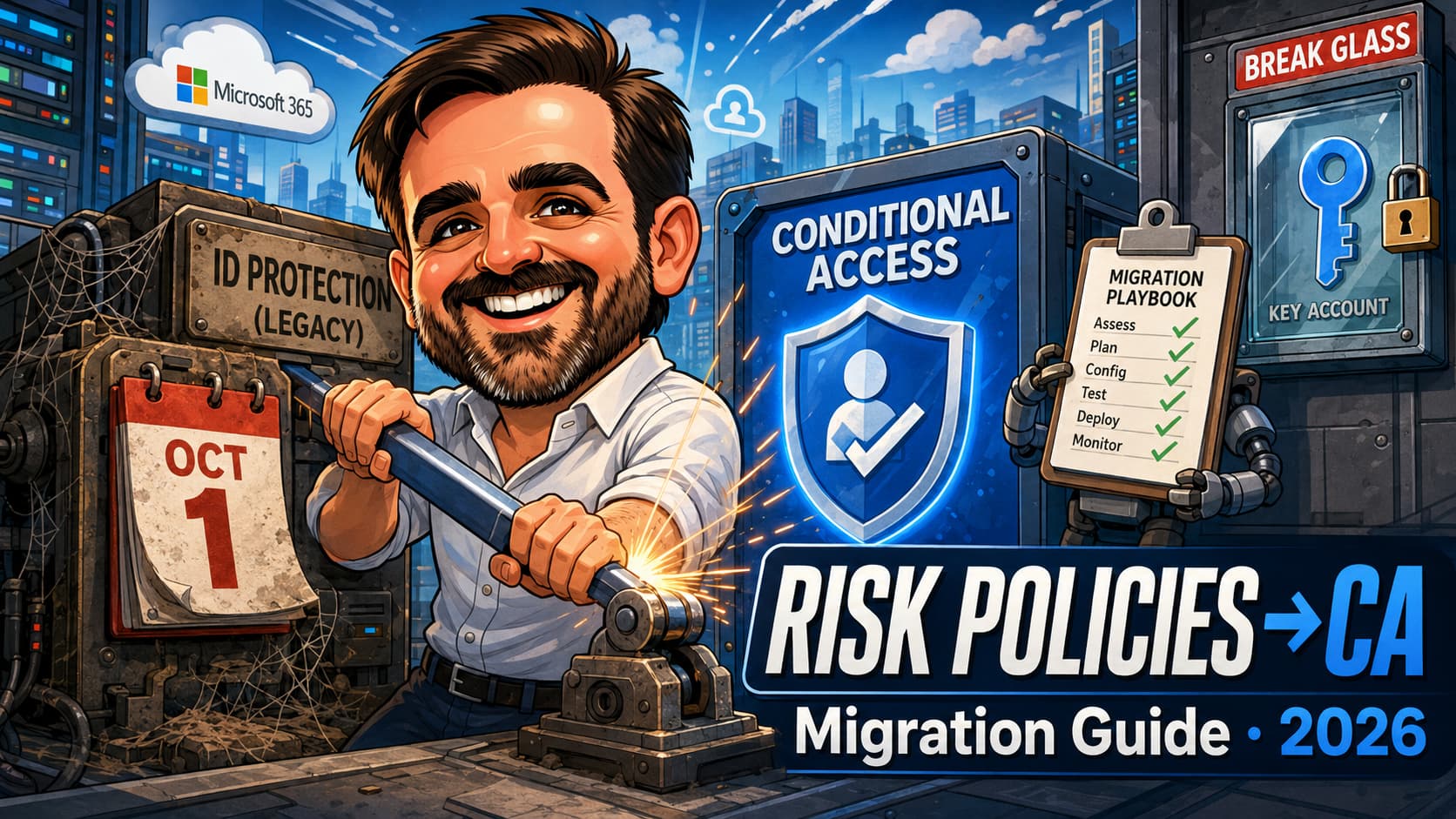
There is a blue banner sitting in the Microsoft Entra admin center right now, on top of two policies you may have configured years ago and not looked at since: "This risk policy is now read-only and will be retired on October 1, 2026. To manage or modify it, migrate it to Conditional Access." I saw it this week, live, in a real tenant. Not in a roadmap post, not in a Message Center digest that got archived unread. In the portal, on the policy, counting down.
Here is what makes this deadline different from the usual retirement noise: there is no automatic migration. If your tenant enforces the legacy user risk or sign-in risk policies from Entra ID Protection and you do nothing, the accounts they protect lose that protection when the policies retire. The fix is a manual rebuild in Conditional Access, and while the rebuild itself is a well-documented afternoon of work, the edges are not: licence gates that hide the risk conditions, a grant control that is technically still tied to a preview announcement, guest users a core control does not support, and an insights workbook that quietly requires Azure plumbing nobody mentions. I migrated a real tenant while writing this guide, screenshots and all, and packaged the whole procedure as a printable playbook you can download at the end. This article is the decision layer: what retires, what to build, in which order, and where it bites.
What retires on 1 October 2026, and what does not
The retirement covers the two legacy risk policies inside Entra ID Protection: the user risk policy and the sign-in risk policy that live under ID Protection in the Entra admin center, the ones configured with a slider and an enforce toggle rather than the full Conditional Access editor. These are the policies many tenants enabled back when the feature was called Azure AD Identity Protection and never revisited. They are already read-only. In the tenants I have checked this month, the portal shows the retirement banner on both policies and a note that policies can now only be disabled there, not changed.
Everything else in ID Protection continues. Risk detections keep firing, the Risky users and Risky sign-ins reports keep populating, risk levels keep feeding whatever consumes them. The MFA registration policy is not named in this retirement warning. What disappears is the legacy enforcement engine: the thing that acted on those detections. After retirement, acting on risk is Conditional Access's job, through the User risk and Sign-in risk conditions it has offered for years.
That framing matters because it defines the real risk of inaction. If your legacy policies are enforcing today and you let the deadline pass, detections continue but nothing acts on them automatically. A leaked credential still gets flagged; nobody gets challenged. The migration is not optional hardening, it is keeping a control you already decided you needed.
The licence gate: P2 or it does not exist
Risk-based Conditional Access requires Microsoft Entra ID P2 or Entra Suite. That sentence appears in every piece of documentation, but here is what it looks like in practice, because I checked in a live P1 tenant while preparing this guide: the Conditional Access policy editor shows the Require risk remediation grant control, visible and selectable, while the User risk and Sign-in risk conditions are simply absent from the conditions panel. Not greyed out. Absent. If you have ever wondered why a migration guide's screenshots do not match your portal, this is usually why.
For MSPs and consultants this is the first triage question across a client base: which tenants have P2, and of those, which have the legacy policies enforcing today. A P1 tenant generally has nothing to migrate, because the legacy risk policies were a P2 feature to begin with, but it may have inherited an enabled policy from an old trial or licence downgrade. Those tenants need the legacy policies disabled and a solid Conditional Access baseline in place of risk-based enforcement, because after downgrade nothing else will act on risk.
The roles you actually need
No single least-privileged role covers this migration end to end, and the gap surfaces at the worst moments. Conditional Access Administrator creates and enables the new policies, but it cannot read or change the legacy ID Protection policies, and it cannot run the risk triage. Plan the role set up front, activated through Privileged Identity Management where available:
- Conditional Access Administrator: create, edit and enable the new Conditional Access policies.
- Security Administrator: read and change the legacy ID Protection policies and perform full ID Protection administration, including the final disable step.
- Security Reader or Security Operator: review the risk reports; Security Operator is required for triage actions such as dismissing user risk.
- User Administrator: administrator-initiated password resets where remediation needs a hand.
Inventory: know what you are replacing
Before building anything, record what the legacy policies actually enforce, because the new policies must cover at least that scope. For each of the two legacy policies, note the enforcement state, the configured risk level, the assignment and exclusions, and the control. Screenshot both panes; they are your "before" evidence.
Two more inventory items decide whether enforcement day is calm or chaotic:
MFA registration coverage. The single most common failure in this migration is enforcing risk remediation on users who never registered for Microsoft Entra MFA. Those users cannot self-remediate; they get blocked, and the helpdesk meets your project the hard way. The Authentication methods activity report shows registration coverage. Close the gaps first, and for hybrid tenants confirm password writeback, or synced users cannot complete the secure password change that user-risk remediation requires.
The existing risk backlog. Enforcement lands on whatever is already flagged. Triage the Risky users and Risky sign-ins reports to zero or to a known, justified remainder before turning anything on: dismiss the false positives, confirm and remediate the real ones. Enabling a user-risk policy over a backlog of stale High-risk users is how Monday morning becomes a lockout story.
The Conditional Access equivalents
The migration produces exactly two policies, and Microsoft's documentation is unusually blunt about the boundary: never combine user risk and sign-in risk conditions in the same policy. Different risks, different remediation flows, different policies. Name them so the intent survives you; I use CA-Risk-UserRisk-High-RequireRemediation and CA-Risk-SignInRisk-MedHigh-RequireMFA.
| Legacy policy | CA replacement | Condition | Controls |
|---|---|---|---|
| User risk policy | CA-Risk-UserRisk-High-RequireRemediation | User risk = High | Grant: Require risk remediation (auto-adds Require authentication strength; Sign-in frequency: Every time applied as mandatory session control) |
| Sign-in risk policy | CA-Risk-SignInRisk-MedHigh-RequireMFA | Sign-in risk = Medium and High | Grant: Require authentication strength (built-in Multifactor authentication); Session: Sign-in frequency: Every time |
The user risk policy
Assignments include All users with three exclusions: your emergency access accounts, guest and external users, and any documented nonhuman accounts still doing interactive sign-ins. The guest exclusion is not caution, it is a documented limitation: Require risk remediation is not supported for external and guest users because Entra ID cannot revoke sessions for them. Leaving them implicitly covered by a control they cannot complete is not protection, it is a support queue. Handle guest risk through a separate, explicitly tested policy or an administrator-led process.
Target resources: All resources; the Require risk remediation control in fact requires it. Conditions: User risk configured to High, Microsoft's recommended level; write down the reason if you deviate. Grant: Require risk remediation, and watch what the portal does on the next click, because it tells you how the control works: Require authentication strength is auto-selected, and Sign-in frequency: Every time is applied as a mandatory session control. The remediation flow is adaptive: users with passwords complete MFA and a secure password change; passwordless users get their sessions revoked and reauthenticate. Either way the user self-remediates and the risk closes without a ticket.
The sign-in risk policy
Same assignment skeleton: All users, minus emergency access accounts and documented nonhuman exceptions. For guests, decide explicitly based on your cross-tenant access configuration, because whether an external user can satisfy an MFA requirement depends on whose MFA you trust; test that population separately rather than assuming. Conditions: Sign-in risk configured to Medium and High. Grant: Require authentication strength with the built-in Multifactor authentication strength. Session: Sign-in frequency: Every time, which for this policy you select yourself, and should: a successful strong authentication is what remediates sign-in risk, and a stale session must not outlive the risk that flagged it.
Both policies are created with Enable policy set to Report-only. Creating them enabled is the classic self-inflicted incident.
Report-only: the rollout that costs nothing
Report-only mode evaluates every sign-in against the new policies and records what would have happened, touching nobody. Give it a window that covers normal work patterns, at least one full work week, longer if month-end or shift patterns matter. You are looking for three things: who would have been prompted or blocked, and whether that list makes sense; service or shared accounts surfacing where they should not be; and users who would fail remediation because they still are not MFA-registered.
Two places show you the results, and the difference between them is infrastructure:
The insights and reporting workbook is the aggregate view, and it has prerequisites the migration guides skim: a Log Analytics workspace, Entra diagnostic settings streaming the sign-in logs into it, and both Security Reader and Log Analytics workspace permissions. Without that plumbing the workbook simply does not populate, and can return configuration or authorization errors; in the tenant I migrated this week, a tenant without Azure infrastructure, the page refused to load at all. Budget for this before enforcement day if you want the pretty charts.
The per-sign-in Report-only tab is the no-cost fallback and the better spot-check anyway. Open any entry in the sign-in logs and the Report-only tab lists each policy with its would-be result: Success, Failure, User action required, or Not applied. A healthy sign-in showing both policies at "Report-only: Not applied" is the system working: the policies evaluated it, found no risk, and stood down. Ground truth per sign-in catches what dashboards average away.
If nothing risky occurs naturally during the window and you want to see the machinery move, use a dedicated test account and Microsoft's Simulate risk detections guidance: Tor Browser reliably produces an anonymous-IP detection, and there is a Graph API call to confirm a test user compromised. A VPN alone does not reliably generate sign-in risk, whatever folklore says. And never test with a production administrator or an emergency access account.
Enforce, then disable: the order is the safety net
Enforcement day is two toggles in strict order. First, both Conditional Access policies move from Report-only to On. Second, and only after confirming the new policies are live, each legacy policy in ID Protection is set to Enforce policy: Disabled. Done this way there is never a moment without risk enforcement; done backwards there is a gap, and gaps have a way of coinciding with incidents.
Two practical notes from doing this in a real tenant. If the tenant still runs on security defaults, the portal will require disabling them before any Conditional Access policy can be enabled; that is expected, but it means the risk policies must not be your only Conditional Access, because security defaults were also your MFA baseline. Stand up a baseline MFA policy in the same change. And after enforcement, expect the occasional extra MFA prompt to be reported as a bug by users; Sign-in frequency: Every time on a risky sign-in is the policy working as designed, which is worth a line in the enforcement-day communication.
Keep the evidence: the before and after screenshots of the legacy policies, the report-only review, the enforcement timestamps. For organisations in scope of NIS2, this pack can support the documentation of access-control and MFA measures associated with Article 21 of the directive; it is one piece of a wider evidence picture, not compliance by itself.
The printable playbook (free PDF)
Everything above is the decision layer. The execution layer, every click, every gate, every screenshot, is a separate document, because I think this particular migration deserves the format change: a print-and-follow A4 playbook you can put on a desk, tick as you go, and staple into the change record when it is done.
⬇️ Download the playbook (PDF)
The playbook exists because this migration is exactly the kind of work that goes wrong when done from memory across a client base: the steps are simple, the sequencing is unforgiving, and the evidence matters later. If the portal changes, the playbook gets a version bump and the changelog says what moved.
Common mistakes
- Enforcing risk remediation on users who never registered for MFA.They cannot self-remediate, so they get blocked. Check the Authentication methods activity report and close registration gaps before enforcement, not after the helpdesk queue forms.
- Combining user risk and sign-in risk in one policy.Microsoft warns against it explicitly. The two risks have different remediation flows and different conditions. Build two policies, always.
- Treating report-only as a checkbox.The window exists to surface the users, service accounts and registration gaps that will otherwise surface on enforcement day. One full work week is the minimum that covers normal patterns.
- No break-glass exclusion, or an exclusion nobody tested.Both policies exclude the emergency access accounts, and the exclusion gets verified while the policies are still in report-only. If no break-glass account exists, creating one is step zero of the migration.
- Leaving guests implicitly covered by Require risk remediation.The control is not supported for external and guest users. Exclude them and handle guest risk through a separate, tested policy or an administrator-led process.
- Disabling the legacy policies before the new ones are On.The order exists so there is never a window without risk enforcement. Enable first, verify, then disable.
- Expecting the insights workbook to just work, or testing risk with a VPN.The workbook needs Log Analytics and permissions; the sign-in log Report-only tab is the no-cost alternative. And a VPN alone rarely triggers sign-in risk; use Tor or the documented simulation guidance on a dedicated test account.
FAQ
What actually happens on 1 October 2026 if I do nothing?
The policies are already read-only, and Microsoft says they retire on that date. Microsoft has not published a detailed description of post-retirement behaviour beyond the retirement itself, and planning around undocumented behaviour is how outages get scheduled. The safe assumption is that enforcement stops while detections continue. Migrate before the date; the rebuild costs an afternoon plus a validation window.
I only have Entra ID P1. What is my version of this?
The risk conditions require P2, and in a P1 tenant they do not appear in the Conditional Access editor. The legacy risk policies were a P2 feature too, so most P1 tenants have nothing to migrate; if a legacy policy is enabled from an old licence state, disable it. Your protection story is then the Conditional Access baseline: MFA for everyone via authentication strengths, legacy authentication blocked, and compliant-device requirements where you have Intune.
Is Require risk remediation preview or generally available?
Both, depending on which page you read, which is why this guide flags it. The control shipped as a Public Preview announcement for passwordless self-remediation; the current how-to presents it as the recommended configuration without a preview label, while the concept page still carries one. Treat the capability as preview unless Microsoft confirms general availability through updated release notes, documentation or your account team, and check your organisation's stance on preview features. The fallback pattern, user risk High plus Require password change, remains available and supported.
Does Require password change still work after this migration wave?
The control remains in Conditional Access. Require risk remediation is the newer, adaptive option that also covers passwordless users. If a user ends up assigned to policies with both controls, precedence applies: Require risk remediation overrides Require password change, and Block overrides everything. Microsoft's guidance is to assign each user to only one of these at a time.
What about guest and external users?
Require risk remediation is not supported for them, so they are excluded from the user risk policy by design. For sign-in risk, whether a guest can satisfy your MFA requirement depends on your cross-tenant access settings and whose MFA claims you trust. Decide explicitly, configure the trust, and test with a real guest account rather than discovering the answer through a partner's locked-out finance team.
Do the risk detections and reports retire too?
No. ID Protection detections, the Risky users and Risky sign-ins reports, and the risk signal itself all continue. What retires is the legacy policy engine that acted on the signal. After migration, Conditional Access is the enforcement layer, which is also where you get report-only mode, Graph management and per-policy diagnostics the legacy engine never had.
- Configure and enable risk policies, incl. the migration section and support path (Microsoft Learn)
- Risk-based access policies: Require risk remediation behaviour and limitations (Microsoft Learn)
- Conditional Access insights and reporting workbook prerequisites (Microsoft Learn)
- Simulate risk detections (Microsoft Learn)
Legacy policies still enforcing in your tenant?
I migrated a real tenant while writing this guide, and the surprises were exactly where the documentation is quietest: licences, roles, guests and the reporting plumbing. If October is closer than your change calendar admits, talk to me. A short review of your Conditional Access estate now beats a protection gap later.
Talk to me