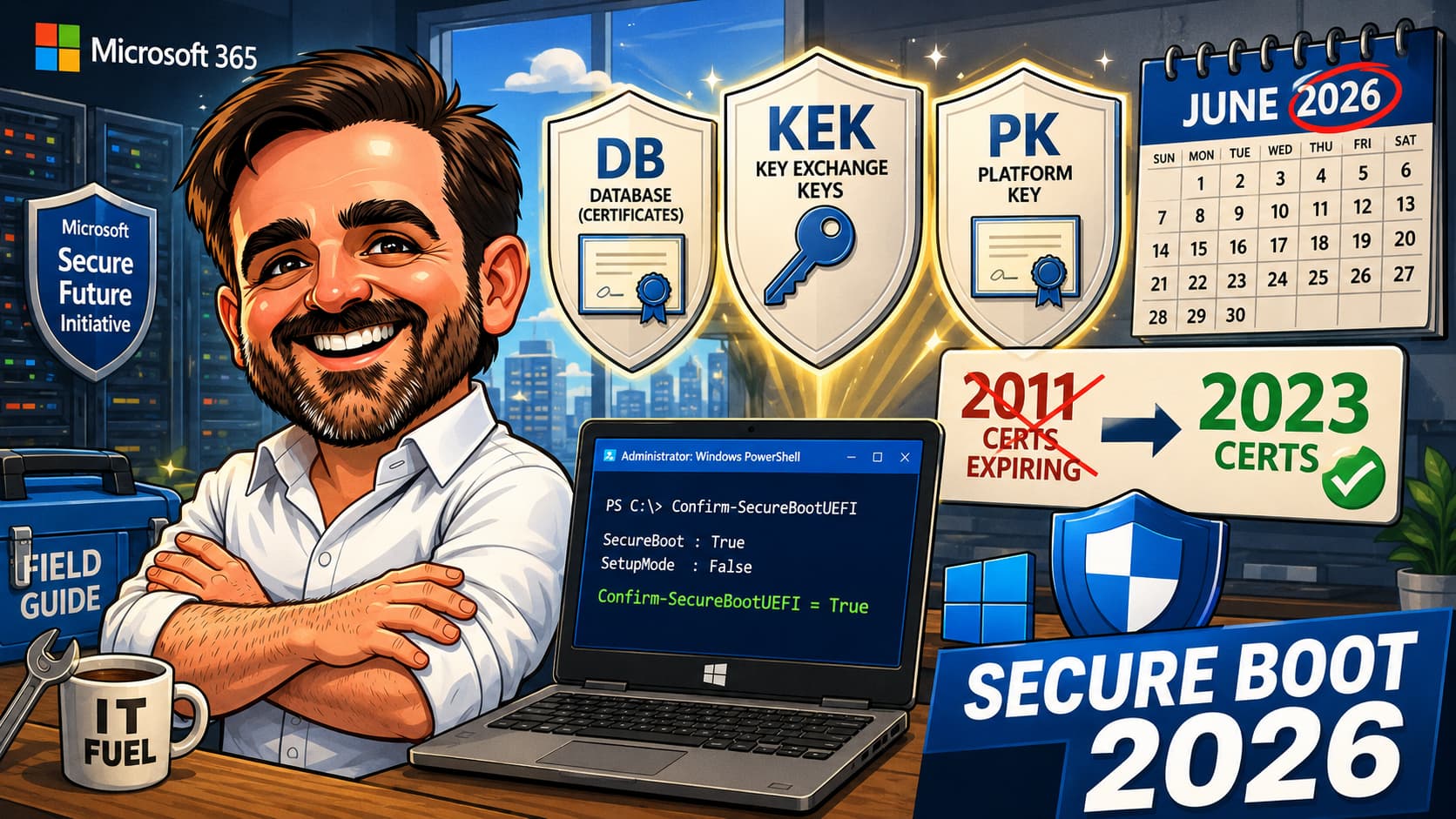
The Microsoft Secure Boot certificates that have been signing Windows boot software since 2011 begin expiring in June 2026. The transition to the 2023 certificate family is effectively mandatory for any organisation that wants devices to remain serviceable for future Secure Boot updates, DBX revocations and boot-level vulnerability response. It is also one of the most quietly underprepared rollouts most endpoint teams have on the calendar. This field guide is the realistic path: what is expiring, what is replacing it, how to inventory your fleet, the validation steps, the phased deployment, the OEM firmware readiness prerequisite, and the operational model after rollout.
UEFICA2023Status in the registry and Event ID 1808 in the event log. Build a fleet inventory before you target anything for updates.1. Starting from zero: read top to bottom and follow the implementation sequence.
2. Already mid-deployment: jump to the validation checklist and identify where your fleet is stuck.
3. Operational handover: use the operational model section as the cadence for monitoring fleet progress until October 2026.
Introduction
Most Windows endpoint admins have a calendar item for June 2026 somewhere, vaguely related to Secure Boot, that they have not yet broken into actionable work. In every readiness assessment I have run this year, the conversation lands in the same place: "we know it is coming, we have not started." The headline is straightforward: the Microsoft certificates that sign Windows boot components and trusted UEFI software have been issued in 2011. They were issued with a 15-year validity. June 2026 is when the clock runs out.
Microsoft has been rolling out replacement 2023 certificates since 2024, primarily through Windows Update for consumer and small-business devices. For enterprise-managed fleets, the rollout is opt-in by default. That is the gap most organisations are walking into: certificates expire, devices keep booting, but new Boot Manager updates and new DBX revocations cannot be installed, so the device's boot security degrades over time without producing any visible failure.
The reason this rotation is happening at all is worth being explicit about. The 2011 trust anchor was undermined by boot-level threats like the Black Lotus bootkit (CVE-2023-24932), which exploited weaknesses in how Boot Manager and DBX revocations were trusted under the original chain. Microsoft's response was to rebuild the trust path with a new certificate generation, replace the Boot Manager under the new signing root and reset the DBX. In my reading of the situation, the calendar deadline is the visible surface; the actual driver is that the next decade of boot-level vulnerability response depends on Microsoft having a clean, unspoiled signing root to issue updates from. Adopting the 2023 family is not just calendar hygiene; it is the prerequisite for that ongoing patching capability.
This guide is the realistic path for IT-managed Windows fleets. It is built around what Microsoft has documented (and republished several times as the timeline approached), but ordered the way an endpoint admin actually has to think about it: inventory first, OEM firmware first, then phased deployment, then validation, then operational monitoring through October 2026 and beyond.
Who this article is for
Endpoint admins managing Windows fleets through Microsoft Intune, Configuration Manager or Group Policy. Security architects responsible for endpoint posture. Compliance teams that have Secure Boot as a baseline control. Server admins managing Windows Server 2012, 2016, 2019, 2022 and 2025 estates. Microsoft 365 architects who care about the long-term hygiene of the managed Windows estate. MSP consultants doing readiness assessments for clients heading into the June 2026 window.
What you are trying to achieve
A successful Secure Boot 2023 transition leaves your fleet with the following state by the time June 2026 arrives. Each item is independently observable, which matters because "we ran the update" is not the same as "the certificates applied".
- Every in-scope Windows device has the Windows UEFI CA 2023 applied to the Secure Boot DB.
- Every in-scope device has the Microsoft UEFI CA 2023 and Microsoft Option ROM UEFI CA 2023 applied to the DB (where required by the device's prior cert configuration).
- Every in-scope device has the Microsoft Corporation KEK 2K CA 2023 applied to the KEK.
- Every in-scope device has the Windows Boot Manager signed by the Windows UEFI CA 2023 installed and active after at least one natural restart.
- OEM firmware on the fleet is current to the model-and-vendor level Microsoft requires for the cert rollout to apply correctly.
- An inventory shows the percentage of the fleet that has reached
UEFICA2023Status: Updatedwith no recent Event ID 1801 errors. - A monitoring cadence is in place to detect new devices that do not progress through the update sequence and escalate them before October 2026.
- Server estate (where you have Windows Server) is included in the same plan or has a documented separate plan.
- Virtual machines (Hyper-V Gen 2, Azure Gen 2, VMware UEFI VMs) are included with their specific considerations.
That is what "done" looks like. Most fleets that I assess today are at roughly 10 to 30 percent of this, depending on how aggressively the organisation accepts Microsoft-managed Windows Update on its endpoints.
Certificate background
UEFI Secure Boot works through a small hierarchy of certificates stored in firmware variables. The Platform Key (PK) sits at the top and is owned by the device OEM. Below the PK is the Key Enrolment Key (KEK), which is allowed to update the signature databases. Below that are two databases: the Allowed Signature Database (DB), which lists certificates trusted to sign code that can run pre-OS, and the Disallowed Signature Database (DBX), which lists revocations of code Microsoft no longer trusts.
Three Microsoft-provided certificates dating from 2011 sit inside the typical Windows device's KEK and DB. They are:
- Microsoft Corporation KEK CA 2011, sitting in the KEK. This is what lets Microsoft update the DB and DBX on the device over time.
- Microsoft Windows Production PCA 2011, sitting in the DB. This certificate signs the Windows Boot Manager.
- Microsoft Corporation UEFI CA 2011, sitting in the DB. This certificate signs third-party UEFI software, including option ROMs from device manufacturers and bootloaders for non-Windows operating systems that participate in Secure Boot.
All three of these expire between June and October 2026. After expiration, the certificates remain physically present in firmware (devices keep booting), but Microsoft can no longer rely on those 2011 certificates as the normal trust path for future DB, DBX or Boot Manager updates. Without the 2023 successors in place before the relevant 2011 certificate expires, the device may lose the normal Microsoft servicing path for future Secure Boot updates, DBX revocations and Boot Manager updates until remediated through firmware, OEM tooling or manual servicing.
The 2023 successors are:
| Location | 2011 certificate | 2023 replacement | What it signs |
|---|---|---|---|
| KEK | Microsoft Corporation KEK CA 2011 | Microsoft Corporation KEK 2K CA 2023 | The right to update the DB and DBX on the device. |
| DB | Microsoft Windows Production PCA 2011 | Windows UEFI CA 2023 | Windows Boot Manager and Windows-signed boot components. |
| DB | Microsoft Corporation UEFI CA 2011 (for third-party UEFI software) | Microsoft UEFI CA 2023 | Third-party UEFI software signed for Windows, including bootloaders for other OS that participate in Secure Boot. |
| DB | Microsoft Corporation UEFI CA 2011 (for option ROMs) | Microsoft Option ROM UEFI CA 2023 | Option ROMs from device hardware vendors. Separated from the third-party software CA in the 2023 generation. |
The split of the old "Microsoft Corporation UEFI CA 2011" into two 2023 certificates (one for option ROMs, one for third-party UEFI software) is the structural change worth knowing about. In 2026 you are not replacing one cert with one cert; you are replacing one cert with two, each with a tighter scope.
Decision framework
Three decisions matter for an IT-managed fleet. Make them explicitly rather than absorbing the default behaviour of Windows Update.
| Decision point | Options | Recommendation | Notes |
|---|---|---|---|
| Deployment mechanism | Microsoft-managed (Controlled Feature Rollout) / Self-managed via registry / Group Policy / WinCS / Intune script / Configuration Manager | Self-managed for enterprise fleets; CFR opt-in only where diagnostic data is allowed and the device is on a recent build | Self-managed gives you visibility and pacing. CFR is convenient but opaque. Pick one mechanism and avoid mixing them on the same device. |
| OEM firmware policy | Apply firmware first / In parallel / After | Apply firmware first | If firmware is out of date for a model, the Secure Boot updates fail or stall. Validate the firmware level against the OEM's 2026-readiness guidance before targeting devices. |
| Pilot ring size | 1 device per model / 5 per model / 10 per model | 5 devices per model family, minimum (field heuristic) | Treat this as a field heuristic, not Microsoft guidance. Increase the sample where model variance, firmware versions or business criticality justify it. Less than 5 produces statistically thin telemetry. |
| Server scope | Include in same plan / Separate plan / Out of scope | Include in the same plan with separate execution | Servers face the same expiration but a different ops cadence. Treat the timeline as joint, the execution as separate. |
| Virtual machine scope | Include / Defer | Include, but plan for known issues (Hyper-V Event ID 1795, VMware-specific resolutions) | VMs are not safer because they are virtual. They face the same expiration. |
| End-of-life device policy | Update / Replace / Document as exception | Document as exception or replace; do not waste cycles updating devices that the OEM no longer supports | If firmware is no longer released for a model, the cert update may fail and you have no remediation path. |
The deployment mechanism and the OEM firmware order are the two decisions that determine whether the project moves or stalls. Everything downstream depends on those.
Recommended posture
Minimum posture
Before June 2026, every in-scope device should have at least the Microsoft Corporation KEK 2K CA 2023 in the KEK and the Windows UEFI CA 2023 in the DB. That is the minimum that preserves Microsoft's ability to push Boot Manager updates and DBX revocations to the device after the 2011 KEK expires. Without these two, the device's boot security stops progressing forward.
Recommended posture (adds on top)
The Microsoft UEFI CA 2023 in the DB (so third-party UEFI software signed by Microsoft remains trusted). The Microsoft Option ROM UEFI CA 2023 in the DB (so trusted option ROMs from device hardware continue to load). The Boot Manager update applied (signed by Windows UEFI CA 2023), confirmed by event ID 1808 after a natural restart. OEM firmware current to the level the manufacturer has flagged as Secure-Boot-2026-ready. Devices grouped into a fleet inventory keyed by manufacturer, model and firmware version so the rollout can target families of devices, not individual machines.
Recommended first 3 actions
If you cannot do the full implementation today, do these three things first. Each is independently useful and each unblocks the next layer.
| First action | Why |
|---|---|
| Inventory the fleet | You cannot manage what you cannot see. Build a baseline of UEFICA2023Status across the fleet before doing anything else. |
| Engage the OEM firmware track in parallel | OEM firmware is the long pole. Most organisations have a separate cadence for firmware updates from a separate team. Start that conversation now. |
| Target a pilot ring of 5 devices per representative model | Proves the deployment path, the firmware prerequisite, and the validation events. Resolves issues at small scale before broader rollout. |
Common mistakes
These appear in almost every Secure Boot 2026 readiness assessment.
- Skipping the OEM firmware update.The Secure Boot updates apply through firmware. If the firmware is out of date for the model, the certificate update fails or hangs in a partial state. OEM firmware readiness is not optional. Some devices may already be ready; unsupported or outdated firmware is where the update usually fails. Validate firmware readiness per model first, apply firmware updates where needed, then deploy the cert updates.
- Assuming Windows Update will handle it.For consumer and unmanaged devices, Microsoft will handle most of this through the Controlled Feature Rollout. For IT-managed devices, that is opt-in by default. The fleet does not get updated unless the organisation explicitly opts in or self-deploys.
- Treating Boot Manager as updated immediately after the cert applies.The cert applies on the next 12-hour scheduled task cycle. The Boot Manager update is delayed until a natural restart occurs (typically the next monthly patch cycle). A device showing
UEFICA2023Status: Updatedat the DB level may not have the new Boot Manager active yet. Validate with the relevant Secure Boot servicing event history, registry state and absence of recent 1801 errors after the next restart. - Forgetting Windows Server.Server estate faces the same expiration but is often owned by a different team. Without explicit alignment, servers slip into 2026 with no plan.
- Ignoring Hyper-V Gen 2 VMs.Earlier in 2026 a known issue produced Event ID 1795 on Hyper-V Gen 2 VMs during the cert update. Microsoft resolved the issue in March 2026, but VMs with pre-fix snapshots, golden images or non-current Hyper-V hosts may still hit it. Test the VM path before broad rollout.
- Not testing the boot path on non-Microsoft bootloaders.Devices that dual-boot Linux, run vendor recovery partitions or use third-party encryption pre-boot software all depend on the Microsoft UEFI CA 2011 to validate non-Microsoft bootloaders. Confirm those bootloaders still load after the 2011 cert is no longer the trust anchor for them.
- Mixing deployment mechanisms on the same device.Choose CFR opt-in or registry-driven self-deployment or WinCS or an Intune-deployed PowerShell script, and stick with one. Mixing them produces device states that are hard to interpret and harder to remediate.
- Believing “new device” means “already updated”.Many devices manufactured in the past one to two years ship with the 2023 certs in firmware but without the Windows UEFI CA 2023-signed Boot Manager. The Boot Manager update is the last step and is easy to skip. Validate the Boot Manager, not just the cert.
- Not capturing baseline diagnostics before opting in.If you opt a device into CFR before recording its current state (firmware version, registry values, last event), and the update fails, troubleshooting is harder. Capture the baseline first.
- Treating end-of-life devices as in-scope.Devices whose OEM has stopped releasing firmware are likely to fail the update. Spending cycles on them rarely pays off. I have seen more than one fleet spend weeks chasing a cert update on a model the manufacturer stopped supporting two years ago, when the right answer was to document the exception and plan replacement.
Implementation guide
The order below assumes a Windows endpoint fleet managed by Intune or Configuration Manager, with Group Policy still in play for some scenarios. Where you have a hybrid setup the steps still apply; they become a per-channel checklist instead of a single sequence.
Step 1 — Inventory the fleet
The starting state for every device is one of four conditions: not enabled for Secure Boot at all (uncommon on modern Windows); enabled and on 2011 certs only; enabled with some 2023 certs applied but Boot Manager not updated; or fully updated. Build an inventory that captures all four.
For each device, collect at minimum:
Confirm-SecureBootUEFIoutput (True if Secure Boot is enabled).UEFICA2023StatusunderHKLM:\SYSTEM\CurrentControlSet\Control\SecureBoot\Servicing.WindowsUEFICA2023Capableunder the same key.UEFICA2023Errorunder the same key (null if no error).AvailableUpdatesunderHKLM:\SYSTEM\CurrentControlSet\Control\SecureBoot.- OEM manufacturer, model and firmware version (under
...\SecureBoot\Servicing\DeviceAttributes). - The most recent Event ID 1801 (error) or 1808 (success) in the system event log.
A minimal inventory snippet to run on each device looks like this:
# Secure Boot 2023 readiness — minimal per-device check
# Run as Administrator. Output one line per device for aggregation.

$result = [ordered]@{
    Host                  = $env:COMPUTERNAME
    CollectedAt           = (Get-Date -Format 'o')
    SecureBootEnabled     = (Confirm-SecureBootUEFI -ErrorAction SilentlyContinue)
    UEFICA2023Status      = (Get-ItemProperty 'HKLM:\SYSTEM\CurrentControlSet\Control\SecureBoot\Servicing' -ErrorAction SilentlyContinue).UEFICA2023Status
    UEFICA2023Capable     = (Get-ItemProperty 'HKLM:\SYSTEM\CurrentControlSet\Control\SecureBoot\Servicing' -ErrorAction SilentlyContinue).WindowsUEFICA2023Capable
    UEFICA2023Error       = (Get-ItemProperty 'HKLM:\SYSTEM\CurrentControlSet\Control\SecureBoot\Servicing' -ErrorAction SilentlyContinue).UEFICA2023Error
    AvailableUpdates      = (Get-ItemProperty 'HKLM:\SYSTEM\CurrentControlSet\Control\SecureBoot' -ErrorAction SilentlyContinue).AvailableUpdates
    OEMManufacturer       = (Get-ItemProperty 'HKLM:\SYSTEM\CurrentControlSet\Control\SecureBoot\Servicing\DeviceAttributes' -ErrorAction SilentlyContinue).OEMManufacturerName
    OEMModel              = (Get-ItemProperty 'HKLM:\SYSTEM\CurrentControlSet\Control\SecureBoot\Servicing\DeviceAttributes' -ErrorAction SilentlyContinue).OEMModelNumber
    Firmware              = (Get-CimInstance Win32_BIOS).SMBIOSBIOSVersion
    LastEvent1808         = (Get-WinEvent -FilterHashtable @{LogName='System'; Id=1808} -MaxEvents 1 -ErrorAction SilentlyContinue).TimeCreated
    LastEvent1801         = (Get-WinEvent -FilterHashtable @{LogName='System'; Id=1801} -MaxEvents 1 -ErrorAction SilentlyContinue).TimeCreated
}

[pscustomobject]$result | ConvertTo-Json -Compress
Deploy this through Intune as a PowerShell script (with output captured), or run via Configuration Manager and aggregate the JSON lines centrally. The full Microsoft sample (linked in references) adds dozens of extra fields including confidence levels, third-party CA states and known-issue flags. The snippet above is the minimum to start tracking fleet readiness today.
Without inventory, you are flying blind. Aim for at least one inventory pass per week through the rollout, with results aggregated to a single dashboard that shows percentage of fleet at UEFICA2023Status: Updated by OEM and model family.
Step 2 — Validate OEM firmware readiness
For each model in the fleet, identify the OEM's 2026-readiness firmware level. Most major vendors (Dell, HP, Lenovo, Microsoft Surface) have published guidance with explicit firmware version numbers. Compare against the firmware version recorded in your inventory. Some devices may already be at the required firmware level and need no further action; devices below the recommended level need a firmware update before the cert rollout.
Firmware updates are often a separate ops cadence from Windows updates. Coordinate with the team that owns the firmware deployment path early. This is the slowest moving part of the project, and the place where the rollout typically stalls.
Step 3 — Choose the deployment mechanism
For an IT-managed enterprise fleet, the practical options are:
- Registry-driven self-deployment. Set
MicrosoftUpdateManagedOptInorAvailableUpdatesregistry values via a PowerShell script deployed through Intune or Configuration Manager. The on-device scheduled task picks up the change on its next 12-hour cycle and starts applying the certs. This is the most controllable path for IT-managed devices. - WinCS (Windows Configuration System). Included in Windows OS updates. A command-line utility and PowerShell module to query and apply Secure Boot configurations locally. Useful for scripted bulk operations on domain-joined Windows clients and servers.
- Group Policy. Microsoft has announced future Group Policy support for managing the Secure Boot updates. Until that lands, GPO is not the primary mechanism; settings still need to be observed through registry and event logs.
- Microsoft Intune. Deploy a PowerShell script through Intune today. A Configuration Service Provider (CSP) is expected for direct CSP-based deployment in a future update.
- Controlled Feature Rollout (CFR). Microsoft-managed deployment for client devices on supported Windows 11 (and Windows 10 with extended security updates) with diagnostic data enabled and the device opted in. Convenient for consumer-grade fleets, opaque for enterprise.
Avoid mixing mechanisms on the same device.
Step 4 — Target a pilot ring
Select 5 devices per representative model family, covering the major OEM-and-model combinations in the fleet. Apply the chosen deployment mechanism. Wait 48 hours and at least one natural restart per device.
Step 5 — Validate the pilot
On each pilot device:
- Confirm
UEFICA2023StatusreadsUpdated. - Confirm Event ID 1808 in the system event log indicates the new certs are applied to firmware.
- Confirm Event ID 1801 has not appeared in the last 24 hours.
- Confirm the Boot Manager has been updated (it will appear updated only after a natural restart following the cert applying; do not force a restart immediately).
If any device fails, do not proceed to broader rollout. Investigate the failure on the failed model, confirm the firmware level, and remediate before expanding.
Step 6 — Expand by model family
Once a model family passes the pilot, target the rest of the fleet for that model. Roll out in waves of a few hundred devices, monitor for new Event ID 1801 errors, and pause expansion if the error rate climbs.
The natural order tends to be:
- Standard corporate laptops (single or two OEM models).
- Workstations (typically a smaller variety).
- Tablets and 2-in-1 devices.
- Conference room and meeting room PCs (often older firmware).
- Specialised devices (kiosks, lab equipment, point-of-sale, regulated workstations).
- Hyper-V Gen 2 virtual machines and other UEFI VMs.
- End-of-life or unsupported devices — documented as exception or replacement plan.
Step 7 — Servers
Windows Server 2016, 2019, 2022 and 2025 all face the same June-October 2026 expiration. The same four 2023 certificates apply. The deployment mechanisms are the same (registry, WinCS, Configuration Manager). What is different is the operational shape of the rollout.
For Windows Server 2012 and 2012 R2, the same underlying certificate expiration applies, but these releases are in Extended Security Updates (ESU) and legacy support territory. Validate the ESU subscription status and confirm the exact Microsoft servicing path with Microsoft Learn before assuming the same update channel as supported Server releases. In some 2012/2012 R2 environments the practical remediation is migration to a supported Server release, not in-place cert transition.
Server firmware updates run on a separate cadence from the OS, owned by a separate team in most organisations, and require scheduled maintenance windows. Server reboots are not natural events; they are events. A 48-hour estimate per device is a client number; for a critical server it is closer to 7-14 days from cert apply to validated Boot Manager update because the natural reboot has to be deliberately scheduled.
Domain controllers need explicit attention. Do not update all DCs in a site simultaneously, even if the cert update itself is non-disruptive. Replication, FSMO roles and authentication paths all depend on at least one DC being up during the rollout. Treat DC updates like any other DC patching exercise: one site at a time, with the lowest-impact DC first — meaning a DC that does not hold any FSMO role (not the PDC Emulator, RID Master, Infrastructure Master, Schema Master or Domain Naming Master), serves the smallest Active Directory site by authentication volume, and ideally is not a Global Catalog under heavy load. Validate that DC for 24 hours before moving to the next.
Hyper-V hosts and Failover Cluster nodes need careful ordering. The host's own Secure Boot certificate update is independent of the VMs it runs, but if the host reboots, the VMs go with it. Update Hyper-V hosts first as part of the host fleet, then update the VMs once the hosts are confirmed stable. For Storage Spaces Direct and CSV-based clusters, follow the standard cluster patching pattern (drain, patch, validate, return).
LTSC (Long-Term Servicing Channel) Windows Server releases are still in scope. The Secure Boot certificate update is not a feature update; it applies through firmware and the OS update channel. Confirm with Microsoft Learn which specific cumulative update or out-of-band patch your LTSC build needs for the Secure Boot servicing stack.
The Windows Server Secure Boot playbook (linked in references) covers the server-specific details. Start the server track earlier than the client track if your org has a heavy server presence, because the slower reboot cadence eats more of the runway.
Step 8 — Virtual machines
VMs are not safer because they are virtual. Every Hyper-V Generation 2 VM, Azure Generation 2 VM and VMware UEFI Secure Boot VM running supported Windows faces the same June-October 2026 expiration. Generation 1 VMs do not have Secure Boot enabled and are out of scope for this rollout (but in scope for broader endpoint security baseline conversations).
Hyper-V Generation 2: earlier in 2026, the cert update produced Event ID 1795 on some Hyper-V Gen 2 VMs — the firmware accepted the update on the parent partition but the guest VM saw a failure path. Microsoft resolved this in March 2026 (linked in references). Verify your Hyper-V hosts are at the post-fix build before targeting the guest VMs. Critically: golden images and VM templates created before the fix may still carry the broken state. Re-baseline them after applying the fix on the host, or any VM provisioned from a stale template will reproduce the issue.
Hyper-V snapshots: a snapshot taken before the cert update preserves the pre-update state. Reverting to such a snapshot reverts the Secure Boot configuration. Document this in your snapshot-handling procedures and clean up old snapshots once VMs are confirmed updated.
VMware UEFI Secure Boot: Broadcom has published a KB on Secure Boot certificate expirations and update failures in VMware Virtual Machines (linked in references). The high-level guidance is the same (apply the same Microsoft updates inside the guest), but ESXi-level considerations apply for VM EFI variable persistence. Review the Broadcom KB before deploying to a large VMware estate.
Azure Generation 2 VMs: follow the same in-guest update flow as on-premises. Some Azure VMs run with Trusted Launch enabled (Trusted Launch is Azure's enhanced VM security feature combining Secure Boot, vTPM and boot integrity attestation on Gen 2 VMs). For Trusted Launch VMs, also validate the Azure-level Trusted Launch and attestation state in addition to the in-guest Secure Boot servicing state. Microsoft documentation on Azure VM Secure Boot and Trusted Launch covers the supported path.
For all virtualised estates, pilot the VM track separately from the physical track. The host platform (Hyper-V version, ESXi version, Azure compute fabric) is a hidden variable that physical machines do not have.
Step 9 — Monitor through October 2026
Cert expirations span June 2026 to October 2026. The rollout is not done in June. Maintain monitoring through October to catch devices that drift back to a partial state, devices that miss the deployment because they were offline, and new devices added to the fleet that ship with mixed cert configurations.
Validation checklist
After implementation on a device, the following must be true. Each item is a yes/no. Any "no" should stop expansion until the gap is understood or documented.
-
Secure Boot is enabled.
Confirm-SecureBootUEFIreturnsTrue. -
OEM firmware is at the level the manufacturer recommends for 2026 readiness. Cross-reference against the OEM's 2026 firmware guidance per model.
-
The Windows UEFI CA 2023 is in the Secure Boot DB. Registry
UEFICA2023StatusreadsUpdated. Event ID 1808 in the system event log confirms the firmware applied the cert. -
The Microsoft Corporation KEK 2K CA 2023 is in the KEK. Confirmed via the device's Event ID 1808 history or via the inventory script's full output.
-
The Microsoft UEFI CA 2023 and Microsoft Option ROM UEFI CA 2023 are in the DB (where applicable). Applicable for devices that had the 2011 Microsoft Corporation UEFI CA in the DB pre-update.
-
The Boot Manager has been updated to the one signed by the Windows UEFI CA 2023. Applies only after a natural restart following the cert update. Confirmed by the relevant Secure Boot servicing event history (including 1808 success events) and the registry state after restart. Do not rely on a single 1808 event alone — correlate with
UEFICA2023Statusand the absence of recent 1801 errors. -
No Event ID 1801 in the last 7 days. A recurring 1801 indicates the device is stuck. Investigate before promoting the model family to broader rollout.
-
Non-Microsoft bootloaders (Linux, vendor recovery, pre-boot encryption) still load. Validate by booting into each on at least one device per OS family before declaring the model done.
If any of these is "no", do not expand the rollout to that model family until the cause is understood.
What to fix first
When the validation checklist returns more than one "no", fix in this order. Each row addresses a different gap; do not parallelise without clear ownership.
| Finding | Fix first | Why |
|---|---|---|
| OEM firmware below recommended level | Apply OEM firmware updates to the affected model family first | Firmware is the prerequisite. The cert update will fail or stall without it. |
| Event ID 1801 recurring on multiple devices in a model family | Investigate the specific error code, check OEM-known issues, validate against Hyper-V Event ID 1795 if applicable | 1801 indicates the firmware did not accept the update. Repeat attempts without remediation will not succeed. |
| Cert applied but Boot Manager not updated | Wait for a natural restart, then re-validate | Boot Manager update is delayed by design. |
| Device not enabled for Secure Boot at all | Enable Secure Boot in firmware if the device supports it and Windows is compatible with the post-enable state | Devices without Secure Boot enabled are out of scope for this rollout but in scope for the broader endpoint security baseline. |
| End-of-life device that the OEM no longer supports | Document as exception and plan replacement | Updating end-of-life hardware rarely succeeds and has no remediation path. |
| Mixed deployment mechanisms on the same device | Pick one mechanism, remove the others, restart the deployment cleanly | Mixed states are hard to interpret and harder to remediate. |
Troubleshooting notes
Signals and meaning
Before diving into specific failures, the table below summarises the most common signals you will see on devices and how to interpret each one. Most troubleshooting starts by identifying which row applies to the device in question.
| Signal | Meaning | Action |
|---|---|---|
UEFICA2023Status = Updated | Primary readiness signal. DB, KEK and Boot Manager transitions tracked here. | Confirm event history and restart state. Cross-check Boot Manager via subsequent restart. |
UEFICA2023Status = Pending | Device targeted, scheduled task in progress or waiting for next cycle. | Wait 24-48 hours and re-check. If still Pending, inspect UEFICA2023Error. |
| Event ID 1808 | Secure Boot servicing event applied successfully. | Track as a success signal. Correlate with the specific component that was updated (DB, KEK, Boot Manager). |
| Event ID 1801 | Update not applied. Error path triggered. | Investigate firmware level, OEM-known issues, and the specific error code in the event detail. |
| Event ID 1795 | Firmware variable update failure (notably Hyper-V Gen 2 issue pre-March 2026 fix). | Check Hyper-V host build and golden images. Resolved by Microsoft in March 2026. |
AvailableUpdates set | Device flagged as eligible for one or more pending Secure Boot updates. | Allow the scheduled task to run (every 12 hours) and the natural restart cycle to complete. |
HighConfidenceOptOut set | Device opted out of high-confidence assists. | Reverse only if intentional. Otherwise, the deployment path is fully manual. |
| Confidence level: No Data Observed | Microsoft has no diagnostic data for the device class. | Pilot manually rather than relying on CFR. Decide deployment based on internal validation. |
| Confidence level: Temporarily Paused | Known compatibility issue, deployment paused for the class. | Check OEM BIOS updates. Wait for Microsoft re-classification. |
Event ID 1801 keeps appearing
1801 indicates the firmware did not accept the certificate update. The most common causes are out-of-date OEM firmware, a corrupted Secure Boot state from an earlier failed update, or a known issue on the platform (such as the Hyper-V Gen 2 issue resolved in March 2026). Capture the full event detail including the error code, cross-reference against the OEM's 2026 readiness page, and apply firmware updates before retrying.
UEFICA2023Status reads “Pending” for days
The on-device scheduled task runs every 12 hours. If the status is Pending for more than 48 hours, the task may not be running (check Task Scheduler under \Microsoft\Windows\PI\Secure-Boot-Update), or an earlier step in the four-step sequence failed silently. Inspect the Servicing registry values and the system event log for any 1801 or 1796 events.
Hyper-V Gen 2 VMs failing with Event ID 1795
Microsoft resolved the Hyper-V Gen 2 issue producing Event ID 1795 in March 2026. Devices and VMs that were affected before the fix shipped should accept the update after the fix is in place. Confirm the Hyper-V host is current to the relevant build, then retry the update on the VM.
Device shows the new Boot Manager has not been applied even after a restart
The Boot Manager update requires the cert update to have succeeded first, then a natural restart, then the on-device task to detect the restart and apply the new Boot Manager. The flow is sequential. If the cert update is still incomplete, the Boot Manager step is blocked. Inspect UEFICA2023Status, UEFICA2023Error and the system event log to find which step did not complete.
A non-Microsoft bootloader stops loading after the cert update
The Microsoft UEFI CA 2023 is the new trust anchor for Microsoft-signed third-party UEFI software. If a bootloader was signed by the 2011 cert and the 2023 cert is the new active trust anchor, the bootloader must be re-signed under the 2023 trust path by its vendor. Most major Linux distributions and third-party encryption vendors have re-signed; if a specific bootloader fails, the fix is a vendor update, not a Windows-side remediation.
CFR did not pick up the device
CFR requires diagnostic data enabled, a supported Windows client build, and the device opting in. On an IT-managed device, diagnostic data is often restricted. If CFR is the chosen path and it is not picking devices up, the realistic move is to switch to registry-driven self-deployment rather than chase the CFR path.
Confidence level reads “No Data Observed”
This indicates Microsoft has not yet classified the device class as safe to deploy. The recommended action is to test the device class through a controlled pilot and, if successful, deploy the rest of that class manually rather than wait for CFR to reclassify.
Operational model
Secure Boot 2023 transition is a multi-month project with a long monitoring tail. The cadence below keeps it on track from project kickoff through October 2026 and beyond.
| Cadence | Owner | Activity |
|---|---|---|
| Weekly during rollout | Endpoint team | Run the inventory script across the fleet. Report on percentage of devices at UEFICA2023Status: Updated. Investigate Event ID 1801 occurrences. Promote model families that have completed pilot. |
| Bi-weekly during rollout | Endpoint + Firmware team | Align on OEM firmware status per model family. Identify firmware gaps. Confirm firmware updates are flowing through to devices. |
| Monthly through October 2026 | Endpoint team | Review the percentage of fleet at fully Updated state. Identify devices that have not progressed. Drive remediation. |
| Monthly | Security team | Review the Secure Score recommendation related to Secure Boot certificate transition. Confirm the trend is positive. |
| October 2026 milestone | Endpoint architect | Final sweep. Anything not at Updated state by October needs an exception document or a replacement plan. The window for ongoing Secure Boot updates is closed for non-updated devices after this point. |
| Annually | Endpoint architect | Re-validate the entire fleet annually as part of broader endpoint security review. Secure Boot does not stop being relevant after 2026; the next cert rotation is part of the platform's lifecycle. |
Ownership matters. Endpoint owns the inventory and the rollout. Firmware owns the OEM update track. Security owns the validation against Secure Score and broader baseline. Identity is not directly involved in this rollout but inherits the long-term consequence of devices that fail to update (compliance posture suffers in any control set that includes Secure Boot).
Final thoughts
Secure Boot 2026 is one of those projects where doing nothing produces no immediate symptom. Devices keep booting. Users notice no change. The team that owns the platform looks fine. And then, quietly, the device's boot security stops moving forward, and the next time a serious boot-level vulnerability is disclosed, the DBX update cannot be applied because the certificate that authorised it has expired. The damage is not on the calendar; it shows up on an incident.
The cost of doing this correctly is real but bounded. Inventory the fleet, align with the firmware team, target pilot rings, validate, expand, monitor. The longest pole is OEM firmware. The most common blocker is end-of-life hardware. The biggest organisational risk is assuming Microsoft will quietly handle it on every IT-managed device, which it will not.
If you have read this far and you cannot answer "yes" to every validation row for at least your pilot ring, the gap is closeable in weeks, not months. The longer the gap remains, the closer June 2026 gets, and the harder it becomes to remediate at scale.
And after October 2026, the door closes. Devices that have not received the 2023 certificate family permanently lose Microsoft's ability to push Boot Manager updates and DBX revocations to them. They keep booting. They keep logging users in. They stop receiving new boot-level security updates. Each new boot-kit research finding after that date is one more attack vector the device cannot be patched against. The state persists until the device is replaced or rebuilt from scratch. That is the bar this project is being measured against.
- Secure Boot certificate rollout landing page (aka.ms/getsecureboot)
- Secure Boot Certificate updates: Guidance for IT professionals and organizations
- Act now: Secure Boot certificates expire in June 2026 (Windows IT Pro Blog)
- Secure Boot playbook for certificates expiring in 2026 (Windows IT Pro Blog)
- Windows Server Secure Boot playbook for certificates expiring in 2026
- KB5036210 — Deploying Windows UEFI CA 2023 certificate to Secure Boot DB
- When Secure Boot certificates expire on Windows devices
- Secure Boot certificate update status in the Windows Security app
- Windows Secure Boot certificate expiration and CA updates
- Updating Microsoft Secure Boot keys (Windows IT Pro Blog)
- PowerShell: Confirm-SecureBootUEFI
Put this guide to work
Run the inventory script against your fleet today. Build the baseline you will use to measure progress through October 2026. The single biggest win is starting the conversation with your firmware team this week.
Start with the Validation Checklist