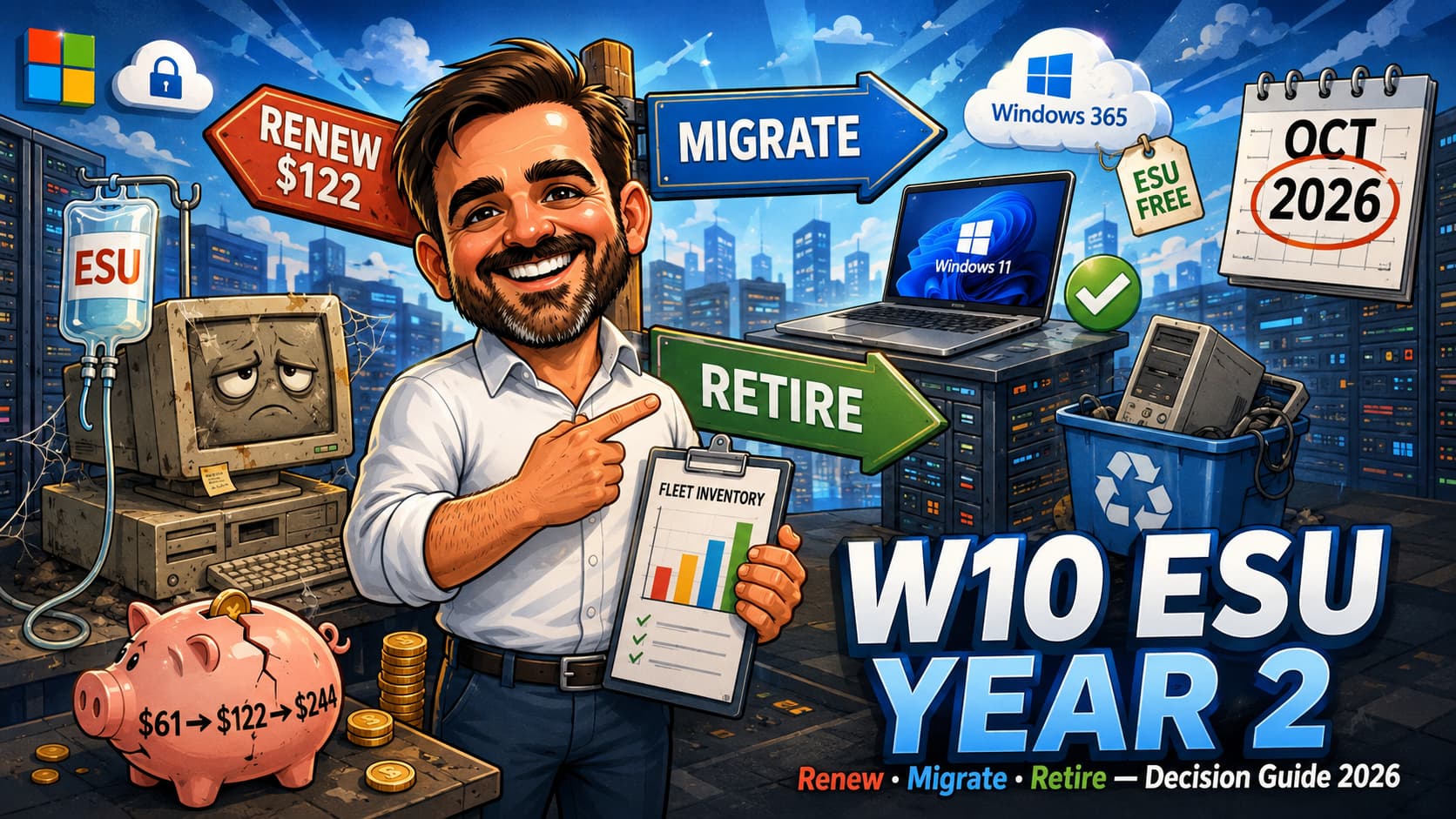
In October 2026, every organisation still running Windows 10 gets a bill, and the bill has doubled. Year one of Extended Security Updates cost 61 USD per device. Year two, covering October 2026 to October 2027, costs 122 USD per device, and the ESU rules are cumulative: join late and you pay for the years you skipped. Meanwhile Microsoft extended the consumer ESU programme through 12 October 2027, with a one-time 30 USD purchase option and no-additional-cost enrolment paths for eligible personal devices, which has produced a dangerous amount of wishful thinking in small businesses ("we will just use the consumer thing"). You will not, and this article explains why. What it also gives you is the actual decision: renew, migrate to Windows 11, replace the hardware, or move the workload to the cloud, with the real per-device maths for each path, an Intune inventory script that tells you in ten minutes how big your problem is, and the edge cases (LTSC, kiosks, the legacy app that only runs on Windows 10) that every fleet has and every plan forgets. The renewal decision lands in October. The clean decisions get made in August. Validate all pricing and dates against Microsoft Learn before you sign anything; the consumer programme already changed once without an announcement.
Where we stand in mid-2026
Windows 10 reached end of support on 14 October 2025. Since then, security updates have been a paid product. Year one of the commercial ESU programme runs to October 2026; the renewal decision for year two is the one now sitting, acknowledged and unopened, in inboxes across every IT department that told itself year one was "just to get us through this budget cycle".
| Milestone | Date | Commercial cost (per device, USD) |
|---|---|---|
| Windows 10 end of support | 14 October 2025 | Free updates end |
| ESU Year One | Nov 2025 to Oct 2026 | 61 |
| ESU Year Two | Oct 2026 to Oct 2027 | 122 (plus year one if you skipped it: ESU is cumulative) |
| ESU Year Three (final) | Oct 2027 to Oct 2028 | 244 |
| After year three | October 2028 | No further option. The bridge ends. |
Three rules worth engraving somewhere visible. First, the price doubles every year, by design; this is not a subscription, it is an eviction notice with instalments. Second, ESU is cumulative: an organisation that skipped year one and wants year two pays for both. Third, devices must run Windows 10 22H2 to receive ESU patches at all, which quietly disqualifies the forgotten 21H2 machines in the warehouse office.
The consumer extension, and why it does not save your business
In mid-2026, the consumer ESU page was updated to show coverage through 12 October 2027. The enrolment options: sync your PC settings at no additional cost, redeem 1,000 Microsoft Rewards points, or make a one-time 30 USD purchase, and devices already enrolled stay covered through that date without further action. There was no blog post or formal announcement; the change appeared as an update to the support page, which several outlets picked up before Microsoft said anything.
Within a week, I had heard the same idea from three different small businesses: "so we can just pay 30 dollars per machine instead of 122". No. Two reasons, one legal and one practical.
- The licensing reason: Microsoft states explicitly that the consumer ESU programme cannot be used in commercial scenarios, and enrolment is not offered for devices joined to Active Directory or Microsoft Entra, or enrolled in MDM. Your fleet is, by definition, made of exactly those devices. This is not a grey area; it is a documented exclusion.
- The practical reason: consumer enrolment is per-device, tied to a Microsoft account, with no volume activation, no Intune integration, no reporting and no way to prove coverage across a fleet. Even if the licence allowed it, you would be trading a manageable renewal for an unmanageable spreadsheet of personal accounts. That is not a security programme; it is a liability with receipts.
The real maths, per path
Numbers for a 100-device Windows 10 fleet, because percentages hide the pain. Adjust linearly for yours, and treat the non-ESU columns as planning figures rather than quotes.
| Path | Year-two cash cost (100 devices) | What you get | What it does not solve |
|---|---|---|---|
| Renew ESU year two | 12,200 USD (plus 6,100 more if year one was skipped) | Twelve more months of critical and important security patches on existing hardware | The same decision returns in October 2027 at 244 USD per device. No features, no support, no future. |
| Migrate eligible devices to Windows 11 | Licence cost: zero for eligible devices. Real cost: project time, app testing, user disruption | A supported OS, hotpatch eligibility on 24H2 Enterprise, and an exit from this article forever | Ineligible hardware. TPM and CPU requirements do not negotiate. |
| Replace ineligible hardware | Hardware budget (typically 600 to 1,100 USD per seat, your mileage varies) | New devices, Autopilot-ready, warranty reset, performance uplift users can feel | Capital expense and lead times. Ordering in September for an October deadline is how fleets end up paying ESU anyway. |
| Move the workload to the cloud | Windows 365 / AVD subscription per user | ESU at no additional cost for Windows 10 VMs in Windows 365, AVD and Azure, and up to three years of ESU entitlement for physical endpoints connecting to a Cloud PC with an active Windows 365 subscription | A different operating model, network dependency, and a per-month cost that outlives the transition if nobody retires it. |
The honest reading of that table: ESU year two is only rational as a funded bridge for a named list of devices with a named exit date. As a general policy for the whole fleet, it is the most expensive way to avoid making a decision that Microsoft has already made for you.
Inventory first: the ten-minute Intune report
Every ESU conversation I have joined that went badly went badly for the same reason: opinions arrived before numbers. The three numbers that decide this are how many Windows 10 devices you actually have, how many of those are on 22H2 (the ESU prerequisite), and how many can take Windows 11. Intune already knows all three.
# Requires Microsoft Graph PowerShell
# Scope: DeviceManagementManagedDevices.Read.All
Connect-MgGraph -Scopes `
  "DeviceManagementManagedDevices.Read.All"

$devices = Get-MgDeviceManagementManagedDevice -All `
  -Filter "operatingSystem eq 'Windows'" `
  -Property deviceName,osVersion,model,manufacturer

# Windows 10 = 10.0.1xxxx builds; 22H2 = build 19045
$w10 = $devices | Where-Object { $_.OsVersion -match '^10\.0\.1' }

$w10 | Group-Object {
    if ($_.OsVersion -match '19045') { 'W10 22H2 (ESU-eligible)' }
    else { 'W10 pre-22H2 (NOT ESU-eligible)' }
  } | Select-Object Name, Count

$w10 | Select-Object DeviceName, OsVersion, Manufacturer, Model |
  Export-Csv .\w10-fleet.csv -NoTypeInformation
# Fastest path, no code: Intune admin center
#   Reports > Endpoint analytics >
#   Work from anywhere > Windows score
# The per-device report includes Windows 11
# hardware readiness (TPM 2.0, CPU, RAM, storage).

# Export it, then join to the fleet CSV
# (hashtable index: fast and correct at any fleet size):
$fleet = Import-Csv .\w10-fleet.csv
$ready = Import-Csv .\w11-readiness-export.csv

$readyIndex = @{}
foreach ($r in $ready) {
  if ($r.DeviceName) {
    $readyIndex[$r.DeviceName.ToLower()] = $r
  }
}

$plan = $fleet | ForEach-Object {
  $r = $readyIndex[$_.DeviceName.ToLower()]
  [pscustomobject]@{
    Device   = $_.DeviceName
    Build    = $_.OsVersion
    Model    = $_.Model
    W11Ready = $r.'Windows 11 readiness'
  }
}
$plan | Group-Object W11Ready | Select-Object Name, Count
$plan | Export-Csv .\esu-decision-input.csv -NoTypeInformation
What the numbers usually say, in my experience with SMB and mid-market fleets: 60 to 85% of remaining Windows 10 devices are Windows 11-eligible and simply never got scheduled. The ESU bill for those devices is not a security investment; it is a procrastination tax. The genuinely ineligible remainder is where the real decision lives.
The decision, device by device
Fleet-level answers are usually wrong because fleets are not uniform. The durable framing is a device-level split:
| Device population | Right path | Why |
|---|---|---|
| Windows 11-eligible, general office use | Migrate now, no ESU | The upgrade is free, the tooling (Autopilot, feature update policies) is mature, and every month of delay is rented time on a dead OS. |
| Ineligible hardware, aged 5+ years | Replace on a schedule; ESU only for the tail that cannot be replaced by October | You were replacing these anyway. ESU for the stragglers is legitimate bridge spending with an end date. |
| Ineligible hardware, business-critical, hard to move (lab PCs, controllers for equipment, the machine running the licence dongle) | ESU year two, named and documented, plus isolation | This is what ESU exists for. Pair it with network segmentation and a written exit plan, because year three costs 244 USD and year four does not exist. |
| VDI / cloud-bound workloads | Windows 365 / AVD | ESU is included for Windows 10 VMs in these services, and Cloud PC subscriptions carry ESU entitlement for the physical endpoints that connect. Check before paying for devices twice. |
| Genuinely personal devices (not domain/Entra-joined, not MDM-enrolled) | Consumer ESU, owner-managed | That is the only population the consumer programme is offered to. Point, do not manage. |
If you renew: doing ESU year two properly
- Name the devices. ESU for "the fleet" is a smell. ESU for "these 23 devices, listed, with owners and an exit quarter" is a plan. The minimum purchase is one licence, so buy exactly what the list says.
- Confirm 22H2 everywhere. Pre-22H2 devices do not receive ESU updates. Fix the stragglers before paying for them.
- Buy through volume licensing and activate per Microsoft's current guidance. The mechanics (MAK keys surfaced in the Microsoft 365 admin center, activation sequencing) are documented on Learn and have their own gotchas; follow the current article rather than a blog memory of it, mine included.
- Check the free-ESU scenarios before paying. Windows 10 VMs in Windows 365, AVD, Azure VMs and related services are covered at no extra cost, and physical endpoints connecting to Cloud PCs carry entitlement for up to three years with an active subscription. Note the mechanics for those physical endpoints: the entitlement is tied to the user and validated through Cloud PC sign-in, requires policy enablement, and has documented reporting limitations; follow the current Windows 365 ESU documentation rather than assuming it lights up by itself. I have seen an organisation buy ESU for a VDI estate that already had it. The refund conversation was not quick.
- Isolate what you are keeping. An ESU device is a patched dead OS, not a healthy one. Segment it, restrict its internet exposure where the workload allows, and watch it in Defender like the legacy asset it is.
- Write the exit line in the same document as the renewal. "These devices retire by Q2 2027" written next to the purchase order is what stops year three from happening by default.
If you migrate: the short version
The full migration playbook is its own article (two of them, in fact: my Autopilot pre-provisioning guide and the GPO-to-Intune migration guide cover the mechanics). The ESU-relevant points:
- Windows 11 24H2 with hotpatch-eligible Enterprise licensing changes the update conversation entirely: security updates without restarts for most months of the year. Note that hotpatch is not just "24H2 Enterprise": it also depends on eligible licensing, an Intune or Windows Autopatch update policy, baseline currency and VBS being enabled. If update-related downtime was a reason the fleet stayed on Windows 10, that reason has expired, but check the prerequisites before promising it.
- Feature update policies in Intune can drive the 10-to-11 move in rings, using the same update machinery you already run. Pilot ring, validation ring, broad ring, and the loud complainers in the pilot on purpose.
- App compatibility fear is mostly folklore at this point. Test the genuinely ancient line-of-business apps, but the "everything breaks on Windows 11" era is years behind us. The inventory CSV from earlier is also your app-testing shortlist.
- Do not pay ESU for devices you plan to migrate before December. The coverage year is not prorated. A device migrating in November that got a year-two licence in October is 122 USD of pure regret.
The edge cases every fleet has
- LTSC: Windows 10 LTSC editions run their own lifecycle (IoT Enterprise LTSC 2021 in particular runs to 2032) and are not part of this ESU conversation. If a kiosk or industrial device genuinely cannot move, re-platforming it to LTSC at next replacement is often the honest answer, not three years of ESU.
- Kiosks and single-app devices: before paying 122 USD to keep a browser kiosk alive, price the same function on a cheap Windows 11 device or a locked-down alternative. Kiosk workloads are the easiest migrations in the fleet.
- The legacy app that only runs on Windows 10: confirm that claim this year; vendors updated quietly and "it does not support Windows 11" is often 2023 information. If it is genuinely stuck, that app, not the device, is the risk item: isolate it, ESU it, and put the replacement on the roadmap where the auditors can see it.
- Azure and hybrid VMs: check the covered-service list before spending anything; Windows 10 VMs in Azure and several adjacent services are entitled to ESU at no additional cost.
The mistakes I am watching people make
- Building a business plan on the consumer extension.The 30 USD programme is for personal devices. Out-of-licence enrolment plus zero fleet management is not a strategy, it is two problems wearing a trench coat.
- Renewing for the whole fleet "to be safe".Blanket ESU converts a device-level decision into a recurring tax and guarantees the same meeting happens next October at double the price. Name the devices or do not renew.
- Skipping the free-ESU check.Windows 365, AVD and Azure coverage means part of many fleets is already entitled. Five minutes of checking against a five-figure purchase order.
- Paying for pre-22H2 devices.They do not receive the updates you just bought. The prerequisite is one build number, and nobody checks it.
- Ordering replacement hardware in September.Lead times plus imaging plus Autopilot onboarding do not fit between a September purchase order and an October deadline. That gap is how fleets end up paying ESU for a migration that was already approved.
- Treating ESU devices as normal devices.They run a dead OS with a security subscription. Segment them, restrict them, monitor them, and stop deploying new software to them.
- Forgetting that year three is the last year.October 2028 is the wall. An exit plan written in 2026 is a project; one written in 2028 is an emergency with a budget request attached.
Windows 10 ESU year two FAQ
We skipped year one. Can we just buy year two?
Yes, but you pay for year one as well: ESU is cumulative by design. A 100-device fleet joining now pays 6,100 USD for the year it skipped plus 12,200 USD for year two. That retroactive bill changes the migrate-versus-renew maths considerably, usually in migration's favour.
Does ESU include support if something breaks?
No. ESU covers critical and important security updates only. No new features, no non-security fixes, and no general technical support beyond issues with the ESU itself. If a Windows 10 problem is costing you helpdesk hours today, ESU does not make that cheaper; it just makes it patched.
Can we mix paths across the fleet?
You should. The healthy October 2026 outcome for a typical fleet is: eligible devices migrated, ineligible-but-replaceable devices on a purchase schedule, a short named list on ESU year two with an exit date, VDI workloads confirmed as already covered, and personal devices pointed at the consumer programme. One invoice, five lines, no blanket anything.
Is the consumer ESU really usable by a business for a handful of machines?
No, and this one is not even a judgement call: Microsoft documents that the consumer programme cannot be used in commercial scenarios, and enrolment is not offered for devices joined to Active Directory or Microsoft Entra, or enrolled in MDM. A managed company endpoint cannot take the shortcut even if you wanted it to. For a genuinely tiny fleet where 122 USD per device feels heavy, the better questions are whether those devices are Windows 11-eligible (the upgrade is free) or whether they should be replaced.
What about the machines that will not be replaced or migrated by October 2027 either?
Year three exists (244 USD per device, to October 2028) and then the programme ends permanently. If a device will still be essential and still be on Windows 10 in 2028, its problem is not patching; it is that nobody has owned its replacement. Give it an owner, a line in the risk register, and a date.
Does Windows 10 stop working without ESU?
No. Devices keep running; they just stop receiving security updates, which in 2026 means an internet-connected device accumulating known, unpatched, actively exploited vulnerabilities. For anything that touches company data, "still works" is not the bar. It stopped being the bar in October 2025.
- Extended Security Updates (ESU) program for Windows 10
- Enable Extended Security Updates (commercial enrolment and activation)
- Enable Windows 10 ESU for clients accessing cloud and virtual machines
- Windows 10 Consumer Extended Security Updates programme
- End of support for Windows 10
- Windows IT Pro Blog: when to use Windows 10 Extended Security Updates
- Windows Lifecycle FAQ
- Coverage of the quiet consumer ESU extension to October 2027
Staring at a fleet spreadsheet and an October deadline?
This is a decision I help small IT teams work through: the inventory, the per-device split, and the migration plan for the devices that can move. If a second pair of eyes on the numbers would help, get in touch. August conversations are calmer than October ones.
Talk to me