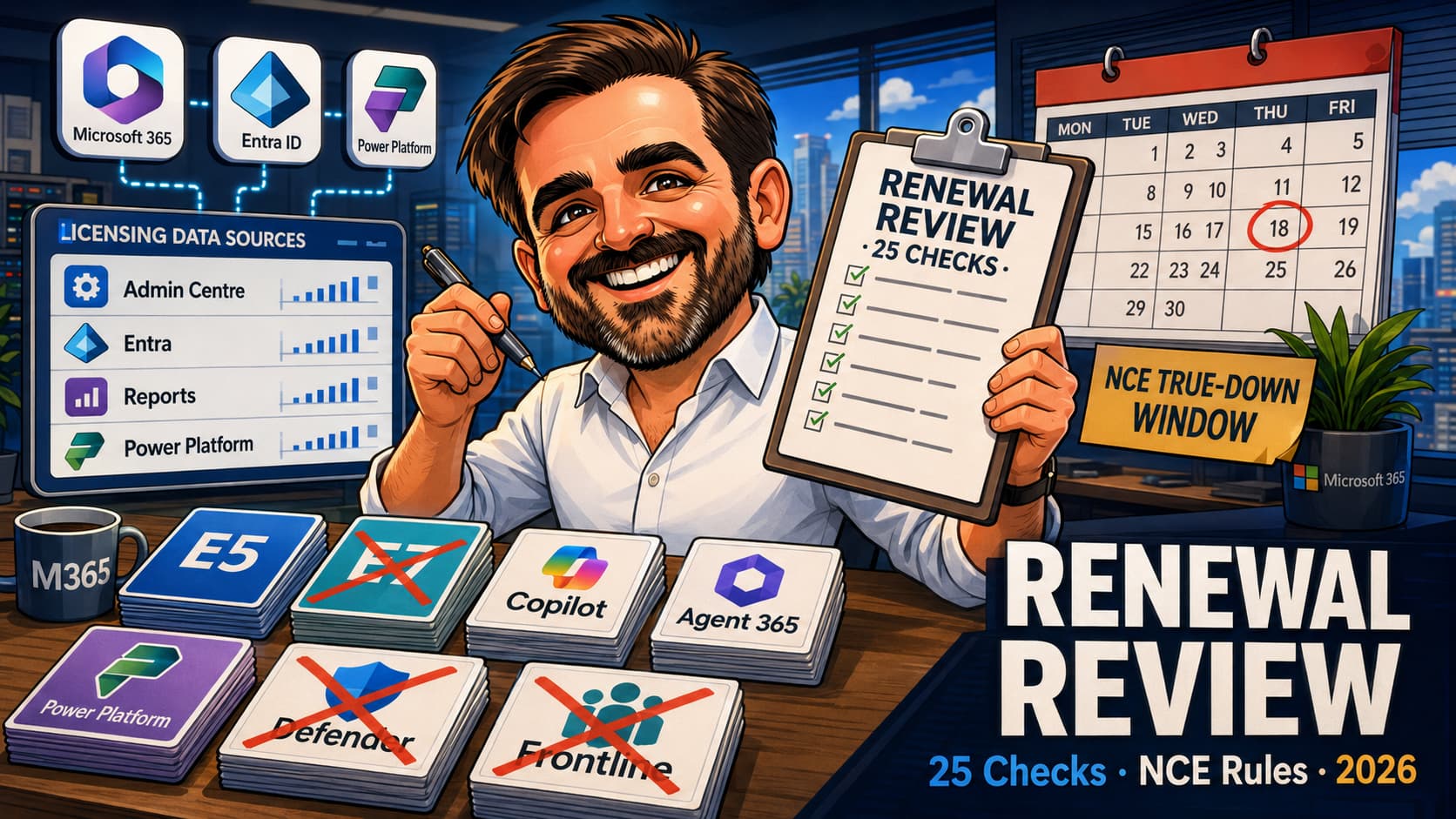
Microsoft 365 renewals fail in a recognisable way. The procurement team treats them as a contract conversation, the IT team treats them as a configuration conversation, and nobody owns the cost-versus-usage view that joins the two. A few months later the renewal lands, the same SKUs are signed off again, the same inactive users keep their E5 entitlement, the same pilot SKUs that quietly became permanent are renewed, and the same Copilot licences sit on users who have not opened the chat pane in months. This article gives Microsoft 365 admins the 25-check renewal review I run before every M365 renewal: the four data sources, the inactive-user patterns, the over-assigned SKU traps, the Copilot and Agent 365 usage signals, the New Commerce Experience (NCE) calendar discipline and the per-licence-decision evidence pack. Use this article as an operational runbook, not as a replacement for Microsoft Learn or your CSP / partner agreement. Before signing renewal commitments, validate NCE term rules, cancellation / seat-reduction windows, licensing prerequisites and current Microsoft 365 admin centre reporting against your tenant.
1. Renewal in the next 30-60 days: read the data sources and the 25 checks; skip to the NCE calendar discipline section before quoting target reductions to the partner.
2. Quarterly review between renewals: run the 25 checks at quarterly cadence so the renewal day surfaces no surprises.
3. Inheriting a tenant with no historical review: capture the licence baseline first; the 25 checks then produce the gap list and the negotiation position for the next anniversary.
Why a 2026 Microsoft 365 renewal review matters
The Microsoft 365 commercial surface in 2026 is more complex than it was even two years ago. Microsoft 365 E7 became generally available on 1 May 2026 and bundles Microsoft 365 E5-level productivity / security capabilities with Microsoft 365 Copilot, Microsoft Agent 365 and Microsoft Entra Suite capabilities. The New Commerce Experience continues to shape the calendar around term length and mid-term changes. The Copilot commercial surface is no longer only a per-user licensing conversation: the core Microsoft 365 Copilot experience remains licence-led, but extensibility, agents, Work IQ API and some consumption scenarios introduce Copilot Credits, Copilot Credit Commit Units and pay-as-you-go meters. Agent 365 packaging is evolving and should be validated per tenant.
Three operational realities follow from that:
- A renewal that re-buys last year's SKU mix without a usage view almost certainly overpays. The number of credible reduction patterns — inactive users, low-Copilot-usage candidates, over-assigned bundles, deprecated standalone SKUs — has grown faster than most admin teams have rebuilt their review process.
- The NCE calendar is now part of the deal. Under CSP New Commerce, mid-term reductions are constrained and missing the cancellation / seat-reduction window can lock the tenant into a year of paying for licences it stopped needing in month two. Validate the exact window and agreement-specific terms with the CSP / partner before assuming flexibility.
- The Copilot and Agent 365 commercial conversation needs a separate evidence layer. Usage signals, low-prompt-count candidates, Copilot Credits consumption trends and Agent 365 packaging evolutions move at a different cadence to the rest of the licence estate.
The practical implication for an admin: the renewal review is not a once-a-year procurement workshop. It is a quarterly discipline tied to platform changes, licence assignment events and usage signals, with the renewal day as the moment the evidence converges into a decision.
The four data sources every renewal review starts from
Four Microsoft surfaces give you most of the cost-versus-usage view. Pull them once at the start of the review and save the exports as the baseline for the 25 checks that follow.
| Source | What it covers | What to export |
|---|---|---|
| Microsoft 365 admin centre | Per-SKU licence inventory, available + assigned counts, billing cycle, subscription dates. Per-user licence assignments. | Billing → Your products (subscriptions list); Users → Active users (per-user assignments CSV). |
| Microsoft Entra admin centre | Licences (per-group assignments), sign-in activity, last-interactive-sign-in dates, license usage report. | Identity → Users → Sign-in logs / Last sign-in column; Identity → Licenses; Identity → Monitoring & health → Sign-ins. |
| Microsoft 365 reports / usage analytics | Per-workload activity by user (Exchange, Teams, SharePoint, OneDrive, Microsoft 365 apps). Last activity dates per workload. | Microsoft 365 admin centre → Reports → Usage; export each workload's per-user activity CSV. |
| Power Platform admin centre | Power Platform per-user / per-tenant licences and capacity, Dynamics licences where applicable, Copilot Studio and connector consumption signals. | Power Platform admin centre → Licenses + Environments; Power Apps and Power Automate usage analytics where available. |
The 25 checks
Twenty-five checks across five categories. Each check has a column for what to verify, where to verify it and the savings or risk pattern it surfaces. Run them in order; document the result of each one in the evidence pack.
License inventory & cost mapping — Checks 1 to 5
The first five checks establish the cost baseline. Without them, the rest of the review is comparing usage signals against numbers that nobody has confirmed.
| Check | What to verify | Where to verify | What good looks like |
|---|---|---|---|
| 01Complete licence inventory exported | Every Microsoft 365, Power Platform, Dynamics and add-on subscription captured: SKU name, count assigned, count available, term type, term length, anniversary date, monthly or annual cost. | Microsoft 365 admin centre → Billing → Your products. Cross-reference against the CSP / partner billing portal where applicable. | Single CSV inventory stored in the evidence pack with the cross-reference reconciled. No "we think we have around 200 E5" guesses. |
| 02Cost mapped per SKU and per user | Cost per SKU multiplied by assigned count produces the per-SKU footprint. Per-user cost where bundles and add-ons stack on the same user. | The inventory CSV plus the active-users CSV; combine in a spreadsheet or BI tool to compute per-user cost. | Top 10 most expensive users identified by name; SKU stacking visible (e.g. user has E3 + Defender for Office 365 P1 + Copilot — total per-user cost surfaced). |
| 03Per-user assignment baseline | Who has what licence today; when was it assigned; under which assignment model (direct, group-based, inherited). | Microsoft 365 admin centre → Users → Active users; Microsoft Entra admin centre → Licenses. | Per-user assignment CSV with assignment timestamp and source (direct vs group). Anomalies (users with conflicting direct + group assignments) flagged. |
| 04Group-based licensing hygiene | Which groups assign which SKUs, failed or partial assignments, group membership drift that quietly expanded the licensed population. | Microsoft Entra admin centre → Identity → Licenses → All products; check failed / reprocessing assignments. | No failed group-based assignments; documented owner per licensing group; quarterly review of group membership against the SKU intent. |
| 05Power Platform and Dynamics in scope | Power Platform per-user licences, environment licences, Dynamics licences and any AI Builder / Copilot Studio capacity captured in the baseline. | Power Platform admin centre → Licenses + Environments. Microsoft 365 admin centre → Billing for Dynamics where included. | Power Platform licences and capacity reconciled against the active environments and the named makers / users; orphan environments flagged. |
Inactive and lapsed users — Checks 6 to 9
Inactive users are the most common single source of recoverable spend in an SMB or mid-sized tenant. The four checks below cover the patterns.
| Check | What to verify | Where to verify | What good looks like |
|---|---|---|---|
| 06No Microsoft 365 sign-in in 90 days | Active accounts (not disabled) with no interactive sign-in in the last 90 days that still hold a paid Microsoft 365 licence. | Microsoft Entra admin centre → Users → All users → Last sign-in column; filter / export to identify the cohort. | List produced; each entry has a documented decision: revoke, reassign to a Frontline tier where eligible, leave with rationale (long-term leave, regulated retention). |
| 07No workload activity in 60 days | Active accounts with no Exchange / Teams / SharePoint / OneDrive / Microsoft 365 apps activity in the last 60 days, even if they have signed in. | Microsoft 365 admin centre → Reports → Usage; per-workload activity CSVs. | Cross-workload zero-activity cohort identified; combined with check 06 to refine the inactive-users list (some users sign in but do nothing — the cost is the same). |
| 08Disabled accounts still holding paid licences | Disabled user accounts that retain a paid Microsoft 365 licence assignment, often because the disable step removed sign-in but not licences. | Microsoft Entra admin centre → Users → filter by Account enabled = No; cross-reference licences. |
Zero disabled accounts with paid licences; documented exceptions for legal hold or eDiscovery retention scenarios. |
| 09Departed-user lifecycle discipline | Accounts in the leaver pipeline that are not yet decommissioned and still carry licences; the gap between HR offboard date and the IT decommission step. | HR offboarding report cross-referenced against the active-users + licences CSV. | Decommission SLA documented (e.g. licences removed within 7 days of HR offboard); per-leaver record of when the licence was removed. |
Over-assigned SKU patterns — Checks 10 to 14
Over-assignment is where the renewal review surfaces the SKU mix that grew over multiple years. The five checks below target the most common patterns.
| Check | What to verify | Where to verify | What good looks like |
|---|---|---|---|
| 10E5 / E7 users where the business justification is unclear | Users or groups on Microsoft 365 E5 / E7 where the business justification for E5 / E7-only capabilities (advanced eDiscovery, Customer Lockbox, Defender for Cloud Apps, Audit Premium, Information Barriers, Power BI Pro at the E5 level) is unclear, not evidenced, or better served by E3 plus targeted add-ons. | Microsoft Purview portal (Audit, eDiscovery cases); Defender portal (Cloud Apps activity); Power BI service per-user activity; business sponsor review. | Per-user feature-usage view combined with documented business justification; candidates for downgrade to E3 + targeted add-ons identified. Do not downgrade purely on per-user activity — validate compliance, security and tenant-wide control requirements before recommending a lower SKU. |
| 11Overlapping standalone + bundle SKUs | Users with both a bundle (e.g. E3 with Defender for Office 365 P1 included) and a standalone duplicate of the included service (e.g. standalone Defender for Office 365 P1 add-on). | Per-user assignment CSV; cross-reference SKU contents against duplicates. | Zero unintentional duplicates; documented exceptions (e.g. legacy contractual reasons) flagged for resolution at renewal. |
| 12Pilot SKUs that became permanent quietly | SKUs added as a 10-licence pilot that grew to 25, 50, 100 without a documented graduation decision; standalone add-ons originally bought for a specific project now spanning the whole tenant. | Subscription history; per-SKU assigned-count trend over the previous 12-24 months. | Each non-baseline SKU has a documented sponsor, business case and renewal decision; orphan pilots flagged for either formalisation or removal. |
| 13Frontline Worker tier candidates | Users whose only Microsoft 365 usage is Outlook web, Teams chat and shared knowledge consumption could be served by a Frontline Worker SKU (F1 / F3) instead of a full E3 / E5. | Per-workload activity CSVs; cross-reference against the user's role and device usage. | List of Frontline candidates with role / department / device profile; sample validation against the Frontline SKU's feature set; HR / business unit sign-off recorded. |
| 14Service accounts and shared mailboxes | Service accounts and shared mailboxes with paid licences attached when the operating model may not require them. | Microsoft Entra admin centre → Users (filter by account type); Exchange admin centre → Recipients → Mailboxes. | Service accounts / shared mailboxes inventory with a per-account licensing rationale; unjustified paid licences removed where supported. Do not remove licences from shared mailboxes before validating mailbox size, archive, hold, compliance, security and feature requirements — some scenarios require a paid licence to function correctly. |
Copilot and Agent 365 — Checks 15 to 19
Copilot and Agent 365 introduce a new commercial layer that the renewal review must treat separately. Five checks here, because the consumption model and the per-tenant licensing variability are materially different from the rest of the licence estate.
| Check | What to verify | Where to verify | What good looks like |
|---|---|---|---|
| 15Microsoft 365 Copilot low-usage candidates | Users assigned a Microsoft 365 Copilot licence who fall below an internally agreed adoption threshold, for example low prompt activity over the review period or no Copilot activity for 60 days. The threshold is an internal organisational definition, not a Microsoft benchmark. | Microsoft 365 admin centre → Reports → Microsoft 365 Copilot usage; per-user activity export. | Low-usage candidates list; per-user decision: reassign, train, retire the licence. Communication plan in place before reassignment lands on the user. |
| 16Copilot Credits consumption trend | Copilot Credits / Copilot Credit Commit Units consumption per workload (Copilot Studio, Work IQ API, pay-as-you-go meters) trended over the past three to six months. | Microsoft 365 admin centre → Billing or Copilot Credits surface where exposed; Power Platform admin centre for Studio-side consumption. | Monthly consumption trend captured; outliers (sudden spikes) identified by workload; alert threshold configured in commerce. |
| 17Agent 365 licensing validation per tenant | Agent 365 packaging, prerequisites, eligible base licences and any standalone / add-on entitlement validated against current Microsoft Product Terms and the active CSP / partner quote. Separate generally available licensing from Frontier / preview capabilities, because some Agent 365 capabilities may depend on programme access, tenant eligibility or preview terms. | Microsoft Product Terms; CSP / partner quote; Microsoft Learn Agent 365 documentation. | Current Agent 365 entitlement and prerequisites confirmed in writing for the tenant; GA vs Frontier / preview capabilities separated on the worksheet; no assumed coverage from a lower SKU or a previous quote. |
| 18Microsoft 365 Copilot Chat vs paid Copilot | Users with a paid Microsoft 365 Copilot licence whose usage appears limited to capabilities available in Copilot Chat or another lower entitlement, subject to validation of grounding, app integration, security requirements and business role. | Microsoft 365 Copilot usage report; Copilot feature-usage breakdown where surfaced. | Downgrade candidates list with the same documented decision pattern as check 15; no users on the paid SKU just because the procurement bought it. |
| 19Departed users still holding Copilot or Agent 365 licences | Users in the leaver pipeline whose Copilot / Agent 365 entitlement was not removed during decommission; common because Copilot offboarding sits outside the standard licence removal step. | Leaver report cross-referenced against Copilot and Agent 365 assigned users; HR offboard date vs Copilot licence-removed date. | Decommission SLA includes Copilot and Agent 365 removal; per-leaver record of when the licences were actually removed. |
Governance and renewal calendar — Checks 20 to 25
Six checks on governance and calendar discipline. Without them, the previous nineteen checks produce a report nobody acts on at the renewal moment.
| Check | What to verify | Where to verify | What good looks like |
|---|---|---|---|
| 20NCE anniversary date and cancellation / seat-reduction window | Per-subscription anniversary date documented; the cancellation / seat-reduction window mapped; mid-term reduction rights and constraints recorded. | Microsoft 365 admin centre → Billing; CSP / partner agreement; current Microsoft NCE documentation. | Renewal worksheet has anniversary date, term length, cancellation / seat-reduction window, mid-term change rights documented per SKU and validated against the partner. |
| 21CSP vs EA vs MCA term discipline | The right term length per SKU (month-to-month vs annual vs three-year) based on usage stability, growth expectation and price-lock value. | Internal review of growth plan + the per-SKU cost difference across term lengths quoted by the partner. | Per-SKU term length is a documented decision with rationale, not a default inherited from the previous renewal. |
| 22Deprecated and EOL SKUs identified | SKUs in the tenant that Microsoft has deprecated, retired or replaced with a successor (older Office 365 plans, standalone services that are now in bundles, retired Power BI tiers). | Microsoft Learn product retirement pages; Microsoft 365 Roadmap; Message Center notices. | Deprecated SKUs flagged for transition before renewal; transition path documented; no orphan retired SKUs renewed by inertia. |
| 23Single accountable renewal decision owner | One named person accountable for the renewal review outcome, not a shared accountability between IT, procurement and finance. | Internal governance documentation. | Named owner; sponsor at executive level; calendar invite for the renewal decision meeting set 60-90 days before anniversary. |
| 24Quarterly licence review cadence | The 25 checks are re-run at least quarterly between renewals so the renewal day surfaces no surprises. | Internal governance documentation; calendar entries for the quarterly review. | Named owner; calendarised cadence; per-quarter evidence pack stored; trend per check captured (improved / stable / regressed). |
| 25Business unit chargeback and cost allocation | Per-business-unit licence consumption captured and chargeback / cost allocation aligned with the unit's actual usage rather than headcount alone. | HR / finance group assignments cross-referenced against per-user SKU costs from check 02. | Per-BU consumption report; chargeback model documented; BU heads see their licence cost in their monthly P&L. |
NCE calendar discipline: the calendar is part of the deal
The New Commerce Experience changes the renewal conversation from "what do we buy this year" to "what do we buy, on what term, against which anniversary date". Three elements need to be on the renewal worksheet for every SKU:
Anniversary date
The date the term started; reductions outside the cancellation / seat-reduction window are typically not possible until the next anniversary. Mismatched anniversaries across different SKU lines (e.g. E3 renewed in March, Copilot bought in July) reduce flexibility because each line has its own clock. Validate the anniversary date per subscription in the Microsoft 365 admin centre billing surface and against the CSP / partner record.
Cancellation / seat-reduction window
Under CSP New Commerce, seat reductions are generally only possible during the documented cancellation / seat-reduction window after purchase or renewal; outside that window, reductions are typically scheduled for the next term. The exact window and rules depend on agreement type and the negotiated terms; validate the exact window and agreement-specific terms with the CSP / partner before promising savings. Treat the window as the operational deadline for any reduction decision the review produces.
Term length decision
Month-to-month, annual and three-year terms typically carry different per-seat cost. The decision is not "always pick the cheapest"; it is "match term length to usage stability and growth assumption". Stable, mature workloads with predictable headcount fit annual or multi-year terms. Pilot SKUs, Copilot expansions and any line still in usage discovery fit month-to-month, accepting the per-seat premium for the flexibility. Document the rationale per SKU; the documentation is what makes the decision defensible next year.
Where the Microsoft reporting helps and where it falls short
The four data sources give you most of the cost-versus-usage view. They are not exhaustive, and an honest renewal review acknowledges the gaps.
Where the reporting is strong
- Per-SKU subscription and billing data in the Microsoft 365 admin centre is straightforward to export.
- Last sign-in and per-workload activity data in the Microsoft 365 reports cover the high-volume inactive-user patterns.
- Microsoft 365 Copilot usage reporting has matured through 2026 to cover per-user activity at a level that supports low-usage candidate identification.
Where the reporting falls short
- Cross-SKU feature-usage views (the "user has E5 but only uses E3 features" question) typically need to be reconstructed manually from per-feature surfaces (Defender, Purview, Power BI).
- Copilot Credits consumption per agent or workload is improving but is not always exposed as a simple report; expect to combine Microsoft 365 admin centre billing data with Power Platform admin centre signals.
- Agent 365 packaging and prerequisite reporting is evolving; treat it as a manual verification with the CSP / partner rather than an automated report.
- Group-based licensing assignment failures sometimes need a separate investigation in Microsoft Entra to understand why a user did not receive the intended SKU.
The per-licence-decision evidence pack
The deliverable of the renewal review is a per-licence-decision pack. Capture the same fields for every decision so the pack is comparable across runs and defensible to finance and audit.
| Field | What to capture |
|---|---|
| Decision ID | Identifier for the per-user, per-group or per-SKU decision. |
| Scope | User UPN, group ID or SKU code the decision applies to. |
| Current state | SKU assigned today; assignment source (direct / group / inherited); cost per month. |
| Target state | SKU after the decision (downgrade, remove, reassign, stay). |
| Rationale | Usage data referenced (check ID + observation), business owner sign-off, plain-English reason. |
| Expected saving | Per-month saving from the change; annualised view. |
| NCE constraint applied | Can the change be made within the cancellation / seat-reduction window, at the next anniversary, or is it captured for the renewal worksheet? Validate against the active CSP / partner agreement. |
| Change date / target | When the change is scheduled (immediate, anniversary, end of pilot window). |
| Approval evidence | Business owner / sponsor sign-off record (e-mail, ticket, governance meeting minute). |
| Post-change verification | Did the change land as expected? Verified per-user activity post-change. |
Pre-review checklist (12 items)
Before running the 25 checks, work through the 12 preparation items below.
- Admin access confirmed across Microsoft 365 admin centre, Microsoft Entra admin centre, Microsoft Purview, Microsoft Defender, Microsoft 365 reports and Power Platform admin centre.
- CSP / partner billing portal access available where the tenant is on CSP.
- The four data source exports prepared (date-stamped, stored together in the evidence folder).
- Per-SKU cost data confirmed against the active agreement (not assumed from public list prices).
- Anniversary date and term length captured per subscription before the checks start.
- Microsoft 365 Copilot and Agent 365 usage reporting access confirmed.
- HR offboarding report available for cross-reference against active users.
- Business owner / sponsor identified for any non-baseline SKU in scope.
- Single named owner accountable for the review outcome.
- Evidence pack template prepared with the per-decision field structure.
- Decision-meeting calendar set 60-90 days before the renewal anniversary.
- Communication plan ready for users whose licences will change post-renewal.
Common mistakes
- Treating the renewal as a procurement task.The procurement team negotiates the contract; the admin team owns the cost-versus-usage view. Without the second piece, the negotiation re-buys the previous year's SKU mix and the savings opportunity passes.
- Assuming Microsoft list price equals the agreement price.CSP, EA and MCA agreements typically carry discounts, term-length pricing and customer-specific terms. Reconcile per-SKU cost against the active agreement before computing savings; public list prices misstate the baseline.
- Skipping the four data exports.Without the same-day exports, the inactive-user, over-assignment and Copilot low-usage analysis runs on stale data. Capture all four on the same day; refresh quarterly.
- Ignoring the NCE calendar.A reduction decision identified in month two of a twelve-month term that falls outside the cancellation / seat-reduction window cannot land until month thirteen. Always map the decision against the NCE calendar and validate the exact window with the CSP / partner before promising savings to finance.
- Treating Copilot and Agent 365 as part of the regular licence review.The consumption model, per-tenant licensing variability and rapid packaging evolution make Copilot and Agent 365 their own review layer. Treat them as such; do not bundle them into the E3 / E5 conversation.
- Removing licences without communicating to users.A Copilot downgrade or a Frontline tier reassignment lands as a user-visible change. A short communication before the change avoids a wave of helpdesk tickets and a documented business-owner sign-off makes the decision defensible.
- Forgetting deprecated SKUs that quietly renew.Older Office 365 plans, standalone services now in bundles and retired Power BI tiers can sit on the renewal worksheet for years because nobody flagged the transition. Walk the inventory line by line at every renewal.
- Running the review once a year.A quarterly review cadence surfaces drift between renewals so the renewal day produces no surprises. The review-once-a-year tenant always discovers something material at the wrong moment of the year.
Microsoft 365 renewal review FAQ
How long does the 25-check renewal review take?
A first-pass run on an SMB or mid-sized tenant typically takes two to three working days with admin access, the CSP / partner billing portal available and the four data exports already pulled. A quarterly re-run, once a baseline is established, takes a working day or less because the comparison is against the previous evidence pack. Inheriting a tenant with no historical review adds time because the baseline data sources have to be captured for the first time.
Should I run the review internally or use an external consultant?
Either works. Run internally if the team has the time, the access and the willingness to capture evidence honestly (including for the SKUs that are over-assigned because the team itself approved the expansion). Use an external Microsoft 365 renewal review when leadership wants an independent perspective, when the tenant is approaching a multi-year renewal, when the Copilot and Agent 365 commercial layer has grown complex, or when the previous review was procurement-led without a usage view. The 25 checks below are the same in both cases; the evidence pack and the renewal worksheet are the deliverable in both cases.
How much can a renewal review typically save?
It depends on the starting state. Tenants running a quarterly review cadence with disciplined offboarding rarely surface large savings because the savings have already been captured. Tenants that have not run a structured review in 18-24 months frequently identify recoverable spend in the high-single-digit to low-double-digit percentage range, with most of it concentrated in inactive users, over-assigned bundles and low-usage Copilot licences. The honest answer in any specific case is: the four data exports tell you, the 25 checks size it, and the NCE calendar dictates how much can be actioned in the current cycle versus the next anniversary.
Does the review cover Power Platform and Dynamics?
Yes, where relevant to the tenant. Check 05 explicitly brings Power Platform per-user and per-tenant licences plus capacity into the baseline; Dynamics is included where the tenant has Dynamics subscriptions. The Power Platform admin centre is one of the four data sources for that reason. Many tenants discover at the renewal that Power Platform consumption is the fastest-growing line in the licence estate.
What evidence should I keep after a renewal review?
Per-licence-decision: decision ID, scope, current state, target state, rationale (usage data + business owner sign-off), expected saving, NCE constraint applied, change date, approval evidence and post-change verification. Plus the four data source exports with a timestamp, the renewal worksheet with anniversary date and term length per SKU and the named owner for the review outcome. See the evidence pack table earlier in this article for the full field list.
How do I handle the renewal review for Microsoft 365 Copilot specifically?
Treat it as a separate review layer (checks 15-19). The patterns are different: low-usage candidates need a usage threshold the organisation defines, Copilot Credits consumption needs a trend view per workload, Agent 365 packaging needs per-tenant validation against current Microsoft Product Terms, and Copilot Chat vs paid Microsoft 365 Copilot downgrade candidates need their own decision pattern. Bundle the Copilot review with the Agent 365 review and keep both separate from the broader E3 / E5 conversation; the consumption model and the licensing variability make this the right operational pattern.
References & further reading
- Manage your Microsoft 365 subscriptions and billing
- Manage licences in the Microsoft 365 admin centre
- Manage subscriptions
- Group-based licensing in Microsoft Entra ID
- Microsoft Entra licensing fundamentals
- Microsoft 365 activity reports in the admin centre
- Microsoft 365 apps usage report
- Microsoft Teams user activity
- Active users report
- Microsoft Entra sign-in logs
- Microsoft 365 Copilot usage report
- Microsoft 365 Copilot documentation
- Microsoft Agent 365 documentation
- Administer Microsoft Copilot Studio
- New Commerce Experience overview (Partner Center)
- New Commerce Experience billing
- Microsoft Product Terms
Planning a Microsoft 365 renewal and want an evidence-led review?
I can help run the 25-check review and produce the evidence pack your IT, procurement and finance teams need before the partner conversation: the four data exports, the inactive-user and over-assigned-SKU analysis, the Copilot and Agent 365 commercial layer, the NCE calendar mapping and the per-licence-decision worksheet.
Request a Microsoft 365 Renewal Review