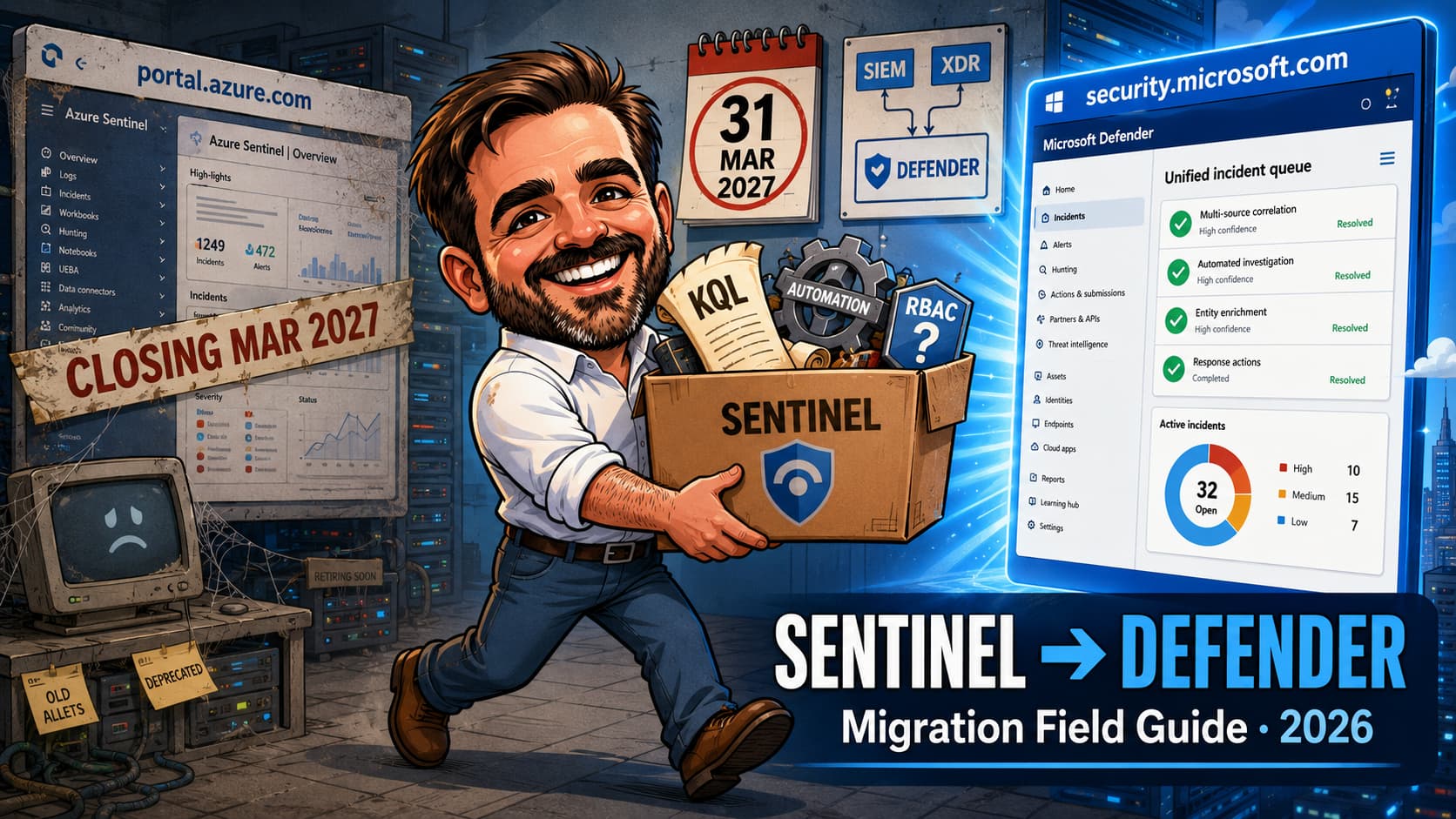
There are two kinds of Sentinel admins right now: the ones already working in the Defender portal, and the ones who think 31 March 2027 is far away. This guide is for the second group, written by someone who has cleaned up after both. Since July 2025, many new Microsoft Sentinel customers have been automatically onboarded or redirected to the Defender portal. Existing Azure portal users still have a transition window, but that window now has a hard end: after 31 March 2027, Microsoft Sentinel is no longer supported in the Azure portal and the Defender portal becomes the only supported experience. And let me be blunt about what this is not: it is not the same screens at a new URL. The incident engine changes owners. The permission model grows a second head. Automation rules break in ways that are boringly predictable once you know them and infuriating when you don’t. Fusion as a Sentinel analytics rule is disabled. Workspace Manager does not exist in the Defender portal. The capabilities are replaced or moved, but the operating habits change, and a few habits you have spent five years building change with them. I have run this transition with teams of two, the admins who operate Sentinel next to eleven other responsibilities, and this is the field guide I wish someone had handed me the first time: the real dates, the RBAC decision, the five automation patterns that break, and the first-week checklist that catches the failures that fail silently. As always: field guide, not scripture. Validate against Microsoft Learn before you bet a cutover date on any of it.
Microsoft XDR, Fusion is disabled, Microsoft incident creation rules are deactivated, and separate incidents may be merged into one attack story. Anything downstream that matches on incident titles or provider names needs review.SecurityIncident table loses the Description field, the Incident provider condition is removed, Updated by values change, and automation can lag up to 10 minutes behind incident creation. Ticketing integrations built on these fields break silently unless you fix them first.security.microsoft.com and check whether your workspace is already connected. If it is, skip to the incident and automation sections: the changes described there are already live in your tenant, whether you reviewed them or not.Why this migration is not optional (and the real dates)
Microsoft has spent three years welding its SIEM and its XDR into one operations surface, and the welding is finished. The Defender portal is where everything landed: Sentinel incidents, Defender XDR incidents, advanced hunting, threat intelligence and exposure management behind a single pane of glass, with one correlation engine deciding what an incident even is. The strategy was never subtle. As of this year, neither is the timeline.
| Date | What happens | What it means for you |
|---|---|---|
| 1 July 2025 | Many new Sentinel customers are automatically onboarded or redirected to the Defender portal when permissions allow. | New deployments increasingly start Defender-portal native. Every new tenant you inherit from this point may already live there. |
| 2026: the transition window | Existing customers should plan, test and move workflows into the Defender portal. | This is the working window for RBAC, automation, API and runbook updates. It is open now, and it is the whole point of this article. |
| 31 March 2027 | Microsoft Sentinel is no longer supported in the Azure portal; remaining users are redirected to the Defender portal. | Hard stop. Every workflow, bookmark, runbook step and analyst habit that says “portal.azure.com” has to say “security.microsoft.com” before this date. |
Now the good news, because there genuinely is some. First, your data does not move: the Log Analytics workspace, the ingestion pipeline, the table schemas, the retention settings and, mercifully, the bill all stay exactly where they are. Second, the transition is free: no E5 requirement, no onboarding charge. What changes is the control plane: where you operate, how permissions are evaluated, and which engine turns alerts into incidents. That last one sounds harmless. It is the whole story.
What actually changes: the mental model
Here is the entire migration in one sentence: Sentinel keeps being Sentinel underneath, but Defender XDR takes ownership of the incident layer. Your analytics rules still run their KQL on their schedule. Your connectors still ingest. Your playbooks are still Logic Apps. But from the moment an alert is born, it belongs to the Defender XDR correlation engine, which decides whether it joins an incident, starts one, or gets folded into a bigger attack story, without asking your opinion. Every single thing that surprised me in early transitions traces back to that one change of ownership. Every one.
Feature-by-feature, the relocations and retirements that matter to a small team:
| Capability | Azure portal | Defender portal |
|---|---|---|
| Incident creation | Sentinel analytics rules + Fusion | Defender XDR correlation engine; Fusion disabled (functionality replaced, not lost) |
| Microsoft incident creation rules | Supported | Deactivated on onboarding to avoid duplicate incidents; Defender products create incidents natively |
| Alert tuning | Defender alerts only | Now applies to Sentinel analytics rule alerts too; a genuine upgrade for noise reduction |
| Hunting bookmarks | Under Hunting | Not in Advanced hunting; found under Microsoft Sentinel > Threat management > Hunting |
| Workspace Manager | Available | Not available; replaced by Repositories (CI/CD from GitHub/Azure DevOps) or the multitenant portal |
| Workbooks | Azure workbooks | Still Azure workbooks, opened from the Defender portal |
| Entity pages | Sentinel entity pages | Unified entity pages with combined Sentinel + Defender XDR context, plus a global search bar |
| Threat intelligence | TI blade | Intel management; TI lives in ThreatIntelIndicators / ThreatIntelObjects tables |
| Similar incidents (preview) | Available | Not supported |
| Manual playbook run on alert/entity | Supported | Not currently supported; incident-level runs only |
Permissions: Azure RBAC keeps working, but URBAC is the future
RBAC is where this migration is quietly won or lost, and it is the step everyone is most tempted to skip, because on day one everything still works. Design it on paper before you touch anything. In the Defender portal, two permission systems coexist:
What carries over
Your existing Azure RBAC roles (Microsoft Sentinel Reader, Responder, Contributor) continue to control access to Sentinel data and Sentinel features inside the Defender portal. An analyst with Sentinel Responder on the workspace can still work incidents. Nothing expires on day one.
What is new
Unified role-based access control (URBAC) is the Defender portal’s own permission model, managed under System > Permissions. It governs the XDR side of the house and increasingly the unified experiences. Microsoft publishes a mapping from existing Defender and Entra roles to URBAC permissions. Review it rather than guessing, because the granularity is different from Azure RBAC.
What onboarding silently does
When you onboard the workspace, the Microsoft Sentinel Contributor role is assigned to the Microsoft Threat Protection and WindowsDefenderATP first-party applications in your subscription. This is by design: it is how the Defender portal reads and writes your Sentinel resources. Document it before your next Azure access review flags two unfamiliar service principals with Contributor on the security workspace and someone “remediates” them. I have watched that remediation break a working deployment.
The lean-team RBAC decision, made simple
For a team of one to three people, do not build a URBAC masterpiece. Keep Azure RBAC as the source of truth for Sentinel (Reader / Responder / Contributor, exactly as today), confirm who holds Security Administrator / Security Operator / Security Reader in Entra for the XDR side, and write both lists down in the migration evidence pack. Revisit URBAC properly once Microsoft finishes converging the models, not mid-migration.
The onboarding sequence
The connect itself is a wizard and takes twenty minutes. I have seen it done over coffee. I have also seen what the third week after a coffee-break onboarding looks like, and I would not wish the ticket backlog on anyone. The sequence around the wizard is what separates a clean cutover from a noisy one:
- Inventory first (see the runbook below): automation rules and their conditions, analytics rules with incident creation disabled, Microsoft incident creation rules, API integrations that read
SecurityIncident, and any ticketing sync. - Fix the automation rules that will break. The specific patterns are in the next two sections. Do this before onboarding, not after.
- Onboard the workspace: in the Defender portal, connect the Sentinel workspace (Microsoft Sentinel > workspace connection). If you run Sentinel without Defender XDR, there is an extra step to trigger the connection; check the onboarding article. If you have multiple workspaces in the tenant, choose the primary workspace deliberately: only alerts from the primary are correlated with Defender XDR data, and XDR data flows only into the primary.
- Check Defender for Cloud plumbing: if you use the tenant-based Defender for Cloud connector, take the documented steps to avoid duplicate incidents and alerts; if you use the legacy subscription-based connector, opt out of syncing alerts to Microsoft Defender. This is the most common source of day-one duplicate noise.
- Verify the Defender XDR connector: incidents and alerts from that connector should be on in your workspace: it is the spine of the unified queue. Note that some Microsoft connectors (MDE, MDI, MDCA, MDO, Defender XDR) disappear from the Data connectors page in the Defender portal after onboarding; they are still working, just managed as part of the unified platform.
- Run the first-week validation checklist (below) and only then update team bookmarks, documentation and muscle memory to
security.microsoft.com.
Incidents after onboarding: one engine, new behaviour
Everything in this section is behaviour you inherit the moment the workspace connects. None of it is configurable, none of it is negotiable, and arguing with it is a waste of a support ticket. Read it as a weather report, not a menu.
Correlation and merging
The Defender XDR engine correlates alerts across Sentinel and Defender signals and merges incidents when it recognises a shared attack story. Two practical consequences: your incident count will drop (not a bug: five phishing-related incidents becoming one is the feature), and existing incident names can change when correlation is applied. Alert grouping settings in your analytics rules remain visible, but the engine has the final word on grouping and merging.
The changes that bite
| Change | Impact on a small team |
|---|---|
Incident provider is always Microsoft XDR | Reports, queries or integrations that filter ProviderName == "Azure Sentinel" return nothing. Update them. |
| Fusion analytics rule disabled | No action needed, since XDR correlation replaces it, but remove Fusion from your documentation so auditors stop asking. |
| Microsoft incident creation rules deactivated | If you used them to promote Defender product alerts into Sentinel incidents, the Defender portal now does this natively. Verify coverage rather than assuming. |
| Alert-only analytics rules are invisible | Rules with incident creation turned off still run, but their alerts do not appear in the Defender portal. If any feed downstream logic, they keep working; you just cannot see them there. |
| Closed incidents are never reopened | New alerts that would previously reopen a closed incident now create a new one. Adjust any “reopen” expectations in your process docs. |
| Manually / API-created Sentinel incidents do not sync | Incidents created via the Sentinel API, playbooks or manually in the Azure portal stay in the Azure portal. If your process creates incidents programmatically, redesign it before March 2027. |
| Comments cannot be edited in the Defender portal | You can add comments, not edit them; edits made in the Azure portal do not sync. Minor, until someone pastes a credential into a comment and asks you to fix it. |
Automation rules and playbooks: fix these before you flip
If you read one section of this article standing up, make it this one. Playbooks themselves, the Logic Apps, survive untouched, and that fact lulls people into complacency. What breaks is the glue: the automation rule conditions and the fields they match on. Glue never breaks loudly. It just stops holding.
The five breakage patterns
| # | Pattern | What happens after onboarding | Fix |
|---|---|---|---|
| 1 | Automation rule conditions on the incident Description field | The SecurityIncident table no longer includes Description; rules conditioned on it stop matching. Ticketing integrations (ServiceNow, Jira) that map the description receive an empty field. | Re-key conditions to analytics rule name or tags; update ticket field mappings. |
| 2 | Conditions on incident title | The correlation engine renames incidents when it merges them; title matches become unreliable. | Condition on Analytic rule name instead, plus tags where you need finer targeting. |
| 3 | Conditions on Incident provider | The property is removed; existing rules now run on both Sentinel and Defender XDR incidents, including rules that were scoped to only one. | To keep a rule Sentinel-only, set the Analytic rule name condition to a Sentinel analytics rule. |
| 4 | Update-trigger rules using Updated by = Microsoft 365 Defender | That value no longer exists; it becomes Other after onboarding. Note also that multiple changes within a 5–10 minute window collapse into a single update event carrying only the latest change. | Re-map the condition; make downstream logic idempotent. |
| 5 | Timing assumptions | Up to 10 minutes can pass between incident creation/update in the Defender portal and the automation rule running (the incident is forwarded to Sentinel first). Playbook triggers inherit the delay. | Nothing to configure, but SLAs, on-call expectations and “why didn’t the ticket open yet” conversations need the new number. |
Find the fragile rules in five minutes
Export your automation rules and search the JSON for the conditions that break. This is the pre-flight check I run on every tenant:
# Requires Az.Accounts; uses the Sentinel REST API directly
$sub = "<subscription-id>"
$rg  = "<resource-group>"
$ws  = "<workspace-name>"

$uri = "/subscriptions/$sub/resourceGroups/$rg/providers/" +
       "Microsoft.OperationalInsights/workspaces/$ws/providers/" +
       "Microsoft.SecurityInsights/automationRules" +
       "?api-version=2024-09-01"

$rules = (Invoke-AzRestMethod -Path $uri -Method GET).Content |
         ConvertFrom-Json

foreach ($r in $rules.value) {
  $json = $r | ConvertTo-Json -Depth 20
  $flags = @()
  if ($json -match '"Description"')      { $flags += "Description condition" }
  if ($json -match '"Title"')            { $flags += "Title condition" }
  if ($json -match 'IncidentProvider')   { $flags += "Incident provider" }
  if ($json -match 'Microsoft 365 Defender') { $flags += "Updated-by M365D" }
  if ($flags) {
    [pscustomobject]@{
      Rule  = $r.properties.displayName
      Flags = $flags -join "; "
    }
  }
}
// KQL - run in Advanced hunting or Log Analytics
// 1. Every incident should now show Microsoft XDR as provider
SecurityIncident
| summarize count() by ProviderName
| order by count_ desc

// 2. Confirm the Description field is gone / empty
SecurityIncident
| take 20
| project IncidentNumber, Title, Status, Severity

// 3. Watch for merged incidents (names changed by
//    the correlation engine) in the first week
SecurityIncident
| where TimeGenerated > ago(7d)
| summarize dcount(IncidentNumber), max(TimeGenerated) by Title
| order by max_TimeGenerated desc
Also retired or changed in automation
- Creating an automation rule directly from an incident is Azure-portal only. In the Defender portal you build rules from the Automation page.
- Manual playbook runs on alerts and entities are not currently supported in the Defender portal; incident-level runs only. If your containment muscle memory is “right-click entity, run playbook”, retrain it now.
- Playbooks cannot add or remove alerts from incidents any more; the correlation engine owns incident membership.
- Alert-trigger automation rules act only on Sentinel alerts, not Defender product alerts.
- Multi-workspace tenants: XDR data lands only in the primary workspace, so move automation rules that depend on XDR incidents to that workspace.
Advanced hunting, bookmarks and UEBA
Hunting is the one part of this migration I will defend without caveats: it is a straight upgrade. All your workspace tables, saved KQL and functions appear in Advanced hunting, shoulder to shoulder with the XDR tables: one query surface over both worlds, which is roughly what we were promised a SIEM would feel like fifteen years ago. Sentinel alerts tied to incidents land in AlertInfo. And there is a quiet money-saver buried here: for detections that span Sentinel and XDR data where 30 days of XDR retention is enough, custom detection rules can query both sides without ingesting XDR tables into the workspace. That is ingestion you were paying for yesterday and do not have to pay for tomorrow.
The exceptions to plan around:
- Bookmarks are not supported in Advanced hunting. They still exist, under Microsoft Sentinel > Threat management > Hunting, but the workflow changes. Check the known-issues list for Advanced hunting before migrating saved hunts.
- The
IdentityInfotable forks. Advanced hunting uses a unified schema with fields renamed or dropped relative to the Log Analytics version; your workspace table is untouched, and analytics rules keep using it. Review any query you move into Advanced hunting or custom detections. Critically, the Advanced huntingIdentityInfobecomes a native Defender table that does not support table-level RBAC. If you restricted it in the Azure portal, that control is gone in the new surface. - UEBA otherwise carries over; adding entities to threat intelligence from incidents remains Azure-portal only for now.
- Unified entity pages for users, devices and IPs combine Sentinel and XDR context, and they are genuinely better for a one-person triage flow; the global search bar covers both.
Data connectors: nothing breaks, some things hide
Data collection is architecturally untouched: connectors keep ingesting, schemas keep their shape, Log Analytics remains the backend. Three things to know so the portal does not gaslight you:
- After onboarding, the Microsoft Defender family connectors (MDE, MDI, Defender for Cloud Apps, MDO, Defender XDR, and the Defender for Cloud connectors) no longer appear on the Data connectors page in the Defender portal; they are part of the unified platform now. They still show in the Azure portal until that goes away.
- Alerts from Defender products stream through the Defender XDR connector; keep incidents and alerts enabled on it. Offboarding the workspace from Defender also disconnects this connector, which matters if you ever roll back.
- The connector change produces schema differences for some alerts (standalone vs XDR connector). If you have analytics rules keyed to alert fields from individual Defender product connectors, compare against the documented schema differences.
Multi-workspace, multitenant and the MSSP question
For a single tenant with one workspace, which is most of my readers, skip to the next section. For everyone else:
Multiple workspaces, one tenant
You connect one primary workspace plus secondaries. Only primary-workspace alerts correlate with Defender XDR data, and XDR data is ingested only into the primary. Choose the workspace where your XDR-adjacent detections and automation live, and relocate automation rules accordingly.
Multiple tenants / MSSPs
The Microsoft Defender multitenant portal is the new central console: incidents, alerts and hunting across tenants, with workspaces onboarded per tenant exactly as for a single tenant. Azure Lighthouse still works for the data plane, meaning cross-workspace KQL with the workspace() operator keeps functioning, but the Defender portal itself is accessed via Microsoft Entra B2B guest access, and GDAP support for Sentinel is in preview. If you are an MSP, the operating model conversation (Lighthouse for queries, B2B/GDAP for portal operations, MTO for the overview) is the part to prototype before you migrate a single customer.
Workspace Manager users
Workspace Manager does not exist in the Defender portal. The replacement is content as code: Repositories (public preview) deploying YAML/JSON from GitHub or Azure DevOps, or distribution via the multitenant portal. For a small MSP this is honestly an upgrade (version-controlled detections beat portal-clicked ones), but it is a workflow change with a learning curve. Budget for it separately from the migration itself.
API and integration changes
If anything in your environment reads or writes incidents programmatically (ticketing sync, reporting scripts, a Power BI dashboard someone built in 2024), this table is for it. The direction of travel: the Microsoft Graph security API is the recommended surface for unified incidents and alerts; the Sentinel SecurityInsights API continues to manage Sentinel resources (analytics rules, automation rules) but its incident responses change shape.
| Field / behaviour | Azure portal era | Defender portal era |
|---|---|---|
| Link to incident | incidentUrl → Sentinel portal | providerIncidentUrl → Defender portal (use this for ticketing links); incidentUrl still present but points at the old portal |
| Alert provider name | providerName = "Azure Sentinel" | providerName = "Microsoft XDR" |
| Alert product names | alertProductNames inline | Requires ?$expand=alerts on the Graph call |
| Detection source detail | Not available | New fields: serviceSource, detectionSource, productName |
| Incident description | Present in SecurityIncident | Gone from the table; ticketing systems mapping it receive nothing |
My rule of thumb for a lean team: leave resource-management scripts on the Sentinel API, move anything incident-facing to Graph security/incidents, and do it as part of this migration while you are already touching the integration.
The lean-team migration runbook
Two weeks, part-time, one owner. Compress or stretch to taste, but keep the order.
- Day 1: Snapshot. Export automation rules, analytics rules and current RBAC assignments. Screenshot the incident queue and note weekly incident volume; you will want the baseline when the correlation engine changes the numbers.
- Day 1–2: Run the fragile-rule audit (script above). List every automation rule, integration and report touching
Description, incident titles,Incident providerorUpdated by. - Day 2–3: Fix forward. Re-key conditions to analytics rule names and tags. Update ticketing field mappings to survive a missing description and to use
providerIncidentUrl. These fixes are all backwards-compatible and safe to deploy before onboarding. - Day 3: RBAC on paper. Who needs Sentinel Reader/Responder/Contributor; who holds Security Admin/Operator/Reader in Entra; document the two service-principal role assignments that onboarding will create.
- Day 4: Defender for Cloud dedupe check and Defender XDR connector verification.
- Day 5: Onboard (Tuesday-to-Thursday morning, never Friday). The connect itself takes minutes; incidents can take a few minutes to start flowing into full sync.
- Week 2: Validate (checklist below), run alert tuning on your noisiest detections, retrain your own habits: new URLs, new incident queue, bookmarks under Threat management.
- Week 2, last day: Write the evidence pack. what changed, what was fixed, the RBAC snapshot, validation results. Thirty minutes now; hours saved at the next audit or incident post-mortem.
First-week validation checklist
- ☐ Incidents from a known-noisy analytics rule appear in the Defender portal queue, with
ProviderName == Microsoft XDR. - ☐ Every automation rule fired at least once in test, or has been consciously parked. Automation delay observed and within the ~10-minute envelope.
- ☐ Ticketing integration creates tickets with working links (
providerIncidentUrl) and non-empty summaries. - ☐ No duplicate incidents from Defender for Cloud.
- ☐ Analysts (including you) can open incidents, run playbooks on incidents, and reach workbooks from the Defender portal with their existing roles.
- ☐ Advanced hunting returns workspace tables; saved queries migrated; bookmark workflow relocated and tested.
- ☐ Alert-only analytics rules identified and their downstream consumers confirmed working.
- ☐ Incident volume compared against the pre-migration baseline: a moderate drop from merging is expected; a cliff means something is off.
- ☐ Two first-party app role assignments documented; access-review owners informed.
- ☐ Team documentation, browser bookmarks and on-call runbooks point at
security.microsoft.com.
The mistakes I see (and have made)
- Treating onboarding as the project.The connect wizard is twenty minutes. The project is the automation review, the RBAC decision and the validation week. Teams that "migrate" in an afternoon discover the broken ticketing sync three weeks later, usually during an incident.
- Leaving automation conditions keyed to titles and descriptions.The two most natural fields to condition on are exactly the two the new engine invalidates: titles get rewritten by merging, descriptions vanish from the table. Analytics rule name + tags is the durable pattern.
- Panicking at the incident-count drop.Merging is the feature you are buying. Compare attack stories, not raw counts, but do keep the pre-migration baseline so you can tell healthy merging from a broken connector.
- Letting an access review strip the service principals.Microsoft Threat Protection and WindowsDefenderATP holding Sentinel Contributor looks like a finding if nobody documented it. Write it down on day one; it is part of the platform, not an attacker.
- Forgetting the alert-only rules.Rules with incident creation off keep running invisibly. Six months later someone deletes "that rule that never fires" and a downstream watchlist automation dies with it.
- Migrating the MSSP model last.If you are a service provider, Lighthouse-only access does not carry into the Defender portal. Prototype B2B/GDAP access on one friendly customer before committing a migration calendar for all of them.
- Scheduling the cutover for Friday.The first 48 hours are when correlation surprises, automation lag and permission gaps surface. Give them business hours, not a weekend.
Sentinel to Defender portal FAQ
Does this migration cost anything or require E5?
No. Transitioning to the Defender portal has no extra cost and is not gated on Microsoft 365 E5. You continue to be billed for Sentinel consumption exactly as before. The invoice does not change; your calendar does. For a lean team, plan one to two weeks part-time, dominated by the automation review.
Does my data move or get re-ingested?
No. The Log Analytics workspace, ingestion pipeline, schemas and retention stay exactly where they are. The Defender portal is a new front end and a new incident engine over the same backend. Note the governance nuance: in the Defender portal, Defender XDR policies for data handling apply to your experience, and if you use CMK, alerts and incidents stop being CMK-encrypted after onboarding.
Can I keep using the Azure portal in parallel for a while?
Yes, for now. After onboarding, both portals work against the same workspace, which is exactly what makes a gradual team transition possible. But the window has a hard end: after 31 March 2027 the Azure portal is no longer supported and remaining users are redirected to the Defender portal. Treat the parallel period as a training window, not a destination.
What happens to Fusion and my Microsoft incident creation rules?
Both are switched off on onboarding, and both are replaced by the Defender XDR engine: Fusion’s multi-stage correlation becomes the native correlation engine, and Defender product alerts create incidents natively instead of via Microsoft incident creation rules. You lose the configuration surface, not the capability. Verify coverage for any Defender product whose alerts you were selectively promoting.
We are 50 users with Business Premium and no Sentinel. Does this affect us?
Not directly: no Sentinel, no workspace to migrate. But the unified portal is also where Defender for Business and Defender for Office 365 already live, and if you ever add Sentinel (the first workspace tier is inexpensive at small scale), you will be onboarded straight into the Defender portal. The RBAC and incident-handling patterns in this article are the same ones you would land on.
Can I roll back if something breaks?
You can offboard the workspace from the Defender portal, which also disconnects the Defender XDR connector, so a rollback is not a clean return to the previous state. It is a last resort, and in practice it is the migration equivalent of un-ringing a bell. The real insurance is cheaper: the pre-flight automation audit, a mid-week cutover, and the validation checklist in hand. Rollback plans are what you write so you never need them.
- Transition your Microsoft Sentinel environment to the Defender portal
- Microsoft Sentinel in the Microsoft Defender portal (quick reference)
- Updated timeline for transitioning the Sentinel experience to the Defender portal
- Managing Sentinel and Defender XDR permissions (URBAC introduction)
- Map Defender XDR unified RBAC permissions to existing RBAC permissions
- Connect Microsoft Sentinel to the Defender portal (onboarding prerequisites)
- Alert correlation and incident merging in the Defender portal
- Automation rules: triggers and conditions
- Advanced hunting with Microsoft Sentinel data (known issues)
- Set up Microsoft Defender multitenant management
- Deploy content as code from your repository (Workspace Manager replacement)
- Microsoft Graph security API overview
Working through this migration with a small team?
This is work I do alongside lean teams: the automation audit, the RBAC design, the cutover itself. If a second pair of eyes would help, or you just have a question about your setup, get in touch. One conversation early usually beats a rescue later.
Talk to me