The Friday afternoon push to Block is the moment I have learned to distrust. Security has been ready for two weeks. The policy looks clean in Simulation. The team wants to flip it before the long weekend so they can come back on Monday with one more thing crossed off the audit list. Someone hits the toggle. The policy goes to Block. Monday morning, the help desk has thirty tickets, two business unit leads have escalated to the CISO, and three legitimate work files are sitting in the user's blocked queue with no override path documented. The technical change took ten seconds. The political recovery takes two weeks.
DLP validation is the discipline that turns a policy from "Security says it works" into "we have the evidence to enforce this, the exception process to handle the edge cases, and the communication trail to explain it to whoever asks next quarter". This article is the way I run that discipline — the lifecycle I follow, the metrics I watch, the mistakes I have made on every transition, and the readiness checklist I will not bypass even when the calendar says we should be done by now.
I have written this article in the first person because DLP validation is one of those disciplines where the specifics matter more than the principles. Two organisations with similar policies can have completely different outcomes depending on how they ran the validation. The principles are easy to write down. The specifics — the SIT confidence threshold I tune in week two, the email I send to the affected business unit at the end of week six, the conversation with the help desk lead at week eight — are what make the rollout hold or not. These are observed patterns from my own rollouts; your specifics will be different in detail, but the shape of the discipline is the same.
The policy lifecycle I actually follow
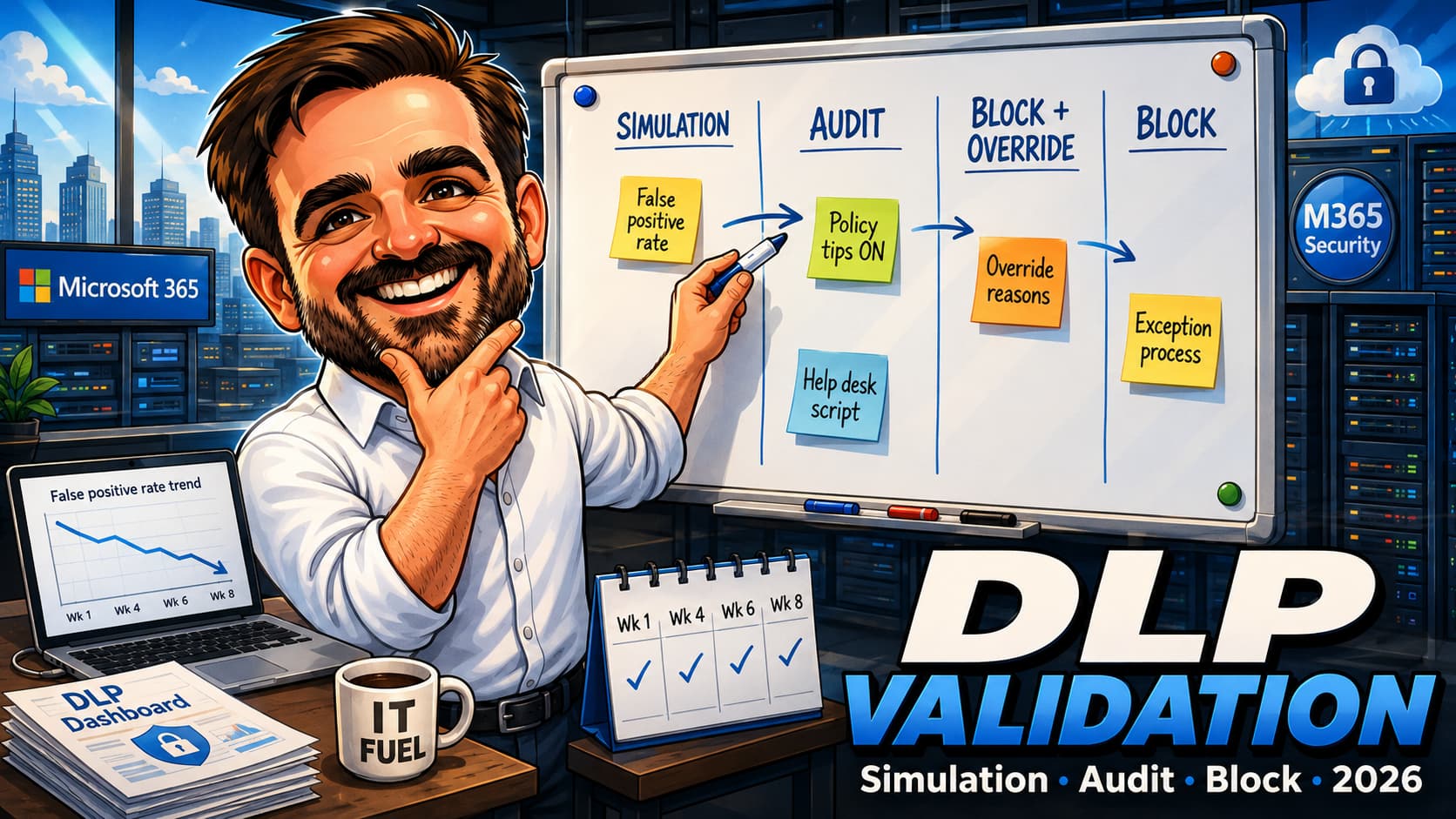
Operationally, I treat DLP validation as four phases: Simulation, user-visible audit with policy tips, block with override where supported, and full enforcement. These are validation phases, not necessarily exact Microsoft Purview policy-state names — in the current Purview experience, policy state, user notifications, policy tips and rule actions are configured separately, and the naming continues to evolve. The textbook does not say how long each phase takes, how to know when to move, or what to do when the metrics say "move" but the politics say "wait". The shape below is what I have settled into after running DLP validations across financial services, healthcare and professional services tenants — the durations are typical, not prescriptive, and the transition criteria are the questions I make myself answer before I move.
| Phase | Typical duration | What is happening | Transition criteria to next phase |
|---|---|---|---|
| Design | 1–2 weeks | Drafting the policy, choosing the SITs, defining the scope (which workloads, which locations, which user groups), aligning with the business owner. No production impact. | The policy has a named owner, a defined scope, a documented business rationale and a draft exception path. |
| Simulation | 4–8 weeks | Policy runs in Simulation mode where supported. No enforcement. Matches surface in the simulation results / dashboards. The SIT confidence thresholds get tuned. False positive rate gets driven down. | False positive rate stabilised below the agreed threshold, top false-positive patterns documented and either tuned or accepted, no new pattern in the most recent fortnight. |
| Audit | 2–4 weeks | User-visible audit: policy tips ON, rule action allows the activity. Users see the tip. No block. Behavioural evidence emerges — do users self-correct, ignore the tip, or escalate to the help desk? | Tip dismissal vs self-correction ratio is healthy, help desk inbound is at or below expected level, business unit has been briefed. |
| Block + override | 4 weeks | Policy blocks the action but the user can override with a business justification. The override is audited. False positives become visible as override events with reasons; the policy gets one more round of tuning. | Override rate is low and falling, the override reasons are aligned with documented exception cases, no override is a "did not understand what just happened" event. |
| Block | Steady state | Policy blocks the action. No user override. Exceptions go through the documented process. The policy is now enforcement. | This is the destination, not a phase. Watch metrics weekly for the first month, monthly thereafter. |
The total time from Design to Block is twelve to eighteen weeks for a policy of any significance. The plans I have written that promised six weeks have, without exception, run twelve. The plans that promised twelve have run sixteen. I now budget the optimistic case at twelve weeks and the realistic case at sixteen, and I let the policy take longer if the data says it needs to. Skipping a phase has cost me more total elapsed time than running every phase to completion ever has.
The fastest DLP rollouts I have done were not the ones that skipped phases. They were the ones where every phase had clear transition criteria, a named owner watching the dashboard, and a documented "go / no-go" decision for each transition. The structure is the speed.
The pre-Simulation work nobody talks about
Most DLP guidance starts at "create a policy in Simulation mode". The actual work begins about two weeks earlier. The pre-Simulation phase is where you decide whether the policy you are about to draft is the right policy at all — and where the conversations with the business unit happen that determine whether anyone will support the rollout when it lands on their team.
The "ghost positive" check. Before any policy exists, I use Content Explorer in Microsoft Purview as a current snapshot of items classified with the candidate sensitivity labels, retention labels and sensitive information types, and Activity Explorer for the available recent activity window. Activity Explorer reports up to 30 days of activity in the Purview UI, so if I need a longer historical view I use exported audit data, SIEM data or previous evidence packs where available. This is the cheapest signal in the entire validation lifecycle and it is the one most teams skip. If the candidate SIT matches 40,000 documents in the Content Explorer snapshot, the policy will create an enormous workload in Simulation. If it matches 200 documents, the validation will go fast. Knowing this before drafting the policy is what tells me whether the SIT needs to be narrowed, whether the policy scope needs to be tightened, or whether the project plan needs more weeks.
The business-unit conversation. Most policy false positives are not technical errors — they are a mismatch between what the policy thinks is sensitive and what the business unit considers normal work. The Legal team's matter numbers look like financial account numbers. The HR team's salary data sits in spreadsheets that look like generic finance models. The R&D team treats project codenames as confidential while the rest of the organisation does not. The pre-Simulation conversation with the affected business unit surfaces these mismatches before the policy is drafted. The mistake I have made is treating this conversation as a "we'll loop you in later" item. It is not. It is the conversation that decides whether the policy is well-scoped.
The naming convention. Tiny but important. I name policies with a convention that makes them findable in three months when someone asks "why is this policy still in Audit". The convention I use: [Phase] [Workload] [Owner] [Date]. For example: SIM Exchange ITSec 2026-04, AUDIT SharePoint InfoProt 2026-05. The phase is in the name; when I look at the policy list I can see the lifecycle at a glance. Microsoft does not require this; my future self does.
The exception process draft. The exception process has to exist before the policy enters Simulation, not after. Drafted, named owner, documented turnaround commitment. I have signed off the policy moving to Simulation more than once with the exception process "to be defined later". By the time the policy reached Block, the exception process was still "to be defined later". Then the first legitimate business need hit a block, and the conversation with the affected user was very uncomfortable. The exception process is part of the policy, not a downstream artefact.
Running the Simulation honestly
The Simulation phase is where most of the validation work happens, and where most of the unrealistic project plans break. I have learned to plan for six weeks here as the optimistic case, eight weeks as the realistic case, and to push back when stakeholders ask for "just two weeks of Simulation". The pattern below is what I actually watch.
Week one — let it run, do not panic
The first week of Simulation always looks alarming. The match count is high, the false positive rate is unknown because every match looks plausible at first, and the dashboards are full of noise. The temptation is to start tuning immediately. I resist that for one week, because the first wave of matches includes patterns I will not understand without context. I let the data accumulate and I read it before I touch the policy. The data in week one is the policy's "as discovered" baseline; if I tune in week one, I have lost that baseline.
Weeks two and three — the first tuning pass
By week two, the top false-positive patterns are visible. The credit-card SIT is matching the project codes the finance team uses (because they happen to have a similar character pattern). The "EU national identification number" SIT is matching internal employee IDs. The named SIT for the company's specific contract pattern is matching meeting room booking confirmations. This is the work: for each false-positive pattern, I decide whether to narrow the SIT (raising the match confidence threshold, adding context conditions, restricting to specific keywords), to exclude the location (specific sites or libraries), to add the user group as an exception, or to accept the false positive (some patterns will always match, and the question becomes whether the rate is tolerable). The SIT confidence threshold is the single most powerful tuning knob and it is the one most teams ignore.
Weeks four and five — the quarterly wave
This is the surprise that caught me out the first three rollouts I ran. The Simulation looks clean by week four. The false positive rate has stabilised. The team starts writing the Audit-mode communication. Then a quarterly process kicks off — the close, a renewal cycle, a board pack assembly, a performance review wave — and a fresh batch of false positives appears, often from a completely different content pattern. The wave is real. I have stopped writing the "Simulation complete" memo before week six.
Weeks six to eight — the second tuning pass and the exit decision
By week six the second wave's false positives have been triaged and the policy has gone through a second tuning pass. The false positive rate I am looking for at this point is below the threshold the policy owner and the help desk lead agreed at the start — typically 1–2% but the right number depends on the business context. As important as the rate is whether the top false-positive patterns are documented and either tuned out, scoped out, or explicitly accepted. The exit decision is not "the rate is below X" alone; it is "the rate is below X and we know what each remaining false positive is."
User-visible audit: policy tips on, no enforcement
I call this the audit phase, but it is an operational phase, not a guarantee that every workload exposes an identical "Audit mode" label in the portal. The intent is the same across workloads: the policy is configured so that matches surface user notifications and policy tips, but the rule action is set to allow (no block) so the user is not stopped from completing the work. The Simulation phase produced a tuned policy with a known false positive rate; this phase produces the behavioural evidence of how users actually respond to it. The signal is qualitatively different from what Simulation produces, and it is the data the block decision will rest on.
The decision to enable policy tips
The mistake I have made and watched others make: running Audit with policy tips off. Tips off means the user has no signal that anything happened. The match is recorded, the dashboard fills up, but the user keeps working the way they were working. The behavioural evidence does not exist because there is no behaviour to observe — the user did not know they triggered a policy. Tips on is what creates the behavioural data. I have not run an Audit phase with tips off since the first one taught me the lesson, and I would not advise anyone to do so unless the policy is extremely high-volume and the team has chosen to suppress tips deliberately as a phase strategy.
The signals to watch
Audit produces three signals that Simulation cannot. Self-correction rate — how often does the user, after seeing the tip, change what they are doing? (Recipient removed, attachment removed, share scope tightened.) A high self-correction rate is the best signal that the policy is well-tuned and the tip is understandable. Tip dismissal rate — how often does the user click past the tip and continue? A high dismissal rate is not necessarily a failure; it depends on what the dismissal reason is. Help desk inbound — how many tickets arrive in the form "I got this weird popup, what is it?" The help desk inbound is the early-warning system for the Block phase. If the tickets are confused, the Block phase will be hostile. If the tickets are matter-of-fact ("I got a tip, here is the context, is this an exception?"), the Block phase has a path.
The help desk script
Before Audit starts I write a short script for the help desk: what the policy tip says, what to tell users who ask "is this real or a scam", what to escalate to the policy owner, what the exception path looks like, what the expected turnaround is. The script is one page. I have learned not to assume the help desk knows the policy; they do not, and they should not be expected to, until I tell them. Two of my Audit-mode rollouts struggled because the help desk was answering tickets without a script, and the answers were inconsistent across agents.
Block-with-override — the underrated middle
Block-with-override is the phase the textbook treats as optional and that I treat as mandatory where the workload and action support it. The phase blocks the action but offers the user the ability to override with a business justification. The override is logged with the user's stated reason. The action proceeds; the audit trail captures the override. This produces two things you cannot get any other way: the policy enforces in practice (the user has to make a deliberate decision to override, which is friction in itself), and the override reasons are a structured dataset on what the policy is actually catching that the previous phases missed.
Why I keep it for four weeks
Four weeks is enough to cover a typical monthly business cycle. Some teams' work has a weekly rhythm; some has a monthly rhythm; some only surfaces patterns at quarter-end. Four weeks catches the monthly rhythm and gives me confidence that I have not missed a regular legitimate use case that the previous phases did not surface because they happened to fall in a quiet week. The override-rate trend during these four weeks is the headline metric: a rate that falls week-on-week is the policy converging; a rate that stays high or rises is the policy still not ready.
What the override reasons tell me
The override justifications, when read in bulk, fall into four categories. Genuine business exceptions — cases the policy correctly identified as sensitive but where the business need to share is legitimate; these go into the exception process documentation. False positives the previous phases missed — cases where the policy matched something it should not have; these go into one more tuning pass. User confusion — cases where the justification is something like "I do not know why this is blocked but I need to send it"; these are the help desk's problem and they indicate the communication was insufficient. Policy-aware circumvention — cases where the user appears to be using the override to do something the policy is trying to prevent; these are the policy actually working, and they get reported back to the policy owner.
The fourth category is the one nobody plans for and that becomes the most useful data in the rollout. If you see policy-aware circumvention in week one of Block-with-override, the question becomes whether the business process that requires the action is one the organisation actually wants to support. The DLP validation has surfaced a real policy question that nobody had asked.
The exit criteria from Block-with-override
The transition to full Block depends on three signals. The override rate has stabilised at a low level (the precise number depends on the policy and the workload; for most policies I have run, "below 0.5% of in-scope events" is a defensible threshold, but the right number is the one the policy owner and the business sponsor have agreed in advance). The override reasons are predominantly in the "genuine business exception" category and they have been documented as exceptions with a process. There is no policy-aware circumvention in the recent override log, or the cases identified have been escalated and addressed.
Block — the actual enforcement
The transition to full Block is anticlimactic if the previous phases were run honestly. The policy has been blocking for four weeks; the override removes the user's ability to bypass; the rest stays the same. The work in this phase is communication and watching, not technical change.
The communication before the flip
One week before Block goes live, the affected business unit gets a notification that goes through the manager, not directly to users. The message is short: "the policy that has been showing you policy tips and asking for justifications is moving to enforcement on date X; the exception process for legitimate business needs is documented at link Y; if you have a case you are not sure about, raise it through the manager before the date." The notification is signed by the policy owner and the business unit lead jointly. The most successful Block transitions I have run had the BU lead's name on the notification; the least successful had only the security team's name. The political signal matters.
The first-week cadence
The first week of Block is where the metrics dashboard earns its budget. I watch daily: block rate, exception requests submitted through the documented process, help desk ticket trend, and any escalations to leadership. The metric I worry about is not the block rate — that is expected to spike on day one as the friction of override is removed. The metric I worry about is the help desk ticket trend; if tickets spike beyond what the Audit phase suggested they would, the communication was insufficient or the exception process is not turning around fast enough. The fast feedback in week one prevents the second week from being a political problem.
The rollback criteria
Before Block goes live, I document what would cause a rollback. The criteria I use: a sustained help desk ticket volume above N times the Audit-phase baseline (typically 3x); an escalation to executive level on a legitimate business need that the exception process failed to handle within the documented turnaround; or a discovered policy error (a misconfigured SIT, a missed location, a scope mistake) that affects more than a defined threshold of users. The rollback is to Block-with-override (not to Audit), with a written remediation plan. I have rolled back twice in the rollouts I have run; both times the affected business unit had more confidence in the policy after the rollback than before, because the rollback proved the safeguards were real.
The metrics dashboard I bring to every governance forum
The DLP governance forum is where the policy gets explained to whoever asks: the CISO, an internal auditor, the affected business unit lead, a regulator's representative during a NIS2 or sectoral audit. The dashboard below is the one I have settled into — eight metrics that together tell the story of whether the policy is holding.
| Metric | What it tells you | What the value should look like |
|---|---|---|
| Match volume per week | How much activity the policy is processing. | Stable or trending down once the policy is past Audit. |
| False positive rate | How often a match was wrong (assessed against a sampled set, not the full population). | Below the agreed threshold (commonly 1–2%) and stable across reporting periods. |
| Self-correction rate (Audit phase) | How often users changed their behaviour in response to a policy tip. | Trending up during Audit; not directly measurable post-Block. |
| Override rate (Block-with-override phase) | How often users bypassed the block with a business justification. | Falling week-on-week, below the agreed threshold by exit. |
| Override-reason distribution | The categorisation of why users overrode the block. | Concentrated in "genuine business exception" with documented exception cases. |
| Exception request volume | How many formal exception requests came through the documented process. | Stable, with documented turnaround within the committed SLA. |
| Help desk ticket trend | How many tickets related to this policy the help desk received. | Spike on Audit start, lower spike on Block start, returning to a low steady state within four weeks. |
| Policy-aware circumvention signals | Patterns in the override or exception data that suggest users are working around the policy intent. | Zero, or escalated to the policy owner with a remediation plan. |
Eight metrics. One slide. The narrative of the policy. If I can talk through these in three minutes at a governance forum, the policy is in good shape. If I cannot — if a metric is missing, or its value is unexplained, or the trend is wrong — I have work to do before the next forum.
The pre-Block readiness checklist
Before any policy I own moves to full Block, I work through this checklist. The mistake I have made is treating this as a "we will check most of it" exercise. I now require all twelve. The cost of the discipline is two hours of preparation; the cost of skipping is the Friday afternoon push-to-Block scenario from the opening.
- Simulation has run for at least 30 days, with a documented start date and a documented exit decision.Less than 30 days is rushed in almost every case I have seen. The exception is a policy with very low match volume against a small corpus.
- False positive rate is below the agreed threshold and stable across the most recent two reporting periods.A rate that is "below threshold" but still falling means tuning is not complete. Stable below threshold is the criterion.
- Audit phase has run with policy tips ON for at least 14 days.Tips on. The behavioural evidence has to exist. If the policy went straight from Simulation to Block-with-override without an Audit phase, the validation is missing a phase.
- Block-with-override has run for at least 28 days.The four weeks catch a monthly business cycle. Skipping this phase or shortening it has been the source of the most painful rollouts I have done.
- Override rate has stabilised at or below the agreed exit threshold.A falling rate that has not yet stabilised is a rollback risk in Block.
- Exception process is documented, named, owned and tested.Tested means at least one exception has run end-to-end through the process during Block-with-override.
- Communication plan is approved and the BU manager has signed off the notification text.The notification is signed jointly. The BU lead's name is on it.
- Help desk has the script, the escalation path and the policy owner's contact.The script is one page. The escalation path is named. The help desk has had at least one walkthrough.
- Metrics dashboard is built and the policy owner has reviewed it.Eight metrics. One slide. If the policy owner cannot read the dashboard in three minutes, simplify it.
- Rollback criteria are documented and the rollback action has been tested in a non-production policy.Rollback is to Block-with-override, not to Audit. The action has been performed at least once in a lower-environment policy.
- Evidence pack is preserved for the audit trail.Simulation start/exit dates, false positive rate trends, override rate trends, communication artefacts, exception process documentation. This is the document that survives the rest of the year.
- Sign-off from the policy owner and the business sponsor is on record.Two names. Date. The decision is documented as a decision, not as an implicit transition.
The eight mistakes I have made or watched others make
- Going from Simulation straight to Block, skipping Audit and Block-with-override.The middle modes exist because each one produces evidence the next decision depends on. Skipping them feels fast and produces a rollout that fails in week two of Block because the political and behavioural groundwork was not laid.
- Running Audit with policy tips OFF.The behavioural evidence does not exist if the user does not know the policy fired. Tips on. Always. The first Audit phase I ran with tips off taught me this; I have not repeated it.
- Tuning the SIT confidence threshold once and never revisiting it.The single most powerful tuning knob. Default level is rarely the right level for the corpus. Try high. Try low. Watch the false positive rate respond.
- Treating false positives as bugs instead of as data.Every false positive is a piece of information about what the policy thinks is sensitive vs what the business considers normal. The triage is the work.
- Promising Block in two weeks.It will not happen. Six weeks of Simulation alone is the optimistic case. Promising two weeks creates a credibility deficit when the policy is still in Simulation in week eight.
- Communicating the Block flip through Security alone, without the business unit lead's name on the notification.The political signal of joint sign-off is what makes the rollout land. Without it the BU sees Security imposing a control, with it the BU sees a joint decision.
- Not testing the rollback.The first rollback you do should not be the live one. Test the action in a lower-impact policy or a non-production tenant so the muscle memory is there when the live one is needed.
- Not preserving the evidence pack.Six months later, when someone asks "why is this policy in Block", the answer "we did the validation" is not enough. The dated artefacts — Simulation start/exit, false positive rate trends, override-rate trends, communication trail — are the answer. Build the pack as you go; it is impossible to reconstruct later.
FAQ
How long should Simulation actually run?
In the rollouts I have done, six to eight weeks is the realistic case. Less than four weeks is rushed unless the corpus is small and the SITs are narrow. More than ten weeks usually means the policy is over-scoped and needs to be re-cut into smaller policies. The right answer is "until the false positive rate has stabilised below the agreed threshold and the top false-positive patterns have been documented and either tuned out or accepted". That is a criterion, not a calendar — but the calendar usually falls into the six-to-eight band when the criterion is met.
What false positive rate is acceptable for Block?
It depends on the policy and the workload. A common benchmark is 1–2% on a sampled assessment, but the right number is the one the policy owner and the help desk lead have agreed in advance. The metric to commit to is the agreed-threshold-and-stable criterion, not a universal number. I have seen policies enforce successfully at 3% because the exception process was fast, and policies fail at 0.5% because the exception process was slow.
Can I skip Block-with-override?
I would not, but it is a judgement call. The argument for keeping it is the override-reason data and the political signal of giving users a path. The argument for skipping it is speed and lower implementation friction. If the policy is very low-volume and the exception process is exceptionally fast, skipping can work. For any policy of consequence in a tenant of meaningful size, I keep it.
What if the business sponsor says "just block it now"?
Push back, with the evidence. The Friday afternoon push-to-Block from the opening of this article is almost always rooted in this conversation. The push-back I use is: "we can move to Block today, and the probability of a Monday escalation is roughly X based on what the Audit phase data shows. Or we can run Block-with-override for four weeks and the probability is roughly Y. Your call." Giving the sponsor the probability rather than the timeline is what shifts the decision. I have not had a sponsor choose the high-probability rollout once the conversation was framed that way.
How do I roll back if Block goes wrong?
The rollback is to Block-with-override, not to Audit. The reason: Audit removes the enforcement entirely and signals retreat; Block-with-override keeps the policy enforcing while giving users back the override path while the remediation happens. The rollback is paired with a written remediation plan (what changed, why, when the policy will move back to Block) and is communicated to the affected business unit immediately. The two rollbacks I have done in production were both perceived positively because the BU saw the policy was being managed, not abandoned.
What is the relationship between this policy lifecycle and Microsoft Purview AI Hub / DSPM for AI?
The lifecycle described here is the operational discipline of running a DLP policy from draft to enforcement. The Purview AI Hub and DSPM for AI surfaces are newer Microsoft positioning around AI-aware data governance — they overlap with DLP in the sense that they observe and govern AI interactions with data, but they are not a replacement for the DLP policy lifecycle. A tenant should expect to run both: traditional DLP policies for known workloads (Exchange, SharePoint, OneDrive, Teams, Endpoint) using the lifecycle in this article, and the AI-Hub / DSPM-for-AI surfaces to observe how AI workloads interact with the same data. The naming and capabilities in the AI-aware space are evolving — validate against current Microsoft Learn before designing a unified operating model around them.
References & further reading
- Learn about Microsoft Purview Data Loss Prevention
- Plan for Microsoft Purview DLP
- DLP policy tips reference
- Test DLP policies
- Learn about sensitive information types
- Modify a sensitive information type
- Content Explorer
- Activity Explorer
Validating a Purview DLP policy before enforcement?
This article is the lifecycle I run when I am the one responsible for moving a policy from draft to Block. Yours will be shaped by your workloads, your business units and the patterns you see in your tenant. If a structured walk-through of the validation lifecycle would be useful — with the metrics dashboard, the readiness checklist and the exception process calibrated to your organisation — I run those workshops with security, compliance and platform teams who want the next Block decision to hold.
Plan the DLP workshop