Every Conditional Access change inside a production tenant is a live change. Entra has no native within-tenant staging or versioning layer: no pull request, no "are you sure?" beyond the Save button. A separate test tenant can help, but it is something you build and maintain. The blast radius runs from "one user complains" to "nobody can sign in, including the person who made the change", and the risky changes rarely look risky: an extra exclusion, a tightened grant, a session control someone added on a Friday.
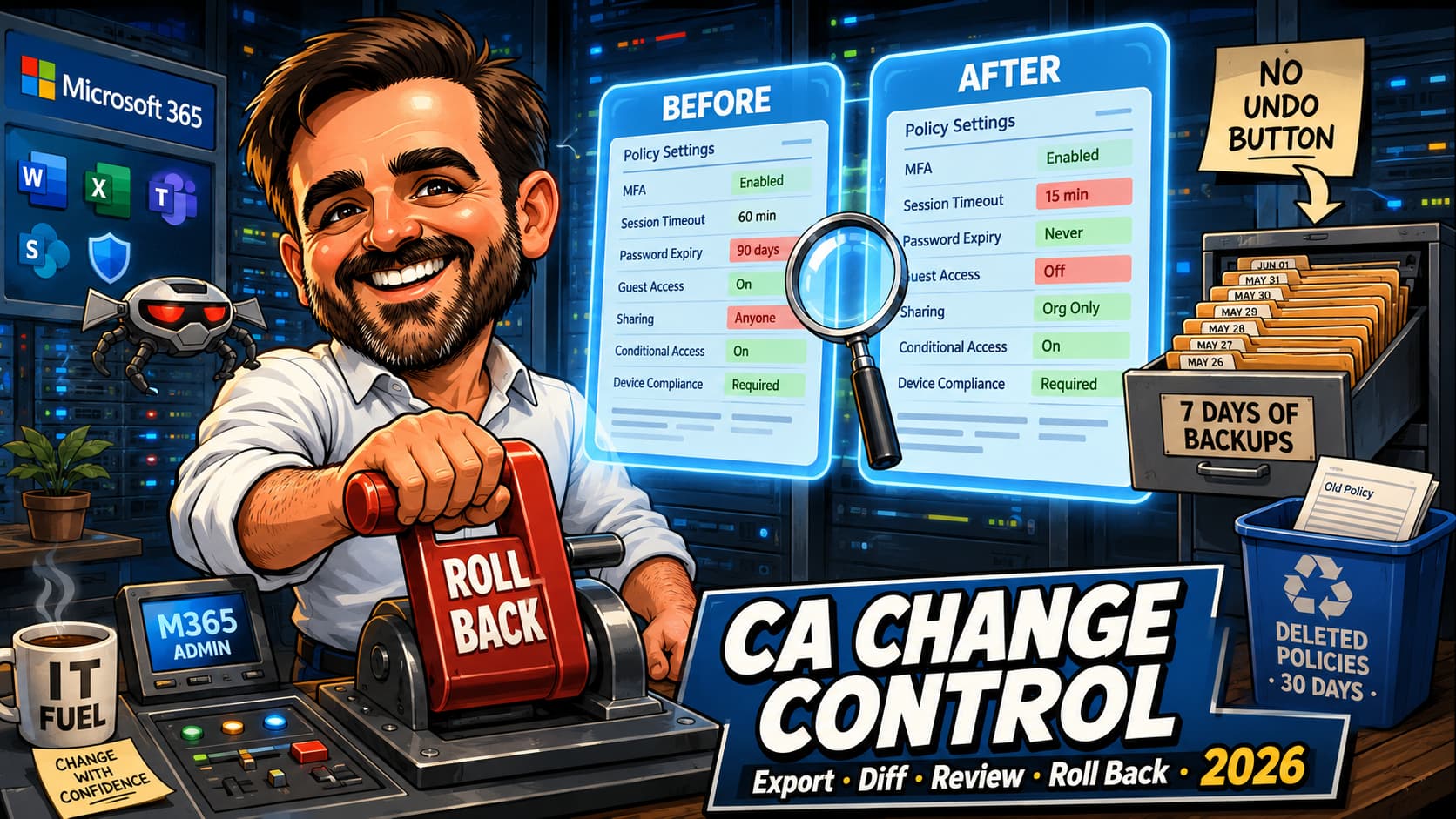
The good news is that 2026 quietly fixed part of this: automatic daily backups, a 30-day recycle bin for deletions, and an audit log that holds more than people assume. What is still missing is the thing everyone expects, so let us name it up front: there is no version history and no undo inside the policy editor. This article turns the pieces that do exist into a process, with the scripts to run it and an offline test that proves they handle the shapes correctly: export, diff, review, roll back.
What exists in 2026, and what still does not
Start with an honest inventory. Most change-control advice for Conditional Access was written before half of this existed.
| Mechanism | Covers | Retention | State |
|---|---|---|---|
| Entra Backup and Recovery | Edits and deletions. All properties of Conditional Access policies and named locations are in scope | Automatic daily backup, seven days of history | Preview |
| Deleted policies blade | Deletions only, all properties maintained | 30 days, then hard-deleted | GA |
| Audit log Modified properties | Forensic record of every edit, full old and new JSON | 7 days (free) or 30 days (P1/P2), extendable | GA |
| Version history / undo in the editor | Does not exist. No version pane, no revert button, and the policy object exposes only createdDateTime and modifiedDateTime, no revision collection | ||
Entra Backup and Recovery is the piece most people have not noticed. Microsoft describes it as a built-in solution to recover critical directory objects "to a previously known good state after accidental changes or security compromises", with Conditional Access policies explicitly in scope and all properties covered. One sentence deserves attention from anyone thinking about ransomware and rogue admins: "No signed-in user or application, even with the highest admin privileges, can turn off, delete, or modify backups in the tenant."
It needs Entra ID P1 or P2, a workforce tenant, and the Backup Reader or Backup Administrator role (both included in Global Administrator). It is preview, so treat it as a welcome extra rather than the load-bearing wall of your process, and note the caveat that recovery "applies only to supported properties listed in this article and doesn't imply full object rollback".
Export: four ways, only two of them useful
You cannot review what you have not captured, and a baseline is also the fastest rollback path. Four mechanisms exist; be clear-eyed about what each is for.
Microsoft Graph (the real answer)
GET /identity/conditionalAccess/policies in v1.0 returns every policy with its conditions, grant controls and session controls. Reading needs Policy.Read.All, which Security Reader, Global Reader, Security Administrator and Conditional Access Administrator can exercise. Writing (PATCH) needs both Policy.Read.All and Policy.ReadWrite.ConditionalAccess, and the Graph permission alone is not enough: the caller also needs the Security Administrator or Conditional Access Administrator role. The PowerShell equivalent lives in Microsoft.Graph.Identity.SignIns:
Connect-MgGraph -Scopes 'Policy.Read.All'
Get-MgIdentityConditionalAccessPolicy -All | ConvertTo-Json -Depth 10 | Out-File ".\ca-baseline-$(Get-Date -f yyyyMMdd).json"
Run it before every change window, keep the output under version control with restricted access, and you have a diffable history that outlives your audit-log retention. Microsoft's recoverability guidance says exactly this, including the part people skip: "Securely store these configuration exports with access provided to a limited number of admins."
A safer, diffable export
The one-liner is fine for a quick capture. Two things make a baseline useful under pressure: a stable shape, so a diff shows real changes rather than reordering, and a clean separation between the parts of a policy you can send back and the parts you cannot. That separation is deeper than it looks, so it lives in its own file that both scripts share.
# ca-normalise.ps1
# Shared helpers. Save alongside the two scripts below, which dot-source it.
# Reduces a Conditional Access policy to the properties that are legal in an
# update request body: recursive annotation sanitisation, plus an explicit
# allowlist for grantControls, where the real trap lives.

function Remove-GraphAnnotation {
    # Strips OData annotations ("<name>@odata.context" and friends) from a
    # hashtable graph, recursively, and sorts keys and plain string arrays so
    # that ordering never shows up as a difference tomorrow.
    param($Value)

    if ($null -eq $Value) { return $null }

    if ($Value -is [System.Collections.IDictionary]) {
        $clean = [ordered]@{}
        foreach ($key in @($Value.Keys | Sort-Object)) {
            if ($key -like '*@*') { continue }
            $clean[$key] = Remove-GraphAnnotation $Value[$key]
        }
        return $clean
    }

    if ($Value -is [System.Collections.IEnumerable] -and $Value -isnot [string]) {
        [object[]]$items = @(foreach ($item in $Value) { Remove-GraphAnnotation $item })

        if ($items.Count -gt 1 -and -not ($items | Where-Object { $_ -isnot [string] })) {
            $items = @($items | Sort-Object)
        }

        # The comma matters. PowerShell unrolls arrays on the way out of a
        # function, so a plain "return $items" turns @('All') into 'All' and
        # @() into $null. includeUsers, excludeGroups and builtInControls are
        # all documented as collections; a bare string there is a bad request
        # at best, and a silently different policy at worst.
        return ,$items
    }

    return $Value
}

function ConvertTo-GrantControlsBody {
    # grantControls is the trap. A GET embeds the whole authenticationStrengthPolicy
    # resource here: id, displayName, description, policyType, allowedCombinations
    # and its own createdDateTime and modifiedDateTime. None of that is this policy's
    # state, and none of it belongs in this policy's update. A strength is referenced
    # by id and nothing else.
    param($Grant)

    if ($null -eq $Grant) { return $null }

    $body = [ordered]@{ operator = $Grant.operator }

    foreach ($name in 'builtInControls', 'customAuthenticationFactors', 'termsOfUse') {
        $body[$name] = Remove-GraphAnnotation $Grant[$name]
    }

    if ($null -ne $Grant.authenticationStrength) {
        $body['authenticationStrength'] = [ordered]@{ id = $Grant.authenticationStrength.id }
    }
    else {
        $body['authenticationStrength'] = $null
    }

    return $body
}

function ConvertTo-PolicyBody {
    # The five writable properties of conditionalAccessPolicy, cleaned. Run this
    # over a Graph response OR over a baseline entry: both come out identical in
    # shape, which is what makes the after-the-fact comparison meaningful.
    param($Policy)

    return [ordered]@{
        displayName     = $Policy.displayName
        state           = $Policy.state
        conditions      = Remove-GraphAnnotation $Policy.conditions
        grantControls   = ConvertTo-GrantControlsBody $Policy.grantControls
        sessionControls = Remove-GraphAnnotation $Policy.sessionControls
    }
}
No Graph calls, no side effects. Save it next to the two scripts below, which dot-source it relative to their own location rather than the current directory.
That middle function is the one that matters, and it is the reason a top-level allowlist is not enough. When a policy uses an authentication strength, the GET response does not return a reference to it: it embeds the entire authenticationStrengthPolicy resource inside grantControls, timestamps and allowedCombinations and all, with an authenticationStrength@odata.context annotation beside it. Copy that into an update body and you are describing the strength policy rather than referencing it. So the cleaning is two things, not one: recursive annotation sanitisation over conditions and sessionControls, and an explicit allowlist for grantControls, where the embedded resource lives.
# ca-export.ps1
#requires -Version 7.0
#requires -Modules Microsoft.Graph.Authentication
# Read-only. Exports every Conditional Access policy to a dated JSON baseline.
# The output describes your entire access-control configuration: treat it as
# sensitive security configuration data and restrict access to it.

$here = $PSScriptRoot
if (-not $here) { $here = $PWD.Path }
. (Join-Path $here 'ca-normalise.ps1')

$ErrorActionPreference = 'Stop'
$outFile = ".\ca-baseline-$(Get-Date -Format 'yyyyMMdd-HHmm').json"

Connect-MgGraph -Scopes 'Policy.Read.All' -ContextScope Process -NoWelcome
$context = Get-MgContext

# Invoke-MgGraphRequest returns plain hashtables. They serialise far more
# predictably than the typed objects the SDK cmdlets hand back.
$uri      = 'https://graph.microsoft.com/v1.0/identity/conditionalAccess/policies'
$policies = [System.Collections.Generic.List[object]]::new()

try {
    while ($uri) {
        $page = Invoke-MgGraphRequest -Method GET -Uri $uri -OutputType Hashtable
        foreach ($p in $page.value) { $policies.Add($p) }
        $uri = $page.'@odata.nextLink'      # keep paging until Graph stops offering one
    }
}
catch {
    throw "Graph request failed: $($_.Exception.Message)"
}

if ($policies.Count -eq 0) { throw 'No policies returned. Check the account and its roles.' }

# Stable ordering, so tomorrow's diff shows real changes and not reshuffling.
# Wrapped in @() so that .Count still works in a tenant with one policy.
$sorted = @( $policies | Sort-Object { $_.displayName }, { $_.id } )

$entries = foreach ($p in $sorted) {
    [ordered]@{
        # Identity and read-only metadata. Kept for the record, never sent back.
        id       = $p.id
        captured = [ordered]@{
            createdDateTime  = $p.createdDateTime
            modifiedDateTime = $p.modifiedDateTime
        }
        # Writable properties only, sanitised recursively.
        body = ConvertTo-PolicyBody $p
    }
}

[ordered]@{
    exportedUtc = (Get-Date).ToUniversalTime().ToString('o')
    tenantId    = $context.TenantId
    policyCount = $sorted.Count
    policies    = @($entries)
} | ConvertTo-Json -Depth 20 | Set-Content -Path $outFile -Encoding utf8

Write-Host "Wrote $($sorted.Count) policies to $outFile"
Read-only. Requires Policy.Read.All. The output is sensitive security configuration data; restrict access to it.
The structure is the point. Each entry keeps the id and the read-only timestamps in one place and the writable properties in another, under body, already cleaned. The id belongs in the URL of an update request; the timestamps are documented as read-only and belong nowhere near a request body. Separating them in the file means the restore step cannot send them by accident.
What it is not is a replica of the service. It captures the documented properties of each policy, not evaluation behaviour, not group membership, and not anything v1.0 does not expose. Use it as a diffable record and a rollback source, not as proof that a restored policy behaves identically in every edge case.
Restoring one policy from that baseline
The counterpart, and the only script here that writes. It restores a single policy chosen by ID, builds the request body by running the baseline entry back through the same normalisation rather than sending anything Graph handed back, refuses to run against a tenant other than the one the baseline came from, and does nothing at all until you pass -Execute. Because expected and actual go through the same normalisation, the comparison after the PATCH is a real comparison and not structural noise.
# ca-restore.ps1
#requires -Version 7.0
#requires -Modules Microsoft.Graph.Authentication
# WRITE OPERATION. Restores ONE policy from a baseline produced by ca-export.ps1.
# Dry run by default: nothing is sent to the tenant unless you pass -Execute.

[CmdletBinding()]
param(
    [Parameter(Mandatory)][string] $BaselineFile,
    [Parameter(Mandatory)][string] $PolicyId,
    [switch] $AsReportOnly,
    [switch] $Execute
)

$here = $PSScriptRoot
if (-not $here) { $here = $PWD.Path }
. (Join-Path $here 'ca-normalise.ps1')

$ErrorActionPreference = 'Stop'

$baseline = Get-Content -Path $BaselineFile -Raw -Encoding utf8 | ConvertFrom-Json -AsHashtable
$candidates = @($baseline.policies | Where-Object { $_.id -eq $PolicyId })
if ($candidates.Count -ne 1) {
    throw "Expected exactly one entry for $PolicyId in $BaselineFile, found $($candidates.Count)."
}

# Same normalisation as the export, so expected and actual are comparable later.
$expected = ConvertTo-PolicyBody $candidates[0].body
if ($AsReportOnly) { $expected.state = 'enabledForReportingButNotEnforced' }
$expectedJson = $expected | ConvertTo-Json -Depth 20

# The id identifies the endpoint. It is never part of the request body.
$uri = "https://graph.microsoft.com/v1.0/identity/conditionalAccess/policies/$PolicyId"

# Connect to the tenant the baseline came from, and prove it before writing anything.
Connect-MgGraph -TenantId $baseline.tenantId `
    -Scopes 'Policy.Read.All','Policy.ReadWrite.ConditionalAccess' `
    -ContextScope Process -NoWelcome

if ((Get-MgContext).TenantId -ne $baseline.tenantId) {
    throw 'Connected tenant does not match the baseline tenant. Aborting.'
}

$current = Invoke-MgGraphRequest -Method GET -Uri $uri -OutputType Hashtable
Write-Host "Policy       : $($current.displayName)"
Write-Host "Current state: $($current.state)"
Write-Host "Restoring to : $($expected.state)  (from $BaselineFile)"

if (-not $Execute) {
    Write-Warning 'Dry run. Nothing was sent. Review the body below, then re-run with -Execute.'
    $expectedJson
    return
}

Invoke-MgGraphRequest -Method PATCH -Uri $uri -Body $expectedJson -ContentType 'application/json'

# A successful update returns 204 No Content, so it proves the call was accepted
# and nothing more. Read the policy back, normalise it the same way, compare.
Start-Sleep -Seconds 5
$actualJson = ConvertTo-PolicyBody (Invoke-MgGraphRequest -Method GET -Uri $uri -OutputType Hashtable) |
              ConvertTo-Json -Depth 20

if ($actualJson -eq $expectedJson) {
    Write-Host 'Verified: the policy now matches the baseline.'
}
else {
    Write-Warning 'The policy does NOT match the baseline. Two files written for review:'
    $expectedJson | Set-Content -Path ".\ca-expected-$PolicyId.json" -Encoding utf8
    $actualJson   | Set-Content -Path ".\ca-actual-$PolicyId.json"   -Encoding utf8
}
Write operation, dry run unless -Execute is passed. Requires Policy.Read.All and Policy.ReadWrite.ConditionalAccess, plus the Security Administrator or Conditional Access Administrator role.
Three things to understand before running it near production, beyond the tenant check. PATCH is a partial merge: "Existing properties that aren't included in the request body maintain their previous values", so omitting a property does not reset it. That makes null and an empty collection meaningful rather than cosmetic: if the baseline recorded sessionControls as null, sending null restores "no session controls", while omitting it leaves whatever is there today. And the same distinction applies inside conditions, where an empty exclusion array and an absent one are different instructions.
-AsReportOnly whenever the scenario allows. There is deliberately no bulk mode: a rollback touching several policies at once is how a small incident becomes a large one. And treat it as a complement to Entra Backup and Recovery, not a replacement: the native path has difference reports, per-object actions and backups nobody in the tenant can tamper with.id, createdDateTime and modifiedDateTime, and may carry SDK or OData metadata. Sending it back is how a restore becomes an error, or an unintended change.Proving it before it touches a tenant
There is a technique here that costs nothing and that I have not seen used in this corner of the internet. Microsoft's API reference pages publish example responses that can be reused as deterministic test fixtures for documented response shapes. They are not complete schemas and may be shortened for readability, but they are useful for detecting serialisation and normalisation errors without accessing a tenant. You can run your own tooling over one offline, with no sign-in and no module installed, and find out whether your code mangles the shapes before it goes anywhere near a live policy.
Microsoft's List policies page publishes a substantial example response. Although Microsoft notes that the response may be shortened for readability, it still provides a useful offline regression fixture for several common Graph response shapes: a one-element array in includeApplications, several empty ones, an embedded authenticationStrengthPolicy complete with its own timestamps and allowedCombinations, and multiple @odata annotations.
So the download below ships with a self-test that does exactly that. It runs 27 assertions against the shapes covered by Microsoft's published sample: that collections survive the function boundary, that no read-only property or annotation reaches the body, that the authentication strength comes out as a reference rather than a copy, and that normalising an already-normalised body changes nothing, which is the property that makes the comparison after a PATCH meaningful rather than decorative. It validates the normalisation logic without touching a tenant, but it does not replace testing with representative exports in a development tenant: locations, devices, platforms, guest settings, application filters and the wider range of session controls are not exercised by that fixture.
Two of those assertions exist because an earlier draft of these scripts got the array handling wrong. PowerShell unrolls arrays on the way out of a function, so @('All') was leaving as 'All' and @() as $null, in properties that Graph documents as collections. It was caught in review rather than in a tenant, and the test is there so it stays caught. You are better off inheriting the test than the bug.
ca-normalise.ps1, ca-export.ps1, ca-restore.ps1 and Test-CaNormalise.ps1, plus a README with the run order and the permissions each step needs. PowerShell 7. Free, no email gate. Run the test first: it needs neither a tenant nor a sign-in.⬇️ Download the scripts (ZIP)
v1.0 · SHA-256
e9b8743897aaf1299d38db2f3746dc8ff2cb4887408dba5580547de9aa0565ebVerify with
Get-FileHash .\ca-change-control-scripts.zip -Algorithm SHA256The portal's Export and Upload policy file
The Conditional Access blade has an Upload policy file option, and templates offer "Export the JSON definition for use in programmatic workflows". Useful for scaffolding, but note what Microsoft does not document: the export is described for templates rather than live policies, with no published schema, no create-versus-update behaviour on upload, and no bulk export. A way to move a definition around, not a backup mechanism.
Backup and Recovery, and the wider Microsoft tooling
Backup and Recovery is not a file-export mechanism, but Microsoft now documents a Graph beta surface under /directory/recovery for listing snapshots, previewing changes and running recovery jobs. They remain beta and unsupported for production, and snapshots cannot be created, modified, deleted or exported. The flow is GET /directory/recovery/snapshots, then a preview job, then getChanges, then a recovery job, polling each to completion; one job at a time per tenant, and Microsoft says to allow at least an hour. Every operation is written to the audit log under the category "Backup and Recovery", which is a useful detail for the change record.
Either way, it is a capture you do not have to build. Microsoft's recoverability guidance also names the Microsoft Entra Exporter and the Tenant Configuration Management APIs, and closes with the sentence that validates this entire article: "Adopt a policy-as-code workflow with source control and continuous integration so changes are reviewable, testable, and reversible."
Diff: the audit log is better than its reputation
When someone asks "what changed?", there are two documented answers, and they complement each other.
The audit log, entry by entry
The activities to filter on are exact: Add, Update and Delete Conditional Access policy, plus the named-location and authentication-context equivalents. The Target column carries the policy name.
Open an entry and select Modified properties. Microsoft's wording sets the expectation: "The old and new values from the audit log and Log Analytics are in JSON format. Compare the two values to identify changes to the policy." And they really are complete policy documents, not deltas: conditions, users with their include and exclude collections, grant controls, session controls, state. So yes, you can reconstruct yesterday's policy, by hand or by script, if the change is inside your retention window. There is no documented action that applies an old value back.
At scale, use Log Analytics rather than the blade:
AuditLogs
| where OperationName == "Update Conditional Access policy"
Microsoft's pointer for reading the result: "Find changes under TargetResources > modifiedProperties."
Difference reports (Backup and Recovery)
The other diff is structural rather than forensic: a difference report compares the current tenant with a chosen backup and highlights objects "created, modified, soft-deleted, or restored" since it was taken. Scope it by object type or to specific object IDs, up to 100; reports are retained for seven days and only one runs at a time.
The recovery actions offered per object are the vocabulary of a rollback: Update to revert changed attributes, Restore to bring back a soft-deleted object, Soft delete to remove an object created after the backup. Two documented limits: hard-deleted objects and read-only properties never appear in a difference report, and recovery actions "apply directly to your tenant and can't be undone automatically".
Your own baseline diff
Neither native mechanism diffs two arbitrary policies, or a policy against a file. That is why the Graph export earns its place: with yesterday's JSON and today's JSON, any diff tool answers the question instantly, over any time range you choose to keep.
What a real policy diff looks like
Anonymised, but shaped like the ones that arrive on a Monday morning:
  "displayName": "CA03 - Require MFA and compliant device for admins",

- "state": "enabled",
+ "state": "enabledForReportingButNotEnforced",

  "conditions": {
    "users": {
-     "includeGroups": ["11111111-1111-1111-1111-111111111111"],
+     "includeGroups": ["22222222-2222-2222-2222-222222222222"],
      "excludeUsers": ["33333333-3333-3333-3333-333333333333"]
    }
  },

  "grantControls": {
-   "operator": "AND",
+   "operator": "OR",
    "builtInControls": ["mfa", "compliantDevice"]
  }
Three changed lines, three different problems. The targeting moved to another group, so the question is not "is the new group valid?" but "who was in the old one and is not in the new one?". The grant controls kept both controls and flipped the operator from AND to OR, which reads like formatting and means MFA alone now satisfies a policy that used to require a compliant device as well. And the state moved to report-only, so nothing is enforced while the other two are debated.
The safest rollback here is to restore state, targeting and grant controls together from the known-good baseline in one validated PATCH, then re-read the policy to confirm it. Re-enabling first is the wrong instinct: the targeting and the operator are still wrong at that point, so all you would achieve is enforcing the wrong policy against the wrong group. If you cannot restore all three confidently, leave the policy disabled or in report-only while you rebuild and validate it. Which is why a diff has to be read semantically rather than line by line: individually these are three small edits, together they are a policy that no longer does what its name says.
Review: three tools, each with a documented blind spot
What If, and the change that broke everyone's habit
The tool simulates a sign-in for a user, agent identity or service principal and reports which policies apply, which do not, and why. It includes policies that are "enabled or in report-only mode", which makes it a genuine pre-flight check for a change staged in report-only.
The limitation is newer and sharper than most guides admit. The evaluation expects the sign-in parameters to be defined: "If your tenant has policies with specific conditions and the sign-in details for those conditions aren't provided, the What If API can't evaluate those conditions." Microsoft's worked example is a policy scoped to a location and a high sign-in risk: supply only the user and the result is "does not apply", where the older engine said it applied. Test a risk-based policy by typing a username and pressing go, and you are not testing it.
Two further documented blind spots: What If "doesn't test for Conditional Access service dependencies" (a Teams test ignores the Exchange Online policy Teams depends on), and app targeting needs an App ID because "groups of apps, such as Office 365 or Microsoft Admin Portals, don't result in a match". Plus the honest framing from the deployment plan: a simulated run "doesn't replace an actual test run".
Report-only, cloned rather than demoted
The most valuable paragraph in Microsoft's report-only documentation is a process instruction rather than a feature description: "Before you modify an enforced policy, create a copy in report-only mode with your proposed changes. Compare the report-only copy's results against the original enforced policy to verify the intended effect. When you're satisfied, update the enforced policy and remove the copy."
Clone, do not demote. Nothing stops you demoting a live policy to try something, and nothing in the documentation recommends it. The clone pattern keeps protection on while you measure.
Two things report-only will not do: evaluate policies scoped to User actions, and prompt or block, since "users aren't prompted for multifactor authentication or blocked by report-only policies". One side effect to plan around: report-only policies requiring a compliant device can prompt macOS, iOS and Android users to pick a device certificate, repeatedly. The documented mitigation is to exclude those platforms from report-only compliance policies.
Impact surfaces: policy impact, insights, and the agent
The policy impact view (preview) shows impact on interactive sign-ins over the past 24 hours, 7 days or 1 month and needs only Security Reader. The insights and reporting workbook gives the aggregate comparison but needs P1 plus a Log Analytics workspace receiving sign-in logs.
If your tenant runs Security Copilot, the Conditional Access optimization agent adds a review layer with two useful properties: it "doesn't make any changes to existing policies unless an administrator explicitly approves the suggestion", and "all new policies that the agent suggests are created in report-only mode". Its phased rollout is the closest thing Entra has to a native canary deployment, with an automatic abort: more than 10% of sign-ins blocked during a phase pauses the rollout, and a success rate below 90% puts the policy back into report-only. Check the licensing before recommending it internally: P1 plus provisioned security compute units, and "that SCU is billed each month, even if you don't consume any SCUs".
Roll back: the documented ladder
Microsoft's deployment plan documents the rollback options in order of reversibility, and the order is the right one to follow under pressure:
- Disable the policy. The fastest, least destructive action: "Disabling a policy makes sure it doesn't apply when a user tries to sign in. You can always come back and enable the policy." One toggle, no data lost.
- Exclude the affected user or group. Documented, with a caution attached: "Use exclusions sparingly, only in situations where the user is trusted. Add users back to the policy or group as soon as possible." An exclusion added during an incident is a debt: give it an owner and a review date the same hour.
- Restore from Backup and Recovery. Difference report first, then a targeted Update or Restore. The only native path that returns an edited policy to a previous state.
- Restore a deleted policy. If the change was a deletion, the policy is recoverable for 30 days with all properties intact.
- Reconstruct from the audit log or your baseline export. The manual path, and the only one that reaches inside the gap between two daily backups. The restore script above is this step, made repeatable.
- Delete. Last, and only for a policy that is disabled and no longer needed.
Restoring a deleted policy, properly
The dialog offers the choice that is the whole reason to know this blade exists: restore in report-only mode, or restore in the state the policy was in when deleted, "which might be On". Microsoft's warning: "Restoring a policy to its previous state might have unintended consequences. Microsoft recommends administrators restore their policies in Report-only mode first, then take time to review and enable."
Two details catch people. This blade is documented in the recoverability architecture guidance rather than the Conditional Access documentation, which is why so few admins know it exists. And named locations have their own deleted-items list with a nasty subtlety: when recovered from soft-delete, they are not marked as trusted, so any policy depending on a trusted location silently changes behaviour until you re-mark it.
The Graph equivalents are beta only: GET /identity/conditionalAccess/deletedItems/policies to list, plus a restore action. Beta carries Microsoft's standing warning that these APIs "are subject to change" and are "not supported" in production, and the restore page's permissions table contradicts its own role note. Use the portal for restores and keep Graph for reads.
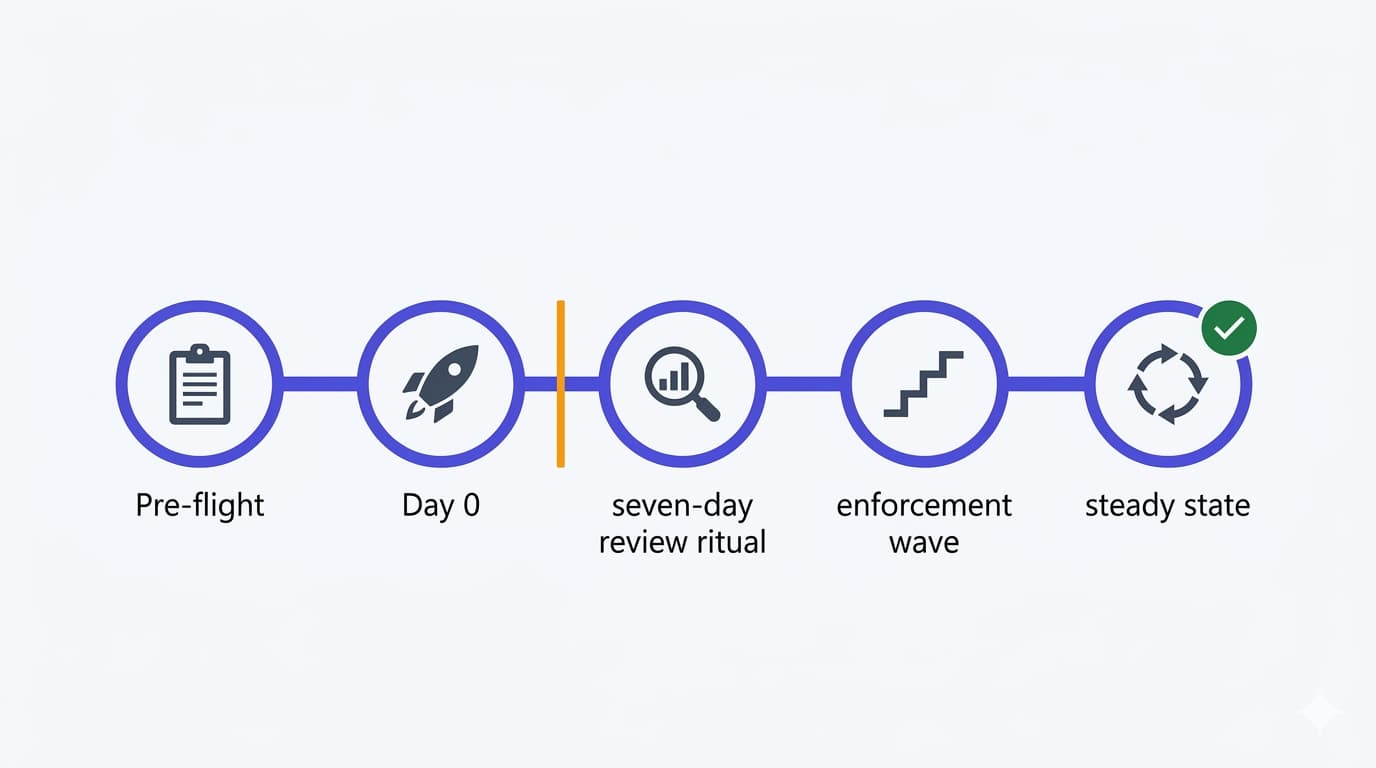
The process, in one page
Everything above assembles into something you can hand to a colleague. Nothing here needs a tool you do not already have; the export script is the only piece you build once.
- 1CaptureExport a baseline
- 2ProposeWrite the diff
- 3StageClone, report-only
- 4SimulateWhat If, full parameters
- 5ObserveA work week
- 6ApplyUpdate, delete clone
- 7VerifyRe-export and diff
| Stage | What you do | What it protects against |
|---|---|---|
| 1. Capture | Run the export script to a dated JSON file, stored with restricted access. Confirm Backup and Recovery is available in the tenant | Having no known-good state to compare against or return to |
| 2. Propose | Write the change as a diff against that file: policy name, what changes, expected effect, who asked, rollback step | Changes nobody can describe afterwards, and "who did this?" |
| 3. Stage | Clone the policy, apply the change to the clone, set it report-only. Never demote the live policy | Losing enforcement while you experiment |
| 4. Simulate | What If with every relevant parameter supplied, not just a username. Test the exclusions too, not only the inclusions | False confidence from an incomplete evaluation |
| 5. Observe | Leave the clone in report-only for at least a work week. Compare it against the live policy in the insights workbook or policy impact | The population you did not think about |
| 6. Apply | Update the live policy, delete the clone, note the timestamp. Sign in as a normal user and as a break-glass account | Applying blind and discovering the problem from a helpdesk ticket |
| 7. Verify and file | Re-export, diff against step 1, attach both to the change record with the audit-log entry | Drift, and reconstructing history under pressure later |
For a small tenant this is twenty minutes of work spread over a week, most of it waiting. For an MSP the capture and diff steps are worth running across every tenant, because what you are really buying is the ability to answer "what changed, when, and by whom" without opening a support case.
Guardrails: who can change what, and under which conditions
Protected actions: step-up authentication on the change itself
The most underused control in the entire Conditional Access surface. Protected actions attach a Conditional Access policy to specific permissions, so that "to allow administrators to update Conditional Access policies, you can require that they first satisfy the Phishing-resistant MFA policy". The permissions you can protect are exactly the ones that matter here:
microsoft.directory/conditionalAccessPolicies/basic/updatemicrosoft.directory/conditionalAccessPolicies/createmicrosoft.directory/conditionalAccessPolicies/delete- the named-location equivalents, and
microsoft.directory/deletedItems/delete(permanent deletion)
The elegance is in the timing: enforcement happens "at the time the user attempts to perform the protected action and not during user sign-in", so admins are prompted only when they touch a policy. It needs P1, works in the Entra admin center, Graph PowerShell and Graph Explorer, and is documented as failing in Azure PowerShell. And it carries the warning that applies to every mechanism in this article: have an emergency account excluded from the policy.
PIM, and the circularity nobody mentions
Making Conditional Access Administrator eligible rather than permanent, with Require approval to activate, adds a human gate before anyone can change a policy at all. Microsoft recommends at least two approvers, and documents the lockout scenario to avoid: all privileged roles eligible, none active, approval required, no approvers configured. Approvers have a non-configurable 24-hour window: an unapproved request expires and has to be submitted again.
Then read this sentence from the PIM documentation slowly, because it is why Conditional Access change control is a security topic rather than an operations one: "security principals with permissions to manage Conditional Access policies, such as Conditional Access Administrators or Security Administrators, can change requirements, remove them, or block eligible users from activating the role. Security principals that can manage the Conditional Access policies should be considered highly privileged and protected accordingly." Whoever can edit CA can edit the control that gates editing CA, which is why Microsoft recommends protected actions and PIM together.
Ownership, naming and the registry Microsoft tells you to keep
Conditional Access policies have no owner attribute. Microsoft's guidance is to "encode ownership in the policy name (for example, a team prefix) and maintain an out-of-band registry that maps each policy to a responsible admin or team", alongside a naming standard covering sequence number, apps, response, who it applies to and when. Their emergency example is worth stealing verbatim: prefix contingency policies with ENABLE IN EMERGENCY and a sequence number, so that mid-incident the order is obvious.
Two numbers for that registry: the tenant limit is 240 policies in any state, including report-only and off, which clone-heavy workflows approach faster than you would expect; and the policy JSON has an undocumented size limit that long lists of user GUIDs can hit, which is Microsoft's own argument for targeting groups and roles rather than individuals.
Microsoft's changes to your tenant
Change control is not only about your changes. Microsoft-managed policies arrive in report-only and enable themselves "no less than 45 days" later unless set to Off, with 28 days' notice. Treat 45 days as the standard timeline, not a guaranteed minimum: Microsoft documents that some policies might be enabled sooner, with the actual schedule communicated through email, the Message Center and the policy details. They cannot be renamed or deleted, and new eligible users are added to their scope automatically, though "any admin-configured exclusions are always preserved". Put a recurring item in the same review that covers your own policies, and use the audit-log filter Microsoft documents: entries initiated by Microsoft Managed Policy Manager in the Policy category, with names starting Microsoft-managed:.
Common mistakes
- Assuming there is an undo.There is none. Know which of the three safety nets covers your situation before you need it, because they cover different failures and expire on different clocks.
- Demoting a live policy to report-only to test a change.Enforcement stops for everyone while you look. Clone instead.
- Trusting a What If run that only supplied a username.If the policy has conditions you did not supply, the tool cannot evaluate them and reports it as not applying. Supply every parameter the policy actually tests.
- Relying on audit logs you have not extended.Retention is short and changes to it are not retroactive. Configure diagnostic settings before the incident, not during it.
- Sending a captured GET response back through PATCH.It carries read-only properties, OData annotations, and an entire embedded authentication strength policy inside
grantControls. Strip the annotations recursively, allowlistgrantControlsexplicitly, and remember that omitting a property leaves it untouched rather than clearing it. - Restoring a deleted policy straight back to On.The restore dialog offers report-only for a reason, and Microsoft recommends it explicitly. Restore quiet, verify, then enable.
- Forgetting that restored named locations lose their trusted flag.Any policy depending on a trusted location behaves differently until you re-mark it, and nothing tells you.
- Leaving the emergency exclusion you added during an incident.Microsoft's own caution: use exclusions sparingly and add users back as soon as possible. An undocumented exclusion is how a temporary fix becomes a permanent hole.
FAQ
Can I see what a policy looked like last week?
Three partial answers, in the order to try them: a difference report if you want to revert rather than only read; the audit log's Modified properties tab if the change falls inside your retention; and your own export, the only answer that covers whatever period you chose to keep.
Is Entra Backup and Recovery enough on its own?
For most SMB tenants it is a large improvement and worth turning to first, but it is preview, daily rather than continuous, limited to a short window, automatable only through unsupported beta APIs, and explicit that recovery "doesn't imply full object rollback". Pair it with the scripted export, which costs nothing to run and covers the gaps.
Who should be allowed to change Conditional Access policies?
As few people as possible, ideally through PIM activation with approval and protected actions requiring phishing-resistant authentication at the moment of change. Reading does not need write access: Security Reader covers policies and logs. (One documented inconsistency: the managed-policies page names Conditional Access Administrator as the least privileged role to view policies, while the deployment plan and Graph docs point to Security Reader.)
Is there an approval workflow for a specific policy change?
Not natively. PIM approval gates role activation, not an individual change, and protected actions gate the action with authentication rather than a reviewer. The only approval-shaped flow Microsoft ships is the optimization agent's suggestion approval, which covers only changes the agent proposes. Anything more is your policy-as-code pipeline, which is exactly what Microsoft's guidance recommends building.
How do I know a change was Microsoft's and not ours?
Filter the audit log for entries initiated by Microsoft Managed Policy Manager in the Policy category; managed policy names also start with Microsoft-managed:. Worth checking before anyone gets blamed for a policy nobody remembers enabling.
Can I automate the rollback safely?
Within limits. Build the request body from an allowlist of writable properties, act on one policy at a time, require an explicit confirmation flag, and re-read the policy afterwards instead of trusting the 204. Test the shape handling offline against Microsoft's published response sample before you point it at a tenant. What you cannot automate away is the judgement call about which version was correct.
What is the fastest safe rollback in an incident?
Disable the policy. One toggle, documented as the first rollback option, loses nothing, and buys the time to do the diff properly. Exclusions come second and need an owner and a review date. Restores come after that, difference report first.
- Microsoft Entra Backup and Recovery overview (Microsoft Learn)
- Create and review difference reports (Microsoft Learn)
- Backup and Recovery: supported objects and limitations (Microsoft Learn)
- Microsoft Entra Backup and Recovery APIs, beta (Microsoft Graph)
- conditionalAccessPolicy resource type, incl. read-only properties (Microsoft Graph)
- authenticationStrengthPolicy resource type, embedded in grantControls (Microsoft Graph)
- Recover from deletions, incl. restoring Conditional Access policies (Microsoft Learn)
- Recoverability best practices: document known good states (Microsoft Learn)
- Troubleshoot Conditional Access policy changes with the audit log (Microsoft Learn)
- Log retention policies by licence (Microsoft Learn)
- Conditional Access What If tool and its limitations (Microsoft Learn)
- Report-only mode, incl. validating changes to existing policies (Microsoft Learn)
- Plan a Conditional Access deployment: rollback, naming, governance (Microsoft Learn)
- Protected actions (Microsoft Learn)
- PIM role settings: require approval to activate (Microsoft Learn)
- Graph: list Conditional Access policies (Microsoft Learn)
- Graph: update Conditional Access policy (Microsoft Learn)
- Microsoft-managed Conditional Access policies (Microsoft Learn)
- PIM approval workflow and the 24-hour window (Microsoft Learn)
- Get-MgIdentityConditionalAccessPolicy (Microsoft Learn)
- Conditional Access optimization agent (Microsoft Learn)
- Optimization agent: phased rollout and automatic pause (Microsoft Learn)
Changing Conditional Access policies without a net?
Most tenants I see have no export, no diff and no agreed rollback step, which is fine right up until the afternoon it is not. If you want the capture and review process set up once, with the guardrails that stop the wrong person changing the wrong policy, talk to me. It is a short piece of work with a long tail of avoided incidents.
Talk to me