Exchange Online mail flow did not become a new product in 2026, but the architecture decision model around it has changed. High Volume Email reached general availability on 31 March 2026, giving line-of-business apps and devices a purpose-built path for internal high-volume sending. SMTP AUTH Basic Authentication is on a published retirement track: disabled by default on existing tenants in late December 2026, with Microsoft expected to announce the final removal date in H2 2027 (HVE retains a Basic Auth exception until September 2028). DMARC enforcement at the receiver side became a baseline expectation after Outlook's May 2025 sender requirements. External auto-forwarding is disabled by default. The connector, transport rule and Defender for Office 365 surface has not been redesigned, but the decisions around it have. This article is the practitioner's field guide: what to send through which mechanism in 2026, which connector pattern fits which scenario, how to plan the SMTP AUTH retirement migration, and how to build a transport rules + DMARC + Defender baseline that holds.
sendMail for applications that can leave SMTP altogether), with HVE, certificate-based or IP-based connector relay, and Direct Send for the scenarios where SMTP AUTH was being used as a relay. HVE retains a Basic Auth exception until September 2028 to give specific legacy devices an extended runway. Confirm dates against Microsoft Learn before publishing internal communications.sendMail is the modern non-SMTP alternative for applications that can be modernised away from SMTP entirely.1. Planning a tenant baseline refresh: read top to bottom; the pre-migration checklist captures the work.
2. Triggered by the SMTP AUTH retirement date: jump to Section 3 (SMTP AUTH retirement playbook) and the checklist.
3. Inheriting a tenant with messy mail flow: jump to Section 4 (connector architecture) and the common mistakes section.
The 2026 mail flow timeline: what changed, what is coming
Three concurrent regulatory and platform changes have made 2026 the year mail flow architecture re-enters the planning cycle. The Microsoft side has shipped HVE, accelerated the SMTP AUTH retirement clock, and made external forwarding off by default. The receiver-side ecosystem (Outlook, Gmail, Yahoo) has standardised on hard sender requirements. Tenants that ran on inertia until 2024 are now hitting friction.
| Change | Date | Status June 2026 | What it means for admins |
|---|---|---|---|
| Outlook sender requirements | 5 May 2025 | In force | SPF, DKIM, DMARC alignment required for senders above 5,000 messages per day to outlook.com / hotmail.com / live.com. Non-compliant messages are routed to junk or rejected. |
| External auto-forwarding default = Off | 2024 | In force | Default outbound spam policy now treats "Automatic - System-controlled" as Off. Re-enabling is a scoped exception, not a tenant toggle. |
| HVE public preview | From 2024 | Superseded by GA | Public preview validated the LOB internal-only design; external sending was removed from HVE in June 2025. |
| HVE general availability | 31 March 2026 | In production | HVE is the recommended Microsoft-native method for high-volume internal LOB sending. Up to 100 HVE accounts per tenant; no user licence required. |
| SMTP AUTH Basic Auth — disabled by default | Late December 2026 | Approaching | Existing tenants will have SMTP AUTH Basic Auth disabled by default. Currently exempted scenarios will need either OAuth migration or a tenant-level temporary exception (Microsoft has historically allowed re-enable on request). |
| HVE Basic Auth exception window | Until September 2028 | Active | HVE specifically retains a Basic Auth path until September 2028 to accommodate devices that cannot upgrade to OAuth quickly. |
| SMTP AUTH Basic Auth — final removal date announced | H2 2027 (announcement) | Scheduled announcement, not the cut-off itself | Microsoft is expected to announce the final removal date in H2 2027. Until the announced date is reached, Basic Auth is unavailable by default but technically still removable on case basis. Tenants should treat late December 2026 as the operational deadline; the final removal arrives later, on the date Microsoft will announce. |
The five supported sending patterns in 2026
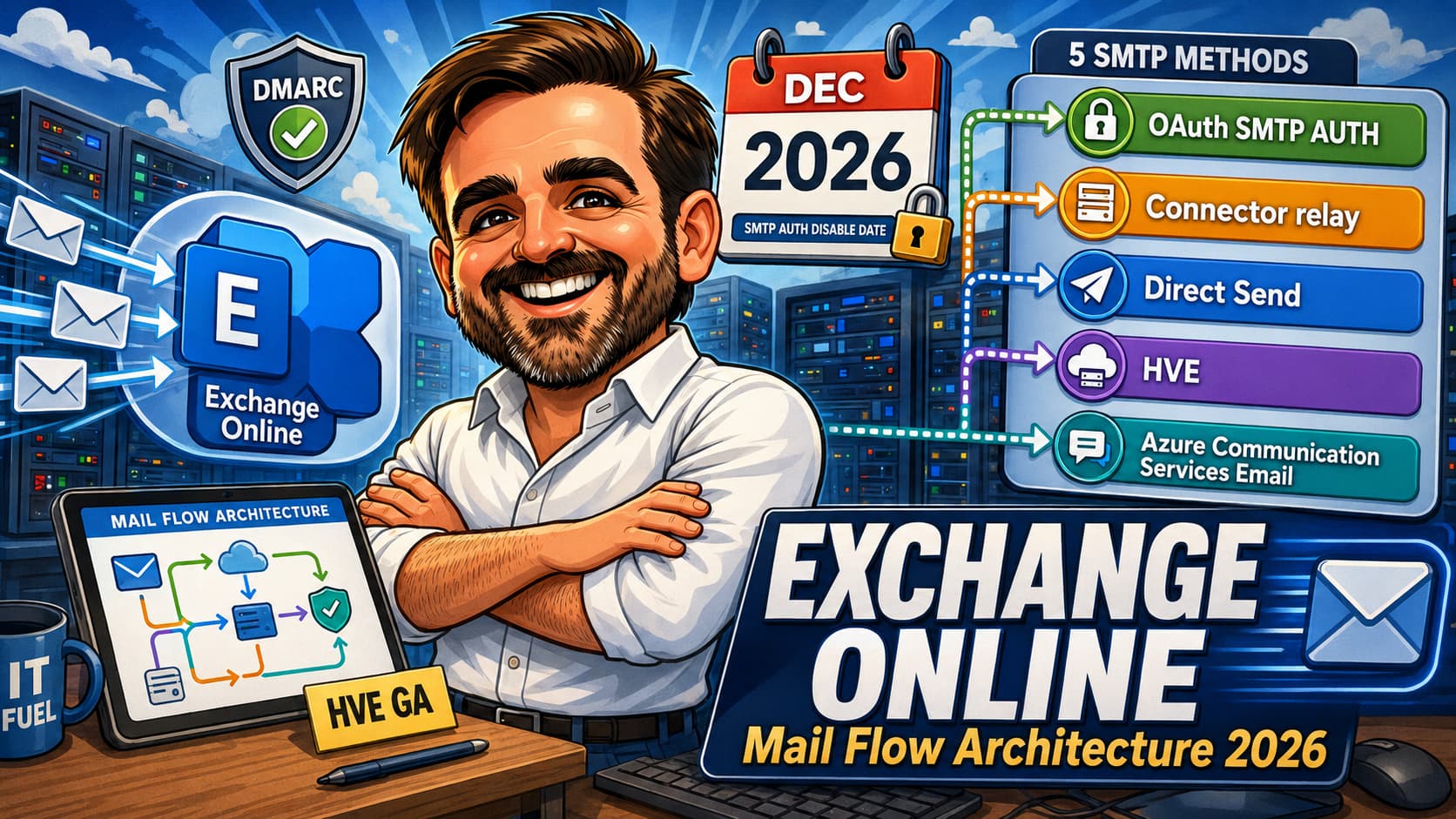
The Microsoft 365 sending surface in 2026 has five viable patterns — some are classical SMTP relay paths (SMTP AUTH, connector relay, Direct Send), some are purpose-built sending services (HVE, Azure Communication Services Email). Picking the right one for each sender is the single most important architecture decision. The wrong pattern is the source of "it worked last week and now it doesn't" tickets after preset security policies are rolled out, after SMTP AUTH is disabled, or after Outlook tightens its DMARC enforcement on a specific receiving domain.
| Method | Best for | Auth | Recipients | 2026 status |
|---|---|---|---|---|
| SMTP AUTH (Client Submission) with OAuth 2.0 | Modern apps that need to send as a specific user mailbox | OAuth 2.0 (required after Basic Auth removal) | Internal and external | Recommended for modern apps. Basic Auth retirement timeline applies. |
| Certificate-based connector relay (port 25) | MFPs, scanners and legacy devices with a static public IP or a TLS certificate | Source IP or certificate | Internal and external (with tenant outbound limits) | Stable. Recommended replacement path for SMTP AUTH-based relay where OAuth is not feasible. |
| Direct Send (port 25, no auth) | Internal-only senders that need a zero-setup path | None — uses MX endpoint | Internal only | Stable. Not affected by the SMTP AUTH Basic Auth retirement. If your MX points at a third-party gateway, see the gateway-bypass note below. |
| High Volume Email (HVE) | LOB applications that exceed Exchange Online's per-user limits (10,000 recipients/day, 30 msg/min) for internal traffic | OAuth 2.0 (recommended) or Basic Auth (until September 2028 for HVE) | Internal only (external removed June 2025) | Generally available since 31 March 2026. |
| Azure Communication Services Email | High-volume external transactional email (newsletters, OTPs, customer notifications) | REST API key or SMTP (with key) | Primarily external | Generally available. Recommended for external high-volume after HVE was scoped to internal. |
The most common mismatch in production: applications still configured for SMTP AUTH (Basic) sending to internal recipients, often migrated from on-premises Exchange years ago, with no plan for retirement. The 2026 mapping is: if the sender is internal-only and high-volume, HVE. If the sender is internal-only and low-volume, Direct Send. If the sender is external-bound and high-volume, ACS. If the sender is a modern app sending as a specific user, SMTP AUTH with OAuth (or Microsoft Graph sendMail if the app can leave SMTP altogether). If the sender is a legacy device with a static IP, certificate-based or IP-based connector.
Mail flow decision tree
The same five methods, framed as a question-driven decision tree. Useful in design reviews when categorising each sender against the 2026 architecture.
| Question | Recommended method |
|---|---|
| Does the sender need to send as a specific real-user mailbox identity? | SMTP AUTH with OAuth (if SMTP is required) or Microsoft Graph sendMail (if the app can be modernised) |
| Is this a modern custom application that can be modernised away from SMTP? | Microsoft Graph sendMail with delegated or application permissions |
| Is this a LOB application sending high volumes internally? | High Volume Email (HVE) with a valid PAYG billing policy |
| Is this an internal-only sender with low volume that needs zero-auth simplicity? | Direct Send |
| Is this an MFP, scanner or legacy device with a static IP that must send externally? | Certificate-based connector relay (preferred) or IP-based connector relay (realistic fallback for older devices) |
| Is this transactional external traffic in volume (newsletters, OTPs, customer notifications)? | Azure Communication Services Email |
| Is this marketing or newsletter content? | Dedicated marketing / email service platform (not Exchange Online directly) |
| Is this a third-party SaaS sending on behalf of your domain? | SPF / DKIM / DMARC alignment configured for the vendor + the vendor's supported sending method (often their own infrastructure, not your tenant) |
High Volume Email: what it is, what it replaces, what it does not do
High Volume Email is the new Microsoft 365 mail flow surface for line-of-business applications that need to send substantial volumes of internal email reliably. It became generally available on 31 March 2026 after roughly two years of preview. The design point is: take applications that previously had to either run a 10,000-recipient-per-day rotation across multiple service accounts, or smuggle email through a third-party relay, and give them a purpose-built path that does not consume mailbox quota and does not collide with the per-user sending ceilings.
The most important constraint is what HVE deliberately is not. Microsoft scoped HVE to internal recipients only in June 2025 and confirmed that scope at general availability. External high-volume sending — newsletters, customer notifications, OTPs, transactional traffic to customers — is explicitly out of scope. Azure Communication Services Email is the recommended path for those workloads. Trying to use HVE for external traffic in 2026 is a planning error that surfaces fast: the messages do not deliver.
| HVE characteristic | Detail at time of writing |
|---|---|
| Availability | Generally available since 31 March 2026. |
| Recipient scope | Internal only. The recipient's domain must be an accepted domain in the tenant. |
| Account model | Up to 100 HVE accounts per tenant. HVE accounts do not require a Microsoft 365 user licence and are not regular mailboxes. |
| Billing model | Microsoft 365 pay-as-you-go (PAYG) through an Azure subscription. Each HVE account must be associated with a valid billing policy before it can send. HVE is not "free mail flow"; design decisions should include expected recipient volume, billing ownership, workload separation and monitoring. |
| Billing unit | Expanded delivered recipients (each recipient on the message counts). |
| Indicative price | At the time of writing, Microsoft lists HVE at approximately USD $42 per million delivered recipients. Validate regional pricing and current billing terms on Microsoft Learn or the Azure pricing page before budgeting. |
| Authentication | OAuth 2.0 is the recommended path. Basic Authentication is supported for HVE specifically until September 2028, separate from the tenant-wide SMTP AUTH Basic Auth retirement. |
| Recipients per message | Up to 50 recipients per message (validate current published limit against Microsoft Learn). |
| Maximum message size | 10 MB (validate against Microsoft Learn). |
| Endpoint | smtp.hve.mx.microsoft is the recommended HVE-specific endpoint. |
| Reply handling | HVE accounts cannot receive email. Configure Reply-To pointing at a real mailbox where reply traffic is expected. |
| Internal recipient limits | The 10,000 recipients per day per sender limit that applies to user mailboxes does not constrain HVE in the same way. Validate the current published limits in Microsoft Learn before designing a workload. |
| What HVE replaces in a typical tenant | Service account rotations for LOB internal sending. SMTP AUTH-based relay where the destination is internal. Third-party SMTP relay services used to bypass Exchange per-user limits. |
| What HVE does not replace | External transactional email (use ACS). Internal low-volume per-user sending (use the mailbox normally or Direct Send). Send-as-user-mailbox patterns where the sender identity must be a real human user (use OAuth SMTP AUTH or Microsoft Graph sendMail). |
SMTP AUTH Basic Auth retirement: the 2026 migration playbook
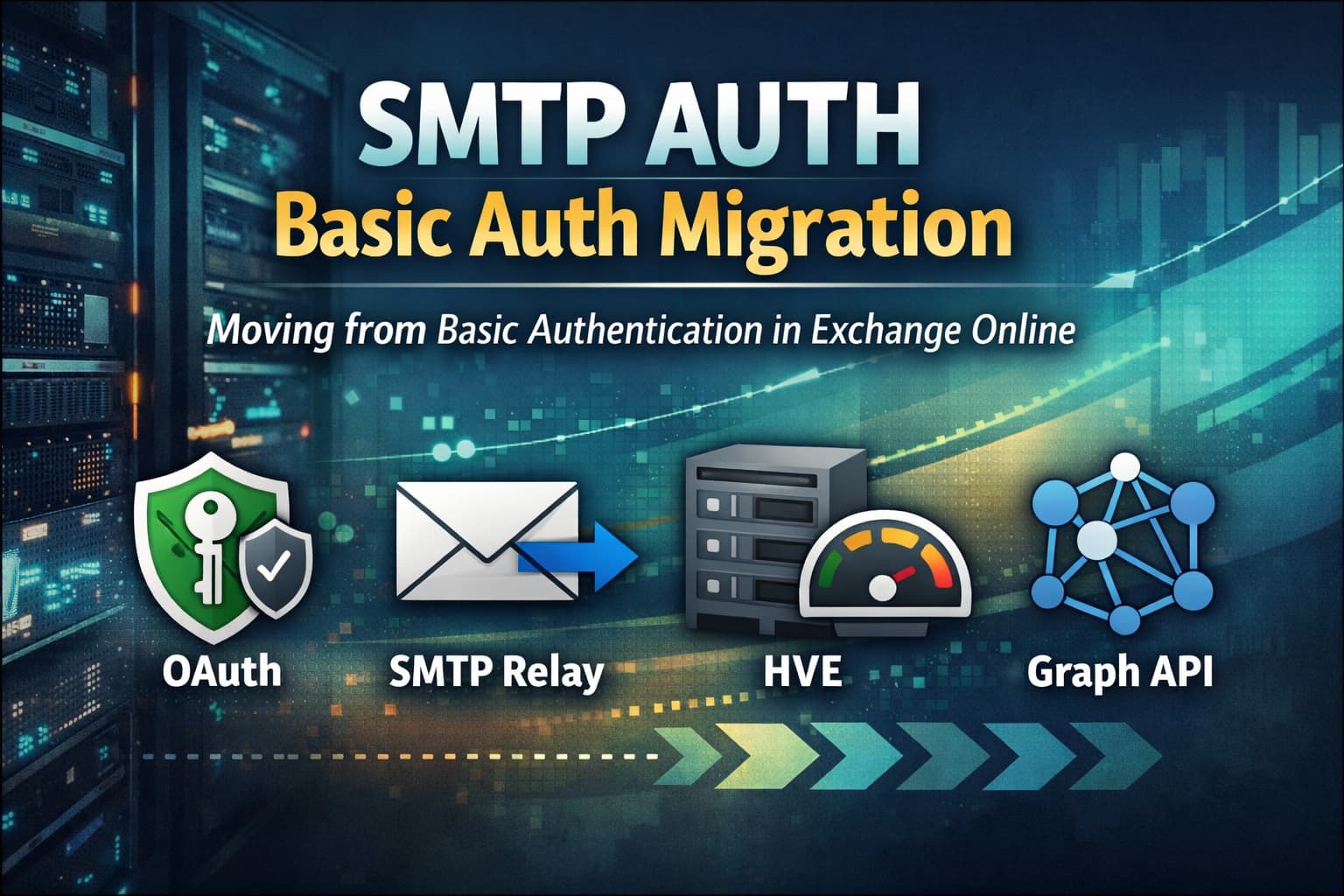
SMTP AUTH (also called Client Submission) is the path where an application authenticates against smtp.office365.com on port 587 with username and password, then submits messages as a specific user mailbox. It is the path that broke when Microsoft removed Basic Authentication for most workloads in 2022. SMTP AUTH was given a temporary reprieve at that time because the alternatives for legacy senders were not mature. In 2026 those alternatives are mature, and the reprieve has an end date.
Microsoft's January 2026 update to the timeline confirms the retirement track: SMTP AUTH Basic Auth is disabled by default on existing tenants in late December 2026, with Microsoft expected to announce the final removal date in H2 2027. The "disable by default" event in late December 2026 is the operational deadline; the final removal will arrive later, on a date Microsoft will announce. HVE retains a separate Basic Auth exception until September 2028 to give specific device classes (older MFPs, scanners, niche industrial equipment) an extended runway. The realistic position for a 2026 admin is: every SMTP AUTH Basic sender needs a plan that ends before late December 2026.
Phase 1: inventory every SMTP AUTH sender
The first deliverable is a list. Without inventory there is no migration plan; with inventory the migration is a matter of routing each sender to the right 2026 method. The Exchange Online message trace and audit log are the primary sources. Filter for SMTP AUTH (Client Submission) sends and group by sending application and source IP.
For each identified sender, the question is: which method should this become in 2026? The decision tree is short.
- Modern application that supports OAuth 2.0 — reconfigure for SMTP AUTH with OAuth. Stays on SMTP AUTH path, just with modern auth.
- Internal-only LOB application with high volume — migrate to HVE.
- Internal-only application or device with low volume — migrate to Direct Send.
- Legacy device (MFP, scanner) with a static public IP — migrate to a certificate-based connector relay.
- External-bound transactional traffic — migrate to Azure Communication Services Email.
- Vendor-managed SaaS sender (CRM, ticketing, marketing automation) — check vendor documentation; most modern SaaS senders now support OAuth or have their own external sending paths.
Phase 2: modernise the authentication path
Phase 2 is the technical migration where the cleanest decision is made: should this sender continue to use SMTP at all? There are two distinct modernisation paths that are often conflated, and they are not interchangeable.
| Path | Protocol | Endpoint | When to use |
|---|---|---|---|
| SMTP AUTH with OAuth 2.0 | SMTP / SASL XOAUTH2 | smtp.office365.com:587 |
The application must continue speaking SMTP (vendor-provided code, third-party connectors, devices with no Graph SDK). |
Microsoft Graph sendMail |
HTTPS / Graph API | graph.microsoft.com/v1.0/users/{id}/sendMail |
The application can be modernised away from SMTP. Custom applications, internal tools, anything where SMTP was a compatibility choice rather than a requirement. |
sendMail. If the application must continue to speak SMTP, implement OAuth for SMTP AUTH using the supported SASL/XOAUTH2 pattern (Entra ID app registration with the appropriate SMTP-relevant permission, then SMTP/XOAUTH2 against smtp.office365.com:587). If the application can be modernised away from SMTP, move it to Microsoft Graph sendMail with the appropriate delegated or application permissions (Mail.Send for app-only, or delegated equivalents). Graph is often the cleaner long-term pattern for custom applications — better scoping, cleaner auditing, future-proof. SMTP AUTH OAuth is the compatibility path for applications that still need SMTP.SMTP AUTH retirement is also an opportunity
The retirement is not only a protocol migration. It is also an opportunity to ask whether the application should still use SMTP at all. For custom applications that can be modified, Microsoft Graph sendMail is often a better long-term target than SMTP AUTH OAuth. SMTP remains useful for compatibility, devices and mail-flow-style relay. Graph is usually cleaner for application-native sending, permission scoping, auditing and future-proofing. The "do not migrate every SMTP sender to another SMTP sender" rule is the most under-applied design heuristic in this phase.
Phase 3: migrate to HVE / Direct Send / connector / ACS where OAuth is not the right answer
Some senders should leave the SMTP AUTH path entirely. The mapping decisions from Phase 1 drive Phase 3. The work is mostly operational: stand up the destination, validate the sender works, switch the sender configuration, monitor.
- HVE migration: create an HVE account, assign a Microsoft 365 PAYG billing policy to it (HVE accounts cannot send without one), configure the LOB application with the HVE account credentials (OAuth where supported; Basic Auth available for HVE specifically until September 2028), validate internal delivery. Monitor message trace and billing telemetry.
- Direct Send migration: point the application at the tenant MX endpoint on port 25 and validate internal delivery only. Do not design Direct Send as an external relay path. Direct Send is internal-only by design; if the application must send externally, use OAuth SMTP AUTH, connector relay, or Azure Communication Services Email depending on the scenario. The control that makes Direct Send safe is recipient scope and source governance, not SPF alignment.
- Certificate-based connector migration: preferred where the device or relay host supports clean TLS with a certificate. Issue a certificate with subject name matching an accepted domain, install on the device, create an inbound connector in Exchange Online with the certificate restriction, validate end-to-end.
- IP-based connector migration: for older MFPs, scanners and legacy devices that do not support certificate-based TLS cleanly. Place the device behind a controlled static public IP, create an inbound connector restricted to that IP, validate end-to-end. In both certificate and IP patterns, restrict source, monitor usage, and avoid using a user mailbox as the relay identity.
- ACS migration: provision an Azure Communication Services Email resource, register the sender domain (with DNS verification), reconfigure the application to use the ACS REST endpoint or SMTP with the ACS connection string, validate external delivery and bounce handling.
Phase 4: validate, then control SMTP AUTH carefully
The final step is the cleanest in intent but the most delicate in execution. Once every identified sender is on a non-Basic path, validate via message trace that no SMTP AUTH Basic Auth submissions remain. Then control SMTP AUTH carefully — not bluntly. The Exchange Online PowerShell command Set-TransportConfig -SmtpClientAuthenticationDisabled $true is widely repeated as the way to disable SMTP AUTH Basic Auth, but the actual effect is broader than that.
Set-TransportConfig -SmtpClientAuthenticationDisabled $true. This command disables SMTP AUTH (client submission) at tenant level — not only Basic Auth. After running it, even OAuth-based SMTP AUTH stops working for the tenant by default. Use this command only if the tenant no longer requires SMTP client submission at all (every sender modernised to Graph, HVE, ACS or non-SMTP-AUTH connectors). If modern OAuth SMTP AUTH is still required for selected applications, keep tenant SMTP AUTH available and control it per mailbox via Set-CASMailbox -SmtpClientAuthenticationDisabled $true/$false for the mailboxes that do not need it. Per-mailbox control is the right tool for "disable where not needed, keep where required"; tenant-wide disable is the right tool only for "no longer needed anywhere".
The mature 2026 pattern: disable per-mailbox aggressively (the default for any new mailbox is to not need SMTP AUTH at all), keep tenant-wide SMTP AUTH available for the explicit OAuth scenarios, and review the small list of "SMTP AUTH allowed" mailboxes periodically.
Connector architecture decisions
Mail flow connectors in Exchange Online are the configurable routing points where mail enters or leaves the tenant outside the default MX path. They are also the source of more "why did this mail get rejected?" tickets than any other Exchange Online feature, because connectors carry assumptions about IP space, certificates, partner orgs and security gateways that drift over time.
The 2026 connector architecture decisions break down into four common scenarios. Each has a recommended pattern and a set of common anti-patterns to avoid.
| Scenario | Recommended pattern | Watch out for |
|---|---|---|
| Inbound from a third-party security gateway (Mimecast, Proofpoint, Barracuda, Cisco, etc.) | Inbound connector with Restrict by sender IP set to the security gateway's published IP ranges. Enhanced Filtering for Connectors (EFC) enabled so EOP can still see the original sending IP for authentication. | Without EFC, EOP authenticates the gateway IP instead of the real sender, breaking SPF and inflating false positives. |
| Outbound to a partner organisation with TLS enforcement | Outbound connector with Always use TLS, Issued by trusted CA, and the partner domain in the routing condition. | Hardcoding partner IP ranges instead of certificate trust. Partner IPs change without notice. |
| Inbound from on-premises Exchange (hybrid) | Hybrid Configuration Wizard creates the connectors with the correct certificate, send connector authentication and outbound routing. Maintain via HCW, not manually. | Manual edits to HCW-created connectors that get overwritten on the next HCW run. Stale connectors from decommissioned on-premises servers. |
| Internal MFP / scanner / device relay | Certificate-based connector relay is preferred where the device or relay host supports clean TLS with a certificate. For older MFPs and scanners that do not support certificate-based TLS cleanly, IP-based connector relay from a controlled static public IP is often the realistic pattern. In both cases, restrict source, monitor usage, and avoid using a user mailbox as a relay identity. | SMTP AUTH (Basic Auth) used for relay. Will stop working by late December 2026 absent specific exception. Avoid IP-based connectors that allow open relay through poorly scoped IP ranges. |
tenant-com.mail.protection.outlook.com), review Microsoft's Direct Send controls and decide whether to reject unauthenticated direct submissions to the tenant. The risk is real: an attacker can find the tenant's MX endpoint, skip the gateway entirely, and deliver mail straight to EOP — bypassing the gateway's anti-phishing and DLP controls. The mitigation is a documented tenant policy, surfaced in the connector configuration and supported by transport rules where appropriate.
Transport rules (mail flow rules) patterns that work in 2026
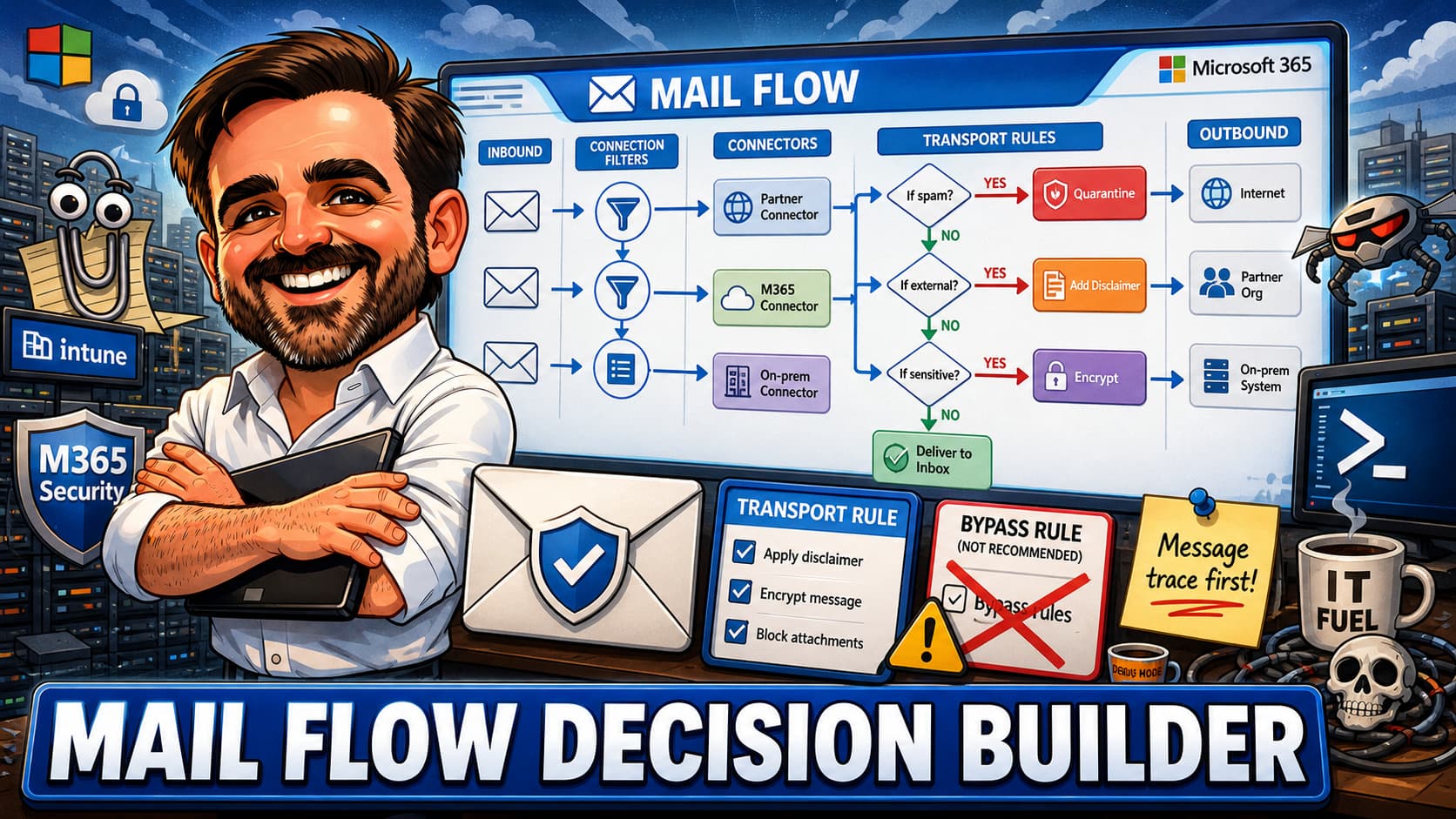
Transport rules are the Swiss Army knife of Exchange Online mail flow. They handle disclaimers, conditional routing, security overrides, DLP integration, signatures, label-based encryption and a dozen other use cases. They also accumulate fast, conflict with each other, and produce results that are hard to debug. The 2026 mature pattern is: keep transport rules to a small number of well-named rules with explicit priority order, separate security rules from content rules, and audit periodically.
| Rule category | Common pattern | Recommended priority |
|---|---|---|
| Security rules | Block known malicious patterns, override quarantine for specific allowed senders, enforce mandatory encryption for outbound to specific recipients, block auto-replies to suspicious senders. | Top of the list. Security overrides need to evaluate first. |
| Compliance rules | Apply sensitivity labels to inbound external mail, redirect mail with specific keywords for review, journal specific traffic to compliance archive. | After security, before content rules. |
| Routing rules | Bypass spam filtering for specific connector traffic, route mail to specific connectors based on recipient or attribute, force TLS for specific routes. | Middle. Routing affects downstream rule evaluation. |
| Content rules | Append disclaimers, prepend external sender warnings, apply standard signatures, redact specific patterns. | Bottom of the list. Content modifications run last to avoid breaking earlier evaluations. |
| DLP integration rules | Detect sensitive content (credit cards, PII), apply Office 365 Message Encryption, block or report on policy violations. Microsoft Purview DLP is the modern primary tool; transport rules can supplement. | Microsoft Purview DLP is preferred for new patterns; transport rule patterns mostly persist for legacy needs. |
DMARC, DKIM and SPF: the 2026 enforcement state
The receiver-side enforcement of email authentication moved decisively in 2025. Outlook's May 2025 sender requirements pushed SPF, DKIM and DMARC alignment as a prerequisite for senders above 5,000 messages per day to Microsoft consumer mail domains. Gmail and Yahoo had moved earlier in 2024. The cumulative effect is that domains with no DMARC record, or with long-term permissive DMARC (p=none) in production, increasingly receive lower trust treatment from major receivers and are harder to defend during spoofing incidents. Outbound DMARC posture is now an admin responsibility, not a "we will get to it" item.
The realistic 2026 target for active production sending domains is DMARC p=reject, reached through phased rollout and reporting. Parked, defensive or non-sending domains may need a different pattern: usually a strict SPF (v=spf1 -all with no mechanisms) and a DMARC record aligned to the domain's purpose (p=reject with no sp exception, or with an explicit policy that signals "this domain does not send mail"). The phased rollout for active sending domains exists because moving directly to reject from no DMARC record routinely breaks legitimate mail flows that nobody knew existed — a printer using the domain, a SaaS service sending on behalf of the tenant without proper SPF inclusion, a shared mailbox used by a partner.
| Phase | What changes | Duration | Required artefacts |
|---|---|---|---|
| Phase 0 — baseline | Publish DMARC p=none with rua reporting addresses. SPF complete and within the 10 lookup limit. DKIM signing enabled for the domain. |
2-4 weeks | DMARC aggregate reports collected, parsed, reviewed |
| Phase 1 — remediation | Identify every legitimate sender from aggregate reports. Fix SPF to include them, set up DKIM signing for them where possible, identify and shut down rogue senders. | 4-12 weeks | Sender inventory, SPF audit, DKIM coverage report |
| Phase 2 — quarantine | Move DMARC to p=quarantine with a percentage rollout (pct=10 then 25 then 100). |
4-8 weeks | Continued aggregate report review; failure rate tracking |
| Phase 3 — reject | Move DMARC to p=reject with the same percentage rollout. |
2-4 weeks | Final aggregate report review; sign-off from each sender owner |
rua) is a daily summary of authentication results from receiving mail servers. Parsing raw rua reports manually is impractical beyond a single small domain. Use a DMARC reporting service or build a parser. Without reporting, the phased rollout becomes guesswork. Microsoft 365 itself does not provide a built-in DMARC aggregate report parser at the time of writing.
External auto-forwarding: secure by default, with controlled exceptions
The Microsoft 365 default outbound spam policy now treats "Automatic - System-controlled" as Off. External auto-forwarding rules set by users (via Outlook, mail flow rules on the mailbox, or Power Automate flows) are blocked at the gateway. The change closed a long-standing data exfiltration path and aligned Microsoft 365 with the broader secure-by-default posture across the platform.
The operational consequence: tenants where users were used to setting personal forwards (to a Gmail account, to a phone-based mail aggregator, to a partner organisation) experienced a wave of "my forwarding stopped working" tickets. The correct response is not to flip the global setting to On. The correct response is a scoped exception via a dedicated outbound spam policy applied to a specific group, with documented justification and periodic review.
- Default position: external auto-forwarding Off via the default outbound spam policy. No tenant-wide override.
- Documented exceptions: a custom outbound spam policy applied to an Entra ID security group ("AllowExternalForwarding") with the external forwarding control set to On. Membership is reviewed at defined intervals.
- Monitoring: any user with external forwarding On appears in audit logs and message trace. Microsoft Purview Insider Risk Management policies can flag patterns that suggest exfiltration via the exception.
- Communication: the exception process is documented in the help-desk knowledge base, so users requesting external forwarding follow a known path.
Defender for Office 365 integration: preset policies, ZAP, and rule interaction
Defender for Office 365 is the security layer that sits on top of the Exchange Online mail flow surface. The 2026 mature pattern is: Defender for Office 365 Standard or Strict preset security policies as the baseline, custom policies only where the tenant genuinely needs deviation, and explicit awareness of how presets interact with transport rules.
The preset security policies bundle anti-spam, anti-phishing, anti-malware, Safe Attachments and Safe Links at recommended values. Standard preset security policies are the default baseline for most users; Strict is usually better reserved for high-risk populations such as executives, finance, privileged admins, and users frequently targeted by phishing. Custom policies exist for legitimate edge cases: a tenant that must allow specific sender patterns flagged by Strict, a regulated industry with specific signature or attachment requirements.
The interaction with transport rules deserves a specific note. Transport rules evaluate before Defender for Office 365 anti-spam / anti-phishing for some actions, after for others, and bypass for explicit overrides. The common production failure is a transport rule that bypasses spam filtering for a specific connector or sender pattern, which then defeats the preset policy that was supposed to catch the malicious content. The mature pattern is: avoid blanket bypasses; if a bypass is required, scope it tightly (specific sender + specific subject + specific recipient) and review periodically.
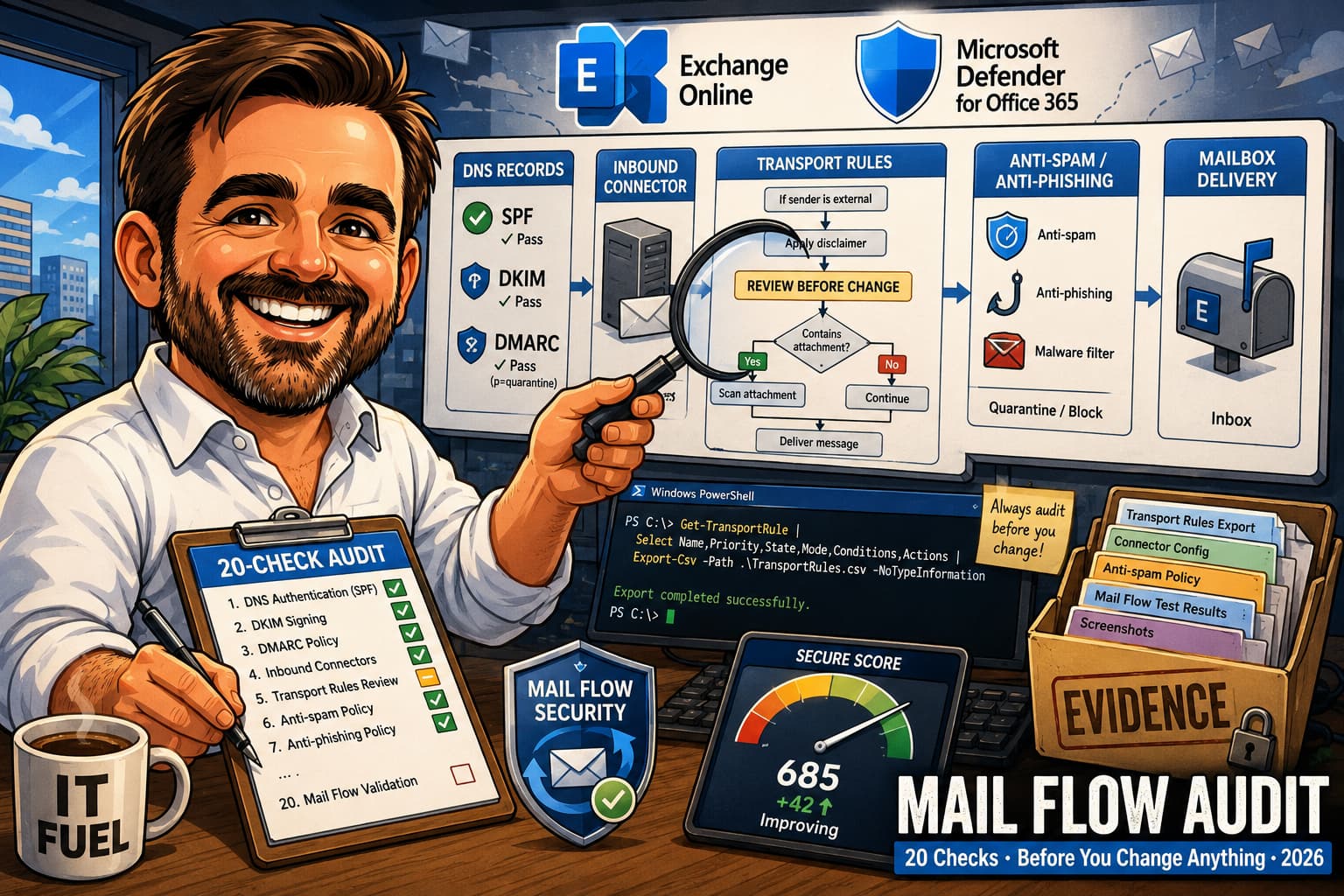
Pre-migration validation checklist (12 items)
The checklist below collects the highest-impact actions a Microsoft 365 admin or architect can take in the second half of 2026 to land safely against the SMTP AUTH retirement date, the DMARC enforcement baseline, and the mature mail flow architecture.
- Inventory every SMTP AUTH Basic Auth sender in the tenant.Use Exchange Online message trace and audit log filtered for SMTP AUTH (Client Submission). Group by sending application and source IP. The deliverable is a list with current owner and target 2026 method per sender.
- Map each SMTP AUTH sender to its 2026 method.OAuth SMTP AUTH (modern apps), HVE (internal LOB high volume), Direct Send (internal low volume), certificate-based connector (legacy devices with static IP), Azure Communication Services Email (external high volume).
- Pilot one modern authentication migration path.If the app must remain on SMTP, pilot SMTP AUTH with OAuth/XOAUTH2 against
smtp.office365.com:587using the supported SMTP permission model. If the app can leave SMTP, pilot Microsoft GraphsendMailwith the appropriate delegated or applicationMail.Sendpermission. Document which path was chosen and why. - Stand up HVE for one internal LOB sender.Create the HVE account, configure the sender (OAuth recommended; Basic Auth available for HVE specifically until September 2028), validate internal delivery and message trace. Confirm HVE limits and licensing model against current Microsoft Learn.
- Audit certificate-based and IP-based connectors.Validate that inbound connectors from third-party security gateways have Enhanced Filtering for Connectors enabled. Validate that outbound connectors to partners use TLS enforcement and trusted certificate verification, not IP whitelisting alone. Remove connectors for decommissioned senders.
- Publish DMARC
p=nonewith reporting on every active sending domain.SPF complete and within the 10 lookup limit. DKIM signing enabled.ruareporting address configured. Aggregate reports collected and parsed (vendor tool or internal parser). - Identify every legitimate sender from DMARC aggregate reports.Fix SPF to include them. Set up DKIM signing where possible. Identify and decommission rogue senders. This is the phase that prevents legitimate mail flow breakage when moving to
quarantineandreject. - Move DMARC to
p=quarantinethenp=rejectwith percentage rollout.Usepct=10,pct=25,pct=100as the progression. Continue aggregate report review between steps. Final target:p=reject; pct=100for every active sending domain. Parked, defensive or non-sending domains may need a different pattern; assess them separately. - Apply Defender for Office 365 Standard or Strict preset security policies.Standard preset security policies are the default baseline for most users. Strict is usually better reserved for high-risk populations such as executives, finance, privileged admins, and users frequently targeted by phishing. Built-in Protection covers users without an assigned preset but is narrower in scope; do not treat it as a substitute for explicit Standard/Strict assignment.
- Configure the outbound spam policy explicitly.Preset security policies do not cover outbound spam. Validate external auto-forwarding control is Off in the default outbound spam policy. Create a scoped exception policy only where a specific business justification requires it, applied to a controlled group with periodic review.
- Audit transport rules for anti-patterns.Blanket bypasses for whole connector traffic. Disclaimer rules that affect auto-replies. Journal-all rules. Over-broad keyword regex. TLS-enforcement on every outbound. Remove or scope tightly. Order rules: security → compliance → routing → content.
- Control SMTP AUTH carefully after the migration completes.Be careful with
Set-TransportConfig -SmtpClientAuthenticationDisabled $true— it disables SMTP AUTH at tenant level, not only Basic Auth. Use it only if no sender still needs SMTP AUTH. If modern OAuth SMTP AUTH remains required for selected applications, control SMTP AUTH at mailbox level viaSet-CASMailbox -SmtpClientAuthenticationDisabled $true/$falseand keep only the required mailboxes enabled.
Monitoring after cutover
The checklist captures the migration work. After cutover, the work shifts to validation. The pattern below is the post-migration monitoring window that catches the issues which are silent until they are not.
| Window | What to validate |
|---|---|
| First 24 hours | Delivery failures, NDRs (non-delivery reports), auth failures in sign-in logs, message trace for affected senders. |
| 7 days | Sender volume vs baseline, HVE usage and billing telemetry, connector usage and rejection rate, restricted users list. |
| 30 days | DMARC aggregate reports for new senders, rogue senders that surfaced post-cutover, external forwarding exceptions usage, outbound spam policy alerts. |
| Quarterly | Transport rule audit (drift, conflicts, unused rules), connector ownership review, SPF / DKIM / DMARC posture per active domain, preset security policy assignment vs Built-in Protection coverage. |
Common mistakes
- Treating HVE as a general-purpose high-volume engine.HVE is internal-only since June 2025 and uses Microsoft 365 pay-as-you-go billing through an Azure subscription. Designing for external high-volume traffic with HVE, or planning HVE as "free mail flow", are both fast failures. Use Azure Communication Services Email for external transactional traffic; plan billing ownership for HVE.
- Planning around the original SMTP AUTH retirement date or assuming H2 2027 is a hard cut-off.Microsoft has moved the dates more than once. The January 2026 timeline disables Basic Auth by default in late December 2026; Microsoft is expected to announce the final removal date in H2 2027 (not necessarily remove on that date). Treat late December 2026 as the operational deadline.
- Assuming Direct Send is going away with SMTP AUTH, or using it for external delivery.Direct Send (port 25, unauthenticated, MX endpoint) is a separate path not affected by the SMTP AUTH Basic Auth retirement. It is also internal-only. Many internal-only legacy devices can move to Direct Send safely; do not design it as an external relay.
- Putting a third-party security gateway in front of EOP without Enhanced Filtering for Connectors.Without EFC, EOP authenticates against the gateway IP instead of the real sender. SPF, DKIM and DMARC checks break for legitimate external senders. Configure EFC on every connector receiving mail from a gateway.
- Running
Set-TransportConfig -SmtpClientAuthenticationDisabled $trueas a routine "disable Basic Auth" step.The command disables SMTP AUTH at tenant level, not only Basic Auth — including OAuth SMTP AUTH. Use it only when no sender still requires SMTP client submission. For per-mailbox control of SMTP AUTH availability, useSet-CASMailbox. - Moving DMARC straight to
p=rejectwithout phased rollout.Routinely breaks legitimate mail flows that nobody knew existed. The phased rollout (none→quarantine→rejectwith percentage steps) exists to catch and remediate before legitimate mail is rejected. Treat parked and non-sending domains separately. - Re-enabling external auto-forwarding tenant-wide to fix a forwarding ticket.Re-opens a major data exfiltration path. The correct response is a scoped exception policy applied to a specific reviewed group, not a global toggle.
- Migrating every SMTP sender to another SMTP sender.SMTP AUTH retirement is also an opportunity to ask whether the application should still use SMTP at all. For custom applications that can be modernised, Microsoft Graph
sendMailis often a better long-term target than SMTP AUTH OAuth. Do not confuse the two: SMTP AUTH OAuth speaks SMTP/XOAUTH2; GraphsendMailuses the Graph API.
References & further reading
- Microsoft 365 Blog — High Volume Email is now available in Exchange Online (March 2026)
- Microsoft Learn — Authenticated client SMTP submission (SMTP AUTH)
- Microsoft Learn — How to set up a multifunction device or application to send email
- Microsoft Learn — Set up connectors to route mail between Microsoft 365 and your own email servers
- Microsoft Learn — Updated requirements for SMTP Relay in Exchange Online
- Microsoft Learn — Set up DMARC to validate email in Microsoft 365
- Microsoft Learn — Configuring and controlling external email forwarding
- Microsoft Learn — Preset security policies in Defender for Office 365
- Microsoft Learn — Mail flow rules (transport rules) in Exchange Online
- Microsoft Learn — Azure Communication Services Email overview
- Microsoft Learn — Microsoft Graph
sendMailreference
Reviewing Exchange Online mail flow against the 2026 retirement clock?
If you are inventorying SMTP AUTH senders, planning HVE adoption, or rebuilding connector and transport rule baselines before the late-2026 SMTP AUTH default disable, happy to compare notes.
Get in touch