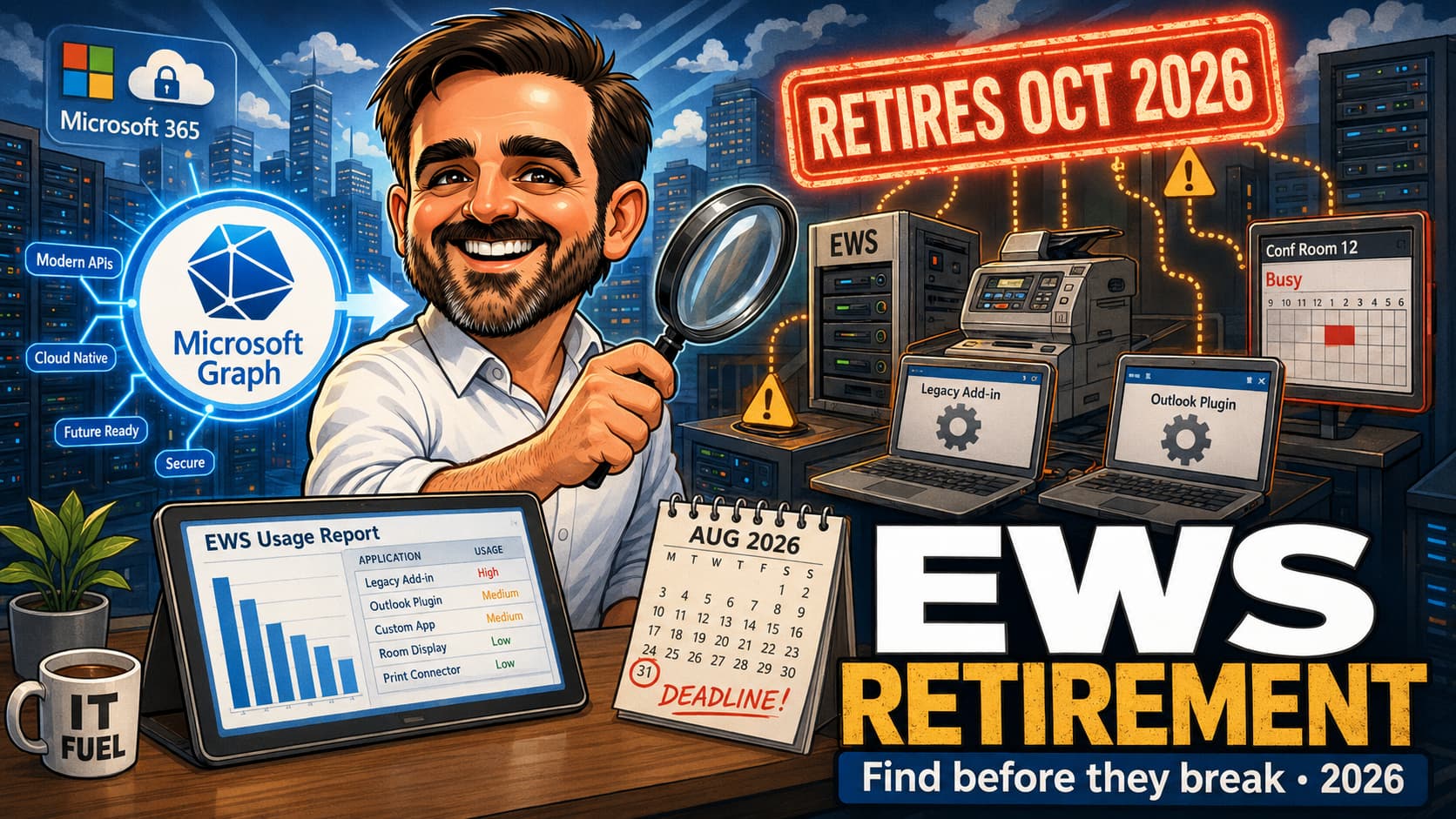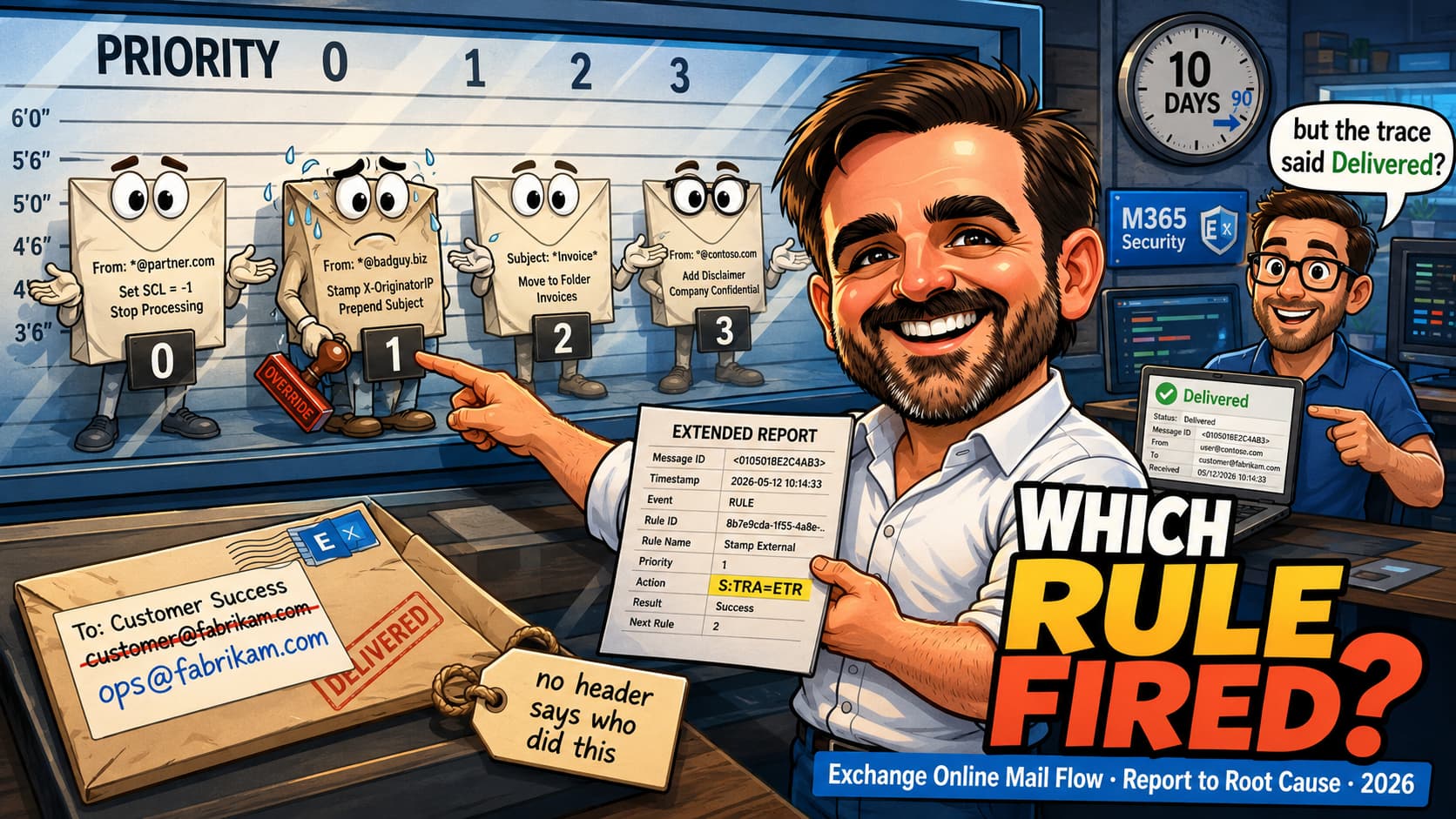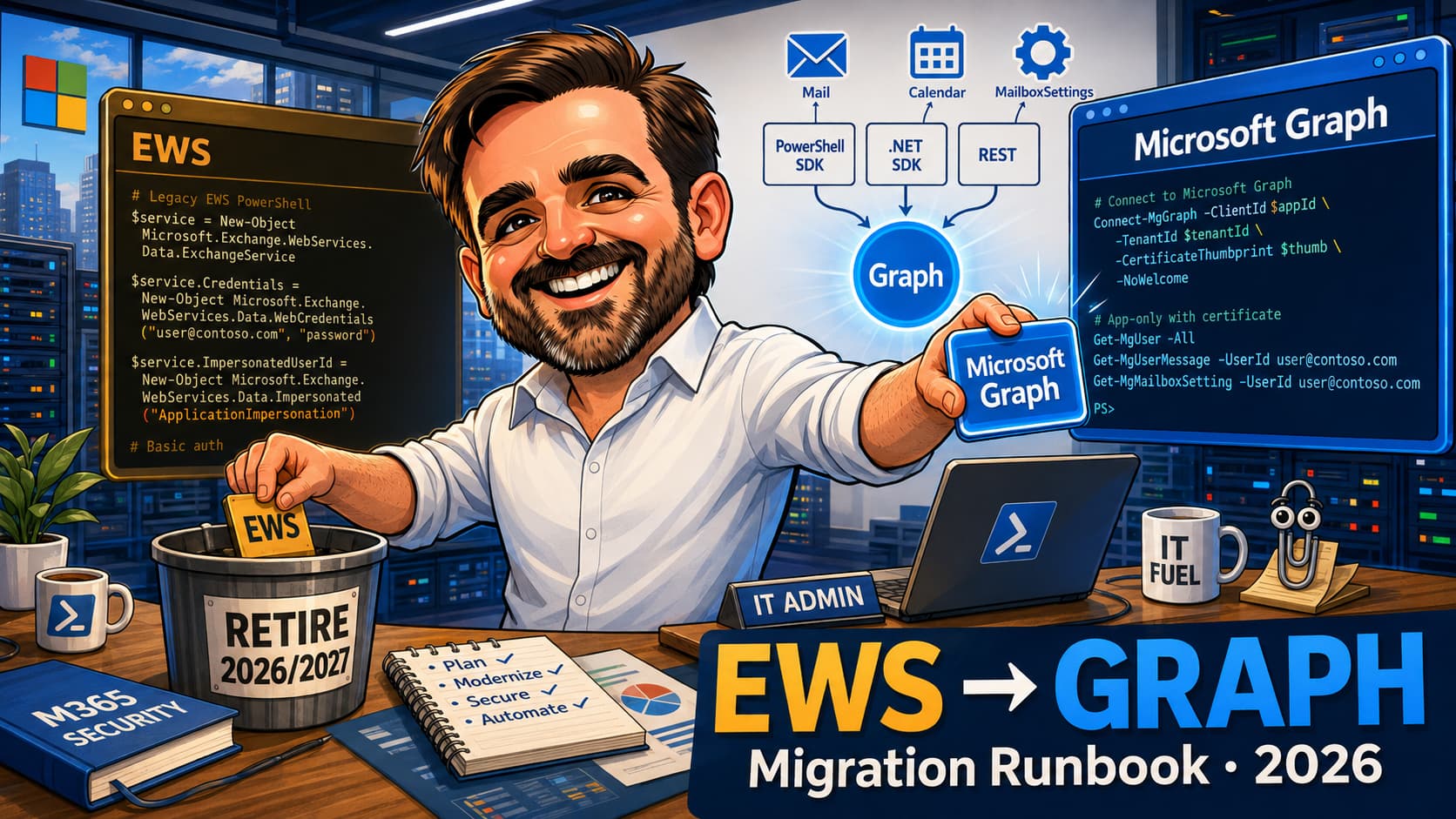
EWS scripts in production cannot survive the retirement window. The Exchange Web Services platform that has powered countless mailbox automation, calendar processing and bulk-mail workflows for Exchange admins since the early 2010s is being disabled in Exchange Online from October 2026, with full disablement expected by April 2027 — validate the latest Microsoft Learn guidance before planning final cutover dates. The replacement is Microsoft Graph — but Graph is not a drop-in substitute. The authentication model, permission model, throttling behaviour, pagination patterns and notification delivery all change. This article gives Exchange admins the migration runbook: the three Graph surfaces (PowerShell SDK, .NET SDK, REST), the OAuth + Application permissions + Application Access Policies + RBAC for Applications scoping model, the EWS-to-Graph operation cookbook for the eighteen most common Exchange-script patterns, four side-by-side PowerShell examples and the throttling / pagination / delta differences you will hit in the first week. Use this article as an operational runbook, not as a replacement for Microsoft Learn. Before production-critical migrations, validate prerequisites, supported permissions, throttling behaviour and current SDK versions against Microsoft documentation.
Mg* cmdlets) is the natural home for PowerShell-heavy admins. Microsoft Graph .NET SDK fits service-style applications and long-running daemons. Direct REST (Invoke-RestMethod, curl) is the right surface when neither SDK exposes the property you need yet, or when the script is small and avoids the SDK module footprint. Picking the wrong surface for the script makes the migration heavier than it needs to be.ApplicationImpersonation need to move to OAuth with an Entra ID app registration, application permissions, an Application Access Policy scoping the app to specific mailboxes, and increasingly RBAC for Applications for a more granular permission boundary. Plan for token caching, certificate-based credentials and rotation discipline from day one rather than during cutover.ItemView with offsets; Graph uses @odata.nextLink and $top / $skip. EWS streaming notifications used a long-lived subscription; Graph uses webhook-based change notifications with renewal discipline and lifecycle notifications. Each one requires a different operational pattern./delta endpoint) and dramatically reduce throttling pressure, latency and cost. This is one of the few places where the Graph version is both safer and operationally cheaper than the EWS original.1. Replacing one specific EWS script: jump to the EWS-to-Graph cookbook and the side-by-side examples, then back to the auth and permissions sections.
2. Inheriting an EWS script library: read top to bottom. The three Graph surfaces section frames the decisions; the migration runbook closes them.
3. Designing a green-field Graph workflow: the auth + permissions + scoping sections are the right starting point; the operation cookbook is the API surface map.
Why migrate EWS scripts to Graph now
Microsoft has announced that EWS in Exchange Online starts being disabled from October 2026, with full disablement expected by April 2027. Validate the latest Microsoft Learn guidance before planning final cutover dates. The practical implication for Exchange admins is consistent regardless of the precise calendar: every EWS script still in production needs a Graph replacement plan, an OAuth-based deployment and a tested cutover before the retirement window closes.
Three things make the 2026 migration more important than the EWS-to-Graph conversation in previous years:
- The Microsoft Graph PowerShell SDK has matured. Many common mail, calendar and mailbox-settings workflows now have practical Microsoft Graph PowerShell SDK equivalents, although some EWS-specific scenarios still require direct REST, redesign or documented exception handling. The "Graph is not ready for my script" position is no longer the default.
- Application Access Policies and RBAC for Applications give Exchange admins a finer-grained way to scope an app's mailbox reach than EWS impersonation ever did. The new model is closer to least-privilege and is what auditors will increasingly ask for.
- The retirement clock has moved from theoretical to operational. Tenants that delay the migration are now likely to hit the deprecation against a production deadline rather than against a comfortable testing window.
The practical implication for an admin: a Graph migration is not a script-by-script translation exercise. It is a programme that touches authentication, identity governance, change management and operational telemetry. Treat it as such from day one.
The three Graph surfaces
Microsoft Graph exposes three surfaces relevant to EWS migration. Picking the right one for the script is the highest-leverage decision in the first hour of the migration.
| Surface | When to use | What to watch |
|---|---|---|
Microsoft Graph PowerShell SDKMg* cmdlets |
Existing PowerShell scripts with familiar admin patterns; small to medium scripts; scheduled tasks; admin-driven automation. | Module footprint is large; install only the sub-modules you need (Microsoft.Graph.Mail, Microsoft.Graph.Calendar) rather than the full meta-module. Cmdlet shape mostly follows REST; complex properties may need -BodyParameter hashtables. |
Microsoft Graph .NET SDKMicrosoft.Graph NuGet |
Service applications, long-running daemons, integrations packaged as compiled software with their own deployment pipeline. | Strongly typed and async-first. Better for high-volume workloads and complex error-handling. Adds a build and dependency story that PowerShell did not have. |
Direct RESTInvoke-RestMethod / HTTP client |
Small one-off scripts, scenarios where neither SDK exposes the property yet, integration with non-PowerShell / non-.NET stacks, deliberately minimal-dependency deployments. | Token acquisition is on you (MSAL or manual). Pagination, retry, throttling backoff have to be implemented explicitly. Higher ceiling but more code per workflow. |
Authentication migration: from Basic + impersonation to OAuth
EWS scripts in the wild typically used Basic authentication with an admin account holding ApplicationImpersonation rights. That pattern is gone. The Graph replacement is OAuth with an Entra ID application registration, granted permissions and an authentication flow appropriate to the script type.
App-only (client credentials) vs delegated
The first decision is whether the script runs as an application acting on its own behalf (app-only / client credentials) or on behalf of a signed-in user (delegated). For EWS-replacement scripts, app-only is the dominant pattern: scheduled tasks, mailbox audit jobs, room-resource processing, automated reply / archival workflows. Delegated flows still matter for interactive admin tools where the script needs to act as the running admin and inherit their permissions.
| Flow | Use it for | Notes |
|---|---|---|
| Client credentials (app-only) | Scheduled tasks, service-style daemons, mailbox audit, archival, resource booking, bulk send. | Token acquired with certificate (preferred) or client secret. Application permissions; consented by an admin once. Scope app access with RBAC for Applications where supported, or Application Access Policies where they remain the appropriate fit. |
| Delegated | Interactive admin tools, end-user-facing scripts where the operating identity matters for audit. | Token acquired with the user signed in; permissions are the intersection of granted scopes and what the user actually has rights to do. |
Certificate-based credentials, secret rotation and token caching
For client credentials, prefer a certificate over a client secret. Certificates can be longer-lived, are easier to store in a managed secret vault, and the rotation discipline scales to many apps better than secrets do. For PowerShell scripts using the Microsoft Graph PowerShell SDK, Connect-MgGraph -ClientId <appId> -TenantId <tenantId> -CertificateThumbprint <thumb> is the pattern. Cache tokens where the SDK supports it; do not acquire a new token per cmdlet call in a loop.
Permissions, Application Access Policies and RBAC for Applications
EWS impersonation gave an app or admin account broad access to every mailbox it was scoped to via an Exchange management role assignment. The Graph equivalent is layered: application permissions grant the kind of operation, and mailbox / recipient scoping controls restrict which mailboxes the application can touch and which operations it can perform. RBAC for Applications is Microsoft's newer and more granular Exchange Online application-access model; Application Access Policies remain valid where they are still the documented or operational fit. New migrations should evaluate RBAC for Applications first where supported.
Application permissions for common EWS workloads
| EWS workload | Graph application permission | Notes |
|---|---|---|
| Read mailbox messages | Mail.Read or Mail.ReadBasic |
Application permissions can provide tenant-wide mailbox access unless constrained through RBAC for Applications or Application Access Policies. Mail.ReadBasic excludes message body and previews; useful for header-only audit jobs. |
| Read + modify messages (move, flag, mark read) | Mail.ReadWrite |
Required for archival, classification and inbox-rule-style automations. |
| Send mail as a mailbox | Mail.Send |
Often paired with Mail.ReadWrite for save-sent-items workflows. |
| Calendar read / write | Calendars.Read, Calendars.ReadWrite |
Room resource processing typically needs ReadWrite. |
| Mailbox settings (out-of-office, language, automatic replies) | MailboxSettings.Read, MailboxSettings.ReadWrite |
Separate from Mail.* permissions. |
| Mailbox folders (hierarchy, create, delete) | Mail.ReadWrite |
Folder operations live under Mail.ReadWrite, not a separate scope. |
| Search across mailbox content | Mail.Read + Graph Search API permissions where applicable |
Graph Search API may add separate scopes; validate per scenario. |
RBAC for Applications: the newer, more granular model
RBAC for Applications is Microsoft's newer model for granting an application a more narrowly defined permission in Exchange Online, scoped to a management role and a recipient scope. It answers both "which mailboxes can this app touch" and "what kind of operations can this app perform on those mailboxes" in a single, granular construct. For new migrations, evaluate RBAC for Applications first where the workload and supported scenarios fit.
Application Access Policies: still valid where they fit
Application Access Policies (Exchange Online) restrict an application's effective mailbox reach to a defined set of mailboxes, typically a mail-enabled security group. The pattern: create the security group with the in-scope mailboxes, create the policy with New-ApplicationAccessPolicy pointing to the app ID and the group, then test it with Test-ApplicationAccessPolicy. Application Access Policies remain valid for scenarios where they are still the documented or practical mailbox-scoping model. Use mailbox or recipient scoping controls for every application; for new migrations, evaluate RBAC for Applications first where supported and fall back to Application Access Policies where appropriate.
Mail.ReadWrite at tenant scope and no scoping control is a service account on steroids regardless of how the workload is described in the change ticket.
Where Graph is not a clean one-to-one replacement
Some EWS workloads migrate cleanly. Others require redesign rather than translation. Identifying which is which during discovery is the difference between a six-week programme and a six-month one.
Common workloads that should be classified as redesign candidates rather than simple script rewrites:
- Extended MAPI property usage that Graph does not expose at the same fidelity.
- Public folder automation, which does not have a direct equivalent in Graph and may need a different collaboration pattern entirely.
- Complex delegate mailbox workflows that depended on EWS impersonation semantics.
- Legacy search-folder logic that relied on EWS search-folder behaviour rather than Graph search.
- Impersonation-heavy service architectures where the service identity model needs rethinking under app permissions + scoping.
- Streaming-notification processors built around the EWS long-lived connection pattern; these typically need new webhook hosting infrastructure.
- Applications built around EWS-specific SOAP structures (custom XML processing, header manipulation, EWS-only error handling).
The goal is not always to reproduce EWS line-for-line. In some cases the better outcome is adopting a Graph-native workflow that solves the underlying business need more cleanly than the original EWS approach did. Treat the migration discovery phase as the right place to surface those redesign decisions, not the rewrite phase.
EWS to Graph operation cookbook
The table below maps the eighteen EWS operations most often found in Exchange admin scripts to their Microsoft Graph equivalents. The Graph endpoint is shown in REST form for clarity; the Microsoft Graph PowerShell SDK cmdlet equivalent (where one exists) is named alongside.
| EWS operation | Graph REST equivalent | PowerShell SDK |
|---|---|---|
| Find unread Inbox items | GET /users/{id}/mailFolders/Inbox/messages?$filter=isRead eq false |
Get-MgUserMailFolderMessage |
| Get message body | GET /users/{id}/messages/{id}?$select=body,from,subject |
Get-MgUserMessage |
| Send mail | POST /users/{id}/sendMail |
Send-MgUserMail |
| Reply to a message | POST /users/{id}/messages/{id}/reply or /createReply |
Invoke-MgReplyUserMessage |
| Forward a message | POST /users/{id}/messages/{id}/forward |
Invoke-MgForwardUserMessage |
| Move a message | POST /users/{id}/messages/{id}/move with destinationId |
Move-MgUserMessage |
| Delete a message | DELETE /users/{id}/messages/{id} |
Remove-MgUserMessage |
| Create a folder | POST /users/{id}/mailFolders |
New-MgUserMailFolder |
| List folder hierarchy | GET /users/{id}/mailFolders with $top + pagination |
Get-MgUserMailFolder |
| Get calendar events in a date range | GET /users/{id}/calendar/calendarView?startDateTime=&endDateTime= |
Get-MgUserCalendarView |
| Create a meeting | POST /users/{id}/calendar/events |
New-MgUserEvent |
| Get room free / busy | POST /users/{id}/calendar/getSchedule |
Get-MgUserCalendarSchedule |
| Read mailbox settings (auto-reply, working hours) | GET /users/{id}/mailboxSettings |
Get-MgUserMailboxSetting |
| Search mail across a mailbox | POST /search/query with entityTypes: [message] |
Direct REST recommended for now |
| Streaming notifications | POST /subscriptions (webhook) with notificationUrl and lifecycleNotificationUrl |
New-MgSubscription |
| Delta sync of a folder | GET /users/{id}/mailFolders/{id}/messages/delta |
Direct REST or REST-via-SDK |
| Get attachment | GET /users/{id}/messages/{id}/attachments/{aid} |
Get-MgUserMessageAttachment |
| Batch operations | POST /$batch with up to 20 sub-requests per batch |
Direct REST recommended |
Four side-by-side examples (PowerShell)
Four illustrative migrations of common EWS patterns. The examples are intentionally short and assume the surrounding infrastructure — app registration, certificate-based credentials, application permissions and mailbox / recipient scoping through RBAC for Applications or Application Access Policies — is already in place. Validate parameter names, supported properties and current SDK versions against Microsoft Learn before adapting to production.
Example 1 — List unread messages in Inbox
$service = New-Object Microsoft.Exchange.WebServices.Data.ExchangeService(
    [Microsoft.Exchange.WebServices.Data.ExchangeVersion]::Exchange2016)
$service.Credentials = New-Object System.Net.NetworkCredential(
    "admin@contoso.com","p@ssword!")
$service.Url = "https://outlook.office365.com/EWS/Exchange.asmx"

$inbox = [Microsoft.Exchange.WebServices.Data.Folder]::Bind(
    $service,
    [Microsoft.Exchange.WebServices.Data.WellKnownFolderName]::Inbox)

$view = New-Object Microsoft.Exchange.WebServices.Data.ItemView(50)
$filter = New-Object Microsoft.Exchange.WebServices.Data.SearchFilter+IsEqualTo(
    [Microsoft.Exchange.WebServices.Data.EmailMessageSchema]::IsRead, $false)

$inbox.FindItems($filter, $view).Items |
    Select-Object Subject, @{n='From';e={$_.From.Address}}
Connect-MgGraph `
    -ClientId    $appId `
    -TenantId    $tenantId `
    -CertificateThumbprint $thumb

$mailbox = "shared@contoso.com"

Get-MgUserMailFolderMessage `
    -UserId       $mailbox `
    -MailFolderId "Inbox" `
    -Filter       "isRead eq false" `
    -Top          50 `
    -Property     "subject,from" |
  Select-Object Subject,
    @{n='From';e={$_.From.EmailAddress.Address}}
Example 2 — Send mail with a file attachment
$msg = New-Object Microsoft.Exchange.WebServices.Data.EmailMessage($service)
$msg.Subject = "Daily report"
$msg.Body = "Attached."
$msg.ToRecipients.Add("ops@contoso.com") | Out-Null
$msg.Attachments.AddFileAttachment("C:\reports\daily.csv") | Out-Null
$msg.SendAndSaveCopy()
$bytes = [Convert]::ToBase64String(
    [IO.File]::ReadAllBytes("C:\reports\daily.csv"))

$body = @{
  message = @{
    subject = "Daily report"
    body = @{
      contentType = "Text"
      content     = "Attached."
    }
    toRecipients = @(@{
      emailAddress = @{ address = "ops@contoso.com" }
    })
    attachments = @(@{
      "@odata.type" = "#microsoft.graph.fileAttachment"
      name          = "daily.csv"
      contentBytes  = $bytes
    })
  }
  saveToSentItems = $true
}

Send-MgUserMail `
    -UserId         "service@contoso.com" `
    -BodyParameter  $body
fileAttachment pattern is appropriate for smaller attachments. For larger files, use the Microsoft Graph upload session / large attachment workflow (createUploadSession) and validate current Microsoft Graph size limits before production deployment. Do not assume the inline pattern scales to arbitrarily large files.
Example 3 — Read room calendar events for a date range
$start = (Get-Date)
$end   = $start.AddDays(7)

$cal = [Microsoft.Exchange.WebServices.Data.Folder]::Bind(
    $service,
    [Microsoft.Exchange.WebServices.Data.WellKnownFolderName]::Calendar)

$view = New-Object Microsoft.Exchange.WebServices.Data.CalendarView(
    $start, $end)

$cal.FindAppointments($view) |
    Select-Object Subject, Start, End,
      @{n='Organizer';e={$_.Organizer.Address}}
$start = (Get-Date).ToString("o")
$end   = (Get-Date).AddDays(7).ToString("o")
$room  = "boardroom@contoso.com"

Get-MgUserCalendarView `
    -UserId         $room `
    -StartDateTime  $start `
    -EndDateTime    $end `
    -Top            100 |
  Select-Object Subject,
    @{n='Start';    e={$_.Start.DateTime}},
    @{n='End';      e={$_.End.DateTime}},
    @{n='Organizer';e={$_.Organizer.EmailAddress.Address}}
Example 4 — Streaming notifications to webhook change notifications
EWS streaming subscriptions used a long-lived TCP connection and a notification event dispatcher to receive push events from Exchange. Microsoft Graph replaces that with webhook-based change notifications: the application registers a subscription with a public notificationUrl, Graph validates the URL once, and from then on delivers events to that URL until the subscription expires. The new pattern requires the application to be hosted on something reachable from Graph (Azure Functions, App Service, an exposed endpoint behind an API gateway) and to renew the subscription before its expiry.
$conn = New-Object Microsoft.Exchange.WebServices.Data.StreamingSubscriptionConnection(
    $service, 30)
$sub  = $service.SubscribeToStreamingNotifications(
    @($inbox.Id),
    [Microsoft.Exchange.WebServices.Data.EventType]::NewMail)
$conn.AddSubscription($sub)
$conn.add_OnNotificationEvent({ param($s,$e)
    foreach ($n in $e.Events) { Process-NewMail $n }
})
$conn.Open()
# script holds the connection open
$body = @{
  changeType         = "created"
  notificationUrl    = "https://contoso-fn.azurewebsites.net/api/mail"
  lifecycleNotificationUrl =
    "https://contoso-fn.azurewebsites.net/api/lifecycle"
  resource           = "users/$mailbox/mailFolders('Inbox')/messages"
  expirationDateTime = (Get-Date).AddDays(2).ToString("o")
  clientState        = "secret-shared-string-for-validation"
}

New-MgSubscription -BodyParameter $body
# webhook endpoint receives push events; renew before expiry
clientState on each call to confirm the request came from Graph, and must renew the subscription before its expiry. Subscription lifetimes vary by resource type and notification model — validate the current Microsoft Graph limits for the subscribed resource and renew subscriptions well before expiry. This is the single biggest architectural difference between EWS and Graph for notification-driven scripts.
Throttling, pagination and delta sync
Throttling
EWS used budget-based throttling with diagnostic headers (X-MS-Diagnostics) describing the budget state. Microsoft Graph applies per-endpoint limits and returns HTTP 429 Too Many Requests with a Retry-After header on throttle. The $batch endpoint consolidates up to 20 sub-requests per call to reduce HTTP round trips, but batching does not eliminate throttling: each sub-request inside a batch can still be throttled independently and should respect Retry-After guidance where applicable. The PowerShell SDK handles basic retry; for direct REST and high-volume workloads, implement explicit exponential backoff respecting Retry-After.
Pagination
EWS used ItemView with Offset and MaxEntriesReturned. Graph uses $top for page size and follows @odata.nextLink for the next page. The pattern: read the page, take the items, follow the nextLink until it is absent. The PowerShell SDK exposes paging implicitly through -All on most cmdlets; for direct REST, implement the loop explicitly.
Delta sync
EWS scripts that re-read entire folders on a schedule should consider Graph's /delta endpoint instead. Delta tracks the changes since the last call using a delta token; the next call returns only what has been added, modified or removed. This dramatically reduces throttling pressure, latency and cost for inherited audit scripts and is one of the few places where the Graph version is meaningfully better than the EWS original.
Notifications and webhook hosting
Hosting a webhook for Microsoft Graph change notifications is the largest architectural decision in the migration for any notification-driven script. The options:
- Azure Functions. The most common pattern. A small function app handles the validation request, processes the notification payload and renews the subscription on a timer trigger.
- Azure App Service. When the workload already lives in an App Service and adding a webhook endpoint is a small lift.
- API Management front door. When the back-end is on-premises and an APIM endpoint provides the reachable URL plus a layer of validation before forwarding to internal services.
Common to all three: the webhook must validate the validationToken on the initial registration call (HTTP 200 with the validation token echoed back), must validate clientState on every notification, must process notifications idempotently (Graph can re-deliver) and must renew the subscription well before its expiry. Subscription lifetimes vary by resource type and notification model; validate the current Microsoft Graph limits for the subscribed resource and avoid hardcoding renewal cadence assumptions. Pair the webhook with the lifecycleNotificationUrl endpoint to handle subscription removal and reauthorization events.
The per-script migration runbook
A repeatable runbook per EWS script, captured in the evidence pack. The pattern below works for most scripts; adapt phases 2 and 5 for streaming-notification workflows where the webhook architecture is more involved.
- Inventory + classify. Name the script, the owner, the schedule, the mailboxes touched, the EWS operations called, the auth model in use. Classify as: simple PowerShell, complex PowerShell, .NET service, integration with non-Microsoft system.
- Choose the Graph surface. PowerShell SDK for simple admin scripts; .NET for service-style workloads; direct REST for the gaps and for batched workloads. Document the choice with a one-line rationale.
- App registration and permissions. Register the app in Entra ID; configure certificate-based credentials; grant the minimum application permissions; obtain admin consent. Record the app ID, the certificate thumbprint and the consented permissions in the evidence pack.
- Scoping the application. For new migrations, evaluate RBAC for Applications first: define the management role assignment with the recipient scope the workload needs. Where RBAC for Applications is not the right fit, fall back to an Application Access Policy: create a mail-enabled security group containing the mailboxes the app needs to touch;
New-ApplicationAccessPolicyagainst the app ID;Test-ApplicationAccessPolicyagainst an in-scope and an out-of-scope mailbox. Record the chosen scoping model and the validation result. - Defence in depth where warranted. Where the workload is sensitive enough to warrant both an Exchange-side scoping model and a separate Graph-side restriction, document the additional control. Record the rationale.
- Rewrite the script and test in parallel. Implement the Graph replacement; run it against a test mailbox; compare output to the EWS version (diff). Validate pagination, throttling backoff and token caching behaviour. Record the test output diff.
- Pilot, cutover, monitor. Pilot in a small audience for a documented window; cut over the schedule; monitor for failures, throttling and unexpected throttling backoff. Record the cutover date.
- Retire the EWS script. Once the Graph replacement has run cleanly for a documented window, remove the EWS script from production, archive a copy for reference, document the retirement in the evidence pack and update the change register.
What to capture in the migration evidence pack
The migration deliverable is per-script evidence. Capture the same fields for every script so the pack is reviewable by the next admin and by audit.
| Field | What to capture |
|---|---|
| Script ID + name | Identifier from the script inventory. |
| Owner | Person accountable for the script in production. |
| Original EWS surface | EWS Managed API + Basic / OAuth, raw EWS SOAP / XML pattern, legacy Outlook REST pattern where applicable, version. |
| Graph surface chosen | PowerShell SDK / .NET SDK / direct REST, with one-line rationale. |
| App registration | App ID, certificate thumbprint (or secret ID), tenant ID. |
| Permissions granted | Application permissions and any delegated scopes; admin consent record. |
| Scoping model chosen | RBAC for Applications (management role + recipient scope) or Application Access Policy (security group ID, policy ID, Test-ApplicationAccessPolicy result for an in-scope and an out-of-scope mailbox), with one-line rationale for the chosen model. |
| Defence-in-depth controls | Any additional Graph-side or Entra-side restrictions where the workload warrants belt-and-braces; rationale where not applied. |
| Test diff | Output diff of EWS vs Graph runs against the same test mailbox. |
| Throttling behaviour | Observed throttling during test; retry / backoff pattern documented. |
| Cutover date + monitor | Cutover date; monitoring approach for the first month. |
| EWS script retirement | Date the EWS script was removed from production; archive location. |
Pre-migration checklist (12 items)
Run through the 12 preparation items below before starting the script rewrites.
- EWS script inventory complete (see the companion EWS Retirement guide).
- Per-script owner identified and assigned.
- Microsoft Graph PowerShell SDK modules installed where PowerShell is the chosen surface; correct sub-modules selected (
Microsoft.Graph.Mail,Microsoft.Graph.Calendar,Microsoft.Graph.Users.Actions). - Entra ID admin available to grant tenant-wide admin consent for application permissions.
- Certificate authority / secret vault available for client credentials (certificate preferred over secret).
- Scoping strategy decided: RBAC for Applications role assignments where supported, or mail-enabled security group strategy for Application Access Policies where they remain the right fit.
- Test mailbox available for diff testing of EWS vs Graph runs.
- Webhook hosting strategy decided where notification-driven scripts are in scope (Azure Functions, App Service, APIM).
- Change-control window agreed for the cutover phase per script.
- Monitoring approach agreed for post-cutover (Application Insights, Graph audit logs, Application Sign-in logs).
- Evidence pack template prepared per the field list above.
- Documented rollback path: if the Graph replacement fails post-cutover, what is the manual fallback while the script is patched.
Common mistakes
- Migrating script-by-script without an auth model first.The temptation is to start with the easiest script and rewrite it. The auth model decisions (certificate vs secret, app registration naming convention, Application Access Policy strategy) need to be made once for the whole programme, not re-litigated per script.
- Deploying an application with tenant-wide permissions and no mailbox or recipient scoping control.An app with
Mail.ReadWriteat tenant scope is a high-privilege identity. Use RBAC for Applications where supported and Application Access Policies where appropriate; for new migrations, evaluate RBAC for Applications first. - Using a client secret when a certificate would scale better.Secrets are easier to set up and harder to operate. Certificates are easier to operate, easier to vault and easier to rotate at scale. Default to certificates for the migration programme.
- Re-implementing pagination by hand for SDK cmdlets that support
-All.The Microsoft Graph PowerShell SDK exposes paging on most cmdlets. Use-Allfor one-shot loops; implement explicit pagination only for direct REST. - Ignoring throttling backoff in long-running loops.Graph returns
HTTP 429with aRetry-Afterheader. Respect it; do not implement a fixed-sleep loop and assume the workload will not be throttled. - Treating a webhook subscription as fire-and-forget.Graph change notifications need explicit renewal before expiry and a separate
lifecycleNotificationUrlfor subscription state events. A webhook that does not renew silently stops working at the expiry boundary. - Cutting over without a test diff.Output diff of EWS vs Graph against the same test mailbox is the cheapest way to catch property-mapping mistakes (e.g.
From.Addressin EWS vsFrom.EmailAddress.Addressin Graph). Skip this and the mistake surfaces in production. - Forgetting to retire the EWS script after Graph cutover.The Graph version runs, the EWS version stays in a scheduler "just in case", both touch the same mailboxes, both consume throttling budget. Document the EWS retirement as the final phase of every per-script migration.
Graph migration FAQ
How long does the migration take for a typical Exchange admin script library?
For a tenant with 20-40 EWS scripts of mixed complexity, the migration programme typically takes 6-10 weeks of part-time work: 1-2 weeks to inventory and decide the auth model, 4-6 weeks of per-script rewrites with parallel running, 1-2 weeks of cutover and EWS retirement. Streaming-notification scripts with new webhook hosting requirements add 2-4 weeks per workflow because of the architectural change.
Do I need to migrate scripts that still use OAuth + EWS?
Yes. Even where EWS scripts already use OAuth (post-Basic-Auth retirement), the EWS application access retirement still applies. OAuth + EWS is not a permanent destination; it is a stopgap that the retirement removes.
Can I use the Microsoft Graph PowerShell SDK for every EWS script?
For many common Exchange admin scripts, yes — but not for every EWS workload. The exceptions are scripts that touch properties or operations not yet surfaced through the SDK, EWS-specific extended properties, public folders, complex delegate workflows or notification processors that require webhook redesign. For mail, calendar, mailbox settings and many administrative workflows, the SDK is usually sufficient. Validate per script against current SDK module coverage on Microsoft Learn.
Is RBAC for Applications mandatory for the migration?
No, but it is the recommended starting point. RBAC for Applications is Microsoft's newer and more granular Exchange Online application-access model; for new migrations, evaluate it first where the workload and supported scenarios fit. Application Access Policies remain valid for scenarios where they are still the documented or practical mailbox-scoping model. Either way, some form of mailbox or recipient scoping control should be applied to every Graph EWS-replacement application — tenant-wide application permissions without a scoping control are not an acceptable default.
What evidence should I keep after migrating each script?
Per script: original EWS surface description, chosen Graph surface with rationale, app registration ID and certificate thumbprint, granted permissions and admin consent record, the chosen scoping model (RBAC for Applications management role + recipient scope, or Application Access Policy with Test-ApplicationAccessPolicy results) with rationale, EWS-vs-Graph test diff, observed throttling behaviour, cutover date, monitoring approach and the EWS script retirement record. See the evidence pack table in this article for the full field list.
What if a script needs an operation that is not yet in Microsoft Graph?
Validate the gap against current Microsoft Learn and the Graph API reference; the surface evolves quickly and the gap may have closed since the script was first written. Where the gap is real, options are: (a) wait for the operation to land in Graph and keep the EWS script on a documented exception with a target review date, (b) rebuild the workload to avoid the missing operation, (c) implement the workload through a combination of operations that do exist. Document the decision in the evidence pack.
References & further reading
- Exchange Web Services in Exchange Online (retirement guidance)
- Migrate from Exchange Web Services to Microsoft Graph — overview
- Migrate from EWS to Microsoft Graph — permissions mapping
- Install the Microsoft Graph PowerShell SDK
- Get started with the Microsoft Graph PowerShell SDK
- Microsoft Graph SDKs overview
- Install Microsoft Graph SDKs
- Get access without a user (client credentials)
- Microsoft Graph permissions reference
- Limit application permissions to specific mailboxes (Application Access Policies)
- Role Based Access Control for Applications in Exchange Online
- Outlook mail API in Microsoft Graph
- Outlook calendar API in Microsoft Graph
- mailboxSettings resource type
- user: sendMail
Need help migrating EWS scripts to Microsoft Graph before the retirement?
I can help you inventory the EWS script library, design the Graph replacement strategy (PowerShell SDK / .NET SDK / REST), implement the OAuth + Application permissions + Application Access Policies + RBAC for Applications scoping model and validate each migration against a documented evidence pack before the cutover.
Request an EWS to Graph Migration Review