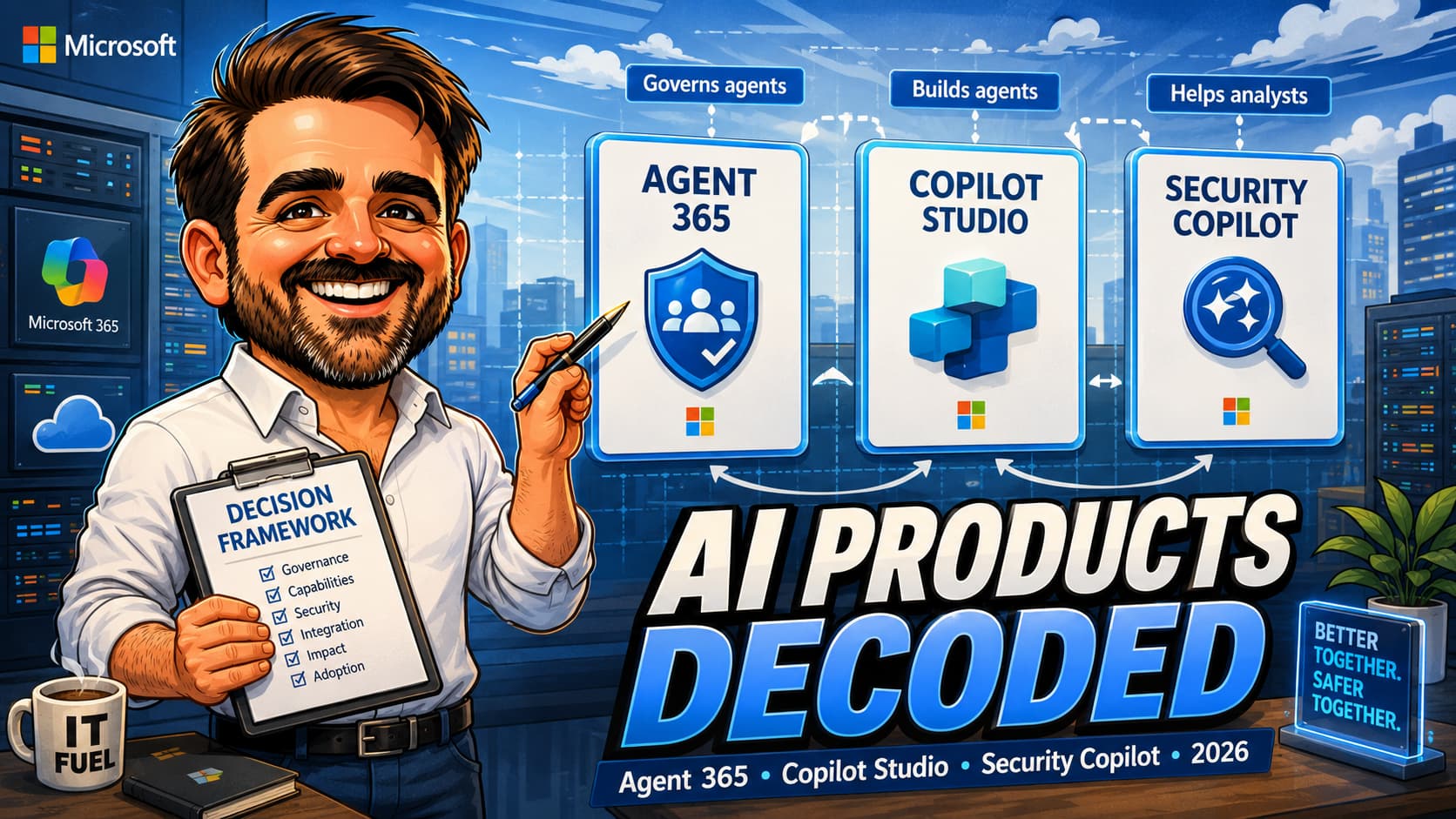
Three Microsoft AI products are frequently treated as interchangeable in 2026 conversations: Microsoft Agent 365, Microsoft Copilot Studio and Microsoft Security Copilot. They are not. They share the "Copilot" / "agent" vocabulary, they all carry an AI angle, and they all want the admin's attention on the same shortlist of governance, identity and licensing questions — which is exactly how the confusion starts. The honest read is that the three products live in different layers of the Microsoft AI stack: Copilot Studio is where agents are built, Agent 365 is where agents are governed, and Security Copilot is an AI assistant for security operations that may use signals from the surrounding Microsoft security, identity, compliance and agent-governance stack during investigation, but it is not a substitute for either builder governance or agent governance. This article gives admins a plain-English comparison of what each product actually does, when to reach for which, how they overlap on the governance side, and the licensing landmines to watch. Use this article as an operational compass, not as a replacement for Microsoft Learn. Before production-critical decisions, validate licensing, availability, regional rollout and preview / GA status against current Microsoft documentation.
1. New to Microsoft AI governance: read top to bottom. The three product profiles + comparison matrix establish the mental model.
2. Scoping a Microsoft AI pilot: jump to the decision framework section, then the licensing landmines.
3. Inheriting an existing AI footprint: jump to the governance overlap section to map who owns what across the three products.
Why this comparison matters in 2026
Microsoft shipped a lot of "Copilot" and "agent" branding in a short window. By mid-2026, three products in particular have become the most frequently confused on admin shortlists:
- Microsoft Agent 365 — Microsoft's control plane for observing, securing and governing AI agents inside Microsoft 365, including inventory, Microsoft Entra Agent ID, lifecycle, posture and audit evidence.
- Microsoft Copilot Studio — Microsoft's builder platform for designing custom Copilots, agents, topics, knowledge sources and actions, living within the Power Platform family.
- Microsoft Security Copilot — Microsoft's generative AI assistant for security operations, surfaced inside Microsoft Defender XDR, Microsoft Sentinel, Microsoft Purview, Microsoft Entra ID and a growing list of partner data sources.
The confusion is not surprising. Vendor messaging across the three products uses overlapping vocabulary; the boundary between "agent built in Copilot Studio" and "agent governed by Agent 365" is genuinely thin in the documentation; and the question "do we already have Security Copilot because we have Microsoft 365 Copilot?" is asked by procurement teams every week. The cost of the confusion shows up in three places: mis-scoped pilots (a team starts in Security Copilot when they actually wanted Copilot Studio), licensing surprises (an SCU bill appears for an unrelated workspace) and ungoverned agents (Studio-built agents in production with no Agent 365 inventory).
The practical implication for an admin: an early hour spent clarifying which product is which, who owns it, how it is licensed and where it sits in the AI stack pays back across every Microsoft AI project that follows.
What each product actually is
The control plane for observing, securing and governing AI agents in Microsoft 365
Microsoft Agent 365 is Microsoft's control plane for observing, securing and governing AI agents inside Microsoft 365, including inventory, Microsoft Entra Agent ID, lifecycle, posture and audit evidence. It is positioned as the layer where the agent estate is inventoried, identity-managed, posture-assessed and audited. The mental model that fits best: Agent 365 does for AI agents roughly what Microsoft Entra ID and Microsoft Intune do for human identities and managed devices — not the same product, but the same job shape.
What it does:
- Maintains an inventory of agents running in the tenant, including agents built with Microsoft Copilot Studio, Microsoft Foundry and Agent Builder in Microsoft 365 Copilot, plus external / custom agents onboarded through the Agent 365 SDK.
- Provides identity and access control patterns for non-human / agentic identities.
- Surfaces posture signals: which agents are in scope, which are dormant, which carry which permissions.
- Produces audit and evidence artefacts the security team and the compliance programme can rely on.
What it does not do:
- It is not where agents are built. Construction happens in Copilot Studio (or other supported builders).
- It is not a generative AI product itself. It governs other AI workloads.
- It is not a substitute for Security Copilot when investigating an AI-related incident.
The builder platform for custom Copilots, agents, topics and actions
Copilot Studio is the design surface where custom Copilots and agents are created. It lives in the Power Platform family and inherits a low-code / pro-code mental model: declarative topics, generative answers, custom actions, knowledge sources, channels. Studio is also the front door to extending Microsoft 365 Copilot with custom agents that surface inside the M365 experience.
What it does:
- Hosts the visual designer where topics, generative answers and actions are configured.
- Connects agents to enterprise data sources, including SharePoint, Dataverse, Microsoft Graph and external systems through connectors.
- Publishes agents to channels (Teams, Microsoft 365 Copilot, custom apps).
- Produces an authoring audit trail: who created which agent, when, what changed.
What it does not do:
- It does not, by itself, provide enterprise-grade governance of the resulting agent estate at scale. That is where Agent 365 sits on top.
- It is not a security operations tool.
- It is not licensed in a single uniform way: Microsoft 365 Copilot entitlements for extending Microsoft 365 Copilot with agents, Copilot Credits / Copilot Credit Commit Units, pay-as-you-go meters and other capacity models can coexist depending on how the agent is built and consumed. Validate the licensing pattern per agent before scaling.
Generative AI assistant for security operations
Security Copilot is the analyst-facing AI assistant for Microsoft's security stack. It is surfaced inside Microsoft Defender XDR, Microsoft Sentinel, Microsoft Purview, Microsoft Entra ID and a growing set of partner integrations. The honest one-liner: it helps a security analyst ask natural-language questions of the security data they already have, draft hunting queries, summarise incidents and accelerate response.
What it does:
- Standalone and embedded experiences across Defender, Sentinel, Purview and Entra portals.
- Natural-language prompts that translate into queries, summaries, plans and explanations grounded in the connected data.
- Plugin / skill model that extends to Microsoft and partner data sources.
- Capacity provisioned through Security Compute Units (SCUs); depending on licensing and programme eligibility, this may involve provisioned capacity, included SCUs for eligible Microsoft 365 E5 / E7 customers, or overage / pay-as-you-go patterns. Validate the current model before budgeting a pilot.
What it does not do:
- It is not a Copilot Studio replacement. Studio is for building custom agents; Security Copilot is a finished analyst tool.
- It is not, by itself, the governance product for the agent estate. Agent 365 carries that responsibility.
- It is not included automatically with Microsoft 365 Copilot. Separate licensing, separate billing surface, separate admin model.
The capability comparison matrix
The table below puts the three products side by side on the dimensions admins ask about most often. Treat it as a directional map; specific feature names, licensing surfaces and GA status evolve and should be validated against current Microsoft Learn before production decisions.
| Dimension | Microsoft Agent 365 | Microsoft Copilot Studio | Microsoft Security Copilot |
|---|---|---|---|
| Primary purpose | Govern the AI agent estate: inventory, identity, posture, audit, lifecycle. | Build custom Copilots and agents: topics, knowledge, actions, channels. | Assist security analysts with generative AI grounded on connected security data. |
| Primary audience | Microsoft 365 / identity / compliance admins. | Makers, business analysts, low-code developers; admins govern the platform. | Security analysts, incident responders, SOC leads; admins govern access and capacity. |
| Where it lives | Microsoft 365 admin surfaces (evolving; validate the current portal). | Power Platform admin centre + Copilot Studio designer. | Standalone Security Copilot portal + embedded experiences in Defender XDR, Sentinel, Purview, Entra. |
| Licensing model | Evolving; validate current licensing and packaging before rollout. | Microsoft 365 Copilot entitlements for extending Microsoft 365 Copilot with agents, Copilot Credits / Copilot Credit Commit Units, pay-as-you-go meters and other capacity models depending on how the agent is built and consumed. Validate per scenario. | Security Compute Units (SCUs) for capacity. Depending on licensing and programme eligibility, this may involve provisioned capacity, included SCUs for eligible Microsoft 365 E5 / E7 customers, or overage / pay-as-you-go patterns. |
| Identity model for agents | Designed to manage and surface non-human / agentic identities at scale. | Agents inherit an identity model defined at design time, typically through connectors and connections. | Operates on behalf of the signed-in analyst; data access depends on the analyst's permissions on the connected sources. |
| Audit & evidence | Central audit surface for agent inventory, lifecycle events and posture changes. | Authoring and publishing audit trails surfaced in Power Platform admin centre and Microsoft Purview Audit where integrated. | Prompt history, session activity and capacity usage; audit signals surface in Microsoft Purview Audit and Security Copilot's own administration surface. |
| Integration points | Integrates with Microsoft Entra ID, Microsoft Purview Audit, Microsoft Defender XDR for posture and incident signals. | Integrates with Microsoft 365 Copilot extensibility, Microsoft Graph, Dataverse, SharePoint, external connectors. | Integrates with Microsoft Defender XDR, Microsoft Sentinel, Microsoft Purview, Microsoft Entra ID and a growing list of partner plugins. |
| Maturity considerations | Newer product; features and naming evolving. Validate GA / preview status before relying in production. | Mature platform with frequent capability additions, especially around agents extending Microsoft 365 Copilot. | Generally available with steady cadence of new connectors, plugins and embedded experiences; capacity and billing model is the active design conversation. |
Decision framework: when to reach for which
The framework below maps common admin scenarios to the right starting product. Most real projects touch more than one; the goal is to make sure the conversation starts in the right place.
| Scenario | Start here | Why |
|---|---|---|
| The business wants a custom agent answering questions from a SharePoint knowledge base. | Copilot Studio | Studio is the design surface for the agent itself, including topics, generative answers, knowledge sources and publishing channels. Agent 365 enters when the agent moves to production and needs governance. |
| "We have agents running in our tenant and we cannot list them all." | Agent 365 | The first job is inventory and identity, not building or investigating. Agent 365 is the governance surface that produces the agent register, posture and ownership map. |
| The SOC analyst wants AI-assisted incident summaries and KQL drafting in Defender XDR. | Security Copilot | This is the analyst-facing AI assistant that surfaces inside the security portals. It is not where agents are built or governed. |
| An incident is suspected to involve a custom agent built earlier in the year. | Security Copilot for investigation; Agent 365 for context; Copilot Studio for the audit trail of the original build. | This is the canonical "all three" scenario. The boundaries are: Security Copilot helps the analyst investigate; Agent 365 says what the agent is and who owns it; Copilot Studio holds the build / change history. |
| The compliance programme needs documented evidence that AI workloads are inventoried and governed for an audit / NIS2 / sector regulator. | Agent 365 (governance evidence) + Copilot Studio (build evidence) | The audit story for AI agents is the combination of "what we built" (Studio) and "how we govern what we built" (Agent 365). Security Copilot is a tool that may be in scope as a security control, but is not the governance product itself. |
| A team has a Microsoft 365 Copilot licence and wants to know "do we already have Security Copilot?" | Neither. Validate licensing for Security Copilot separately. | Microsoft 365 Copilot and Microsoft Security Copilot are separate products with separate billing surfaces. Microsoft 365 Copilot entitlements do not include Security Copilot capacity. |
| An admin wants to standardise how agents authenticate to enterprise data. | Copilot Studio (connections design) + Agent 365 (identity governance) | The authentication pattern is set at design time in Studio; the governance and review of those identities at scale is Agent 365's responsibility. |
The governance overlap: how the three actually fit together
In production, the three products are easier to describe in isolation than to operate together. The honest picture: a single AI initiative typically touches all three, with the responsibility map drawn carefully across them.
A practical end-to-end example
A finance team asks for a custom agent that answers expense-policy questions from a SharePoint knowledge base, surfaces in Microsoft Teams and Microsoft 365 Copilot, and is auditable for the next compliance review.
- Copilot Studio is where the agent is designed: topics, generative answers grounded on the SharePoint source, connector permissions, publishing to Teams and to Microsoft 365 Copilot, authoring audit trail.
- Agent 365 is where the agent appears in the agent register the day it ships: identity, owner, posture, lifecycle, scheduled review.
- Microsoft Purview Audit captures the cross-product audit events that the compliance team can search.
- Security Copilot is where the SOC analyst goes if, months later, an incident is suspected to involve that agent — for example anomalous data access through its connector identity. The analyst uses Security Copilot to summarise the incident, hunt for related activity in Defender XDR and Sentinel, and produce the timeline. The agent's identity and ownership came from Agent 365; the agent's design history came from Copilot Studio.
The point of the example: the products are not redundant. They handle different parts of the same lifecycle. The admin's job is to draw the responsibility map before the projects scale, not after the first incident makes the gaps visible.
Licensing landmines
Each product has a different licensing model. The three landmines below catch admins every quarter.
- Microsoft 365 Copilot does not include Security Copilot. The two products share a brand prefix and do not share a billing surface. Security Copilot uses Security Compute Units (SCUs) for capacity; depending on licensing and programme eligibility, this may involve provisioned capacity, included SCUs for eligible Microsoft 365 E5 / E7 customers, or overage / pay-as-you-go patterns. Validate the current model before budgeting a pilot. A Microsoft 365 Copilot rollout does not automatically give the SOC access to Security Copilot.
- Copilot Studio licensing depends on how the agent is consumed. Copilot Studio consumption can involve Microsoft 365 Copilot entitlements for extending Microsoft 365 Copilot with agents, Copilot Credits / Copilot Credit Commit Units, pay-as-you-go meters and other capacity models depending on how the agent is built and consumed. The cost of an agent depends on who uses it, where, and how often — not just on the fact that it was built. Validate the licensing pattern per agent before scaling.
- Agent 365 licensing is evolving. The product is newer than the other two; packaging, prerequisites and bundling with other Microsoft 365 SKUs are still settling. Decisions made on assumptions from launch announcements should be re-verified against current Microsoft Learn before rollout. Treat Agent 365 licensing as a check-before-publish item on the deployment plan.
Eight common misconceptions, briefly corrected
- "If we have Microsoft 365 Copilot, we have Security Copilot." No. Separate product, separate licensing, separate capacity model (SCUs in Azure).
- "Copilot Studio is just a chatbot builder." Understates it. Studio is the design surface for custom Copilots and agents that can extend Microsoft 365 Copilot, integrate enterprise data and run actions across channels.
- "Agent 365 replaces Copilot Studio." No. Studio builds agents; Agent 365 governs them. Different layers.
- "Security Copilot governs AI agents." Not its job. Security Copilot is an analyst assistant. Agent governance lives in Agent 365.
- "We can investigate Studio-built agent incidents without ever opening Agent 365." Sometimes, but the agent register, identity and ownership context that makes the investigation efficient is what Agent 365 produces.
- "Security Copilot is a Defender XDR feature." Embedded experiences exist inside Defender XDR, but Security Copilot is a separate product with its own billing surface and admin model.
- "Copilot Studio audit trails are sufficient for governance." They are sufficient for authoring history. Production governance — agent inventory across the tenant, identity hygiene, posture — is the Agent 365 job.
- "All three products will eventually merge." Unsupported speculation. Plan against the current product boundaries; revisit if Microsoft signals otherwise.
The admin checklist per product
A short focused list per product. The point is not to be exhaustive — for the deep dive on Agent 365 specifically, see the linked field guide — but to give the admin the first ten items to verify when each product enters the tenant.
Microsoft Copilot Studio
- Who can build agents (maker roles, environments, security groups).
- Where agents can publish (Teams, Microsoft 365 Copilot, custom channels).
- Which data connectors are approved for production use.
- How authentication / connections are governed at design time.
- How the agent licensing pattern — Microsoft 365 Copilot entitlement, Copilot Credits, Copilot Credit Commit Units, pay-as-you-go meter or other capacity model — is documented per agent.
- How authoring audit events route to Microsoft Purview Audit where supported.
- How the maker community is supported (documentation, examples, review cadence).
Microsoft Agent 365
- Agent inventory complete and reconciled against Copilot Studio's authoring records.
- Owner per agent recorded.
- Non-human / agentic identity hygiene reviewed: MFA / sign-in policy / scope.
- Posture signals reviewed on the documented cadence.
- Lifecycle events (creation, change, retirement) producing audit evidence.
- Incident-response playbook references Agent 365 as the first stop for "which agent did what".
- Quarterly access / posture review documented.
Microsoft Security Copilot
- Workspace created and capacity (SCUs) sized against actual analyst usage.
- Connected data sources documented (Defender XDR, Sentinel, Purview, Entra, partner plugins).
- Access governance: who can use it, with which role, on which workspace.
- Prompt / session history, audit signals and data-handling settings reviewed and aligned with organisational policy, where exposed by the current admin experience.
- Plugins / skills inventory current and reviewed.
- Cost monitoring: SCU usage trend reviewed monthly.
- Investigation playbook describes when Security Copilot is the right surface (and when it is not).
Common mistakes
- Starting in the wrong product.A business request that sounds like "we want an AI assistant for X" almost always starts in Copilot Studio, not Agent 365 or Security Copilot. Picking the wrong starting surface wastes weeks of design discussion.
- Treating Microsoft 365 Copilot entitlements as Security Copilot entitlements.Different product, different billing, different admin model. The mistake produces stalled pilots and surprise SCU bills.
- Building Studio agents in production without registering them in Agent 365.The agents work; the governance does not. The compliance team notices later, usually during an audit.
- Expecting Security Copilot to govern agents.It is an analyst assistant, not a governance product. Asking it to inventory agents misuses both Security Copilot and Agent 365.
- Ignoring agentic identity hygiene.Connections, service principals and non-human identities used by agents are part of the identity attack surface. They need MFA / sign-in / review patterns just like human identities.
- Skipping the per-agent licensing pattern documentation in Copilot Studio."How is this agent licensed?" should have a documented answer per agent. Without it, the per-message billing surprise is inevitable.
- Assuming a single owner for the AI estate.Studio, Agent 365 and Security Copilot tend to land in different parts of the IT organisation (apps / identity-and-compliance / security operations). Map ownership explicitly before the projects scale.
- Treating the three products as static.All three are evolving fast. A decision made in January on packaging or capability boundaries may be wrong by June. Build a quarterly "what has changed?" review into the AI governance cadence.
Agent 365 vs Copilot Studio vs Security Copilot FAQ
Which of the three should I pilot first?
It depends on the question driving the pilot. If the question is "the business wants a custom AI assistant for X" the answer is Copilot Studio. If the question is "we already have agents and we cannot govern them" the answer is Agent 365. If the question is "the SOC wants AI-assisted investigation" the answer is Security Copilot. Picking the right starting surface is the highest-leverage decision; the wrong choice wastes weeks before anyone notices.
If we have Microsoft 365 Copilot, do we have Security Copilot?
No. Microsoft 365 Copilot and Microsoft Security Copilot are separate products with separate licensing and separate billing surfaces. Security Copilot capacity is provisioned through Azure as Security Compute Units (SCUs). Microsoft 365 Copilot entitlements do not include Security Copilot capacity.
Does Agent 365 replace Microsoft Defender for Cloud Apps or Microsoft Purview for AI governance?
No. Agent 365 is focused specifically on the AI agent estate — inventory, identity, posture and lifecycle for agents. Microsoft Purview retains responsibility for broader information protection, DLP, audit and compliance frameworks. Microsoft Defender for Cloud Apps retains responsibility for SaaS application visibility and policy. The three live alongside each other; Agent 365 is the new layer that did not previously exist for agentic identities.
Can Copilot Studio agents be governed without Agent 365?
Partially. Copilot Studio's authoring audit and the Power Platform admin centre provide a baseline. They do not, on their own, produce the consolidated agent register, identity hygiene view and posture telemetry that Agent 365 is designed for. As the agent estate grows, the gap between Studio's authoring view and a production governance view becomes the practical reason to adopt Agent 365.
How does Security Copilot interact with custom agents built in Copilot Studio?
Security Copilot does not build or govern custom agents. Where the interaction matters is during investigation: when an incident is suspected to involve a custom agent, the analyst uses Security Copilot to summarise the incident, draft hunting queries and accelerate response, pulling identity and ownership context from Agent 365 and design / change history from Copilot Studio. The three products contribute different parts of the same investigation timeline.
What is the single most common misconception about these three products?
"They are interchangeable because they all say Copilot / AI / agent." They are not. Studio is the builder, Agent 365 is the governance layer, Security Copilot is the analyst assistant. Internalising that one sentence saves most of the budget and scope surprises the comparison exists to avoid.
References & further reading
- Microsoft Agent 365 documentation
- Overview of Microsoft Agent 365
- Connect existing agents to Microsoft Agent 365
- Microsoft Agent 365 developer documentation
- Microsoft Agent 365 CLI
- Microsoft Copilot Studio documentation overview
- What is Microsoft Copilot Studio?
- Administer Microsoft Copilot Studio
- Microsoft Security Copilot documentation
- What is Microsoft Security Copilot?
- Get started with Microsoft Security Copilot
- Manage Security Compute Unit (SCU) capacity
- Microsoft 365 Copilot documentation
- Microsoft 365 Copilot extensibility
- Decision guide: extending Microsoft 365 Copilot
Mapping these three products onto your tenant?
If your organisation is trying to draw the responsibility map across Copilot Studio, Agent 365 and Security Copilot — who builds, who governs, who investigates, who pays for what — and wants a second opinion before the projects scale, I am happy to compare notes. No sales pitch, just a conversation between people doing the work.
Get in touch