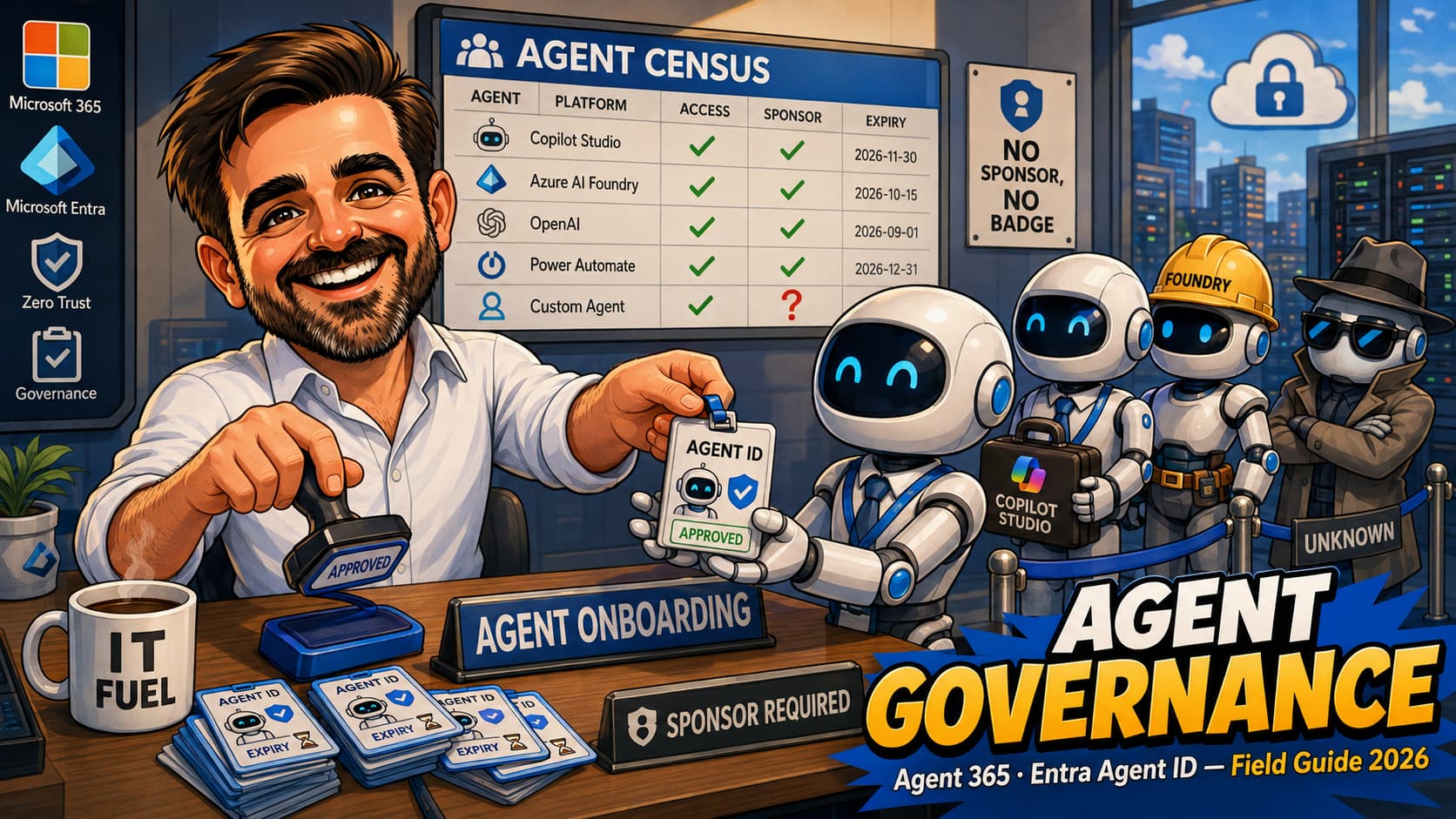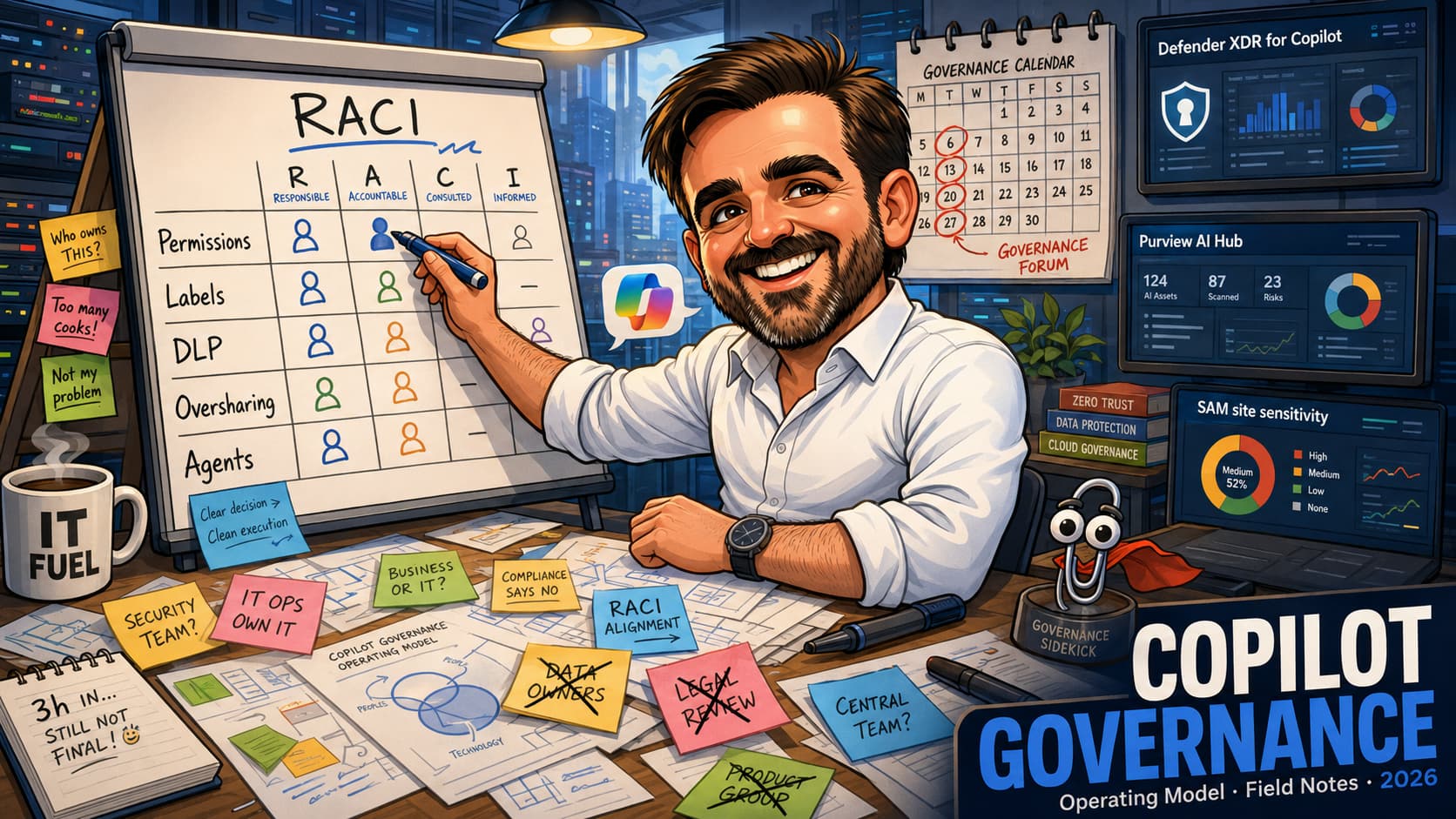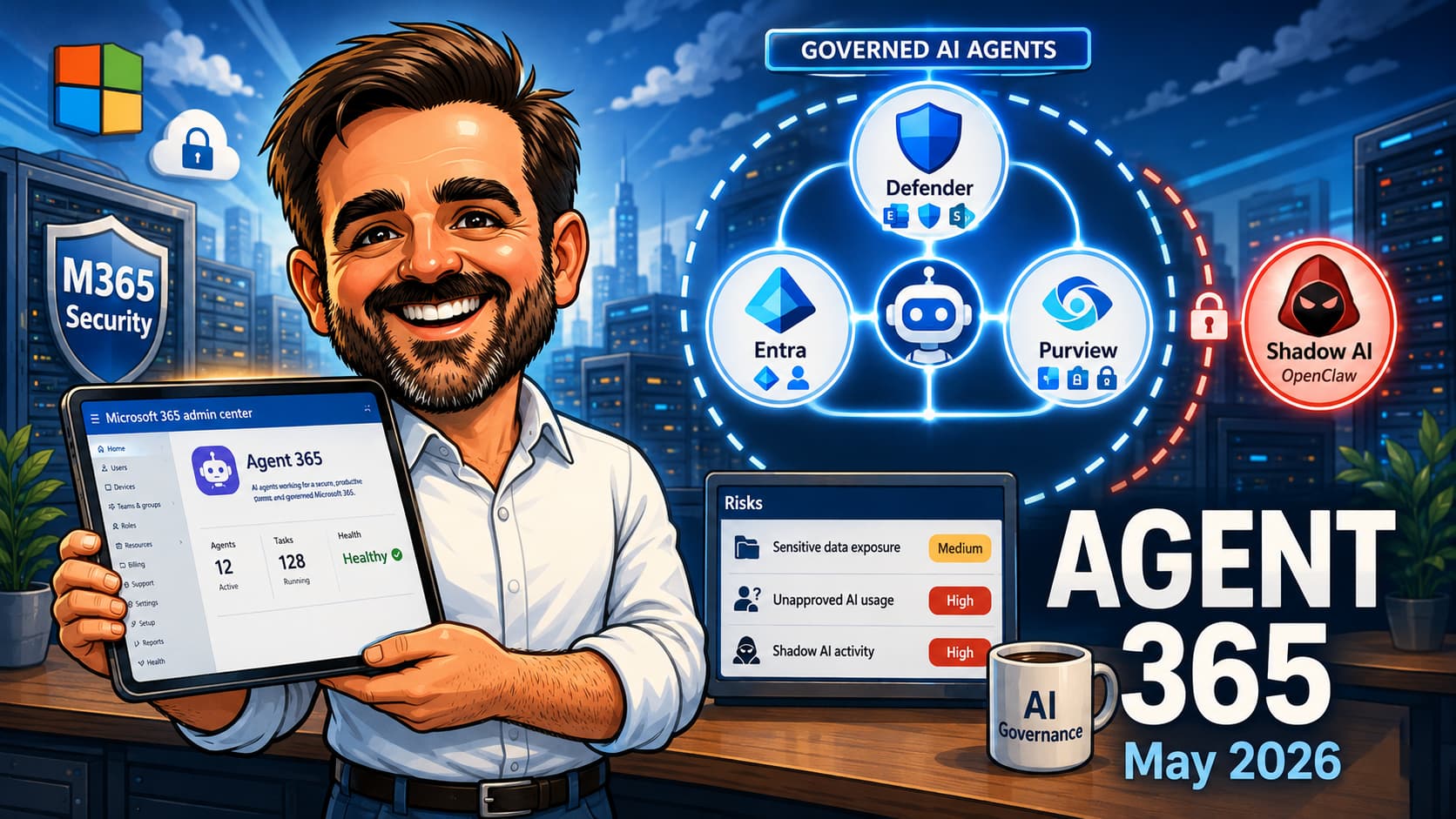
Microsoft Agent 365 went generally available on 1 May 2026, available as part of Microsoft 365 E7 or standalone at USD 15 per user per month, subject to regional availability and channel terms. It is positioned as the admin control plane for AI agents across the tenant, regardless of whether those agents are first-party (Microsoft Copilot agents), third-party Microsoft-partner agents, or external SaaS agents being used informally by employees. For most M365 admins, this is the first administrative surface designed specifically for AI agent lifecycle, and the operational habits do not yet exist. This field guide is the realistic path: what Agent 365 is and is not, what shows up in the Microsoft 365 admin center on day one, the difference between governed agents and shadow agents, and the operational model after onboarding.
1. Starting from zero: read top to bottom and follow the implementation sequence.
2. Already onboarding agents: jump to the validation checklist and confirm you have full governance, not just registry visibility.
3. BYOAI / Shadow AI focus: the Common mistakes and Operational model sections cover the realistic blast radius of unmanaged agents in your tenant.
Introduction
Most M365 admins I have spoken to since 1 May have a version of the same question: "Agent 365 is GA, but what does it actually do in my tenant today?" The marketing answer is "control plane for AI agents." The accurate answer is more interesting. On day one of GA, the Microsoft 365 admin center gains a dedicated agents management surface: a registry of every agent visible to the tenant, an aggregated risk column drawing from Defender, Entra and Purview, a Shadow AI page that detects unmanaged agents on managed devices, and the foundation of a policy template system for grouping existing Entra, Defender, Purview and SharePoint controls into reusable bundles applied to agents at onboarding.
What it is not, yet, is a complete enforcement layer for every AI agent your users touch. SaaS agents your users access in a browser may not appear in the registry unless they are integrated through Agent 365, Agent ID, partner integration or registry sync; otherwise, they usually sit in the Shadow AI / Microsoft Defender for Cloud Apps discovery space. Runtime blocking and policy enforcement against shadow agents arrives over the following months in public preview via Intune and Defender. The May 2026 release is the foundation: visibility, identity, signal aggregation. The enforcement is being added in layers.
This guide is the realistic path for IT admins who landed in the Microsoft 365 admin center expecting answers and need to know what to do this quarter, what to wait for next quarter, and where to set realistic governance expectations with the business.
Who this article is for
Microsoft 365 admins responsible for the tenant after Agent 365 went GA. AI governance leads working out their first management policy. Security teams looking for the consolidated risk surface for AI agents. Compliance officers needing to defend an audit answer to "how do we govern AI agents." MSP consultants explaining Agent 365 to clients on E5 who are seeing the surface appear without buying it. CISOs asking whether the May 2026 release is the answer to BYOAI or just the start of one.
What you are trying to achieve
A successful Agent 365 footing in a tenant leaves you with the following state by the end of the first quarter of post-GA operation. Each item is independently observable; "we turned it on" is not the same as "it is doing the job".
- Every supported first-party Microsoft Copilot agent in the tenant appears in the Agent 365 registry, with an owner assigned and risk signals visible.
- Every internally-developed agent (Copilot Studio or Azure AI Foundry) is onboarded through Agent 365 / Microsoft Entra Agent ID integration, using SDK or supported developer tooling where applicable, with a registered identity in the registry.
- Every Microsoft-partner agent in use is registered with an explicit governance review.
- External SaaS agents that the business uses, but cannot be onboarded through the SDK, are explicitly logged as exceptions and discovery through Shadow AI is enabled to detect their usage.
- At least two policy templates exist: a default minimum baseline applied to all new agents, and an enhanced template for high-risk or production agents.
- The Risks column on the All agents page is being reviewed at a defined cadence with a named owner.
- The Shadow AI page is being reviewed weekly during the May to August 2026 ramp, monthly thereafter.
- A documented BYOAI policy exists for the organisation, defining what agents are approved, what discovery actions are taken on unapproved agents, and what the user-facing communication is.
- Registry sync (preview) is enabled for the cloud platforms where the org has agents (AWS Bedrock, Google Cloud) if and when that situation applies.
Most tenants I have looked at since GA are at zero to two of these items. The work is mostly making the controls real, not technical complexity.
Architecture context
Agent 365 sits at the top of an AI control stack that already exists in Microsoft 365. Agents themselves are built and run in their respective platforms: Microsoft Copilot Studio for low-code agents, Azure AI Foundry for code-first agents, third-party partner platforms, and increasingly external SaaS agents that interact with M365 data through API or browser sessions. Each of these surfaces produces its own activity and identity stream.
Agent 365 does four things on top of that landscape:
- Identity and registration. Agents onboarded through the Agent 365 SDK get a tenant-recognised identity in Microsoft Entra. Technically, the agent registers as a service principal in the tenant directory, derived from a parent Agent Identity Blueprint (a template that defines publisher, agent name, app roles and governance model). Multiple agent identities can share the same blueprint, which is what makes scaling Conditional Access policy across an agent fleet manageable.
- Signal aggregation. Risk signals from Microsoft Defender (security), Microsoft Entra (identity, sign-in) and Microsoft Purview (data, compliance) are surfaced in a single Risks column per agent on the All agents page where those integrations are licensed, configured and producing telemetry. Previously, an admin would have to check three portals to assemble the same picture.
- Policy templates. Existing policy primitives across Entra, Defender, Purview and SharePoint can be grouped into reusable templates that apply to agents during approval and onboarding. This is the early instance of "agent governance as a managed practice" rather than ad-hoc per-product policy.
- Discovery of unmanaged agents. Shadow AI surfaces agents running on managed devices (the documented example is OpenClaw) detected through Defender and Intune device telemetry. Discovery is preview at GA. Policy actions against discovered agents arrive in public preview from June 2026 onwards.
What Agent 365 is not, yet, in May 2026:
- A runtime sandbox for agents. Agents still run on their respective platforms.
- An identity provider for non-integrated agents. SaaS agents that are not integrated through Agent 365, Agent ID, partner integration or registry sync may be discovered through Shadow AI or Defender for Cloud Apps, but they do not become Entra agent identities and policy cannot apply at the agent identity level.
- A complete enforcement layer. Runtime blocking, context mapping and policy-based controls via Intune and Defender are public preview from June 2026.
Agent type vs governance level
The most useful mental model for what Agent 365 governs (and how) is to map every agent in the tenant against the path it takes into Microsoft's identity and governance plane.
| Agent type | Example | Agent 365 state | Governance level |
|---|---|---|---|
| Microsoft Copilot agent | Copilot Studio agent built with Agent ID integration | Registered in the Agent 365 registry | Full identity-level governance via Entra, Defender, Purview |
| Legacy Copilot Studio agent | Agent created in Copilot Studio before Agent ID integration was added (no blueprint-derived service principal, no Agent ID identity). | Visible as legacy | Migrate or recreate with Agent ID integration to gain full governance. Some legacy agents do not support in-place migration and must be rebuilt. |
| Internal custom agent | Azure AI Foundry agent or custom-built app | Registered if Agent ID-integrated; not registered otherwise | Full when SDK / Agent ID onboarded; discovery only otherwise |
| Partner agent | ServiceNow, Salesforce or Workday agent integrating with M365 | Depends on partner SDK integration status | Partner-level governance through integration, or documented exception |
| External SaaS AI | Browser-based AI tool used informally by employees | Shadow AI detection (where device telemetry supports it) | Device, app or session-level controls via Defender for Cloud Apps, Intune, Conditional Access |
| Multi-cloud agent | Agent running in AWS Bedrock or Google Cloud Vertex AI | Registry sync (preview) | Visibility through the connector; depth of governance depends on connector capabilities |
Most assessments I have run since GA find a mix of all six rows in any given tenant. The governance plan needs to address each row with the right tool, not assume Agent 365 alone is the answer for every agent type.
Licensing
Licensing for Agent 365 has three relevant paths as of May 2026.
| SKU | What it includes | Per user / month |
|---|---|---|
| Microsoft 365 E7 | E5 + Microsoft 365 Copilot + Agent 365 bundled | Bundled. Validate regional availability and CSP/EA terms before quoting. |
| Agent 365 standalone | Agent 365 licensed capability, admin surface and governance features. Developer onboarding uses Agent 365 / Agent ID developer tooling where applicable. | $15 per user (Commercial, US-listed at time of writing) |
| Other M365 tenants | Parts of the Agent 365 admin surface (registry, Shadow AI page, risk indicators) may appear depending on rollout and entitlement; not equivalent to full Agent 365 capability or enforcement. | No confirmed additional license for limited visibility; validate tenant entitlement and feature availability before relying on the surface. |
The third row matters. If you are a M365 admin who has not bought Agent 365, you may still see the registry and Shadow AI page appear in your tenant during 2026 as Microsoft continues to roll out the admin surface. Validate what you can do with that surface (typically visibility and basic governance) versus what requires the licensed product (SDK onboarding for full identity, full policy templates, registry sync to AWS and Google Cloud). Microsoft documentation calls out feature-availability gating per SKU; cross-reference before assuming visibility equals enforcement capability.
Decision framework
Several decisions are worth making explicitly rather than absorbing whatever the defaults turn out to be.
| Decision point | Options | Recommendation | Notes |
|---|---|---|---|
| BYOAI stance | Discover only / Discover and restrict / Approved list only | Discover and restrict in 2026, work toward approved-list only as enforcement matures | Approved-list-only requires Shadow AI enforcement (June 2026 preview onward) and clear business buy-in. Pure discovery alone is observation without action. |
| Default policy template scope | Minimal / Recommended / Strict | Recommended baseline with controlled exceptions | Strict default may break first-party Copilot agents that have legitimate data access needs. |
| Ownership model for agents | Per-agent owner / Team-owned / Centrally-owned | Per-agent owner with a fallback central team | Without an owner, agents drift. Without a fallback team, ownership churn produces orphans. |
| Risks column triage cadence | Daily / Weekly / Monthly | Daily during ramp, weekly steady-state | Risk signals only matter if someone is reading them. |
| Registry sync (preview) | Enable for AWS / Google Cloud / Both / Neither | Enable for whichever clouds the org actually has agents in | Multi-cloud governance is the easiest customer story. Validate connection scope before enabling. |
| SDK adoption mandate for internal agents | Required for production / Required for everything / Optional | Required for production, encouraged for everything | Without an SDK adoption mandate, internally-built agents bypass governance. |
| External SaaS agent exception process | Block by default / Approve case by case / Implicit approval | Approve case by case with documented exception in the registry where possible | Implicit approval is the path to BYOAI sprawl. |
The most consequential decisions are the BYOAI stance and the SDK adoption mandate. Both define what Agent 365 actually governs.
Recommended baseline
Minimum baseline
The minimum baseline I would defend in any assessment in May to August 2026 is the following. Open the Microsoft 365 admin center, navigate to the agents area, and confirm the Agent registry and Shadow AI pages are visible. Assign a named owner for the Agent 365 surface (typically an admin or governance lead). Enable the Risks column on the All agents page and document who reviews it. Open Shadow AI page weekly during the May to August ramp, and document the discovered agents in an exception list with an action note per item.
Where policy templates are available, create one Default template that groups baseline Entra, Defender, Purview and SharePoint controls that apply to all newly-onboarded agents. Confirm the template applies to a representative test agent and the policy lands as expected. If policy templates are not yet available in your tenant or are limited by SKU, document the equivalent controls manually across Entra, Defender, Purview and SharePoint as an interim baseline. Document a BYOAI policy in plain language for users: what is approved, what is not, who to ask, what action the org takes on discovery of unapproved agents.
Recommended baseline (adds on top)
A second "Enhanced" policy template for production or high-risk agents (typically agents touching customer data, financial information, or making decisions in business workflows). Registry sync enabled for the cloud platforms where the org actually has agents (AWS Bedrock, Google Cloud preview). An SDK adoption mandate for internal-built agents. A named RACI for AI governance (who approves agents, who reviews risks, who owns the discovered Shadow AI list, who reviews policy templates quarterly). Quarterly review of policy templates against new Agent 365 capabilities arriving through 2026.
Recommended first 3 actions
If you cannot do the full implementation today, do these three things first. Each is independently useful and each unblocks the next layer.
| First action | Why |
|---|---|
| Walk the Agent 365 surface in the Microsoft 365 admin center | See what is already there. Most admins are surprised by how much is visible on day one without explicit configuration. |
| Assign a named owner for AI agent governance | The single biggest governance failure I see is no owner. Even a part-time owner is materially better than none. |
| Open Shadow AI and review the discovered list | Find out what AI agents are already running on managed devices in the tenant. This is usually a reality check. |
Common mistakes
These appear in almost every conversation I have with admins about Agent 365 since GA.
- Assuming registry visibility means full enforcement.The registry shows the agents Agent 365 knows about. For an agent to be policy-enforced at the identity level, it must be onboarded through Agent 365 / Microsoft Entra Agent ID integration, using SDK or supported developer tooling where applicable. SaaS or external agents that appear via Shadow AI discovery can be detected and restricted but not fully governed at the agent identity. Confirm Agent ID onboarding for agents you actually want to govern.
- Mistaking SaaS-agent visibility for SaaS-agent governance.The Shadow AI page shows that OpenClaw is running on a managed device. That is detection. It does not stop the user opening OpenClaw tomorrow. Enforcement (block actions via Defender, Intune policy on the device, conditional access on the user's session to the AI service) is a separate workflow that arrives in preview from June 2026. Detection without enforcement is observation, not governance.
- Treating Shadow AI like a banned-list.Shadow AI in May 2026 is a discovery surface. Block actions for shadow agents arrive in public preview from June 2026 through Intune and Defender. Until then, "shadow agent detected" means "have a conversation with the user", not "blocked at the network layer".
- Building policy templates before defining the BYOAI policy.A policy template applied to all new agents reflects a stance on what agents the org accepts. Without a written BYOAI policy, the template is a guess. Define the policy first, then build the template that enforces it.
- Forgetting the cross-platform context.Agent 365 covers M365 admin center visibility, but a meaningful BYOAI governance story includes Azure AI Foundry agents, Copilot Studio agents, partner platform agents and external SaaS agents. The control plane is M365 admin center; the agent landscape is bigger than that. Validate per platform.
- Enabling registry sync without scoping.Registry sync (preview) connects external AI agent environments (AWS, Google Cloud) into the Agent 365 registry. Before enabling, scope what credentials and what scope of access the connection has. Treat the connection like any other identity federation: scoped, audited, reviewed.
- Confusing E7 with M365 Copilot.M365 Copilot is the consumer-facing AI experience in Word, Excel, Teams, etc. Agent 365 is the admin control plane for AI agents (which includes Copilot agents but is broader). E7 bundles them. Buying M365 Copilot does not get you Agent 365 admin capability; buying Agent 365 standalone does not get you the M365 Copilot user experience.
- Skipping the licensing nuance for non-E7 tenants.If your tenant is not on E7 and you have not bought Agent 365 standalone, the admin surface may still appear with limited capability. Plan for what you can do with that limited surface before assuming you need to purchase to get any value.
- Treating GA as feature-complete.The May 2026 GA is the foundation. Runtime enforcement, context mapping, policy-based controls via Intune and Defender, and additional partner platform support arrive over the months following GA. Plan your governance as iterative through 2026.
- Not engaging legal and HR on BYOAI policy."Approved agents" is a policy decision with employment, privacy and intellectual property implications. The technology team can identify; the policy needs HR, legal and possibly works council buy-in. Build the cross-functional review into the rollout, not after.
Implementation guide
The order below assumes a tenant that is either on M365 E7 or has purchased Agent 365 standalone. Where the tenant has limited surface visibility only, the early steps still apply but the SDK and policy template steps may not be available.
Step 1 — Confirm licensing and surface visibility
Sign into admin.microsoft.com as a Global Admin or AI Admin. The Agent 365 area lives under Settings → Agents, with sub-pages typically labelled All agents, Shadow AI and Agent settings. Cross-reference your licensing record for what is enabled. If the surface is not visible at all, validate that the licence has propagated to the tenant; if it is visible but limited, expect SDK and policy templates to be gated behind the licensed SKU (E7 or Agent 365 standalone).
Step 2 — Assign a named owner
Designate an AI agent governance owner in the org. Typical assignment is a senior M365 admin, a security architect, or a dedicated AI governance lead. This person owns the Risks column triage, the Shadow AI weekly review, and the policy template approval process. Document the assignment in the standard org operational handbook. Without an owner, the rest of this guide is theoretical.
Step 3 — Walk the All agents page
Navigate to Settings → Agents → All agents. Review the agents that already appear. For each, note the owner (or absence of one), the risk indicator in the Risks column, and the source (Copilot agent, Copilot Studio, partner platform, external). Build a simple inventory in your own tracker: agent name, source, owner, risk indicator, governance status (SDK-onboarded / shadow / under-review).
Step 4 — Open Shadow AI and review discovered agents
Navigate to Settings → Agents → Shadow AI. Review the list of agents discovered on managed devices. Cross-reference with your inventory. For each shadow agent, decide: is this a known and approved agent that should be SDK-onboarded? Is it an exception we accept (rare)? Is it something we want to block (block enforcement arrives in public preview from June 2026)? Document each decision.
Step 5 — Define the BYOAI policy in plain language
Write a short BYOAI policy document. What agents are approved (Microsoft Copilot, Copilot Studio agents from named teams, Microsoft-partner agents on the approved list, vendor SaaS agents on the approved list)? What is the process for requesting a new approved agent? What discovery action does the org take when an unapproved agent is detected? Who in the org is the named contact for BYOAI questions?
The policy needs HR, legal and ideally a senior business leader on the approval chain. Without that, the IT-driven policy is a draft.
Step 6 — Build the Default policy template
Where policy templates are available in your tenant, navigate to Settings → Agents → Agent settings and create a Default template. This template groups existing policy primitives from Microsoft Entra (sign-in conditions, Conditional Access), Microsoft Defender (security policies that apply to agents), Microsoft Purview (data sensitivity, DLP) and Microsoft SharePoint (content access). The template applies to new agents during approval or onboarding. Start with a "Recommended" baseline rather than "Strict" to avoid breaking first-party Copilot agents that have legitimate data access needs.
If policy templates are not yet available in your tenant, are limited by SKU, or are not yet rolled out at the time of reading, document the equivalent controls across Entra, Defender, Purview and SharePoint as an interim baseline and revisit quarterly. The template experience is still maturing through 2026.
Step 7 — Build the Enhanced policy template
Where the template experience supports it, create a second template for production or high-risk agents (agents touching customer data, financial systems, decision workflows). The Enhanced template adds tighter sensitivity-label restrictions, stricter Conditional Access conditions, and where applicable Defender risk thresholds that block elevated agents from operating outside expected parameters.
Step 8 — Onboard internal agents through Agent 365 / Agent ID integration
For agents being built by internal teams (Copilot Studio, Azure AI Foundry, custom), engage the development team on Agent 365 / Microsoft Entra Agent ID onboarding. The integration enables the agent to register with the Agent 365 registry, gain a tenant-recognised identity in Microsoft Entra (a service principal derived from an Agent Identity Blueprint), and be governed by Conditional Access and policy templates. Without this integration, the internal-built agent has the same governance ceiling as an external SaaS agent: discovery only.
Two technical paths for the integration:
- For .NET applications: Microsoft recommends the
Microsoft.Identity.WebSDK. It simplifies token acquisition and validation for the agent's calls to downstream APIs (Microsoft Graph, custom APIs, OBO scenarios). Documentation: Microsoft Entra Agent ID for .NET (linked in references). - For other languages: Microsoft provides the Microsoft Entra SDK for Agent ID as a containerised web service. The container handles token acquisition, validation and downstream API calls; your application code interacts with it through standard HTTP requests. This pattern keeps identity logic out of the application code and consistent across stacks (Python, Java, Node.js, etc.).
The effort to integrate is typically days, not weeks, for a greenfield agent. Retrofitting an existing internal agent depends on how identity is currently handled, but the SDK-based path is the supported one for Agent 365 governance.
Microsoft is expanding Agent 365 and Agent ID APIs in Microsoft Graph. Examples of beta endpoint families visible during the GA rollout:
/beta/copilot/admin/...— Agent 365-powered registry API surface (early access)./beta/agentRegistry/...— older Microsoft Entra agent registry API, present during the transition.
Treat both as beta and validate against the current Microsoft Graph documentation before building production automation. Do not hard-code beta API paths into long-lived scripts without checking the current supported endpoint.
A minimal PowerShell example using the Microsoft Graph PowerShell module to list registered agents (subject to your tenant's current API surface and entitlement):
# Connect with appropriate scopes (validate current scope names against Microsoft Graph docs)
Connect-MgGraph -Scopes "Agent.Read.All"

# List agents in the Agent 365 registry (beta endpoint, validate before production use)
Invoke-MgGraphRequest -Method GET -Uri "https://graph.microsoft.com/beta/copilot/admin/agents" |
    Select-Object -ExpandProperty value |
    Select-Object displayName, id, status, risks
Use this only as a starting point. The exact scope names, paths and response shape are still moving as the Agent 365 APIs roll out; the snippet above is the pattern, not the final spec.
Step 9 — Apply Conditional Access to agent identities
Because SDK-onboarded agents register as service principals in Microsoft Entra, they can be targeted by Conditional Access policies the same way workload identities are. This is the bridge between Agent 365 identity registration and your existing Conditional Access baselines.
Two practical patterns:
- Per-agent targeting: select the specific agent's service principal in a Conditional Access policy. Works for a small number of high-value agents but does not scale.
- Blueprint-targeting: apply the Conditional Access policy at the parent Agent Identity Blueprint. Every agent identity derived from that blueprint is covered automatically, including new ones added later. This is the scalable pattern.
For organisations with many agent identities, use custom security attributes in Microsoft Entra to tag agents at scale (for example, agent-tier:production, agent-data-scope:customer-pii, agent-owner:team-name) and then write Conditional Access policies that target agents matching the attributes. Custom security attributes are created in the Microsoft Entra admin center under Protect & secure → Custom security attributes; once defined, they can be assigned to users, service principals (including agent identities) and applications. This decouples policy from individual identities and makes the governance model maintainable as the agent count grows.
Useful policy patterns to apply: require the agent to authenticate from a trusted IP range; require a compliant client device for the agent's calls into M365; restrict the agent to a defined set of M365 resources (Microsoft Graph, SharePoint, Exchange) rather than tenant-wide. Combine with Microsoft Entra ID Protection workload identity risk signals where applicable.
Step 10 — Engage partner-platform agents
For Microsoft-partner agents in use (typical examples: ServiceNow, Salesforce, Workday agents that integrate with M365), validate whether the partner platform has Agent 365 SDK integration. Partners are at varying stages of SDK adoption through 2026. Where the partner is integrated, register the partner agent through the standard onboarding workflow. Where the partner is not yet integrated, document the partner agent as an exception with a periodic review against partner roadmap updates.
Step 11 — Enable registry sync (preview) where applicable
If the org has AI agents running in AWS Bedrock or Google Cloud, navigate to Settings → Agents → Agent settings and look for the registry sync configuration. The preview allows external AI agent environments to synchronise agents into the Agent 365 registry for centralised visibility. Scope what credentials and what scope of access the connection has. Treat the connection like any other identity federation: scoped, audited, reviewed.
Step 12 — Operationalise the Risks column
Confirm the AI governance owner is reviewing the Risks column at the agreed cadence (daily during ramp, weekly steady-state). For each high-severity risk surfaced, the triage decision is: investigate, accept, remediate, restrict. Document the disposition. Without disposition, the Risks column is noise.
The Risks column aggregates from three sources. What you can expect to see by source:
| Source | Risk types surfaced | Typical triage |
|---|---|---|
| Microsoft Defender | Malware execution attempts, anomalous network calls, suspicious downstream API behaviour, potential data exfiltration patterns | Security team. Investigate via Defender XDR portal. Determine if the agent itself or its compromised user identity is the issue. |
| Microsoft Entra | Anomalous sign-in patterns for the agent service principal, leaked credentials, impossible travel on the parent user identity, sign-ins from risky locations | Identity team. Check Conditional Access policies covering the agent. Rotate credentials if compromise is suspected. |
| Microsoft Purview | Sensitive data accessed beyond policy scope, DLP violations triggered by the agent, communication compliance flags on agent-to-user interactions, sensitivity label downgrade attempts | Compliance team. Review the agent's policy template against the data scope it should have. Tighten if mismatch. |
Step 13 — Establish the Shadow AI review cadence
Schedule a weekly Shadow AI review through the May to August 2026 ramp, transitioning to monthly steady-state. The review compares the discovered list against the approved agents list. New shadow agents trigger the BYOAI policy escalation flow: identify the user, identify the agent's purpose, determine whether it should be approved, remediated, or escalated.
Validation checklist
After the initial implementation, the following must be true. Each item is a yes/no. Any "no" should stop expansion of the rollout until the gap is understood or formally accepted as an exception.
-
The Agent 365 admin surface is visible in the Microsoft 365 admin center. All agents, Shadow AI and Agent settings pages render correctly.
-
A named owner is assigned for AI agent governance. Documented in the org operational handbook with a backup.
-
The All agents page shows known first-party Copilot agents. Each appears in the inventory with owner, risk indicator and source.
-
The Risks column is being reviewed at the agreed cadence. Triage disposition recorded for high-severity risks.
-
Shadow AI page returns expected discovered agents. Reviewed weekly during ramp. Action items documented per agent.
-
Where policy templates are available, at least one Default template exists. If not available, equivalent controls are documented manually. Applies to a test agent during onboarding with expected policy primitives, or documented equivalent governance is in place.
-
BYOAI policy documented and approved. Includes IT, security, HR and legal sign-off. User-facing communication available.
-
Internal agents are on the SDK adoption track. Development teams aware of Agent 365 SDK and engaged on integration timeline.
-
Registry sync (preview) status documented. Either enabled and scoped for the relevant cloud platforms, or explicitly deferred with rationale.
If any of these is "no" beyond the initial 30 days post-GA, the org is in the gap that produced this article in the first place: surface enabled, governance not.
What to fix first
When the validation checklist returns "no" on more than one row, fix in this order. Each row addresses a different gap; do not parallelise without ownership.
| Finding | Fix first | Why |
|---|---|---|
| No named owner | Assign a named owner with backup | Every other gap depends on having an owner. |
| BYOAI policy not documented | Write the policy in plain language; get HR and legal review | Templates and enforcement reflect the policy. Without the policy, templates are a guess. |
| Risks column not being reviewed | Schedule the cadence with the owner | Risk signals only matter if someone is reading them. |
| Shadow AI not reviewed | Start the weekly review during ramp | Reveals the realistic blast radius of unmanaged agents. |
| Internal agents not on SDK track | Engage the development teams | SDK is the path to full governance for internally-built agents. |
| Policy templates do not exist | Build at least a Default template | Without templates, every agent is governed ad-hoc. |
Troubleshooting notes
Agent 365 surface does not appear in the Microsoft 365 admin center
Confirm the tenant licence: E7, Agent 365 standalone, or other M365 SKU that includes the surface. Confirm the admin role: Global Admin or AI Admin role should see the surface. Confirm the regional rollout: Microsoft is rolling the surface globally through 2026 and some regions may lag others. If still not visible after 48 hours of expected enablement, raise a Microsoft support ticket.
An internally-built agent appears in Shadow AI rather than the registry
Confirm Agent 365 / Microsoft Entra Agent ID integration is complete. The agent must register with the Agent 365 registry on initialisation through the supported Agent ID onboarding flow. Without Agent ID integration, the agent appears as a shadow detection through Defender or Intune signal, not as a registered agent. The development team needs to complete Agent 365 / Agent ID onboarding.
The Risks column shows no entries on an agent that should be high-risk
Confirm the agent is properly registered (SDK-onboarded). Confirm Defender, Entra and Purview are configured and producing signals. The Risks column aggregates from those three; if any one is misconfigured the signal does not flow. Check the agent's policy template; if a policy disables risk surfacing for an agent class, it suppresses the signal.
A discovered Shadow AI entry persists after the user stops using the agent
Shadow AI discovery operates on observed device telemetry. The discovery entry persists for a discovery window even after the activity stops. Validate the entry's last-seen date. If the activity has truly stopped for longer than the discovery window, the entry will age out.
Policy template does not apply to an agent during onboarding
Confirm the policy template is enabled and assigned to the appropriate agent scope. Confirm the agent is being onboarded through a path that triggers the policy template (typically via the SDK onboarding flow or the All agents approve action). Manual registration without going through the supported onboarding workflow may bypass the template.
Registry sync (preview) does not show external agents
The preview requires the connection to be enabled and credentials/scope properly configured. Validate the connection status in the registry sync settings. Confirm the external environment (AWS Bedrock, Google Cloud) has agents that match the sync scope. The preview is being rolled out incrementally; some agent types may not yet be synchronised even when the connection is active.
Operational model
Agent 365 is not a project. It is an operating model on top of an evolving capability set. After the initial setup, the following cadence keeps the platform doing its job.
| Cadence | Owner | Activity |
|---|---|---|
| Daily during ramp | AI governance owner | Review the Risks column. Triage high-severity entries. Document disposition (investigate / accept / remediate / restrict). |
| Weekly during ramp (May-August 2026) | AI governance owner | Open Shadow AI. Cross-reference discovered agents against the approved list. Trigger the BYOAI policy escalation flow for new entries. |
| Weekly steady-state | AI governance owner | Risks column review. Onboarding queue review for new agents requesting approval. |
| Monthly | AI governance + Security | Review the agent inventory growth. Identify agents whose risk profile has changed (new permissions, new data access). Review SDK onboarding progress for internal-built agents. |
| Quarterly | AI governance + Security + Legal/HR | Review the BYOAI policy against current Agent 365 capabilities and emerging agent platforms in use. Update the Default and Enhanced templates to reflect new policy primitives Microsoft has shipped. |
| Annually | AI governance architect | Re-audit. Agent 365 capabilities are evolving faster than most other M365 surfaces. The baseline that was right last year is rarely the baseline that is right this year. |
Ownership matters. The AI governance owner owns the day-to-day. Security owns the risk signal interpretation. Identity owns the Entra integration (Conditional Access, sign-in conditions). Compliance owns the Purview side (DLP, sensitivity labels). HR and legal own the BYOAI policy. Each ownership boundary is also a handover boundary — document who owns what.
Final thoughts
Agent 365 GA is the first time M365 admins have a dedicated administrative surface for AI agents. The temptation is to treat it as a finished product and either embrace it as the answer to all BYOAI questions, or dismiss it as marketing. Neither is right. It is foundation infrastructure for a governance practice that did not previously exist in the M365 admin center, and the practice is going to mature over the rest of 2026 as enforcement capabilities arrive.
The pattern I expect over the next 12 months: more agents end up in the registry as the SDK is adopted by internal teams and partners; more enforcement actions become available against discovered Shadow AI; more policy primitives get added to the template system. The orgs that establish the operational habit now — named owner, weekly review, BYOAI policy, SDK adoption mandate — will be the ones that scale into the capability as it grows. The orgs that wait until the enforcement layer is feature-complete will spend the second half of 2026 catching up.
If you have read this far and you cannot answer "yes" to every validation row, the gap is closeable in weeks, not months. Walk the surface, document the agent inventory, write the BYOAI policy with HR and legal, and pick a default policy template. Everything else builds on that foundation.
- Microsoft Agent 365 now generally available, expands capabilities and integrations (Microsoft Security Blog)
- Microsoft Agent 365 overview (Microsoft Learn)
- Agent Registry in Microsoft 365 admin center (Microsoft Learn)
- Understand Shadow AI in Microsoft 365 admin center (Microsoft Learn)
- Agent settings in Microsoft 365 admin center (Microsoft Learn)
- Registry sync in the Microsoft 365 agent registry (preview)
- What's New in Agent 365: May 2026 (Microsoft Community Hub)
- Governance and security for AI agents across the organization (Cloud Adoption Framework)
- Microsoft Agent 365: The Control Plane for Agents
- Microsoft Agent 365 and Microsoft Foundry (Microsoft Learn)
- Microsoft Entra SDK for Agent ID (Microsoft Learn)
- Call Microsoft Graph API from an agent using .NET (Microsoft Learn)
- Conditional Access for Agent Identities in Microsoft Entra (Microsoft Learn)
- Microsoft Entra Conditional Access for workload identities (Microsoft Learn)
- Create an agent identity blueprint (Microsoft Learn)
- Microsoft Entra Agent ID APIs in Microsoft Graph (beta)
Put this guide to work
Open the Microsoft 365 admin center this week. Walk the agent registry, the Shadow AI page, and the Risks column. Assign a named owner before assigning anything else. The next steps are easier with that one decision in place.
Start with the Validation Checklist