SharePoint Advanced Management (SAM) has become one of the main governance add-ons considered in serious Microsoft 365 Copilot rollouts. But the SharePoint Advanced Management feature surface evolves quickly, the pricing model is per-user, and some of what SAM does is also achievable with other Microsoft 365 capabilities. This field guide explains what SAM actually delivers in 2026, when it is the right tool versus when other features cover the use case, the decision framework I use in real engagements, and the operational model that keeps SAM useful after the licences are purchased.
1. Evaluating SAM for purchase: read the Decision Framework + Recommended Baseline. The "What you are trying to achieve" section is the success definition.
2. Already bought SAM, planning rollout: jump to the Implementation guide and the Validation checklist.
3. SAM is live, but value is unclear: use "What to fix first" and the Operational model as the diagnostic.
Introduction
For most tenants I worked with before Copilot, SharePoint Advanced Management was the answer to a question nobody was asking. The feature names sounded impressive — Restricted Access Control, Data Access Governance — but the use case was abstract enough that "maybe next quarter" was the standard response. Then Microsoft 365 Copilot arrived, and the use case stopped being abstract overnight. The first wave of Copilot rollouts in 2024 made an uncomfortable discovery very public: Copilot is exceptional at surfacing whatever the signed-in user has access to, and most SharePoint estates had been quietly oversharing for years. Microsoft has since positioned SharePoint Advanced Management as a governance toolkit for managing oversharing, lifecycle, permissions and access at scale — the controls that the standard SharePoint admin surface did not provide at the same depth or scheduling.
The result, by 2026, is that SAM is part of the budget conversation in many Copilot programmes. But the conversation around it is consistently muddled. Some teams treat SAM as one feature (typically Restricted Content Discovery) and miss most of what they paid for. Others enable every feature on day one and create operational chaos. Many do not realise that SAM is licensed per-user, not per-tenant, and budget for the wrong scale. And every tenant eventually discovers that the feature surface evolves — what was SAM-only at launch is now sometimes in E5, what was a preview is now generally available, and a few features have been renamed or repositioned.
This article is the field guide I use when a client is deciding whether to buy SAM, when to enable each feature after they do, and how to keep the licences earning their cost in year two. It is the buyer/architect counterpart to the practical fixes covered in the SharePoint Oversharing for Copilot article — that piece shows you how to use SAM features to remediate oversharing; this one explains the product itself, the decision to buy, and the operational rhythm after you do.
Who this article is for
Microsoft 365 architects evaluating whether to add SAM to a Copilot business case. Governance leads owning the Copilot readiness programme. IT directors who need to defend a per-user add-on cost against the standard "we already have E5" pushback. SharePoint administrators planning the rollout sequence after the licences are purchased. Consultants doing pre-Copilot tenant assessments and writing the procurement recommendation.
It assumes familiarity with SharePoint Online administration, basic Microsoft 365 licensing concepts, and the broad shape of Microsoft 365 Copilot. It does not assume prior SAM experience.
What you are trying to achieve
A defensible position on SharePoint Advanced Management leaves the tenant with the following state.
- A clear, documented decision on whether SAM is licensed: yes / no / staged.
- If licensed: SAM entitlement is aligned to the approved governance and Copilot scope, not only assigned to admins.
- An understanding of which SAM features the team will actually operate, and which are licensed-but-unused.
- Data Access Governance reports running on a defined cadence, with a named reviewer.
- Restricted Access Control applied to the small set of genuinely sensitive sites that need it.
- Restricted Content Discovery applied or deliberately deferred for legacy and lower-risk sites.
- Restricted SharePoint Search either configured or explicitly declined, with the rationale documented.
- Site owner notifications configured so the SAM signal does not stay inside IT.
- An operating model: who reviews DAG reports, when, what the trigger is for remediation, what the retirement criterion is for each SAM-managed site control.
- A quarterly licensing review — SAM is a per-user spend, and orphan licences are common.
That is the bar for a SAM deployment that earns its cost in a credible Copilot readiness programme.
Architecture context
SharePoint Advanced Management sits in the Microsoft 365 collaboration governance space, alongside Microsoft Purview, Microsoft Entra ID Governance, and the broader SharePoint Online platform. It is not part of Purview (although Purview-managed sensitivity labels are central to how SAM is used). It is not part of Microsoft 365 E5 (although some features overlap with E5 capabilities). It is sold as a per-user add-on, manageable primarily through the SharePoint admin center, with reports and signals that surface in the Microsoft 365 admin centres and, increasingly, in Microsoft Defender XDR.
The features cluster into four practical groups, and understanding the clustering helps decide which SAM scenarios you are actually buying.
Discovery and reporting. Data Access Governance (DAG) reports identify oversharing patterns at scale — sites shared with "Everyone except external users", "Anyone" links, recent permission changes, sensitivity label coverage, sites without owners. Sensitive content reports show where sensitivity-labelled or info-typed content lives. These reports are what you cannot get with the default SharePoint admin centre at the same depth or scheduling.
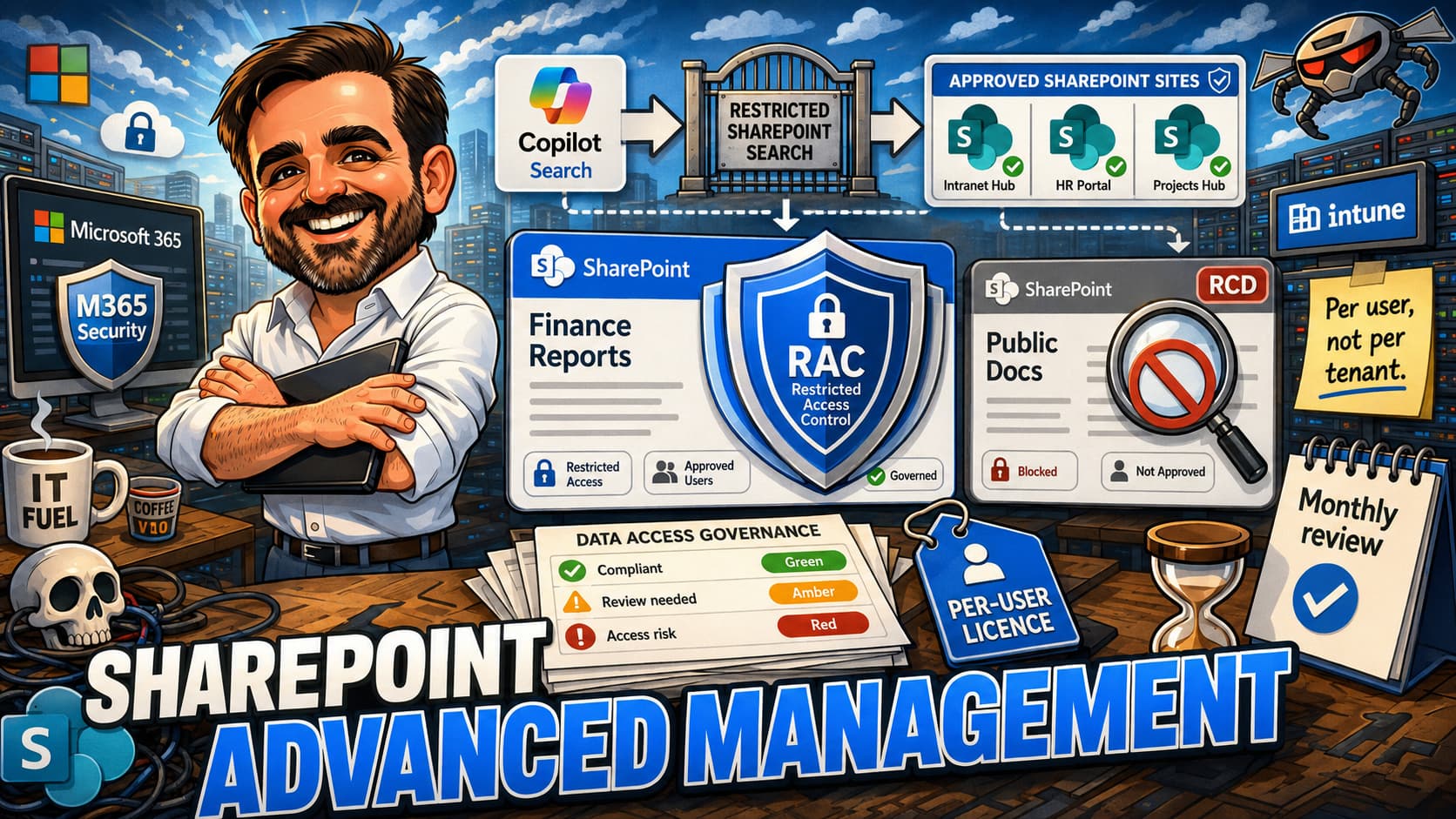
Per-site access control. Restricted Access Control (RAC) restricts site access to a specific allowlist, even if the site is otherwise broadly shared. Restricted Content Discovery (RCD) keeps a site's content from surfacing in Microsoft 365 Copilot and organisation-wide Microsoft Search, without changing who has access. The two are complementary — RAC restricts access, RCD restricts discoverability.
Tenant-level discoverability. Restricted SharePoint Search narrows the org-wide SharePoint Search to a curated list of sites. It is a containment control during oversharing remediation, not a security boundary — it does not change permissions, has a documented limit on the number of sites in the allowlist, and does not guarantee that only allowlisted sites surface (content recently accessed, shared via Teams or Outlook, or surfaced in other contexts may still appear). Plan RSS as temporary, with an exit criterion, from day one.
Lifecycle and operations. Site lifecycle policies detect inactive sites and automate disposal review. Site owner notifications surface SAM findings to the people who can fix them. Block download policies prevent download of content from sensitive sites. Conditional Access policies for specific sites add an Entra-style access control to the SharePoint layer.
Feature surface
The SAM-distinctive features as of writing. The table is intentionally narrower than a full SharePoint admin centre tour — it lists what SAM most reliably adds or enhances, not every per-site setting available in SharePoint Online. Several adjacent controls (per-site "Anyone" link expiry, block download at the site level, OneDrive sharing reports, access reviews) exist in standard SharePoint Online or other Microsoft 365 governance products, and SAM sometimes surfaces or extends them — the boundary moves, so confirm against Microsoft Learn when one of those specific controls is the deciding factor.
| Feature | What it does | Where to find it |
|---|---|---|
| Data Access Governance reports | Reports on oversharing patterns: "Everyone except external users", "Anyone" links, recent permission changes, sites without owners, sensitivity label coverage, sensitive content distribution. Scheduled and on-demand. The DAG family also surfaces the sensitive-content view that earlier SAM materials called out separately. | SharePoint admin center → Reports → Data Access Governance |
| Restricted Access Control (RAC) | Restrict a site to an explicit list of users/groups. Anyone else is blocked regardless of other sharing. | SharePoint admin center → Sites → Active sites → per-site settings |
| Restricted Content Discovery (RCD) | Keep a site's content out of Microsoft 365 Copilot and organisation-wide Microsoft Search, without changing who has access. The "hide from discovery" control. | SharePoint admin center → Sites → Active sites → per-site settings |
| Restricted SharePoint Search (RSS) | Tenant-level: limit organisation-wide SharePoint Search and Copilot grounding to a curated list of sites. Containment control during oversharing remediation. Not a security boundary, does not change permissions, has a documented allowlist limit, and is intended as temporary. | SharePoint admin center → Settings → Restricted SharePoint Search |
| Site lifecycle policies | SAM-managed inactive site detection and review workflow, including owner attestation. Adjacent to (and extends) the standard SharePoint inactive-site behaviour. | SharePoint admin center → Policies (verify exact path) |
| Site owner notifications for SAM signals | Automated emails to site owners triggered by SAM findings — DAG patterns, lifecycle events, attestation requirements. Brings owners into the remediation loop instead of leaving everything to IT. | Surfaced from SAM reports and lifecycle settings |
| Default sensitivity label for sites and groups | Apply a default sensitivity label to existing SharePoint sites and Microsoft 365 groups in bulk. Container-label assignment at scale, which the standard label policy does not do retroactively. | SharePoint admin center — via SAM-enabled controls (verify path) |
Tool boundaries — SAM vs Purview vs Entra ID Governance
A common source of overlap confusion is the Venn diagram between SAM, Microsoft Purview and Microsoft Entra ID Governance. The table below maps the requirement to the primary tool that solves it. If the requirement on the left is the one driving the procurement conversation, the tool on the right is where the budget should go — not necessarily SAM.
| Requirement | Primary tool |
|---|---|
| Find overshared SharePoint sites | SAM — Data Access Governance |
| Restrict access to a sensitive site | SAM — Restricted Access Control |
| Reduce discovery during Copilot rollout | SAM — RCD per site / RSS as temporary containment |
| Classify files and sites | Microsoft Purview — sensitivity labels |
| Block sharing of sensitive content | Microsoft Purview — DLP |
| Guest lifecycle and access reviews (cross-resource) | Microsoft Entra ID Governance |
| eDiscovery and legal hold | Microsoft Purview eDiscovery |
| Insider risk monitoring | Microsoft Purview Insider Risk Management |
| Records management and regulated retention | Microsoft Purview Records Management |
| Communication compliance / surveillance | Microsoft Purview Communication Compliance |
SAM, Purview and Entra ID Governance are complementary — never substitutes. A serious Copilot readiness programme often involves elements of all three, and the cleanest procurement conversations are the ones that map each requirement to its right product up front instead of stretching one product to cover gaps another one was designed to fill.
Decision framework
Six factors decide whether SAM is the right purchase. I use this framework on every engagement where SAM comes up, because the alternative — the "well, everyone else is buying it" conversation — produces decisions nobody can defend afterwards. Each factor is roughly independent: if even two or three point strongly toward SAM, the purchase is usually defensible. If five out of six point away, you may be able to defer.
| Factor | Strong signal toward SAM | Weak signal |
|---|---|---|
| Copilot rollout scope | Broad rollout: more than ~30% of users licensed for Copilot, or planned within the year | Pilot only, <50 users, no broader rollout planned |
| SharePoint estate size | 200+ sites, accumulated over 3+ years | <50 sites, recent migration, clean estate |
| Sensitivity label maturity | Labels not deployed or not enforced; container labels missing | Mature label taxonomy, encryption applied, auto-labelling running |
| External sharing posture | External sharing enabled tenant-wide; B2B used heavily; "Anyone" links present | External sharing restricted; B2B controlled; "Anyone" links disabled |
| Regulatory audit requirements | Industry regulation requires evidence of access controls, periodic reviews, oversharing remediation | No specific regulatory driver |
| Existing tooling | No automated oversharing detection; no DAG-equivalent reporting; no per-site CA | Custom-built scripts or third-party tools already cover the gap |
When SAM is genuinely deferrable
The small tenant with the clean SharePoint estate, mature sensitivity labels, locked-down external sharing and no regulatory pressure can run a Copilot rollout for a year without SAM. And occasionally they should. The risk is that they accumulate three or four moderate findings over that year that SAM would have surfaced earlier, and the second-year remediation budget swallows what they thought they saved.
When SAM is not enough on its own
Tenants in regulated industries (financial services, healthcare, government) typically need SAM and Microsoft Purview Premium-tier capabilities. The boundary is fairly clear: SAM solves access and discoverability problems; Purview solves classification, protection and regulated retention problems. They complement each other and neither replaces the other.
The most common adjacent requirements that SAM does not solve include eDiscovery for regulated litigation (custodian-scoped collections, hold workflows, advanced review) which requires Purview eDiscovery Premium; insider risk monitoring (detecting potentially malicious or careless data movement by users) which requires Purview Insider Risk Management; regulated retention and records management with regulatory record categories and disposal-review workflows, which requires Purview Records Management; and communication compliance for surveilled industries, which requires Purview Communication Compliance. None of these are SAM features and treating SAM as a substitute is the classic procurement mistake in regulated tenants.
Budget for the combination early. The mid-cycle expansion conversation ("we bought SAM, now we also need Purview Premium") is harder than the up-front combined decision, because the second purchase has to justify itself against the first one's apparent overlap — an overlap that is real in the Venn diagram and not real in the requirements. The Microsoft 365 Licensing Decision Builder 2026 covers the SKU stack in more depth, and the Purview DLP Policy Builder 2026 and Sensitivity Labels Decision Builder 2026 cover the Purview-side foundations that SAM relies on but does not itself provide.
Recommended baseline
Minimum baseline
The minimum baseline for a tenant that has purchased SAM in support of Copilot is the following. SAM entitlement validated against the current Microsoft licensing model and aligned to the approved Copilot governance scope. Data Access Governance reports configured for the four highest-signal patterns ("Everyone except external users", "Anyone" links, recently changed permissions, sites without owners) and scheduled monthly at minimum. Restricted Access Control applied to the small list of sites holding genuinely sensitive content (typically HR records, legal documents, board materials, M&A pipeline). Restricted SharePoint Search either configured or explicitly declined, with the rationale recorded. Site owner notifications enabled so SAM findings reach the people who can fix them, not just IT.
Recommended baseline (adds on top)
Restricted Content Discovery applied or evaluated for legacy and lower-risk sites — the sites that are not sensitive enough for RAC but are also not adding value to Copilot grounding. Sensitive content reports run quarterly to find label gaps. Site lifecycle policies configured to retire inactive sites after a defined dormancy period. Conditional Access policies for sites where a specific access condition (managed device, trusted location) materially reduces risk. OneDrive sharing reports added to the same monthly DAG cadence. Block download policies applied where the use case justifies them — rare, but valuable in specific scenarios. A licensing review every quarter to remove orphan SAM licences and reallocate them to active users.
Recommended first 3 actions
If the team can only carve out one afternoon this week, do these three things first. Each is independently valuable and each unblocks the next layer.
| First action | Why |
|---|---|
| Run a baseline Data Access Governance report | You cannot prioritise what you have not measured. The DAG report is the first artefact that tells you where the actual oversharing lives. Most tenants discover that two-thirds of the risk is concentrated in fewer than 10 percent of the sites. |
| Apply Restricted Access Control to the top-tier sensitive sites | HR, legal, board, M&A — the sites where a single Copilot leak would itself be the incident. RAC is the most targeted SAM control and the fastest to deploy with site owner agreement. |
| Configure or explicitly decline Restricted SharePoint Search — with an exit criterion | RSS is a containment control while broader remediation happens, not a long-term operating model and not a security boundary. Configure it (with a written exit criterion: "RSS is removed when DAG findings reach <X> and label coverage reaches <Y>"), or document why you chose not to. Decisions deferred without record become decisions never made. |
Common mistakes
These are not theoretical. Each one is something I have seen in the last twelve months, often in tenants that did a lot of things right elsewhere.
- Licensing SAM only for admins.The classic pattern: SAM lands as an IT product, IT licenses IT, the configuration goes live, and three months later someone asks why users are experiencing different behaviour from what was tested. SAM licensing and entitlement should be validated against the current Microsoft model. In many Copilot governance designs, the entitlement scope is aligned with the Copilot user scope, not only with admins. A configuration applied at the wrong entitlement scope produces inconsistent enforcement and is an avoidable audit finding.
- Enabling every SAM feature on day one.Site owners become overwhelmed by notifications, support tickets spike, and the team loses confidence in the deployment before any value lands. The instinct is understandable — once the licences are in, it feels wasteful not to use everything. Resist that instinct. Stage features by impact and operate each one for a sprint before adding the next.
- Treating SAM as a one-time setup.DAG reports run once, no follow-up, no remediation tracking. The tenant pays for the licences but loses the value because nobody owns the operational cadence.
- Confusing SAM with Microsoft Purview.SAM is access and discoverability. Purview is classification, protection and regulated retention. This is the most common mis-purchase I see in this space — and the most expensive, because the team only discovers the mistake when the original problem is still unsolved six months later. A team that builds the business case around "we need DLP" should be buying Purview, not (only) SAM.
- Running DAG reports without site owner involvement.IT identifies the findings, but only the site owner can decide whether the sharing is intentional or a mistake. Reports without owner involvement become a list IT cannot resolve.
- Applying RCD without explaining it to users.RCD changes search behaviour silently. Users searching the org-wide index suddenly do not find content they remember finding before. Communications and FAQs save the helpdesk.
- Mixing tenant-wide and per-site controls without strategy.Tenant-wide RSS plus per-site RCD plus per-site RAC can interact in ways that are hard to reason about. Decide which layer owns which decision, and document the precedence.
- Not retiring the manual processes SAM replaces.The PowerShell script the team wrote in 2024 to identify "Everyone except external users" sites still runs in 2026 alongside DAG. Two sources of truth, two sets of false positives, no one trusts either.
- Treating Restricted SharePoint Search as a long-term solution.RSS is a tenant-level containment control during oversharing remediation, not a security boundary and not a sustainable operating model. The opposite mistake is skipping it entirely — some teams avoid RSS because "it sounds disruptive." Use it deliberately, with a written exit criterion, and plan its removal as remediation matures.
- Orphan SAM licences after user changes.SAM is per-user. Users leave the organisation, change roles, or stop using Copilot — and the SAM licence stays assigned for months. Quarterly licensing review prevents the slow inflation.
- Assuming SAM features are stable.Microsoft has moved features in and out of SAM since launch. A business case built on a feature that has since been bundled into a different SKU is a budget conversation waiting to happen. Re-validate the feature surface at every renewal.
- Ignoring sensitivity labels.SAM does not classify content; sensitivity labels do. A SAM deployment without a working sensitivity labels foundation is solving the access problem without addressing the classification problem — and Copilot exposure is partly a classification problem.
Implementation guide
The order below assumes you have licensed SAM and have SharePoint Administrator access. The implementation is primarily UI-driven through the SharePoint admin center; PowerShell is available for several operations but the exact cmdlet syntax should be validated against current Microsoft documentation before scripting at scale.
Step 1 — Confirm licensing scope
Validate the current Microsoft licensing model and assign SAM (or the equivalent entitlement under the current bundling) to the users and scenarios that need SAM-governed capabilities. In many Copilot governance designs this means aligning SAM entitlement with the Copilot user scope, not only with admins — but the exact rule depends on the current SKU arrangement, which has changed since SAM launched. The simplest way to reconcile is a Microsoft Graph PowerShell query (see the Microsoft Graph PowerShell Field Guide 2026 for the connection pattern) that lists users with Copilot but without SAM. Reconcile the list before anything else — configurations applied without the right entitlement scope produce inconsistent enforcement.
Step 2 — Confirm SAM is activated in the tenant
In the SharePoint admin center, navigate to Reports → Data Access Governance. If the DAG reports option is visible and configurable, the SAM-related reporting capability is available in that admin experience. If it is not visible, validate that licences are assigned and allow propagation time (typically minutes to a few hours, occasionally longer in larger or geographically distributed tenants). Features can also appear or disappear based on entitlement, preview state, admin role, rollout phase, or Copilot/SKU configuration.
Step 3 — Run the baseline Data Access Governance reports
Schedule the four highest-signal reports at minimum: "Everyone except external users" sharing, "Anyone" links, recently changed permissions, sites without owners. Run them on-demand once for a baseline snapshot, then configure recurring (monthly is a defensible cadence for most tenants). Export the baseline somewhere outside SharePoint — an audit register, a Microsoft List, a CSV in a controlled location — so the team can compare against later reports.
Step 4 — Identify the top-tier sensitive sites
From the DAG baseline, identify the small set of sites that combine high sensitivity (HR, legal, board, M&A, customer PII, etc.) with broad current sharing. Typically 5 to 20 sites in an enterprise tenant — consistently smaller than people expect, which is the first signal that the SAM investment is going to pay off. These are the candidates for Restricted Access Control. Walk the list with the site owners before applying RAC — the owner must confirm the allowlist of users and groups.
Step 5 — Apply Restricted Access Control
For each sensitive site, in the SharePoint admin center go to Sites → Active sites → select the site ” Settings and enable Restricted Access Control with the allowlist of users and groups the owner confirmed. Document the change in the operational register. Communicate with site users before applying — the lockout pattern is severe by design.
Step 6 — Configure Restricted SharePoint Search
This is the tenant-wide containment control. In the SharePoint admin center go to Settings → Restricted SharePoint Search. Configure the allowlist of sites intended to appear in organisation-wide SharePoint search and Copilot chat/agentic experiences — understanding that RSS is not a security boundary and does not guarantee exclusive results. Content recently accessed by a user, shared via Teams or Outlook, or surfaced in other contexts may still appear regardless of the RSS allowlist. The recommended baseline is to start narrow (well-governed sites only) and expand as remediation progresses. RSS is reversible — treat it as temporary, write an exit criterion at the same time you enable it, and review the allowlist on cadence.
Step 7 — Apply Restricted Content Discovery to lower-risk sites
For sites that are not sensitive enough for RAC but should not be surfaced in Copilot (legacy sites, inactive projects, low-quality content), apply Restricted Content Discovery per site. RCD is less aggressive than RAC — users who already have access can still navigate to content; only discovery via tenant-wide Search and Copilot/agentic experiences is reduced. Start with legacy and inactive sites.
Step 8 — Surface SAM findings to site owners
Without owner-facing notifications, every SAM finding becomes an IT task. With them, the owner becomes a participant. From DAG reports, use the built-in owner-notification options where available to route findings to the site owners with clear remediation guidance. Where available, initiate site access reviews directly from DAG reports so site owners review the specific oversharing finding (Anyone links, People in your org, Specific people shared externally, "Everyone except external users") rather than a generic notification — the targeted review is what produces a response. Note that Microsoft documents monthly limits on review volume; pace the reviews accordingly. For lifecycle events (inactive site detection, attestation prompts), the owner-attestation flow is what brings the conversation back to the right person. Document the wording of the notifications — the first-impression message often determines whether owners engage or ignore.
Step 9 — Configure site lifecycle policies
Detect inactive sites. Microsoft has been iterating on this surface, so validate the current path in the SharePoint admin centre, but the goal is the same: sites with no activity for N months get an owner notification, a confirmation step, and (after a defined cooling-off period) automatic disposal or archival. Decide N based on tenant culture (90, 180 or 365 days are common).
Step 10 — Schedule the recurring cadence
DAG reports monthly. Sensitive-content review (from the DAG family) quarterly. Licensing review quarterly. RSS scope review every two months until stable, then quarterly. RAC site review semi-annually (the allowlist drifts as roles change). Site lifecycle decisions reviewed monthly. Document the cadence and assign owners.
Step 11 — PowerShell where it adds value
The implementation above is UI-driven on purpose — for SAM operations, the SharePoint admin centre is the more reliable surface and the cmdlet surface has shifted as features arrived. For per-site operations that scale (RAC enable/disable, RCD toggle, lifecycle parameters across many sites), the primary PowerShell entry point is the SPO cmdlet family in the Microsoft SharePoint Online module — Set-SPOSite is the most common one. Validate the exact SAM-specific parameter names against current Microsoft documentation before scripting at scale, because parameter names and supported values change as SAM evolves.
Step 12 — Retire competing manual processes
If the team had PowerShell scripts or third-party tools doing the same work before SAM, retire them. Two sources of truth is worse than one. Archive the scripts, document why they were replaced, and remove the schedule. The savings on operational time are part of the SAM business case.
Validation checklist
After implementation, the following must be true. Each item is a yes/no. Any "no" should pause broad rollout until the gap is understood and either fixed or formally accepted as an exception.
-
SAM entitlement aligned to the approved governance scope. Validated against the current Microsoft licensing model. Any Copilot users outside that scope, or SAM-entitled users without a matching use case, are documented and justified.
-
Data Access Governance reports configured and scheduled. Four core reports at minimum. Monthly cadence at minimum. Named reviewer.
-
Baseline DAG snapshot taken and exported outside SharePoint. A point-in-time record exists that future reports can compare against.
-
Restricted Access Control applied to all top-tier sensitive sites. List of sensitive sites is documented. Site owners confirmed the allowlist before RAC was applied.
-
Restricted SharePoint Search configured or explicitly declined — with a written exit criterion. Decision recorded with rationale. If configured, the allowlist is documented and reviewed; an exit criterion exists (e.g. "RSS removed when DAG findings reach X and label coverage reaches Y").
-
Restricted Content Discovery applied to legacy and low-risk sites. Or a documented decision not to apply it. Users have been notified where appropriate.
-
Site owner notifications enabled for DAG and lifecycle. Notifications reach the owner, not just IT. Owners have been briefed on what the notifications mean.
-
Site lifecycle policy configured. Inactivity threshold defined. Owner confirmation step in place. Archival or disposal path documented.
-
Operational cadence documented with owners. Monthly DAG review, quarterly sensitive content review, quarterly licensing review — each with a named person responsible.
-
Manual processes that SAM replaces are retired. No duplicate sources of truth running in parallel.
Putting it together — worked scenario
An 800-user professional services firm with Microsoft 365 E3 and Copilot licences for half the workforce. SharePoint estate of approximately 450 sites accumulated over six years. Recent internal audit found 23 sites shared with "Everyone except external users" that contain client material. Pre-Copilot oversharing assessment scored the tenant as medium-high risk. The leadership decision was that Copilot rollout would proceed, but with SAM in the budget. Here is the 90-day rollout that actually fit.
Days 1–7. Confirm SAM licensing scope: 400 users. In this scenario, the approved SAM entitlement scope matched the 400 Copilot users — the governance design treated SAM coverage as parallel to Copilot coverage, not narrower. Entitlement assigned, propagation confirmed via a test DAG report. Procurement signed off because the per-user cost was documented against the alternative of either deferring Copilot or running a six-week manual remediation project.
Days 8–21. Baseline DAG snapshot taken on the four core reports. Findings exported to a Microsoft List with site, finding type, sensitivity, suggested action and owner columns. Top-tier sensitive sites identified: 12 sites (HR, legal, board, M&A, three client engagement sites with regulated data). Site owners notified individually and walked through the RAC plan.
Days 22–35. Restricted Access Control applied to the 12 top-tier sites, one cohort at a time, with a one-week soak period between cohorts. Site owners confirmed allowlists. One site required scope adjustment after RAC blocked a legitimate but undocumented integration; this was handled in the soak period rather than discovered after broad rollout.
Days 36–50. Restricted SharePoint Search configured with an allowlist of 47 well-governed sites — mostly the company intranet, the standard project template sites, and the well-curated function pages. Communications sent to users explaining that organisation-wide search and Copilot would temporarily surface results from a narrower set of sites while broader remediation continued. Helpdesk briefed on expected queries.
Days 51–70. Restricted Content Discovery applied to 138 legacy and inactive sites identified from the DAG "sites without owners" and "no recent activity" signals. Site owner notifications enabled. Site lifecycle policy configured with a 180-day inactivity threshold. Sensitive content report run to identify label gaps; 22 sites flagged for follow-up labelling work (handed off to the sensitivity label workstream).
Days 71–90. Copilot rollout broadened from the original pilot to the full 400 licensed users. Helpdesk volume stayed within expected range. First post-rollout DAG comparison run; the baseline "Everyone except external users" count dropped from 23 to 4 (the remaining 4 were explicitly justified and documented). Operating model handover to the SharePoint platform team: monthly DAG review, quarterly RAC allowlist review, quarterly licensing reconciliation.
What to fix first
When auditing an existing SAM deployment that is not earning its cost, fix in this order.
| Finding | Fix first | Why |
|---|---|---|
| SAM entitlement out of scope (e.g. admins only) | Validate against the current Microsoft model and extend the entitlement to the scope the governance design requires; reconcile via Graph PowerShell | SAM controls do not operate consistently when the entitlement does not match the configured scope. |
| DAG reports never scheduled (only run once) | Configure monthly recurrence with named reviewer | SAM value depends on the operational rhythm, not the one-time configuration. |
| Findings exist but no remediation tracking | Stand up a Microsoft List or equivalent register with owner, status and next-action columns | Without tracking, the same findings reappear every month. |
| RAC applied to too many sites | Audit the list; reduce to genuinely sensitive sites; broaden allowlists where the lockdown was over-restrictive | Over-applied RAC produces helpdesk noise and undermines confidence in the controls. |
| Restricted SharePoint Search not configured | Configure or explicitly decline with rationale | The tenant-wide blast-radius lever is unused. Decisions deferred without record become decisions never made. |
| Site owner notifications disabled | Enable for DAG and lifecycle | Without owners in the loop, IT becomes the only fixer and the queue never empties. |
| Legacy manual scripts still running alongside SAM | Retire the duplicates; document why each script was replaced | Two sources of truth is the most common source of "is this finding real?" debates. |
Troubleshooting notes
DAG reports not visible in SharePoint admin centre
Most common cause: SAM licences not yet propagated to the tenant. Allow propagation time (typically minutes to a few hours, occasionally longer). Confirm assignment via the Microsoft 365 admin centre licence usage report or Graph PowerShell. Sign out and back into the SharePoint admin centre. If still not visible after a reasonable propagation window, raise a support case — the licence is assigned but the feature has not activated.
Restricted Access Control caused a wider lockout than expected
RAC enforces the allowlist strictly. A site member who is not on the allowlist loses access, even if the site was previously broadly shared. Verify the allowlist includes the right Entra group memberships (not just users). Check for nested group dependencies. The most common error is omitting a service principal or app registration that integrates with the site. Document and add to the allowlist.
RCD did not stop content appearing in Copilot
RCD removes content from organisation-wide Search, Copilot grounding and Delve, but does not change who has access. If a user navigates directly to a URL they have access to, the content is still visible. RCD is a discoverability control, not an access control — pair it with RAC where the requirement is to block access, not just discovery. Also verify that the RCD setting is applied at the site level and that the change has propagated (typically minutes, occasionally hours).
Restricted SharePoint Search appears to break user expectations
RSS reduces the org-wide Search scope and the Copilot grounding scope. Users who were used to finding content from any site across the tenant may not be able to find it from the search bar. This is by design. The fix is communication and documentation, not configuration. Provide the URL directly when content is requested, or add the site to the RSS allowlist if it is well-governed.
Site lifecycle policy archived a site that should not have been
The owner confirmation step is the safety net. If the policy archived a site without owner confirmation, the policy configuration is wrong. Restore the site (Microsoft documentation covers the recovery window) and review the policy to ensure the confirmation step is mandatory. If the owner confirmed but should not have, the issue is owner training, not configuration.
Sensitive content reports show no findings — but you know there is sensitive content
SAM's sensitive content reports rely on Microsoft Purview sensitive info types and sensitivity labels. If the labels are not deployed or not applied, the reports show nothing. The fix is upstream — build the sensitivity label foundation first. The Sensitivity Labels admin setup guide and the Sensitivity Labels Decision Builder 2026 cover the prerequisite work.
Operational model
SAM is not a one-time deployment. After rollout, the following cadence keeps it earning its cost.
| Cadence | Owner | Activity |
|---|---|---|
| Monthly | SharePoint platform team | DAG report review. Triage new findings. Track remediation status against last month. Compare to baseline. |
| Monthly | Site owners (with IT facilitation) | Review owner-notification findings on their sites. Confirm or remediate. |
| Quarterly | Security or governance team | Sensitive content report. Identify label gaps. Hand off to the sensitivity label workstream. |
| Quarterly | Licensing / IT finance | Reconcile SAM licences against Copilot licences. Reclaim orphan SAM licences. Reallocate. |
| Bi-monthly | SharePoint platform team | RSS allowlist review (until stable, then quarterly). Broaden as remediation progresses. |
| Semi-annually | Site owners | RAC allowlist review per protected site. Role and team changes drift the allowlist faster than people expect. |
| Annually | Architecture review | Re-validate the SAM feature surface against Microsoft Learn. Features migrate between SKUs. Operating model adjusts. |
Ownership matters. Each cadence row has a named team and ideally a named person within that team. SAM findings without owners become a list nobody resolves. The licensing review is the easiest to skip and the most consequential financially — SAM is per-user, and a tenant that grew Copilot from 200 to 600 users and back to 400 over 18 months will have orphan SAM licences worth real money.
The Permission Register pattern described in the Microsoft Graph PowerShell Field Guide 2026 works well for SAM-managed sites too — one row per RAC-protected site with owner, allowlist source, last reviewed date and retirement criterion.
Final thoughts
SharePoint Advanced Management is the answer to a problem Copilot made visible: the standard SharePoint admin surface was never built to find and remediate oversharing at scale. SAM is. The four anchor features (DAG, RAC, RCD, RSS) earn their cost in any tenant where Copilot is a serious programme. But SAM is also a moving target. The feature surface evolves. Features move between SKUs. Some of what is SAM-only this quarter may be E5-included next year, and the reverse happens too.
The tenants that get the most from SAM are not the ones with the most features enabled. They are the ones that picked the three or four features that mapped to their actual problems, operated them on a defined cadence with named owners, and reviewed the licensing footprint quarterly. In the engagements where SAM has clearly paid off, the conversation pivots from "what does SAM do?" to "what did SAM stop us doing?" — and the answer is almost always "another six weeks of analyst time chasing oversharing manually." The technology is the easy part. The operational discipline is what keeps SAM earning its cost past the launch quarter.
If you bought SAM and cannot answer "yes" to every item in the validation checklist, the gap is rarely the configuration. It is usually the operating model around the configuration — who owns the cadence, who reviews the findings, who reconciles the licensing. The fix is closer than it looks. The longer the gap remains, the harder the renewal conversation becomes.
- Microsoft SharePoint Advanced Management overview
- Data Access Governance reports in SharePoint
- Restricted Access Control for SharePoint sites
- Restricted Content Discovery
- Restricted SharePoint Search
- Site lifecycle management in SharePoint
- Microsoft 365 Copilot overview
- Microsoft Purview sensitivity labels
- Microsoft 365 Copilot data, privacy and security
- SharePoint Online documentation index
Make the SAM decision deliberately
Run the Decision Framework against your tenant. If five of the six factors point toward SAM, the purchase is defensible. If the validation checklist below has more than two "no" answers in an existing deployment, the gap is rarely the configuration — it is the operating model.
Start with the Decision Framework