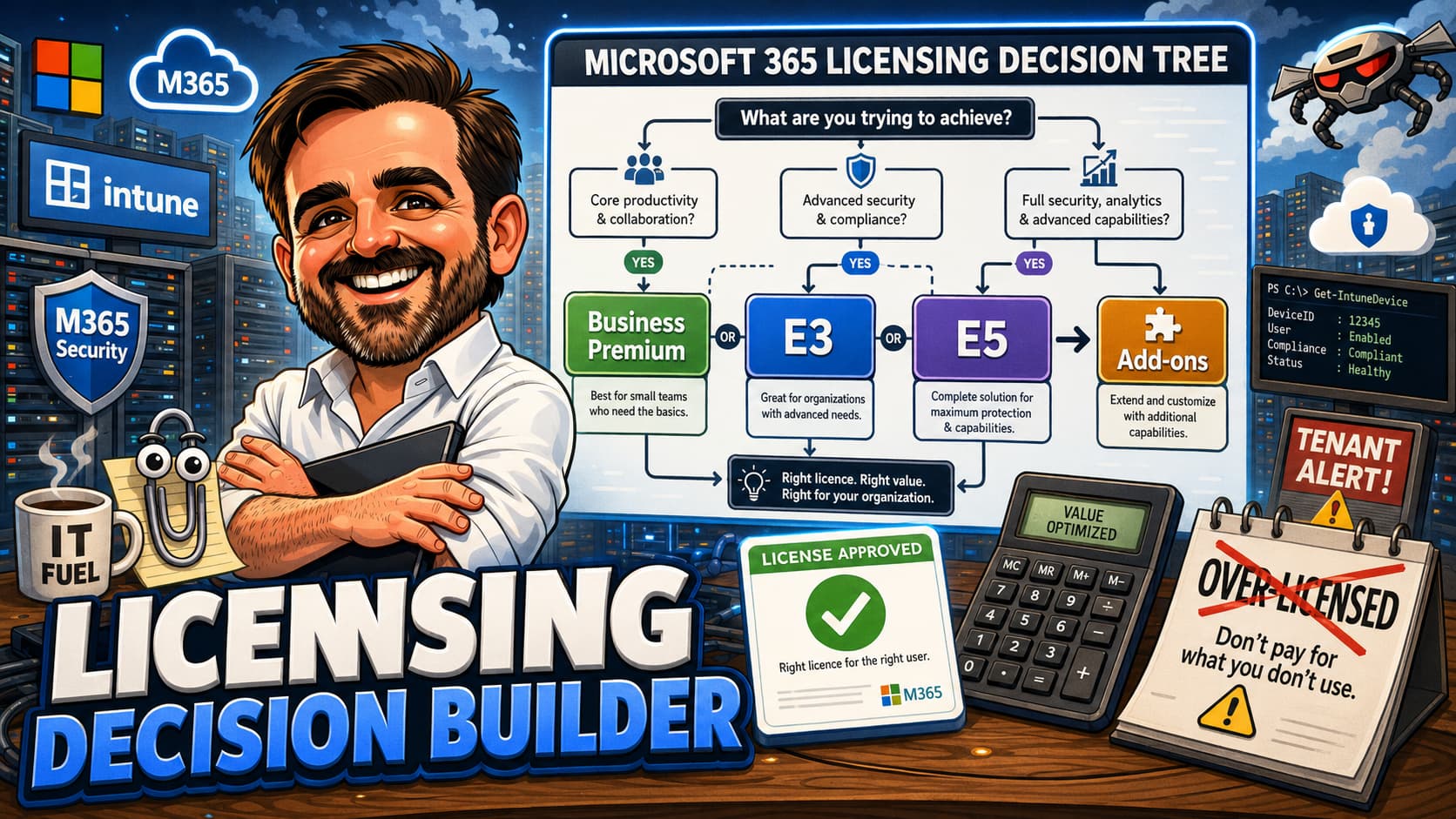
Microsoft 365 licensing is not hard because there are no options. It is hard because too many options look similar until you need one specific feature. This guide gives you an interactive decision builder, a feature matrix, persona-based licensing models, and the practical advice you need to stop guessing and start making licensing decisions you can defend.
1. Quick recommendation: jump to the interactive builder, select your scenario, get a licensing direction.
2. Comparison and research: use the feature matrix, persona cards, and comparison tables to build your case.
3. Working checklist: save as PDF for project documentation, licence reviews, or renewal planning.
Introduction
Most licensing mistakes do not happen because someone ignored Microsoft 365. They happen because someone bought a licence for one feature and only later discovered the missing dependency. An IT admin buys E3 for Intune and Conditional Access, then discovers that risk-based Conditional Access requires Entra ID P2, which is not in E3. A compliance officer requests sensitivity labels, gets them in E3, then learns that auto-labelling policies require E5 or a Purview add-on. A security team deploys Defender for Endpoint P1 through E3, then realises that automated investigation and response needs P2, which is only included in E5.
These are not edge cases. They are the normal pattern. Microsoft 365 licensing is a dependency tree, and the product names do not make the dependencies obvious. "Microsoft 365 E3" and "Microsoft 365 E5" sound like versions of the same product, where E5 is simply "more." In practice, the gap between E3 and E5 is not linear. It is a set of specific capabilities, each with its own operational requirements, and whether you need them depends entirely on what you are trying to do.
This guide does not try to reproduce Microsoft's feature comparison pages. Those already exist. Instead, it gives you a decision framework. It helps you map your requirements to licensing directions, identify hidden dependencies before they become budget surprises, and avoid the two most common outcomes: paying for features you never operate, or discovering a critical gap three months after signing a renewal.
The guide is structured to support different reading patterns. If you need a quick answer, jump straight to the interactive builder. If you are preparing a licensing proposal, use the comparison table, feature matrix, and persona cards. If you are conducting a licensing review, the "What good looks like" checklist and common mistakes section will help you identify gaps. And if you are saving this as a PDF for a project, the entire guide is formatted for clean printing.
Licensing disclaimer
What this guide helps you decide
Microsoft 365 licensing decisions are not one decision. They are a connected set of choices that affect security, compliance, cost, and user experience. This guide helps you work through each of them:
- When Business Premium is enough and when you are stretching it beyond its design point
- When E3 makes sense as a base licence and what add-ons you should expect to need
- When E5 is justified vs. when it is being purchased for one feature that could be an add-on
- When add-ons are more cost-effective than upgrading the entire base licence
- How to map personas to licences so different user types get what they need without over-provisioning
- How to assess Copilot readiness from a licensing and governance perspective
- How to identify over-licensing (paying for features you do not use) and under-licensing (missing features you need)
- Which feature dependencies are not obvious from the product names alone
Before you start
Before making any licensing decision, work through this pre-flight checklist. Licensing choices made without this context almost always need to be revisited. The cost of a wrong decision is not just the licence fee; it is the disruption of changing licences mid-contract, the security gaps that exist until the right licence is in place, and the time spent explaining to stakeholders why the budget needs to change.
I treat this checklist as non-negotiable. In every licensing review I have conducted, at least one item on this list uncovers a gap that would have led to a wrong decision. The most common one is "inventory current licences." I cannot count the number of times an organisation has requested a quote for a capability they already own but have never enabled.
-
Identify your user personas. Standard users, frontline workers, executives, privileged admins, SecOps analysts, compliance officers, developers, shared device users, external collaborators. Each persona may need a different licence or add-on combination.
-
Document device management needs. Which devices need management? Windows, macOS, iOS, Android? Company-owned, BYOD, shared? Do you need Autopilot? Endpoint security policies? App protection without enrolment?
-
Define identity and access requirements. MFA only, Conditional Access, risk-based CA, PIM, access reviews, identity governance? Each step up has a different licensing threshold.
-
Clarify compliance requirements. Retention policies, sensitivity labels, DLP, eDiscovery, audit logging, insider risk management, communication compliance, records management? Compliance features span a wide range of licence tiers.
-
Assess email and threat protection needs. Basic Exchange Online Protection, Defender for Office 365 P1, P2? Safe Attachments, Safe Links, automated investigation? Threat protection is one of the most common reasons to move from E3 to E5 or add-ons.
-
Determine Copilot plans. Not planned, planning, ready to buy, or already using? Copilot can be licensed with eligible base plans, but governance readiness (SharePoint permissions, sensitivity labels, DLP, oversharing remediation) should come before broad rollout.
-
Count frontline vs. standard vs. privileged users. Frontline workers may use F1/F3 licences. Privileged admins may need E5 features even if standard users do not. Do not force every user into the same licence.
-
Inventory current licences and unused features. Before buying more, check what you already have. Microsoft 365 admin centre licence usage reports show which features are assigned but not used. You may already own what you need.
-
Identify required add-ons. Some features are only available as add-ons regardless of base licence (Teams Premium, Copilot, certain Purview capabilities). List these separately from base licence decisions.
-
Confirm tenant size and Business plan limits. Business plans (Business Basic, Standard, Premium) have a user limit. Validate the current limit against Microsoft documentation. If you are approaching or exceeding it, Enterprise plans become necessary regardless of feature needs.
-
Review regulatory requirements. Industry regulations (GDPR, HIPAA, SOX, NIS2) may mandate specific compliance or audit capabilities that are only available in E5 or Purview add-ons. Start with regulatory requirements, not product features.
-
Check your renewal date. Licence changes mid-term may have different pricing or availability than at renewal. Plan licensing reviews at least 90 days before renewal.
-
Validate against Product Terms. After you have a direction, validate the specifics against the Microsoft Product Terms and your agreement type. This guide gives you the framework; the Product Terms give you the binding details.
Interactive Licensing Decision Builder
Use this tool to get a recommended licensing direction for a specific scenario. Select your organisation size, user persona, primary need, and the specific requirements across endpoint management, identity, security, compliance, Copilot, and budget strategy. The recommendation updates automatically as you change any input.
The builder evaluates your selections against a practical decision engine based on real-world deployment experience. It accounts for feature dependencies, licence tier thresholds, and common over/under-licensing patterns. The output is a starting direction, not a purchase order. Always validate the recommendation against current Microsoft Product Terms.
Recommendation updates automatically. Change any input to see how the direction shifts.
Licence families explained simply
Microsoft 365 has dozens of SKUs, but they fall into a handful of families. Understanding the families helps you navigate the naming without memorising every product. Here is each family with what it is actually for and the most common misunderstanding.
Business plans
Microsoft 365 Business Basic
What it is for: Web and mobile versions of Office apps, Exchange Online, Teams, SharePoint, OneDrive. No desktop Office apps.
Common misunderstanding: People assume "Business" means it includes device management. It does not. Business Basic has no Intune, no Conditional Access, and no advanced security management features beyond the baseline protections included with the service. It is a collaboration licence, not a management licence.
Microsoft 365 Business Standard
What it is for: Everything in Business Basic plus desktop Office apps. Still no Intune, no Conditional Access, and no advanced security management features beyond baseline service protections.
Common misunderstanding: "Standard" sounds like the middle tier, so people expect it to include security features. It does not. The jump from Standard to Premium is where security and management begin.
Microsoft 365 Business Premium
What it is for: Business Standard plus Intune, Entra ID P1, Conditional Access, Defender for Office 365 P1, Defender for Business. This is the SMB security licence.
Common misunderstanding: People think Business Premium is just "Business Standard with a few extras." In reality, it is a fundamentally different licence that includes device management, identity security, and threat protection. For SMBs, it is often the right answer.
Microsoft 365 Apps for Business / Enterprise
What it is for: Desktop Office apps only. No Exchange, no Teams, no security features. Used when another system provides email and collaboration.
Common misunderstanding: People buy this thinking it is a cheaper alternative to E3. It is not. It is the Office apps component only. You still need a separate licence for email, Teams, and everything else.
Enterprise plans
Office 365 E1 / E3 / E5
What they are for: The "Office 365" branded plans provide collaboration services (Exchange, SharePoint, Teams, OneDrive) and, for E3/E5, desktop Office apps. They do not include Windows licensing, Intune, or Entra ID premium features.
Common misunderstanding: People confuse "Office 365 E3" with "Microsoft 365 E3." They are different products. Office 365 E3 does not include Intune, Entra ID P1, or Windows Enterprise. Microsoft 365 E3 does.
Microsoft 365 E3
What it is for: Enterprise productivity with security fundamentals. Includes Office 365 E3 + Intune + Entra ID P1 + Windows Enterprise + information protection basics.
Common misunderstanding: People assume E3 includes "everything except the most advanced features." It does not include Entra ID P2 (no PIM, no risk-based CA), no Defender for Office 365 P2, no Defender for Endpoint P2, no eDiscovery Premium, no insider risk management.
Microsoft 365 E5
What it is for: Broad advanced security, compliance, and analytics stack. Includes everything in E3 plus Entra ID P2, Defender for Office 365 P2, Defender for Endpoint P2, Defender for Identity, Defender for Cloud Apps, many advanced Purview capabilities, Power BI Pro, advanced audit, eDiscovery Premium, insider risk management. Some specialised Purview capabilities may still require add-ons, capacity or additional licensing depending on the scenario.
Common misunderstanding: People buy E5 thinking it will automatically make them secure. E5 is a toolbox. Without operational maturity to deploy, configure, monitor, and respond to what E5 provides, the investment does not deliver value.
Microsoft 365 F1 / F3
What they are for: Frontline workers. F1 provides web/mobile apps, Teams, and basic services. F3 adds more features including limited desktop app capabilities (view and read-only on larger screens; validate current entitlements against service descriptions) and additional services. Both are designed for shift workers, retail staff, and similar roles.
Common misunderstanding: People try to use F licences for standard office workers to save money. F licences have intentional limitations on desktop apps and mailbox sizes. If a user needs full desktop Office or a large mailbox, F licences are not the right fit.
Security and identity add-ons
EMS E3 / E5 (Enterprise Mobility + Security)
What they are for: EMS E3 bundles Intune + Entra ID P1 + Microsoft Purview Information Protection P1. EMS E5 adds Entra ID P2 + Defender for Identity + Defender for Cloud Apps + Microsoft Purview Information Protection P2. Useful as add-ons to Office 365 plans.
Common misunderstanding: People buy EMS E3 on top of Microsoft 365 E3, not realising that M365 E3 already includes everything in EMS E3. Check for overlap before purchasing.
Entra ID P1 / P2
What they are for: P1 provides Conditional Access, self-service password reset, group-based licensing, application proxy. P2 adds PIM, Identity Protection, risk-based CA, access reviews, entitlement management.
Common misunderstanding: People assume Conditional Access is included in all Microsoft 365 plans. It is not. It requires Entra ID P1 (included in Business Premium, E3, E5) but is not in Business Basic, Business Standard, or standalone Office 365 plans.
Intune (standalone)
What it is for: Device management and app protection when you do not have a plan that includes it. Can be added to Office 365 plans or used independently.
Common misunderstanding: People buy Intune standalone on top of Microsoft 365 E3, which already includes Intune. Check your existing licences first.
Defender add-ons
What they are for: Defender for Office 365 P1/P2, Defender for Endpoint P1/P2, Defender for Identity, Defender for Cloud Apps can be purchased as standalone add-ons to supplement lower-tier base licences.
Common misunderstanding: People assume all Defender products are the same. Defender for Office 365 protects email. Defender for Endpoint protects devices. Defender for Identity monitors on-premises AD. They are separate products with separate licensing.
Compliance, collaboration, and AI add-ons
Microsoft Purview add-ons
What they are for: Advanced compliance capabilities beyond what E3 or E5 includes. eDiscovery Premium, advanced audit, insider risk management, communication compliance, records management, information barriers.
Common misunderstanding: People assume E5 includes "all compliance." E5 includes a substantial set, but some advanced Purview capabilities may require additional add-ons or capacity units depending on the scenario. Validate specific capabilities against current licensing documentation.
Teams Premium
What it is for: Advanced meetings features including custom branding, watermarking, sensitivity labels for meetings, intelligent recap, and additional webinar/townhall capabilities.
Common misunderstanding: People think Teams Premium is required for basic Teams functionality. It is not. Standard Teams is included in most Microsoft 365 plans. Teams Premium adds advanced meeting features for organisations that need them.
Microsoft 365 Copilot
What it is for: AI-powered assistance across Word, Excel, PowerPoint, Outlook, Teams, and other Microsoft 365 apps. Requires an eligible base licence.
Common misunderstanding: People buy Copilot licences before their environment is ready. Copilot surfaces whatever data users have access to. Without proper SharePoint permissions, sensitivity labels, and data governance, Copilot can surface data users should not see. Governance comes before Copilot.
Understanding the naming convention
Microsoft's product naming creates confusion because similar-sounding products have fundamentally different inclusions. Here is a quick decoder:
- "Office 365" vs "Microsoft 365": Office 365 plans provide productivity services only (Exchange, SharePoint, Teams, Office apps). Microsoft 365 plans bundle Office 365 + Windows Enterprise + EMS (Intune, Entra ID). If you see "Office 365 E3" vs "Microsoft 365 E3," the Microsoft 365 version includes significantly more.
- "Business" vs "Enterprise": Business plans have a user count limit and are designed for SMBs. Enterprise plans have no user limit and include additional features (larger mailboxes, more storage, additional compliance capabilities). The feature gap between Business Premium and E3 is narrower than most people think.
- "P1" vs "P2": Within both Entra ID and Defender products, P1 is the standard tier and P2 is the advanced tier. P1 features are generally included in lower-cost plans. P2 features are generally reserved for E5 or available as add-ons.
- "Defender for" [Product]: Each Defender product protects a different surface. The name after "for" tells you what it protects: Office 365 (email), Endpoint (devices), Identity (on-prem AD), Cloud Apps (SaaS). They are not interchangeable.
- "Purview": The umbrella brand for compliance, data governance, and information protection capabilities. Purview includes capabilities from what used to be called Azure Information Protection, Microsoft Information Protection, Compliance Manager, and others.
Business Premium vs E3 vs E5
This is the comparison most organisations need. The differences are practical, not just feature-list items. Each licence represents a different level of security, compliance, and management capability, and each comes with different operational requirements.
The table below is structured to help you compare across eight dimensions. Read it column by column to understand each licence's profile, or row by row to compare a specific aspect across all four options. The "E3 + Add-ons" column is included because it represents the most common real-world alternative to buying E5 outright.
| Aspect | Business Premium | Microsoft 365 E3 | Microsoft 365 E5 | E3 + Add-ons |
|---|---|---|---|---|
| Best for | SMBs within the Business plan user limit who need security and management | Mid-size to large orgs needing standardised productivity, identity, and device management | Orgs with mature security ops, compliance requirements, and advanced analytics needs | Orgs that need specific E5 features for specific personas without full E5 for everyone |
| Strengths | Complete SMB security package in one SKU. Intune, CA, Defender for Office 365 P1, Defender for Business | Enterprise-grade productivity foundation. Intune, Entra ID P1, Windows Enterprise, information protection | Full security, compliance, and analytics stack. Unified Defender XDR, Purview, PIM, Power BI Pro | Surgical: pay only for the specific capabilities you need beyond E3 |
| Limitations | User count limit. No Entra ID P2. No advanced compliance. No Defender for Endpoint P2 | No Entra ID P2. No Defender P2 tiers. No advanced compliance (eDiscovery Premium, insider risk). No advanced audit | Cost. Requires operational maturity to realise value. Wasted if features sit unused | Complexity. Multiple SKUs to track. Add-on availability may change |
| Security | Defender for Office 365 P1, Defender for Business, basic threat protection | Defender for Endpoint P1, basic email security (EOP). No Defender for Office 365 P2 | Full Defender XDR: Office 365 P2, Endpoint P2, Identity, Cloud Apps. Automated investigation | Add specific Defender products as needed. Mix and match per persona |
| Compliance | Basic retention, sensitivity labels (manual). Business Premium includes foundational data protection capabilities, but Purview DLP, endpoint DLP, advanced audit, eDiscovery, insider risk and communication compliance capabilities vary by licence, workload and add-on. Validate the exact Purview capability required before assuming BP, E3 or E5 covers it | Retention policies, sensitivity labels, basic DLP, basic audit, eDiscovery Standard | Advanced audit, eDiscovery Premium, insider risk, communication compliance, advanced DLP. Some specialised Purview capabilities may require add-ons or capacity beyond E5 | Add Purview add-ons for specific compliance needs |
| Endpoint management | Intune (full), Autopilot, app protection | Intune (full), Autopilot, app protection, compliance policies | Everything in E3 plus Endpoint analytics, advanced endpoint security integrations | E3 covers most endpoint needs. Add Intune add-ons for advanced scenarios |
| Identity | Entra ID P1: Conditional Access, SSPR, group licensing | Entra ID P1: same as Business Premium | Entra ID P2: PIM, Identity Protection, risk-based CA, access reviews | Add Entra ID P2 to E3 for PIM and risk-based CA |
| Common mistake | Staying on BP past the user limit. Expecting Entra ID P2 features. Not realising Defender for Business differs from Defender for Endpoint | Assuming E3 includes advanced security. Accumulating add-ons that may exceed E5 cost. Not planning for compliance needs | Buying E5 for everyone when only 20% of users need advanced features. Not operationalising the security tools | Losing track of which add-ons are assigned to which users. Not reviewing add-on costs at renewal |
Business Premium to Enterprise transition
Many organisations start on Business Premium and eventually need to transition to Enterprise plans. This transition is usually triggered by one of three things: exceeding the Business plan user limit, needing Entra ID P2 features (PIM, risk-based CA), or needing advanced compliance capabilities. When this transition happens, plan for the following:
- Licence swap, not upgrade. Business Premium and Microsoft 365 E3 are separate licence families. You remove Business Premium and assign E3 (or E5). This is not a simple "upgrade" button.
- Mailbox size change. Business Premium typically provides a 50 GB primary mailbox. E3/E5 typically provide a 100 GB primary mailbox. Validate current Exchange Online limits and archive behaviour against service descriptions before planning migrations. The transition will not shrink mailboxes, but plan communication if users rely on auto-expanding archives.
- Defender product change. Business Premium includes Defender for Business. E3 includes Defender for Endpoint P1. E5 includes Defender for Endpoint P2. These are different products with different portals and policy structures. You may need to reconfigure endpoint security policies.
- Feature parity gaps. Business Premium includes Defender for Office 365 P1. E3 does NOT include Defender for Office 365. If you transition from Business Premium to E3 without adding Defender for Office 365, you will lose email threat protection. This is the most commonly missed gap in Business Premium to E3 transitions.
Feature decision matrix
This matrix maps specific needs to the minimum licence direction. Use it to identify which features drive your licence tier and where add-ons fill gaps. The "Notes" column highlights dependencies and common pitfalls that are not obvious from the feature name alone.
Read the matrix row by row for each feature you need. If multiple rows point to E5, count them. If three or more features require E5 or E5-level add-ons, compare the add-on cost against E5. The matrix is intentionally structured so you can quickly identify your licensing "ceiling" by scanning the rows relevant to your requirements.
| Need | Minimum Licence Direction | Common Add-on Path | Notes / Caveats |
|---|---|---|---|
| Desktop Office apps | Business Standard, Apps for Business/Enterprise, E3, E5 | N/A | Business Basic and F1 do not include desktop apps. F3 includes limited desktop capabilities |
| Exchange Online mailbox (50 GB) | Business Basic/Standard/Premium, E1/E3 | N/A | E3/E5 provide 100 GB mailboxes. Business plans provide 50 GB. Validate current sizes against service descriptions |
| Shared mailbox | Any plan with Exchange Online | N/A | Shared mailboxes do not require a licence unless they exceed the mailbox size limit or need archive/litigation hold features |
| Conditional Access | Business Premium, E3, E5 | Entra ID P1 standalone | Requires Entra ID P1. Not included in Business Basic, Business Standard, or Office 365 plans without EMS |
| Intune device management | Business Premium, E3, E5 | Intune standalone or EMS E3 | Included in Business Premium, M365 E3, M365 E5. Not in Office 365 plans |
| Autopilot | Business Premium, E3, E5 | Intune standalone (with Entra ID P1) | Requires Intune + Entra ID P1. Both included in Business Premium and M365 E3/E5 |
| App protection policies (MAM) | Business Premium, E3, E5 | Intune standalone | MAM without enrolment is available for iOS/Android. Windows MAM has specific requirements |
| Endpoint security policies | Business Premium, E3, E5 | Intune standalone | Security baselines, antivirus policies, firewall policies through Intune |
| Entra ID P2 | E5 | Entra ID P2 standalone or EMS E5 | Not included in Business Premium or E3. Required for PIM, risk-based CA, Identity Protection, access reviews |
| Privileged Identity Management (PIM) | E5 | Entra ID P2 | PIM requires Entra ID P2. Only included in E5. Essential for admin role governance |
| Risk-based Conditional Access | E5 | Entra ID P2 | Uses Identity Protection signals. Requires Entra ID P2. Often the trigger for moving from E3 to E5 or adding P2 |
| Access reviews | E5 | Entra ID P2 or Entra ID Governance | Periodic review of group memberships, app access, role assignments. Requires P2 minimum |
| Defender for Office 365 P1 | Business Premium, E5 | Defender for Office 365 P1 add-on | Safe Attachments, Safe Links, anti-phishing policies. Included in Business Premium and E5 but NOT in E3 |
| Defender for Office 365 P2 | E5 | Defender for Office 365 P2 add-on | Adds Threat Explorer, automated investigation, attack simulation. Only in E5 or as add-on |
| Defender for Endpoint P1 | E3, E5 | Defender for Endpoint P1 add-on | Next-gen protection, attack surface reduction. Included in M365 E3. Business Premium includes Defender for Business (similar but distinct) |
| Defender for Endpoint P2 | E5 | Defender for Endpoint P2 add-on | EDR, automated investigation and response, threat analytics. Only in E5 or as add-on |
| Defender XDR (unified) | E5 | Multiple Defender add-ons | Full XDR requires Defender for Identity + Endpoint P2 + Office 365 P2 + Cloud Apps. Practical with E5 or multiple add-ons |
| Sensitivity labels (manual) | Business Premium, E3, E5 | N/A | Manual labelling is broadly available. Auto-labelling requires E5 or Purview add-ons |
| Data Loss Prevention (DLP) | E3 (basic), E5 (advanced) | Purview add-ons for advanced DLP | Basic DLP in E3. Endpoint DLP, advanced classifiers, and expanded DLP in E5 or add-ons |
| Retention policies | Business Premium, E3, E5 | N/A | Basic retention broadly available. Advanced retention with adaptive scopes and records management in E5 or add-ons |
| eDiscovery Standard | E3, E5 | N/A | Case management, content search, basic holds. Available in E3 |
| eDiscovery Premium | E5 | Purview eDiscovery add-on | Advanced processing, review sets, analytics, custodian management. Only in E5 or add-on |
| Advanced audit | E5 | Purview add-on | Long-term log retention, crucial events for forensic investigations. Not in E3 |
| Insider risk management | E5 | Purview Insider Risk Management add-on | Requires E5 or dedicated add-on. Needs careful policy design and legal review before deployment |
| Teams Premium | Any Teams-enabled plan + add-on | Teams Premium add-on | Always an add-on. Not included in any base Microsoft 365 plan including E5 |
| Microsoft 365 Copilot | Eligible base plan + Copilot add-on | Copilot licence | Requires eligible base licence. Validate eligible plans against current documentation. Governance readiness is a prerequisite, not optional |
Persona-based licensing model
Not every user needs the same licence. Persona-based licensing matches licence tiers to actual job requirements, which reduces cost without creating security gaps. The personas below cover the most common patterns. Your organisation may have variations, but these are a practical starting point.
Standard user
Typical needs: Email, Office apps, Teams, OneDrive, basic security.
Recommended direction: Business Premium (SMB) or M365 E3 (enterprise).
Add-ons to consider: Defender for Office 365 P1 if on E3 and email threats are a concern.
What to avoid: E5 for standard users unless you have a compliance or security requirement that applies to all users.
Frontline worker
Typical needs: Teams, task management, shift scheduling, mobile access, limited email.
Recommended direction: Microsoft 365 F1 or F3 depending on app requirements.
Add-ons to consider: Intune if devices are company-owned. App protection if BYOD.
What to avoid: Full E3/E5 licences for frontline workers who do not need desktop Office apps or large mailboxes. This is one of the most common sources of over-licensing.
Executive
Typical needs: Full Office suite, large mailbox, advanced threat protection, Copilot, sometimes higher compliance requirements.
Recommended direction: M365 E5, or E3 + security/compliance add-ons.
Add-ons to consider: Copilot, Teams Premium for advanced meeting features.
What to avoid: Skipping advanced threat protection for executives. They are high-value targets for phishing and BEC attacks.
Privileged admin
Typical needs: PIM, risk-based CA, Identity Protection, advanced audit, Defender XDR access.
Recommended direction: M365 E5, or E3 + Entra ID P2 + relevant Defender add-ons.
Add-ons to consider: Entra ID P2 (if not on E5), Defender for Identity.
What to avoid: Admin accounts on E3 without Entra ID P2. No PIM means no just-in-time access, no activation workflows, no access reviews for privileged roles.
SecOps analyst
Typical needs: Defender XDR, advanced hunting, threat analytics, automated investigation, incident response.
Recommended direction: M365 E5. SecOps analysts need the full Defender stack.
Add-ons to consider: Microsoft Sentinel if SIEM/SOAR is needed (separate Azure cost).
What to avoid: E3 for SecOps analysts. They will immediately hit feature walls in threat investigation and response.
Compliance officer
Typical needs: eDiscovery Premium, advanced audit, insider risk management, DLP, sensitivity labels, communication compliance.
Recommended direction: M365 E5, or E3 + Purview add-ons for the specific compliance capabilities needed.
Add-ons to consider: Purview Compliance Manager, eDiscovery Premium add-on if not on E5.
What to avoid: Assuming E3 compliance features are sufficient for regulated industries. eDiscovery Standard is significantly more limited than Premium.
Developer / automation account
Typical needs: Office apps, Azure DevOps integration, Power Platform, API access, sometimes lower security overhead.
Recommended direction: M365 E3 for human developers. For service/application identities, use workload identities rather than user licences where possible.
Add-ons to consider: Power Platform licences, Azure subscriptions (separate from M365).
What to avoid: Using full E5 licences for service accounts. Use managed identities and workload identity federation instead of licensing service accounts as users.
Shared device user
Typical needs: Shared device mode, limited personalisation, kiosk or multi-user device access.
Recommended direction: F1/F3 for shared device scenarios. Business Premium or E3 if full device management is needed.
Add-ons to consider: Intune for device management if not included in the base licence.
What to avoid: Assigning individual E3/E5 licences to shared device accounts when F-tier licensing with shared device mode covers the scenario.
External collaborator (guest)
Typical needs: Access to Teams, SharePoint, specific apps. Limited to collaboration, not full productivity.
Recommended direction: Entra ID External Identities. Guests do not typically need M365 licences for basic collaboration. Licence requirements depend on the features they need to access.
Add-ons to consider: Entra ID P1/P2 for CA policies targeting guests. Validate guest licensing against current documentation.
What to avoid: Assigning full M365 licences to guests. Also avoid ignoring guest access governance entirely, as unmanaged guest accounts are a security risk.
Persona mapping summary
Use this table as a quick reference when mapping your organisation's personas to licence tiers. The "typical count" column helps estimate the licensing mix for budgeting purposes.
| Persona | Typical % of Org | Base Licence Direction | Key Add-ons | Priority |
|---|---|---|---|---|
| Standard user | 50-70% | Business Premium or E3 | Defender for O365 P1 (if on E3) | Start here; largest cost driver |
| Frontline worker | 10-40% (varies by industry) | F1 or F3 | Intune (if company devices) | Biggest over-licensing savings opportunity |
| Executive | 2-5% | E5 or E3 + security add-ons | Copilot, Teams Premium | High-value targets; do not under-licence |
| Privileged admin | 1-3% | E5 or E3 + Entra ID P2 | Entra ID P2, Defender for Identity | Critical; governs access to everything else |
| SecOps analyst | 1-2% | E5 | Sentinel (Azure) | Must have full Defender XDR |
| Compliance officer | 1-2% | E5 or E3 + Purview add-ons | eDiscovery Premium, insider risk | Licence must match regulatory obligations |
| Developer | 5-15% | E3 | Power Platform, Azure | Often over-licensed if given E5 |
| Shared device | Varies | F1/F3 with shared device mode | Intune | Do not assign individual E3/E5 |
| External/guest | N/A (not counted) | Entra ID External Identities | P1/P2 for CA targeting guests | Governance is more important than licensing |
Security licensing decisions
Security features are the most common driver for licence upgrades. The challenge is that security capabilities build on each other, and the dependencies are not always obvious. MFA is available broadly, but Conditional Access requires Entra ID P1. Conditional Access is powerful, but risk-based CA requires P2. Each level unlocks capabilities that the previous level cannot replicate.
The key question is not "what security features exist?" but "what security capabilities does our organisation have the maturity to operate?" Buying a feature you cannot staff, configure, and monitor is not a security improvement. It is a false sense of security.
This section maps the most common security decisions to licensing tiers. For each decision, the table below shows the minimum licence direction, common add-on paths, and practical notes from real deployments. Use this alongside the interactive builder to identify which security features drive your licensing tier.
| Security Requirement | Licence Direction | Notes |
|---|---|---|
| MFA for all users | Any Microsoft 365 plan (Security Defaults) or Entra ID P1 for Conditional Access-based MFA | Security Defaults enable MFA across the tenant without P1. For granular control (per-app, per-user, per-location), you need Conditional Access and therefore P1 |
| Conditional Access (standard) | Business Premium, M365 E3, M365 E5 (all include Entra ID P1) | Standard CA covers device state, location, app, user conditions. Sufficient for most organisations |
| Risk-based Conditional Access | M365 E5, or add Entra ID P2 | Uses sign-in risk and user risk signals from Identity Protection. Requires P2. This is the most common reason admins move from E3 to E5 or add P2 |
| Entra ID P1 vs P2 | P1: included in BP, E3, E5. P2: included only in E5 | P1 = CA, SSPR, group licensing. P2 = PIM, Identity Protection, risk-based CA, access reviews. P2 is essential for admin governance |
| PIM (Privileged Identity Management) | M365 E5, or add Entra ID P2 | Just-in-time role activation, approval workflows, time-bound access. Critical for admin role governance. No P2 = no PIM |
| Defender for Office 365 P1 vs P2 | P1: Business Premium, E5, or add-on. P2: E5 or add-on | P1 = Safe Attachments, Safe Links, anti-phishing. P2 adds Threat Explorer, automated investigation, attack simulation training. Note: E3 does NOT include Defender for Office 365 |
| Defender for Endpoint P1 vs P2 | P1: M365 E3 or add-on. P2: M365 E5 or add-on | P1 = next-gen protection, ASR, device control. P2 adds EDR, automated investigation, threat analytics. Business Premium includes Defender for Business (separate product) |
| Defender XDR (full unified) | M365 E5 (simplest path) | Full XDR requires multiple Defender products working together. E5 includes them all. Assembling via add-ons is possible but complex |
| Advanced security without operational maturity | Start with E3 + targeted add-ons | If your team cannot staff 24/7 monitoring, automated investigation, and incident response, the advanced features of E5 will generate alerts nobody reads. Build operational maturity first |
The Defender product family clarified
One of the most confusing aspects of Microsoft 365 security licensing is the Defender product family. There are five distinct Defender products, each protecting a different surface, each with different licensing. They share a name but are operationally separate products with separate consoles, separate alert queues, and separate configuration.
Defender for Office 365
Protects: Email and collaboration (Exchange Online, SharePoint, OneDrive, Teams).
P1: Safe Attachments, Safe Links, anti-phishing policies. Included in Business Premium and E5.
P2: Adds Threat Explorer, automated investigation, attack simulation. E5 or add-on.
Critical note: NOT included in Microsoft 365 E3. This is the most commonly missed gap in E3 security posture.
Defender for Endpoint
Protects: Devices (Windows, macOS, Linux, iOS, Android).
P1: Next-gen protection, attack surface reduction, device control. Included in M365 E3.
P2: Adds EDR, automated investigation and response, threat analytics. E5 or add-on.
Note: Business Premium includes Defender for Business, which is a separate product designed for SMBs. It is similar to but distinct from Defender for Endpoint.
Defender for Identity
Protects: On-premises Active Directory. Monitors domain controller traffic for identity-based attacks (pass-the-hash, lateral movement, privilege escalation).
Included in: M365 E5 or as standalone add-on.
Note: Primarily relevant for organisations with on-premises Active Directory or hybrid identity environments. Pure cloud-only tenants without domain controllers typically do not need this, but validate against your identity architecture.
Defender for Cloud Apps
Protects: SaaS application usage. Discovers shadow IT, provides session controls, monitors app-level risks.
Included in: M365 E5 or EMS E5 or as standalone add-on.
Note: Also enables Conditional Access App Control for session-level restrictions (no download, no print, limited web access).
The unified experience across all Defender products is called Defender XDR (Extended Detection and Response). It provides a single incident queue, cross-product correlation, and automated investigation across all surfaces. To get the full XDR experience, you need all four Defender products active (Office 365, Endpoint, Identity, Cloud Apps), which is why E5 is the simplest path to XDR. Assembling it from individual add-ons is possible but complex and often more expensive.
Intune and endpoint licensing
Intune licensing is one of the more straightforward areas of Microsoft 365 licensing because Intune is included in several base plans. The complexity comes from understanding what "Intune" actually covers in each plan and when you need additional capabilities.
When Business Premium is enough for endpoint management
Business Premium includes full Intune capabilities for organisations within the Business plan user limit. This means device enrolment, compliance policies, configuration profiles, app deployment, app protection policies, Autopilot, and security baselines. For most SMBs, Business Premium covers every endpoint management scenario they will encounter.
When E3 is needed
E3 is needed when you exceed the Business plan user limit or need Enterprise-specific features like Windows Enterprise (including Windows Autopatch), advanced Group Policy replacement scenarios, or Enterprise-tier information protection. The Intune capabilities in E3 are functionally equivalent to those in Business Premium for core device management.
When standalone Intune makes sense
Standalone Intune is useful when you have an Office 365 plan (not Microsoft 365) and need device management, or when you are using a non-Microsoft productivity suite but need endpoint management. It is also used in specific scenarios where only device management is needed without the full M365 stack.
| Endpoint Capability | Licence Direction | Notes |
|---|---|---|
| Device enrolment (Windows, iOS, Android, macOS) | Business Premium, M365 E3, M365 E5, Intune standalone | All Intune-including plans support multi-platform enrolment |
| Compliance policies | Business Premium, M365 E3, M365 E5, Intune standalone | Device compliance feeds into Conditional Access (requires Entra ID P1) |
| Configuration profiles / Settings Catalog | Business Premium, M365 E3, M365 E5, Intune standalone | Full settings catalog available in all Intune-including plans |
| App protection policies (MAM) | Business Premium, M365 E3, M365 E5, Intune standalone | MAM without enrolment for iOS/Android. Protects data in managed apps on unmanaged devices |
| Autopilot | Business Premium, M365 E3, M365 E5 | Requires Intune + Entra ID P1. Both included in these plans |
| Security baselines | Business Premium, M365 E3, M365 E5, Intune standalone | Pre-configured security settings recommended by Microsoft |
| Endpoint security policies | Business Premium, M365 E3, M365 E5, Intune standalone | Antivirus, firewall, disk encryption, attack surface reduction policies managed through Intune |
| Defender for Endpoint integration | M365 E3 (P1), M365 E5 (P2), or add-ons | Intune integrates with Defender for Endpoint for threat-based compliance. Business Premium uses Defender for Business |
| BYOD app protection (no enrolment) | Business Premium, M365 E3, M365 E5, Intune standalone | App protection policies without device enrolment. Key for personal device scenarios |
| Admin device management (PAW/SAW) | M365 E5 recommended (for full Defender + PIM) | Privileged access workstations need Intune + advanced security + PIM. E5 provides the complete set |
Intune add-on capabilities
Beyond the base Intune capabilities included in Business Premium and M365 E3/E5, Microsoft offers additional Intune add-on capabilities for advanced scenarios. These are separate from the base Intune licence and provide features such as advanced endpoint analytics, remote help, tunnel for mobile application management, and specialised device management scenarios. The availability and naming of these add-ons evolves; validate current offerings against Microsoft documentation.
BYOD and app protection licensing
App protection policies (MAM without enrolment) are one of the most cost-effective security features in Microsoft 365. They protect corporate data on personal devices without requiring full device management, which reduces both licensing cost and user friction. MAM is included in all Intune-including plans (Business Premium, M365 E3/E5, Intune standalone). For organisations with significant BYOD populations, MAM provides data protection without the overhead and privacy concerns of full device enrolment.
The key licensing consideration for BYOD is not Intune itself but the Conditional Access policy that enforces app protection. You need Entra ID P1 (included in Business Premium, E3, E5) to create a CA policy that requires an approved client app or app protection policy. Without CA, you can create app protection policies, but you cannot enforce them as a condition of access.
Compliance and Purview licensing
Compliance licensing is where the gap between E3 and E5 is most pronounced. E3 includes baseline compliance capabilities that satisfy basic requirements. But if your organisation faces regulatory obligations, legal discovery requirements, or data governance mandates, you will quickly find that E3 compliance features are necessary but not sufficient.
The Purview product family consolidates what used to be scattered across Azure Information Protection, Microsoft Information Protection, Compliance Manager, and several other brands. The licensing, however, remains spread across multiple tiers and add-ons.
The most important thing to understand about compliance licensing is the gap between "basic" and "advanced." E3 compliance capabilities handle common requirements: retention policies, manual sensitivity labels, basic DLP, standard audit, and eDiscovery Standard. These are sufficient for organisations without specific regulatory mandates. The moment you need auto-labelling, advanced DLP with endpoint coverage, eDiscovery Premium, advanced audit with long-term retention, insider risk management, or communication compliance, you move into E5 or Purview add-on territory. There is very little middle ground.
| Compliance Need | Licence Direction | Notes |
|---|---|---|
| Retention policies (basic) | Business Premium, M365 E3, M365 E5 | Org-wide and location-based retention. Sufficient for basic data lifecycle management |
| Retention labels (manual) | M365 E3, M365 E5 | User-applied retention labels. Auto-apply retention labels require E5 or add-ons |
| Sensitivity labels (manual) | Business Premium, M365 E3, M365 E5 | User-applied classification and protection. Available broadly. Auto-labelling requires E5 or Purview add-ons |
| Data Loss Prevention (basic) | M365 E3, M365 E5 | DLP for Exchange, SharePoint, OneDrive, Teams. Basic policy types and conditions |
| DLP (advanced / endpoint) | M365 E5, or Purview add-ons | Endpoint DLP, exact data match, advanced classifiers, expanded conditions. Requires E5 or add-ons |
| eDiscovery Standard | M365 E3, M365 E5 | Case management, content search, basic holds. Sufficient for simple legal discovery |
| eDiscovery Premium | M365 E5, or Purview add-on | Custodian management, advanced processing, review sets, analytics, predictive coding. Required for complex litigation |
| Audit (standard) | M365 E3, M365 E5 | Standard audit log retention (default period). Basic search capabilities |
| Audit (advanced) | M365 E5, or Purview add-on | Long-term retention, crucial events (MailItemsAccessed, etc.), higher throughput API access. Essential for forensic investigation |
| Communication compliance | M365 E5, or Purview add-on | Monitor communications for policy violations. Requires legal review and privacy impact assessment before deployment |
| Insider risk management | M365 E5, or Purview add-on | Detect and investigate insider threats. Requires E5 or add-on. Needs careful policy design, HR involvement, and legal review |
| Records management | M365 E5, or Purview add-on | File plan, disposition review, regulatory records. Required for industries with formal records management obligations |
Compliance licensing by regulatory driver
Different regulations drive different compliance requirements. Here is a practical mapping of common regulatory frameworks to the Microsoft 365 compliance capabilities they typically require. This is not legal advice; work with your compliance and legal teams to determine exact requirements.
| Regulatory Driver | Typical Compliance Needs | Likely Licence Direction |
|---|---|---|
| GDPR | Sensitivity labels, DLP, data subject requests, retention, audit | E3 covers basics. Advanced DLP and auto-labelling may need E5 or Purview add-ons |
| HIPAA | Encryption, access controls, audit trails, DLP for health data, retention | E3 minimum. Advanced audit and DLP likely require E5 or add-ons |
| SOX | Financial records retention, audit trails, access controls, insider risk monitoring | E5 for advanced audit and insider risk. Or E3 + targeted Purview add-ons |
| NIS2 | Incident reporting, supply chain security, risk management, access controls | E5 for comprehensive security and compliance. Or E3 + security and audit add-ons |
| Financial services (general) | Communication compliance, records management, eDiscovery, insider risk, DLP | E5 strongly recommended. Multiple Purview capabilities needed simultaneously |
| Legal / litigation readiness | eDiscovery Premium, legal hold, advanced processing, review sets | E5 or E3 + Purview eDiscovery Premium add-on for legal team members and custodians |
Copilot readiness and licensing
Copilot licensing is not only about buying the Copilot add-on. The add-on itself is straightforward: it requires an eligible base licence, and you assign it per user. What is not straightforward is the governance, permissions, and data readiness that Copilot demands. Copilot surfaces data based on user permissions. If your SharePoint permissions are over-shared, Copilot will surface content users should not see. If your data is not labelled, Copilot cannot respect sensitivity boundaries.
I have seen organisations buy Copilot licences for 200 users and then pause the rollout for three months while they fix SharePoint permissions. The licensing cost ran while governance was being remediated. The lesson is clear: do the governance work before the procurement. If your data is not ready, your Copilot deployment is not ready, regardless of what licence you hold.
Copilot readiness is a governance problem disguised as a licensing problem.
| Copilot Scenario | Licensing / Readiness Direction | Warning |
|---|---|---|
| Not planning Copilot | No Copilot licence needed. Focus on base licence optimisation | Even without Copilot, oversharing and poor data governance are security risks. Do not ignore them |
| Planning Copilot (6-12 months) | Ensure base licence eligibility. Start governance readiness now | Governance readiness takes longer than licence procurement. Start with SharePoint permissions audit, sensitivity label deployment, and oversharing remediation |
| Ready to buy Copilot | Eligible base licence + Copilot add-on. Validate base plan eligibility against current documentation | Validate that SharePoint permissions, sensitivity labels, and retention policies are in place before rollout. Copilot will surface whatever the user has access to |
| Need governance first | Prioritise Purview (sensitivity labels, DLP), SharePoint permissions review, oversharing remediation. Copilot should wait | Deploying Copilot without governance is a data exposure risk. Fix the foundation first. This is the most important row in this table |
| Already using Copilot | Review usage reports, assess governance gaps, refine sensitivity labels, monitor for data exposure incidents | If you deployed Copilot without governance readiness, conduct a retroactive permissions and oversharing review immediately |
Copilot governance readiness checklist
Before purchasing or deploying Copilot licences, verify that these governance prerequisites are in place. Copilot will amplify whatever state your data is in. If your data is well-governed, Copilot is a productivity multiplier. If your data is poorly governed, Copilot is a data exposure risk.
-
SharePoint permissions audited and remediated. Review site permissions, sharing links, and "Everyone except external users" access. Copilot surfaces content based on the user's permissions. Over-shared content will be surfaced to anyone with access.
-
Sensitivity labels deployed and adopted. Sensitivity labels classify and protect content. Copilot respects sensitivity labels. Without them, Copilot cannot distinguish between public and confidential content.
-
DLP policies active for sensitive data types. DLP prevents sensitive content from being shared inappropriately. Copilot respects DLP policies. Without them, Copilot could include sensitive data in responses or generated content.
-
Retention policies configured. Copilot-generated content is subject to the same retention policies as other content. Ensure retention policies cover the locations where Copilot outputs will be stored.
-
Validate update channel requirements. Copilot features have historically required Current Channel or Monthly Enterprise Channel for Microsoft 365 Apps. Channel support may have expanded; validate the current update channel requirements against Microsoft documentation before deployment to ensure Copilot features are available on your chosen channel.
Add-ons vs E5 decision
The "add-ons vs. E5" question comes up in almost every licensing review. There is no universal answer because it depends on how many E5-level features you need, for how many users, and whether you have the operational maturity to use them. Here is a decision table for common scenarios.
| Scenario | Better Direction | Why |
|---|---|---|
| Need only Entra ID P2 for admin accounts (10-20 users) | E3 + Entra ID P2 add-on for admins only | P2 is only needed for PIM and risk-based CA, which apply to admins. No reason to upgrade all users to E5 |
| Need Defender for Office 365 P2 for all users | Compare E3 + MDO P2 add-on vs. E5 | If email threat protection is the only E5 feature you need, the add-on is likely cheaper. If you also need other E5 features, E5 may be more cost-effective |
| Need full Defender XDR (Endpoint P2, Office P2, Identity, Cloud Apps) | E5 for users who need it | Assembling four Defender add-ons is complex and often more expensive than E5. E5 simplifies management and provides the unified XDR experience |
| Need eDiscovery Premium for legal team (5-10 users) | E3 + Purview eDiscovery add-on for specific users | eDiscovery Premium licences are needed for custodians, not for the entire organisation. Targeted add-ons are more cost-effective |
| Need insider risk management for all users | E5 or E3 + Purview add-on for all users | Insider risk requires licence assignment for monitored users. If monitoring all users, compare bulk add-on cost vs. E5 upgrade |
| Need Power BI Pro for all users | E5 includes Power BI Pro | If Power BI Pro is needed broadly and you also need other E5 features, E5 is more cost-effective than E3 + Power BI Pro add-on + other add-ons |
| Small org (under 50 users) needing advanced security | Business Premium + targeted add-ons | Business Premium provides strong baseline security. Add specific capabilities as needed rather than jumping to Enterprise licensing |
| Mixed org: 80% standard users, 20% security/compliance power users | E3 for standard users, E5 for power users | Mixed licensing reduces cost while ensuring power users have the tools they need. Requires careful licence management |
Step-up licences
Microsoft offers "step-up" licences that allow you to upgrade from one licence tier to a higher one by paying only the price difference. For example, if you have E3 and want to move to E5, a step-up licence covers the incremental cost rather than requiring you to buy E5 at full price. Step-up availability depends on your agreement type and licensing channel. Check with your licensing provider or Microsoft account team for current step-up options and pricing.
Step-up licences are particularly useful when you need to upgrade a subset of users (for example, moving your security team from E3 to E5) without disrupting the licensing of users who should stay on E3. They also simplify the transition because the step-up adds E5 features on top of the existing E3 assignment rather than requiring a remove-and-reassign process.
The hidden cost of complexity
There is a cost to mixed licensing that does not appear on the invoice: management complexity. Every additional SKU or add-on in your tenant is a SKU you need to track, assign correctly, verify at renewal, and support when something breaks. Three add-ons across four personas across two agreement types creates a matrix that no one fully understands six months later. When evaluating add-ons vs. E5, factor in the operational cost of managing a more complex licence portfolio, not just the per-user price difference.
Over-licensing and under-licensing warnings
Signs you are over-licensing
- E5 assigned to users who only use email and Teams. Check licence usage reports. If E5 users are not touching Defender, Purview, PIM, or advanced analytics, they are over-licensed.
- E5 for all users when only admins need P2 features. PIM and risk-based CA are admin-facing features. Standard users do not benefit from them.
- Full M365 licences for frontline workers. F1/F3 licences exist for a reason. Frontline workers who use Teams on a shared device do not need 100 GB mailboxes and desktop Office apps.
- Duplicate add-ons on top of licences that already include them. Intune standalone on top of E3. EMS E3 on top of M365 E3. Check for overlap.
- Licences assigned to inactive accounts. Terminated employees, unused shared mailboxes, test accounts. Run a licence reconciliation quarterly.
- Paying for compliance features with no compliance programme. eDiscovery Premium, insider risk, and communication compliance require policies, training, and operational processes. The licence alone does nothing.
Signs you are under-licensing
- Admins without PIM. If privileged roles are permanently assigned with no just-in-time access, no approval workflows, and no access reviews, you have an identity governance gap.
- E3 without Defender for Office 365. E3 does NOT include Defender for Office 365. You get Exchange Online Protection (basic), but not Safe Attachments, Safe Links, or anti-phishing policies. This is one of the most commonly missed gaps.
- No risk-based Conditional Access. If you rely on static CA policies without sign-in risk or user risk signals, you are missing a critical layer of identity protection.
- eDiscovery Standard used for complex litigation. If your legal team is using eDiscovery Standard for matters that require custodian management, review sets, or predictive coding, they are working with the wrong tool.
- No advanced audit for security investigations. Without advanced audit, you may lack the log detail and retention needed for forensic investigation after a security incident.
- Copilot deployed without Purview governance. If Copilot is live but sensitivity labels, DLP, and SharePoint permissions have not been addressed, you have a data exposure risk.
Common licensing mistakes
These are mistakes I see repeatedly in real environments. Each one has a pattern: someone made a reasonable-sounding decision based on incomplete information, and the gap only became visible later. The fix for most of them is the same: map requirements to features before mapping features to SKUs.
I have listed these in rough order of frequency. The first three are the ones I see in almost every licensing review. The rest are common enough that they deserve explicit mention. If you recognise any of these in your own environment, you are not alone; they are practically universal.
- Confusing Office 365 E3 with Microsoft 365 E3. These are different products. Office 365 E3 does not include Intune, Entra ID P1, or Windows Enterprise. Microsoft 365 E3 does. The "Microsoft 365" vs "Office 365" distinction is the most common naming confusion in M365 licensing.
- Assuming E3 includes Defender for Office 365. It does not. Microsoft 365 E3 includes Exchange Online Protection (EOP) for basic email filtering, but Safe Attachments, Safe Links, and advanced anti-phishing policies require Defender for Office 365 P1 or P2, which are in Business Premium, E5, or as add-ons.
- Buying E5 for everyone "just in case." E5 is valuable when you will operate its advanced features. For standard users who need email, Office apps, and basic security, E3 with targeted add-ons is usually more appropriate and significantly less expensive.
- Accumulating E3 add-ons without comparing against E5. This is the inverse of the previous mistake. If you need Entra ID P2 + Defender for Endpoint P2 + Defender for Office 365 P2 + advanced audit + eDiscovery Premium, compare the total add-on cost against E5. Depending on agreement type, region and discounts, the add-on path may exceed E5 cost while adding management complexity.
- Full E3/E5 licences for frontline workers. Frontline workers on shared devices using Teams and basic apps do not need full productivity licences. F1/F3 licences are designed for this scenario and cost significantly less.
- Admin accounts on E3 without Entra ID P2. No P2 means no PIM, no risk-based CA, no Identity Protection, no access reviews. Admin accounts without these controls are a governance gap that auditors and attackers both notice.
- Staying on Business Premium past the user limit. Business plans have a user count limit. Organisations that grow past it need to transition to Enterprise plans. Validate the current limit against Microsoft documentation and plan the transition proactively.
- Buying Intune standalone when E3 already includes it. Microsoft 365 E3 includes Intune. Purchasing Intune standalone on top of M365 E3 is paying twice for the same capability. Always check what your existing licences include before buying add-ons.
- Ignoring licence usage reports. Microsoft 365 admin centre provides licence usage reports that show which features are assigned but not used. If you are not reviewing these quarterly, you are probably paying for capabilities that sit idle.
- Deploying Copilot without governance readiness. Copilot surfaces data based on user permissions. If SharePoint is over-shared, sensitivity labels are not deployed, and DLP is not configured, Copilot can surface data users should not see. Governance readiness is not a technical prerequisite for Copilot licensing, but deploying Copilot without it creates operational and security risk.
- Assuming sensitivity labels auto-apply works in E3. Manual sensitivity labels are available in E3. Auto-labelling policies (which apply labels automatically based on content) require E5 or Purview add-ons. This catches people who plan a label strategy around auto-labelling and then discover they need a licence upgrade.
- Not licensing guests for Conditional Access. CA policies targeting guest users require appropriate licensing. The guest licensing model depends on the features being applied. Validate guest licensing requirements against current Microsoft documentation to avoid policies that do not enforce as expected.
- Treating all Defender products as the same thing. Defender for Office 365, Defender for Endpoint, Defender for Identity, and Defender for Cloud Apps are separate products with separate licensing. Buying one does not give you the others. Each protects a different surface.
- Buying compliance licences without a compliance programme. eDiscovery Premium, insider risk management, and communication compliance are operational tools, not checkboxes. Without policies, processes, trained staff, and legal review, the licence is wasted and may even create legal exposure if partially deployed.
- Assuming the licence alone provides security. A licence gives you access to a capability. It does not configure, deploy, monitor, or respond to that capability. Buying E5 and not configuring Defender, Purview, PIM, and Identity Protection gives you the cost of E5 with the security of a poorly configured E3.
- Not reviewing licensing at renewal. Licensing needs change over time. New hires, role changes, new regulations, feature updates. A licence model that was right 12 months ago may not be right today. Review at least 90 days before renewal.
- Assuming Business Premium and E3 are interchangeable. Business Premium includes Defender for Office 365 P1, which E3 does not. E3 includes Windows Enterprise and 100 GB mailboxes, which Business Premium does not. They are different products optimised for different organisation sizes. Switching between them is not a simple upgrade path.
- Not accounting for tenant-wide vs. per-user features. Some features activate tenant-wide once any user has the licence. Others are strictly per-user. The licensing rules for features like DLP, audit log retention, and eDiscovery vary by capability and scope. For example, eDiscovery holds apply to specific custodians who need the licence. The exact licensing requirements for tenant-wide vs per-user enforcement are detailed in the Microsoft Product Terms and can differ by feature. Validate each compliance feature's licensing scope before assuming coverage applies to all users.
- Mixing NCE and legacy agreement terms. New Commerce Experience (NCE) agreements have different commitment terms, pricing, and flexibility than legacy agreements. If you are still on a legacy agreement, the transition to NCE may change your cost structure. Understand the implications before your next renewal.
Field notes
Practical observations from real licensing reviews and deployments. These are the things that do not show up in Microsoft documentation but matter in practice.
Field notes are not theoretical advice. These are patterns I have seen across multiple organisations, industries, and tenant sizes. They represent the practical reality of licensing decisions, including the mistakes that are obvious in hindsight but invisible before deployment.
The "E3 + two add-ons" sweet spot
For many mid-size organisations, the most practical model is E3 for all users plus Entra ID P2 for admins and Defender for Office 365 P1 for all users. This covers the two most common E3 gaps (admin governance and email threat protection) without the cost of E5. It is not the cheapest option, but it is the one that survives the first security audit.
Business Premium is underrated
I regularly see SMBs on Business Standard who think they need E3. They do not. Business Premium includes Intune, Conditional Access, Defender for Office 365 P1, and Defender for Business. For organisations within the user limit, it is the best value licence in the Microsoft 365 portfolio for security-conscious SMBs.
The E5 conversation is usually a security maturity conversation
When a customer asks "should we buy E5?", the real question is "do we have the operational maturity to use E5?". If you do not have a security operations process, if nobody monitors Defender alerts, if PIM activation will not be reviewed, then E5 features will generate noise without improving security. Build the process, then buy the tool.
Mixed licensing is messy but correct
The cleanest licensing model is "one SKU for everyone." The most cost-effective model is "different licences for different personas." These two goals conflict. In practice, most organisations end up with mixed licensing: E3 for standard users, E5 for admins and security staff, F3 for frontline, and targeted add-ons. It is harder to manage, but it reflects reality.
Renewals are where licensing goes wrong
Most licensing mistakes happen at renewal. The original model was right, but the organisation grew, added new roles, acquired a company, or faced new regulations. The renewal is auto-approved with the same SKU mix, and nobody reviews whether the model still fits. Schedule a licensing review 90 days before every renewal.
The CSP vs. EA vs. MCA question matters
Your agreement type affects available SKUs, pricing, flexibility, and licensing rules. CSP (Cloud Solution Provider) agreements through partners offer monthly flexibility. Enterprise Agreements (EA) offer volume pricing for larger organisations. Microsoft Customer Agreements (MCA) provide direct billing. The licensing direction may be the same, but the commercial terms differ. Work with your licensing provider to understand the implications.
The "one feature" trap
The most expensive licensing mistakes start with "we just need one feature." Someone needs PIM, so you buy E5 for all 500 users. Someone needs eDiscovery Premium, so you upgrade the entire tenant. Stop. Ask: how many users actually need this feature? Can it be purchased as an add-on for just those users? The answer is usually yes, and the savings can be substantial.
Licence assignment is not automatic
Buying a licence and assigning it are separate actions. I have seen organisations purchase Defender for Office 365 P1 and then not assign it for months because nobody updated the licence assignment process. After purchasing any new licence or add-on, verify assignment, confirm the feature is active, and test that it works. A purchased but unassigned licence provides zero protection.
Usage reports are your best licensing tool
The Microsoft 365 admin centre provides licence usage reports that show which services each user is actually using. Before any licensing review, export these reports. They will show you which E5 users have never opened Defender, which users have not signed in for 90 days, and which features have zero adoption. Data beats intuition in licensing decisions.
Test licence changes in a pilot group
Before changing licences for an entire department, test with a pilot group. Remove the old licence, assign the new one, and verify that all services work as expected. Licence changes can affect mailbox size, app availability, and feature access in ways that are not always predictable. A pilot of 5-10 users for one week catches issues before they affect hundreds.
What good looks like
A mature Microsoft 365 licensing model is not the one with the most features. It is the one where every licence is justified, every feature is operated, and every gap is documented as an accepted risk. Here is what that looks like in practice.
I have audited licensing models that ranged from "everyone is on Business Basic and we hope for the best" to "everyone is on E5 and we use about 15% of what we pay for." Neither extreme is good. The organisations with the best licensing models share a common trait: they document their decisions, they review them regularly, and they treat licensing as an operational process rather than a one-time purchase event.
Use the checklist below to evaluate your own licensing model. If you can check every box, your licensing programme is in good shape. If you cannot, start with the unchecked items as your improvement roadmap.
-
Personas are defined and mapped to licence tiers. Every user is assigned a persona (standard, frontline, admin, executive, etc.) and each persona has a documented licence tier with justification.
-
No licence is assigned without a corresponding feature utilisation plan. If a user is on E5, there is documentation showing which E5 features they use and why E3 + add-ons would not suffice.
-
Add-ons are tracked separately from base licences. A spreadsheet or CMDB entry shows which add-ons are assigned to which users, with cost, justification, and renewal date.
-
Licence usage reports are reviewed quarterly. The Microsoft 365 admin centre usage reports are checked at least quarterly to identify unused features, inactive licences, and optimisation opportunities.
-
Security features that are licensed are also configured and monitored. If you pay for Defender XDR, someone is monitoring the incidents. If you pay for PIM, admins are using just-in-time activation. Licences without operations are waste.
-
Compliance features are backed by policies and processes. eDiscovery, insider risk, and communication compliance are not just enabled; they have documented policies, trained operators, and legal review.
-
Licensing is reviewed 90 days before renewal. A formal review compares current licensing against current needs, persona changes, new requirements, and pricing updates.
-
The licensing model is validated against Microsoft Product Terms. The organisation's licensing interpretation has been validated against official documentation. No licensing decision is based solely on blog articles, community posts, or vendor presentations.
Licensing review template
Use this template structure for your quarterly or annual licensing review. A structured review prevents the drift that happens when licences are purchased reactively and never reconciled.
| Review Step | What to Check | Action if Gap Found |
|---|---|---|
| 1. Licence inventory | Total licences purchased vs. assigned vs. active. Check for unassigned or inactive licences | Reclaim unassigned licences. Remove licences from inactive accounts. Adjust purchased quantity at renewal |
| 2. Feature utilisation | Which features are actually being used per licence tier? Check Microsoft 365 admin centre usage reports | Downgrade users who are on E5 but only using E3 features. Upgrade users who need features their current licence does not include |
| 3. Persona alignment | Have personas changed? New roles, departures, reorganisations, acquisitions? | Remap licences to reflect current personas. Add new personas if needed. Retire personas that no longer exist |
| 4. Add-on reconciliation | Which add-ons are purchased? Are they still needed? Are they properly assigned? | Remove add-ons that are no longer needed. Verify assignment. Compare add-on total against E5 upgrade cost |
| 5. Security coverage | Are security features that are licensed also configured and monitored? | Configure unlicensed features. Staff monitoring for features that generate alerts. Or downgrade if you cannot operate them |
| 6. Compliance coverage | Do current licences satisfy regulatory requirements? Have regulations changed? | Upgrade or add compliance capabilities to meet new requirements. Document accepted risks for gaps |
| 7. Product Terms validation | Are there any licensing interpretation questions that need validation? | Engage licensing provider or Microsoft account team. Do not rely solely on blog articles or community guidance |
Licensing decision workflow
If you follow one process from this guide, make it this one. This is the workflow I use for licensing reviews and new deployments:
- Inventory current state. What licences do you have? What features are in use? What features are assigned but unused? Export usage reports from the Microsoft 365 admin centre.
- Define personas. List every user type in your organisation. Standard users, frontline, admins, executives, shared devices, guests, service accounts. Count users in each persona.
- Map requirements. For each persona, list the features they need: productivity, security, compliance, identity, endpoint management, Copilot. Be specific. "Advanced security" is not a requirement. "Defender for Office 365 P1 for email threat protection" is.
- Identify the base licence. For each persona, determine the minimum licence tier that covers their requirements. Start low and escalate only when a specific feature forces you to a higher tier.
- Identify add-ons. For features not included in the base licence, determine whether an add-on is available and cost-effective. Compare add-on total against the next licence tier up.
- Run the break-even calculation. For personas with multiple add-ons, compare the total add-on cost against upgrading to the next tier. Factor in management complexity.
- Build the proposal. Document: persona, user count, base licence, add-ons, total cost, justification, what is covered, what is not covered, accepted risks.
- Validate against Product Terms. Before finalising, validate your licensing interpretation against the Microsoft Product Terms, service descriptions, and your licensing provider.
- Test with pilot. Before deploying licence changes, test with a pilot group per persona to verify all services work correctly.
- Schedule review. Set a calendar reminder for 90 days before renewal to repeat this process.
Save as PDF
Save this guide as a PDF for offline reference, licensing reviews, or project documentation. The PDF version includes all sections, the feature matrix, comparison tables, and persona cards. The interactive builder outputs will reflect the last selections you made before printing.
- Microsoft Product Terms
- Microsoft 365 and Office 365 Service Descriptions
- Microsoft Entra ID documentation
- Microsoft Defender XDR documentation
- Microsoft Purview documentation
- Microsoft Intune documentation
- M365 Maps (unofficial but comprehensive feature-to-licence mapping)
- Microsoft 365 Copilot setup and prerequisites
- Conditional Access overview
- Privileged Identity Management documentation
Put this guide to work
Use the interactive builder to map your scenario. Save the PDF for your next licensing review. Identify your personas, check your feature usage, and validate everything against the Microsoft Product Terms before your next renewal.
Start with the Builder