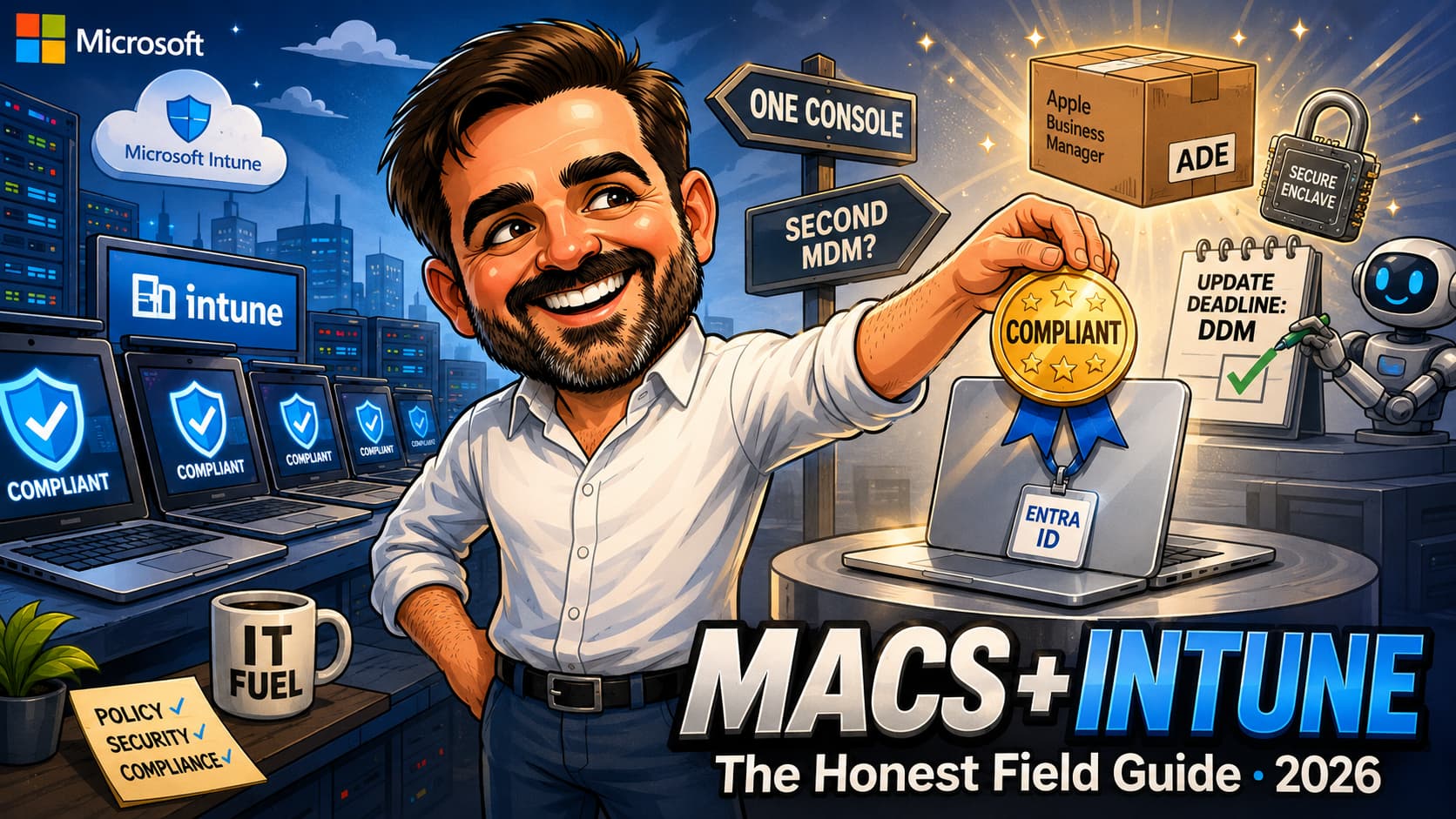
Every Windows-first organisation I work with has the same conversation eventually. It starts with three Macs in the design team, "managed" by the fact that nobody talks about them. Then the CEO buys a MacBook. Then a developer refuses the corporate ThinkPad, and suddenly there are seventeen Macs holding company data, outside compliance, outside Conditional Access, and outside every article your Intune admin has ever read. The question is never whether to manage them; it is whether Intune, the tool you already own and already know, is enough to do it properly.
My honest answer after doing this in real tenants: yes for most Windows-first organisations, with caveats that deserve to be named rather than discovered. Intune's macOS story in 2026 is dramatically better than its reputation, which was earned years ago and repeated ever since. Platform SSO with Secure Enclave is generally available and gives Macs phishing-resistant, passwordless Entra sign-in that Windows admins will recognise as Hello-for-Business energy. Registration can now happen during Setup Assistant on automated enrollment, which closes most of the old "second sign-in at the desktop" complaint. Declarative device management turned software updates from a prayer into a deadline the device enforces itself, and this year that migration stopped being optional. And app deployment grew from "repackage everything" into a proper decision tree of dedicated app types that covers most real estates. What has not changed: an Apple-first MDM still does some things better, and pretending otherwise is how Mac users end up hating IT. This is the field guide I wish someone had handed me before my first Mac onboarding project: the prerequisites in the right order, the decisions that matter, the honest gaps, and a quick-start a lean team can actually follow.
The Mac estate reality in Windows-first organisations
Macs arrive in Windows-first tenants through the side door. A hire with strong preferences, an executive purchase, a marketing team that "needs Final Cut", an acquisition. Nobody plans the first ten; everybody inherits them. And because they arrived informally, they usually live informally: local admin accounts, no disk-encryption escrow, no compliance signal, and full access to corporate data through a browser, because your Conditional Access policies were written when "device" meant Windows.
That last part is the actual risk. An unmanaged Mac is not dangerous because macOS is insecure; it is dangerous because it is invisible. No inventory entry, no FileVault key in escrow when the designer forgets their password, no way to prove to an auditor (or a NIS2 assessor) that the laptop holding the customer database meets any standard at all. If you followed the shadow AI discovery exercise from the previous guide, the unmanaged Macs are where your discovery lenses went dark.
The good news is that the fix does not require a new product, a new console, or a Mac specialist. It requires Apple Business, an afternoon of prerequisites, and the discipline to do things in the right order. What follows assumes a Windows-first tenant where Intune is already running; if Defender for Endpoint is part of your world, onboard the Macs there too, the macOS support is real.
Prerequisites: Apple Business and the enrollment decision
Three pieces of plumbing come before any policy, and all three involve Apple:
The Apple MDM push certificate. Intune communicates with Apple devices through the Apple Push Notification service, which requires an Apple MDM push certificate. Create it with an organisation-controlled Apple Account that uses a monitored company email address, never an employee's personal Apple Account. The certificate is valid for 365 days and must be renewed with the same account that created it. Microsoft currently provides a 30-day grace period after expiry, but management communication is already at risk during that period. Document the account owner, recovery process and renewal date before enrolling the first device.
The Apple Business connection. Apple Business is where company-owned hardware is assigned to Intune and where Apps and Books licences are managed. Connect it to Intune with an Automated Device Enrollment server token and an Apps and Books token, still labelled as a VPP token in parts of Intune. These tokens require their own renewal and ownership discipline. Use organisation-controlled accounts and make sure future Intune administrators know which account owns each certificate and token.
Macs purchased from participating resellers can be assigned directly to Apple Business. Existing retail Macs can be added manually with Apple Configurator, but the full ADE path normally requires the device to be erased and returned to Setup Assistant. Manually added devices also have Apple's 30-day provisional period during which the user can release the device from Apple Business, supervision and device management.
One useful exception: existing Macs that are already imported into Apple Business and assigned to an Intune ADE enrollment policy can also trigger enrollment after Setup Assistant by running sudo profiles renew -type enrollment as a local administrator. This avoids a wipe in supported scenarios, although it does not recreate the complete out-of-box Setup Assistant experience. Retail Macs that still need to be added to Apple Business through Apple Configurator normally remain the erase-and-reprovision case.
The network. Macs during enrollment need to reach both Microsoft and Apple services, and TLS inspection applied to the documented Apple and Microsoft enrollment endpoints can break device enrollment and produce spectacularly unhelpful errors. Validate the required bypasses before the pilot, not after the first failed Setup Assistant.
The enrollment decision
| Method | For | What you get | What you give up |
|---|---|---|---|
| Automated Device Enrollment (ADE) through Apple Business | Company-owned Macs, the default | Supervision, automatic enrollment after erase, a controlled Setup Assistant flow, and non-removable management when Locked enrollment is enabled | Requires assignment through Apple Business; existing retail Macs normally need Apple Configurator and an erase before entering the ADE flow |
| Company Portal (device enrollment) | BYOD and the odd exception | User-driven, no Apple Business assignment required | User-initiated and removable by the user; no ADE Setup Assistant flow, no Apple Business device assignment, and no Locked enrollment. On macOS 11 and later, the Mac is still supervised after approved Device Enrollment |
The rule I give every client: if the organisation paid for the Mac, assign it through Apple Business and enroll it with ADE. Set Locked enrollment to Yes when management must not be removable. Company Portal enrollment can be faster for an existing device, but it does not provide ADE's automatic enrollment, Locked enrollment, Apple Business device assignment, controlled Setup Assistant flow or the same corporate ownership guarantees. Choosing Company Portal for a company-owned Mac might solve today's enrollment problem while creating tomorrow's re-enrollment project.
Compliance and Platform SSO: the part users actually notice
Everything else in this article is invisible to users. This section is the login screen, and it is where Mac management projects earn trust or lose it.
Platform SSO with Secure Enclave
Platform SSO is generally available and is one of the highest-value macOS configurations in Intune. For the standard post-enrollment experience, the Platform SSO feature has a macOS 13 minimum and requires Company Portal 5.2404.0 or later. However, Intune's current supported macOS baseline is macOS 14 and later, so new production deployments should target macOS 14 or newer. Microsoft recommends the Secure Enclave authentication method: Microsoft Entra authentication uses hardware-bound cryptographic keys, while the local Mac password remains local and continues to protect the FileVault unlock process.
The practical payoff is single sign-on across supported Microsoft Entra resources, a hardware-bound workplace join certificate, a Primary Refresh Token, and a Microsoft Entra device identity that Conditional Access can evaluate. Secure Enclave credentials are passwordless and phishing-resistant, conceptually similar to Windows Hello for Business, although the implementation and local sign-in experience remain specific to macOS.
Platform SSO registration during Automated Device Enrollment is a separate deployment path. It requires macOS 26 or later and Company Portal 5.2604.0 or later, deployed as a required line-of-business app. The Platform SSO policy, Company Portal assignment and ADE enrollment policy must target the same assigned static user groups. Device groups and dynamic user groups are not supported for this flow.
The ADE enrollment policy must use:
Enroll with User AffinitySetup Assistant with modern authenticationAwait final configurationset to YesLocked enrollmentset to Yes
The Platform SSO settings catalog policy must also have Enable Registration During Setup enabled.
This flow moves Platform SSO registration into Setup Assistant so that users reach the desktop already connected to Microsoft Entra resources. It does not remove every sign-in: Microsoft currently documents at least two Microsoft Entra credential prompts during enrollment. Test the complete Setup Assistant experience on a wiped pilot Mac before assigning it to production users. A missing app, policy or assignment can break enrollment and require the device to be wiped and enrolled again.
The compliance policy
Keep the first macOS compliance policy boring and achievable: FileVault encryption on, firewall on, Gatekeeper enforcing, a minimum macOS version you actually intend to raise over time, and password requirements that match your Windows baseline rather than exceeding it. Wire the compliance result into a carefully scoped Conditional Access policy, using report-only mode and pilot groups before enforcement. The objective is to require a compliant device for appropriate corporate resources without accidentally blocking enrollment, registration, recovery or other bootstrap workflows. That connection is what turns Mac management from optional hygiene into something with teeth.
Two field notes. First, escrow the FileVault recovery keys in Intune and tell your helpdesk where they live; the first password-forgotten incident after enrollment is your proof-of-value moment or your embarrassment, nothing in between. Second, expect policy propagation to be slower than Windows admins are used to; a new compliance or configuration change can take hours to land on a quiet Mac, not minutes. Plan pilots with a day of slack, validate on a test device, and resist re-deploying the policy five times because the first one "did not work".
Software updates: move to Declarative Device Management
Apple has deprecated the traditional MDM-based software-update workloads, and Microsoft is ending support for the corresponding legacy Intune policies. Those older Intune update policies apply to supervised devices running macOS 12 through macOS 15; they are not the design to carry into macOS 26. The current path is Declarative Device Management (DDM).
The DDM model is better suited to modern Apple update management: Intune declares the latest eligible release or a targeted OS version, along with deferral and enforcement settings, and the Mac manages download, user notifications, installation and status reporting. The current Apple software-update policy experience requires macOS 14 or later and supports both Automated Device Enrollment and Device Enrollment.
For SMBs, use pilot and production rings rather than one tenant-wide deadline. A practical starting point is to enforce minor updates within 7 to 14 days and defer major upgrades for 30 to 60 days while business-critical applications are validated. The exact timeline should reflect the severity of the update, exploit activity, application compatibility and business risk.
If your macOS update configuration was built around the legacy Intune policies, audit it now. Do not assume that a policy designed for macOS 12 through macOS 15 provides an update strategy for macOS 26. While reviewing the estate, treat every remaining Intel Mac as a hardware-lifecycle risk. Tahoe 26 supports only a limited set of late-model Intel hardware, and the platform direction is now firmly Apple silicon.
App deployment: multiple types, one decision tree
The most persistent myth in this space is that Intune cannot deploy Mac apps properly. What is actually true: Intune provides several macOS app types, each with different packaging, assignment and lifecycle capabilities, and picking the wrong one produces the failures that feed the myth.
| Type | Use for | Notes |
|---|---|---|
| Microsoft 365 apps (built-in) | Office suite | Point, assign, done; updates ride Microsoft AutoUpdate |
| Microsoft Edge (built-in) | Edge | Same; pairs with the browser policies your Windows fleet already has |
| Microsoft Defender for Endpoint | Microsoft Defender for Endpoint on macOS | Dedicated Intune app type with Microsoft AutoUpdate. Deployment still requires the relevant onboarding, system extension, Full Disk Access, background execution and network-filter configuration profiles. Intune currently can't uninstall Defender for Endpoint through this app type |
| Apps and Books (Mac App Store) apps | Anything in the Mac App Store | Apps and Books licences acquired through Apple Business and synced to Intune; supports managed deployment without requiring users to sign in with a personal Apple Account |
| LOB app (managed PKG) | Signed installer packages | Supports a managed lifecycle, including uninstall, when Install as managed is enabled and the package meets the managed-app requirements; the classic path for licensed vendor software |
| Unmanaged PKG | Vendor PKGs of any shape | Accepts packages that don't meet the managed LOB requirements and supports pre-install and post-install scripts through the Intune management agent. Intune doesn't provide full managed uninstall lifecycle for this app type, and the app can remain after unenrollment |
| DMG app | The classic "drag the .app to Applications" pattern | No repackaging needed; no pre/post-install scripts on this type |
| Web clip | Pinning web apps to the Dock | Cheap wins for line-of-business web tools |
The decision tree in one paragraph: if the application is available through Apple Business Apps and Books, start there and use managed licensing where appropriate. If the vendor ships a supported DMG containing the application bundle, use the DMG type. If the vendor ships a PKG, choose between the managed LOB and unmanaged PKG paths based on signing, package structure, size, scripts and lifecycle requirements. For Microsoft Defender for Endpoint, use the dedicated macOS app type and deploy the required onboarding, privacy and system-extension profiles alongside it. When an application genuinely needs logic that no app type provides, use the Intune management agent and shell scripts as the exception path rather than the default packaging strategy.
Set the expectation with stakeholders honestly: the first deployment of a quirky app takes an afternoon of testing; the second takes minutes. Budget the afternoon.
Where Intune still falls short, honestly
This section exists because vendor comparisons are written by vendors, and because the fastest way to lose a Mac management project is to promise Jamf outcomes with Intune tooling. Four gaps are real in 2026:
Scripting and automation depth. Intune runs shell scripts on Macs, but with constraints Apple-first tools do not have: script size limits, scheduled or check-in based execution rather than event triggers, and nothing like the trigger-on-login, trigger-on-enrollment automation frameworks Mac admins build elsewhere. If your Mac operations lean heavily on scripted workflows, this is the gap you will feel first.
Speed of change. Policy propagation on macOS runs on Apple's check-in rhythms and Intune's processing, and changes can take hours to land where a Windows admin expects minutes. DDM improves the reporting side considerably, but the "deploy, wait, wonder" experience on configuration changes is still real. Design around it: pilot rings, patience, and validation on test devices rather than redeploy loops.
Day-one Apple feature support. Apple-first MDMs often expose new Apple management capabilities earlier, while Intune availability follows Microsoft's own release and validation cadence. The delay varies by feature and shouldn't be described as a fixed number of days or months. If the organisation adopts new Apple releases immediately, validate each required payload, restriction and declarative capability before committing to a day-one production rollout.
Enrollment and onboarding polish. Setup Assistant customisation, pre-desktop provisioning depth, and the granular staged-enrollment tricks that Apple-first shops rely on are thinner in Intune. The Platform SSO registration-during-setup improvement closed the worst of it, but a Jamf admin will still find the onboarding canvas smaller.
The judgement call I actually give clients: for a Windows-first organisation managing tens of Macs alongside hundreds of Windows devices, one console, one compliance model and one Conditional Access story usually outweigh all four gaps, particularly when the affected users already have the required Intune licences. For Mac-majority estates, creative agencies, or anywhere Mac user experience is a hiring argument, evaluate an Apple-first MDM with eyes open. A mixed architecture can be valid at organisation level: the specialist MDM remains the device-management authority for the assigned Macs, while a supported partner compliance integration forwards their compliance state to Intune and Microsoft Entra for Conditional Access. That is a deliberate design, not an admission of failure.
The SMB quick-start: first Mac to managed fleet
| Step | Do | Watch for |
|---|---|---|
| 1 | Create an organisation-controlled Apple Account using a monitored company email address; create the Apple MDM push certificate | The certificate lasts 365 days, must be renewed with the same account and currently has a 30-day post-expiry grace period. Calendar reminders 30 and 7 days before expiry |
| 2 | Set up Apple Business, connect the reseller or plan Apple Configurator for existing retail Macs, and connect the ADE server token and Apps and Books token to Intune | Document account ownership and renewal dates for every certificate and token; existing retail Macs normally require backup, erase and reprovisioning for the full ADE path |
| 3 | Build the ADE enrollment policy with user affinity, Setup Assistant with modern authentication, Await final configuration set to Yes, and Locked enrollment set to Yes | Test the complete Setup Assistant flow on a wiped pilot Mac before any production user sees it |
| 4 | Deploy the Platform SSO policy using Secure Enclave. For registration during Setup Assistant, require macOS 26+, deploy Company Portal 5.2604.0+ as a required LOB app, and assign all three components to the same static user groups | Standard Platform SSO and registration during Setup Assistant have different requirements; do not test them as though they were the same flow |
| 5 | Create the compliance policy (FileVault, firewall, Gatekeeper, minimum OS) and wire it into Conditional Access | Escrow FileVault keys; brief the helpdesk on where they live |
| 6 | Create DDM-based Apple software update policies with pilot and production rings, appropriate deferrals, and enforcement deadlines | The current DDM update experience requires macOS 14+; retire legacy policies designed for macOS 12 through macOS 15 |
| 7 | Assign core apps: Microsoft 365, Edge, Company Portal, Microsoft Defender for Endpoint, and the required Apps and Books applications | Defender also needs its onboarding, Full Disk Access, system-extension, network-filter and background-execution profiles |
| 8 | Enroll one real, friendly user; run a week; then the fleet | Their first-day experience is your project's reputation. Choose kindly, listen hard |
Total elapsed time for a lean team: the prerequisites are an afternoon, the policies are a day, and the pilot week is the pilot week. The Macs that took years to accumulate take about two weeks to bring into a defensible state, and most of the second week is waiting politely.
Common mistakes that sink Mac onboardings
- Creating the push certificate with an employee's personal Apple Account. The certificate must renew annually with the same account that created it. Use an organisation-controlled Apple Account with a monitored company mailbox, document its recovery process and calendar the renewal. A personal account creates an avoidable dependency on one employee.
- Enrolling company-owned Macs through Company Portal because it was quicker that day. You lose the full ADE Setup Assistant experience, Apple Business device assignment and the option for non-removable management through Locked enrollment. On macOS 11 and later, approved Device Enrollment is still supervised, but it does not provide the same corporate enrollment guarantees as ADE. Moving an existing retail Mac to the full Apple Business and ADE path normally requires backup, erase and reprovisioning.
- Treating standard Platform SSO and Platform SSO during ADE as the same deployment. The Platform SSO feature has a macOS 13 minimum (new deployments should use Intune's currently supported macOS 14+ baseline) with Company Portal 5.2404.0+, while registration during Setup Assistant requires macOS 26+, Company Portal 5.2604.0+, static user groups and specific ADE settings. Mixing the requirements can break Setup Assistant and force a wipe.
- Leaving legacy software-update settings in place and assuming they cover macOS 26. The old Intune MDM-based update policies apply to macOS 12 through macOS 15 and are approaching end of support. Build the current strategy on DDM and validate the result through software-update reporting.
- Repackaging every app as a managed PKG because that is what the old blog post said. The DMG type and the unmanaged PKG type exist precisely so you do not have to. Match the type to what the vendor ships.
- Testing policy changes with a redeploy loop. macOS propagation takes hours, not minutes. Redeploying five times creates five overlapping states and a device log nobody can read. Deploy once, wait, verify on the test Mac.
- Skipping Conditional Access because "the Macs are managed now". Intune applies the configuration and security controls, while compliance evaluates whether the device meets the required state. Conditional Access gives that compliance result a consequence by allowing or blocking access to selected corporate resources. Without the access gate, a noncompliant Mac can remain managed while still reaching data that should require a compliant device. Compliance without an access consequence is a report, not an access control.
FAQ
Do I need extra licensing to manage Macs with Intune?
No separate macOS SKU is required. Each user who benefits from Intune device or app management needs an appropriate Intune entitlement, which is included in plans such as Microsoft 365 Business Premium, Microsoft 365 E3 and Microsoft 365 E5. Apple Business is available separately from Microsoft licensing. Adjacent capabilities retain their own licensing requirements, including Defender for Endpoint for endpoint detection and response, and Microsoft Entra ID P1 or another qualifying entitlement for Conditional Access.
Can I manage Macs without Apple Business?
Mechanically, yes. Users can enroll Macs through Company Portal, and administrators can use other supported enrollment methods. For company-owned hardware, however, Apple Business with Automated Device Enrollment should be the default. It provides automatic enrollment, Apple Business device assignment, a controlled Setup Assistant experience and the option to make management non-removable through Locked enrollment. Although approved Device Enrollment also results in supervision on modern macOS, it remains user-initiated and removable.
The main reasons to use Company Portal instead are personally owned devices, temporary exceptions or an in-place migration where erasing the existing Mac is not acceptable.
Is Platform SSO the same as Microsoft Entra Join for Macs?
Platform SSO is Microsoft's current Entra Join path for supported Macs. After Platform SSO registration completes, the device becomes Microsoft Entra joined, receives a hardware-bound workplace join certificate and can obtain a Primary Refresh Token for single sign-on and Conditional Access.
The macOS implementation is not architecturally identical to Windows Entra Join, and it does not turn macOS into Windows, but it should not be described as registration-only. It gives the Mac a Microsoft Entra device identity that supported applications, browsers and Conditional Access policies can use.
What happens to my existing unmanaged Macs when I enroll them?
It depends on the enrollment path. Company Portal enrollment can normally be completed in place without erasing user data, but it remains a user-driven enrollment and doesn't provide the complete Apple Business and Automated Device Enrollment experience.
To add an existing retail Mac to Apple Business through Apple Configurator and then enroll it through ADE, back up the user's data and plan for the device to be erased and returned to Setup Assistant. Macs added manually through Apple Configurator also have Apple's 30-day provisional period during which the user can release the device from Apple Business, supervision and device management.
Treat these as two separate migration paths: enroll in place when preserving the existing user environment is the priority, or back up, erase and reprovision through ADE when full corporate ownership, Apple Business device assignment, Locked enrollment and a controlled Setup Assistant experience are required.
Should a small business run Intune or an Apple-first MDM for its Macs?
If the organisation is Windows-first with Intune already deployed, use Intune: one console, one compliance model, one Conditional Access story, often without introducing a separate MDM platform or operating model, provided the affected users already have the required Intune licences. The 2026 feature set covers the SMB need comfortably. Consider an Apple-first tool when Macs are the majority, when deep scripted automation is core to operations, or when day-one Apple feature adoption is a business requirement. And a mixed architecture at organisation level, where the specialist MDM remains the device authority for its Macs and a supported partner compliance integration forwards their compliance state to Intune and Entra for Conditional Access, is a valid grown-up answer, not a failure state.
How does Defender for Endpoint fit into this?
Use the dedicated Microsoft Defender for Endpoint macOS app type in Intune and deploy the required onboarding and configuration profiles alongside it. The app installation alone is not enough: Defender also needs the appropriate system extension, Full Disk Access, background execution, network-filter and onboarding configuration. Once onboarded, the Macs feed the same Defender portal as everything else: alerts, vulnerability management for macOS software, and the device-risk signal that Conditional Access can consume. The MDE onboarding guide covers the mechanics; macOS is a first-class citizen there, with the platform caveats (network protection behaviours, no browser-extension inventory) flagged in the shadow AI article's platform matrix.
- Get started with macOS endpoints (end-to-end guide)
- Configure Platform SSO for macOS devices
- macOS Platform Single Sign-on overview (Entra)
- Platform SSO registration during Automated Device Enrollment
- Support tip: move to declarative device management for Apple software updates
- Understanding application types in Intune for macOS
- Add macOS line-of-business apps (managed PKG, Install as managed)
- Add an unmanaged macOS PKG app to Intune
- Network protection for macOS (Defender for Endpoint)
- Create the Apple MDM push certificate
- Automated Device Enrollment for macOS
- Configure Platform SSO during Automated Device Enrollment
- Apple software update policies in Intune (DDM)
- Deprecated legacy macOS update policies
- Add Microsoft Defender for Endpoint for macOS (dedicated app type)
- Apple Business Manager is now Apple Business (Apple)
- Add devices using Apple Configurator, incl. the 30-day provisional period (Apple)
Adding Macs to a Windows-first tenant?
I have done this onboarding enough times to know what usually breaks first: certificate ownership, SSL inspection, enrollment sequencing, Platform SSO requirements, or the one Mac with years of local history. If you are looking at a small Mac fleet and a large question mark, talk to me. A short technical conversation can save a lot of trial and error during the pilot.
Talk to me