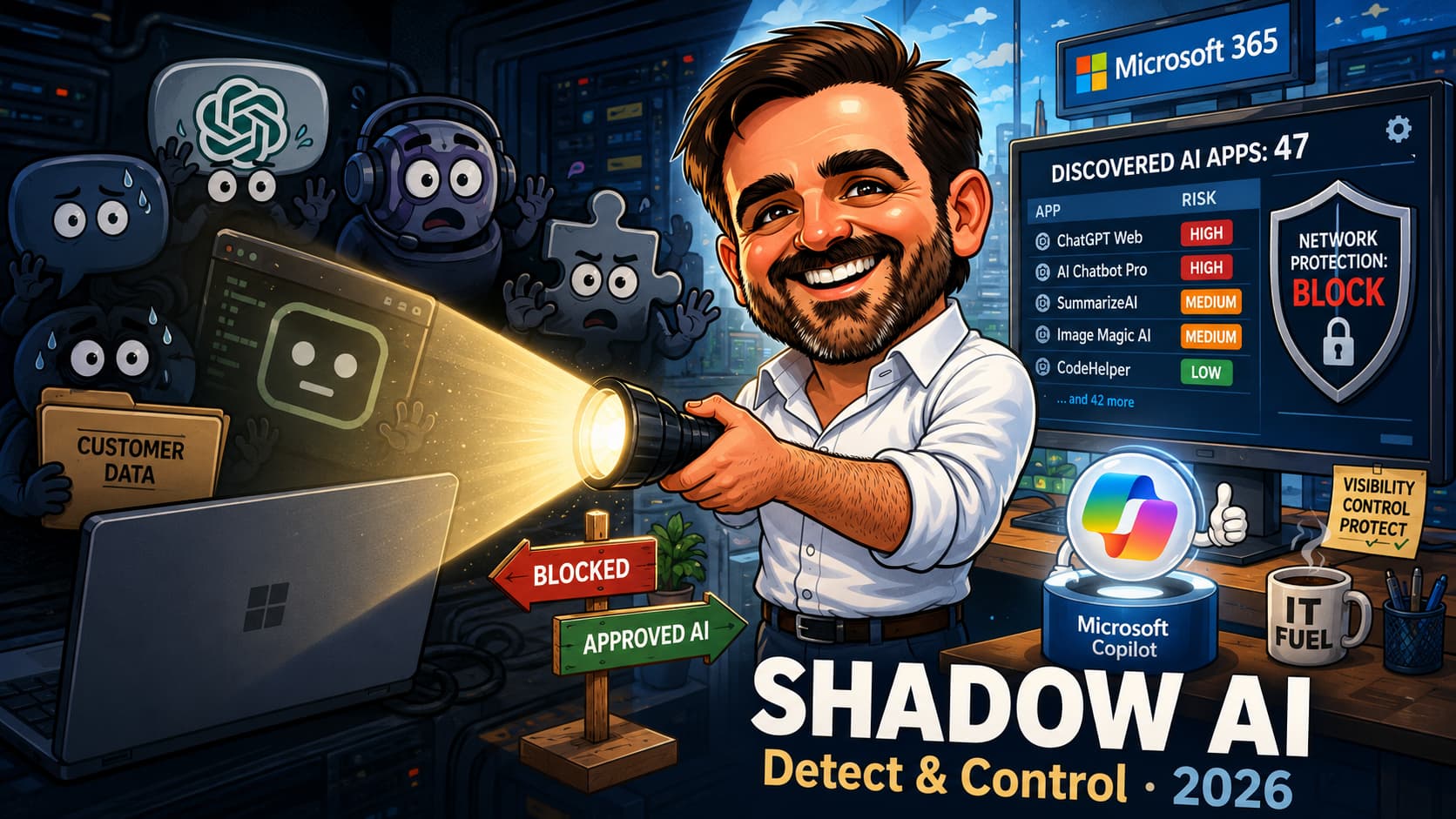
In the agent governance guide I wrote a sentence that earned more email than the rest of the article combined: identity governance covers the agents you can see; the endpoint problem is the agents you cannot. This is that other half. Somewhere in your fleet, right now, a finance user is pasting customer data into a free AI chatbot, a developer has an AI coding agent with terminal access, and a well-meaning manager has installed a meeting transcriber that ships audio to a company you have never heard of. None of them asked, because none of them think they did anything wrong. And here is the uncomfortable part: shadow IT was a folder problem, but shadow AI is a conversation problem. Your data does not leak in files anymore; it leaks in questions.
The good news: depending on its licensing, a Microsoft 365 tenant with Defender, Intune and Purview may already contain a serious discovery and control toolkit for exactly this, and Microsoft has spent the last year wiring the pieces together: Defender for Cloud Apps now risk-scores over a thousand generative AI apps, network protection can block them on managed devices, Purview can stop a paste into a chatbot before it leaves the browser, and Intune closes the installed-app flank. This article is the field plan: discover what is actually in use through three different lenses, decide app by app whether to block, warn, allow or manage, enforce that decision with the tools you own, and, hardest of all, offer your users a sanctioned alternative good enough that the blocking sticks. Because the one thing blocking alone has never done is make a need disappear. An unanswered AI need does not go away; it walks to the nearest personal phone.
The problem: the AI your users installed last month
Start with what shadow AI actually is, because it is not just shadow IT with a new sticker. Shadow IT was unauthorised Dropbox accounts and rogue SaaS subscriptions: data sprawl, mostly files, mostly traceable. Shadow AI is the unsanctioned use of generative AI apps and tools, and it moves differently. The data leaves in prompts, not attachments. The tools multiply weekly, they are free or nearly free, and they are genuinely useful, which means adoption needs no budget approval and no installation rights. A browser tab is enough.
And the category got wider than chatbots while nobody was looking. In 2026 the shadow AI surface on a company device includes at least four shapes: browser AI (consumer ChatGPT, Google Gemini, DeepSeek and a thousand friends), installed AI apps (desktop assistants, meeting transcribers, note-takers with microphone access), AI agents and developer tools (coding agents with terminal and file access, local MCP servers wiring AI into other software), and browser extensions that read every page your users visit and helpfully send it somewhere for summarisation. Microsoft's own discovery tooling now explicitly tracks AI chatbots, model-provider APIs and SaaS MCP servers as separate categories, which tells you how seriously they take the spread.
The instinctive response is a firewall rule and a memo. The field reality: I have yet to assess a tenant where the discovered list matched what anyone expected, and the gap is always in both directions. Tools nobody knew about, in departments nobody suspected; and paranoid blocking of one famous chatbot while eleven equivalents ran happily one Google search away. Which is why this article starts where every real project starts: not with policy, with discovery.
Discovery: three lenses, because each one lies alone
There are three places to look, and they disagree with each other in useful ways. The network lens sees traffic but not what is installed. The device lens sees what is installed but not what a browser tab is doing. The data lens sees what actually matters: whether sensitive content is flowing out. Run all three before making a single decision.
Lens 1: the network, via Defender for Cloud Apps
If your devices are onboarded to Microsoft Defender for Endpoint (if they are not, start there, everything in this article assumes it), you already have cloud discovery without touching a proxy or firewall log. The MDE integration streams the signal natively: switch it on in Defender XDR settings and discovered apps start appearing, on the corporate network and off it, which matters in a world where half your fleet works from kitchens.
In the Cloud app catalog, filter App category > Generative AI. Defender for Cloud Apps carries risk insights for well over a thousand generative AI apps, each scored on general, security, compliance and legal factors: where the vendor stores data, whether prompts are used for training, what certifications exist, what happens on account deletion. This catalogue is the single most underused asset in this whole exercise. You do not have to research forty AI vendors; someone already did.
Review what was discovered, who uses it, how often, and how many bytes went up. Then tag: Sanctioned for the apps you bless, Unsanctioned for the ones you will block, Monitored for the grey middle. Those tags become enforcement in the next section, so tag deliberately, not in bulk.
If you run Entra Internet Access (Global Secure Access), you get a second network lens: shadow AI discovery in Application Usage Analytics, which identifies traffic to AI services including SaaS MCP servers and model-provider APIs, matched against the same Defender for Cloud Apps catalogue. Same brain, different sensor. Useful if you are already in the Entra Suite world; not a reason to buy it by itself.
Lens 2: the device, via inventories
The network lens misses the app that never phones home during your sample window, and everything that talks to generic cloud endpoints. So cross-check with what is actually installed. Defender Vulnerability Management software inventory provides a regularly updated fleet-wide inventory of applications, searchable from the Defender portal, with the same signals MDE already collects. Search it for the AI tools you found in lens 1, and for the usual suspects you did not. The browser extension inventory in the same place deserves special attention: extensions with page-read permissions are the quietest exfiltration path on this list, and almost nobody reviews them.
Intune provides two inventory views that should not be confused. Discovered Apps automatically collects application inventory from enrolled devices and generally refreshes each device every seven days, with Win32 application data collected by the Intune Management Extension refreshing every 24 hours. The newer Windows App inventory provides faster collection and richer metadata, including installation paths, uninstall commands and app sizes. App inventory is the feature that requires an inventory configuration policy and is Microsoft's intended long-term replacement for Discovered Apps. Use both during the transition, but do not treat an empty or incomplete report as proof that the fleet is clean.
Lens 3: the data, via Microsoft Purview Data Security Posture Management
The first two lenses tell you which AI apps exist in your environment. They say nothing about whether sensitive content is flowing into them. That is the role of Microsoft Purview Data Security Posture Management (DSPM), the current experience that replaces DSPM for AI (classic). In the Microsoft Purview portal, use AI observability, Apps and agents, Activity explorer, and the relevant remediation actions and data-protection policies to investigate AI usage. The underlying controls can detect visits to AI sites through Insider Risk Management, sensitive information typed into supported AI prompts through browser data security, and sensitive content pasted or uploaded to AI sites through Endpoint DLP (native browser support, plus the Microsoft Purview extensions for Chrome and Firefox on Windows). Run the discovery policies in audit mode first; they turn "people use AI apps" into evidence about which sensitive-data classifiers matched, which application was involved, and when the interaction occurred. That is a different conversation with leadership entirely.
The decision: block, warn, allow, or manage
With real data in hand, sort every discovered app into one of four buckets. Resist the binary. The tenants that fail at shadow AI governance are almost always the ones that only used two buckets: ignore and block.
| Bucket | What it means | Typical residents | Enforced with |
|---|---|---|---|
| Block | No legitimate case survives the risk score. Access ends on managed devices. | AI apps that train on prompts by default, no enterprise controls, hostile jurisdictions, throwaway tools with no vendor accountability | Unsanctioned tag → MDE network protection; Intune for installed apps |
| Warn | Risky but arguable. Users see a warning page with a link to your approved list, and can proceed or turn back. | Mid-score consumer tools, niche AI utilities with real use cases, anything you are still evaluating | Monitored tag → warn page with custom redirect |
| Allow + protect | Sanctioned, but the data flowing into it is controlled. | Copilot Chat with enterprise data protection, ChatGPT Enterprise, Claude Enterprise, your chosen enterprise AI | Endpoint DLP paste/upload controls, browser data security on prompts, sensitivity labels with encryption |
| Manage | Installed apps and agents that need lifecycle control, not just network policy. | AI desktop apps, coding agents, meeting transcribers, browser extensions | Intune app management, AppLocker rules, extension policies |
Two rules of thumb from doing this in real tenants. First: the risk score is a starting point, not a verdict; an app scoring 6 that your sales team genuinely relies on deserves a proper evaluation, not a reflex block. Second: every Block decision should name the sanctioned alternative in the same sentence. "Blocked, use X instead" is policy. "Blocked" alone is a dare.
Enforcement: making the tags mean something
Org-wide blocking with network protection
The mechanism is elegant when the prerequisites are met: tag an app as Unsanctioned in Defender for Cloud Apps, and its domains sync to Defender for Endpoint as custom URL indicators. Network protection then enforces the block on managed devices, on any network, across supported browsers and applications. No firewall change requests, no VPN dependency, no waiting for users to come back to the office. Enforcement is often faster, but Microsoft documents up to three hours end to end, including synchronization and device policy propagation. Validate the result on a test device before treating the block as active.
The prerequisites that break it in practice, in the order I find them broken: cloud-delivered protection must be on in Defender Antivirus, and network protection must be enabled in block mode so that custom URL indicators are enforced in non-Microsoft browsers and other supported applications (audit mode records activity but does not enforce the block, regardless of browser, and plenty of tenants have been "protected" in audit mode for years). macOS has network protection too; test it explicitly rather than assuming parity, and check your MDE licence tier covers what you plan to lean on.
For the Warn bucket, mark apps as Monitored instead: users get a warning page they can click through, ideally with the custom redirect pointed at a one-page internal list of approved AI tools. That redirect link is the cheapest piece of security UX you will deploy this year. The warning educates; the redirect converts. One governance note: Monitored is a user-warning and telemetry state, not a technical risk acceptance decision. Record the business owner, review date and approved alternative outside the app tag itself.
The installed-app flank with Intune
Network controls do nothing about an AI app already installed on the device and communicating through shared cloud infrastructure. That flank belongs to Intune. Use application assignments and uninstall actions where the app is managed, and application control for software that users can reinstall independently. On Windows, Microsoft currently recommends AppLocker to control the Microsoft Copilot app rather than relying on the legacy TurnOffWindowsCopilot policy, which is approaching deprecation. For broader application control requirements, evaluate App Control for Business instead of building an expanding collection of individual deny rules.
Browser extensions get managed at the browser policy layer: Edge and Chrome both support extension allow and block lists through Intune. Given what page-reading AI extensions can see, a default-deny posture with an allow list is defensible in a way it never quite was for regular extensions.
Protecting the AI you keep: the control moves to the data
Blocking the bad apps is half the job. The other half is making sure the sanctioned ones do not become the leak. Three layers, in order of effort:
Endpoint DLP with the Generative AI websites group. Purview ships a preconfigured sensitive service domain group for generative AI sites, maintained by Microsoft, so you are not hand-curating URLs. Create a DLP policy scoped to Devices, condition on your sensitive info types or sensitivity labels, and set paste-to-browser and upload actions to block, or block with override if you want an escape hatch with an audit trail. Edge enforces natively; on supported Windows devices, Chrome and Firefox require the Microsoft Purview browser extension (Intune deploys it quietly), while macOS follows a different native enforcement path. Run in simulation mode first and read the activity explorer before flipping to enforce; the false-positive tuning is where these projects live or die.
Browser data security for prompts. This newer layer can inspect text sent to supported unmanaged AI applications through recent versions of Edge for Business on Intune-managed Windows 10 and Windows 11 devices, in real time, before submission. It covers the exact gesture that endpoint DLP's file-centric worldview used to miss: nothing was uploaded, nothing was pasted from a labelled document, the user simply typed the confidential thing into the box. But it is not a universal browser control: coverage is limited to Microsoft's supported application list, some applications have documented enforcement limitations, and protection for unmanaged applications is billed through Purview pay-as-you-go. Confirm application support, Edge version, Intune prerequisites and billing before including it in a production design.
Sensitivity labels with encryption. Encryption applied by a sensitivity label protects the file wherever it travels and limits decryption and usage to authorised identities and services. It is persistent access control, but it is not a universal AI block. Microsoft 365 Copilot and other integrated AI experiences can process protected content when the user has the required VIEW and EXTRACT usage rights, and information that users are permitted to copy, retype or capture can still leave the protected file. Use encryption together with restrictive usage rights, Endpoint DLP and browser controls rather than treating it as a replacement for them. If your label taxonomy has been sitting at "deployed but optional" for two years, shadow AI is the argument that finally funds making it real.
For users who have already proven risky, Adaptive Protection can tie Insider Risk Management levels to stricter DLP enforcement and, through the current Conditional Access integration in preview, dynamically restrict access for elevated-risk users, while everyone else works normally. Risk-proportional friction, which is the only kind users forgive.
The platform matrix
Because "does this work on the Mac / in Chrome / on Business Premium" is the question every one of these layers gets asked, the short version in one table:
| Control | Windows | macOS | Edge | Chrome / Firefox | Licensing caveat |
|---|---|---|---|---|---|
| MDA + MDE block / warn | Yes | Supported for network protection and relevant URL/domain indicators; validate the exact block and user-notification experience in pilot | Yes | Browser protection requirements | MDA + MDE entitlement |
| Endpoint DLP | Yes | Capability-dependent | Native scenarios | Extension required on Windows; supported native enforcement path on macOS | Purview entitlement |
| Browser data security | Yes | Not in the unmanaged-app scenario described | Yes | Inline enforcement is Edge-only; auto-created Intune and Edge policies can restrict unsupported browsers or block supported unmanaged AI apps outside Edge | Pay-as-you-go components |
| Browser extension inventory | Yes | No | Yes | Yes | MDVM premium |
Governing what remains: the audit trail
Whatever survives your blocking and protection layers still needs an evidence trail, because the question after an incident is never "did we have a policy", it is "what exactly went where". Purview Audit records supported Copilot and AI application activities when auditing is enabled (the same event families I broke down in the Copilot measurement guide: CopilotInteraction and the AIApp / ConnectedAIApp families for third-party tools). For third-party AI applications, however, activity logging does not automatically mean that full prompt and response content has been captured. Retention, Communication Compliance and eDiscovery coverage depend on the supported application, browser or connector path, device onboarding, licensing and, in many scenarios, a collection policy configured to capture content. Design and test the collection path before relying on it for investigations or legal preservation; retention cannot preserve content that was never collected. Enable and validate the required audit and content-collection paths before an incident: future retention or eDiscovery configuration cannot reconstruct prompt and response content that was never captured.
What blocking cannot do, and the conversation with leadership
An honest section, because this is where the architecture meets human nature. Network protection governs managed devices. It does not govern the personal phone in the user's pocket, the home laptop, or the BYOD tablet that never enrolled. If your control strategy is a wall and nothing else, determined users will simply move the same prompts to devices where you have zero visibility instead of partial visibility, and your discovery data will improve while your actual risk gets worse. Blocking without an alternative does not reduce shadow AI. It relocates it.
So the leadership conversation is not "we blocked AI", it is a three-part proposal. One: here is what discovery found (the DSPM numbers make this vivid; "sensitive data reached consumer AI apps N times last month" needs no slide design). Two: here is the enforcement plan for the genuinely dangerous tools. Three, and this is the part that makes the first two stick: here is the sanctioned alternative we can offer eligible users today. Microsoft 365 Copilot Chat is available at no additional cost with many Microsoft 365 subscriptions and includes enterprise data protection, meaning prompts and responses receive enterprise privacy and security protections. The included experience is primarily web-grounded; work-grounded chat across Microsoft 365 data and some agent scenarios require a Microsoft 365 Copilot licence or pay-as-you-go consumption. Confirm eligibility and configuration before presenting it as the tenant-wide alternative. The organisations that get this right treat the sanctioned AI offer as the strategy and the blocking as its enforcement detail. The ones that get it wrong buy a category filter and declare victory.
The 30-day rollout for a lean team
| Week | Focus | Concrete outputs |
|---|---|---|
| 1 | Baseline discovery | MDE–MDA integration enabled; Generative AI category reviewed; Microsoft Purview DSPM reviewed; relevant approved AI discovery and data-protection policies enabled in audit or observation mode; Intune Discovered Apps reviewed; Windows App inventory configured where required; browser-extension inventory collected |
| 2 | Classification | Every discovered AI app in one of four buckets; sanctioned alternative confirmed and documented; one-page approved-AI list published internally |
| 3 | Enforcement, gently | Block bucket tagged Unsanctioned (verify prerequisites first); Warn bucket tagged Monitored with redirect to the approved list; comms to users explaining the why and the alternative |
| 4 | Data controls + review | Endpoint DLP policy on the Generative AI group in simulation; extension allow-list decision; first weekly review of discovery deltas and warn-page click-throughs |
After day 30 this becomes a monthly rhythm: new discoveries triaged, DLP simulation graduated to enforcement where the noise is acceptable, and the approved list kept honest. The catalogue updates continuously and so does your users' appetite; a shadow AI posture reviewed quarterly is a shadow AI posture in decay.
Common mistakes that undo the whole project
- Blocking before discovering. The reflex block of one famous chatbot, announced in a company-wide email, is the best baseline-destruction tool ever invented. Usage scatters to smaller tools within days and your discovery window closes. Collect a lawful baseline first, before individual blocking decisions change user behaviour.
- Running network protection in audit mode and believing it blocks. The tags sync, the indicators exist, the dashboard looks governed, and nothing is enforced. Verify with a test device and an actual blocked domain, not with the portal's green ticks.
- Forgetting the non-Microsoft browsers. Edge has native Endpoint DLP integration. On Windows, Chrome and Firefox require the Microsoft Purview browser extensions, deployed and verified. On macOS, supported browsers use the documented native Endpoint DLP enforcement paths instead. A policy designed and tested only in Edge does not prove that the same control behaves identically across every browser and platform.
- Treating the browser as the whole battlefield. Installed AI apps, coding agents and page-reading extensions never touch your web categories. If your plan has no Intune chapter and no extension inventory, it covers the visible half of the problem.
- Blocking with no sanctioned alternative. The need does not disappear; it moves to personal devices, where your visibility is exactly zero. Every block decision ships with a "use this instead" in the same breath, or it makes things quietly worse.
- Skipping simulation mode on DLP. A paste-block policy with untuned conditions will block a legitimate workflow in week one, generate an executive escalation, and get the entire programme rolled back. Simulation mode plus the activity explorer is the difference between tuning and apologising.
- Confusing Discovered Apps with the newer App inventory. Discovered Apps collects automatically from enrolled devices but has a slower refresh cycle. The newer Windows App inventory requires configuration and provides richer, more frequently collected data. Know which report you are reading before drawing conclusions from it.
FAQ
What licences does this actually need?
The honest answer is "it depends which layers you deploy", and the pieces move, so verify at purchase time. Roughly: cloud discovery and app blocking need the appropriate Defender for Cloud Apps and Defender for Endpoint capabilities (both in Microsoft 365 E5; also available as add-ons). Browser-extension assessment sits behind Defender Vulnerability Management premium capabilities. Endpoint DLP and the advanced Microsoft Purview Data Security Posture Management capabilities require the appropriate Microsoft Purview Suite (formerly Microsoft 365 E5 Compliance) or corresponding standalone entitlements, with some third-party and inline AI-protection scenarios also requiring pay-as-you-go billing. For Business Premium specifically, resist the shorthand of "the same stack, smaller": evaluate each layer as its own entitlement question. Cloud discovery visibility, per-app block and warn through MDA and MDE, web content filtering, Purview Endpoint DLP, DSPM coverage of third-party AI, and MDVM browser-extension assessment are six different answers at that tier, and several are not included at all. Start with the discovery layers you are actually licensed for, and put the gaps in writing before the design meeting.
Can I block the entire Generative AI category wholesale?
Not through a single Generative AI category in Defender for Endpoint Web Content Filtering. Defender for Cloud Apps lets you filter the cloud app catalog by Generative AI, review the discovered apps and mark selected apps as Unsanctioned or Monitored. Defender for Endpoint then enforces those per-app domain indicators on supported managed devices. Entra Internet Access provides its own web filtering, application and content-protection controls, but it is a separate control plane with different licensing and deployment requirements. For highly restricted environments, maintain a reviewed block list of AI apps and domains and pilot it before broad enforcement; for most organisations, per-app decisions remain the safer approach. A wholesale block is also how you discover which AI tools your business quietly depends on, in production, via helpdesk tickets.
Does any of this work on unmanaged BYOD devices?
Network protection and Intune app control do not; they are managed-device controls. What survives on BYOD: Conditional Access controlling which devices reach your tenant data at all, app protection policies around Microsoft 365 apps, sensitivity labels with encryption (which travel with the content), and service-side controls. If BYOD is a large share of your estate, your shadow AI posture is really a device-trust conversation wearing an AI costume.
What about the AI built into Windows and Edge themselves?
Manageable, but through separate control surfaces. On Windows, Microsoft currently recommends AppLocker for controlling the Microsoft Copilot app rather than the legacy TurnOffWindowsCopilot policy. In Edge for Business, use EdgeCopilotEnabled to control Copilot availability, EdgeEntraCopilotPageContext to control access to webpage and browsing context, and Microsoft365CopilotChatIconEnabled to manage the Copilot Chat toolbar entry. HubsSidebarEnabled disables the broader Edge sidebar and should not be treated as a Copilot-only control. The Edge management service also provides controls for browsing with Copilot and the sites it can access. These policies control different behaviours, so do not treat them as one universal "disable AI" switch. The distinction that matters is consumer experiences versus enterprise data protection, not Microsoft versus everyone else.
How is this different from what the agent governance article covered?
That guide governs agents with identities in your tenant: Entra Agent ID, blueprints, access packages, the agents you can see and register. This article is the other flank: AI apps and agents that never touch your identity plane, discovered and controlled through endpoint and network signals. A complete posture needs both, and they meet in the middle at Conditional Access.
My users say the sanctioned AI is worse than the tool I blocked. Now what?
Believe them, then fix it, because they are describing your actual risk pipeline. Evaluate whether the blocked tool has an enterprise tier worth sanctioning (several consumer favourites do), whether your sanctioned option is under-licensed or under-configured rather than genuinely worse, and whether the gap is training. The tenants with the least shadow AI are not the ones with the best blocks. They are the ones where the official path is honestly good.
- Prevent data leak to shadow AI (four-step deployment model)
- Govern discovered apps using Microsoft Defender for Endpoint
- Integrate Microsoft Defender for Endpoint with Defender for Cloud Apps
- Configure endpoint DLP settings (sensitive service domains)
- Browser data security in Edge for Business
- Microsoft Purview Data Security Posture Management
- Shadow AI discovery in Global Secure Access
- Defender Vulnerability Management software inventory
- Blocking and removing apps on Intune managed devices
- Intune Discovered Apps
- App inventory for Windows devices in Intune
- Browser extension assessment (Defender Vulnerability Management)
- Purview data security and compliance for other AI apps
- Audit Copilot and AI application activities
- Enterprise data protection in Microsoft 365 Copilot and Copilot Chat
- Adaptive Protection in Microsoft Purview
- Updated Windows and Microsoft 365 Copilot Chat experience
- Microsoft Edge browser policy reference
- Restrict pasting sensitive content into supported browsers
Wondering what your own discovery list looks like?
Running the three lenses against a tenant is work I do with small IT teams, using only what is already licensed. If this guide left you curious (or slightly nervous) about your own fleet, happy to compare notes. Worst case, you walk away with a clean list and a shorter to-do than you feared.
Talk to me