Nearly every tenant I open has the same shape of problem. There is a Standard preset switched on for everybody, a Strict preset for a group called something like VIPs that nobody has reviewed since it was created, four custom anti-spam policies with priorities 0 to 3, and an exception list that exists because somebody once complained about a newsletter. Nothing is broken enough to notice. Nothing is deliberate either.
The usual advice is to pick Standard or Strict and move on. That advice is not wrong, but it skips the part that actually decides what a user experiences: which policy wins, what the two profiles genuinely differ on, and what neither of them covers. This article is the arithmetic behind the choice. It prints the settings, states the precedence rules in Microsoft's own words, and ends with a decision tree and a review checklist you can run monthly.
What is actually stacked
Three things get confused with each other constantly: the protections every tenant has, the licence that adds more of them, and the presets that configure them. They are separate questions and the answers move independently.
Every tenant with cloud mailboxes already has anti-malware, anti-spam and anti-phishing spoof protection, on by default through the default threat policies. Microsoft has been renaming this layer from "Exchange Online Protection" to "the built-in security features for all cloud mailboxes" across the documentation during 2025 and 2026, so you will see both terms. The behaviour has not changed. What matters operationally is the sentence that follows the list: "The default threat policies for these features apply to all recipients. You can't turn them off, but you can override them". You also cannot scope them or add exceptions.
Defender for Office 365 Plan 1 adds the policy surfaces that most of this article is about: user and domain impersonation protection, mailbox intelligence, the phishing email thresholds, Safe Attachments and Safe Links. Plan 2 adds investigation and response — Threat Explorer in place of Real-time detections, attack simulation training, automated investigation, advanced hunting. The distinction that matters here is narrower than most comparison tables suggest.
The licensing floor moved this year
This is the single fact most likely to make older guidance — including guidance on this site — wrong. The Defender for Office 365 service description now states that Plan 1 is "Included in Microsoft 365 Business Premium and, effective July 1, 2026, in Office 365 E3 and Microsoft 365 E3". Anything you read that assumes an E3 tenant has spoof protection but no impersonation protection, or that the Defender half of a preset does nothing on E3, was written for a world that ended on 1 July.
Three first-party pages currently give three different scopes for that statement. The service description says Office 365 E3 and Microsoft 365 E3. The Defender overview page names Microsoft 365 E3 and G3 and Business Premium, but not Office 365 E3. The service description for the built-in security features still carries a 2023 ms.date, despite a refresh in February 2026, and still says Plan 1 is for "small to medium-sized businesses, such as Microsoft 365 Business Premium". The service description is the authoritative document for licensing, and it is the one that has been updated most recently. For an account with the required Defender permissions, Email & collaboration > Real-time detections indicates the Plan 1 investigation surface and Explorer indicates Plan 2. The absence of either is not conclusive: licensing assignment, RBAC and service rollout all affect what an account sees. Use the Defender for Office 365 service description and your tenant licence assignments as the authoritative evidence.
Built-in protection is not the default policy
These two get collapsed into one line in almost every summary, including one I published earlier this year, and they are different objects with different scopes.
| Built-in protection preset | Default threat policies | |
|---|---|---|
| Covers | Safe Links and Safe Attachments only | Anti-malware, anti-spam, anti-phishing spoof |
| Requires | Defender for Office 365 | Nothing; every cloud mailbox has them |
| Applies to | All recipients, by default | All recipients, always |
| Exceptions | Recipient exceptions only, and Microsoft advises against them | None possible |
| On/off toggle | None documented | None |
| PowerShell | Get-, New-, Set-ATPBuiltInProtectionRule | The policy cmdlets, with priority fixed at Lowest |
Two details are worth pinning down. First, Built-in protection "doesn't affect recipients in existing Safe Links or Safe Attachments policies" — it is a floor for people who have nothing, not an overlay on people who do. Second, there is no documented way to switch it off. Standard and Strict have an explicit toggle and matching Disable-EOPProtectionPolicyRule and Disable-ATPProtectionPolicyRule cmdlets. Built-in protection has no Disable- verb at all. You can add recipient exceptions and that is the whole of it, which is why the portal labels the button Add exclusions (not recommended).
What the presets do not cover
This is the part that turns a one-afternoon rollout into a six-week one, and it is the reason "just turn on Standard" is incomplete advice rather than wrong advice. Six categories sit outside Standard and Strict entirely.
| Outside the presets | What you have to do instead |
|---|---|
| Outbound spam policies | "Outbound spam policies aren't part of preset security policies. The default outbound spam policy automatically protects members of preset security policies." Microsoft publishes recommended outbound values — external recipient limits of 500 per hour for Standard and 400 for Strict, automatic forwarding off — but you apply them by hand, in the default or a custom outbound policy. |
| Connection filtering | Exists only as a default policy. No preset, no custom. Out of the box the IP Allow List and IP Block List are empty, so "the default connection filter policy effectively does nothing unless you customize the settings". |
| Microsoft Teams protection | "Microsoft Teams protection isn't part of the Standard or Strict preset security policies, any custom threat policies, or the default threat policies." ZAP for Teams and the Teams quarantine policies are configured on their own page. |
| Safe Attachments global settings | Protection for SharePoint, OneDrive and Teams, and Safe Documents. Set by Built-in protection, not by Standard or Strict — and two Microsoft pages disagree about that. See the box below. |
| Quarantine policies | You get whichever quarantine policies the preset assigns and you cannot change them. Wanting a different end-user quarantine experience is one of Microsoft's three stated reasons to go custom. |
| Tenant Allow/Block List, advanced delivery, mail flow rules, SPF/DKIM/DMARC | All separate systems. A preset will not fix broken email authentication, and Microsoft says so: with SPF, DKIM or DMARC missing or misconfigured, "legitimate messages might be delivered to the Junk Email folder or quarantine, even with the recommended threat policy settings". |
Get-AtpPolicyForO365 | Format-List EnableATPForSPOTeamsODB, EnableSafeDocs and looking at your own tenant.Two of these are worth their own note. Safe Documents is not included in either Defender plan — it needs Microsoft 365 A5 or the Defender Suite — so a Defender for Office 365 tenant on either plan and an A5 tenant will get different answers from that same command. And email authentication is where I would start rather than finish. Validate SPF, DKIM, DMARC and any enhanced-filtering configuration before increasing phishing sensitivity for a large group of users; a preset raises the threshold, it does not fix the reason a legitimate message failed authentication.
Standard versus Strict, in numbers
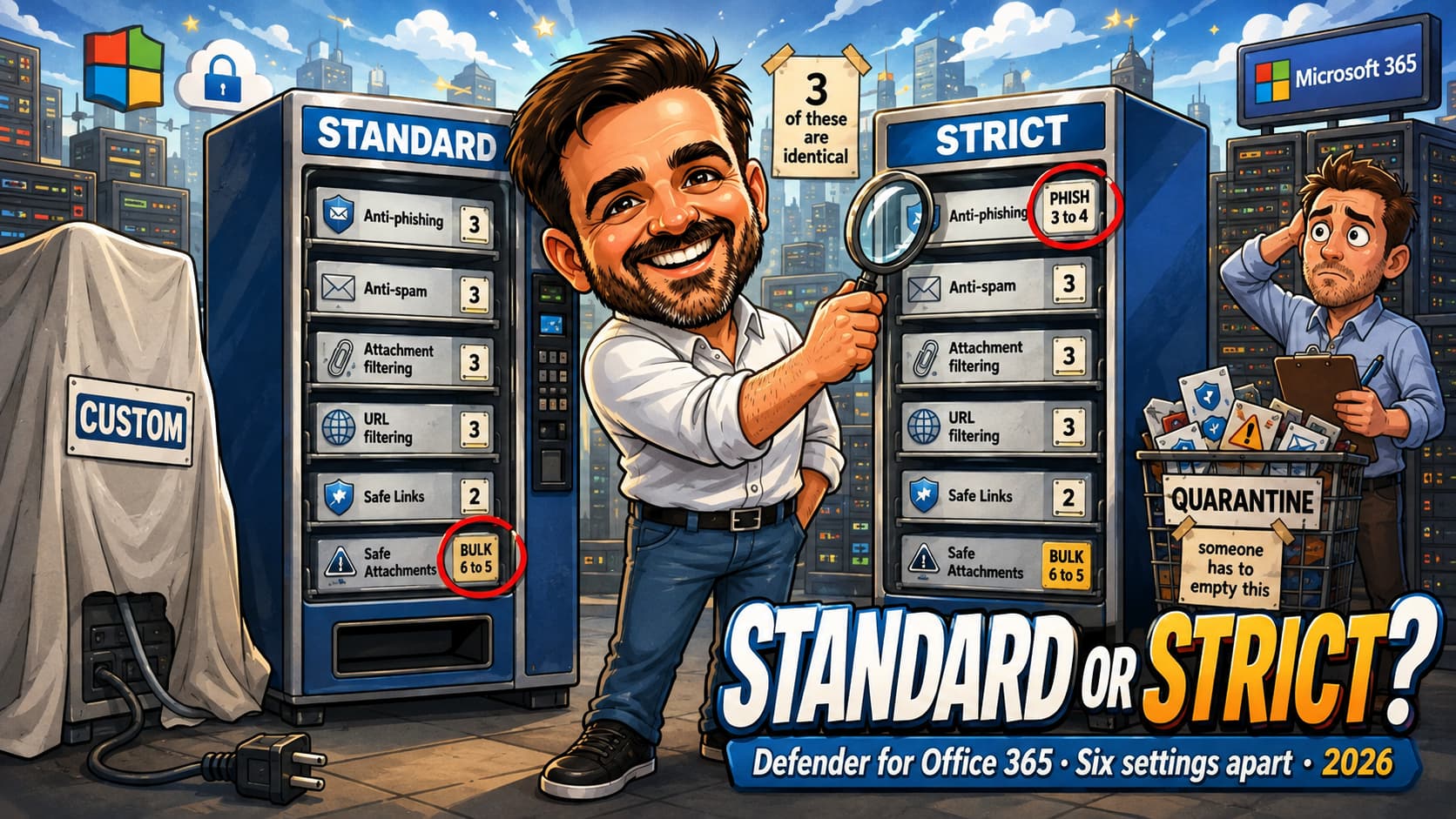
The two profiles are discussed as though they sit at opposite ends of a dial. They do not. Microsoft's summary table on the preset security policies page lists six differences in what it calls "meaningful policy settings", and three entire policy types come back as "No difference".
| Setting | Parameter | Standard | Strict |
|---|---|---|---|
| Spam detection action | SpamAction | Move to Junk Email | Quarantine |
| Bulk threshold met or exceeded | BulkSpamAction | Move to Junk Email | Quarantine |
| Bulk email threshold | BulkThreshold | 6 | 5 |
| Detected as spoof by spoof intelligence | AuthenticationFailAction | Move to Junk Email | Quarantine |
| Mailbox intelligence detects impersonation | MailboxIntelligenceProtectionAction | Move to Junk Email | Quarantine |
| Phishing email threshold | PhishThresholdLevel | 3 — More aggressive | 4 — Most aggressive |
| Anti-malware policy | — | No difference | |
| Safe Links policy | — | No difference | |
| Safe Attachments policy | — | No difference | |
Microsoft's own table has a seventh row, "Show first contact safety tip", listed among the differences with the same value in both columns. It is omitted above because it is not a difference.
Read that as an operations statement rather than a security one. Four of the six differences move a verdict from the Junk Email folder to quarantine. Four of the six move a verdict rather than changing what is detected; only the two thresholds change sensitivity. Under Strict those four verdicts are assigned DefaultFullAccessWithNotificationPolicy, so the user still has access to the message — but through a quarantine notification and a release step rather than a folder in Outlook, and with a thirty-day expiry after which "the messages are permanently deleted and can't be recovered". Microsoft frames the choice the same way: "If the user requires more aggressive detections and has admin coverage to review and release blocked messages, place the user in the Strict preset security policy." The qualifier is admin coverage. Strict without a release process is not stricter security, it is a queue nobody empties.
The four differences the summary table leaves out
The full settings tables show four more differences that the summary omits, all of them quarantine policy assignments: SpamQuarantineTag, BulkQuarantineTag, SpoofQuarantineTag and MailboxIntelligenceQuarantineTag are DefaultFullAccessPolicy under Standard and DefaultFullAccessWithNotificationPolicy under Strict.
This is arguably deliberate rather than an error: under Standard those four verdicts deliver to Junk rather than quarantining, so which quarantine policy is attached is moot. But the consequence is real and it surprises people. Moving a group from Standard to Strict does not only change where the message lands. It also switches on end-user quarantine notifications for spam, bulk, spoof and mailbox-intelligence detections, because that is the difference between the two DefaultFullAccess policies. After a Strict rollout, those users may begin receiving quarantine notifications according to the notification schedule assigned by the preset quarantine policy. Warn them before the rollout.
There is no spam threshold
The most repeated sentence about these profiles is that Strict "lowers the spam threshold". There is no spam threshold setting in an anti-spam policy. The only numeric threshold in that table is BulkThreshold, and it goes from 6 to 5. Everything else Strict does to spam is a change of action, not of sensitivity.
The phishing email threshold is a real dial, and it is worth knowing what its four levels mean, because Standard skips straight past level 2:
| Level | What Microsoft says it does | Used by |
|---|---|---|
| 1 — Standard | "The default value. The severity of the action taken on the message depends on the degree of confidence that the message is phishing" | Default policy |
| 2 — Aggressive | High-confidence phishing treated as very-high confidence | Neither preset |
| 3 — More aggressive | Medium or high confidence treated as very high | Standard |
| 4 — Most aggressive | Low, medium or high confidence treated as very high | Strict |
Microsoft's warning on that setting is one line and it is the whole risk of Strict: "The chance of false positives (good messages marked as bad) increases as you increase this setting." Level 4 treats a low-confidence phishing signal as though it were near-certain. For a finance team that receives payment instructions from unfamiliar senders every day, that is exactly what you want and exactly what will generate the tickets.
Where both profiles are stricter than the default or Built-in baseline
The comparison people should be making more often is not Standard against Strict. It is either preset against whatever they have now, where the gaps are much larger.
One caution about the table below: the middle column is not a single object. It combines three different baselines, because these policy types do not all have a default policy. Anti-spam and anti-phishing rows come from the default policy of that type. The Safe Attachments row is the default value in a newly created custom policy, because there is no default Safe Attachments policy. The Safe Links rows are the Built-in protection values, because there is no default Safe Links policy either — Built-in protection is what supplies that baseline. The recommended settings page sets all three out side by side.
| Setting | Baseline outside Standard/Strict | Standard and Strict, both |
|---|---|---|
| High confidence spam action | Move to Junk Email | Quarantine |
| Phishing detection action | Move to Junk Email | Quarantine |
Quarantine retention (QuarantineRetentionPeriod) | 15 days | 30 days |
| User impersonation protection | Off | On, with your list of up to 350 users |
| Domain impersonation protection | Off | On for domains you own, plus up to 50 custom domains |
| Mailbox intelligence protection | Off (intelligence itself is on) | On |
| Action on user or domain impersonation | No action | Quarantine |
| Impersonation safety tips (user, domain, unusual characters) | Off | On |
| First contact safety tip | Off | On |
| Safe Attachments unknown malware response | Off in a newly created custom policy (Enable $false) | Block |
| Safe Links for internal senders | — | On (Built-in protection leaves it off) |
| Safe Links click-through allowed | — | No (Built-in protection allows it) |
The impersonation rows are the ones that matter. Microsoft says plainly of the default anti-phishing policy in Defender that "the other available impersonation protection and phishing email thresholds settings aren't configured in the default policy". A tenant sitting on defaults with a Defender licence has bought impersonation protection and is not using it. That is the gap worth closing first, and it is a much bigger step than Standard to Strict.
Precedence, and why the overlap does not merge
Two separate orders decide what happens to a message, and mixing them up is the source of most "but I set that policy" conversations.
Order one: which policy applies
When a recipient is in scope of more than one policy of the same type, Microsoft applies them in a documented order of precedence:
- The Strict preset security policy
- The Standard preset security policy
- Defender for Office 365 evaluation policies — anti-phishing, Safe Links and Safe Attachments only, when enabled
- Custom policies, by priority — a lower number is a higher priority
- Of equal value: Built-in protection for Safe Links and Safe Attachments, and the default anti-malware, anti-spam and anti-phishing policies
Three things follow from that list, and each of them catches someone.
A custom policy cannot outrank a preset. The highest priority you can give a custom policy still sits at level 4. Microsoft's wording is unambiguous: "the Strict preset security policy is always applied first". If a user is in both a Strict preset and a carefully tuned custom anti-spam policy, the custom policy does nothing for them. The deployment guide says so directly: "Users in custom threat policies can't be included in the Standard or Strict preset security policies due to the order of precedence."
An evaluation policy outranks custom policies, but only for three policy types. Level 3 covers the anti-phishing, Safe Links and Safe Attachments policies that a Defender for Office 365 evaluation creates. Like every other level, it is applied per policy type and only to recipients the evaluation is scoped to, and only while it is enabled. It creates no anti-spam or anti-malware policy, so it can never explain why one of those is being ignored. And a trial licence sitting in the tenant is not evidence that an evaluation policy exists, is switched on, or covers the user in front of you — check the policy, not the licence.
Nothing merges. This is the sentence to internalise:
Microsoft's own worked example is the one that hurts. Two custom anti-phishing policies: Policy A at priority 1 has user impersonation protection on and anti-spoofing off; Policy B at priority 2 has the reverse. A user in both gets Policy A only. "The processing of anti-phishing policies stops for all included recipients, so Policy B is never applied to recipients who are also in Policy A." The user has impersonation protection and no anti-spoofing, which is not what anybody intended when they built two policies to cover two things.
Note also that the ordering is per policy type. In principle a user could be in the Strict preset for the Defender protections and a custom anti-spam policy at the same time, because the two halves of a preset are scoped separately. Microsoft documents the separate scopes but does not document that combination, and the deployment guide's blanket wording — "Users in custom threat policies can't be included in the Standard or Strict preset security policies" — points the other way. Treat it as something to test in your own tenant rather than as a supported design.
Order two: which protection type wins
The second order decides which verdict is applied when a message trips more than one detection. It is not configurable and it does not depend on your policies at all:
Microsoft states it as "The order of processing for the email protection type: This order isn't configurable". The practical value is diagnostic: the verdict that won is stamped in the CAT property of the X-Forefront-Antispam-Report header, as CAT:MALW, CAT:HPHSH, CAT:PHSH, CAT:HSPM, CAT:SPOOF, CAT:UIMP, CAT:DIMP, CAT:GIMP, CAT:SPM or CAT:BULK. When somebody says "the impersonation policy quarantined this", read the header before you agree. If it says CAT:HPHSH, impersonation had nothing to do with it and changing the impersonation settings will change nothing.
What you can change inside a preset, and what is welded shut
The honest answer is: two things. Microsoft puts it in a footnote in the Defender for Office 365 deployment guide, and it is the most precise statement on the subject anywhere in the documentation.
| Setting | Inside a preset | Limit |
|---|---|---|
| Users to protect from impersonation | Yours | 350 per preset |
| Custom domains to protect | Yours | 50 per preset |
| Trusted senders and domains (impersonation exceptions) | Yours | 1,024 entries |
| Who the preset applies to, and exceptions | Yours | Separate scope for EOP and Defender |
| Bulk threshold, phishing threshold | Locked | — |
| Quarantine retention | Locked at 30 days | "You can't change the value in the Standard or Strict preset security policies." |
| Which quarantine policy each verdict uses | Locked | — |
| Notification text, custom sender names, admin notifications | Locked | — |
| Domains you own, for domain impersonation | Automatic, no opt-out | All accepted domains |
| Mailbox intelligence impersonation | Automatic, no opt-out | All recipients in scope |
Two consequences are worth stating out loud.
First, the impersonation list is not optional work. Turning on a preset does not populate it. Until somebody types the names in, user impersonation protection is enabled and protecting nobody. Three hundred and fifty is a generous ceiling and most organisations need a fraction of it: the board, the finance approvers, anyone whose name appears on a payment authority, and the handful of people whose email address is on the website.
Second, do not edit the underlying policies in PowerShell. They exist — they are named Standard Preset Security Policy<13 digits> and carry a RecommendedPolicyType of Standard or Strict — and they are visible, which tempts people. Microsoft's instruction is flat: "Don't attempt to create, modify, or remove the individual threat policies associated with preset security policies."
Presets change under you, and that is the point
The trade you are making when you choose a preset is control for currency:
"When a best practice for a security control changes due to the evolving threat landscape … security control settings are automatically updated for accounts assigned to the Standard or Strict preset". A custom policy you built in 2024 is still a 2024 policy. A preset is not.
That cuts both ways, and it belongs in your change record. A setting can change without a change request having been raised for it. Microsoft does not commit to notifying you, and does not state that every service-initiated preset update is surfaced in the configuration analyzer drift history, so treat your own monthly export and a PowerShell snapshot as the evidence trail rather than assuming the portal keeps one for you. It is a good trade for most organisations and a bad one for anybody who has to attest to a frozen configuration.
Microsoft's three reasons to go custom
The deployment guide gives exactly three, and they are narrower than the reasons people usually give:
- Users need settings different from the locked ones — "junk vs. quarantine or vice-versa, no safety tips, notify custom recipients, etc."
- Users need settings that are not configured in presets at all — Microsoft's example is "blocking email from specific countries or in specific languages in anti-spam policies". The Promotions folder for bulk email, currently in preview, is a sharper example. The presets set Bulk moves enabled to Off, and Microsoft's own instruction is that "The only way for users to get the Promotions folder feature is to exclude them from the Standard and Strict preset security policies" and put them in a custom anti-spam policy instead.
- Users need a different quarantine experience from the one the preset assigns.
Against that, the default recommendation is unambiguous: "Without a compelling business need that indicates otherwise, we recommend starting with the Standard preset security policy for all users in your organization". If your reason for a custom policy is not on the list above, it is worth writing down what it actually is before you build it.
Designing the groups, which is where the overlap is created
Policy overlap is not created by policies. It is created by group membership that nobody drew on paper. Four mechanics decide whether your scoping does what you think.
Conditions are AND. Exceptions are OR.
This is the single most expensive misunderstanding in preset assignment.
romain@contoso.example under Users and add the Executives group under Groups, Romain is covered only if he is also a member of Executives. Two conditions of different types narrow the scope; they do not widen it.Exceptions work the opposite way: "If the recipient matches any of the specified exception values, the policy isn't applied to them." One matching exception of any type removes the user.
The practical rule that falls out of this: use one condition type per preset. Put everything in groups, or everything in domains, and do not mix. If you find yourself needing both, you probably want two groups.
Domains have their own wrinkle in the same direction: "Subdomains are automatically included unless you specifically exclude them." That is the opposite of the behaviour of the trusted-domains list inside impersonation protection, where "Trusted domain entries don't include subdomains of the specified domain. You need to add an entry for each subdomain." Same word, two behaviours, one page apart.
Dynamic groups do not work
Both kinds are unsupported, and this is the constraint that breaks most tidy designs:
- "Members of the specified distribution groups or mail-enabled security groups (dynamic distribution groups aren't supported)."
- "The specified Microsoft 365 Groups (dynamic membership groups in Microsoft Entra ID aren't supported)."
So the attractive design — a dynamic group on jobTitle or on a department attribute, maintained by HR data, feeding your Strict preset — is not available. What you get is static groups, which means somebody owns membership and somebody reviews it. Build that into the monthly checklist at the end rather than pretending it will look after itself.
Two scopes per preset
Each preset has separate assignment for the EOP protections and the Defender protections: "You can apply the built-in security features for all cloud mailboxes to different users than Defender for Office 365 protections, or you can apply all protections to the same recipients."
This exists mainly for licensing. If you have Defender licences for some people and not others, you scope the Defender half to the licensed group and the EOP half to everyone, and Microsoft's own guidance is to use exclusions to "identify the users or groups who aren't eligible for Defender for Office 365 protections". After 1 July 2026 that scenario is less common than it was, since E3 now carries Plan 1 — but check before you assume, because a tenant with mixed F3 and E3 licensing still needs it.
A group design that survives contact with a real tenant
Three tiers is usually enough. More than three and nobody can tell you which tier a given person is in without looking.
| Tier | Who | Profile | Why |
|---|---|---|---|
| Everyone | All mailboxes, as a domain condition or a single group | Standard | Microsoft's own default recommendation. Quarantines high confidence spam and phishing, sends spam and bulk to Junk, and switches on impersonation protection for the names you supply. |
| Elevated | Finance approvers, payroll, HR, the executive team, anyone named on a payment authority | Strict | Quarantine instead of Junk for spam, bulk, spoof and mailbox intelligence, and phishing threshold 4. Only worth doing if this group's quarantine gets reviewed. |
| Excluded from Defender protections | SecOps mailboxes, shared mailboxes used to collect phishing reports, unlicensed accounts | Exception on both presets | Microsoft's own PowerShell example excludes SecOps mailboxes from the Defender protections in Strict. A mailbox that exists to receive malicious mail should not have it removed before a human sees it. |
Two design rules keep this from rotting.
Membership must be exclusive. Microsoft's guidance is "Use unambiguous groups or lists of recipients in the Standard preset security policy, the Strict preset security, and in custom threat policies so exceptions aren't required." If your Elevated group is a subset of your Everyone group — which it will be if Everyone is a domain condition — that is fine, because Strict outranks Standard and the outcome is deterministic. What is not fine is two custom policies with overlapping groups and priorities nobody documented.
Custom policies go in the exception list. If some users genuinely need a custom policy, Microsoft's instruction is to "Configure recipients who should get the settings of custom threat policies as exceptions in the Standard preset security policy". Otherwise the preset wins and the custom policy is decoration.
Turning a preset off does not lose your work
Useful during a rollback: "To disable the Standard protection or Strict protection preset security policies while still preserving the existing conditions and exceptions, slide the toggle to Off." And "Turning off the preset security policy doesn't delete the associated rules." So the rollback for a preset that is causing trouble is a toggle, not a rebuild — which is a genuinely better rollback story than the one you get with mail flow rules.
The staged rollout
Five stages, and the first one is not a change.
- 1BaselineWhat is on today, in a file
- 2DecideTiers, groups, owners
- 3PilotStandard, one group, two weeks
- 4WidenStandard to everyone
- 5ElevateStrict where it is watched
Stage 1 — Baseline, before anything moves
Capture what exists. Not because you will roll back to it, but because in three weeks somebody will ask whether a behaviour is new, and the only honest answer without this file is a shrug.
# Requires Exchange Online PowerShell V3. Connect first with your own account.
$stamp = Get-Date -Format 'yyyy-MM-dd'
$out   = "C:\baseline\$stamp"
New-Item -ItemType Directory -Path $out -Force | Out-Null

# Which presets exist, and who they are scoped to.
Get-EOPProtectionPolicyRule | Export-Clixml "$out\eop-preset-rules.xml"
Get-ATPProtectionPolicyRule | Export-Clixml "$out\atp-preset-rules.xml"
Get-ATPBuiltInProtectionRule | Export-Clixml "$out\builtin-rule.xml"

# The policies themselves, including the ones the presets own.
Get-HostedContentFilterPolicy | Export-Clixml "$out\antispam.xml"
Get-MalwareFilterPolicy      | Export-Clixml "$out\antimalware.xml"
Get-AntiPhishPolicy          | Export-Clixml "$out\antiphish.xml"
Get-SafeLinksPolicy          | Export-Clixml "$out\safelinks.xml"
Get-SafeAttachmentPolicy     | Export-Clixml "$out\safeattachments.xml"

# The global Safe Attachments settings, which no preset except Built-in protection touches.
Get-AtpPolicyForO365 | Format-List Identity, EnableATPForSPOTeamsODB, EnableSafeDocs, AllowSafeDocsOpen
Cmdlet names differ from portal labels. Anti-spam policies are HostedContentFilterPolicy; anti-malware policies are MalwareFilterPolicy. The last command answers the contradiction flagged earlier: whatever the two documentation pages say, this is what your tenant has.
Two questions the baseline should answer before you go further. Are there custom policies, and does anyone know why they exist? And is a Defender evaluation policy enabled, and who is it scoped to? For anti-phishing, Safe Links and Safe Attachments it sits above every custom policy for the recipients it covers. The presence of a trial licence does not answer that question; the policy does.
# Custom anti-spam policies, in the order they are evaluated.
Get-HostedContentFilterRule |
    Sort-Object Priority |
    Format-Table Name, Priority, State, SentTo, SentToMemberOf, RecipientDomainIs -AutoSize

# Which users and domains the presets are actually protecting from impersonation.
Get-AntiPhishPolicy |
    Where-Object { $_.RecommendedPolicyType -in 'Standard','Strict' } |
    Format-List Name, RecommendedPolicyType, TargetedUsersToProtect, TargetedDomainsToProtect, ExcludedSenders, ExcludedDomains
If TargetedUsersToProtect comes back empty on a tenant that has had a preset on for a year, user impersonation protection has been switched on and protecting nobody for a year. It is the most common finding I have.
Stage 2 — Decide, on paper, before the portal
Write down four things: which tier each group of people is in, who owns membership of each group, who reviews the quarantine for the Strict tier, and what the exception list is allowed to contain. That last one matters more than it sounds. An exception list without a rule for what may go on it becomes the place where every awkward conversation is resolved.
Stage 3 — Pilot, with Standard, for two weeks
Pilot Standard rather than Strict, even if Strict is where you are heading. The step from defaults to Standard is the large one — quarantine instead of Junk for high confidence spam and phishing, impersonation protection on for the first time. The step from Standard to Strict is six settings. If you pilot Strict first you cannot tell which of the two changes produced the noise.
Pick a pilot group that is mixed: someone in finance, someone in sales who lives on newsletters, someone technical who will report clearly, and at least one person whose inbox is mostly external. Twenty to fifty people is plenty. Give it two weeks, and know that the two weeks is a business-cycle argument rather than a technical one — you want a month-end, or a mailshot, or whatever your organisation's noisy event is, inside the window.
| Change | Documented latency |
|---|---|
| New or updated Safe Links policy | "Allow up to 6 hours for a new or updated policy to be applied." |
| New or updated Safe Attachments policy | "Allow up to 30 minutes for a new or updated policy to be applied." |
| Safe Links for Teams toggle | "This setting might take up to 24 hours to take effect." |
| Safe Attachments for SharePoint, OneDrive and Teams | "Allow up to 30 minutes for the settings to take effect." |
| Tenant Allow/Block List entry, or an allow from a submission | "the entry should start working immediately (within 5 minutes)." |
| Anti-spam, anti-malware, anti-phishing, and preset assignment itself | No figure published. Do not invent one, and do not repeat one you read on a forum. |
Since a preset assignment touches Safe Links, six hours is the longest documented worst case for the Defender half of the change. That is inference from the Safe Links page rather than a statement about presets, and I would treat it as "test tomorrow, not this afternoon" rather than as a number to quote in a change record.
Verifying the pilot actually took
Microsoft publishes a specific verification for bulk, and it is a good one because it is falsifiable: "for bulk mail, verify that the BCL value 6 or higher delivers the message to the Junk Email folder for Standard protection users, and the BCL value 5 or higher quarantines the message for Strict protection users." Microsoft's BCL page says the value "is added to the message in an X-header", so read it from the message headers of a real newsletter rather than guessing. Take a newsletter that landed in a pilot user's Junk folder, read its BCL, and check it against the threshold for their tier — 7 on the default policy, 6 under Standard, 5 under Strict. If a BCL 6 message is sitting in the inbox rather than Junk, the preset is not applying to that user. In my experience the usual cause is the AND logic in the conditions, covered below, but check the assignment before assuming it.
Stages 4 and 5 — Widen, then elevate
Widen Standard to the whole organisation once the pilot's false positives have stopped being new. Then, and only then, move the elevated tier to Strict — and move it as a group with a named owner who has agreed to review quarantine. The failure mode of Strict is not detection, it is the queue: four verdict types stop going to Junk, which the user browses without help, and start going to quarantine, which the user reaches through a notification and a release request — and which deletes what nobody claims after thirty days.
False positives, and where they are actually fixed
Three mechanisms handle three different problems, and using the wrong one produces the "I allowed it and it still got blocked" conversation.
| Problem | Where it is fixed | What to know |
|---|---|---|
| A legitimate message was quarantined or junked | Admin submission, choosing the option that allows messages like it | Creates the allow entry for you, in the right place. The allow "should start working immediately (within 5 minutes)". |
| An impersonation verdict on a real sender | Trusted senders and domains, inside the preset | Not the Tenant Allow/Block List. Microsoft: "an allow entry isn't created in the Tenant Allow/Block List. Instead, the domain or sender is added to the Trusted senders and domains section". |
| A whole category is wrong for a group of people | A custom policy, and an exception in the preset | The right answer when the same exception keeps being requested. An allow list is not a policy. |
Limits that will bite during a pilot, all documented:
- 30 days. "Admins can submit email messages as old as 30 days if they're still available in the mailbox and haven't been purged by the user or an admin." A message a user deleted cannot be submitted.
- 150 submissions per 15 minutes, and three identical submissions per 24 hours. A well-meaning helpdesk can hit the second of those on a single noisy sender in an afternoon.
- Allows expire. By default an allow entry is "kept for 45 days after the filtering system determines that the entity is clean". Where the expiry is set to 45 days after last used date, that date "is updated when the malicious email message is encountered during mail flow", so the clock resets. Blocks default to 30 days and can be set up to 90 or to never expire.
- You cannot allow malware or high confidence phishing. "For malware and high confidence phishing verdicts, you can't create allow entries directly in the Tenant Allow/Block List." If that is the verdict, the answer is a submission and a conversation, not a list entry.
- Blocks beat allows. "In the Tenant Allow/Block List, block entries take precedence over allow entries."
- Seven addresses become a domain. "If you allow at least 7 email addresses in the same domain in the Tenant Allow/Block List, submissions automatically roll up the email addresses into a domain allow entry." Nobody expects that, and a domain allow is a much larger promise than seven address allows.
One more trap that is specific to a Strict pilot. Impersonation protection does nothing between people who already email each other. Microsoft: "User impersonation protection doesn't work if the sender and recipient previously communicated via email." So testing it by sending yourself a lookalike from a colleague's address will show you nothing, and the protection you are relying on for the CFO covers strangers rather than the people they correspond with daily.
Configuration analyzer, and what drift actually means
The configuration analyzer compares your policies against the same Standard and Strict baselines this article has been printing, and shows "threat policies where the settings are less secure than the Standard protection and Strict protection profile settings". It has three tabs, not two, which is worth saying because a lot of guidance still describes two views:
- Standard recommendations
- Strict recommendations — "The settings, layout, and actions are the same on the Standard recommendations and Strict recommendations tabs."
- Configuration drift analysis and history
It analyses anti-spam, anti-malware and anti-phishing policies, the Defender anti-phishing settings, Safe Links and Safe Attachments policies, and Built-in protection. It also checks two things that are not policies at all: whether SPF and DKIM records are detected in DNS for a domain, and whether native external sender identifiers are configured with Set-ExternalInOutlook.
What it does not look at
The list of what the analyzer omits is longer than the list of what it covers, and the documentation states it by omission rather than by saying so. Reading the covered list carefully, the following are outside it: outbound spam policies, the connection filter policy, quarantine policies, Microsoft Teams protection, the Safe Attachments global settings, Safe Documents, the Tenant Allow/Block List, the advanced delivery policy, mail flow rules, and DMARC records — only SPF and DKIM are named. A clean configuration analyzer is not a clean tenant. It is a clean set of the policy types it knows about.
Drift, and its two limits
The drift tab shows what changed, when, and by whom: Last modified, Modified by, setting name, policy, the old and new values, and a Configuration drift column with the value Increase or Decrease "that indicates the setting increased or decreased security compared to the recommended Standard or Strict setting".
Two constraints decide whether it is any use to you:
- Unified audit logging must be on. "[Unified Auditing] needs to be enabled for drift analysis." Without it the tab is empty and the reason is not obvious from the tab.
- Ninety days, maximum. "You can go back as far as 90 days from today." A quarterly review cadence will therefore miss changes if it slips even slightly. This is the strongest argument in the article for a monthly rhythm rather than a quarterly one.
Both recommendation tabs and the drift tab export to CSV, which is the sensible input to a change record. The Apply recommendation action fixes single-step findings in place and is greyed out when the fix needs more than one step. Using the analyzer and changing the policies it points at needs membership of Organization Management or Security Administrator.
If you want the same comparison outside the portal, Microsoft still points at the ORCA PowerShell module: "The Office 365 Advanced Threat Protection Recommended Configuration Analyzer (ORCA) module for PowerShell can help admins find the current values of these settings." It produces a report you can keep, which the portal does not.
The decision tree
Six questions, asked in this order, per group of users rather than per tenant. The order matters: the licensing question changes what the later ones mean, and the review-capacity question is the one that actually decides Standard against Strict.
| Question | If yes | If no | |
|---|---|---|---|
| 1 | Does this group have Defender for Office 365, on any plan? Confirm against tenant licence assignments and the service description; the portal showing Real-time detections or Explorer is an indicator, not proof, because RBAC affects it. Remember that E3 gained Plan 1 on 1 July 2026. | Continue. Both halves of the preset are available. | You can still use the EOP half of Standard or Strict. Scope the Defender half to exclude this group. |
| 2 | Does this group need a setting that no preset configures — language or country blocking, the Promotions folder for bulk, a specific quarantine experience, notifications to a custom address? | Custom policy. Then add this group as an exception on the Standard preset, or the preset will win. | Continue. A preset can do this. |
| 3 | Is there a named person who reviews quarantine for this group, at a stated frequency? | Continue to question 4. | Standard. Stop here. Strict moves four verdict types from Junk, which the user browses, to quarantine, which expires after thirty days and deletes permanently. |
| 4 | Does this group receive payment instructions, credentials, contracts or anything else where a convincing impersonation is expensive? | Strict, plus explicit entries in the impersonation list. | Standard. The six differences do not buy you enough to be worth the quarantine load. |
| 5 | Is this group a security operations mailbox, a phishing-report mailbox, or a mailbox that exists to receive malicious mail on purpose? | Exclude from the Defender protections. Microsoft's own example does exactly this for SecOps mailboxes under Strict. | Continue. |
| 6 | Can this group be expressed as one condition type — a single group, or a domain — without mixing Users AND Groups AND Domains? | Assign it. You are finished. | Fix the group first. Conditions of different types are AND, so a mixed condition set is narrower than it looks and will silently miss people. |
Question 3 is doing most of the work in that tree, and it is the one people skip. Strict is not a security posture, it is an operating commitment. If nobody is going to look in quarantine, Strict converts false positives into lost mail with a thirty-day fuse: "When messages expire from quarantine after the retention period, the messages are permanently deleted and can't be recovered."
The monthly review
Monthly rather than quarterly, for one concrete reason: drift history goes back ninety days and no further. A quarterly cadence that slips by a fortnight loses that evidence from the configuration analyzer interface unless it was exported or captured separately. Ten items, and none of them should take more than a few minutes once the groups are stable.
| Check | Where, and what a bad answer looks like | |
|---|---|---|
| 1 | Drift since last month | Configuration analyzer, drift tab, exported to CSV. Any row with Decrease that has no change record behind it is the finding. |
| 2 | Standard and Strict recommendations | Both tabs. New findings appear on their own when Microsoft updates a baseline, which is the intended behaviour of presets, not a fault. |
| 3 | Impersonation list still matches reality | TargetedUsersToProtect on both preset anti-phishing policies. Leavers still listed, and new finance approvers missing, are the two normal defects. |
| 4 | Group membership | The Elevated group in particular. Dynamic groups are not supported, so this list is only as current as the last person who edited it. |
| 5 | Exceptions on both presets | Every exception should have a reason and an owner. Anything that has been there for more than a quarter without a reason is a candidate for removal. |
| 6 | Tenant Allow/Block List expiries | Allows kept for 45 days after last use, blocks 30 days by default. Entries approaching expiry that are still needed, and entries long past their purpose, both show up here. |
| 7 | Custom policies still justified | For each one: which of Microsoft's three reasons does it meet? If none, it is a candidate for retirement and its users go back to a preset. |
| 8 | Active evaluation policy still intentional | Check whether an anti-phishing, Safe Links or Safe Attachments evaluation policy is enabled, which recipients it covers, and whether it is still required. Do not infer this from the presence of a trial licence alone. |
| 9 | Quarantine actually reviewed | The Strict tier only. If nothing has been released in a month, either the tier is perfectly tuned or nobody is looking. One of those is much more likely. |
| 10 | The things the analyzer never checks | Outbound spam limits, connection filter entries, Teams protection, the Safe Attachments global settings, DMARC. Quarterly is enough for these, but somebody has to own them. |
Frequently asked questions
Can I use Strict for everyone?
Technically yes. Microsoft's recommendation is to start with Standard for the whole organisation, and the reason is the quarantine load rather than the detections. Under Strict, spam, bulk, spoof and mailbox-intelligence verdicts all quarantine instead of going to Junk, and Strict also switches on end-user quarantine notifications for those four. If your organisation reads and releases quarantine reliably, Strict for everyone is defensible. If it does not, you have converted a Junk folder users browse at their own pace into a queue with a thirty-day deletion timer.
If I turn on a preset, can I delete my custom policies?
Only the ones you can justify deleting. Presets do not touch outbound spam, connection filtering, Teams protection, the Safe Attachments global settings or quarantine policies, so any custom policy covering those still has a job. For anti-spam, anti-malware, anti-phishing, Safe Links and Safe Attachments, ask which of Microsoft's three reasons the custom policy meets. If it meets none, the preset supersedes it anyway — the custom policy is not applying to anyone who is also in a preset.
Why is my custom policy having no effect?
Almost always one of three things. The users are also in a preset, which outranks it. Another custom policy with a lower priority number matched first, and processing stopped there — nothing merges. Or, for an anti-phishing, Safe Links or Safe Attachments policy only, an enabled evaluation policy covers those recipients. That last one cannot explain a custom anti-spam or anti-malware policy being ignored, because an evaluation does not create policies of those types.
Does the Standard preset protect executives from impersonation out of the box?
No. It enables user impersonation protection and leaves the list of protected users empty for you to fill in, up to 350 names. Domains you own are added automatically; specific people are not. Until somebody types the names in, that protection is on and covering nobody.
Can I change the bulk threshold inside a preset?
No. Bulk threshold, phishing threshold, quarantine retention, quarantine policies and notification text are all locked. If you need BCL 7 for a group of people who live on newsletters, that is a custom anti-spam policy for that group plus an exception on the preset.
What is the difference between Built-in protection and the default policies?
Built-in protection is a preset that gives Safe Links and Safe Attachments to Defender-licensed tenants. The default threat policies are anti-malware, anti-spam and anti-phishing spoof, and every tenant with cloud mailboxes has them. They rank equally, at the bottom, and neither has an off switch — but Built-in protection accepts recipient exceptions and the defaults do not.
We are on E3. Does any of the Defender half apply to us?
Since 1 July 2026, Defender for Office 365 Plan 1 is included in Office 365 E3 and Microsoft 365 E3, which means Safe Links, Safe Attachments and impersonation protection are yours. Three Microsoft pages currently describe that change with three different scopes, and one of them still carries a 2023 date. The portal is a useful indicator rather than proof: for an account with the required Defender permissions, Real-time detections points to Plan 1 and Explorer to Plan 2, but RBAC, licence assignment and rollout all affect what is visible. The service description and your tenant licence assignments are the authoritative evidence.
How do I prove which policy acted on a message?
Read the X-Forefront-Antispam-Report header. The CAT value names the verdict that won, and the protection-type order is fixed, so the verdict tells you which family of settings to look at. Do not reason backwards from which policy you think should have applied — with presets, custom policies and possibly an evaluation all in play, "should have" is exactly the assumption that is wrong.
Are the presets audited when Microsoft changes them?
Microsoft automatically maintains the settings in preset security policies. Configuration analyzer tracks threat-policy changes for up to 90 days when unified auditing is enabled, but Microsoft does not explicitly guarantee that every service-initiated preset update appears in drift history. Use monthly CSV exports and PowerShell configuration snapshots as the evidence trail, and do not rely on the drift tab as the sole audit record. If you have to attest to a fixed configuration, that is a real argument for custom policies, and it is the only argument for them that presets cannot answer.
Before you widen the rollout
Take the six-difference table to the group you are about to move, decide which tier they belong in, and read their exception list out loud before you enable anything for anyone else.
Open the policy builder- Recommended settings for EOP and Defender for Office 365 — every setting value in this article
- Preset security policies — the six differences, scoping, limits, precedence
- Order and precedence of email protection — first policy wins, protection type order, CAT values
- Defender for Office 365 deployment guide — what is locked, and the three reasons to go custom
- Configuration analyzer for security policies — the three tabs, drift, and its limits
- Optimal security controls with preset security policies — why presets self-update
- Anti-phishing policies — the four phishing threshold levels
- Quarantine in Defender for Office 365 — retention, and what is not customizable
- Tenant Allow/Block List — expiry, precedence, what you cannot allow
- Admin submissions — the 30-day limit and the throttles
- Defender for Office 365 service description — the 1 July 2026 licensing change
- What is Defender for Office 365 — Plan 1 against Plan 2
- Built-in security features for all cloud mailboxes — what every tenant has
- Configure Safe Links policies — the six-hour latency
- Configure Safe Attachments policies — the thirty-minute latency
- Configure anti-spam policies — retention range, list limits
- Configure the default connection filter policy — how to fill in the IP Allow List and IP Block List