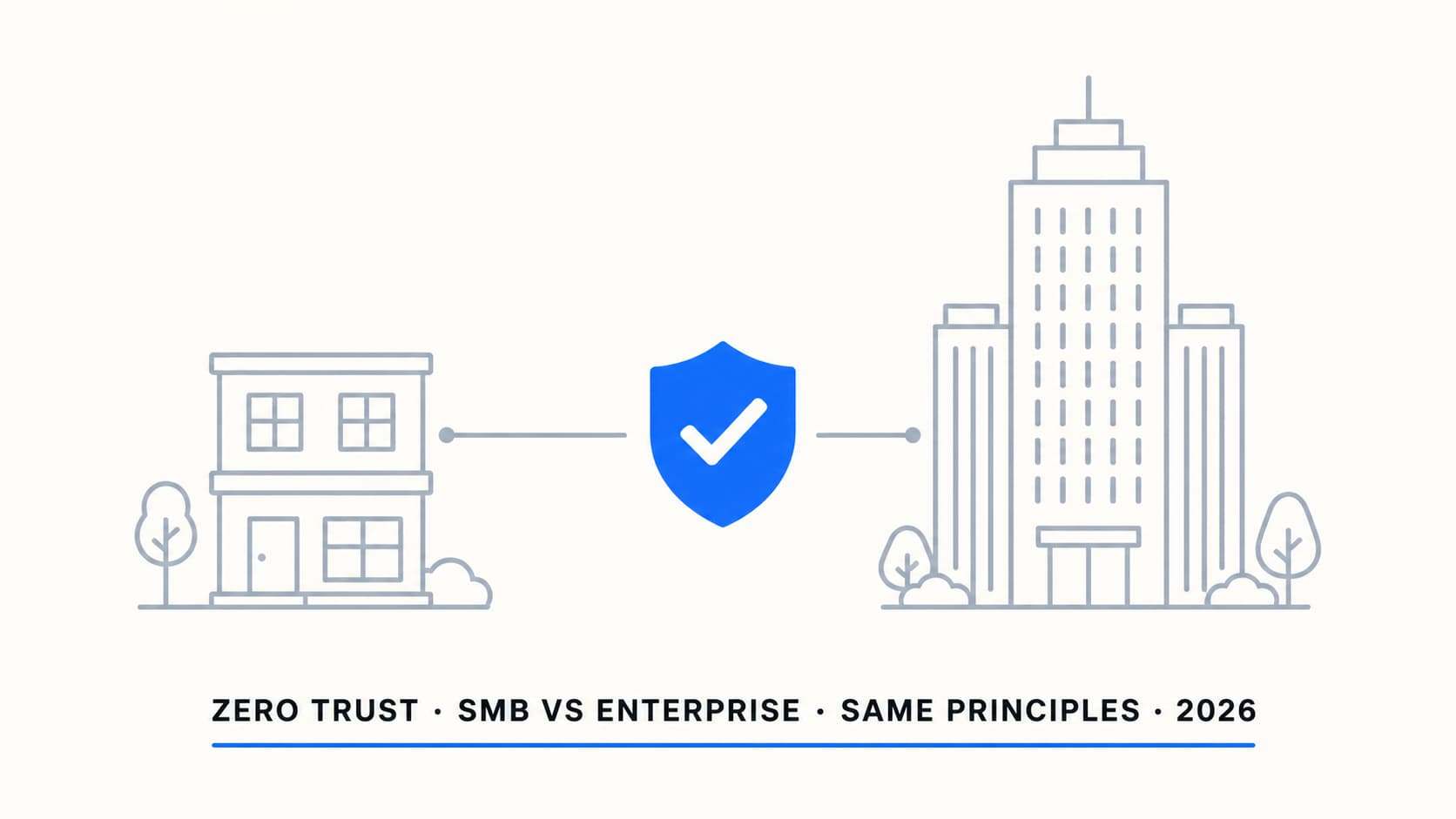
A 50-person accounting firm and a 5,000-person manufacturer face the same threats but have wildly different resources to deal with them. The principles of Zero Trust are the same for both. The implementation is not. Copying an enterprise Zero Trust playbook into an SMB environment creates complexity that no small IT team can maintain — and the complexity itself becomes a risk when nobody understands the policy set.
| Organisation type | Best first move | Avoid | Review cadence |
|---|---|---|---|
| Under 50 users | Security Defaults + admin FIDO2 | Complex CA framework | Quarterly |
| 50–100 users | Small CA baseline + Intune | Too many exclusions | Quarterly |
| 100–500 users | Full SMB baseline + PIM + risk where justified | Enterprise SIEM without monitoring | Quarterly, monthly for admins |
| 500+ users | Enterprise framework + SOC/MDR | Unowned policies and unmanaged exceptions | Monthly |
The SMB approach: phased, practical, maintainable
Less is more when you are the only person who has to maintain it.
For organisations between 20 and 300 users, the goal is a defensible baseline that one or two IT people can maintain. That rules out anything that requires constant tuning, deep security operations expertise, or a dedicated identity team.
Phase 1: Identity first
Start here. No exceptions.
Phase 2: Devices
Phase 3: Data
The enterprise approach: full framework, full staffing
More tools, more policies, more people to run them. That is the trade-off.
Organisations above 500 users typically have a dedicated security team, an identity team, and a budget for E5 or the security add-on SKUs. They can afford the operational overhead of a full Zero Trust framework.
| Capability | Enterprise implementation | Why SMBs should not copy it |
|---|---|---|
| CA policy set | 15-30+ policies, tiered by user population, app sensitivity, and device type | No SMB IT team can maintain 30 policies. Troubleshooting a sign-in failure against 30 policies is a specialist task. |
| Risk-based CA (P2) | Sign-in risk and user risk policies integrated with Identity Protection. Automated remediation. | Requires someone who understands risk scoring, can tune thresholds, and can investigate detections. P2 licence cost adds up at SMB scale. |
| Defender for Endpoint P2 | Advanced hunting, EDR, automated investigation and response, threat analytics | The tooling is powerful but generates alerts that need triage. Without a SOC or managed detection service, the alerts go unread. |
| Workload Identity CA | CA policies for service principals and managed identities. Location-based restrictions on app authentication. | Requires Entra Workload ID Premium licence. Most SMBs have 5-15 service accounts; individual monitoring and IP restriction is simpler. |
| Multiple named locations | Per-country, per-office, per-VPN exit point. Complex inclusion/exclusion logic. | An SMB with two offices needs two trusted locations. Not twenty. Complexity in named locations creates CA policy interactions that are hard to debug. |
| FIDO2 at scale | Hardware key provisioning for all users, key lifecycle management, replacement process | Provisioning, distributing, and managing hardware keys for 200+ users requires a process. SMBs should deploy FIDO2 for admins only and use passkeys/Authenticator for regular users. |
| Advanced session controls | Per-app session policies, Defender for Cloud Apps proxy, app-enforced restrictions per sensitivity level | Session proxy breaks some apps. Troubleshooting requires Defender for Cloud Apps expertise. SMBs should use basic sign-in frequency and persistent browser controls. |
Enterprise organisations also benefit from Microsoft Sentinel for SIEM, centralised logging across all pillars, automated playbooks for incident response, and integration with third-party tools. These are valuable but require staff to operate. A Sentinel workspace that nobody monitors is just a cost centre.
The complexity threshold
This is where most organisations get the sizing wrong.
The right approach depends on org size, IT staffing, and budget. Here is how I think about the thresholds after years of deploying these across different scales.
| Org size | Recommended approach | CA policy count | Typical licence |
|---|---|---|---|
| Under 50 users | Security Defaults + Intune basics. Move to custom CA only when forced. | 0 (Security Defaults) or 4-6 | Business Premium |
| 50-100 users | Basic custom CA (the eight-policy baseline). Compliance policies. App protection. | 6-8 | Business Premium |
| 100-300 users | Full SMB baseline. Consider P2 for risk-based if budget allows. Start data protection. | 8-12 | Business Premium + optional P2 add-on |
| 300-500 users | Transition zone. Some enterprise patterns start to make sense. Dedicated IT security person. | 10-15 | E3 + security add-ons or E5 |
| 500-2000 users | Enterprise framework. Full CA policy set. Risk-based policies. Defender P2. PIM. Sentinel. | 15-25 | E5 or E3 + E5 Security |
| 2000+ users | Full enterprise with workload identity CA, advanced session controls, SASE/Global Secure Access, dedicated SOC. | 20-40+ | E5 + add-ons |
What SMBs should NOT copy from enterprise
Most SMB breaches do not happen because of missing features. They happen because of misconfigured or misunderstood ones.
This section exists because I have cleaned up the aftermath of SMB tenants that hired an enterprise-focused consultant who deployed their standard playbook. The intent was good. The result was a policy set that nobody in the organisation could troubleshoot, maintain, or explain to an auditor.
Microsoft-managed CA policies
In 2024 and 2025, Microsoft began rolling out "Microsoft-managed" Conditional Access policies. These are policies that can appear in eligible tenants, usually starting in report-only mode before moving toward enforcement unless the tenant disables or customises the approach. They are designed to raise the security floor for all tenants.
For SMBs, these are genuinely useful. Depending on tenant eligibility and rollout state, you may see common managed policies such as:
Practical recommendations per org size
Under 100 users
-
Start with Security Defaults, move to custom CA when you hit limits Security Defaults cover MFA and legacy auth blocking. Move to custom CA when you need service account exceptions, location-based policies, or device compliance integration.
-
Use Business Premium licensing Includes Entra ID P1, Intune, Defender for Business. Everything you need for a strong baseline. Do not jump to E5 by default at this scale unless the risk profile, compliance requirements, or operational model justify it.
-
Deploy FIDO2 keys for admins only (2-5 people) Buy two keys per admin. Register both. Store one off-site. Use Authenticator push or passkeys for regular users.
-
Keep the CA policy set under 8 policies Block legacy auth, require MFA all users, phishing-resistant for admins, compliant device for admins, MFA for guests, block risky locations, app protection mobile, session controls unmanaged. That is enough.
-
Start with one sensitivity label and one DLP policy "Confidential" with encryption for finance/HR. One DLP policy detecting financial data in email. Expand later. Do not over-engineer data protection at this scale.
100 to 500 users
-
Custom CA baseline is mandatory, not optional Security Defaults do not scale past this point. Service accounts, mixed device fleets, and guest access all require custom policies.
-
Consider P2 add-on for risk-based policies At 100+ users, the value of automated risk detection increases. Identity Protection catches compromised credentials that you would otherwise miss. The licence cost is justifiable at this scale.
-
Implement PIM for admin roles No standing Global Admin. Just-in-time activation with MFA and justification. At 100+ users, you likely have 5-10 people with admin roles. PIM limits the exposure if any of those accounts are compromised.
-
Deploy Defender for Endpoint and integrate with Intune compliance The Defender risk score as a compliance signal is one of the most impactful controls available. At 100+ endpoints, automated detection matters more because manual monitoring does not scale.
-
Set up quarterly access reviews for guest accounts Guest account sprawl starts becoming real at this scale. Automated reviews prevent stale access from accumulating.
500+ users (enterprise)
-
Full CA framework with policy tiers Baseline tier (all users), enhanced tier (sensitive data workers), privileged tier (admins), external tier (guests). Each tier gets specific controls.
-
E5 or E3 + E5 Security for the full toolset Defender P2, Identity Protection, Defender for Cloud Apps, Purview full suite, Sentinel. The enterprise stack delivers real value at this scale if you have the staff to operate it.
-
Workload Identity CA for service principals At enterprise scale, you may have 50-200+ service principals. Individual management does not work. Workload Identity CA policies with location restrictions and monitoring are necessary.
-
Sentinel or equivalent SIEM with dedicated monitoring Whether in-house SOC or managed detection and response (MDR) provider, someone needs to be watching the alerts. Deploy automated playbooks for common scenarios: risky sign-in, compromised account, malware detection.
-
Evaluate Global Secure Access for VPN replacement Entra Private Access and Internet Access bring identity-aware network access. At enterprise scale with multiple offices and remote workers, SASE makes more sense than traditional VPN.
Zero Trust strategy checklist
-
Assess your org size and map it to the appropriate tier Under 100: Security Defaults or minimal CA. 100-500: full SMB baseline. 500+: enterprise framework. Do not over-engineer for your scale.
-
Verify your licensing covers what you need Business Premium for SMB. E5 or security add-ons for enterprise. Do not deploy controls that your licence does not support.
-
Follow the phased approach: identity, then devices, then data Do not try to deploy all six pillars at once. Each phase should be stable before the next begins.
-
Resist the temptation to copy enterprise patterns at SMB scale Complexity you cannot maintain is worse than simplicity you can. A simple baseline that runs correctly beats a complex framework that nobody understands.
-
Review Microsoft-managed CA policies in your tenant Check what Microsoft has deployed. Keep them if they fill a gap. Replace them with your own versions if you want more control.
-
Schedule quarterly reviews of your Zero Trust posture New controls ship, threats evolve, your org changes. A baseline deployed and never reviewed decays over time.
-
Document your approach in a one-page summary Which tier you are at, which controls are deployed, which gaps are accepted, and when the next review is. One page. Not a 50-page security strategy document nobody reads.
The bottom line
This is the final article in the Zero Trust series. If you have read all five parts, you now have a clear picture of what Zero Trust means in practice, how to implement it with Intune, where it breaks, how the three evaluation pillars work together, and how to scale your approach for your organisation.
The biggest risk is not having too little security. It is having more security than your team can actually manage. Unreviewed alerts, untested policies, and misunderstood configurations create a false sense of protection that is worse than knowing your gaps.
The principles are the same regardless of size. The implementation is what changes. And the implementation only works if the people responsible for it understand what they have, why they have it, and how to fix it when it breaks.
Zero Trust does not fail because of missing controls. It fails because organisations deploy controls they cannot operate.
Right-sizing security is harder than it looks
If you need help building a Zero Trust strategy that matches your organisation's size, budget, and operational capacity, that is usually where things get practical. I can help with that.
Get in touch