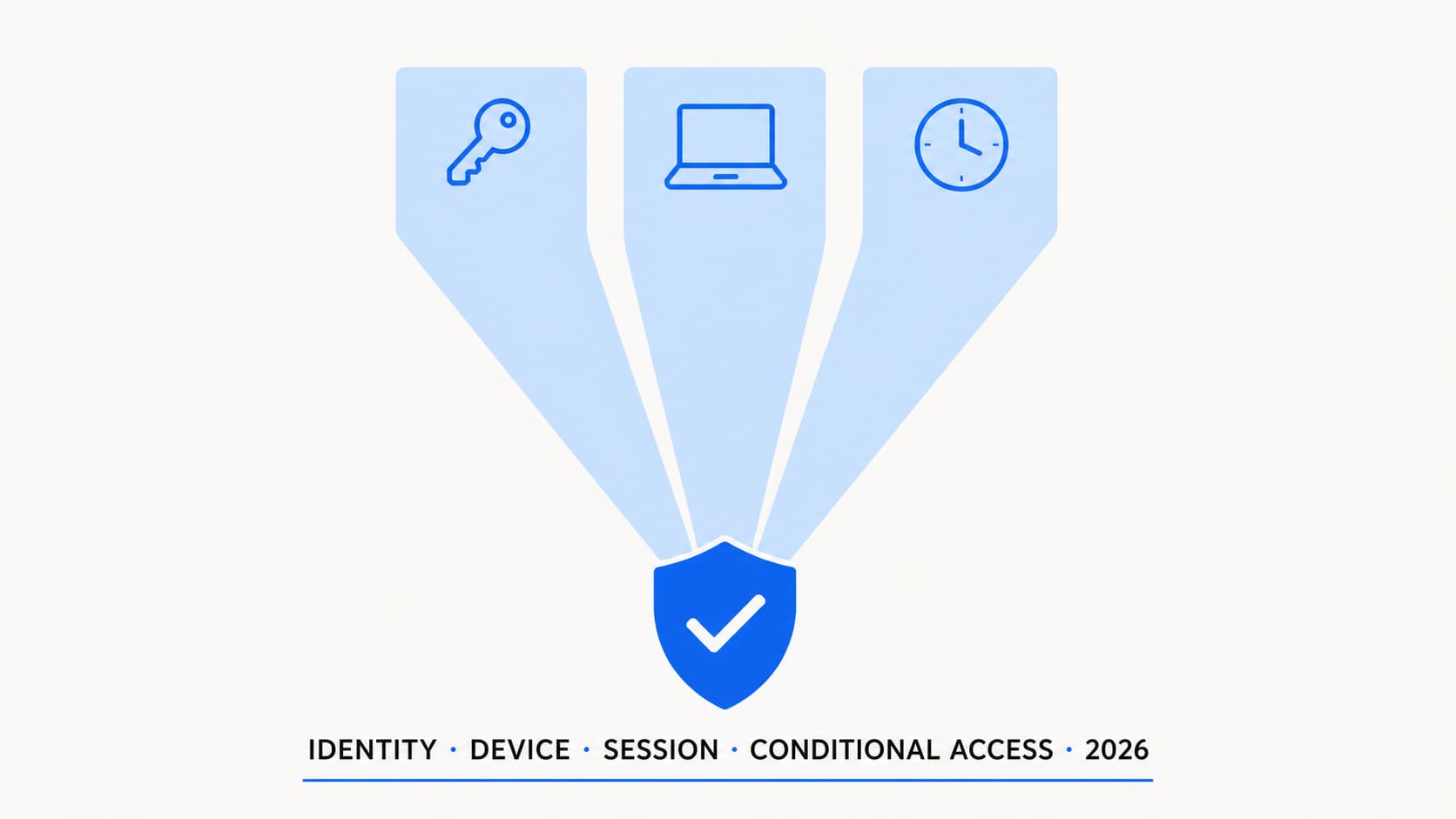
Most practical Conditional Access designs come down to three major layers: identity, device, and session. Other signals such as location, app, client type and risk still matter, but these three layers define the core access model. Most admins get comfortable with the identity layer quickly, because MFA is familiar territory. Device and session controls tend to be less well understood, and the interaction between all three is where the real complexity lives. This article breaks down each pillar, explains how they combine in CA policy logic, and helps you decide which one to invest in for your specific environment.
| Layer | Main question | Main controls | Common mistake |
|---|---|---|---|
| Identity | Who is signing in? | MFA, authentication strength, sign-in risk, user risk, PIM | Treating MFA as enough |
| Device | What are they using? | Compliance, join type, app protection, device filters | Trusting registered/BYOD devices too much |
| Session | How long does trust last? | Sign-in frequency, persistent browser, CAE, app-enforced restrictions | Leaving sessions too long on unmanaged devices |
Identity evaluation
This is the layer most admins know best — and the one they often stop at.
The identity pillar is the most mature layer in most tenants. It answers a straightforward question: how confident are we that the person signing in is who they claim to be? The confidence level depends on what they proved during authentication and what risk signals are present.
Identity controls available in CA
| Control | What it does | Licence required |
|---|---|---|
| MFA (legacy toggle) | Requires any registered MFA method. Does not distinguish between SMS and FIDO2. | Entra ID P1 |
| Authentication strength | Specifies which MFA methods are acceptable. Three built-in strengths: MFA, Passwordless MFA, Phishing-resistant MFA. Custom strengths possible. | Entra ID P1 |
| Sign-in risk (ID Protection) | Evaluates real-time risk: anonymous IP, atypical travel, malware-linked IP, unfamiliar sign-in properties. Levels: None, Low, Medium, High. | Entra ID P2 |
| User risk (ID Protection) | Evaluates ongoing risk: leaked credentials, anomalous user activity, threat intelligence. Persists until remediated (password change, admin dismiss). | Entra ID P2 |
| PIM (Privileged Identity Management) | Just-in-time role activation. Admin activates Global Admin for 1-8 hours, then loses it. Reduces standing privilege. | Entra ID P2 |
Authentication strength is the most important identity control to understand in 2026. The legacy "Require MFA" checkbox accepts any registered method. That includes SMS, which is vulnerable to SIM swap. It includes push notification, which is vulnerable to MFA fatigue. Authentication strength lets you specify: for this policy, only FIDO2 keys, passkeys, or Windows Hello count. For admins, this is the correct choice.
PIM and least privilege
PIM is not a CA control directly, but it feeds into the identity pillar. Without PIM, an admin has Global Admin 24/7. With PIM, they request activation, justify it, optionally get approved, complete MFA, and receive the role for a limited window. When the window closes, they are a regular user again.
The Zero Trust relevance: standing privilege is standing risk. An attacker who compromises an always-on Global Admin account has everything. An attacker who compromises a PIM-eligible account has whatever the base role allows, which should be very little. They would need to activate the role, which triggers MFA and alerting.
Device evaluation
Identity tells you who is at the door. The device pillar tells you what they brought with them.
The device pillar answers a different set of questions. Is this machine known to us? Is it managed? Is it healthy? Has it been compromised? Unlike identity, which evaluates the person, device evaluation focuses on the tool they are using to access resources.
Device signals available in CA
| Signal | What it evaluates | Source |
|---|---|---|
| Compliance status | Binary: device meets all Intune compliance policy rules, or it does not. Encryption, OS version, Defender, jailbreak, PIN. | Intune compliance policy |
| Microsoft Entra hybrid joined | Device is domain-joined to on-prem AD and registered in Microsoft Entra ID via Microsoft Entra Connect. | Entra Connect device sync |
| Entra ID registered | Device is registered in Entra ID (typically BYOD). Weaker than joined; indicates the device is known but not necessarily managed. | User-initiated registration |
| Device filters | Dynamic rules based on supported device properties such as operating system, trust type, compliance state, management state, model, ownership and extension attributes. Allows granular targeting. | Device object properties in Entra ID |
| Managed vs unmanaged | Whether the device has an active MDM enrollment. Not the same as compliant: a device can be enrolled but non-compliant. | Intune enrollment status |
Device filters are underused and powerful. They let you build CA policies that target specific device populations without creating separate policies per platform. For example: a single policy that applies only to devices where device.operatingSystem eq "Windows" and device.model startsWith "Surface". Or a policy that excludes shared devices tagged with a specific extension attribute.
Session evaluation
Identity and device get you through the door. Session controls decide how long you can stay.
The session pillar is the one most admins configure last, and it deserves more attention. Identity and device evaluation happen at sign-in time. Session controls govern what happens after authentication: how long the session lasts, whether it persists across browser restarts, and whether the system re-evaluates trust during the session.
Session controls available in CA
| Control | What it does | When to use |
|---|---|---|
| Sign-in frequency | Forces re-authentication after a set period (1 hour to 365 days, or "every time"). Overrides the default token lifetime. | Unmanaged devices (short frequency), sensitive apps, high-risk scenarios |
| Persistent browser session | Controls whether the browser session survives a browser close. "Never persistent" means closing the browser ends the session. | Unmanaged/shared devices: disable persistence. Corporate devices: allow persistence. |
| Continuous Access Evaluation (CAE) | CAE is supported by specific Microsoft workloads and client apps. It is not a normal grant control that you enable per policy, but it changes how supported sessions respond to critical events and policy changes. | Always on for supported workloads. Understand it; you do not need to enable it. |
| Token protection (preview) | Token protection binds supported tokens to the device/session that requested them, making token replay from another device much harder. | Still in preview as of April 2026. Targets token theft attacks (AiTM phishing). Watch and test; do not enforce broadly yet. |
| Adaptive session lifetime | Entra ID dynamically adjusts token lifetime based on tenant security posture and user risk. Replaces the old configurable token lifetime policies. | Enabled by default. Most tenants should leave it on and layer sign-in frequency for specific scenarios. |
Token protection and the AiTM gap
Adversary-in-the-middle (AiTM) phishing is the attack that bypasses MFA. The attacker proxies the real Microsoft login page, captures the session cookie post-MFA, and replays it from their own machine. The user authenticated correctly. MFA was satisfied. But the attacker has the token.
CAE helps because it can revoke the session when anomalies are detected. But the most complete answer is token protection, which binds supported tokens to the device/session that requested them. On supported Windows scenarios, this helps reduce the impact of stolen session tokens.
As of this article's publication timeframe, token protection should still be treated as a controlled pilot feature. Support varies by platform, client and workload, so validate the current Microsoft documentation before broad enforcement. Keep it on your roadmap and test it in a pilot group, but it is not something you should rely on as your primary control yet. Phishing-resistant MFA (FIDO2, passkeys) remains the strongest protection against AiTM until token protection reaches general availability.
How the three pillars combine in Conditional Access
A single CA policy has four sections: Assignments, Conditions, Grant controls, and Session controls. The three pillars map across these sections:
| Policy section | Pillar addressed | Examples |
|---|---|---|
| Assignments (Users, Groups, Roles) | Identity | All users, admin roles, guest users, specific groups |
| Conditions (Platforms, Locations, Client apps, Device state) | Device + Context | iOS only, trusted locations, browser vs app, device filters |
| Grant controls | Identity + Device | Require MFA, require authentication strength, require compliant device, require app protection |
| Session controls | Session | Sign-in frequency, persistent browser, app-enforced restrictions |
The "most restrictive wins" rule
Conditional Access is not a single decision engine. It evaluates multiple policies independently and enforces the combined result.
When multiple policies apply, the user must satisfy every applicable grant and session requirement. A block policy overrides grant policies. Policies are not averaged or merged. They stack.
When to focus on which pillar
Not every environment needs the same emphasis on every pillar. Where you invest depends on your fleet, your users, and your threat model.
| Scenario | Primary pillar | Why |
|---|---|---|
| Small org, 100% BYOD | Identity + Session | You cannot control devices. Invest in strong MFA (phishing-resistant for admins), short session lifetimes, and app protection. Device compliance is not available for unmanaged devices. |
| Corporate-owned fleet, all Intune-managed | Device + Identity | You control the devices. Compliance policies are your strongest signal. Layer identity (MFA, risk-based) on top. Sessions can be longer because device trust is high. |
| Mixed fleet (corporate + BYOD) | All three, differentiated | Corporate devices get compliant-device path with comfortable sessions. BYOD gets app protection path with shorter sessions. Identity applies to both. |
| High-security environment (finance, healthcare) | All three, aggressive | Phishing-resistant MFA only, compliant devices only, short sessions, CAE, token protection when GA. No unmanaged device access to sensitive data. |
| External collaboration heavy | Identity + Session | Guest device compliance is not evaluable. Focus on MFA at your door, cross-tenant trust settings, aggressive session controls, and access reviews for lifecycle. |
Common policy patterns
Access control design checklist
-
Define authentication strength policies before building CA rules Create a "Phishing-resistant MFA" strength for admins. Keep the built-in "MFA" strength for regular users. Consider a custom strength if you want to allow passkeys but not SMS.
-
Map your device fleet: corporate-managed, BYOD registered, unknown Each category needs a different CA path. You cannot build effective policies without knowing the proportions.
-
Set session controls that match device trust Compliant devices: 24-hour frequency, persistent browser OK. BYOD: 8-hour frequency, no persistence. Unknown: 1-hour frequency or block.
-
Enable Identity Protection risk policies if you have P2 Sign-in risk: require MFA at Medium, block at High. User risk: require password change at High. These are the highest-value P2 controls.
-
Use the What If tool to validate every policy combination Test at least five scenarios: admin from compliant device, regular user from BYOD, guest from unknown device, service account, travelling exec.
-
Implement PIM for all admin roles No standing Global Admin. Maximum activation duration of 8 hours. Require MFA on activation. Require justification. Alert on every activation.
-
Test token protection in preview with a pilot group Windows devices, core workloads. Monitor for app compatibility issues. Do not enforce broadly until GA.
-
Document your policy set with pillar annotations For each CA policy, note which pillar it primarily addresses. This makes review and gap analysis much faster during quarterly reviews.
Where this model breaks in real environments
The three-pillar model is clean on paper. In production, every pillar has limits that are worth being honest about.
Device compliant ≠ secure
A device can pass every compliance check and still be compromised. Compliance confirms configuration — BitLocker on, Defender running, OS patched. It does not confirm that no attacker is present. A device with a valid token and an active adversary is compliant and compromised at the same time.
Identity strong ≠ session safe
A user can pass phishing-resistant MFA and still have their session stolen via AiTM or token theft. The identity check happened correctly. The problem is what happens after authentication, which is why session controls and CAE matter as much as the initial MFA method.
Session controlled ≠ data protected
A 1-hour sign-in frequency limits how long an attacker can use a stolen session, but during that hour, they have full access to whatever the policy allows. Session controls shorten the window. They do not prevent exfiltration within that window. Data protection (DLP, sensitivity labels) is a separate layer entirely.
None of these limitations make the model wrong. They make it incomplete if you stop here. Each pillar reduces risk. No pillar eliminates it. The strongest posture layers all three and adds data protection on top — which is beyond the scope of Conditional Access alone.
The bottom line
Conditional Access is not a firewall with one allow/deny decision. It is a layered evaluation engine where identity, device, and session each contribute a different type of confidence.
Identity increases confidence in who the person is. Device confirms what they are using. Session controls define how long that trust lasts. When all three layers are working together, you have a posture where every access decision is informed, proportional, and time-limited.
The mistake most environments make is investing heavily in one pillar and ignoring the others. Strong MFA with no device controls and no session limits is identity-only security. It may have been acceptable a few years ago. It is not enough in 2026.
Zero Trust is not about choosing a pillar. It is about accepting that no single signal is enough — and designing for that reality.
Getting the layers right is the hard part
If you need help designing a CA policy set that layers identity, device, and session controls correctly for your environment, that is usually where things get practical. I can help with that.
Get in touch